
In This Article
Why a Corner Standing Desk with Storage Belongs in Your 2026 Home Office
Heads-up: this post contains affiliate links. If you buy through them, we may earn a commission at no extra cost to you.
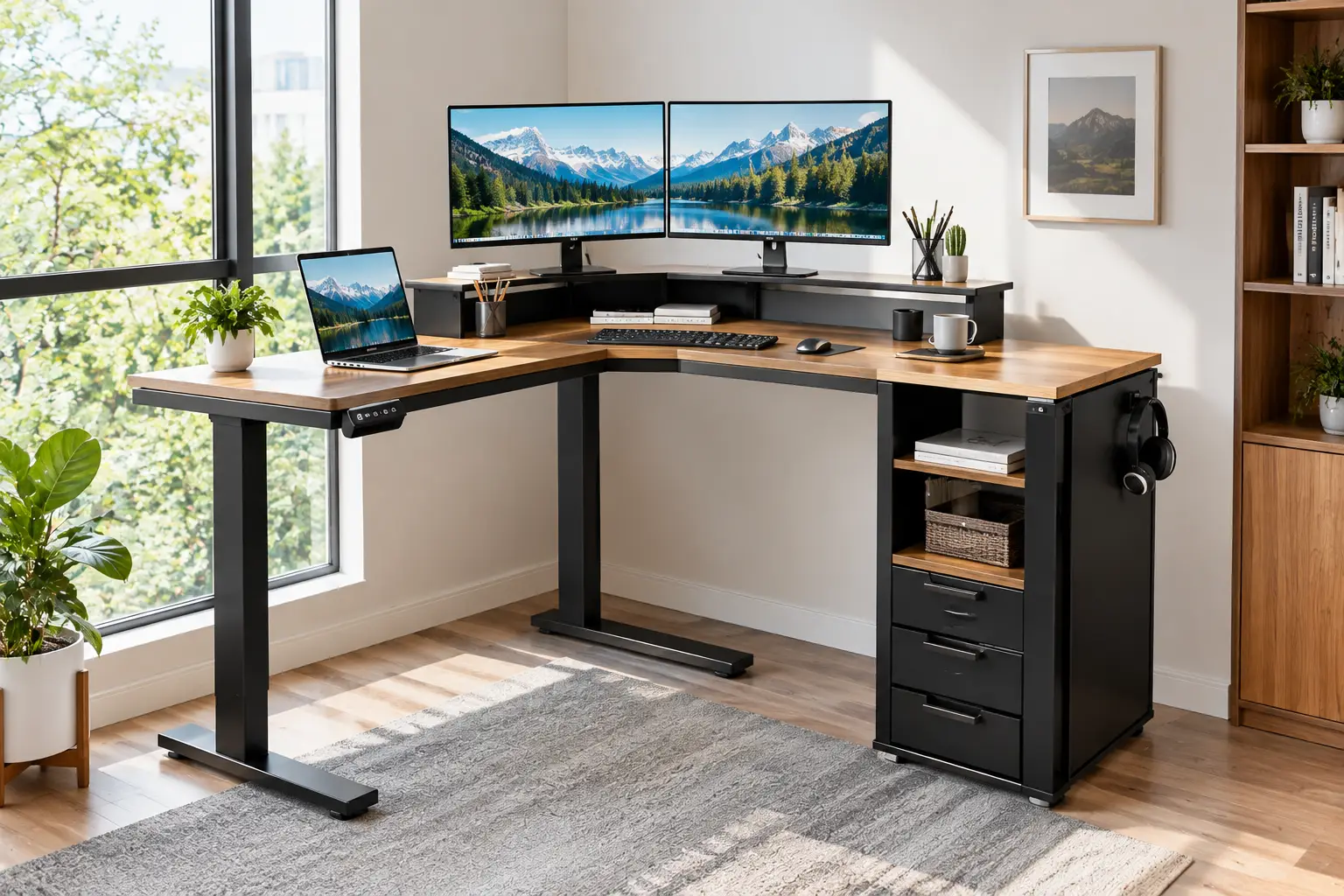
Look at the corner of your home office right now. Odds are it’s holding a laundry basket, a lonely plant, or absolutely nothing at all. Meanwhile, your desk is buried under chargers, notebooks, and a printer that has no home. A corner standing desk with storage fixes both problems in one move: it turns dead corner space into a wraparound workstation, it lets you switch between sitting and standing at the push of a button, and it gives every loose item a drawer, cabinet, or shelf to live in.
That combination matters more than it sounds. The whole point of a standing desk is to make changing posture effortless, and nothing kills that habit faster than a desktop so cluttered you dread raising it. Built-in storage keeps the surface clear, so the “stand up” button actually gets pressed.
The catch? This category on Amazon is crowded with near-identical listings, and the differences that matter — height range, orientation, real file storage versus decorative cubbies, motor load — are buried in spec sheets. So we did the reading for you. The picks below are based on manufacturer spec sheets, listing details, and third-party roundups, not on hands-on testing, and we’ll always tell you which is which. You’ll find a quick comparison table, honest analysis of seven real desks, setup advice that product listings never give you, and a buyer’s framework for choosing the right corner standing desk with storage for your space, body, and budget.
What Is a Corner Standing Desk with Storage?
A corner standing desk with storage is an L-shaped, height-adjustable desk designed to fit into a room’s corner, with built-in drawers, cabinets, or shelves. It usually uses an electric motor to move between sitting and standing heights, combining an ergonomic sit-stand workstation and office storage in a single footprint.
In practice, “storage” covers a surprisingly wide range. At the budget end, you’ll mostly see fabric drawers hung under the desktop — light, cheap, and perfect for cables and notebooks, but not for hanging files. Mid-range models add wooden drawers, sliding-door cabinets, or a true file drawer sized for letter or legal folders. At the top end, executive-style desks pair the standing desktop with a separate pedestal cabinet and open shelving.
The lifting side varies too. Some desks raise the entire L, storage included, which means the motors carry the weight of your drawers and their contents. Others use a freestanding cabinet as the short side of the L, so only the main desktop moves. Neither is automatically better — but they behave very differently, and we’ll flag which is which for every desk below. Finally, check orientation: many models are reversible (the return can sit on the left or right), while a few lock the storage to one side. That single detail decides whether a desk will fit your corner at all.
Quick Comparison: 7 Corner Standing Desks with Storage at a Glance
| Desk | Work Surface | Built-In Storage | Height Range (per listing) | Best For |
|---|---|---|---|---|
| HUANUO 65.5″ L-Shaped Standing Desk with 6 Drawers | 65.5″ x 57.6″, 2-tier | 6 fabric drawers + open cubbies | 27.6″–46.5″ | Maximum storage on a tight budget |
| OffiGo 63″ L-Shaped Standing Desk with 4 Drawers | 63″ L, reversible | 4 fabric drawers + outlets | 29.9″–46.1″ | First-time standing desk buyers |
| NORTHSKY 55″ L-Shaped Standing Desk | 55″ wide, right-side return only | 2 drawers (1 file) + cabinet | 28.7″–46.8″ | Paper-heavy small offices |
| SEDETA Farmhouse 55″ L-Shaped Standing Desk | 55″ x 47.2″ | 2 drawers + barn-door cabinet | 28.7″–46.8″ | Farmhouse décor lovers |
| YITAHOME 63″ L-Shaped Standing Desk | 63″ | Drawers + sliding-door cabinet, outlets, LED | 29.5″–45.2″ | Gamers and streamers |
| FLEXISPOT 71″ L-Shaped Standing Desk with Shelf | 70.9″ x 63″ | 4 drawers + monitor shelf | From 28.3″ | Dual-monitor power users |
| FEZIBO 66″ Executive L-Shaped Standing Desk | 66″ x 63″ | 2-drawer file cabinet + open shelves | 27.6″–47.3″ | Executive-style home offices |
Reading across the table, the biggest trade-off is footprint versus storage type. The HUANUO 65.5″ L-Shaped Standing Desk with 6 Drawers wins on sheer drawer count, but those are fabric drawers; if you need hanging files, the NORTHSKY 55″ L-Shaped Standing Desk and FEZIBO 66″ Executive L-Shaped Standing Desk are the only two here with dedicated file storage. Taller users should also note the YITAHOME 63″ L-Shaped Standing Desk‘s lower 45.2″ ceiling before falling for its LED lighting.
👉 Found a desk that fits your corner? Click any highlighted name to check the current price and availability — 💬 one click helps other shoppers make an informed choice too! 😊
Top 7 Corner Standing Desks with Storage: Expert Analysis
Each pick below covers what the specs mean in daily use, who the desk actually suits, what verifiable feedback says, and where it falls short. Prices are approximate ranges at the time of writing — always check the current price on Amazon.
1. HUANUO 65.5″ L-Shaped Standing Desk with 6 Drawers — most drawers for the money
If your main complaint is “I have nowhere to put anything,” the HUANUO 65.5″ L-Shaped Standing Desk with 6 Drawers attacks that problem harder than anything else at its price.
Its six fabric drawers sit under the desktop, with open compartments on top and larger open bays below for paper reams or a small printer. HUANUO’s spec for this series lists a 27.6″–46.5″ range with four memory presets — and that low 27.6″ floor is genuinely useful for shorter users, who often find budget desks too tall when seated. The brand also says its frames are tested for 50,000 lift cycles; at four adjustments a day, that’s decades on paper, though it’s a manufacturer claim, not an independent test.
Based on the specs, this is the desk for students, remote workers, and hobbyists who own lots of small, light things: chargers, headsets, notebooks, controllers. Fabric drawers are not file cabinets, though — heavy items will make them sag over time.
Reviews posted on HUANUO’s own site consistently mention smooth-gliding drawers and a stable feel while typing; keep in mind that brand-hosted reviews tend to skew positive, and we couldn’t verify a large independent review base for this exact variant.
Pros:
- ✅ Six drawers plus open bays maximize small-item storage
- ✅ Low 27.6″ minimum height suits shorter users
- ✅ Four memory presets make sit-stand switching quick
Cons:
- ❌ Fabric drawers can’t hold hanging files
- ❌ Confirm the load rating on the listing before stacking heavy gear
Typically between $150 and $300 depending on size and finish, it’s arguably the strongest storage-per-dollar value in this lineup.
2. OffiGo 63″ L-Shaped Standing Desk with 4 Drawers — easiest reversible starter desk
The OffiGo 63″ L-Shaped Standing Desk with 4 Drawers is the “no surprises” pick: a reversible layout, sensible storage, and built-in outlets in one approachable package.
The listing specifies a 29.9″–46.1″ height range, three memory presets, and a 154-pound recommended load. In plain terms, 154 pounds comfortably covers two monitors on arms, a laptop, a desktop tower, and accessories — just don’t treat the desk as a shelf for a stack of hardcover textbooks. The four fabric drawers and rear cable management tray mean your power strip and chargers disappear rather than dangling behind the desk. At roughly 74 pounds shipping weight, it’s also manageable for two people to assemble without a moving crew.
Our honest read: this is the desk for first-time buyers who want an L-shape that can flip to either side of the room. The one spec to weigh is that 29.9″ minimum height — if you’re under about 5’4″, the seated position may feel slightly tall, and a footrest or keyboard tray will help.
We couldn’t verify a substantial body of independent customer reviews for this specific listing at the time of writing, so we’re leaning on the spec sheet here rather than aggregated sentiment.
Pros:
- ✅ Reversible return fits left- or right-hand corners
- ✅ Built-in outlets reduce floor-level cable clutter
- ✅ Light enough for straightforward two-person assembly
Cons:
- ❌ 29.9″ minimum height may be tall for petite users
- ❌ Fabric drawers suit light items only
Usually in the $180–$280 range, it’s a fair price for a flexible, well-rounded first standing desk.
3. NORTHSKY 55″ L-Shaped Standing Desk — real file drawer in a compact footprint
The NORTHSKY 55″ L-Shaped Standing Desk is one of the few budget-friendly options that takes paperwork seriously.
It pairs two drawers — including a file drawer sized for letter and legal documents — with a built-in side cabinet behind fluted fronts. The listing gives a 28.7″–46.8″ height range with three memory presets, which comfortably covers most adults in both positions. The main desktop is a shallow 19.7″ deep, though, and that number deserves attention: if you use a large monitor, a monitor arm will help you push the screen back far enough for comfortable viewing distance.
The most important detail is one NORTHSKY states upfront: the drawers and cabinet are fixed on the right side, and the layout is not reversible. That’s a dealbreaker for left-side corners, but it’s also refreshing honesty in a category where orientation is often buried. It ships in two packages, which may arrive separately.
Based on the specs, this desk suits freelancers, bookkeepers, and anyone who still handles physical documents in a small spare room with a right-hand corner. It’s a relatively new listing, so the review history is limited; we couldn’t confirm consistent aggregated sentiment yet.
Pros:
- ✅ True letter/legal file drawer at a budget price
- ✅ Compact 55″ width suits small rooms
- ✅ Fluted cabinet fronts look more upscale than the price suggests
Cons:
- ❌ Right-side storage only — not reversible
- ❌ Shallow 19.7″ desktop depth limits large monitors
Typically in the $220–$330 range, it’s good value if your corner faces the right way.
4. SEDETA Farmhouse 55″ L-Shaped Standing Desk — farmhouse style that hides the tech
The SEDETA Farmhouse 55″ L-Shaped Standing Desk is built for people whose office doubles as a living room or guest room and who don’t want furniture that screams “cubicle.”
SEDETA lists a 55″ x 47.2″ footprint, a 28.7″–46.8″ height range, three memory presets, two drawers, and a sliding barn-door cabinet that SEDETA says accommodates letter, A4, and legal documents. A charging station with two outlets and two USB ports is built in, and the Amazon listing adds LED lighting. Practically, the barn door is the clever part: it hides printer paper and clutter behind a decorative face, so the desk reads as furniture first and workstation second. A 63″ version is also offered if you have a deeper corner.
Our analysis: this is the right choice when appearance matters as much as ergonomics. The trade-off is power — two AC outlets fill up fast if you run a monitor, a lamp, and a speaker, so budget for a small surge protector.
Reviews on SEDETA’s own site mention that it fits well in small corner offices and that the built-in outlets are handy; as with any brand-hosted reviews, read them as a positive-leaning sample rather than the full picture.
Pros:
- ✅ Barn-door cabinet hides clutter behind a decorative front
- ✅ Built-in outlets and USB ports for daily charging
- ✅ Offered in 55″ and 63″ sizes
Cons:
- ❌ Only two AC outlets on the charging station
- ❌ Farmhouse styling won’t suit minimalist rooms
Usually priced between $220 and $350, it’s strong value for style-conscious buyers.
5. YITAHOME 63″ L-Shaped Standing Desk — built-in power and LED for gamers
The YITAHOME 63″ L-Shaped Standing Desk leans into the gaming and streaming crowd without giving up practical storage.
The listing combines drawers with a sliding-door cabinet, built-in power outlets, and LED lighting, with a 29.5″–45.2″ height range and finishes ranging from grey-wash farmhouse to high-gloss white with natural oak. The sliding door matters more than it looks: open shelves on gaming desks tend to become dust traps for controllers and cables, while a closed cabinet keeps them out of sight and out of the dust. Built-in outlets also mean your console, lamp, and phone charger plug in at desk level.
Here’s what to weigh: that 45.2″ maximum height is the lowest ceiling in this roundup. It works for most people, but if you’re around 6’2″ or taller, your standing elbow height may sit above what this desk can reach. We also couldn’t find a clearly stated weight capacity in the sources we checked, so confirm it on the listing before mounting multiple monitors.
On reviews, we couldn’t verify a meaningful set of independent customer feedback for this model at the time of writing, so we’re not going to pretend otherwise — judge it on the spec sheet and the return policy.
Pros:
- ✅ Closed sliding-door cabinet keeps gear dust-free
- ✅ Built-in outlets put power at desk level
- ✅ LED lighting suits gaming and streaming setups
Cons:
- ❌ 45.2″ max height may be short for very tall users
- ❌ Weight capacity isn’t clearly stated in our sources
Typically in the $250–$400 range, it’s reasonable value if the aesthetic is part of the appeal.
6. FLEXISPOT 71″ L-Shaped Standing Desk with Shelf — widest workspace with a monitor shelf
The FLEXISPOT 71″ L-Shaped Standing Desk with Shelf is the pick for people who need room — lots of it — plus storage that doesn’t compromise the work surface.
Its 70.9″ x 63″ footprint is the largest in this roundup, and the listing includes four storage drawers, a full-width monitor shelf, side headphone hooks, a USB charging port, and a 176-pound maximum load. The monitor shelf does double duty: it lifts screens closer to eye level and frees the desktop underneath for a keyboard, notebook, or drawing tablet. FLEXISPOT’s reversible variant of this design also lists anti-collision protection and memory presets. One caution: the height data on the listing we reviewed was inconsistent beyond the 28.3″ minimum, so verify the maximum height before ordering if you’re tall.
FLEXISPOT is one of the most established names in sit-stand desks, and its L-shaped models appear regularly in third-party roundups — though that’s brand reputation, not a verdict on this specific model. Based on the specs, it’s best for developers, designers, and traders running two or more monitors in a generous corner.
We couldn’t verify aggregated customer sentiment specific to this listing, so weigh the brand’s track record and the clear spec sheet accordingly.
Pros:
- ✅ Largest work surface in this lineup
- ✅ Monitor shelf frees up desktop space
- ✅ 176-pound load handles multi-monitor setups
Cons:
- ❌ Needs a deep corner — 63″ on the short side
- ❌ Listing height data needs double-checking
Usually between $300 and $480, it’s a strong value for anyone who needs space more than style.
7. FEZIBO 66″ Executive L-Shaped Standing Desk — executive filing without extra furniture
The FEZIBO 66″ Executive L-Shaped Standing Desk turns a corner into a proper executive station, with a filing cabinet that would otherwise be a separate purchase.
The listing pairs a 66″ x 63″ layout with a freestanding cabinet featuring a two-drawer file system for hanging legal, letter, and A4 files, plus open shelves for a printer and supplies. The standing desktop adjusts from 27.6″ to 47.3″ with anti-collision protection, and FEZIBO lists a 176-pound load capacity. Because the cabinet is freestanding and can go on either side, the motors don’t have to lift your paperwork — a quiet advantage for long-term motor health — while the cabinet top works as a fixed-height side surface.
Our analysis: this is the desk for consultants, lawyers, and managers who actually file paper and want the room to look like an office, not a dorm. The trade-off is that the return stays at a fixed height when you stand, so it works best for reference materials rather than active typing.
Aggregated feedback is mixed: in its roundup of L-shaped desks, Popular Science named this FEZIBO its pick for storage, while also noting the higher price and that some users criticized build quality.
Pros:
- ✅ Real two-drawer file cabinet for hanging folders
- ✅ Cabinet works on the left or right side
- ✅ Motors lift only the desktop, not the storage
Cons:
- ❌ Highest price in this roundup
- ❌ Some buyers report build-quality concerns
Typically in the $450–$750 range, it’s worth it only if you truly need executive-grade filing.
Spec Snapshot: All 7 Desks Side by Side
| Desk | Height Range | Stated Load | Power / Extras | Approx. Price Range | Best For |
|---|---|---|---|---|---|
| HUANUO 65.5″ L-Shaped Standing Desk with 6 Drawers | 27.6″–46.5″ | Check listing | Cable tray, grommets, 4 presets | $150–$300 | Budget organizers |
| OffiGo 63″ L-Shaped Standing Desk with 4 Drawers | 29.9″–46.1″ | 154 lb | Outlets, cable tray, 3 presets | $180–$280 | First-time buyers |
| NORTHSKY 55″ L-Shaped Standing Desk | 28.7″–46.8″ | Check listing | File drawer, 3 presets | $220–$330 | Right-side corners, paperwork |
| SEDETA Farmhouse 55″ L-Shaped Standing Desk | 28.7″–46.8″ | Check listing | 2 AC + 2 USB, LED, 3 presets | $220–$350 | Farmhouse living spaces |
| YITAHOME 63″ L-Shaped Standing Desk | 29.5″–45.2″ | Check listing | Outlets, LED | $250–$400 | Gaming setups |
| FLEXISPOT 71″ L-Shaped Standing Desk with Shelf | From 28.3″ | 176 lb | Monitor shelf, USB, hooks | $300–$480 | Dual-monitor users |
| FEZIBO 66″ Executive L-Shaped Standing Desk | 27.6″–47.3″ | 176 lb | File cabinet, anti-collision | $450–$750 | Executive offices |
The pattern is clear: published load ratings only appear consistently on the OffiGo 63″ L-Shaped Standing Desk with 4 Drawers, the FLEXISPOT 71″ L-Shaped Standing Desk with Shelf, and the FEZIBO 66″ Executive L-Shaped Standing Desk, so heavy multi-monitor setups should start there. Budget shoppers get the most storage from the HUANUO 65.5″ L-Shaped Standing Desk with 6 Drawers, while the extra cost of the FEZIBO 66″ Executive L-Shaped Standing Desk is buying real filing and a freestanding cabinet, not more height range.
✨ Ready to reclaim your corner? 🔍 Upgrade your workspace with one of these carefully compared desks — click a highlighted name to check today’s price and availability, and turn that empty corner into the most productive spot in your home! 🚀
How to Choose a Corner Standing Desk with Storage
Use these seven steps in order — each one eliminates options before you fall in love with a finish.
- Measure both walls, not just one. Note the length of each wall, door swing, window sills, and outlet locations. An L-shaped desk needs clearance on both sides, plus room to pull out drawers.
- Confirm orientation. Decide whether your return goes left or right. Reversible desks adapt; fixed-storage models like the NORTHSKY 55″ L-Shaped Standing Desk do not.
- Match the height range to your body. OSHA’s computer workstation purchasing guide suggests keyboard heights of roughly 22–30 inches for seated work and 36–46.5 inches for standing, at about elbow height. Compare those numbers with each desk’s range.
- Match storage type to what you store. Hanging files need a file drawer; cables and gadgets are fine in fabric drawers; printers need an open bay or cabinet.
- Add up your gear’s weight. Monitors, arms, a tower PC, and loaded drawers add up quickly. Stay well under the stated load.
- Check knee and foot clearance. OSHA’s guide recommends under-desk clearance of roughly 17.6 inches deep at the knees and 24 inches at the feet. Under-desk drawers can eat into that space, so check where they hang.
- Plan power and cables. Built-in outlets and cable trays save frustration, but cables still need slack for full height travel.
Which Desk Fits Your Life? Real-World Scenarios
Specs only make sense when they meet a real person. Here are three common buyer profiles and how they map to the lineup.
🧾 The paper-heavy freelancer. Dana is a self-employed bookkeeper working eight hours a day from a 10×10 spare bedroom with a right-hand corner and a $350 budget. She files physical receipts weekly. The NORTHSKY 55″ L-Shaped Standing Desk fits her perfectly: its letter/legal file drawer handles client folders, its 55″ width suits a small room, and its fixed right-side storage happens to match her corner. If her budget stretched to the $450–$750 range, the FEZIBO 66″ Executive L-Shaped Standing Desk would add a full two-drawer file cabinet and a more executive look.
🎮 The student gamer. Marcus studies by day and games at night in a shared apartment, roughly four to six hours of desk time daily, with about $250 to spend. He owns lots of small gear — controllers, headsets, external drives. The HUANUO 65.5″ L-Shaped Standing Desk with 6 Drawers gives him the most drawers for the money, and its two-tier layout lifts his monitor. If he prioritizes looks and closed storage over drawer count and can stretch his budget, the YITAHOME 63″ L-Shaped Standing Desk adds built-in outlets, LED lighting, and a dust-resistant cabinet.
💻 The dual-monitor developer. Priya codes nine hours a day across two 27-inch monitors and has a generous corner in a converted dining room, with a budget around $450. She needs surface area and weight capacity more than décor. The FLEXISPOT 71″ L-Shaped Standing Desk with Shelf gives her the largest surface here, a monitor shelf to clear the desktop, and a published 176-pound load rating. If her corner is shallower, the reversible OffiGo 63″ L-Shaped Standing Desk with 4 Drawers is the practical fallback with a 154-pound rating.
The lesson across all three: start from what you store and how many hours you sit, then let budget break the tie.
Getting Started: Assembly, Setup, and Your First 30 Days
A corner sit stand desk is only as good as its setup, and this is where Amazon listings go quiet.
🔧 Assembly tips. Unbox in the room where the desk will live — most of these desks weigh 70 to 160 pounds assembled, and carrying a finished L-desk through a doorway rarely ends well. Sort hardware into labeled cups before you start. Plan on two people and an afternoon, especially for models with built-in cabinets. Hand-tighten all frame bolts first, check that the frame sits square, then tighten fully.
⚡ Setup tips. Before loading anything, run the desk through its full range once to confirm smooth travel. Route cables through the tray with enough slack to reach full standing height — a cable that’s taut at the top will eventually yank a plug or damage a port. Then save your presets: one for seated, one for standing. OSHA’s guidance on good working positions is a handy reference — elbows close to the body and bent roughly 90 to 120 degrees, wrists straight, and the top of the monitor at or slightly below eye level.
📅 Your first 30 days. Don’t try to stand all day in week one. Start with short standing blocks — 15 to 30 minutes a few times a day — and build gradually. An anti-fatigue mat and supportive shoes make standing far more comfortable.
🧰 Maintenance schedule. After two weeks, re-tighten frame bolts, since settling is normal. Monthly, check drawer slides and wipe the desktop with a dry or slightly damp cloth. Every few months, confirm cables still have slack and nothing has migrated into the lift path.
Problem → Solution: Fixing Common Corner Desk Headaches
Even a well-chosen desk can develop quirks. Here are the five most common issues and how to fix them.
1. Wobble at standing height. Some sway is normal on any electric desk at full extension, especially two-leg frames. First, re-tighten every frame bolt. Next, check that the floor is level and adjust the leveling feet if your desk has them. Finally, move heavy items toward the legs — weight on an unsupported corner amplifies sway. Desks with a published load rating like the FLEXISPOT 71″ L-Shaped Standing Desk with Shelf give you a clear ceiling to stay under.
2. Cables yanked when the desk rises. Measure cable length at full height, not seated height. Add a cable spine or sleeve running from the desk to the floor outlet.
3. Drawers bump your knees or chair. Under-desk drawers reduce leg clearance. Position your chair to the side of the drawer bank, or choose a model whose storage lives in a side cabinet, like the FEZIBO 66″ Executive L-Shaped Standing Desk.
4. The desk stops mid-travel. Anti-collision features can trigger on vibrations or a stray object. Clear the path, then follow the reset procedure in your controller’s manual — many require holding a button for several seconds.
5. Fabric drawers sagging. Remove heavy items like hard drives and books, and reserve fabric drawers for light gear. If you outgrow them, add a small rolling file cabinet beside the desk rather than overloading the built-ins.
Corner Standing Desk with Storage vs. Standing Desk Plus a Separate Cabinet
Many shoppers wonder whether an all-in-one design beats buying a straight standing desk and a filing cabinet separately. Here’s how the approaches compare.
| Factor | All-in-One Corner Standing Desk with Storage | Straight Standing Desk + Separate Cabinet | Fixed-Height L Desk with Storage |
|---|---|---|---|
| Corner space efficiency | Excellent — uses both walls | Fair — corner often wasted | Excellent |
| Sit-stand flexibility | Full | Full on desk only | None |
| Motor load from storage | Depends on design | None | Not applicable |
| Upfront cost | Moderate | Moderate to high | Low |
| Best for | Most home offices | Heavy filing, renters who move often | Budget buyers who always sit |
The table shows why the all-in-one approach wins for most people: you get sit-stand flexibility and corner efficiency in one purchase. A separate cabinet still makes sense if your filing needs are heavy, because storage that doesn’t ride on the motors never strains them — which is essentially what the FEZIBO 66″ Executive L-Shaped Standing Desk delivers in a matched set.
The fixed-height L desk is the cheapest route, but it ignores the core reason to upgrade. OSHA’s workstation evaluation checklist specifically recommends that users be able to alternate between sitting and standing and avoid prolonged sitting or standing. A desk that can’t move makes that much harder, no matter how many drawers it has. If you already own a fixed L-desk you love, a desktop riser is a cheaper middle ground, though it rarely matches the stability or range of a full electric frame.
L-Shaped Standing Desk with Drawers vs. Standing Corner Desk with Shelves
Not all storage is equal, and choosing the wrong type is one of the most common sources of buyer regret.
An L-shaped standing desk with drawers keeps things out of sight, which instantly makes a room look calmer. Drawers also protect contents from dust and pets. The downside is that under-desk drawers can reduce leg clearance and, on desks where storage rides on the frame, add weight the motors must lift every time you press a button. Fabric drawers — common on the HUANUO 65.5″ L-Shaped Standing Desk with 6 Drawers and the OffiGo 63″ L-Shaped Standing Desk with 4 Drawers — are lighter, but they’re best for small items.
A standing corner desk with shelves, by contrast, prioritizes access. Open shelving is ideal for items you grab constantly: a printer, a paper tray, reference books. The FLEXISPOT 71″ L-Shaped Standing Desk with Shelf uses a raised monitor shelf to create a second tier of storage without blocking your knees at all. The downside is visual clutter and dust.
Closed cabinets sit between the two. The SEDETA Farmhouse 55″ L-Shaped Standing Desk and YITAHOME 63″ L-Shaped Standing Desk use sliding doors to hide bulkier items while keeping them reachable.
Our rule of thumb: if you’d be embarrassed to have it on a video call background, it belongs in a drawer or behind a door. If you touch it ten times a day, it belongs on a shelf.
Features That Actually Matter (and Ones That Don’t)
Listings for this category are packed with bullet points. Here’s how to separate substance from marketing.
✅ Features that matter:
- Height range: This is non-negotiable. Compare both ends with your seated and standing elbow height, not just the maximum.
- Published load capacity: A clearly stated rating, like the 176 pounds listed for the FLEXISPOT 71″ L-Shaped Standing Desk with Shelf, lets you plan your setup with confidence.
- Orientation: Reversible versus fixed decides whether a desk fits your room at all.
- File storage (if you file): A true file drawer is a functional feature. Fabric drawers aren’t a substitute.
- Memory presets: They sound minor, but they’re what make switching positions effortless enough to become a habit.
- Cable management: Trays and grommets prevent the most common long-term annoyance.
❌ Features that matter less than they seem:
- RGB LED lighting: Fun, but it says nothing about frame quality. Choose the YITAHOME 63″ L-Shaped Standing Desk for its storage and outlets, not only its lights.
- Drawer count alone: Six fabric drawers and two wooden file drawers serve completely different needs.
- Decorative finishes: Fluting and farmhouse grooves are style choices — enjoy them, but don’t pay a premium expecting better performance.
- Vague durability claims: Lift-cycle numbers are useful only when you know who tested them. Treat manufacturer figures as directional.
Common Mistakes to Avoid When Buying an Electric Corner Desk with Storage
Most returns in this category come down to a handful of avoidable errors.
Mistake 1: Measuring only the long wall. An electric corner desk with storage needs clearance on both sides, plus room for drawers to open and a chair to roll back. Map the full footprint with painter’s tape before ordering.
Mistake 2: Ignoring orientation. Buying a fixed right-side model for a left-side corner is the single most frustrating mistake, because it’s often discovered mid-assembly. The NORTHSKY 55″ L-Shaped Standing Desk clearly states that its storage is fixed on the right — read that line on every listing.
Mistake 3: Assuming every drawer holds files. “Drawer” can mean anything from a fabric pouch to a full-extension file drawer. If you file letter or legal folders, confirm the listing explicitly says so.
Mistake 4: Forgetting delivery logistics. These desks often ship in multiple heavy boxes, sometimes on different days. Check that boxes will fit through your stairwell and doorways.
Mistake 5: Overlooking the minimum height. Shoppers obsess over maximum height and forget the bottom. If the lowest setting is too tall for comfortable seated typing, you’ll feel it every day.
Mistake 6: Overloading the frame. Adding a second monitor, a speaker, and a full printer to a desk without a published rating is a gamble. Leave headroom.
Long-Term Cost and Maintenance
The sticker price is only part of what a corner standing desk with storage costs you. Here’s a value-focused view of ownership.
| Desk | Approx. Price Range | Storage Value | Likely Add-Ons | Value Verdict |
|---|---|---|---|---|
| HUANUO 65.5″ L-Shaped Standing Desk with 6 Drawers | $150–$300 | High (6 drawers) | Small file box if needed | Best budget storage |
| NORTHSKY 55″ L-Shaped Standing Desk | $220–$330 | High (file drawer + cabinet) | Monitor arm for shallow depth | Best budget filing |
| FLEXISPOT 71″ L-Shaped Standing Desk with Shelf | $300–$480 | Medium-high | Anti-fatigue mat | Best space per dollar |
| FEZIBO 66″ Executive L-Shaped Standing Desk | $450–$750 | Very high (file cabinet) | Few — storage is complete | Best for executives |
The takeaway: the cheapest desk isn’t always the cheapest setup. The HUANUO 65.5″ L-Shaped Standing Desk with 6 Drawers may need a separate file box if you handle paper, while the FEZIBO 66″ Executive L-Shaped Standing Desk costs more upfront but replaces a filing cabinet you’d otherwise buy separately.
Plan for common add-ons: an anti-fatigue mat (roughly $30–$60), a monitor arm ($30–$100), and possibly a surge protector if built-in outlets are limited. Electricity costs are negligible, since motors run only a few minutes a day.
For maintenance, motor longevity depends largely on staying under the rated load and keeping the lift path clear. Re-tighten bolts periodically, avoid harsh chemical cleaners on laminate tops, and check each listing’s warranty terms before buying, since coverage varies between brands.
Safety, Standards, and Weight Limits
A motorized desk with built-in outlets and loaded drawers deserves a few minutes of safety thinking.
⚡ Built-in power. Many desks here include outlets and USB ports. Look for evidence that the power strip is UL or ETL listed, which indicates independent safety testing — and if a listing doesn’t say, ask the seller before you buy. Don’t plug high-draw appliances like space heaters into desk outlets, and keep the main cord with enough slack for full travel.
🛑 Pinch points and anti-collision. Any moving desk creates pinch points between the desktop and nearby furniture or windowsills. Anti-collision features, listed on the FEZIBO 66″ Executive L-Shaped Standing Desk and FLEXISPOT’s reversible design, help, but they aren’t a substitute for keeping the lift path clear — especially with kids or pets around. Use the child lock if your controller has one.
🏋️ Weight limits. Stated load capacity is the most important safety number on the spec sheet. Remember that on desks where storage rides on the frame, the contents of drawers count toward that load.
📏 Standards. In commercial settings, furniture is often evaluated against ANSI/BIFMA standards for desk and table products. Most consumer-grade Amazon desks don’t advertise BIFMA compliance, so treat it as a bonus if you see it. For ergonomic guidance, OSHA’s computer workstation materials remain one of the clearest free references available.
Standing Corner Desk with Shelves for Small Rooms and Apartments
Small spaces are where an L-shaped desk earns its keep — but only if you choose carefully.
Start with width. The 55″ desks in this roundup, the NORTHSKY 55″ L-Shaped Standing Desk and the SEDETA Farmhouse 55″ L-Shaped Standing Desk, are far easier to fit into a bedroom or studio apartment than the 71″ FLEXISPOT 71″ L-Shaped Standing Desk with Shelf. That said, the shorter side of the L still needs space; the SEDETA Farmhouse 55″ L-Shaped Standing Desk‘s footprint is listed at 55″ x 47.2″, which is larger than many buyers expect.
Next, think vertically. In tight rooms, a standing corner desk with shelves or a two-tier layout, like the HUANUO 65.5″ L-Shaped Standing Desk with 6 Drawers, stores more without expanding the footprint. Wall-mounted shelves above the desk complement this well — just keep them high enough that a monitor at standing height won’t hit them.
Then consider clearance behind and beside the desk. Leave a few inches between the desktop and walls so the frame never scrapes paint as it rises, and remember that windowsills and radiators can become collision hazards.
Finally, choose closed storage in shared spaces. If your desk lives in a bedroom, a cabinet door or drawers will make the room feel restful when the workday ends — a small detail that makes a big difference to work-life separation.
FAQs
❓ Can a corner standing desk with storage hold two monitors?
❓ Is an L-shaped standing desk with drawers worth the extra cost?
❓ Do the drawers on an electric corner desk move with the desktop?
❓ How long does it take to assemble a corner sit stand desk with storage?
❓ Can I return a corner standing desk bought on Amazon if it doesn't fit?
Conclusion: The Right Corner Standing Desk with Storage for You
Choosing a corner standing desk with storage comes down to three questions: what do you store, how does your corner face, and how many hours do you spend at the desk?
If you want the most storage for the least money, the HUANUO 65.5″ L-Shaped Standing Desk with 6 Drawers is hard to beat. First-time buyers who need flexibility should look at the reversible OffiGo 63″ L-Shaped Standing Desk with 4 Drawers. Paper-heavy workers with a right-hand corner will appreciate the file drawer on the NORTHSKY 55″ L-Shaped Standing Desk, while style-focused shoppers will love the barn-door charm of the SEDETA Farmhouse 55″ L-Shaped Standing Desk. Gamers get outlets and LEDs with the YITAHOME 63″ L-Shaped Standing Desk, power users get the most surface from the FLEXISPOT 71″ L-Shaped Standing Desk with Shelf, and executives who file seriously should consider the FEZIBO 66″ Executive L-Shaped Standing Desk.
Whichever you choose, measure both walls, match the height range to your body, and stay well under the load limit. Then actually use those presets — the healthiest desk is the one you adjust throughout the day.
✨ Don’t let that corner go to waste! 🔍 Take your home office to the next level with this carefully compared lineup. Click a highlighted desk to check current pricing and availability — and build a workspace that keeps you organized, comfortable, and moving all day long! 🚀
Recommended for You
- Sit Stand Desk with Storage: 7 Best Picks for 2026 (Clutter-Free)
- Electric Adjustable Desk with Drawers: 7 Best Picks for 2026
- Standing Desk with Cabinets: 7 Best Clutter-Crushing Picks (2026)
Disclaimer: This post contains affiliate links. As an Amazon Associate, I earn from qualifying purchases made through these links, at no additional cost to you.
✨ Found this article helpful? Share it with someone who needs it! 💬🤗