
In This Article
Why Desk Chair Neck Support Matters More Than You Think
Picture the last hour of a long workday. Your shoulders have crept toward your ears, your chin has drifted toward the monitor, and the back of your neck feels like a guitar string tuned one notch too tight. That’s not a lack of willpower — it’s leverage. An adult head weighs roughly 10 to 12 pounds, and every inch it drifts ahead of your shoulders makes the muscles at the back of your neck work harder to hold it up.
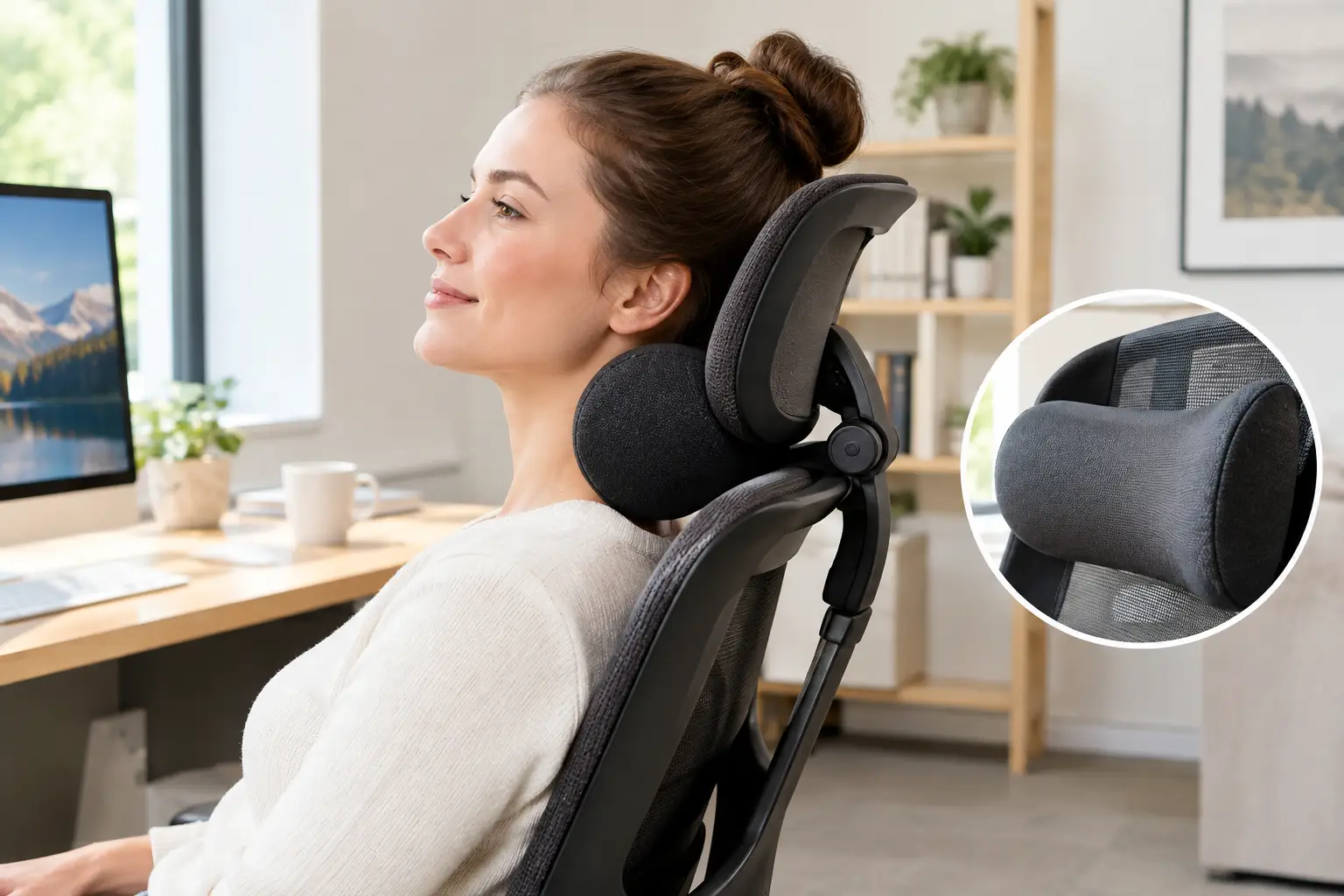
That’s exactly where desk chair neck support earns its keep. A well-placed headrest gives your skull somewhere to land when you lean back to read, think, or sit through a video call, so the small muscles at the base of your neck can rest instead of clocking overtime. The Mayo Clinic’s office ergonomics guide ties neck and back discomfort to chair height, screen placement, and desk posture — and choosing a chair that supports your spine sits at the top of its list.
In this guide, you’ll find seven real options available on amazon.com, from a budget mesh chair to a premium Steelcase, plus a bolt-on headrest for Aeron owners. Every pick comes with honest analysis built from spec sheets and aggregated owner feedback, not hype. You’ll also get a 10-minute setup routine, fixes for the most common neck complaints, and a simple framework for picking an office chair with headrest that actually fits your body — because a headrest in the wrong spot is just decoration.
What Is Desk Chair Neck Support?
Desk chair neck support is any headrest, head pillow, or attachment on an office chair that cradles the base of your skull and upper cervical spine. Its job is to keep your head stacked over your shoulders, especially when you recline, so your neck muscles don’t have to hold your head up unassisted all day.
Quick Comparison: 7 Desk Chair Neck Support Picks at a Glance
Short on time? This table gives you the essentials — what kind of neck support each option uses, how much you can adjust it, and roughly what it costs. Prices are approximate ranges at the time of writing; check the current price before you buy.
| Product | Support Type | Headrest Adjustments | Lumbar | Price Range | Best For |
|---|---|---|---|---|---|
| Sihoo M18 | Built-in mesh headrest | Height (~3.9″) + ~45° pivot | 2-way (height, depth) | Around $130–$180 | Tight budgets, second desks |
| Gabrylly Ergonomic Mesh Office Chair | Built-in mesh headrest | Height + tilt back up to 45° | Fixed | Roughly $200–$300 | Taller users who recline |
| Sihoo Doro C300 | Built-in 3D headrest | Height, depth, tilt | Self-adaptive | Around $250–$350 | Best adjustability per dollar |
| Branch Ergonomic Chair Pro | Optional add-on headrest | Height (~2.3″), depth, angle | 2-way, padded | Around $500 + ~$70 headrest | Detail-oriented tweakers |
| Secretlab Titan Evo | Magnetic memory foam pillow | Slides up/down | 4-way, built-in | Around $500–$650 | Gamers, streamers, plush lovers |
| Engineered Now H4 Aeron Headrest | Bolt-on attachment | Up to 11″ height, 8″ forward | Uses Aeron’s own | Around $125–$200 | Existing Aeron owners |
| Steelcase Gesture with Headrest | Built-in premium headrest | Height, tilt, 90° rotation | Height-adjustable | Around $1,600–$1,850 | All-day sitters, users up to 400 lb |
Reading across the rows, the real dividing line isn’t price — it’s how many directions the headrest can move. The Sihoo M18 and Gabrylly Ergonomic Mesh Office Chair handle height and angle, which covers most people who sit fairly upright, while the Sihoo Doro C300 adds depth (forward/back), the adjustment that matters most if you have forward head posture. At the top end, the Steelcase Gesture with Headrest justifies its price with durability, a 400 lb capacity, and a 12-year warranty rather than with dramatically better neck support alone.
💬 One click helps other shoppers make an informed choice too! 😊
Top 7 Desk Chair Neck Support Options: Expert Analysis
Every pick below is a real product sold on amazon.com. The analysis comes from manufacturer spec sheets, independent reviews, and aggregated owner sentiment — framed as reasoning, so you can see why each one fits a particular kind of sitter.
1. Sihoo M18 — the budget headrest that covers the basics
The Sihoo M18 proves that useful desk chair neck support doesn’t require a four-figure budget. According to Sihoo’s spec sheet, the headrest slides about 3.9 inches vertically and pivots roughly 45 degrees, which in practice lets most people between about 5 feet and 6 feet line it up with the base of the skull instead of the crown. Add a 2-way lumbar pad (height and depth) and a recline that tops out around 126 degrees, and you get the three adjustments that matter most for neck strain at an entry-level price.
Based on comparing the specs, this chair suits students, hybrid workers, and anyone outfitting a second desk who sits four to six hours a day. It’s less convincing for marathon sessions: seat depth isn’t adjustable, so long-legged users may feel the front edge end too early under their thighs.
Owner feedback across retailers consistently credits the lumbar-plus-headrest combo and the value, while a recurring complaint is that the headrest can slip down under firm pressure and the armrest pads feel hard.
Pros:
- ✅ Height and angle-adjustable headrest at a budget price
- ✅ Two-way lumbar support targets the lower back precisely
- ✅ Listed at 330 lb capacity with BIFMA testing claims
Cons:
- ❌ Headrest can slide down under heavy leaning
- ❌ No seat depth adjustment for long thighs
💲 Typically around $130–$180 — strong value if you need a headrest and a lumbar pad on a tight budget.
2. Gabrylly Ergonomic Mesh Office Chair — best headrest tilt for recliners
The Gabrylly Ergonomic Mesh Office Chair stands out for one specific motion: its headrest tilts backward up to 45 degrees as well as moving vertically. Forbes Vetted’s spine-expert roundup named it its top pick for back and neck pain, citing that headrest plus a 90–120 degree recline range. That range matters because the spine surgeon quoted there notes that leaning back to roughly 100–110 degrees reduces load on the lumbar discs — and a tilting headrest is what keeps your neck comfortable once you’re back there.
Who’s it for? Taller-than-average sitters, roughly 5’5″ to 6’1″, who like to lean back while reading or on calls. The lumbar curve is fixed, so shorter users may find it hits in the wrong place.
Expert testers and owner comments highlight the tilting headrest, breathable mesh, and flip-up arms. We couldn’t verify a large set of long-term durability reports, so weigh the 3-year warranty accordingly.
Pros:
- ✅ Headrest tilts back up to 45 degrees
- ✅ Recline range sits in the expert-recommended zone
- ✅ Flip-up arms tuck away for desk clearance
Cons:
- ❌ Fixed lumbar suits a narrower height range
- ❌ Warranty is shorter than premium brands
💲 Usually in the $200–$300 range — a smart buy for tall recliners who want real neck angle control.
3. Sihoo Doro C300 — most adjustable headrest under $350
The Sihoo Doro C300 brings a genuine 3D headrest — height, depth, and tilt — to a mid-range price. That depth adjustment is the quiet hero: it lets you pull the cushion forward to meet your head instead of forcing your head back to meet the cushion. Its self-adaptive lumbar flexes as you move, and the backrest tracks your recline so support stays where it was when you sat upright.
Based on the spec sheet and independent reviews, this is the best adjustability-per-dollar pick for full-time remote workers under about 6 feet and 200 pounds. The trade-off is materials: one detailed review notes a composite plastic frame that flexes slightly when you lean hard, and loose armrest tolerances that can rattle.
Reviews consistently praise how the headrest cradles the neck in recline, while some owners mention noisy headrest clicks on the original version. The newer Sihoo Doro C300 Pro V2 widens the headrest by about 28% and is rated for users up to 6’3″.
Pros:
- ✅ True 3D headrest with forward-back depth
- ✅ Adaptive lumbar reduces constant fidgeting
- ✅ Breathable all-mesh build stays cool
Cons:
- ❌ Plastic frame flexes under hard leaning
- ❌ Armrests can rattle when bumped
💲 Around $250–$350 for the standard model — excellent value if precise headrest positioning is your top priority.
4. Branch Ergonomic Chair Pro — best for detail-oriented tweakers
The Branch Ergonomic Chair Pro offers 14 points of adjustment, and its optional headrest moves in height (about 2.3 inches), depth, and angle. Add 5D armrests, two-way padded lumbar, and forward seat tilt, and you get a chair that can be dialed in with almost surgical precision. Practically, forward tilt helps people who lean toward the screen — it opens the hip angle so you’re less tempted to crane your neck.
This chair is for people who enjoy fine-tuning and want a clean, office-friendly look around $500. Note the 275 lb weight limit and that the headrest is an add-on, not standard.
Review sentiment is consistent: the headrest works well for reclined reading and video calls but gets mixed marks for upright typing, and several reviewers say users under about 5’6″ can’t position it low enough. Some testers also flag flimsy-feeling armrests.
Pros:
- ✅ Fourteen adjustments for a near-custom fit
- ✅ Three-axis headrest supports reclined calls well
- ✅ Forward tilt reduces screen-craning posture
Cons:
- ❌ Headrest costs extra and suits taller users
- ❌ 275 lb limit is lower than rivals
💲 Around $500 plus roughly $70 for the headrest — worth it if you’ll actually use all 14 adjustments.
5. Secretlab Titan Evo — plushest pillow-style neck support
The Secretlab Titan Evo takes a different route: instead of a mechanical headrest, it uses a memory foam head pillow (with cooling gel, per Secretlab’s materials list) that attaches magnetically. You slide it up or down the backrest, and it stays put — no straps to fight. Combined with 4-way built-in lumbar support and 4D armrests, it’s one of the most comfortable ways to support your neck when you lean back.
Here’s what to weigh: a pillow moves only vertically, so you can’t push it forward to meet a head that juts toward the screen. That makes the Secretlab Titan Evo ideal for gamers, streamers, and anyone who spends long stretches reclined, and less precise for upright typists with forward head posture. It also comes in three sizes, so match the size chart to your height and weight.
Reviews across tech outlets consistently describe the head pillow as exceptionally soft and praise the magnetic system, while some owners find the seat on the firm side and the overall chair warmer than mesh.
Pros:
- ✅ Magnetic pillow repositions in seconds, no straps
- ✅ Plush memory foam cradles the neck when reclined
- ✅ Built-in 4-way lumbar and 4D arms
Cons:
- ❌ Pillow has no depth or angle adjustment
- ❌ Runs warmer than mesh chairs in summer
💲 Around $500–$650 for standard upholstery (leather options run higher) — great value if comfort while reclined is your priority.
6. Engineered Now H4 Aeron Headrest — the smart upgrade for Aeron owners
The Herman Miller Aeron is famously comfortable, but it ships without any neck support. The Engineered Now H4 Aeron Headrest is an office chair headrest attachment designed specifically for it: the listing describes up to 11 inches of height travel and up to 8 inches of forward reach, with a free-moving arm that locks in place and a larger pillow aimed at users over 5’11”.
On paper, that forward reach is the key spec. It means the cushion can meet your head where it actually sits, rather than demanding you press back into the mesh. If you already own an Aeron, this is far cheaper than buying a new chair with a built-in headrest.
Owner feedback frequently mentions quick installation and a color match that looks factory-made. The most common criticism, echoed in independent reviews, is that the free-moving arm can slide down under heavy pressure unless the tension is set carefully. An H3 version targets other Aeron generations, so confirm your model before ordering.
Pros:
- ✅ Huge height and forward adjustment range
- ✅ Matches Aeron finishes for a factory look
- ✅ Installs in minutes with minimal hardware
Cons:
- ❌ Can slip if tension is set too loose
- ❌ Only fits Herman Miller Aeron chairs
💲 Around $125–$200 (headrest only) — the best-value path to neck support if you already own an Aeron.
7. Steelcase Gesture with Headrest — premium pick for all-day sitters
The Steelcase Gesture with Headrest pairs one of the most adjustable headrests on any office chair — it moves vertically, tilts, and rotates up to 90 degrees — with Steelcase’s 3D LiveBack, which flexes with your spine. Its 360-degree armrests support your forearms whether you’re typing, texting, or holding a tablet, which matters because unsupported arms pull your shoulders up and your neck forward.
Based on the spec sheet, this is the pick for people who sit eight-plus hours a day, for heavier users (it’s rated to 400 lb), and for anyone who wants a chair that outlasts several laptops thanks to a 12-year warranty. It’s overkill for occasional use.
Review sentiment is strongly positive about the arm system and all-day back support; the most frequent caveat is that the seat feels firm to people who prefer plush cushioning.
Pros:
- ✅ Headrest tilts, rises, and rotates 90 degrees
- ✅ 400 lb capacity with a 12-year warranty
- ✅ 360-degree arms reduce shoulder and neck strain
Cons:
- ❌ Premium price is hard to justify for light use
- ❌ Firm seat won’t suit plush-cushion fans
💲 Around $1,600–$1,850 depending on configuration — a long-term investment that pays off for heavy daily use.
Detailed Comparison of the Top 7
| Product | Headrest Style | Recline | Armrests | Best For |
|---|---|---|---|---|
| Sihoo M18 | Mesh, 2-way | Up to ~126° | Height-adjustable | Budget home offices |
| Gabrylly Ergonomic Mesh Office Chair | Mesh, height + tilt | 90°–120° | Height/angle, flip-up | Tall recliners |
| Sihoo Doro C300 | 3D mechanical | Up to ~130° | 3D, linked to recline | Value-focused remote workers |
| Branch Ergonomic Chair Pro | Optional 3-axis | Multi-position lock | 5D | Fine-tuners under 275 lb |
| Secretlab Titan Evo | Magnetic foam pillow | Deep, gaming-style | 4D | Gaming and streaming |
| Engineered Now H4 Aeron Headrest | Bolt-on, free-moving arm | Uses Aeron’s tilt | Uses Aeron’s arms | Aeron owners |
| Steelcase Gesture with Headrest | Premium multi-axis | Four-position back stop | 360° | 8+ hour days, up to 400 lb |
The pattern is clear: headrest style predicts who each option serves better than price does. Mechanical 3D headrests on the Sihoo Doro C300 and Steelcase Gesture with Headrest suit upright workers who need forward support, while the Secretlab Titan Evo pillow shines when you’re leaning far back. If you already own a great chair, the Engineered Now H4 Aeron Headrest shows that an attachment can deliver most of the benefit for a fraction of the cost.
✨ Don’t miss these neck-saving picks!
🔍 Take your workspace comfort to the next level with this carefully curated lineup. Click a highlighted chair to check current pricing and availability — these picks will help you end the workday with a relaxed neck instead of a stiff one!
How to Set Up Desk Chair Neck Support in 10 Minutes
A headrest only helps if it meets your head in the right spot. Most people adjust it once on assembly day and never touch it again — which is why so many headrests end up pushing heads forward or doing nothing at all. Here’s a quick routine that works on nearly any chair above.
- Start from the ground up. Set seat height so your feet rest flat and your knees sit slightly below your hips. Neck support can’t fix a seat that’s too high.
- Lock in your lumbar first. Position the lumbar pad at the small of your back, near your belt line. If your lower back slumps, your head will drift forward no matter where the headrest sits.
- Sit back and find your “head shelf.” Lean back into your normal working recline. Raise or lower the headrest until it contacts the curve where your skull meets your neck — not the back of your crown.
- Adjust depth or angle last. On 3D headrests like the Sihoo Doro C300, bring the cushion forward until it just touches your head with your chin level. It should support, not shove.
- Run the 30-second test. Close your eyes and relax your neck for half a minute. If you feel pressure pushing your chin down, back it off.
⚡ First-30-days tips: Re-check positions after one week, since mesh and foam settle. Tighten headrest tension knobs if the cushion slips. And remember that a headrest supports rest moments — when you’re typing upright, your head should mostly balance over your shoulders on its own.
Real-World Scenarios: Matching the Right Chair to Your Day
Specs only tell half the story. Here’s how three common profiles map to the picks above.
🎓 The Grad Student on a $200 Budget
Maya studies five to six hours a day at a small desk in a shared apartment. Her neck tightens during long reading sessions when she leans back with a tablet. The Sihoo M18 fits her budget and gives her a height-adjustable headrest plus 2-way lumbar — the essentials for occasional reclined reading. If she’s taller than average and reclines often, the Gabrylly Ergonomic Mesh Office Chair is worth the stretch for its 45-degree headrest tilt.
💻 The Remote Developer Logging 9-Hour Days
Jordan codes all day on dual monitors and catches himself poking his chin toward the screen by mid-afternoon. He needs forward-reaching support, not just a pillow. The Sihoo Doro C300 offers a true 3D headrest at a mid-range price, while the Steelcase Gesture with Headrest makes sense if he wants a 12-year warranty and expects to use the chair daily for a decade — the per-day cost evens out over time.
🎮 The Streamer Who Reclines Between Sessions
Tasha streams four nights a week and leans way back during breaks and long cutscenes. The Secretlab Titan Evo gives her a plush magnetic pillow that’s easy to reposition, plus deep recline and 4D arms. And if she already owns an Aeron for her day job, the Engineered Now H4 Aeron Headrest upgrades that chair for far less than buying a second premium seat.
Common Neck Pain Problems and Fixes: Finding the Best Desk Chair for Neck Pain
Even the best desk chair for neck pain can feel wrong if one small setting is off. Here are the complaints that show up most often in owner feedback — and practical fixes.
Problem 1: “The headrest pushes my head forward.” ✅ Lower the headrest or move it backward. On fixed-depth models like the Sihoo M18, recline a few degrees more so the cushion meets your head naturally.
Problem 2: “My headrest keeps sliding down.” ✅ Tighten the tension knob or locking mechanism. This is a common note for both the Sihoo M18 and the Engineered Now H4 Aeron Headrest. If the slip persists, contact the manufacturer — it may be a defective clutch.
Problem 3: “My neck still hurts by 3 p.m.” ✅ Check your monitor. If the top of the screen sits above eye level, you’ll tilt your head back all day; if it’s too low, you’ll hunch. A headrest can’t override bad screen height.
Problem 4: “My shoulders creep up toward my ears.” ✅ Lower your armrests until your forearms rest lightly with shoulders relaxed. The 360-degree arms on the Steelcase Gesture with Headrest or the 5D arms on the Branch Ergonomic Chair Pro make this easy to dial in.
Problem 5: “The headrest is too high and I’m short.” ✅ Choose a chair with a long vertical range or a removable headrest. Several reviews note that the Branch Ergonomic Chair Pro headrest doesn’t drop low enough for users under about 5’6″.
How to Choose Desk Chair Neck Support: 6 Steps
Shopping for an office chair with headrest gets easier when you rank features by how much they actually change your posture. The OSHA Computer Workstations eTool on chairs stresses adjustability, lumbar support that fits the small of your back, and a backrest that reclines at least 15 degrees — a solid foundation for the steps below.
- Measure your height and sitting style. Headrest ranges are built for a band of heights. Check the stated user height before anything else.
- Prioritize headrest depth if you lean forward. Height and tilt help recliners; forward-back depth helps people whose heads drift toward the screen.
- Confirm adjustable lumbar support. A slumped lower back drags your head forward, so lumbar fit comes before headrest fit.
- Look for meaningful recline with a lock. You need the backrest to tilt back for the headrest to be useful at all.
- Check armrest adjustability. Arms that are too high or too wide raise your shoulders and load your neck.
- Match capacity and warranty to your usage. Heavier users and all-day sitters should favor higher ratings and longer warranties.
Office Chair Headrest Attachment vs. Built-In Headrest vs. Neck Pillow
You have three ways to add neck support, and each solves a slightly different problem. Built-in headrests are engineered with the chair’s geometry in mind, so they usually track your recline most accurately. An office chair headrest attachment, like the Engineered Now H4 Aeron Headrest, lets you keep a chair you already love. A strap-on or magnetic pillow, like the one on the Secretlab Titan Evo, prioritizes softness over precision.
| Option | Adjustability | Cost | Fit Accuracy | Best For |
|---|---|---|---|---|
| Built-in mechanical headrest | High (height, tilt, often depth) | Included in chair price | Excellent | New chair buyers, e.g., Sihoo Doro C300 |
| Bolt-on headrest attachment | High, model-specific | Around $100–$200 | Very good if model-matched | Owners of headrest-less premium chairs, e.g., Engineered Now H4 Aeron Headrest |
| Memory foam head pillow | Low (height only) | Low to moderate | Fair to good | Recliners and gamers, e.g., Secretlab Titan Evo |
| Generic universal clip-on headrest | Moderate | Usually under $50 | Hit or miss | Temporary fixes |
The takeaway is simple: buy precision once if you sit upright and work long hours, and buy softness if you mainly lean back. Generic universal clip-ons are tempting because they’re cheap, but they rarely match a chair’s backrest curve, so treat them as a stopgap rather than a long-term fix.
Features That Actually Matter (and Ones That Don’t)
Marketing pages love big numbers. Here’s how to tell useful specs from filler.
Features that matter:
- ✅ Headrest depth adjustment. It’s the only setting that brings support to a forward-sitting head.
- ✅ Lockable recline. Without recline, a headrest rarely touches your head while you type.
- ✅ Adjustable lumbar. Neck posture starts at the lower back.
- ✅ Armrest height and width. Relaxed shoulders mean a relaxed neck.
Features that matter less than you think:
- ❌ “8D” or “10D” labels. More dimensions don’t help if the core range doesn’t fit your body.
- ❌ Built-in footrests. Nice for naps, irrelevant to neck strain while working.
- ❌ Racing-style wings. They look supportive but can crowd your shoulders and limit arm movement.
When you compare an ergonomic chair with neck support, judge it on the four “matter” features first. If two chairs tie, then let looks, materials, and extras break the tie.
Common Mistakes to Avoid When Buying Desk Chair Neck Support
Most regret purchases follow the same few patterns.
- Ignoring your height. A headrest that tops out at your crown or bottoms out at your shoulder blades is useless. Check the manufacturer’s height range.
- Assuming a pillow equals a headrest. Pillows add comfort while reclining but can’t reach forward to meet your head.
- Buying for looks over adjustability. Gaming-style chairs with fixed headrests often look supportive but fit only a narrow body range.
- Skipping lumbar. People blame the headrest when the real culprit is a slouched lower back.
- Forgetting the monitor. Screen height drives head position more than any chair feature.
- Not checking the return policy. Fit is personal. Before you buy, read the seller’s return terms on amazon.com, since a chair that doesn’t fit your neck shouldn’t be a permanent mistake.
Ergonomic Chair with Neck Support for Tall and Petite Users
Body size changes everything about how a headrest fits, so it deserves its own section.
📏 For Tall Users (6’0″ and Up)
Look for long vertical headrest travel and a tall backrest. The Gabrylly Ergonomic Mesh Office Chair targets roughly 5’5″ to 6’1″, the Sihoo Doro C300 Pro V2 is rated up to 6’3″, and the Engineered Now H4 Aeron Headrest offers a larger pillow aimed at users over 5’11”. The Steelcase Gesture with Headrest also fits a wide range of sizes thanks to its broad adjustments.
📐 For Petite Users (Under 5’4″)
Shorter sitters often struggle with headrests that won’t drop low enough and seats that are too deep. Favor chairs with a wide headrest range or a removable headrest, and prioritize seat depth adjustment so your back reaches the backrest. Reviews suggest the Branch Ergonomic Chair Pro headrest suits taller users better, so petite buyers should weigh that carefully. A footrest can also help if the seat can’t go low enough for your desk.
Long-Term Cost and Maintenance
The sticker price is only part of the story. A rough cost-per-year view shows why premium chairs aren’t always the splurge they seem.
| Product | Approx. Price Range | Warranty Info | Rough Cost Per Year (Est.) | Best For |
|---|---|---|---|---|
| Sihoo M18 | Around $130–$180 | Check listing | ~$40–$60 over 3 years | Short-term or second desk |
| Gabrylly Ergonomic Mesh Office Chair | Around $200–$300 | 3 years | ~$65–$100 over 3 years | Budget-conscious tall users |
| Branch Ergonomic Chair Pro | Around $570 with headrest | Check current terms | ~$80 over 7 years | Mid-range long-term use |
| Steelcase Gesture with Headrest | Around $1,600–$1,850 | 12 years | ~$135–$155 over 12 years | Heavy daily use |
These per-year numbers are estimates that assume each chair lasts about as long as its warranty, so treat them as a thinking tool, not a guarantee. Still, they show that a premium chair used daily for a decade can cost only modestly more per year than a budget chair replaced every few years. For maintenance, vacuum mesh monthly, wipe foam pillows with a damp cloth, and re-tighten bolts and headrest tension every few months.
Safety, Regulations, and Standards
Office chairs in the U.S. aren’t federally certified the way car seats are, so voluntary standards do the heavy lifting. The most important is ANSI/BIFMA X5.1, developed by BIFMA, the business and institutional furniture manufacturers’ association, which covers strength, stability, and durability testing for general-purpose office chairs.
When a listing says a chair “passed BIFMA testing,” as the Sihoo M18 listing does, treat it as a useful signal but not a blanket guarantee — look for the specific standard and, ideally, third-party test documentation. Weight ratings matter too: sitting above a chair’s stated capacity can stress the gas cylinder and base.
A few practical safety habits:
- ✅ Use a five-leg base with casters suited to your floor type.
- ✅ Don’t stand on an office chair to reach shelves.
- ✅ Replace a gas cylinder that sinks or a base that cracks rather than patching it.
Finally, a chair supports good habits but doesn’t replace medical care. Persistent neck pain, numbness, or tingling deserve a visit to a physician or physical therapist.
Desk Chair Neck Support FAQs
❓ Is an office chair with headrest worth buying for neck pain?
❓ Can I add a headrest to my current desk chair?
❓ Are memory foam neck pillows as good as built-in headrests?
❓ What's the best budget desk chair neck support on Amazon?
❓ Do headrests work for shorter people?
Conclusion: Choose Neck Support That Fits How You Actually Sit
The right desk chair neck support isn’t about buying the most expensive chair — it’s about matching the headrest’s movement to the way you work. If you mostly sit upright and drift toward your screen, prioritize forward-reaching 3D headrests like the Sihoo Doro C300 or the Steelcase Gesture with Headrest. If you lean back for long stretches, the plush pillow on the Secretlab Titan Evo or the tilting headrest on the Gabrylly Ergonomic Mesh Office Chair will feel right at home.
On a tight budget, the Sihoo M18 covers the essentials. If you love precision tuning, the Branch Ergonomic Chair Pro rewards your patience. And if you already own an Aeron, the Engineered Now H4 Aeron Headrest is the most cost-effective upgrade on this list.
Whatever you choose, set it up in the right order: seat height, lumbar, recline, then headrest. Pair it with a monitor at eye level and regular movement breaks, and you’ll give your neck its best chance at finishing the day relaxed. Your future self — the one who doesn’t need a neck massage every Friday — will thank you.
✨ Ready to give your neck a break?
🔍 Click any highlighted chair above to check current pricing and availability, and pick the support that matches the way you sit — your shoulders will notice the difference by the end of the week!
Recommended for You
- Corner Standing Desk with Storage: 7 Brilliant Picks for 2026
- Desk with Electrical Outlets: 7 Smartest Picks for 2026
- Desk with Pull Out Keyboard Tray: 7 Products for Comfortable Home Offices
Disclaimer: This post contains affiliate links. As an Amazon Associate, I earn from qualifying purchases made through these links, at no additional cost to you.
✨ Found this article helpful? Share it with someone who needs it! 💬🤗