
In This Article
Introduction: Why a Desk with Electrical Outlets Changes Everything
You know the routine. Your laptop hits 9%, your phone starts blinking, and the only free outlet in the room is hiding behind a bookcase you assembled three years ago and never want to move again. So you crawl under the desk, phone flashlight in your teeth, and wonder why this is still a thing in 2026. A desk with electrical outlets fixes that problem at the source: the power lives where your hands already are.
That sounds like a small upgrade, but it quietly reshapes your whole workspace. When a desk with electrical outlets carries its own charging hub, you need fewer extension cords on the floor, fewer adapters dangling off the wall, and far less of the cable spaghetti that makes a home office feel chaotic. For remote workers, students, and gamers alike, it’s one of the rare furniture features that pays off every single day.
Here’s how this guide works, and why you can trust it. We compared seven real desks sold on amazon.com, ranging from a 31.5-inch compact writing desk to a 66-inch corner workstation. Our analysis is built on manufacturer spec sheets, the recurring themes in real customer reviews, and published electrical-safety guidance. We haven’t personally tested these desks, so you won’t find invented “I used it for a month” stories here. Instead, you’ll get honest, spec-driven reasoning about what each feature means in practice.
Along the way, we’ll cover the whole family of powered furniture: the standing desk with outlets for sit-stand workers, the computer desk with charging station for gaming and study, the L shaped desk with power outlets for corner setups, and the simpler desk with USB ports for phone-and-tablet households. Let’s plug in. ⚡
What Is a Desk with Electrical Outlets?
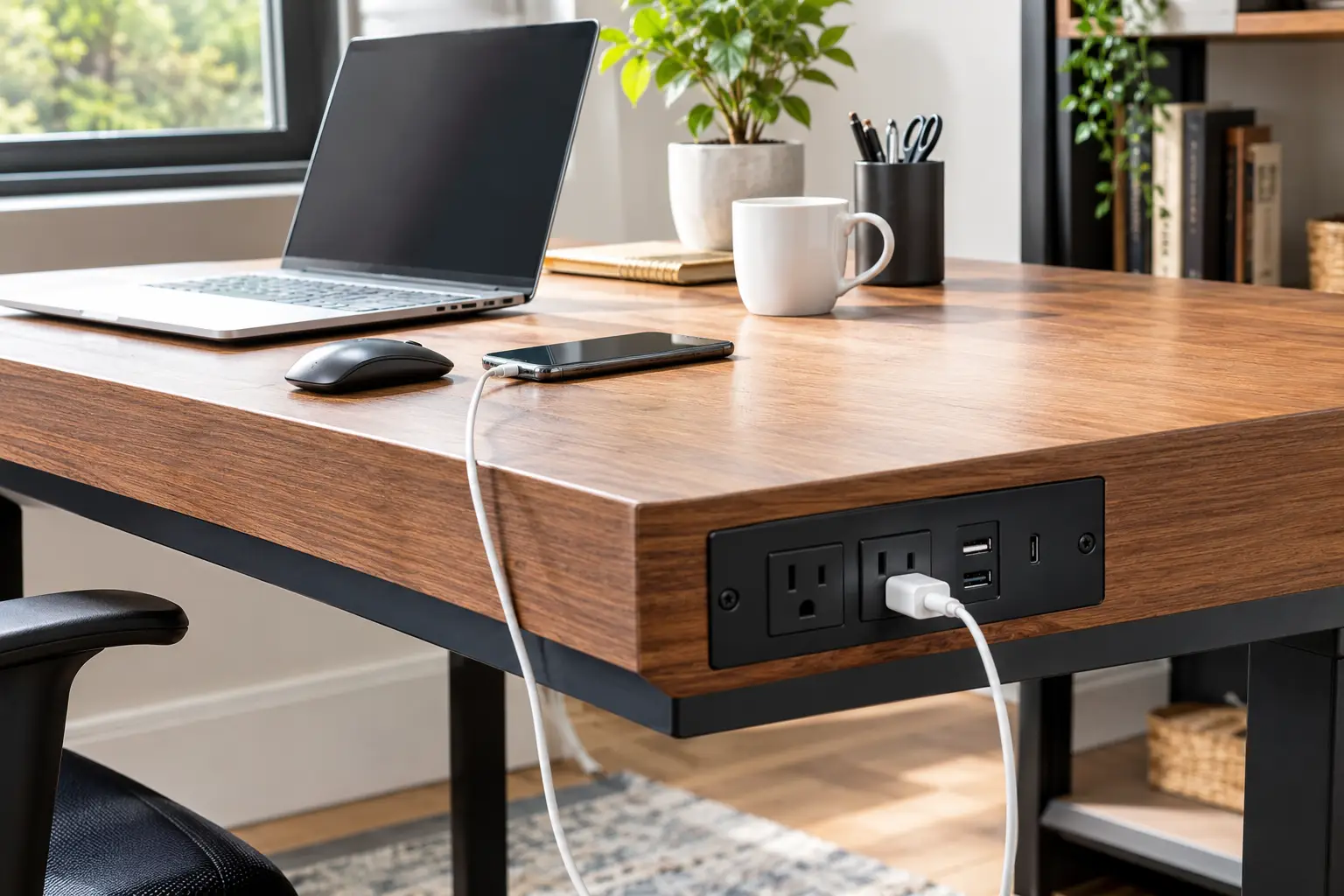
A desk with electrical outlets is a desk with a built-in power strip, usually two to four standard 120V AC outlets plus USB-A and USB-C charging ports. The strip is mounted on the desktop, a shelf, or a leg, and a single cord connects it to your wall outlet.
In other words, it’s essentially a power strip that has been designed into the furniture rather than tossed on the floor. That distinction matters more than it seems. A floor-level strip gets kicked, buried under dust, and forgotten until it fails; a desk-mounted strip stays visible, reachable, and easy to inspect.
What most buyers overlook is that the outlets don’t add electrical capacity to your home. Every device you plug into the desk still draws from the single wall receptacle its cord is plugged into. A typical 15-amp household circuit tops out around 1,800 watts in theory, and the desk’s own strip is often rated lower than that. So the real benefit is convenience and tidiness, not extra power. Keep that in mind, and you’ll choose (and use) your desk far more safely.
Quick Comparison: Best Desk with Electrical Outlets at a Glance
| Pick | Built-in Power | Desktop Size | Approx. Price | Best for |
|---|---|---|---|---|
| PRAISUN 47 x 20 Computer Desk | 4 AC, 1 USB-A, 1 USB-C | 47.2″ x 19.7″ | $60–$110 | PRAISUN 47 x 20 Computer Desk: best overall value |
| Huuger 55 x 24 Electric Standing Desk | 4 AC, 1 USB-A, 1 USB-C | 55″ x 23.6″ | $150–$250 | Huuger 55 x 24 Electric Standing Desk: sit-stand workers |
| Huuger 63″ L-Shaped Desk | 4 AC + USB-A + USB-C | 63″ L-shape | $100–$170 | Huuger 63″ L-Shaped Desk: multi-device corner setups |
| HOOBRO 31.5″ Small Computer Desk | AC outlet + USB ports | 31.5″ x 15.7″ | $50–$80 | HOOBRO 31.5″ Small Computer Desk: tiny rooms and dorms |
| TVU 65″ Farmhouse Desk | 2 AC, 2 USB | 65″ wide | $200–$300 | TVU 65″ Farmhouse Desk: storage and home-style decor |
Prices are approximate ranges at the time of writing and change often; always check the current price on Amazon.
Looking at the table above, the PRAISUN 47 x 20 Computer Desk gives you the most outlets per dollar, since four AC outlets plus USB-C usually cost more as add-ons. If you’re willing to spend roughly double, the Huuger 55 x 24 Electric Standing Desk keeps that same 4 AC + USB-C layout and adds motorized height adjustment, which is the single biggest upgrade in this list. Meanwhile, the TVU 65″ Farmhouse Desk trades outlet count for enclosed storage, so it’s the pick when hiding clutter matters more than charging six devices at once.
👉 Tap any highlighted desk name to check today’s price and availability on Amazon. One click helps other shoppers make an informed choice too! 😊
Top 7 Desk with Electrical Outlets Picks: Expert Analysis
Every desk below is a real product listed on amazon.com in 2026. For each one, you’ll find what the spec sheet says, what it actually means at your desk, and what buyers consistently report.
1. HOOBRO 31.5″ Small Computer Desk — smallest footprint with built-in power
If your “office” is really a corner of a bedroom, the HOOBRO 31.5″ Small Computer Desk (model BF40UDN01) brings power to a footprint most powered desks can’t match.
It measures 31.5″ W x 15.7″ D x 30.3″ H, with a built-in outlet strip offering AC power plus USB charging ports and three side hooks. In practice, that 15.7-inch depth fits a laptop, a lamp, and a phone comfortably, but not a 27-inch monitor plus a full-size keyboard. The hooks matter more than they look: hanging headphones and a bag frees up precious desktop inches.
Based on the dimensions alone, this is a laptop-first desk. It’s ideal for dorm rooms, studio apartments, a teen’s homework nook, or a second “charging and paperwork” station. Need a little more room? HOOBRO also sells a 39.3-inch version (BF41UDN01) with the same concept.
As for customer sentiment, what’s verifiable is that this model carries an Amazon’s Choice badge on at least one listing and shows steady monthly sales. We couldn’t verify a detailed breakdown of review themes, so read the newest reviews for comments on stability and outlet placement before you buy.
Pros:
- ✅ Fits spaces where a 47-inch desk never could
- ✅ Power and USB charging built right into the frame
- ✅ Three hooks keep bags and headphones off the desktop
Cons:
- ❌ Shallow 15.7-inch depth limits monitor setups
- ❌ Outlet count is modest compared to larger desks
Usually in the $50–$80 range, it’s a smart value if space, not features, is your main constraint.
2. PRAISUN 47 x 20 Computer Desk — most outlets per dollar
The PRAISUN 47 x 20 Computer Desk is the desk to beat if you want maximum charging for minimum spend.
Its built-in station packs 4 AC outlets, 1 USB-A port, and 1 USB-C port into a 47.2″ x 19.7″ desktop on a steel-tube frame with reinforcement struts under the top. Translation: you can run a monitor, a laptop brick, a desk lamp, and a speaker from the desk, then charge your phone and earbuds on top of that. The USB-C port is the quiet star; it saves you from carrying a separate wall charger for newer phones and tablets.
Here’s what to weigh: at 19.7 inches deep, it’s comfortable for one monitor but tight for dual 27-inch screens. If that’s you, PRAISUN also lists a 47 x 24-inch deeper version with the same 4 AC + USB-C setup, plus 55- and 70-inch sizes. It comes in black, rustic brown, and white.
Review sentiment is consistent: buyers like it as an affordable, tidy work surface. One highlighted Amazon review frames it as excellent extra desk space that isn’t built for very heavy equipment, which matches its particleboard-and-tube construction.
Pros:
- ✅ Four AC outlets plus USB-A and USB-C at a budget price
- ✅ Reinforced steel frame for a lightweight desk
- ✅ Multiple sizes and colors, including a deeper version
Cons:
- ❌ Not ideal for heavy multi-monitor rigs
- ❌ Standard 20-inch depth feels cramped for dual screens
Typically $60–$110 depending on size, it’s the best outlets-per-dollar value in this guide.
3. Huuger 47″ Desk with 4 Drawers — best storage for budget gamers
The Huuger 47″ Desk with 4 Drawers is a computer desk with charging station that also hides your clutter and lights up your room.
It combines 4 AC outlets, 2 USB-A ports, and 1 USB-C port with four fabric drawers, a monitor stand, and app-controlled RGB lighting (60,000+ colors, 12 scene modes, and a music-sync mode). In practice, the drawers swallow controllers, cables, and headsets, while the monitor shelf lifts your screen closer to eye level. Seven charging points on a sub-$100 desk is genuinely unusual.
This is a strong fit for teens, new PC gamers, and anyone building a fun bedroom setup on a budget. Professionals who take client video calls may find the RGB a bit loud, though you can switch it off.
Aggregated buyer feedback, as summarized by third-party roundups, highlights the value and storage. The most common gripe is a sneaky one: the LED controller plugs into one of the desk’s own outlets, so you effectively have three AC outlets left. Some owners also note the strip’s placement can crowd monitor space.
Pros:
- ✅ Seven charging points including USB-C
- ✅ Four drawers keep gaming gear out of sight
- ✅ Customizable RGB with app and music sync
Cons:
- ❌ LED lighting uses up one AC outlet
- ❌ Fabric drawers aren’t made for heavy items
Often found around $70–$110, it delivers excellent value if you want storage, lighting, and power in one box.
4. Furologee 66″ L-Shaped Desk — two monitor stands for corner setups
The Furologee 66″ L-Shaped Desk turns an awkward room corner into a full dual-zone workstation with power on tap.
It includes a charging station with 3 AC outlets and 2 USB ports, a reversible L layout, two movable monitor stands, a fabric file drawer, and shelves for a PC tower. The practical win is the monitor stands: raising both screens helps you keep the top of each monitor near eye level, which is easier on your neck during long days. Reversibility means you can put storage on your left or right, depending on the room and your dominant hand.
Here’s the catch most buyers overlook: each side is only about 18.1 inches deep. That’s fine for monitors on stands with a keyboard in front, but it leaves little room for a big drawing tablet or sprawling paperwork.
Review themes are fairly consistent. Owners report the desk stays stable over long-term use, helped by adjustable feet on uneven floors. Common complaints include the shallow depth, the occasional misaligned screw hole during assembly, and the fact that it isn’t always Prime-eligible.
Pros:
- ✅ Two monitor stands improve screen height and posture
- ✅ Reversible L shape fits left or right corners
- ✅ File drawer and tower shelf add real organization
Cons:
- ❌ Shallow 18-inch depth per side
- ❌ Only three AC outlets for a large workstation
In the $100–$160 range, it’s a strong value for dual-monitor users who need a corner solution.
5. Huuger 63″ L-Shaped Desk — thickest, strongest desktop in the lineup
The Huuger 63″ L-Shaped Desk is the L shaped desk with power outlets for people who load their desk heavily and want it to feel solid.
Its headline spec is a 0.95-inch-thick, high-density desktop with a 220-pound weight capacity, versus the roughly 0.6-inch boards common on budget desks. The built-in strip provides 4 AC outlets plus USB-A and USB-C charging. In practice, that thicker top flexes less under monitor arms and heavy elbows, and the 220-lb rating comfortably covers dual monitors, a desktop PC, and accessories. Note that one listing section mentions extra USB ports, so confirm the exact port count on the variant you choose.
Based on the specs, this is our pick for programmers, content creators, and anyone running five or six devices at once. The reversible design can also be arranged as a straight desk for two people, which makes it a clever shared homework station.
Aggregated reviews praise the sturdy feel, steel crossbars, and clear numbered parts. The recurring complaints are cosmetic and procedural: the dark finish shows fingerprints, and assembly works best if you finger-tighten all bolts before fully tightening them.
Pros:
- ✅ Extra-thick 0.95-inch desktop resists sagging
- ✅ High 220-pound weight capacity
- ✅ Four AC outlets plus USB-A and USB-C
Cons:
- ❌ Dark finish shows fingerprints easily
- ❌ Assembly needs patience with bolt tightening
Usually $100–$170, it offers premium sturdiness at a mid-range price.
6. TVU 65″ Farmhouse Desk — best enclosed storage and home-style look
The TVU 65″ Farmhouse Desk proves a desk with electrical outlets doesn’t have to look like gaming gear or office furniture.
It pairs a 65-inch surface with three wooden drawers, a cabinet, a printer stand, and an elevated monitor stand, plus a built-in strip with 2 AC outlets and 2 USB ports. In practice, two AC outlets cover a laptop and a lamp, while USB handles phones; anything beyond that needs planning. The enclosed drawers and cabinet are the real draw if you hate visible clutter.
Who’s it for? Style-conscious remote workers whose desk sits in a living room or guest room, where farmhouse wood tones blend in better than black steel. It’s not for heavy device users, and it’s definitely not for renters who move every year.
Review themes, as summarized by third-party roundups, describe a desk that feels very solid once assembled. On the downside, it weighs about 84.7 pounds, assembly is realistically a two-person job, and the backboard lacks a cord cutout, which complicates cable routing.
Pros:
- ✅ Drawers and cabinet hide everyday clutter
- ✅ Farmhouse styling blends into living spaces
- ✅ Wide 65-inch surface with raised monitor shelf
Cons:
- ❌ Only two AC outlets for a large desk
- ❌ Heavy, with two-person assembly
In roughly the $200–$300 range, it’s worth it if storage and style outrank charging capacity.
7. Huuger 55 x 24 Electric Standing Desk — premium sit-stand with full power
The Huuger 55 x 24 Electric Standing Desk is the standing desk with outlets that brings this guide’s best power layout to a motorized frame.
It offers 4 AC outlets, 1 USB-A, and 1 USB-C port, four memory presets, a motor rated under 35 dB, a 220-pound capacity, and a height range of about 28.7 to 46.5 inches across the line. In practice, the built-in strip rides up and down with the desktop. That means your monitor and laptop cords don’t stretch or tug every time you stand, which is a real problem when devices plug straight into the wall. A sub-35 dB motor is quiet enough for calls and shared apartments.
This is the pick for anyone sitting more than six hours a day who wants to alternate positions without unplugging anything. Sizes run from 39 to 71 inches, though the 71-inch model is sold without outlets.
Review history for this 2026 listing is still thin, so we can’t summarize long-term durability honestly. Huuger’s standing-desk family carries a Best Seller badge in one category, which suggests steady demand, but check recent reviews for wobble at full height.
Pros:
- ✅ Outlets move with the desk, so cords never strain
- ✅ Four memory presets and a quiet motor
- ✅ Full 4 AC + USB-C layout on a sit-stand frame
Cons:
- ❌ Limited long-term review data so far
- ❌ Wall cord still needs enough slack for full height
Typically $150–$250, it’s the best long-term value for anyone who will actually use standing mode.
Top 7 Compared Side by Side
| Desk | AC Outlets | USB Ports | Key Size | Weight Capacity | Approx. Price | Best for |
|---|---|---|---|---|---|---|
| HOOBRO 31.5″ Small Computer Desk | Yes (compact strip) | USB | 31.5″ x 15.7″ | Not verified | $50–$80 | HOOBRO 31.5″ Small Computer Desk: dorms, tiny rooms |
| PRAISUN 47 x 20 Computer Desk | 4 | 1 USB-A, 1 USB-C | 47.2″ x 19.7″ | Light-duty | $60–$110 | PRAISUN 47 x 20 Computer Desk: budget all-rounder |
| Huuger 47″ Desk with 4 Drawers | 4 | 2 USB-A, 1 USB-C | 47″ + monitor stand | Not verified | $70–$110 | Huuger 47″ Desk with 4 Drawers: budget gaming |
| Furologee 66″ L-Shaped Desk | 3 | 2 USB | 66″ L, ~18.1″ deep | Not verified | $100–$160 | Furologee 66″ L-Shaped Desk: dual monitors in a corner |
| Huuger 63″ L-Shaped Desk | 4 | USB-A + USB-C | 63″ L, 0.95″ top | 220 lb | $100–$170 | Huuger 63″ L-Shaped Desk: heavy, multi-device setups |
| TVU 65″ Farmhouse Desk | 2 | 2 USB | 65″ wide | Not verified | $200–$300 | TVU 65″ Farmhouse Desk: storage and style |
| Huuger 55 x 24 Electric Standing Desk | 4 | 1 USB-A, 1 USB-C | 55″ x 23.6″ | 220 lb | $150–$250 | Huuger 55 x 24 Electric Standing Desk: sit-stand work |
The pattern here is clear: outlet count doesn’t scale with price. The PRAISUN 47 x 20 Computer Desk matches the four-outlet layout of the Huuger 55 x 24 Electric Standing Desk at a fraction of the cost, while the pricier TVU 65″ Farmhouse Desk offers only two. So decide what you’re really paying for (height adjustment, storage, or sturdiness), then confirm the power layout covers your devices.
✨ Don’t miss the right desk for your space!
🔍 Take your home office to the next level with this carefully curated lineup. Click a highlighted desk to check current pricing and availability, and pick the setup that keeps every device charged and every cord out of sight!
How to Set Up Your Desk with Electrical Outlets in 30 Minutes
Unboxing is the easy part. The real payoff comes from how you wire things on day one, because bad habits set in fast. Here’s a practical setup sequence that Amazon listings don’t spell out.
- Plan the cord path before assembly. Decide which wall outlet will feed the desk and which side of the desk the strip’s cord exits. Building the desk with the strip on the wrong side often means a cord stretched across a walkway.
- Plug the desk directly into a wall receptacle. Not into a power strip, and not into an extension cord. More on why in the safety section below. ⚡
- Assign outlets by load. Put your monitor and laptop brick on the AC outlets, phones and earbuds on USB, and keep one AC outlet free for a lamp or a visitor’s charger.
- Route cords with slack. Use the desk’s cable tray or a few adhesive clips under the desktop. On a standing desk, leave enough loop that the cords never pull taut at maximum height.
- Test at full height (standing desks only). Raise the desk all the way up once, slowly, and watch every cable. Anything that tightens needs more slack.
Common mistakes in the first 30 days
- ❌ Plugging a space heater or mini-fridge into the desk strip. These high-draw appliances belong on a wall outlet.
- ❌ Ignoring a warm plug. If a plug or the strip feels hot, unplug something and rethink your load.
- ❌ Letting the feed cord run under a rug, where heat can’t escape and damage goes unseen.
Do this once, and your desk stays tidy for years instead of weeks. 🔋
Real-World Scenarios: Which Desk Fits Your Life?
Specs only make sense in context. Here are three common buyer profiles, matched to the desk that fits each one best, with the reasoning behind every pick.
🎓 The college student in a shared room
Budget: under $100. Use: 4–6 hours a day of laptop work, plus phone and earbuds charging overnight. Space: a narrow wall beside the bed.
The HOOBRO 31.5″ Small Computer Desk wins here. Its 15.7-inch depth fits where nothing else does, and built-in USB ports mean the phone charges right where it’s used. If the room allows 47 inches, the PRAISUN 47 x 20 Computer Desk is the upgrade, because four AC outlets solve the classic dorm shortage of wall plugs.
🎮 The teen gamer who needs a computer desk with charging station
Budget: around $100. Use: evenings and weekends, with a console, a monitor, a headset, and two controllers. Priority: storage and atmosphere.
The Huuger 47″ Desk with 4 Drawers fits this profile best. Seven charging points cover controllers and a headset, the drawers swallow accessories, and the RGB adds the vibe teens actually want. Just remember the lighting takes one outlet.
💼 The full-time remote worker with dual monitors
Budget: $150–$250. Use: 8+ hours a day, five days a week, with two monitors, a laptop dock, and a webcam light.
The Huuger 55 x 24 Electric Standing Desk is the smart long-term buy. When you work all day, alternating positions matters, and outlets that ride with the desktop prevent cord strain. If you’d rather stay seated in a corner, the Huuger 63″ L-Shaped Desk offers the same four-outlet layout with a sturdier 0.95-inch top.
Problem → Solution: Fixing Common Outlet Desk Headaches
Even the best desk with electrical outlets can create small frustrations. Here are the problems buyers mention most, with precise fixes.
Problem 1: “My chargers block the neighboring outlets.”
Bulky laptop bricks and “wall wart” adapters often cover two sockets at once. Solution: use short 1-foot extension pigtails (UL-listed) for the bulkiest adapters, or move phone charging entirely to the USB ports. On the Huuger 47″ Desk with 4 Drawers, plug the LED controller into the end outlet so it blocks only one spot.
Problem 2: “The desk strip shuts off when I plug everything in.”
That’s usually an overload protector doing its job. Solution: total the wattage on your devices’ labels. Move high-draw items, like a laser printer or a heater, to a separate wall outlet. Never “fix” this by daisy-chaining another strip into the desk.
Problem 3: “My USB port charges my phone painfully slowly.”
Built-in USB-A ports are often basic, low-wattage ports. Solution: use the USB-C port for your phone, or plug your own fast charger into an AC outlet. For laptops, rely on the laptop’s original power brick unless the desk’s USB-C rating clearly meets your laptop’s requirement.
Problem 4: “Cords snag when my standing desk goes up.”
Solution: shorten the cords that run desk-to-desk and lengthen the one running desk-to-wall. With the Huuger 55 x 24 Electric Standing Desk, devices plug into the desk itself, so only the single feed cord needs a generous loop.
How to Choose a Desk with Electrical Outlets
Choosing well comes down to matching the power layout and the frame to how you actually work. Follow these seven steps in order.
- Count your plugs, then add two. List every device that needs AC power or USB at the desk. Add two spare spots for future gadgets and guests.
- Check the port mix, not just the total. A desk with 4 AC outlets and USB-C beats one with 3 AC outlets and two old USB-A ports for most modern setups.
- Measure depth before width. Depth decides whether a monitor sits at a comfortable distance. Under 20 inches works for laptops; 24 inches suits large monitors.
- Look for listing certifications. Favor strips described as UL- or ETL-listed, and be cautious when a listing says nothing about certification.
- Match the weight capacity to your gear. Dual monitors, a desktop PC, and a monitor arm add up quickly; 220 lb ratings leave real headroom.
- Decide on height adjustability now. Retrofitting a standing frame later costs more than buying one upfront.
- Plan for ergonomics. Use OSHA’s computer workstations eTool as a checklist: top of the monitor at or slightly below eye level, wrists in line with forearms, and adequate room for keyboard and mouse.
What most buyers overlook is step 3. A wide desk that’s too shallow forces your monitor too close, and no number of outlets fixes eye strain. 🖥️
Standing Desk with Outlets vs. Regular Desk + Power Strip
It’s the most common question: should you pay for a standing desk with outlets, or buy a basic desk and a separate strip? The answer depends on how often your desk moves and how much you value tidy cables.
| Setup | Cord Strain When Raising | Tidiness | Flexibility | Best for |
|---|---|---|---|---|
| Standing desk with built-in outlets | Minimal (devices move with the desk) | High | Moderate | Huuger 55 x 24 Electric Standing Desk for daily sit-stand users |
| Fixed desk with built-in outlets | None (desk doesn’t move) | High | Low | PRAISUN 47 x 20 Computer Desk for budget buyers |
| Any desk + floor power strip | High on standing desks | Low | High | Renters who already own a good strip |
| Any desk + clamp-on desk power strip | Minimal | Medium–High | High | Upgrading a desk you already love |
The table shows why built-in power matters most on height-adjustable desks: when devices plug into the wall, every lift tugs cords, and owners of standing desks commonly mention that headache. On a fixed desk, a quality clamp-on strip gets you most of the benefit for less money. So if you’re buying a standing desk anyway, choose one with integrated outlets; if you’re keeping your current desk, a clamp-on strip is the smarter fix.
OSHA’s guidance on desk height and legroom is a useful reality check here, because a powered desk that’s the wrong height is still the wrong desk.
L Shaped Desk with Power Outlets: Is the Corner Worth It?
An L shaped desk with power outlets makes sense when you need two distinct zones, like a computer zone and a writing or printing zone. The corner geometry lets you swivel between them without rolling your chair across the room.
Based on comparing the specs, the trade-offs are clear. The Furologee 66″ L-Shaped Desk gives you more total length and two monitor stands, but each wing is only about 18 inches deep. The Huuger 63″ L-Shaped Desk is slightly shorter yet much sturdier, with a 0.95-inch top and a 220-lb capacity. In practice, choose the Furologee for screen-heavy work and the Huuger for heavy gear or two-person use.
One detail spec sheets rarely mention: on an L desk, the outlet strip’s position matters. If it’s mounted on the short wing and your devices sit on the long wing, you’ll be running cords across the corner anyway. Look at product photos to see exactly where the strip sits before you buy.
Desk with USB Ports: Features That Actually Matter (and Ones That Don’t)
Marketing language makes every desk with USB ports sound like a smart workstation. Here’s what genuinely improves daily life, and what’s mostly noise.
✅ Features that actually matter
- USB-C, not just USB-A. Most current phones and many tablets charge via USB-C, so one C port beats two old A ports.
- Four AC outlets. Monitors, laptop bricks, lamps, and speakers use AC; four is the practical sweet spot.
- Overload protection. A strip that cuts power when overloaded is a safety feature, not an inconvenience.
- Desktop depth of 20+ inches. It determines whether your setup is comfortable for eight hours.
❌ Features that matter less than you think
- RGB lighting. It’s fun, but on some desks it occupies one of your outlets.
- Huge port counts on paper. Nine ports mean little if they’re crammed so tightly that adapters block each other.
- “Fast charging” claims without wattage. If the listing doesn’t state output in watts, assume basic charging speeds.
The spec sheet doesn’t say this, but user feedback suggests outlet spacing causes more daily frustration than outlet count. Wide spacing beats one extra socket.
Safety, Regulations, and Standards
A desk with electrical outlets is still a piece of electrical equipment, and it deserves the same respect as any power strip. The good news: a few simple rules prevent nearly all common problems.
In the U.S., the key product standard is UL 1363, which covers relocatable power taps (the technical name for power strips). Recognized testing marks include UL, ETL (Intertek), and CSA. Look for one of these on the strip itself, not only in the listing title.
The Consumer Product Safety Commission estimates that power cords cause about 4,000 injuries and 3,300 residential fires each year, as summarized in this extension cord and power strip safety guide from Emory University. That guide reinforces three rules that apply directly to powered desks:
- ⚠️ Never daisy-chain. Don’t plug your desk into another power strip or extension cord; fire codes generally require power taps to connect directly to a permanent wall receptacle.
- ⚠️ Keep heaters and compressors off the strip. Space heaters, mini-fridges, and similar appliances should plug straight into the wall.
- ⚠️ Inspect regularly. Retire any cord or strip that’s cracked, frayed, discolored, or hot to the touch.
For homes with kids or pets, route the feed cord along the wall and away from chewing range. Safety isn’t a feature you buy once; it’s a habit you keep.
Long-Term Cost and Maintenance
The sticker price is only part of the cost of owning a desk with electrical outlets. Here’s how the real value breaks down over a few years.
| Desk | Approx. Price | Separate Strip Avoided | Durability Outlook | Value Verdict |
|---|---|---|---|---|
| PRAISUN 47 x 20 Computer Desk | $60–$110 | Yes (4 AC + USB-C) | Good for light duty | PRAISUN 47 x 20 Computer Desk: best short-term value |
| Huuger 63″ L-Shaped Desk | $100–$170 | Yes (4 AC + USB-C) | Strong (thick top, 220 lb) | Huuger 63″ L-Shaped Desk: best durability per dollar |
| Huuger 55 x 24 Electric Standing Desk | $150–$250 | Yes (4 AC + USB-C) | Depends on motor longevity | Huuger 55 x 24 Electric Standing Desk: best if you’ll stand daily |
| TVU 65″ Farmhouse Desk | $200–$300 | Partially (2 AC) | Solid but heavy | TVU 65″ Farmhouse Desk: pay for storage, not power |
The takeaway: built-in outlets typically replace a separate quality surge-protected strip, which helps offset the price difference. The Huuger 63″ L-Shaped Desk stands out for long-term value, since its thicker top resists the sagging that shortens the life of budget particleboard. Standing desks add a motor, which means more potential failure points, so check the warranty length before buying.
Maintenance is simple but worth scheduling:
- 🧹 Every month, dust the outlet strip and vents, since dust buildup near sockets is a fire-safety concern.
- 🔧 Every three months, re-tighten frame bolts, especially on L desks and standing desks.
- 🔌 Every six months, inspect plugs and the feed cord for heat marks or damage.
Note that a built-in strip without surge protection doesn’t protect your electronics from power spikes. If you run an expensive PC, plug it into a dedicated surge protector or UPS on the wall instead.
FAQ: Desk with Electrical Outlets
❓ Can a desk with electrical outlets power a gaming PC?
❓ Can I add outlets to a desk I already own?
❓ Is a standing desk with outlets worth the extra money?
❓ Can I charge my laptop from a desk with USB ports?
❓ What size desk with electrical outlets do I need for two monitors?
Conclusion: Power Where You Need It
A desk with electrical outlets is one of those upgrades you stop noticing within a week, and that’s exactly the point. No more crawling under furniture, no more cords snaking across the floor, and no more hunting for a free socket at 9% battery.
To recap the honest takeaways: the PRAISUN 47 x 20 Computer Desk gives you four AC outlets plus USB-C for the least money. The Huuger 55 x 24 Electric Standing Desk is the long-term pick for anyone who will genuinely use sit-stand mode. For corners, the Huuger 63″ L-Shaped Desk wins on sturdiness, while the Furologee 66″ L-Shaped Desk wins on screen space. Tight on room? The HOOBRO 31.5″ Small Computer Desk fits almost anywhere. Gamers on a budget will love the Huuger 47″ Desk with 4 Drawers, and the TVU 65″ Farmhouse Desk is the stylish choice when storage beats charging capacity.
Whichever you choose, remember the three habits that matter most: plug the desk directly into the wall, keep high-draw appliances off its strip, and inspect the cord now and then. Get those right, and your new desk will keep everything charged, tidy, and safe for years. 🔋⚡
✨ Ready to upgrade your workspace?
🔍 Click a highlighted desk above to check current pricing and availability on Amazon, and finally retire that floor power strip for good!
Recommended for You
- Sit Stand Desk with Storage: 7 Best Picks for 2026 (Clutter-Free)
- Electric Adjustable Desk with Drawers: 7 Best Picks for 2026
- Standing Desk with Cabinets: 7 Best Clutter-Crushing Picks (2026)
Disclaimer: This post contains affiliate links. As an Amazon Associate, I earn from qualifying purchases made through these links, at no additional cost to you.
✨ Found this article helpful? Share it with someone who needs it! 💬🤗