
In This Article
Introduction: Why Your Neck Is Begging for a wooden monitor stand for desk Upgrade
Look at where your eyes land right now. If you’re reading this on a monitor that sits flat on your desk, odds are your gaze drops toward the middle or bottom of the screen, and your head tilts forward to follow it. Do that for eight hours, five days a week, and your neck starts filing complaints. 🧠
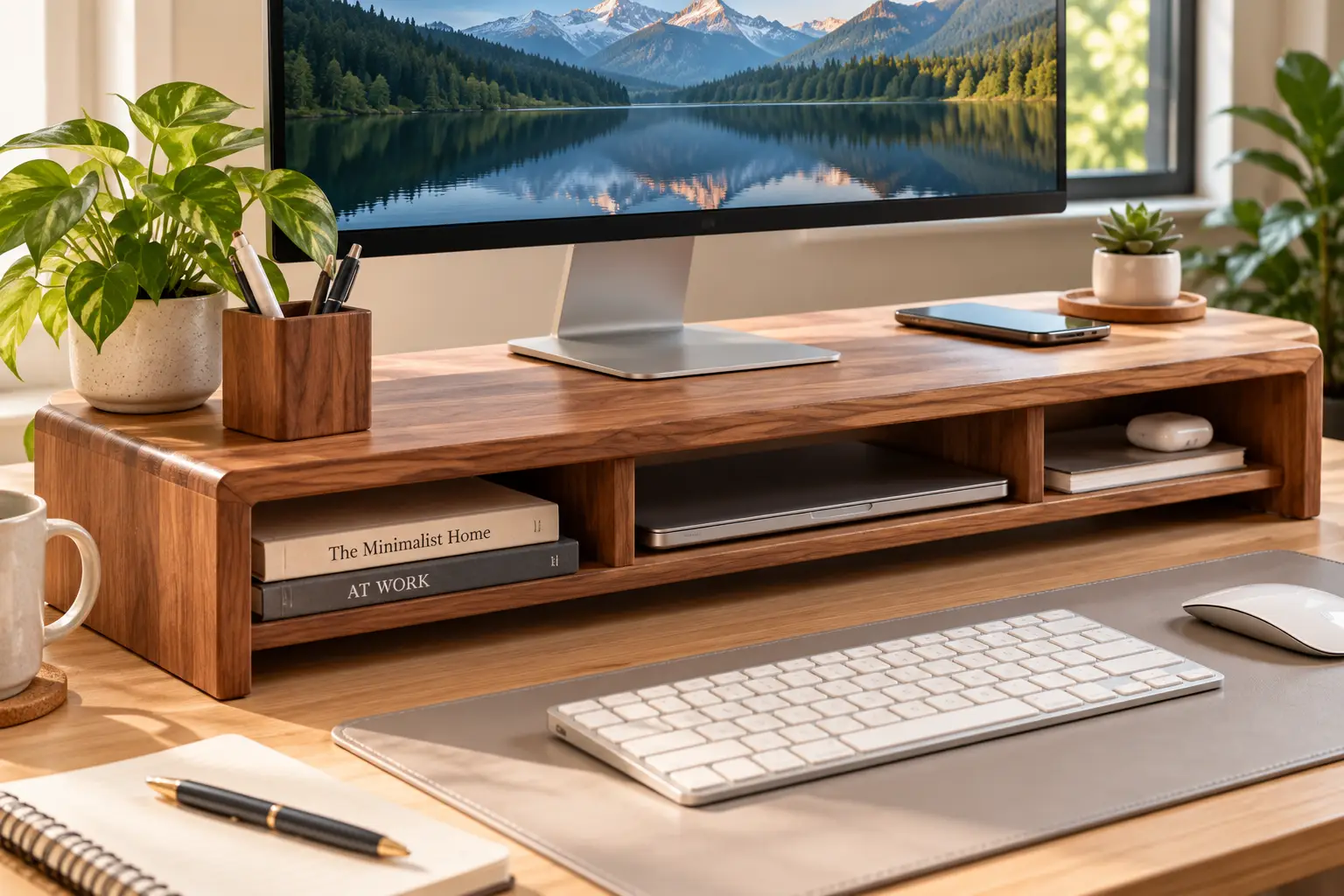
A wooden monitor stand for desk setups is one of the cheapest, simplest fixes for that problem. It lifts the screen a few inches, frees up the strip of desk underneath for your keyboard, notebook, or laptop, and — unlike a gray plastic riser — actually looks like it belongs in a room someone cares about.
But “wooden” covers a lot of ground. Some stands are solid bamboo. Some are real walnut veneer over plywood. Others are MDF (medium-density fiberboard) with a wood-look finish. Load ratings range from about 20 pounds to well over 100, and heights run from barely 2 inches to nearly 6. Those differences decide whether your new stand fixes your posture or just adds clutter in a nicer color.
This guide cuts through that. We compared spec sheets and aggregated customer review sentiment for seven real stands sold on amazon.com, then translated the numbers into practical advice: who each one suits, what the listing doesn’t tell you, and how to set it up so it actually helps. You’ll also find a step-by-step height calculation, real-world desk scenarios, a problem-solving section, and a look at the formaldehyde rules that apply to engineered wood.
No fake “I tested it for 90 days” stories here — just honest analysis built on real data, so you can buy once and buy right. ✅
What Is a wooden monitor stand for desk?
A wooden monitor stand for desk use is a raised shelf — made of solid wood, bamboo, or wood-based composite — that sits on your desktop and lifts a monitor roughly 2 to 6 inches. Its job is to bring the top of the screen closer to eye level while creating storage space underneath for a keyboard, laptop, or accessories.
Why does that matter? The OSHA computer workstation guidelines for monitors recommend placing the top line of the screen at or slightly below eye level, with the center of the screen about 15 to 20 degrees below your horizontal line of sight, and a viewing distance of roughly 20 to 40 inches. Most monitors on their stock stands land too low for anyone of average height or taller — which is exactly the gap a riser fills.
Think of it as the furniture version of a phone case: a small purchase that quietly protects something more valuable. In this case, that’s your cervical spine. 🦒
Quick Comparison: The 7 Best Picks at a Glance
| Product | Material | Lift Height | Max Load (listed) | Approx. Price Range | Best for |
|---|---|---|---|---|---|
| The Office Oasis Original Bamboo Monitor Stand | Solid bamboo + stainless steel legs | ~4.25 in | 100 lb | $30–$40 | The Office Oasis Original Bamboo Monitor Stand: best all-rounder |
| ROCDEER Adjustable Bamboo Monitor Stand Riser | Bamboo, 3 modular pieces | ~4.1 in | 130 lb | $40–$60 | ROCDEER Adjustable Bamboo Monitor Stand Riser: L-desks and corners |
| Navaris Wood Monitor Stand | Walnut-faced wood, cork feet | ~2.8 in | Listed up to 200 lb | $25–$40 | Navaris Wood Monitor Stand: small desks, laptops |
| KINLINK Solid Wood Monitor Stand Riser | Wood, 2 height settings | 2.1 or 3.2 in | ~22 lb | Under $30 | KINLINK Solid Wood Monitor Stand Riser: tight budgets |
| BONTEC Wooden Monitor Stand Riser | 2-tier MDF | ~5.6 in | 66 lb | $25–$40 | BONTEC Wooden Monitor Stand Riser: maximum lift + storage |
| kalibriWood Monitor Stand Riser | Real walnut veneer | ~4.2 in | Check listing | $40–$60 | kalibriWood Monitor Stand Riser: no-assembly style pick |
| Nnewvante 60-Inch Bamboo Monitor Stand | Bamboo, 3 angled shelves | ~3.1–4 in | ~141 lb (64 kg) | $40–$70 | Nnewvante 60-Inch Bamboo Monitor Stand: triple screens |
Prices are approximate ranges at the time of writing and change often — check the current price on Amazon.
Reading the table, the story is really about two numbers: lift height and footprint. The BONTEC Wooden Monitor Stand Riser gives you the most elevation on a single shelf, which matters if you’re tall or sitting in a high chair, while the Navaris Wood Monitor Stand and KINLINK Solid Wood Monitor Stand Riser offer gentler lifts better suited to laptops and shorter users. If you run two or three screens, only the ROCDEER Adjustable Bamboo Monitor Stand Riser and the Nnewvante 60-Inch Bamboo Monitor Stand are genuinely built for it — the rest are single-monitor platforms.
💬 One click helps other shoppers make an informed choice too! 😊
Top 7 wooden monitor stand for desk Picks: Expert Analysis
1. The Office Oasis Original Bamboo Monitor Stand — best all-round bamboo riser
This is the stand to beat if you want one riser that does everything competently and looks good doing it.
The solid bamboo top measures about 16.5 x 10.5 inches and sits on stainless steel legs that hand-thread into the board — no tools, and the brand says assembly takes under a minute. That 4.25-inch lift is a sweet spot: enough to correct most “monitor too low” setups without overshooting eye level. The listed 100-pound capacity is far beyond any single monitor, which in practice means the board won’t bow over time. Leveling feet are a small but meaningful detail: on a slightly warped desk, you can dial out the wobble instead of shimming with folded paper.
Based on the specs, this suits home-office workers with one 24- to 32-inch monitor who want a clean, minimalist look. If you need more width, the brand sells a 42-inch dual version with a fifth center leg — great for two screens, though reviewers note that middle leg can block a clamp-style monitor arm.
Customer reviews consistently praise the painless assembly and sturdiness, and a recurring theme is the brand’s customer service replacing units that arrived with cosmetic flaws. A minority of reviewers mention small finish imperfections out of the box or feel the dual model is pricey for “a board with legs.”
Pros:
- ✅ Tool-free assembly that takes about a minute
- ✅ Leveling feet compensate for uneven desk surfaces
- ✅ Lifetime warranty backed by responsive customer service
Cons:
- ❌ No drawer or built-in storage organization
- ❌ Occasional cosmetic flaws reported on arrival
Usually in the $30–$40 range for the single size (check the current price) — strong value given the materials and warranty.
2. ROCDEER Adjustable Bamboo Monitor Stand Riser — reconfigurable for L-desks
This one is less a single stand and more a kit you can rearrange as your desk changes.
The 3-in-1 design splits into separate bamboo pieces you can line up straight, angle around a corner, stack, or use individually. Fully extended, it reaches about 37.8 inches long by 9.84 inches deep, with a lift of roughly 4.1 inches. The 0.59-inch panel thickness and a listed 130-pound capacity mean two 27-inch monitors are well within its comfort zone. A small drawer with a phone/pen slot handles the sticky notes and earbuds that otherwise drift across your desk.
On paper, this is the best match for anyone with an L-shaped or corner desk, or someone who expects to switch between one and two monitors. The angle adjustment lets side screens face you instead of pointing straight ahead — a real ergonomic win, since twisting your neck toward an outer monitor all day defeats the purpose of a riser.
Across ROCDEER’s bamboo risers, reviews frequently describe the build as heavy, sturdy, and genuinely solid bamboo; the most common gripe is price — buyers note it costs more than MDF alternatives.
Pros:
- ✅ Modular pieces adapt to straight or corner desks
- ✅ Adjustable angles keep side monitors facing you
- ✅ High listed load capacity for dual screens
Cons:
- ❌ More joints mean more setup fiddling
- ❌ Costs more than single-board alternatives
Typically in the $40–$60 range at the time of writing — good value if you’d otherwise buy two separate risers.
3. Navaris Wood Monitor Stand — compact walnut look for small desks
Navaris builds for people who want real wood grain in a footprint that doesn’t eat the desk.
The single stand measures about 13.7 x 9.4 inches with a 2.8-inch lift, and the usable top surface is roughly 11.4 inches. Cork feet underneath grip the desk and protect its finish — far better than bare wood or thin rubber dots. The low lift is intentional: it’s ideal for laptops, smaller monitors, or users whose screen sits only slightly below eye level. Navaris also sells a dual version measuring about 42.9 x 9.1 x 4.7 inches with a stated 110-pound (50 kg) capacity.
Here’s what most buyers overlook: the narrow top means a wide monitor base may overhang the edges. Measure your monitor’s foot before ordering. The listing claims a capacity up to 200 pounds for the single model; treat that generously and stay well below it.
Reviews consistently compliment the warm walnut tone and how stable it feels. One recurring note: it’s a layered walnut-and-plywood build rather than solid walnut, and a few buyers wished it were wider or a bit taller.
Pros:
- ✅ Compact footprint suits small desks and laptops
- ✅ Cork feet prevent sliding and scratches
- ✅ Attractive walnut finish at a modest price
Cons:
- ❌ Low lift won’t help tall users much
- ❌ Narrow top may not fit wide monitor bases
Generally in the $25–$40 range for the single size — very good value for small setups.
4. KINLINK Solid Wood Monitor Stand Riser — adjustable height on a budget
If you want wood without spending much, KINLINK is the practical starting point.
The 15.8-inch platform offers two heights, 2.1 or 3.2 inches, set by choosing how the boards are screwed together. That flexibility matters because you won’t know your ideal lift until the monitor is on top — having two options reduces the risk of buying the wrong height. A groove for wire management helps route the power and display cables back cleanly. The stand weighs about 2.55 pounds and comes in natural and white finishes.
Based on the specs, this is best for students, dorm desks, or a secondary workstation with a lightweight monitor or laptop. The listed load capacity is modest (around 22 pounds per the listing), so it’s not the pick for heavy 32-inch screens or a printer.
Review sentiment is positive about sturdiness and stability — buyers mention it’s heavy enough not to slide — and about easy assembly. The main limitation is simply the low maximum height.
Pros:
- ✅ Two height settings reduce guesswork
- ✅ Wire groove keeps cables tidy
- ✅ Easy assembly with only a few screws
Cons:
- ❌ Modest load rating limits heavy monitors
- ❌ 3.2-inch maximum lift may be too low
Usually under $30 at the time of writing — excellent value for light-duty setups.
5. BONTEC Wooden Monitor Stand Riser — tallest single-shelf lift with storage
BONTEC is the pick when you need serious elevation plus organization in one footprint.
This 2-tier stand measures about 16.5 x 9.25 inches and lifts the screen around 5.6 inches — the highest single-monitor lift in this lineup. The lower tier gives you a second level for a phone, notebook, or small accessories, and a built-in phone slot keeps your device visible. It’s rated for 66 pounds. The material is MDF, not solid wood, which means a uniform, warp-resistant surface with a wood-look finish.
On paper, this is the strongest fit for tall users, people sitting high to keep their elbows at keyboard height, or anyone pairing a raised screen with a camera for video calls. The trade-off: more height plus MDF means you should check the listing for TSCA Title VI compliance, which we cover in the safety section below.
Several affiliate roundups report it handles a typical 27-inch monitor without flex, though detailed verified-buyer data was limited in our research. The aggregated praise centers on the lift and storage layout.
Pros:
- ✅ Highest single-shelf lift in this lineup
- ✅ Two tiers add organized storage space
- ✅ Built-in phone holder keeps devices visible
Cons:
- ❌ MDF lacks the character of real wood
- ❌ Too tall for shorter or laptop-only users
Typically in the $25–$40 range — strong value if you genuinely need the height.
6. kalibriWood Monitor Stand Riser — no-assembly walnut veneer style
This is the “unbox it and you’re done” option with real walnut grain on top.
The stand measures roughly 21 x 10 x 4.2 inches and arrives fully assembled. The 21-inch width is a useful middle ground: wider than most single risers, so a speaker or desk lamp can share the shelf, yet not as sprawling as a dual stand. At about 2.8 pounds, it’s light enough to move between desks. The top uses real walnut veneer — a thin layer of genuine wood over a core — which gives authentic grain at a fraction of solid-walnut cost.
Based on comparing the specs, this suits design-conscious buyers who want the walnut look and hate assembly. A 4.2-inch lift covers the common height gap for most seated users.
Reviews highlight the striking grain and solid build for such a light stand. The most frequent caveat: the walnut tone looks noticeably lighter in person than in product photos, so don’t count on a perfect match with dark furniture.
Pros:
- ✅ Arrives fully assembled, ready to use
- ✅ Real walnut veneer with attractive grain
- ✅ Wide top fits a monitor plus accessories
Cons:
- ❌ Walnut color may look lighter than photos
- ❌ Load rating less clearly documented than rivals
Generally in the $40–$60 range — fair value for a no-assembly real-veneer stand.
7. Nnewvante 60-Inch Bamboo Monitor Stand — built for triple-monitor setups
If you run three screens, this is the one designed from the ground up for it.
The three bamboo shelves adjust in length from about 43.3 to 60.7 inches, and the left and right shelves angle inward. The listing states it can hold three 27-inch monitors and carries a load capacity of 64 kg (roughly 141 pounds). The 0.59-inch-thick board resists sag, and the lift lands around 3.1 to 4 inches depending on version.
Who’s it for? Traders, streamers, developers, and anyone on an extra-long or L-shaped desk. The angled side shelves are the real selling point: three monitors in a straight line force your head to rotate too far toward the outer screens, while a gentle curve keeps everything within a comfortable viewing arc.
Customer feedback notes that the shelves pivot even when assembled, which is handy, but that lining monitors up perfectly takes patience. Some buyers also warn it may be too large for a small cubicle — measure before you buy.
Pros:
- ✅ Adjustable length fits many desk sizes
- ✅ Angled side shelves reduce neck rotation
- ✅ High load capacity for three screens
Cons:
- ❌ Alignment takes time to get right
- ❌ Overkill for single-monitor desks
Usually in the $40–$70 range at the time of writing — excellent value per screen supported.
✨ Your Desk Deserves Better — Upgrade Today!
🔍 Take your workspace to the next level with this carefully curated lineup. Click a highlighted product name to check current pricing and availability — one of these stands will help you sit taller and work more comfortably all week long! 🪵
Detailed Comparison: Specs, Strengths, and Review Snapshot
| Product | Footprint (approx.) | Monitors | Assembly | Review snapshot | Best for |
|---|---|---|---|---|---|
| The Office Oasis Original Bamboo Monitor Stand | 16.5 x 10.5 in (42 in dual) | 1 (2 on dual) | Tool-free legs | Dual model ~4.6★ with thousands of reviews | The Office Oasis Original Bamboo Monitor Stand: everyday home office |
| ROCDEER Adjustable Bamboo Monitor Stand Riser | Up to 37.8 x 9.84 in | 1–2 | Modular | Praised as solid; pricey | ROCDEER Adjustable Bamboo Monitor Stand Riser: corner desks |
| Navaris Wood Monitor Stand | 13.7 x 9.4 in | 1 | None | Loved for looks; layered build | Navaris Wood Monitor Stand: laptops |
| KINLINK Solid Wood Monitor Stand Riser | 15.8 in wide | 1 | Few screws | Stable, low height | KINLINK Solid Wood Monitor Stand Riser: students |
| BONTEC Wooden Monitor Stand Riser | 16.5 x 9.25 in | 1 | Simple | Roundups ~4.6★ | BONTEC Wooden Monitor Stand Riser: tall users |
| kalibriWood Monitor Stand Riser | ~21 x 10 in | 1 | None | Grain praised; lighter tone | kalibriWood Monitor Stand Riser: style-first |
| Nnewvante 60-Inch Bamboo Monitor Stand | 43.3–60.7 in long | Up to 3 | Moderate | ~4.5★ in roundups | Nnewvante 60-Inch Bamboo Monitor Stand: triple screens |
Ratings change constantly; they’re shown as a snapshot at the time of writing and should be verified on the listing.
The pattern here is clear: assembly effort rises with flexibility. The kalibriWood Monitor Stand Riser and Navaris Wood Monitor Stand ship ready to go but do one thing, while the ROCDEER Adjustable Bamboo Monitor Stand Riser and Nnewvante 60-Inch Bamboo Monitor Stand ask for setup time in exchange for adaptability. If you value “set it and forget it,” the The Office Oasis Original Bamboo Monitor Stand balances both better than anything else here.
Getting Started: Setup, Height Math, and First-30-Days Tips
Buying the stand is the easy part. Getting the height right is where the ergonomic payoff lives. 📏
Step 1: Calculate the lift you actually need
Sit in your normal posture, feet flat, back against the chair. Measure from the desk surface to your eye level (have someone help, or use a phone propped on a book). Then measure from the desk to the top edge of your monitor’s screen on its stock stand. The difference is roughly the lift you need.
Say your eyes sit 19 inches above the desk and your screen’s top edge is at 15 inches. You need about 4 inches — which points straight at a 4- to 4.25-inch riser like the The Office Oasis Original Bamboo Monitor Stand or ROCDEER Adjustable Bamboo Monitor Stand Riser. Aim slightly under rather than over; a screen that’s too high makes you tilt your head back, which is just as tiring as looking down.
Step 2: Check the footprint before the monitor goes on
Make sure your monitor’s base sits fully on the shelf, with no overhang at the front. Overhang shifts weight forward and makes any stand feel tippy.
Step 3: Route cables first
Plug in power and display cables before setting the monitor down, and run them through any groove or behind the rear legs. Fishing cables in afterward is how screens get knocked off.
First 30 days: what to watch
- ✅ Week 1: notice where your gaze lands. If you’re looking at the top third of the screen and your neck feels neutral, you’re close.
- ✅ Week 2: re-check distance. Many people push the monitor back after raising it; keep it about an arm’s length away.
- ✅ Week 3–4: if you feel tension at the back of your neck, the screen may be too high — lower it with a shorter setting or a thinner riser.
Which Stand Fits Your Life? Three Real-World Desk Scenarios
Specs only become useful when you match them to a real routine. Here are three common profiles.
Scenario 1: The remote worker in a small apartment
Budget: about $30–$40. Desk: a 40-inch writing desk in a bedroom corner. One 27-inch monitor, a laptop docked during the day, used 8 hours a day.
The best match is the The Office Oasis Original Bamboo Monitor Stand. Its 4.25-inch lift corrects the typical height gap, and the space underneath is tall enough to slide a closed laptop or keyboard out of the way at night — so a work desk turns back into a bedroom surface. The tool-free legs matter for renters who may move again soon.
Scenario 2: The college student on a tight budget
Budget: under $30. Desk: a shared dorm desk. A 15-inch laptop plus external keyboard, used 3–4 hours a day.
The KINLINK Solid Wood Monitor Stand Riser fits best. Two height settings let a student start at 3.2 inches with the laptop, and the modest load rating isn’t a limitation for a 4- or 5-pound machine. If desk space is extremely tight, the Navaris Wood Monitor Stand is the smaller alternative.
Scenario 3: The multi-monitor power user
Budget: $50–$70. Desk: a 63-inch L-shaped desk. Three 24-inch monitors for trading or development, used 10+ hours a day.
The Nnewvante 60-Inch Bamboo Monitor Stand is the clear choice: its adjustable length covers the full span, and the angled side shelves curve the outer screens toward the user. For a two-monitor variation on a corner desk, the ROCDEER Adjustable Bamboo Monitor Stand Riser delivers similar angling in a smaller package.
Problem → Solution: Fixing Common Riser Headaches
Even a good wood monitor riser can cause small frustrations. Here’s how to solve the most common ones. 🔧
Problem 1: The stand wobbles. Usually the desk isn’t perfectly flat. If your stand has leveling feet (like the The Office Oasis Original Bamboo Monitor Stand), adjust them one quarter-turn at a time. Without leveling feet, add thin felt pads under the low corner.
Problem 2: The stand slides when you type. Bare wood on a laminate desk is slippery. Cork feet (as on the Navaris Wood Monitor Stand) or adhesive rubber pads fix this instantly.
Problem 3: The screen now feels too high. You overshot. Switch to a lower setting — the KINLINK Solid Wood Monitor Stand Riser gives you that option — or tilt the screen back slightly so the center sits about 15–20 degrees below your eye line.
Problem 4: The board is starting to sag in the middle. This happens with long, thin MDF or particleboard shelves under heavy loads. Move the heaviest monitor over a leg, or choose a model with a center support like the dual Office Oasis stand.
Problem 5: Cables keep falling behind the desk. Use a couple of adhesive cable clips on the back edge of the riser, or route cables through a stand with a groove. A tidy cable path also prevents the monitor from being yanked when you move the laptop below.
How to Choose a wooden monitor stand for desk
Follow these seven steps and you’ll avoid most buyer’s remorse:
- Measure your height gap first. Calculate eye level minus current screen top. This single number eliminates half your options instantly.
- Check the shelf depth against your monitor base. A base wider or deeper than the shelf creates overhang and instability.
- Match the load rating with a safety margin. Add up everything that will sit on top, then pick a stand rated for at least double that weight.
- Decide on material honestly. Solid wood and bamboo age well; MDF is cheaper and flatter but can sag and chip at the edges.
- Count your monitors — now and next year. If a second screen is likely, a modular option like the ROCDEER Adjustable Bamboo Monitor Stand Riser saves buying twice.
- Look at the feet. Cork, rubber, or leveling feet protect your desk and stop sliding.
- Think about the space underneath. If you want to store a laptop or keyboard below, you need at least 3.5–4 inches of clearance.
The goal isn’t to find the “best” stand on the internet — it’s to find the one that fits your body, your desk, and your gear.
Solid Wood vs. Bamboo vs. MDF: Features That Actually Matter
Marketing copy calls almost everything “wood.” Here’s what the labels really mean for daily use.
Solid wood and real veneer
Solid hardwood (walnut, oak, maple) is the premium option: it can be sanded and refinished, and it develops character over time. Veneer, like the walnut on the kalibriWood Monitor Stand Riser, is a thin slice of real wood over a core. You get genuine grain at a lower price, but deep scratches can’t be sanded out.
Bamboo
Technically a grass, bamboo is pressed into dense, strong boards. It’s hard, resists dents well, and grows back quickly, which is why bamboo monitor stand designs dominate the eco-friendly end of the market. Models like the The Office Oasis Original Bamboo Monitor Stand and Nnewvante 60-Inch Bamboo Monitor Stand show how stiff a well-made bamboo board can be at modest prices.
MDF and engineered wood
Medium-density fiberboard is made by breaking wood down into fibers and bonding them with resin under heat and pressure. It’s smooth, stable, and inexpensive — which is why the BONTEC Wooden Monitor Stand Riser can offer a tall, two-tier design at a budget price. Downsides: edges chip if banged, water swells it, and long spans can sag under weight.
Features that don’t matter as much
Decorative “ergonomic” claims, fancy names for standard pen trays, and inflated load ratings are mostly noise. A stand rated for 200 pounds isn’t meaningfully better than one rated for 100 if your monitor weighs 12. Focus on height, depth, feet, and material quality.
Wooden Monitor Stands vs. Metal, Plastic, and Monitor Arms
| Option | Height adjustment | Aesthetics | Desk space freed | Typical cost | Best for |
|---|---|---|---|---|---|
| Wooden riser | Fixed or 2 settings | Warm, furniture-like | Moderate (under shelf) | $20–$70 | The Office Oasis Original Bamboo Monitor Stand-style home offices |
| Metal mesh riser | Usually fixed | Utilitarian | Moderate | $15–$40 | Budget office cubicles |
| Plastic adjustable riser | Several settings | Plain | Moderate | $15–$35 | Shared or temporary desks |
| Monitor arm (VESA) | Full height, tilt, swivel | Minimal, techy | Maximum | $30–$150+ | Frequent position changes |
The biggest takeaway: a wooden riser wins on looks and simplicity, while a monitor arm wins on adjustability. If your monitor supports VESA mounting and you switch between sitting and standing often, an arm makes more sense. But if you sit at one height and want a tidy, warm-looking desk, a wooden monitor stand for desk use is cheaper, quieter, and doesn’t require clamping anything to your furniture.
When a wooden riser is the smarter buy
Monitor arms clamp to the desk edge, which some glass, thin, or rented desks can’t handle. Many laptop-only users don’t have VESA screens at all. And for a home office visible on video calls, wood simply looks better than a black pole. 🎥
When to skip the riser entirely
If your monitor’s own stand already adjusts high enough, you may only need to raise it to its maximum setting. Check that first — it’s free.
Common Mistakes to Avoid When Buying a Wood Monitor Riser
Most disappointing purchases come down to a handful of predictable errors.
Mistake 1: Buying by looks alone. A gorgeous walnut riser that’s 2 inches too low won’t fix your posture. Height comes first, finish second.
Mistake 2: Ignoring the monitor base size. Curved and ultrawide monitors often have wide V-shaped feet. A 13- or 14-inch shelf may leave them hanging off the edges.
Mistake 3: Trusting load ratings blindly. Listed capacities aren’t standardized. Treat the number as a ceiling, not a target, especially on MDF.
Mistake 4: Forgetting what goes underneath. If you plan to slide a laptop or keyboard under the shelf, check actual clearance — not just overall height, since board thickness eats into it.
Mistake 5: Skipping the material check on engineered wood. MDF and particleboard products sold in the U.S. should carry a TSCA Title VI compliance label. If it’s not mentioned on the listing, ask the seller.
Mistake 6: Overbuying for the future. A triple-monitor stand on a single-monitor desk just eats space. Buy for what you’ll realistically use in the next year or two.
Avoid these and any of the seven picks above should serve you well for years.
Wooden Monitor Riser With Storage: Is the Drawer Worth It?
Many shoppers search specifically for a wooden monitor riser with storage, and it’s a fair question whether the extra drawer earns its place.
The answer depends on how much small clutter you have. A drawer, like the one on the ROCDEER Adjustable Bamboo Monitor Stand Riser, is genuinely useful for pens, chargers, USB drives, and sticky notes — items that otherwise migrate across the desk. A second tier, as on the BONTEC Wooden Monitor Stand Riser, keeps a phone visible and within reach.
The trade-off is space. A drawer occupies part of the under-shelf area, so you may not be able to slide a full keyboard underneath. Drawers on budget stands can also stick or feel flimsy compared to the shelf itself.
A practical rule: if your desk already has drawers, pick an open wooden monitor riser with storage space underneath rather than a built-in drawer, and keep that zone for your keyboard. If your desk is just a tabletop with no storage at all, the drawer version is worth the small premium.
Either way, the open space under any riser is the real storage upgrade. Even the simplest stand gives you a dedicated spot to “park” a laptop or notebook at the end of the day — which turns a cluttered work zone into a clean surface in seconds. 🧹
Safety, Regulations, and Standards
A monitor riser is a low-risk product, but a few standards are worth knowing.
Formaldehyde in engineered wood
Many wood-look stands use MDF, particleboard, or hardwood plywood, which are bonded with resins. In the U.S., the EPA’s formaldehyde emission standards for composite wood products (TSCA Title VI) set emission limits for these materials and require compliant products to be labeled as TSCA Title VI compliant. The EPA recommends that consumers look for that label. If you’re sensitive to smells or setting up a small, poorly ventilated room, unbox MDF stands somewhere airy for a day or two.
Ergonomic guidance
There’s no federal law requiring a specific monitor height at home, but OSHA’s workstation guidance — top of screen at or slightly below eye level, 20 to 40 inches away — is the widely used benchmark, and many employers apply it to office setups.
Sustainability labels
If eco-credentials matter to you, look for Forest Stewardship Council (FSC) certification on the listing. Some ROCDEER bamboo risers, for example, state that their boards are FSC-certified. Bamboo’s fast regrowth is a plus, but certification is what verifies responsible sourcing.
Physical safety
Never exceed the stated load, keep heavy monitors centered over legs, and avoid placing a riser where it hangs over the desk edge — especially in homes with kids or pets who might pull on cables.
Long-Term Cost and Maintenance
The upfront price of a wooden riser is low, but its long-term value depends on material and care.
Cost of ownership
A solid bamboo stand around $30–$40 that lasts five years costs well under $10 a year — and the Office Oasis lifetime warranty pushes that even lower. An MDF stand at $25 may need replacing sooner if it sags or chips, but it still costs less than a monthly coffee habit. Compared with physiotherapy for neck strain, almost any riser pays for itself. 💡
Maintenance by material
- ✅ Bamboo: wipe with a slightly damp cloth; avoid soaking. A light coat of mineral oil once or twice a year keeps it from drying out.
- ✅ Solid wood/veneer: dust weekly; use furniture-safe wood cleaner occasionally. Keep out of direct sunlight to slow color fading.
- ✅ MDF: keep it dry. Wipe spills immediately, because water swells the edges permanently.
When to replace
Replace a riser if the shelf sags visibly, joints loosen and won’t tighten, or the surface delaminates. Check screws every few months — wood expands and contracts with humidity, so connections can loosen over time.
FAQs
❓ What height wooden monitor stand for desk use is best for most people?
❓ Can a bamboo monitor stand hold two monitors?
❓ Is MDF safe for a wooden monitor stand?
❓ Will a wood monitor riser fit a laptop underneath?
❓ Are wooden monitor stands better than monitor arms?
Conclusion: Lift Your Screen, Not Your Stress
A wooden monitor stand for desk setups is one of those rare upgrades that improves comfort, organization, and appearance all at once — usually for less than the cost of a dinner out.
If you want the safest all-round choice, the The Office Oasis Original Bamboo Monitor Stand combines solid bamboo, an ideal 4.25-inch lift, leveling feet, and a lifetime warranty. Corner-desk and dual-screen users will get more from the modular ROCDEER Adjustable Bamboo Monitor Stand Riser, while triple-monitor setups belong on the Nnewvante 60-Inch Bamboo Monitor Stand. For small desks and laptops, the Navaris Wood Monitor Stand is compact and handsome; on a tight budget, the KINLINK Solid Wood Monitor Stand Riser gets the job done. Tall users should look at the BONTEC Wooden Monitor Stand Riser, and style-first buyers who hate assembly will appreciate the kalibriWood Monitor Stand Riser.
Whatever you choose, start with the measurement. Find your height gap, match it to a stand, set the screen an arm’s length away, and give your neck a couple of weeks to notice the difference. Your future self — the one who no longer rubs the back of their neck at 4 p.m. — will thank you. 🙌
🚀 Ready to Sit Taller and Work Smarter?
🔍 Pick the stand that fits your desk and body, then click a highlighted product name above to check current pricing and availability. A few inches of lift today means more comfortable workdays for years to come! 🪵✨
Recommended for You
- U Shaped Desk with Drawers: 7 Best Options Compared
- U Shaped Executive Desk with Hutch: 7 Best Picks for 2026
- Sit Stand Keyboard Tray: 7 Best Picks That Save Your Wrists (2026)
Disclaimer: This post contains affiliate links. As an Amazon Associate, I earn from qualifying purchases made through these links, at no additional cost to you.
✨ Found this article helpful? Share it with someone who needs it! 💬🤗