
In This Article
Why a Small Corner Standing Desk Is the Smartest Upgrade for Tight Rooms
Let’s be honest: that corner of your bedroom, studio, or spare room is probably holding a laundry basket, a sad plant, or absolutely nothing. Meanwhile, you’re hunched over a kitchen table or a couch cushion for eight hours a day. A small corner standing desk fixes both problems at once. It turns the most wasted square footage in your home into a real workstation — and it lets you switch between sitting and standing without needing a room the size of a corporate office.
Here’s the thing most shoppers miss: corners are geometrically generous. Two walls meet at 90 degrees, which means an L-shaped or notched surface can give you more usable desktop than a straight desk occupying the same floor footprint. Add electric or pneumatic height adjustment and you get an ergonomic setup that actually fits your life.
In this guide, you’ll find seven real products available to US shoppers — from budget compact L-shaped desks to premium corner converters — each analyzed for what its specs actually mean in a small room. We compared spec sheets, aggregated customer-review themes, and independent reviews so you can skip the marketing noise. You’ll also get a measuring guide, real-world buyer scenarios, troubleshooting tips, and a long-term cost breakdown.
One quick grounding note before we dive in: no desk is a magic cure. The OSHA Computer Workstations eTool emphasizes that there’s no single “correct” posture for everyone — the goal is a setup that lets you move and adjust. A small corner standing desk is simply one of the most space-efficient ways to get there.
Transparency note: this article contains affiliate links. If you buy through them, we may earn a commission at no extra cost to you.
What Is a small corner standing desk?
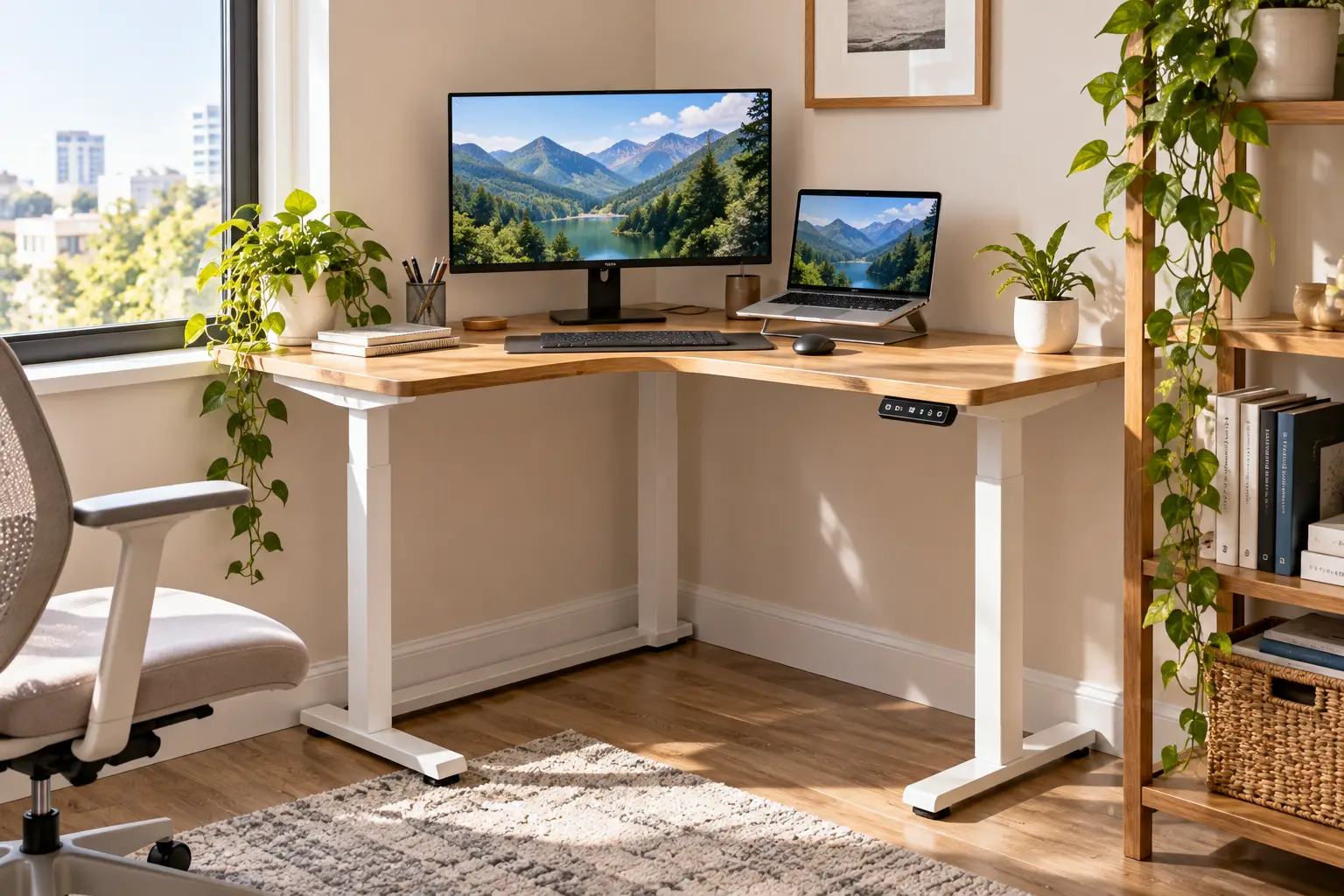
A small corner standing desk is a height-adjustable workstation designed to fit into a room corner, either as a compact L-shaped sit-stand desk (roughly 55 to 63 inches on its long side) or as a corner standing desk converter that sits on top of an existing corner desk and raises your monitor and keyboard.
That definition matters because the two categories solve different problems. A full compact L-shaped standing desk replaces your furniture entirely and moves the whole surface up and down with a motor. A corner converter keeps the desk you already own and adds a lifting platform on top — usually cheaper, often lighter on space, but with a smaller working area and lower weight limits.
In practice, the right choice depends on three things: whether you already own a corner desk, how much gear you need to lift (one laptop versus two monitors and a desktop tower), and your budget. We’ll cover all three in detail below.
Quick Comparison: Small Corner Standing Desk Picks at a Glance
| Product | Type | Surface Size | Height Range | Best for |
|---|---|---|---|---|
| FEZIBO 55×32 L-Shaped Desk | Electric L-desk | 55″ × 32″ | 28.3″–46.5″ | FEZIBO 55×32 — tightest budget |
| FlexiSpot AlcoveRiser M7C | Pneumatic corner converter | ~35″ wide | ~4.7″–19.9″ lift | AlcoveRiser M7C — shallow desks |
| VIVO 43″ Corner Desk Converter (DESK-V000VC) | Pneumatic corner converter | 43.3″ × 28.3″ | 6″–17″ lift | VIVO DESK-V000VC — dual monitors on a budget |
| Acrolix 59×40 Reversible L-Shaped Desk | Electric L-desk | 59″ × 40″ | 28.3″–46.4″ | Acrolix 59×40 — quiet shared spaces |
| VIVO 43″ Electric Corner Converter (DESK-V000VCE) | Electric corner converter | 43.3″ × 22″ | 6.5″–16.2″ lift | VIVO DESK-V000VCE — push-button converter |
| FLEXISPOT Pro L-Shaped Desk (63×40) | Dual-motor L-desk | 63″ × 40″ | 28.9″–48.2″ | FLEXISPOT Pro L — tall users, heavy setups |
| Ergotron WorkFit Corner | Premium gas-spring converter | 36″ × 23.6″ | 15″ lift | WorkFit Corner — rock-solid stability |
Looking at the table, the clearest dividing line isn’t price — it’s whether you’re replacing your desk or upgrading it. The FEZIBO 55×32, Acrolix 59×40, and FLEXISPOT Pro L are complete desks, while the AlcoveRiser M7C, both VIVO converters, and the WorkFit Corner sit on furniture you already own. If you’re tall, note that the FLEXISPOT Pro L offers the highest maximum height of the full desks, which matters more than most buyers realize.
💬 One click helps other shoppers make an informed choice too! 😊
Top 7 Small Corner Standing Desk Picks: Expert Analysis
1. FEZIBO 55×32 L-Shaped Desk — cheapest way into an L-shape
The FEZIBO 55×32 L-Shaped Desk is the entry ticket for anyone who wants a true corner sit-stand desk without spending premium money.
Its 55-inch long side and 32-inch return create two zones: one for your monitor and keyboard, the other for documents or a laptop. The electric lift runs from 28.3″ to 46.5″ with four memory presets, which means you can save a sitting height, a standing height, and two in-between positions — handy if more than one person uses the desk. The top is a splice board (multiple panels joined together), which keeps shipping costs down but introduces seams.
Based on comparing the specs, this desk suits students, part-time remote workers, and anyone running a laptop plus one monitor. The footprint is genuinely small for an L-shape, so it fits bedrooms where a 63-inch model would block a closet door. Heavy dual-monitor rigs with monitor arms are a different story — budget electric frames with single-stage legs tend to sway more at standing height.
Independent roundups consistently position this model as a budget corner pick, though detailed long-term review data is limited. A common caution from standing-desk reviewers about budget two-piece tops is reduced stability near maximum height, so keep heavy gear centered.
Pros:
- ✅ Compact 55-inch footprint fits genuinely tight corners
- ✅ Four memory presets cover multiple users
- ✅ Very low entry price for an electric L-desk
Cons:
- ❌ Splice-board top has visible seams
- ❌ Likely more wobble at full standing height
Typically found between roughly $130 and $260 depending on seller and finish (check the current price) — strong value if you keep your setup light.
2. FlexiSpot AlcoveRiser M7C — fits desks only 15 inches deep
The FlexiSpot AlcoveRiser M7C solves a specific, frustrating problem: corner desks too shallow for most converters.
According to retailer specs, it needs only 15 inches of desk depth, supports 33 lb, and uses a pneumatic lift assist with a single handle for stepless adjustment. Its X-lift mechanism raises the platform straight up and down rather than swinging toward you. In a cramped corner, that’s a big deal — Z-lift converters arc outward and can bump your chest or require you to roll your chair back first.
On paper, this makes the AlcoveRiser M7C ideal for renters who already own a small corner desk, cubicle workers with shallow corner surfaces, and anyone who wants to test standing work before committing to a full desk. The 33-lb capacity covers a laptop plus one mid-size monitor comfortably; two large monitors on arms would push it.
Independent reviewers at WorkWhileWalking describe it as a top contender among low-cost corner converters and highlight the straight-up lift as its main advantage, though they hadn’t lab-tested it. Retailer listings also note it meets ANSI/BIFMA performance standards.
Pros:
- ✅ Works on corner desks just 15 inches deep
- ✅ Straight vertical lift saves precious clearance
- ✅ Arrives preassembled, so setup takes minutes
Cons:
- ❌ 33-lb limit rules out heavy dual-monitor rigs
- ❌ Amazon availability can fluctuate by color
Historically priced around $150 to $200 — excellent value for shallow corner desks, but confirm current availability before you plan around it.
3. VIVO 43″ Corner Desk Converter (DESK-V000VC) — most surface for the money
The VIVO 43″ Corner Desk Converter (DESK-V000VC) delivers the biggest platform of any budget corner converter in this lineup.
Its main surface measures 43.3″ × 28.3″, with a 28.2″ × 10.6″ keyboard tray that rises in sync. Height adjusts from 6″ to 17″ above your desk via dual pneumatic springs, with a 33-lb capacity. In plain terms: you can fit two monitors side by side, which is rare at this price. The angled back edge is shaped to tuck into an L-shaped desk’s inside corner.
Here’s what to weigh: this is a Z-lift, meaning it moves up-and-out as it rises. In a small room, that outward travel eats into the space behind your chair. WorkWhileWalking also reports that its keyboard tray doesn’t leave enough room for comfortable mouse use — a real issue for gamers and designers.
Reviews consistently praise the large surface and minimal assembly, while the most common criticisms center on the narrow keyboard tray and lift feel. It’s backed by a 3-year warranty.
Pros:
- ✅ Fits dual monitors on a budget converter
- ✅ Nearly assembled straight out of the box
- ✅ Three-year manufacturer warranty included
Cons:
- ❌ Keyboard tray is cramped for a mouse
- ❌ Z-lift swings outward into your space
Usually in the $150 to $220 range — solid value for dual-monitor users who can add a separate mouse platform.
4. Acrolix 59×40 Reversible L-Shaped Desk — whisper-quiet for shared rooms
The Acrolix 59×40 Reversible L-Shaped Desk is the pick when your desk shares a room with a sleeping partner, a baby monitor, or roommates.
Its motor is rated under 45 dB, which is roughly the volume of a quiet library conversation. The 59″ × 40″ surface is reversible, so you can mount the return on the left or right side — critical when your corner has a window or radiator on one wall. It adjusts from 28.3″ to 46.4″ with three memory presets and supports up to 176 lb, which comfortably handles dual monitors, a desktop tower, and accessories.
Based on comparing the specs, the deeper 40-inch return is this desk’s quiet superpower. It gives you a genuine second workstation — a drawing tablet, a sewing machine, or a second laptop — rather than a token shelf. That makes it a strong fit for hybrid workers and hobbyists who split tasks between two zones.
Independent roundups single out the quiet lift as a standout trait, and some describe it as one of the best values for reversible layouts. Detailed long-term durability data remains limited, so treat the motor’s lifespan as an open question.
Pros:
- ✅ Sub-45 dB motor suits bedrooms and shared spaces
- ✅ Reversible return adapts to any corner
- ✅ 176-lb capacity handles serious setups
Cons:
- ❌ 40-inch return eats more floor space
- ❌ Only three memory presets
Generally found around $250 to $380 (prices may vary) — a strong mid-range value for quiet-sensitive homes.
5. VIVO 43″ Electric Corner Converter (DESK-V000VCE) — push-button lift, no desk swap
The VIVO 43″ Electric Corner Converter (DESK-V000VCE) brings motorized convenience to a converter format.
Its 43.3″ × 22″ surface fits dual monitors, and an electric motor raises it from 6.5″ to 16.2″ above your desk with a 33-lb capacity. A built-in USB port is a small but useful touch in corners where outlets are awkward to reach. In practice, the motor removes the biggest friction point of pneumatic converters: you don’t need to brace and squeeze a lever with monitors wobbling above you.
On paper, this suits people who already love their corner desk but want to stand more often. Here’s the logic: the easier it is to switch positions, the more often you actually do it. That said, it’s still a Z-lift design, so it arcs outward as it rises — measure the clearance behind your chair first.
Independent testers at WorkWhileWalking hadn’t lab-tested this model, describing it as a low-cost electric option that combines value and ease of adjustment, and they flag the same cramped keyboard tray concern as VIVO’s pneumatic corner model.
Pros:
- ✅ Electric lift encourages more frequent standing
- ✅ USB port helps in outlet-poor corners
- ✅ Keeps the corner desk you already own
Cons:
- ❌ Keyboard tray still tight for mousing
- ❌ Shallower surface than the pneumatic VIVO
Typically around $250 to $320 — fair value if push-button convenience will change your habits.
6. FLEXISPOT Pro L-Shaped Desk (63×40) — best for tall users and heavy rigs
The FLEXISPOT Pro L-Shaped Desk (63×40) is the largest desk we’d still call “small” — the upper limit for compact corners.
Its dual-motor frame adjusts from 28.9″ to 48.2″, the tallest maximum of any full desk here. That extra height matters if you’re over 6’2″ or plan to use the desk with a walking pad. Two motors share the load, which typically means smoother, more even lifting with heavy gear. The reversible panel works for left- or right-facing corners, and FlexiSpot backs the frame and motors with a 5-year warranty.
What most buyers overlook with L-desks is how manufacturers measure them. Deal-community buyers have complained that L-desk dimensions are confusing, so map both legs of the “63×40” with painter’s tape before ordering. If your corner can absorb it, this desk handles dual monitors, a tower PC, and monitor arms with less compromise than budget frames.
Deal-forum buyers report programming presets for sitting, standing with an anti-fatigue mat, and walking-pad use — a good sign for flexibility in daily routines.
Pros:
- ✅ Dual motors for smoother heavy-load lifting
- ✅ 48.2-inch max height suits tall users
- ✅ Five-year frame and motor warranty
Cons:
- ❌ Biggest footprint in this roundup
- ❌ Ships in multiple heavy packages
Often listed between roughly $300 and $460 depending on coupons (check the current price) — excellent long-term value for power users.
7. Ergotron WorkFit Corner — premium stability that lasts
The Ergotron WorkFit Corner is the “buy once, cry once” option for anyone who values stability above all else.
Its notched worksurface fits flush against any 90-degree corner, and the 36″ × 23.6″ top handles one or two large monitors. It offers 15 inches of vertical lift via gas spring and hand-brake levers, supports 10 to 35 lb, and ships fully assembled. Ergotron notes it fits desk surfaces as shallow as 24 inches and has the largest keyboard platform in the WorkFit line — directly addressing the cramped-tray problem that hurts budget converters.
Based on comparing the specs, this suits professionals in cubicles or home offices with an existing corner desk who want zero wobble while typing at standing height. At around 57 lb, it’s heavy — great for stability, not for frequent moving.
Independent reviewers describe it as one of the highest-priced manual corner converters, but credit it with smoother transitions, solid stability at all heights, and a roomy keyboard tray. It carries a 5-year warranty.
Pros:
- ✅ Notched top fits corners perfectly flush
- ✅ Spacious keyboard tray fixes mousing issues
- ✅ Exceptional stability at every height
Cons:
- ❌ Premium price far above budget converters
- ❌ Heavy, so repositioning takes two people
Typically priced well above $500 at most retailers — worth it if you’ll stand daily for years.
Top 7 Side-by-Side: Specs That Matter in Small Corners
| Product | Capacity | Lift Type | Warranty | Best for |
|---|---|---|---|---|
| FEZIBO 55×32 L-Shaped Desk | Check listing | Electric, 4 presets | Check listing | FEZIBO 55×32 — laptop + 1 monitor |
| FlexiSpot AlcoveRiser M7C | 33 lb | Pneumatic X-lift | Check listing | AlcoveRiser M7C — shallow desks |
| VIVO DESK-V000VC | 33 lb | Pneumatic Z-lift | 3 years | VIVO DESK-V000VC — budget dual screens |
| Acrolix 59×40 | 176 lb | Electric, 3 presets | Check listing | Acrolix 59×40 — quiet rooms |
| VIVO DESK-V000VCE | 33 lb | Electric Z-lift | 3 years | VIVO DESK-V000VCE — easy switching |
| FLEXISPOT Pro L | Check listing | Dual-motor electric | 5 years (frame/motors) | FLEXISPOT Pro L — tall users |
| Ergotron WorkFit Corner | 10–35 lb | Gas spring | 5 years | WorkFit Corner — stability |
The pattern here is instructive: converters cluster around a 33–35 lb ceiling, while full desks like the Acrolix 59×40 jump to 176 lb. If your setup includes a desktop tower or monitor arms, that gap alone may decide your category. Warranty length is the other quiet differentiator — the FLEXISPOT Pro L and WorkFit Corner both offer five years, which usually signals manufacturer confidence in the lift mechanism.
✨ Don’t miss these space-saving picks!
🔍 Take your home office to the next level with this carefully curated lineup. Click a highlighted product to check current pricing and availability — these picks will help you reclaim your corner and work more comfortably every day!
Small Corner Standing Desk Converter vs Compact L-Shaped Standing Desk
This is the decision that shapes everything else, so let’s break it down honestly.
A small corner standing desk converter sits on top of your current desk. Its biggest advantage is cost and commitment: you keep your furniture, spend less, and can move the converter to a new apartment easily. The trade-offs are real, though. Converters cap out around 33–35 lb, they add bulk to your desktop even when lowered, and the keyboard tray is often narrower than a full desk surface. Z-lift models also swing outward, which can be a deal-breaker in tight rooms.
A compact L-shaped standing desk replaces your furniture. The entire surface moves, so your keyboard, monitors, coffee, and notebook all rise together. Capacity is dramatically higher, and you gain true legroom underneath. The trade-offs: higher cost, longer assembly (often an hour or two), and a fixed footprint you’ll need to plan around.
| Option | Upfront Cost | Space Impact | Capacity | Best for |
|---|---|---|---|---|
| Fixed corner desk (no lift) | Lowest | Footprint only | High | Sitting-only workers |
| Corner converter (e.g., VIVO DESK-V000VC) | Low–mid | Adds desktop bulk | ~33–35 lb | Renters keeping current desk |
| Compact L standing desk (e.g., Acrolix 59×40) | Mid–high | Full footprint | Up to ~176 lb | Full-time remote workers |
Reading across the rows, the fixed desk wins only if you’ll never stand. Converters like the VIVO DESK-V000VC are the low-risk trial, while full desks like the Acrolix 59×40 reward daily, heavy use. If you work from home more than three days a week, the full desk usually pays off in comfort.
How to Choose a small corner standing desk
- Measure both walls and the diagonal. Corners are rarely perfectly square, and baseboards steal an inch. Measure at desk height, not floor level.
- Decide converter or full desk. If you love your current corner desk and use under 30 lb of gear, a converter is the efficient choice.
- Check maximum height against your body. Your standing desk height should be near your standing elbow height. Taller users should favor ranges reaching 48 inches.
- Match capacity to your actual gear. Weigh monitors, arms, and a tower. Leave at least a 20% buffer for stability.
- Prioritize lift type for your clearance. X-lift and electric full desks rise vertically; Z-lift converters arc outward and need extra room behind you.
- Consider noise and presets. Shared rooms benefit from sub-45 dB motors; multiple users benefit from more memory presets.
- Read the warranty fine print. Motors and lift mechanisms are what fail. Longer coverage on those parts signals better build quality.
Each step builds on the previous one — skip the measuring and nothing else matters. For background on how sit-stand designs evolved, the Wikipedia overview of standing desks is a useful primer.
Measure First: A 15-Minute Corner Fit Guide
Most returns happen because the desk technically fit, but the room didn’t work around it. Here’s a practical routine that Amazon listings won’t give you.
Step 1 — Tape the footprint. Use painter’s tape to outline the exact desk shape on your floor. For L-desks, tape both legs and the inside corner. Live with it for a day. If you trip on it, the desk is too big.
Step 2 — Check the swing zones. Open every nearby door, closet, and window. Roll your chair back as you naturally would. Confirm nothing collides with the desk at sitting or standing height — windowsills and wall shelves often clash only when the desk rises.
Step 3 — Map your outlets. Corners are notorious for awkward power access. Your desk will move up to 18 inches, so plan cords with that much slack. A clamp-on power strip that rides with the desk prevents yanked plugs.
Step 4 — Account for baseboards and trim. Baseboards can push a desk an inch or more off the wall. For converters, measure your actual desk depth — the AlcoveRiser M7C needs just 15 inches, while the WorkFit Corner needs 24.
Step 5 — First-30-days tuning. Set your sitting preset first (elbows near 90 degrees, feet flat), then your standing preset (elbows at the same angle). Recheck after a week — most people’s ideal standing height shifts slightly once they get used to standing.
⚡ Maintenance tip: Every three months, check and tighten frame bolts. Corner desks experience twisting forces that loosen hardware faster than straight desks.
Real-World Scenarios: Matching Buyers to Desks
🎓 Maya, college student, 10×10 dorm-style bedroom. Maya works on a laptop, occasionally plugs into one external monitor, and needs to keep spending low. She studies about four hours a day. The FEZIBO 55×32 fits her tight footprint and gives her a real L-shape for textbooks. Its four presets also let her roommate save a height if they share. Total gear weight is light, so budget-frame wobble barely matters.
💼 Daniel, full-time remote analyst, apartment corner office. Daniel runs two 27-inch monitors on an arm, a laptop dock, and a desktop tower — easily 50+ lb of gear. He works nine-hour days and takes video calls standing. A converter’s 33-lb ceiling eliminates that category immediately. The Acrolix 59×40 handles his load and stays quiet enough not to disturb his partner sleeping in on weekends. If Daniel were over 6’2″, the FLEXISPOT Pro L would win on maximum height.
🏢 Priya, hybrid worker, corporate cubicle plus home office. Priya’s cubicle has a fixed corner desk she can’t replace. She uses a laptop and one monitor, standing maybe 90 minutes a day. The WorkFit Corner is her best match if the budget allows — flush corner fit, roomy keyboard tray, and no assembly at the office. On a tighter budget, the AlcoveRiser M7C offers a straight-up lift that won’t bang into cube walls.
The common thread: start with your gear weight and room constraints, then pick the lift type. Budget comes third, because a desk that doesn’t fit your gear is never a bargain.
Problem → Solution: Fixing Common Corner Desk Headaches
Problem 1: The desk wobbles at standing height. This is the most common complaint with budget frames. Solution: move heavy monitors toward the center of the frame, tighten all crossbar bolts, and avoid the very top of the height range. If wobble persists, a wall-anchored monitor arm reduces how much the screen shakes while typing.
Problem 2: No room for your mouse on the converter. Budget converters like the VIVO DESK-V000VC have tight keyboard trays. Solution: use a compact tenkeyless keyboard to free 3–4 inches, or add a clip-on mouse platform. Alternatively, the WorkFit Corner solves this at the hardware level.
Problem 3: Cables yank when the desk rises. Solution: route everything through a cable spine or under-desk tray, leaving a slack loop equal to the desk’s full height travel. Mount the power strip to the underside so it travels with the desk.
Problem 4: The Z-lift converter hits your chest. Solution: roll your chair back before raising, or switch to an X-lift model like the AlcoveRiser M7C, which rises straight up.
Problem 5: Your feet ache after standing. Solution: follow a structured routine rather than standing for hours. Cornell ergonomist Alan Hedge’s sit-stand program guidance suggests roughly 20 minutes sitting, 8 minutes standing, and 2 minutes moving as a ballpark goal. An anti-fatigue mat and supportive shoes help too.
Corner Sit Stand Desk for Small Spaces: Features That Actually Matter (and Ones That Don’t)
Marketing pages love long feature lists. Here’s how to separate signal from noise when shopping for a corner sit stand desk for small spaces.
Features that matter:
- Height range — This determines whether the desk fits your body. A range that tops out at 46 inches may leave taller users hunching. The FLEXISPOT Pro L reaching 48.2″ is meaningful, not trivia.
- Reversibility — Your corner has a fixed geometry. A reversible return, like the Acrolix 59×40 offers, prevents a costly mismatch.
- Lift direction — Vertical (X-lift or electric legs) versus outward-arcing (Z-lift) can decide whether a desk works in a tight room.
- Weight capacity with buffer — Spec-sheet maximums are tested statically. Running near the limit typically means slower lifting and more sway.
- Warranty on motors and lifts — The moving parts are what fail first.
Features that matter less than you think:
- Built-in LED strips — Fun, but they don’t improve ergonomics, and they add another component that can fail.
- Excessive memory presets — Most solo users need two: sitting and standing. Four presets help only with multiple users.
- Cup holders and hooks — Nice extras, but never a reason to choose one desk over another.
- “Gaming” branding — It’s usually a color scheme, not a structural upgrade.
The lesson: spend your money on structure, adjustability, and warranty — not accessories.
Common Mistakes to Avoid When Buying a Small L Shaped Standing Desk
Mistake 1: Trusting the headline dimensions. “63×40” sounds precise, but L-desk measurements vary in how they treat the return depth. Always check the full dimension diagram before ordering a small L shaped standing desk.
Mistake 2: Ignoring standing-height clearance. A desk that fits under a window at sitting height may collide with the sill at standing height. Check vertical clearance, too.
Mistake 3: Overloading a converter. Two monitors on arms plus a laptop can easily exceed 33 lb. Converters near their limit lift unevenly and can drift down.
Mistake 4: Forgetting assembly logistics. Full L-desks often ship in multiple heavy boxes. Confirm you can get them up your stairs or into your elevator — and plan for an hour or two of assembly with a helper.
Mistake 5: Buying for the corner instead of the work. A gorgeous L-desk is pointless if you only use a laptop. Match the desk to your workload first, then to the room.
Mistake 6: Expecting standing to fix everything. Standing all day causes its own fatigue. The goal is alternating positions — the desk just makes switching easy.
Long-Term Cost and Maintenance
Sticker price is only half the story. Total cost of ownership includes accessories, maintenance, and how long the lift mechanism lasts.
| Product | Typical Price Range | Likely Add-Ons | Value Verdict | Best for |
|---|---|---|---|---|
| FEZIBO 55×32 | ~$130–$260 | Cable tray, mat | Lowest entry cost | FEZIBO 55×32 — short-term or light use |
| AlcoveRiser M7C | ~$150–$200 | Monitor riser | Low cost, low risk | AlcoveRiser M7C — testing standing work |
| Acrolix 59×40 | ~$250–$380 | Monitor arm, mat | Strong mid-range value | Acrolix 59×40 — daily heavy use |
| FLEXISPOT Pro L | ~$300–$460 | Mat, cable spine | Best warranty per dollar | FLEXISPOT Pro L — multi-year use |
| WorkFit Corner | $500+ | Monitor mount kit | Premium longevity | WorkFit Corner — years of daily standing |
Prices change constantly, so treat these as ballpark ranges at the time of writing. The insight from the table: the FLEXISPOT Pro L pairs a mid-range price with a five-year frame and motor warranty, which typically lowers its effective yearly cost. The FEZIBO 55×32 wins on day-one savings, but shorter expected service life under heavy loads can erase that advantage.
Maintenance schedule for any small corner standing desk:
- 🔧 Monthly: Wipe the surface and check for cable snags along the lift path.
- 🔧 Quarterly: Tighten frame bolts and recheck leveling feet.
- 🔋 Electric models: Avoid running the motor continuously for long stretches; most controllers include duty-cycle limits for a reason.
- 🌬️ Pneumatic converters: Keep weight within the rated range so gas springs don’t wear unevenly.
A well-maintained mid-range desk often outlasts a neglected premium one.
Safety, Stability, and Standards for Corner Standing Desks
Height-adjustable furniture involves moving parts, electricity, and heavy loads, so a few safety points deserve attention.
Look for recognized testing. BIFMA (the Business and Institutional Furniture Manufacturers Association) publishes performance standards for office furniture. Retailer listings state that the AlcoveRiser M7C meets ANSI/BIFMA performance standards — a useful signal of tested durability. For electric desks, look for UL or ETL certification on the power supply and control box, which indicates the electrical components were evaluated for safety.
Use anti-collision features where available. Many electric desks include collision detection that stops the motor if it meets resistance. This matters in corners, where a desk can pinch against a windowsill, shelf, or child’s hand.
Mind kids and pets. Lower the desk slowly and check underneath before you do. Some electric models offer a child-lock on the control panel — use it if you have curious toddlers.
Don’t exceed rated capacity. Overloading strains motors and gas springs and increases tipping risk at full height, especially on L-desks where weight sits far from the frame’s center.
Anchor top-heavy setups. If you mount tall shelving or heavy monitor arms on the desk, keep the center of gravity low and the gear centered over the legs.
Finally, remember that OSHA’s workstation guidance focuses on posture and arrangement rather than a single mandated desk design. A safe desk is one that’s stable, properly loaded, and adjusted to your body.
FAQs
❓ Is a small corner standing desk worth buying for a tiny apartment?
❓ What size small corner standing desk fits a 10x10 bedroom?
❓ Can I put a standing desk converter on a small corner desk?
❓ Are electric corner standing desks better than manual converters?
❓ How much weight can a small corner standing desk hold?
Conclusion: Make Your Corner Work as Hard as You Do
A small corner standing desk is one of the rare home-office upgrades that improves both your space and your daily routine. The key is matching the format to your situation rather than chasing the biggest or flashiest model.
If you want the lowest-cost path to a true L-shape, the FEZIBO 55×32 gets you there for light setups. If you already own a corner desk, the AlcoveRiser M7C is a smart, shallow-desk solution, while the VIVO DESK-V000VC and VIVO DESK-V000VCE give you dual-monitor space on a budget. For quiet, heavy-duty daily use, the Acrolix 59×40 stands out. Tall users and power users should look hard at the FLEXISPOT Pro L and its five-year warranty. And if stability is non-negotiable, the WorkFit Corner earns its premium.
Whatever you choose, measure first, respect weight limits, and build a routine that alternates sitting, standing, and moving. The desk makes switching easy — the habit is what makes the difference.
🚀 Ready to reclaim your corner?
🔍 Click any highlighted product above to check current pricing and availability. The right small corner standing desk will help you work more comfortably, move more often, and finally put that empty corner to good use!
Recommended for You
- hidden computer monitor desk: 7 Smart Picks That Vanish (2026)
- Coloured Office Chairs: 7 Best Picks That Add Real Style (2026)
- Stationery Office Chair: 7 Best Picks That Won’t Roll Away (2026)
Disclaimer: This post contains affiliate links. As an Amazon Associate, I earn from qualifying purchases made through these links, at no additional cost to you.
✨ Found this article helpful? Share it with someone who needs it! 💬🤗