
In This Article
Why a Sit Stand Desk with Storage Is the Smartest Home Office Upgrade in 2026
Here’s the dirty secret of most standing desks: they’re gorgeous for exactly one day. Then the sticky notes arrive, the charging cables multiply, and suddenly your “minimalist workstation” looks like a junk drawer exploded on it. A sit stand desk with storage solves that problem at the source by giving every pen, cable, and notebook a home that moves up and down with you.
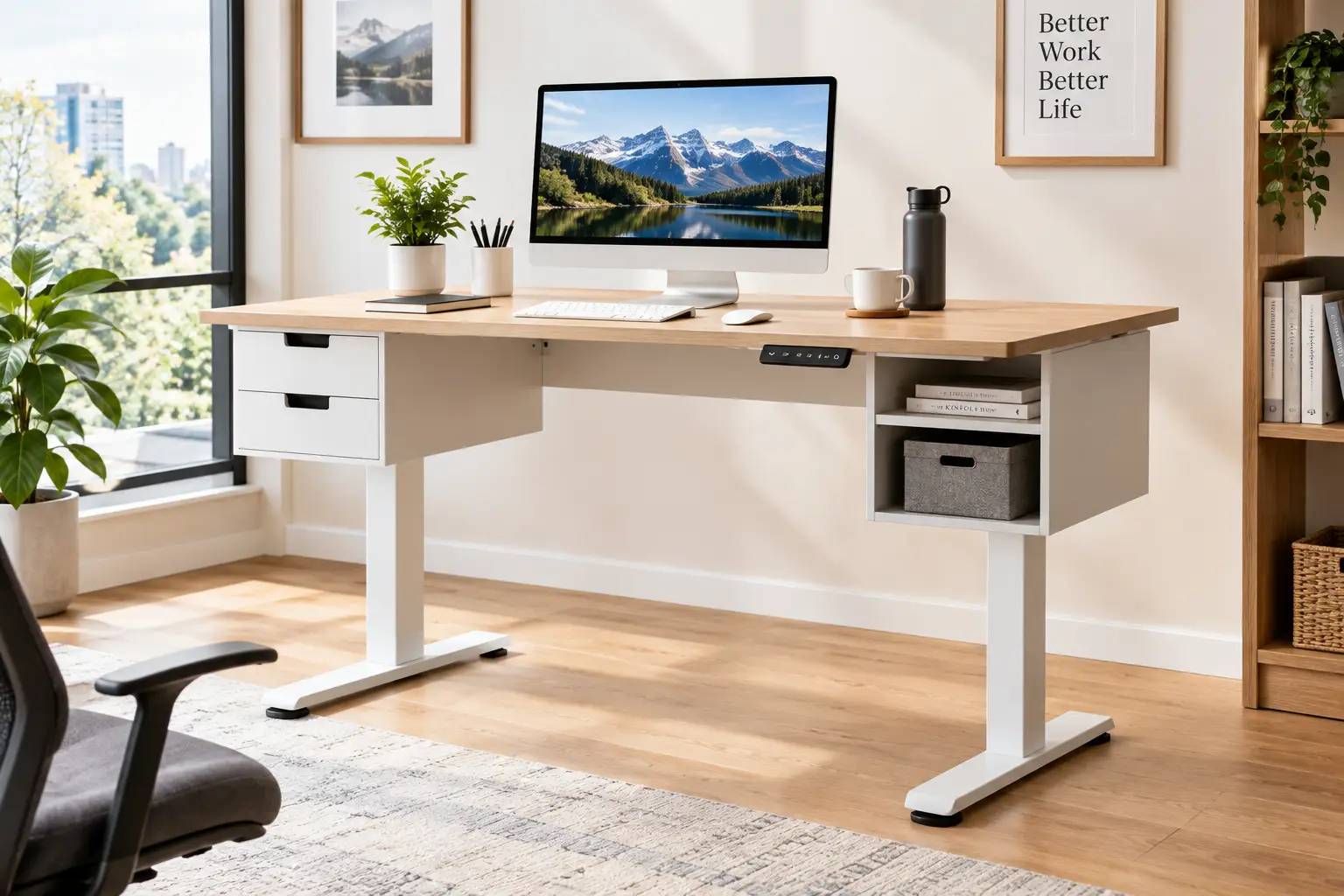
What is a sit stand desk with storage? A sit stand desk with storage is a height-adjustable desk, usually electric, that switches between sitting and standing heights while also building in drawers, shelves, cubbies, or a monitor riser. The goal is simple: change your posture through the day without surrendering your desktop to clutter.
That combination matters more than it sounds. Ergonomists have spent decades arguing that the healthiest posture is the next one, which is why the standing desk has gone from Silicon Valley novelty to mainstream home office furniture. But a bare standing desk forces a trade-off, because anything you store underneath it (like a fixed filing cabinet) can block the frame or limit how low it goes. Integrated storage travels with the desktop, so your essentials stay within reach at every height.
In this guide, we compared seven real models available on amazon.com, from a slim glass-top desk with one hidden drawer to a 63-inch farmhouse workstation with shelving. Every recommendation is grounded in published spec sheets, independent reviews, and owner feedback, never in invented “testing.” You’ll also get a setup plan for your first 30 days, a problem-solving section, and a frank look at whether a standing desk with drawers really beats a plain desk plus a rolling cabinet.
Quick Comparison: The Best Sit Stand Desk with Storage at a Glance
If you’re short on time, this snapshot shows which desk wins in each category before we dig into the details.
| Category | Best pick | Storage | Best for |
|---|---|---|---|
| Sleek & minimal | FlexiSpot Comhar (EG8) | 1 slim embedded drawer | Laptop users who hate visible clutter |
| Premium build | FlexiSpot Comhar Pro Q8 | 1 wide drawer + cable tray | Heavier setups needing a dual motor |
| Most drawers | HUANUO 55″ x 30″ 4-Drawer Standing Desk | 4 drawers + monitor tier | Paper-heavy work and deep desktops |
| Biggest surface | SEDETA 63″ Farmhouse Standing Desk | 3 drawers + open shelves | Taller users and multi-monitor setups |
| Best budget | TIQLAB 48″ Two-Drawer Standing Desk | 2 drawers + top shelf | First-time buyers on a tight budget |
Looking at the table, the split is really about how much you store versus how much weight you lift. The FlexiSpot Comhar Pro Q8 carries the highest rated load of the group, while the HUANUO 55″ x 30″ 4-Drawer Standing Desk and SEDETA 63″ Farmhouse Standing Desk prioritize sheer storage volume. If you just need to hide a laptop and a few cables, the cheaper TIQLAB 48″ Two-Drawer Standing Desk or the minimalist FlexiSpot Comhar (EG8) will cover you without paying for capacity you’ll never use.
💬 One click helps other shoppers make an informed choice too! 😊
Top 7 Sit Stand Desk with Storage Picks: Expert Analysis
Each pick below includes what the specs actually mean day to day, who should buy it, what owners and reviewers consistently report, and a value verdict. Prices are given as ranges because Amazon pricing shifts constantly, so always check the current price.
1. FlexiSpot Comhar (EG8) — cleanest look with a hidden drawer
The FlexiSpot Comhar (EG8) hides its storage so well that guests may not notice it’s there. Its drawer is embedded directly beneath the 48″ x 24″ tempered-glass top, keeping the desk’s profile slim.
The current Amazon listing describes an adjustment range of about 28.9″ to 46.5″, four programmable presets, a child lock, anti-collision protection, and front-facing USB-A and USB-C charging ports. The internal drawer space is roughly 23.6″ x 11.2″ x 2.0″, which in practice means laptops, notebooks, chargers, and pens, not bulky headphones or a keyboard. Note, too, that the listing caps the lifting load at around 110 lbs, which is fine for a laptop plus one or two monitors but low for heavier rigs.
Based on the specs, this is a desk for laptop-first workers and anyone who wants a modern, almost furniture-like look in a living space. If you plan on a clamp-on monitor arm, however, think twice: glass and clamps don’t mix well.
Independent reviews consistently praise the easy assembly and premium feel, while repeatedly flagging fingerprints and dust on the glass, a shallow drawer, and optical mice that can misbehave on glass without a mouse pad. One reviewer also reported a sticking drawer track out of the box.
Pros:
- ✅ Embedded drawer keeps the desktop completely clutter-free
- ✅ Front USB-A and USB-C ports for phones and tablets
- ✅ Quick assembly with a polished, modern look
Cons:
- ❌ Glass top shows fingerprints and resists monitor arm clamps
- ❌ Roughly 110 lb lifting capacity limits heavier setups
💲 Usually in the $300-$450 range depending on top and finish (check the current price); strong value if you prize looks and simplicity over raw capacity.
2. FlexiSpot Comhar Pro Q8 — dual-motor power with built-in charging
The FlexiSpot Comhar Pro Q8 takes the Comhar idea and scales it up for people who need real lifting muscle. It’s the pick for buyers who want storage without accepting a lightweight frame.
Published specs list a 55″ x 28″ bamboo-surfaced desktop, a dual-motor, three-stage oval-leg frame rated at 220 lbs, and a height range of roughly 24″ to 49.2″. That wider range is meaningful: shorter users can drop low enough to type comfortably while seated, and taller users can stand without hunching. The embedded drawer measures about 28.3″ x 12.8″ x 1.97″, and the keypad adds a wireless charger plus a 45W USB-C port, which means a phone, earbuds, or small tablet can charge without another power brick on the desk.
Here’s what to weigh: the dual motor and 220 lb rating make this the safest choice in our lineup for two large monitors, a desktop PC tower on a holder, or speakers. It’s overkill for a single laptop.
Owner feedback on forums like Reddit is mostly positive about stability and the drawer, but a recurring complaint is that the metal wrap around the desktop edge gets in the way of many clamp-style monitor mounts. A few owners also felt the top was thinner than expected.
Pros:
- ✅ Dual motor and 220 lb capacity handle heavy setups
- ✅ Wide 24″ to 49.2″ range fits more body sizes
- ✅ Wireless charger and fast USB-C built into the keypad
Cons:
- ❌ Frame edge can block clamp-style monitor arms
- ❌ Costs noticeably more than single-motor storage desks
💲 Typically sits in the upper-mid tier, roughly $550-$750 depending on finish and promotions (prices may vary); worth it if your setup is heavy, otherwise the base Comhar is the better buy.
3. FEZIBO 55″ 3-Drawer Standing Desk — drawers plus a monitor shelf in one
The FEZIBO 55″ 3-Drawer Standing Desk is built for people who want storage at several levels instead of one slim tray. Its standout feature is a raised monitor shelf that brings your screen closer to eye level without a separate riser.
FEZIBO’s listing for the 55″ x 26″ version describes three wood drawers, a monitor shelf, three height-memory presets, and detachable lockable casters, with an adjustment range of about 28.35″ to 46.46″. The casters are a quietly useful detail: you can roll the desk out to vacuum or rearrange a room, then lock it in place. Because the top is deeper than the common 24″, you also gain a little breathing room between your eyes and the screen.
On paper, this suits remote workers in a spare bedroom who need to stash paperwork, chargers, and small tech accessories while keeping a single monitor at a healthier height. The trade-off is weight: drawers and shelving add mass the motor has to lift, so stay well under the rated limit printed on the listing for your size.
We couldn’t find in-depth independent long-term reviews for this exact configuration, so treat star ratings with some caution. What’s verifiable is the spec sheet and FEZIBO’s broader reputation as a value brand.
Pros:
- ✅ Three wood drawers plus a dedicated monitor shelf
- ✅ Lockable casters make cleaning and moving easy
- ✅ Deeper 26″ surface than standard 24″ desks
Cons:
- ❌ Limited independent long-term reliability data
- ❌ Ships in two packages, so assembly takes longer
💲 Usually in the $250-$380 range depending on size and finish (check the current price); good value for multi-level storage at a mid-tier price.
4. HUANUO 55″ x 30″ 4-Drawer Standing Desk — the most drawer space here
The HUANUO 55″ x 30″ 4-Drawer Standing Desk (model HNESD120 series) is the closest thing in this list to a traditional office desk that happens to rise. Its 30-inch-deep top is the deepest in our lineup.
The listing details two small cloth drawers up top (about 11.8″ x 8.9″ x 4.1″) for headphones and chargers, plus two wider wood drawers below (about 26″ x 12.4″ x 3.6″) for paperwork and writing tools. Add a two-tier elevated monitor stand, a cable tray, a grommet, C-clamp monitor mount compatibility, and a height range of about 27.9″ to 46.8″. That extra depth matters: it lets you push a monitor farther back, which helps you hit the viewing distance ergonomic guidance recommends.
Based on comparing the specs, this is the pick for paper-heavy roles (accounting, teaching, legal admin) and anyone who wants their monitor arm and their drawers on the same desk, something the glass-top Comhar can’t offer.
Reviews of desks with fabric bins, including this one’s top drawers, commonly note that cloth drawers feel less sturdy than wood. That’s worth knowing before you load them with heavy items.
Pros:
- ✅ Four drawers, including two wide wood ones
- ✅ Deep 30″ top gives better monitor distance
- ✅ Compatible with C-clamp monitor arms
Cons:
- ❌ Upper cloth drawers feel less robust than wood
- ❌ Heavy package, so plan on a two-person assembly
💲 Generally in the $300-$420 range (prices may vary); excellent value per cubic inch of storage.
5. SEDETA 63″ Farmhouse Standing Desk — huge surface with built-in power
The SEDETA 63″ Farmhouse Standing Desk is the one to choose when your desk doubles as a command center. Its 63″ x 27.6″ surface comfortably hosts two or three monitors with room left for documents.
The listing combines three drawers, open storage shelves, and built-in power outlets, all in a farmhouse-style finish that looks more like furniture than office equipment. Third-party roundups list a height range of roughly 31″ to 47″ and a rated capacity around 200 lbs. That 31″ minimum deserves attention: most shorter users need a seated typing height well below that, so you may need a taller chair and a footrest to sit comfortably.
What most buyers overlook with this model is that a large, storage-heavy desk becomes a semi-permanent fixture. It’s ideal for tall users, gamers, and creators who stand often and need power at their fingertips, but it’s a poor match for small apartments or anyone under roughly 5’6″ who sits most of the day.
Verifiable review detail is limited beyond retailer listings, so focus on the measurable specs: surface size, the 31″ minimum height, and the power outlets.
Pros:
- ✅ Expansive 63″ surface for multi-monitor setups
- ✅ Built-in outlets reduce extension-cord clutter
- ✅ Drawers plus open shelves for mixed storage
Cons:
- ❌ High minimum height may not suit shorter users
- ❌ Large, heavy footprint is hard to move later
💲 Often found in the $330-$480 range (check the current price); strong value for space and power if your room and height fit.
6. TIQLAB 48″ Two-Drawer Standing Desk — the budget-friendly starter
The TIQLAB 48″ Two-Drawer Standing Desk proves you don’t need to spend big to get a standing desk with drawers. It covers the basics for a first home office.
Listings describe a 48″ x 24″ top with two drawers and a top shelf, two memory presets, one-touch controls, a steel frame, and a 176 lb rated capacity, with a height range of roughly 28″ to 47″. Two presets instead of four is a minor compromise; most people only use a sitting and a standing height anyway. The listing quotes about 20 liters of storage volume, roughly enough for a few notebooks, chargers, and desk supplies.
On paper, this is a smart pick for students, first-time remote workers, and anyone testing whether they’ll actually stand regularly before committing to a premium frame. Its thinner engineered-wood top is fine for typing, but heavier accessories deserve a careful look at the load rating.
Independent, detailed reviews of this specific model are scarce, so we can’t verify long-term durability. Buy from a listing with a clear return window, and inspect the frame for wobble within the first week.
Pros:
- ✅ Low entry price for an electric storage desk
- ✅ Two drawers plus a shelf keep basics tidy
- ✅ 176 lb rating handles typical home setups
Cons:
- ❌ Only two memory presets
- ❌ Little independent long-term durability data
💲 Typically in the $150-$250 range (prices may vary); excellent value for a first standing desk.
7. Claiks 48″ Standing Desk with Drawers — flexible two-height monitor shelf
The Claiks 48″ Standing Desk with Drawers stands out with a two-tier shelf whose middle level can sit at two different heights. That tweak lets you fine-tune monitor height without buying a riser.
The listing includes two tabletop drawers, felt “fence” edges that keep small items from rolling off the shelf, two hooks, and four wheels, along with a 28.35″ to 46.46″ height range, three memory presets, a 176 lb rating, and motor noise under 50 dB. Under 50 dB is roughly the volume of a quiet conversation, so you won’t wake a partner during an early call. The desk comes in 40″, 48″, and 55″ widths, which makes it unusually easy to match to a small room.
Based on comparing the specs, this is a great fit for dorm rooms, bedroom offices, and creative hobbyists who like a little open shelving for display. The shelf structure does eat some usable surface, so measure your keyboard and mouse space before you buy.
As with other value brands, verifiable in-depth reviews are limited; the spec sheet and the brand’s size options are the most reliable information we found.
Pros:
- ✅ Adjustable-height monitor shelf for better ergonomics
- ✅ Multiple widths to fit small spaces
- ✅ Quiet motor under 50 dB
Cons:
- ❌ Shelf structure reduces flat working surface
- ❌ Wheels can add slight wobble at full height
💲 Usually in the $170-$270 range (check the current price); great value for small-space flexibility.
Side-by-Side: All 7 Desks Compared
| Desk | Top size | Height range | Rated load | Storage | Best for |
|---|---|---|---|---|---|
| FlexiSpot Comhar (EG8) | 48″ x 24″ glass | ~28.9″-46.5″ | ~110 lbs | 1 slim drawer | FlexiSpot Comhar (EG8): minimalist laptop users |
| FlexiSpot Comhar Pro Q8 | 55″ x 28″ | ~24″-49.2″ | 220 lbs | 1 wide drawer | FlexiSpot Comhar Pro Q8: heavy setups |
| FEZIBO 55″ 3-Drawer Standing Desk | 55″ x 26″ | ~28.35″-46.46″ | Check listing | 3 drawers + shelf | FEZIBO 55″ 3-Drawer Standing Desk: mixed storage |
| HUANUO 55″ x 30″ 4-Drawer Standing Desk | 55″ x 30″ | ~27.9″-46.8″ | ~176 lbs | 4 drawers + tier | HUANUO 55″ x 30″ 4-Drawer Standing Desk: paperwork |
| SEDETA 63″ Farmhouse Standing Desk | 63″ x 27.6″ | ~31″-47″ | ~200 lbs | 3 drawers + shelves | SEDETA 63″ Farmhouse Standing Desk: tall users |
| TIQLAB 48″ Two-Drawer Standing Desk | 48″ x 24″ | ~28″-47″ | 176 lbs | 2 drawers + shelf | TIQLAB 48″ Two-Drawer Standing Desk: budgets |
| Claiks 48″ Standing Desk with Drawers | 48″ x 24″ | ~28.35″-46.46″ | 176 lbs | 2 drawers + shelf | Claiks 48″ Standing Desk with Drawers: small rooms |
The pattern jumps out: capacity and height range, not drawer count, separate the premium desks from the value ones. The FlexiSpot Comhar Pro Q8 is the only model here that combines a wide height range with a 220 lb rating, while the SEDETA 63″ Farmhouse Standing Desk trades low-end range for surface area. For most single-monitor home offices, the HUANUO 55″ x 30″ 4-Drawer Standing Desk offers the best balance of storage, depth, and price.
💬 One click helps other shoppers make an informed choice too! 😊
Getting Started: Your First 30 Days with a Standing Desk with Drawers
Buying the desk is the easy part. Using it well is where most people stumble, usually by standing too much on day one and giving up by day ten.
🛠️ Assembly and first-day setup
- Assemble near the final spot. Storage desks are heavy once drawers go in. Build on a blanket or the shipping box, especially with glass tops.
- Install drawers last. Mount the frame, run the motor through its full range once, then add drawers so you can spot rubbing or misalignment.
- Leave cable slack. Raise the desk to its maximum height before you zip-tie cables. Otherwise, the first full lift can yank a monitor cable loose.
⏱️ Build a sit-stand rhythm
A widely cited starting point is the 20-8-2 pattern developed by Cornell ergonomist Alan Hedge: sit 20 minutes, stand 8, then move for 2 in every half hour, as summarized in Colorado State University’s ergonomics guidance. Save your two favorite heights as presets during week one, so switching takes one tap instead of guesswork.
📦 Organize storage by reach
Put what you touch hourly (pens, earbuds, sticky notes) in the top or front drawer. Put weekly items (paper files, spare cables) in lower drawers. Anything you open monthly doesn’t belong in the desk at all, because every extra pound is load the motor must lift.
⚠️ Common first-month mistakes
- Standing in socks on hard floors (wear supportive shoes or use an anti-fatigue mat).
- Forgetting to re-check monitor height after switching positions.
- Overloading drawers with heavy books, which strains slides and the motor.
Which Electric Standing Desk with Storage Fits Your Life? Three Real-World Scenarios
Specs only matter in context, so here are three common buyer profiles matched to the right desk.
🎓 Scenario 1: The grad student in a shared apartment
Budget: under $250. Use: 4-6 hours a day, laptop plus one small monitor.
The TIQLAB 48″ Two-Drawer Standing Desk or the Claiks 48″ Standing Desk with Drawers makes the most sense here. Both keep notebooks and chargers off the surface, and both fit compact rooms. The Claiks edges ahead if you want an adjustable monitor shelf and quiet operation in a shared space; the TIQLAB wins if every dollar counts. Either way, a laptop stand and an external keyboard will do more for your neck than any premium frame.
💼 Scenario 2: The full-time remote accountant
Budget: $300-$450. Use: 8+ hours a day, dual monitors, lots of paper.
The HUANUO 55″ x 30″ 4-Drawer Standing Desk is the natural fit. Four drawers swallow forms, folders, and supplies, while the 30″ depth keeps two monitors at a comfortable distance. Because it supports C-clamp monitor arms, you can free up the shelf for a document holder. Daily heavy use also means drawer quality matters, so reserve the sturdier wood drawers for the heaviest items.
🎮 Scenario 3: The tall creator with a heavy rig
Budget: $500+. Use: streaming, editing, and gaming, standing often.
If your height is 6′ or more and your setup includes multiple monitors, lights, and speakers, look at the FlexiSpot Comhar Pro Q8 for its 220 lb dual-motor frame and 49.2″ max height. If surface area and built-in outlets matter more than lifting margin, the SEDETA 63″ Farmhouse Standing Desk gives you more room for gear. Tall users can comfortably live with SEDETA’s 31″ minimum height; shorter users usually can’t.
✨ Don’t miss these smart storage picks!
🔍 Take your home office to the next level with this carefully curated lineup. Click a highlighted desk to check current pricing and availability. These picks will help you get a tidier, healthier workday the whole family will notice!
Fixing Common Problems with an Adjustable Height Desk with Drawers
Even a good adjustable height desk with drawers can develop quirks. Here’s how to solve the most frequent ones.
Problem 1: The drawer sticks or opens crooked. Solution: Check that the desktop is level using the frame’s foot levelers, since a slight tilt can bind drawer slides. Then inspect for leftover packing tape and, if the slides are metal, apply a small amount of dry lubricant. Reviewers have reported this issue on embedded drawers like the one on the FlexiSpot Comhar (EG8), and contacting support early usually resolves it.
Problem 2: The desk wobbles at standing height. Solution: Wobble usually comes from loose frame bolts, an uneven floor, or casters. Re-tighten crossbars after the first week, lock or remove wheels on models like the Claiks 48″ Standing Desk with Drawers, and keep heavy items centered over the legs.
Problem 3: The desk stops moving or shows an error code. Solution: Most electric frames need a reset when overloaded or interrupted mid-lift. Remove some weight, then follow the reset sequence in the manual (often holding the down button until the desk drops to its lowest point). Also confirm nothing is blocking the anti-collision sensor.
Problem 4: My mouse jumps around. Solution: Glass tops can confuse optical sensors. A large desk mat fixes this instantly and also hides fingerprints.
Problem 5: Cables keep unplugging. Solution: Add a cable tray or spine, and leave enough slack for the full lift range. The cable tray on the FlexiSpot Comhar Pro Q8 helps here.
How to Choose a Sit Stand Desk with Storage
Use these seven criteria in order. They’re ranked by how often they cause regret after purchase.
- Check the height range against your body. Federal ergonomics guidance from OSHA’s computer workstation purchasing guide suggests keyboard heights of roughly 22″-30″ for seated work and 36″-46.5″ for standing work. If a desk’s minimum height is above your seated elbow height, you’ll need a chair and footrest workaround.
- Respect the load rating. Drawers, shelves, and their contents all count toward the motor’s limit. Add up your monitors, computer, and accessories, then leave a margin.
- Decide what you’ll actually store. A 2″ embedded drawer holds pens and laptops; a 3.6″-4″ drawer holds chargers and headsets. Measure your bulkiest daily item.
- Mind desktop depth. A 24″ top works for laptops; 28″-30″ gives monitors healthier viewing distance.
- Plan for monitor arms. Glass tops and wrapped edges can block clamps. If you use an arm, choose a clamp-compatible desk.
- Choose single vs. dual motor. Single motors are fine for light setups; dual motors lift heavier loads more smoothly.
- Confirm the room fit. Measure doorways, floor space, and outlet locations before ordering a large desk.
Put simply, comfort comes from fit, not features. A modest desk that fits your body beats a loaded one that doesn’t.
Standing Desk with Shelves vs. a Plain Desk Plus a Rolling Cabinet
Is integrated storage really better than a basic standing desk paired with a separate cabinet? It depends on how much you store.
| Factor | Integrated storage desk | Plain desk + rolling cabinet | Best for |
|---|---|---|---|
| Access while standing | Drawers rise with you | Cabinet stays at floor level | Integrated: frequent access |
| Storage volume | Small to moderate | Large, including file drawers | Cabinet: heavy filing |
| Motor load | Drawers add weight | No added weight on frame | Cabinet: heavy setups |
| Footprint | One piece | Two pieces | Integrated: small rooms |
| Flexibility | Fixed configuration | Mix and match | Cabinet: evolving needs |
The table shows the real trade-off. A standing desk with shelves or drawers wins for daily-access items, because storage stays within reach at every height and the room looks less cluttered. A separate rolling cabinet wins for serious filing, since it adds volume without adding weight to the lift mechanism.
There’s also an ergonomic subtlety. OSHA’s desk guidance warns that center drawers on conventional desks can crowd your thighs while seated. Built-in drawers on sit-stand desks tend to be shallow for exactly this reason, which is why many are only 2″-4″ deep. If you need deep file storage, a cabinet beside the desk is often the smarter choice. Many buyers end up combining both: a slim built-in drawer for daily items and a rolling pedestal for files, kept clear of the desk’s lowest position so the two never collide.
Electric Standing Desk with Storage for Small Spaces and Home Offices
Not every home office is a dedicated room. Many are a corner of a bedroom, a nook off the kitchen, or one half of a shared living area. In those spaces, an electric standing desk with storage pulls double duty, because it replaces both a desk and a small dresser or shelf.
For truly compact spaces, width matters more than anything. The Claiks 48″ Standing Desk with Drawers comes in a 40″ option, and the FlexiSpot Comhar (EG8) keeps a slim 24″ depth with storage tucked flush beneath the top. Look for vertical storage (shelves and monitor tiers) rather than wide drawers, since vertical storage adds capacity without increasing the footprint.
Noise and looks matter more in shared spaces, too. A motor under 50 dB won’t disturb a sleeping partner, and a wood or glass top reads as furniture rather than office equipment. If your desk lives in a living room, the SEDETA 63″ Farmhouse Standing Desk finish blends in, though its size requires a generous wall.
Finally, think about power. Built-in outlets or USB ports reduce the number of cords snaking across a shared room, which is both tidier and safer. A desk that charges your phone in a drawer also keeps it out of sight during focused work, which is a small productivity win.
Features That Actually Matter (and Ones That Don’t)
Marketing copy loves long feature lists. Here’s how to separate signal from noise.
✅ Features that matter
- Height range and minimum height: This decides whether the desk fits your body. Nothing else compensates for a mismatch.
- Rated load capacity: Storage adds weight. A higher rating means smoother lifts and a longer motor life.
- Memory presets: Two is enough; four helps when two people share a desk.
- Anti-collision: Essential with drawers, since a drawer left open or an item underneath can be crushed during lowering.
- Drawer depth and slide quality: Wood or metal slides outlast cloth bins for heavier use.
❌ Features that matter less
- Ultra-fast lift speed: A desk that rises 1″ per second versus 1.5″ saves you a few seconds per switch.
- LED lights and fancy displays: Fun, but irrelevant to comfort or durability.
- Excessive drawer count: Four flimsy cloth bins are worth less than two solid wood drawers.
The takeaway: spend on fit and frame first, storage quality second, and gadgets last.
Long-Term Cost and Maintenance
A standing desk with drawers isn’t just a purchase price. It’s a multi-year piece of furniture with moving parts, so the total cost of ownership is worth a look.
| Tier | Typical price range | Expected strengths | Main long-term cost | Best for |
|---|---|---|---|---|
| Budget | $150-$270 | Basic storage, light loads | Possible earlier wobble or motor strain | TIQLAB 48″ Two-Drawer Standing Desk, Claiks 48″ Standing Desk with Drawers |
| Mid-range | $250-$480 | More storage, larger tops | Drawer slide wear | HUANUO 55″ x 30″ 4-Drawer Standing Desk, FEZIBO 55″ 3-Drawer Standing Desk, SEDETA 63″ Farmhouse Standing Desk |
| Premium | $300-$750 | Refined builds, stronger frames | Higher upfront spend | FlexiSpot Comhar (EG8), FlexiSpot Comhar Pro Q8 |
Reading the table, mid-range desks often deliver the best value per year, because they balance storage, frame strength, and price. Budget models are perfectly sensible for trial runs, while premium models pay off when heavy setups would strain a lighter motor.
Maintenance is simple but often skipped. Re-tighten frame bolts after the first month, then every six months. Wipe drawer slides and check for debris. Keep cables slack. Most importantly, avoid running the motor continuously for minutes at a time; electric desks are designed for short lifts with rest in between, and the manual typically lists a duty cycle.
Warranty length is part of value, too. FlexiSpot’s Comhar, for example, is sold with a 5-year limited warranty through some retailers. Always confirm the warranty terms on the listing before you buy.
Safety, Regulations, and Standards
Standing desks are generally safe, but electric models with storage do raise a few specific considerations.
Electrical safety: Look for desks whose control boxes or power adapters carry a recognized safety certification such as UL or ETL listing. If your desk includes built-in outlets, as on the SEDETA 63″ Farmhouse Standing Desk, plug the desk into a quality surge protector and avoid daisy-chaining power strips.
Furniture durability standards: In the US, commercial office furniture is often tested against ANSI/BIFMA standards, which assess stability, strength, and durability. Many value-brand home desks don’t advertise BIFMA testing, so if you’re buying for a workplace, ask the seller directly.
Pinch and collision risks: Anti-collision sensors reduce the risk of crushing an object (or a pet) while lowering, but they aren’t foolproof. Keep children away from the controls, and use the child lock available on models like the FlexiSpot Comhar (EG8).
Ergonomic space: OSHA’s workstation guidance recommends adequate leg clearance under the work surface. Before you buy, check that drawers don’t sit where your knees go while seated.
Weight limits: Exceeding the rated load is the most common way to damage an electric frame. It can also void the warranty.
Common Mistakes to Avoid When Buying a Sit Stand Desk with Storage
Even well-informed buyers make these errors, so a quick checklist can save you a return.
- Ignoring the minimum height. A desk that won’t go low enough is uncomfortable for seated work, which you’ll still do for most of the day.
- Assuming more drawers equals more usable storage. Cloth bins and 2″ drawers add count, not capacity. Compare dimensions, not numbers.
- Forgetting the monitor arm. If you already own a clamp arm, a glass top or wrapped edge can make it unusable.
- Overlooking weight. Drawers, shelves, and their contents all eat into the motor’s rated load.
- Skipping room measurements. Large storage desks arrive in heavy boxes. Measure stairs, doors, and the final spot.
- Trusting star ratings alone. Read the most recent critical reviews, which reveal shipping damage, drawer issues, and support quality.
- Expecting standing to solve everything. Movement matters more than standing itself, so plan to alternate.
FAQ About Sit Stand Desk with Storage
❓ Are standing desks with drawers worth the extra cost?
❓ Can I add drawers to a standing desk I already own?
❓ What is the best sit stand desk with storage for a small apartment?
❓ How much weight can a standing desk with storage hold?
❓ Is a dual motor necessary for an electric standing desk with storage?
Conclusion: Find the Sit Stand Desk with Storage That Fits Your Life
The best sit stand desk with storage isn’t the one with the most drawers. It’s the one that fits your body, your setup, and your room. Start with height range and load capacity, then match storage to what you actually use every day.
If you want a sleek, minimal workspace, the FlexiSpot Comhar (EG8) hides clutter beautifully. Heavy setups deserve the dual-motor FlexiSpot Comhar Pro Q8. Paper-heavy professionals will appreciate the four drawers and deep top of the HUANUO 55″ x 30″ 4-Drawer Standing Desk, while the FEZIBO 55″ 3-Drawer Standing Desk offers flexible multi-level storage. Tall users with big rigs should look at the SEDETA 63″ Farmhouse Standing Desk, and budget-minded buyers can start strong with the TIQLAB 48″ Two-Drawer Standing Desk or the Claiks 48″ Standing Desk with Drawers.
Whichever you choose, the habit matters as much as the hardware. Alternate positions regularly, keep drawers organized by how often you reach for things, and maintain the frame. A good desk makes healthy work easy; your routine makes it stick.
🚀 Ready to clear your desk and upgrade your workday?
🛒 Pick the desk that matches your space and setup, click the highlighted name to check current pricing and availability, and enjoy a tidier, more comfortable home office starting this week!
Recommended for You
- White Desk Adjustable: 7 Best Picks That Won’t Wobble (2026)
- Three Monitor Wall Mount: 7 Best Picks That Won’t Sag (2026)
- 36 inch standing desk: 7 Brilliant Picks for Tight Spaces (2026)
Disclaimer: This post contains affiliate links. As an Amazon Associate, I earn from qualifying purchases made through these links, at no additional cost to you.
✨ Found this article helpful? Share it with someone who needs it! 💬🤗