
In This Article
Introduction: Why Storage Is the Missing Piece of Most Standing Desks
Here’s the irony of the standing desk boom: we bought motorized frames to make our workdays healthier, then buried the desktops under pens, chargers, sticky notes, and that one stapler nobody can find. An electric adjustable desk with drawers fixes that problem at the source. It gives you one-touch sit-stand switching and a place to put things away, so your workspace stays clean no matter what height it’s at.
Why does that matter? Because clutter quietly sabotages the habit. If raising the desk means first moving a coffee mug, a notebook stack, and a tangle of cables, you’ll stand less often. The health case for changing positions is real: the Mayo Clinic’s overview of sitting risks links long, uninterrupted sitting to metabolic syndrome and higher cardiovascular risk, and recommends simply sitting less and moving more.
The catch? Drawers on a moving desk come with tradeoffs most listings never mention. An under-desk drawer eats into knee clearance. A drawer mounted on a monitor shelf adds weight up high. A shallow drawer that’s only about 1.5 inches deep holds pens, not paperwork.
This guide cuts through that. Based on comparing real spec sheets and aggregated customer feedback, we break down 7 drawer-equipped sit-stand desks sold on amazon.com, from budget picks under $200 to a dual-motor model in the $500 to $700 range. You’ll also find a setup guide, real-world buyer scenarios, a fix-it section for common annoyances, and an honest look at what these desks cost over five years. ✅
What Is an Electric Adjustable Desk with Drawers?
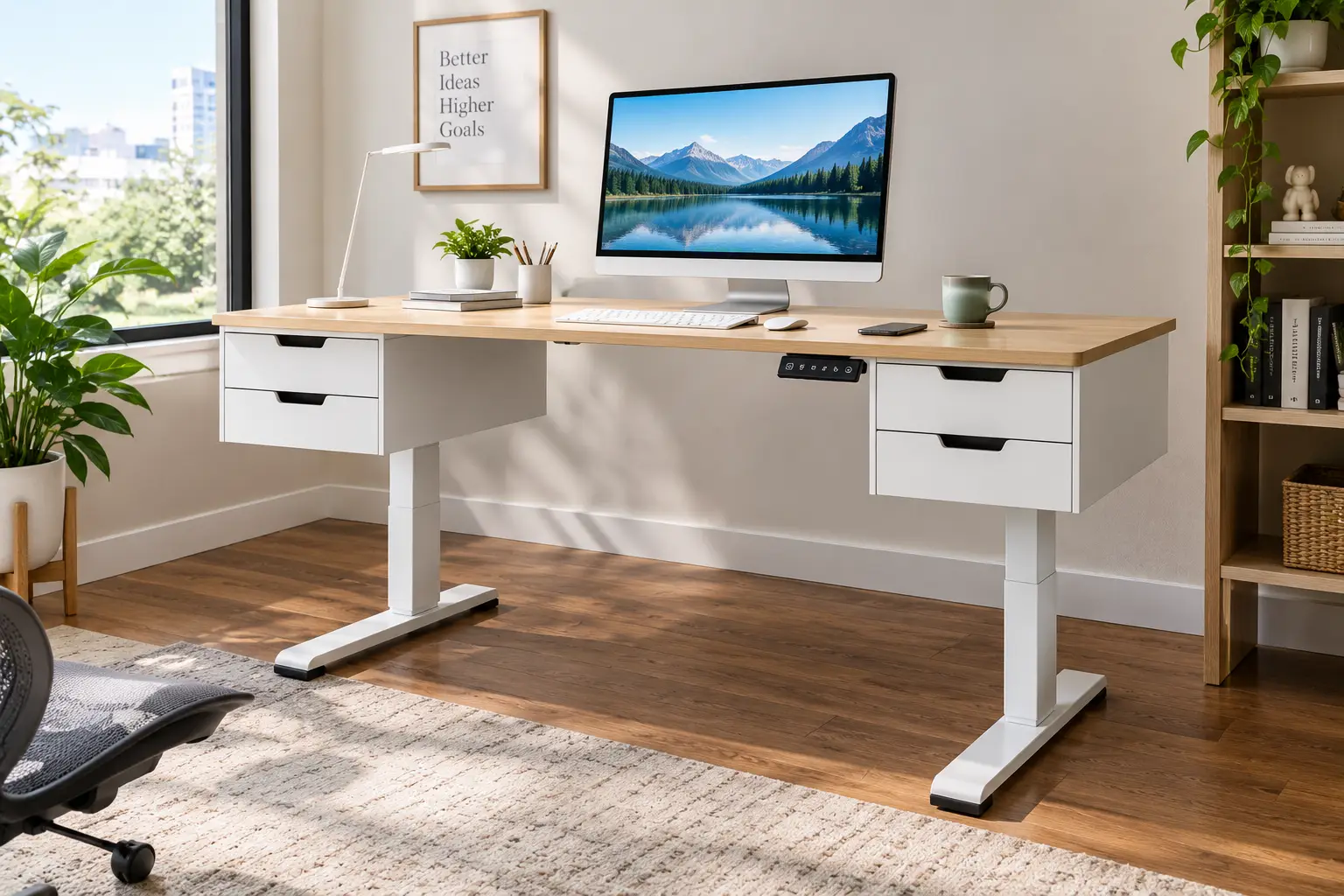
An electric adjustable desk with drawers is a motorized sit-stand desk that raises and lowers at the push of a button and includes built-in storage, usually a slim center drawer, side drawers, or drawers mounted on a desktop shelf. It combines ergonomic height changes with the organization of a traditional office desk.
The standing desk itself is an old idea, but motorized lifting legs only became affordable for home offices in the last decade. Adding drawers is the newer twist, and manufacturers handle it in three distinct ways:
- 🗄️ Embedded center drawer: a thin tray built into the desktop, like FlexiSpot’s Comhar line. Clean look, limited depth.
- 📦 Under-desk or side drawers: fabric or wooden boxes hung beneath the surface, common on L-shaped and executive models.
- 🖥️ Shelf-mounted drawers: small drawers built into a monitor riser that sits on top of the desk, like FEZIBO’s double-drawer design.
Each style moves with the desk, which is the whole point: your supplies stay within reach whether you’re sitting or standing. Which style suits you depends on what you store and how tall you are, and we’ll unpack both throughout this guide.
Quick Comparison: 7 Electric Adjustable Desks with Drawers at a Glance
Prices below are approximate ranges at the time of writing; Amazon pricing shifts often, so check the current price before you buy.
| Desk | Drawer setup | Height range | Load capacity | Approx. price | Best for |
|---|---|---|---|---|---|
| FlexiSpot Comhar Pro Q8 | Embedded center drawer | 24.0″–49.2″ | 220 lbs | $550–$750 | FlexiSpot Comhar Pro Q8: heavy setups, tall users |
| FlexiSpot Comhar (48-inch) | Embedded center drawer | ~28.3″–47.6″ | 110 lbs | $250–$400 | FlexiSpot Comhar (48-inch): minimalist home offices |
| SEDETA 55-Inch Desk with 6 Drawers | 6 drawers + power strip | 28.3″–47.2″ | Check listing | $250–$400 | SEDETA 55-Inch Desk with 6 Drawers: maximum storage |
| HUANUO 48 x 24 Desk with 2 Drawers | 2 desktop drawers + cubby | 27.5″–46.4″ | 176 lbs | $150–$250 | HUANUO 48 x 24 Desk with 2 Drawers: budget + monitor arm |
| SHW 55 x 28 Desk with Drawer | Under-desk drawer | 28″–45″ | 110 lbs | $180–$300 | SHW 55 x 28 Desk with Drawer: big surface, small budget |
| FEZIBO 48 x 24 Double-Drawer Desk | 2 drawers in monitor shelf | 27.4″–46.1″ | 155–176 lbs | $150–$250 | FEZIBO 48 x 24 Double-Drawer Desk: built-in monitor riser |
| OffiGo 63-Inch L-Shaped Desk | 4 fabric drawers + outlets | 29.9″–46.1″ | ~154 lbs | $200–$350 | OffiGo 63-Inch L-Shaped Desk: corner workstations |
Looking at the table, the split is clear: the FlexiSpot Comhar Pro Q8 is the only dual-motor frame here, which is why it doubles the load rating of the single-motor FlexiSpot Comhar (48-inch) and reaches both the lowest and highest heights. Budget shoppers get surprising value from the HUANUO 48 x 24 Desk with 2 Drawers and the FEZIBO 48 x 24 Double-Drawer Desk, both rated well above typical dual-monitor loads. If you’re over about 6 feet tall, note the SHW 55 x 28 Desk with Drawer tops out at 45 inches, the lowest maximum in this group.
💬 One click helps other shoppers make an informed choice too! 😊
Top 7 Electric Adjustable Desks with Drawers: Expert Analysis
Every pick below is a real model listed on amazon.com. We have not personally tested these desks; the analysis comes from manufacturer spec sheets, published hands-on reviews, and aggregated customer feedback, and we flag where data is thin.
1. FlexiSpot Comhar Pro Q8 — strongest frame, smartest extras
The FlexiSpot Comhar Pro Q8 is what you buy when you want the drawer and a frame that won’t flinch under a loaded setup.
Its dual-motor, three-stage legs run from 24.0 to 49.2 inches at about 1.5 inches per second, with a 220-pound rating. In practice, that range seats shorter users comfortably and still lets someone around 6’5″ stand without hunching. The 55 x 28-inch bamboo top hides a slim drawer of roughly 28 x 13 x 2 inches (spec sheets vary slightly by listing), plus a built-in wireless charging pad and USB-A and USB-C ports in the control panel.
Based on comparing the specs, this is the best fit for multi-monitor workers, streamers, and households where two people share one desk, since four memory presets and a child lock handle both. Hands-on reviews from outlets like How-To Geek and 9to5Toys consistently praised stability at standing height and the convenience of the drawer-plus-charger combo; the recurring complaint is price. One reviewer also found the anti-collision sensor sensitive enough to stop for a stray cable, which is a feature, not a flaw.
Pros:
- ✅ Dual motors keep it stable at full height
- ✅ Widest height range in this roundup
- ✅ Wireless charger frees up outlet space
Cons:
- ❌ Costs roughly double the budget picks
- ❌ Heavy, two-box delivery needs two people
Expect roughly $550 to $750; pricey, but it’s the only pick here that feels like a long-term, buy-once frame.
2. FlexiSpot Comhar (48-inch) — sleekest built-in drawer
The FlexiSpot Comhar (48-inch) proves a drawer can disappear into a desktop without looking like an afterthought.
The single-motor, two-stage frame lifts the 48 x 24-inch top from about 28.3 to 47.6 inches (the glass-top variant runs slightly shorter), with a 110-pound capacity. That’s plenty for a laptop and one or two monitors, but not for heavy gear. The embedded drawer measures about 26.2 x 12.4 x 1.57 inches. Translation: flat things only—notebooks, a wallet, pens, a slim laptop.
This desk suits minimalists who want a clean front edge and fast setup; TechRadar reported assembly in under 30 minutes thanks to pre-assembled parts. Reviews consistently flag the drawer’s shallow depth, and a physical therapist reviewing the glass version noted it shows dust quickly. One critic also disliked the foot-level crossbar, so check your legroom habits.
Pros:
- ✅ Fastest assembly of any pick here
- ✅ USB-A and USB-C ports up front
- ✅ Child lock prevents accidental moves
Cons:
- ❌ Drawer holds only flat items
- ❌ 110-pound limit rules out heavy rigs
At roughly $250 to $400, it’s fair value for style-first buyers with light setups.
3. SEDETA 55-Inch Desk with 6 Drawers — most storage, built-in power
The SEDETA 55-Inch Desk with 6 Drawers is the closest thing to an executive desk that still goes up and down.
Its 55.1 x 23.6-inch top lifts from 28.3 to 47.2 inches with three presets. The headline feature is storage: six drawers, plus a charging station with four AC outlets, two USB ports, and an on/off switch. That combination can eliminate both a separate filing cabinet and a floor power strip, two of the biggest sources of cable chaos.
On paper, it’s ideal for paper-heavy roles like accountants, students, and small-business owners. But here’s what to weigh: the listed item weight is about 110 pounds, and every pound of drawer contents adds to what the motor lifts. We couldn’t verify an official load rating from the manufacturer’s own pages, so confirm it on the listing you buy. Customer reviews on SEDETA’s own site, which may be curated, consistently praise drawer capacity and smooth, quiet lifting; one buyer said customer service resolved a shipping scratch quickly.
Pros:
- ✅ Six drawers replace a filing cabinet
- ✅ Four outlets plus two USB ports
- ✅ FSC-certified wood desktop
Cons:
- ❌ Very heavy to move or assemble
- ❌ Official load rating hard to confirm
At roughly $250 to $400, the storage-per-dollar value is excellent if you have paperwork to tame.
4. HUANUO 48 x 24 Desk with 2 Drawers — best budget pick for monitor arms
The HUANUO 48 x 24 Desk with 2 Drawers quietly solves a problem most drawer desks create: where to clamp a monitor arm.
It adjusts from about 27.5 to 46.4 inches with four presets and a 176-pound rating. Two desktop drawers and an open cubby sit along a raised rear section, and a 2.36-inch extended back edge accepts C-clamp monitor mounts. That matters because many drawer designs block the rear edge where arms normally attach. The trade-off is lift speed: HUANUO lists 18 mm per second, roughly 0.7 inches per second, so a full sit-to-stand trip takes about 25 seconds.
This is a smart buy for students and remote workers on a budget who want an arm-mounted screen. A customer review on HUANUO’s site estimated the height works for users up to about 6’2″, while cautioning it isn’t meant for heavy equipment. We couldn’t verify large-scale Amazon review trends beyond that, so treat the long-term durability picture as still forming.
Pros:
- ✅ Monitor-arm friendly rear edge
- ✅ Generous 176-pound load rating
- ✅ Four memory presets at a budget price
Cons:
- ❌ Slow lift speed versus dual-motor desks
- ❌ Drawers are small, desk-top style
At roughly $150 to $250, it’s one of the best values in this category.
5. SHW 55 x 28 Desk with Drawer — most surface for the money
The SHW 55 x 28 Desk with Drawer gives you a genuinely large, deep workspace at a price that usually undercuts smaller desks.
The 55 x 28-inch top is the deepest standard rectangle in this roundup, and that extra depth is underrated. It lets you push a monitor back to a comfortable viewing distance instead of having it loom over your keyboard. The frame adjusts from 28 to 45 inches with four memory presets and a 110-pound rating. A single under-desk drawer rides on metal ball-bearing glides and includes adjustable compartments, so pens and cables don’t slide into one jumbled pile.
Who’s it for? Average-height users who want a roomy, traditional-looking desk in finishes like cherry, maple, walnut, black, or oak. Here’s the catch: a 45-inch maximum height is limiting. Most people over roughly 6 feet will find their elbows sitting above the keyboard when standing. Customer feedback we could find describes the surface as scratch-resistant and the frame as stable, though review data is spread across several color variants, so trends are hard to pin down precisely.
Pros:
- ✅ Deep 28-inch top improves monitor distance
- ✅ Drawer has adjustable organizer compartments
- ✅ Five wood-look finishes to match decor
Cons:
- ❌ 45-inch max is short for tall users
- ❌ 110-pound limit caps heavy setups
At roughly $180 to $300, it’s exceptional value for anyone under about 6 feet.
6. FEZIBO 48 x 24 Double-Drawer Desk — drawers and monitor riser in one
The FEZIBO 48 x 24 Double-Drawer Desk puts its storage on top of the desk, which doubles as a monitor stand.
Its frame lifts from about 27.4 to 46.1 inches with three presets, and FEZIBO rates the motor at under 50 decibels, roughly the hum of a quiet conversation. The two drawers are built into a shelf along the back of the desktop, which raises your screen closer to eye level. That’s a real ergonomic bonus if your monitor sits too low today. Load ratings vary by listing and size, from 155 to 176 pounds.
Based on comparing the specs, this design works best for people who never clamp a monitor arm and want everything (riser, storage, desk) in one box. Keep in mind the 48 x 24 top is a spliced, two-piece board, so there’s a center seam. Shelf-mounted drawers also leave your knee space completely free, unlike under-desk designs. Honestly, we couldn’t verify consistent customer review themes for this exact variant, so weigh the spec sheet and FEZIBO’s brand track record rather than review volume.
Pros:
- ✅ Built-in riser lifts monitors toward eye level
- ✅ Zero loss of under-desk leg clearance
- ✅ Quiet motor under 50 decibels
Cons:
- ❌ Two-piece top has a visible seam
- ❌ Riser blocks most monitor-arm clamps
At roughly $150 to $250, it’s a strong pick for single-box simplicity.
7. OffiGo 63-Inch L-Shaped Desk — best for corners and multi-device setups
The OffiGo 63-Inch L-Shaped Desk turns an awkward corner into a full command center with storage and power built in.
The 63-inch main surface pairs with a reversible return you can mount left or right. It adjusts from 29.9 to 46.1 inches with three presets, carries four fabric drawers, and integrates three AC outlets plus one USB-A and one USB-C port. The fabric drawers keep weight down, which helps the motor, but they won’t feel as premium as wood.
This suits gamers, designers, and hybrid workers juggling a laptop, a desktop, and paperwork at once. One caveat: a 29.9-inch minimum height is high for shorter users, who may need a footrest when seated. Roundup reviewers who used it consistently liked how the built-in outlets cleared power strips off the floor. Its rated capacity is listed around 154 pounds, so spread heavy monitors across the frame rather than piling them on the return.
Pros:
- ✅ Reversible L-shape fits either corner
- ✅ Outlets plus USB-A and USB-C built in
- ✅ Four drawers keep supplies off the desktop
Cons:
- ❌ High minimum height for shorter users
- ❌ Fabric drawers feel less durable than wood
At roughly $200 to $350, it’s excellent value for the sheer surface area and storage.
Head-to-Head: Full Feature Comparison of the Top 7
| Desk | Desktop size | Drawers | Built-in charging | Memory presets | Best for |
|---|---|---|---|---|---|
| FlexiSpot Comhar Pro Q8 | 55″ x 28″ bamboo | 1 embedded | Wireless + USB-A/USB-C | 4 | FlexiSpot Comhar Pro Q8: premium all-rounder |
| FlexiSpot Comhar (48-inch) | 48″ x 24″ | 1 embedded | USB-A + USB-C | 4 | FlexiSpot Comhar (48-inch): compact, clean look |
| SEDETA 55-Inch Desk with 6 Drawers | 55.1″ x 23.6″ | 6 | 4 AC + 2 USB | 3 | SEDETA 55-Inch Desk with 6 Drawers: paperwork |
| HUANUO 48 x 24 Desk with 2 Drawers | 48″ x 24″ | 2 + open cubby | None | 4 | HUANUO 48 x 24 Desk with 2 Drawers: monitor arms |
| SHW 55 x 28 Desk with Drawer | 55″ x 28″ | 1 with compartments | None | 4 | SHW 55 x 28 Desk with Drawer: deep workspace |
| FEZIBO 48 x 24 Double-Drawer Desk | 48″ x 24″ (two-piece) | 2 in shelf | None | 3 | FEZIBO 48 x 24 Double-Drawer Desk: low monitors |
| OffiGo 63-Inch L-Shaped Desk | 63″ L-shape | 4 fabric | 3 AC + USB-A/USB-C | 3 | OffiGo 63-Inch L-Shaped Desk: corner rooms |
The pattern worth noticing: built-in charging clusters at the two ends of the market. The premium FlexiSpot Comhar Pro Q8 and the storage-heavy SEDETA 55-Inch Desk with 6 Drawers and OffiGo 63-Inch L-Shaped Desk all include it, while the budget HUANUO 48 x 24 Desk with 2 Drawers, SHW 55 x 28 Desk with Drawer, and FEZIBO 48 x 24 Double-Drawer Desk skip it. If you already own a quality surge-protected power strip, that gap matters less than height range or load capacity.
✨ Don’t miss these exclusive deals!
🔍 Take your home office to the next level with this carefully curated lineup. Click a highlighted desk to check current pricing and availability. These picks will help you build a tidier, healthier workspace you’ll actually enjoy using every day!
Setting Up Your Electric Adjustable Desk with Drawers: The First 30 Days
A motorized desk is only as good as its setup. These steps prevent the most common early regrets.
Day 1: Assembly
- 🔧 Recruit a second person. The FlexiSpot Comhar Pro Q8 ships with a desktop box near 75 pounds, and the SEDETA 55-Inch Desk with 6 Drawers weighs about 110 pounds assembled.
- 📦 Install drawers last when possible. Flipping a desktop with drawers attached adds weight and risks bending the slides.
- 📏 Check the floor. Use the leveling feet so the frame doesn’t rock; a wobble on day one only grows at standing height.
Week 1: Dial In Your Presets
Sit with your shoulders relaxed and elbows bent at about 90 degrees, then lower the desk until the keyboard sits just below your elbows. Save that as preset 1. Stand, repeat, and save preset 2. Your screen’s top edge should land at or slightly below eye level.
Weeks 2–4: Build the Habit
Don’t jump from all-day sitting to all-day standing. Start by alternating every 30 to 60 minutes, and add a cushioned anti-fatigue mat. Standing still for hours has its own downsides, so the goal is movement, not marathon standing.
Monthly Maintenance
- ✅ Re-tighten frame bolts after week one, then monthly.
- ✅ Keep drawer contents light; heavy drawers stress slides and the motor.
- ✅ Leave cable slack for the full height range so nothing pulls taut at the top.
- ✅ Wipe the control panel gently; liquid near buttons is the fastest way to a dead keypad.
Which Desk Fits Your Life? 3 Real-World Buyer Scenarios
Specs only mean something in context. Here’s how three typical buyer profiles map to the lineup.
👩💼 The Remote Accountant (5’6″, budget around $350)
She handles client folders daily, works eight-hour days, and hates a cluttered desk. The SEDETA 55-Inch Desk with 6 Drawers is the clear match. Six drawers absorb the paperwork, and the built-in outlets power a laptop, monitor, and phone without a floor strip. At her height, the 28.3-inch minimum lets her sit comfortably with feet flat. The trade-off she accepts is a heavy desk she won’t want to move often.
👨💻 The Tall Developer (6’3″, budget up to $700)
He runs three monitors on arms, plus a desktop tower’s peripherals, and switches positions five or six times a day. Height range and stability matter most. The FlexiSpot Comhar Pro Q8, with its 49.2-inch maximum and 220-pound rating, is the only pick here built for both. The SHW 55 x 28 Desk with Drawer, despite its bigger top for less money, would leave him hunching at 45 inches.
🎓 The College Student (5’10”, budget around $200)
She studies in a small room, uses one monitor on a clamp arm, and needs a spot for chargers and notebooks. The HUANUO 48 x 24 Desk with 2 Drawers fits best, thanks to its clamp-friendly rear edge and two small drawers. If she’d rather skip the arm, the FEZIBO 48 x 24 Double-Drawer Desk delivers a riser and storage in one box for similar money.
Problem → Solution: Fixing Common Drawer-Desk Headaches
Even great desks develop quirks. Here are five common problems and precise fixes.
- The drawer hits your thighs when seated. Under-desk drawers reduce clearance. Raise the desk slightly and lower your chair, then add a footrest. Still tight? A shelf-mounted design like the FEZIBO 48 x 24 Double-Drawer Desk leaves knee space untouched.
- The desk wobbles at standing height. Single-motor, two-stage frames flex more when fully extended. Re-tighten crossbar bolts, use the leveling feet, and place the desk against a wall. Heavy multi-monitor users should consider a dual-motor frame like the FlexiSpot Comhar Pro Q8.
- Cables yank when the desk rises. Route every cable through a tray and leave a loose “service loop” long enough for full travel. Built-in outlets on the OffiGo 63-Inch L-Shaped Desk and SEDETA 55-Inch Desk with 6 Drawers help, because the power source rides with the desk.
- The desk stops mid-lift. That’s usually the anti-collision sensor detecting resistance, or a motor’s thermal protection after repeated adjustments. Clear obstructions, wait several minutes, and check your manual’s duty-cycle guidance.
- The drawer slides open as the desk moves. Overloaded drawers shift with motion. Lighten the load, add non-slip liners, and keep heavy items like staplers in the drawer’s back half.
How to Choose an Electric Adjustable Desk with Drawers
Pick the right desk by matching six factors to your body, your gear, and your stuff:
- Height range first. Your standing keyboard height should sit just below your elbows. Taller users need a maximum near 48 inches or more; shorter users need a minimum near 28 inches or less.
- Load capacity with margin. Add up monitors, arms, a laptop, and full drawers, then leave 30% or more headroom so the motor isn’t working at its limit.
- Drawer style versus leg clearance. The OSHA guidance on computer workstation desks stresses adequate leg clearance and even suggests removing center drawers to free thigh space. Embedded or shelf-mounted drawers protect that clearance best.
- Desktop depth. A 28-inch depth helps keep your monitor at a comfortable distance; 24 inches works for single-screen setups.
- Single versus dual motor. Dual motors add stability and lifting power; single motors cost less and suit lighter loads.
- Power and extras. Built-in outlets, USB-C, and memory presets add real daily convenience. Gimmicks don’t.
Treat these in order. A desk with beautiful drawers that’s 3 inches too short will frustrate you every single day.
Drawer Desk vs. Standing Desk Plus a Separate File Cabinet
Should you buy an all-in-one electric standing desk with storage, or a plain sit-stand desk and a rolling cabinet? Both work, but they solve different problems.
| Option | Upfront cost | Storage moves with desk | Leg clearance | Best for |
|---|---|---|---|---|
| Drawer-equipped electric desk | Low to moderate | ✅ Yes | Can be reduced | Small rooms, light supplies |
| Plain standing desk + rolling cabinet | Moderate to high | ❌ No | Fully open | Heavy files, big storage needs |
| Fixed desk with drawers | Low | N/A (no lift) | Fixed | Sitting-only workers |
The key takeaway: an integrated drawer keeps supplies within arm’s reach at every height, while a floor cabinet stays put when you stand, forcing you to bend down. On the flip side, a rolling cabinet holds heavier files without adding load to the lift motor. If you store more than a few pounds of paper, the separate-cabinet route, or a high-capacity model like the SEDETA 55-Inch Desk with 6 Drawers, makes more sense.
Features That Actually Matter (and Ones That Don’t)
Marketing pages love feature lists. Here’s what earns its keep on a sit stand desk with drawer storage.
⚡ Features That Matter
- Memory presets. Without them, you’ll hold a button for 20-plus seconds every switch, and you’ll switch less.
- Anti-collision detection. It stops the desk if it meets a chair arm, a windowsill, or a drawer pulled half open.
- Child lock. Essential in homes with kids or pets who love buttons.
- Drawer glides. Metal ball-bearing slides, like those on the SHW 55 x 28 Desk with Drawer, outlast plastic tracks.
- USB-C charging. USB-A alone already feels dated in 2026.
🙄 Features That Matter Less
- RGB lighting. Fun, but irrelevant to ergonomics or longevity.
- Lift speed beyond about 1 inch per second. You’ll barely notice the difference between fast and very fast.
- App connectivity. Physical presets already do the job.
Prioritize what you’ll touch every day. The drawer, the presets, and the frame’s stability decide whether you love the desk in year three.
Long-Term Cost and Maintenance
The sticker price is only part of the story. Spread a $300 desk over five years and you’re paying roughly $60 a year, about $5 a month, for daily ergonomic flexibility. A $650 premium model works out to roughly $130 a year.
Where do hidden costs come from?
- 🔋 Electricity is negligible. Motors run only seconds at a time, and standby draw is minimal.
- 🗄️ Drawer wear is the most common weak point. Fabric drawers on desks like the OffiGo 63-Inch L-Shaped Desk can sag over time if overloaded.
- ⚙️ Control boxes and keypads are the electronic parts most likely to fail. Check what the warranty covers, since frames, motors, and electronics are often warrantied separately, and terms vary by brand.
In ROI terms, dual-motor frames like the FlexiSpot Comhar Pro Q8 cost more upfront but run each motor under less strain, which can extend service life. Budget single-motor desks such as the HUANUO 48 x 24 Desk with 2 Drawers still deliver strong value if you keep loads well under the rated limit. Either way, a few minutes of bolt checks each month is the cheapest maintenance plan there is.
Common Mistakes to Avoid When Buying a Height Adjustable Desk with Drawers
These are the pitfalls that show up again and again in customer reviews and returns.
- ❌ Ignoring your standing height. Measure your elbow height while standing in work shoes before you browse. A 45-inch maximum won’t flex for a 6’2″ user.
- ❌ Forgetting the drawer’s depth. A drawer of about 1.5 to 2 inches won’t hold a stapler upright, let alone file folders.
- ❌ Overloading the drawers. Some drawer listings specify modest limits; one FEZIBO single-drawer variant, for example, is rated at 11 pounds. Drawers aren’t filing cabinets.
- ❌ Skipping the clearance check. Under-desk drawers can collide with chair arms at low settings. Measure your chair’s armrest height.
- ❌ Choosing looks over load. A tempered glass top looks stunning, but the glass FlexiSpot Comhar (48-inch) variant carries a lower capacity rating than the wood version.
- ❌ Buying for today’s setup only. Planning a second monitor next year? Buy the capacity now.
Safety, Regulations, and Standards
An electric adjustable desk with drawers combines furniture, motors, and often household power, so a few standards are worth knowing.
- 🔌 Electrical safety. Built-in outlets on desks like the SEDETA 55-Inch Desk with 6 Drawers and OffiGo 63-Inch L-Shaped Desk should carry a recognized safety certification such as UL or ETL. If a listing doesn’t state it, ask the seller before buying.
- 📶 Wireless chargers. Devices that emit radio frequency energy, like the charging pad on the FlexiSpot Comhar Pro Q8, fall under FCC rules in the US.
- 🏗️ Furniture durability. ANSI/BIFMA X5.5 is the industry standard for desk and table products; brands that test to it usually say so.
- ⚠️ Tip-over prevention. Several listings in this category, including HUANUO’s, recommend anchoring the desk to prevent tipping, especially with heavy shelves or drawers loaded up high.
- 👶 Pinch points. Use the child lock, and never let kids play under a moving desk.
For a practical pre-purchase checklist, the OSHA computer workstation purchasing guide covers desk depth, monitor distance, and sit-stand equipment capacity. It’s free, practical, and takes five minutes to read.
FAQ: Electric Adjustable Desk with Drawers
❓ Is an electric adjustable desk with drawers worth the extra cost?
❓ How much weight can a standing desk drawer hold?
❓ Can I mount a monitor arm on a standing desk with drawers?
❓ What size desk do I need for two monitors?
❓ Can one person assemble an electric standing desk with storage?
Conclusion: Find Your Best Electric Adjustable Desk with Drawers
The best electric adjustable desk with drawers is the one that fits your height first, your gear second, and your storage habits third. Get those three right, and the desk disappears into your routine, which is exactly what good furniture should do.
Here’s the quick recap. The FlexiSpot Comhar Pro Q8 is the premium all-rounder, with dual motors, the widest height range, and wireless charging. The FlexiSpot Comhar (48-inch) wins on clean design and fast assembly. Need serious storage? The SEDETA 55-Inch Desk with 6 Drawers practically replaces a filing cabinet. On a budget, the HUANUO 48 x 24 Desk with 2 Drawers and FEZIBO 48 x 24 Double-Drawer Desk deliver real ergonomic value. The SHW 55 x 28 Desk with Drawer offers the most surface for the money if you’re under about 6 feet. And for corners, the OffiGo 63-Inch L-Shaped Desk is hard to beat.
Whatever you choose, remember the bigger goal. A height adjustable desk with drawers is a tool for moving more and stressing less, not a reason to stand all day. Set your presets, keep the drawers light, and let a tidy desk make switching positions effortless. 🚀
✨ Ready to upgrade your workspace?
🔍 Click any highlighted desk above to check today’s price and availability, and start building a cleaner, healthier home office this week!
Recommended for You
- White Desk Adjustable: 7 Best Picks That Won’t Wobble (2026)
- Three Monitor Wall Mount: 7 Best Picks That Won’t Sag (2026)
- 36 inch standing desk: 7 Brilliant Picks for Tight Spaces (2026)
Disclaimer: This post contains affiliate links. As an Amazon Associate, I earn from qualifying purchases made through these links, at no additional cost to you.
✨ Found this article helpful? Share it with someone who needs it! 💬🤗