
In This Article
Why a Standing Desk with Cabinets Solves the Problem Nobody Warns You About
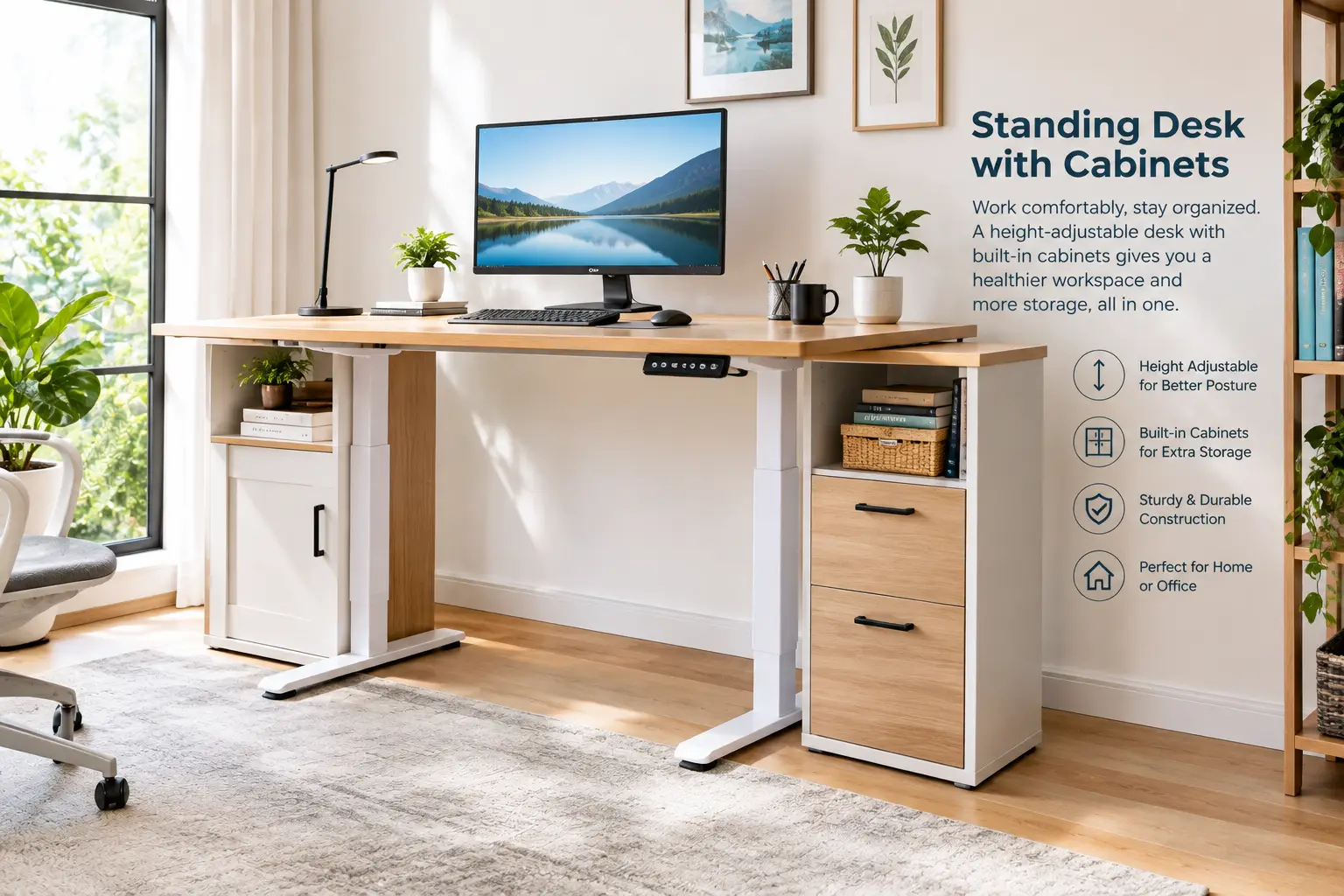
Here’s the dirty little secret of the standing desk boom: most people who switch lose their storage. Your old desk had a drawer for pens, a pedestal for files, maybe a cubby for the printer. The sleek sit-stand frame that replaced it? Two legs, a slab, and a whole lot of empty floor that slowly fills up with boxes. A standing desk with cabinets fixes that trade-off by building the storage into the workstation itself, so your files rise and fall with your work — or sit neatly beside it in a matching cabinet.
The health case for moving more is solid. Mayo Clinic notes that long stretches of sitting are linked to obesity, metabolic syndrome, and a higher risk of death from heart disease and cancer, and it suggests breaking up sitting with short standing breaks every 30 minutes. A height-adjustable desk makes that habit effortless. But if the desk turns your office into a paper avalanche, you’ll stop using it the way you intended.
So in this guide, we dig into seven real models available on amazon.com, from a budget-friendly add-on cabinet to a 71-inch executive workstation. For each one, we translate the spec sheet into what it means at 3 p.m. on a Tuesday, summarize what verified buyers actually report, and flag the catches the listings gloss over. You’ll also get a setup guide, a problem-solving section, safety notes (yes, cabinets can tip), and a long-term cost breakdown.
What Is a Standing Desk with Cabinets?
A standing desk with cabinets is a height-adjustable (usually electric) desk that includes built-in enclosed storage — file drawers, cabinet doors, or a CPU compartment — either attached to the lifting frame or integrated into a fixed-height side unit. It combines sit-stand ergonomics with traditional office storage in one footprint.
Quick Comparison: The Best Standing Desk with Cabinets at a Glance
| Model | Storage Type | Height Range | Size | Price Range | Best For |
|---|---|---|---|---|---|
| Marsail 55″ L-Shaped Executive Standing Desk | Attached file cabinet | Check listing | 55″ x 23″ top | $350–$500 | Marsail 55″ L-Shaped Executive Standing Desk: value-focused L setups |
| SEDETA 63″ L-Shaped Electric Standing Desk with File Cabinet | File drawer, 2 drawers, printer cabinet | 30″–47″ | 63″ L-shape | $300–$500 | SEDETA 63″ L-Shaped Electric Standing Desk with File Cabinet: paper-heavy offices |
| SEDETA 55″ Farmhouse Electric Standing Desk | 3 drawers, file cabinet, shelves | 28.3″–46.8″ | 55″ | $250–$400 | SEDETA 55″ Farmhouse Electric Standing Desk: rustic home offices |
| HUANUO 55″ MCM Lincoln Standing Desk | 3-drawer cabinet around the lift column | 28.35″–46.46″ | 55″ | Around $300 | HUANUO 55″ MCM Lincoln Standing Desk: small rooms |
| ModernMate 71″ Executive Standing Desk | Cabinets, drawers, PC bay, privacy panel | 27.9″–45.7″ | 71″ x 30″ | $600–$850 | ModernMate 71″ Executive Standing Desk: executive setups |
| FLEXISPOT 71″ x 32″ L-Shaped Standing Desk with Drawers | 3 drawers, CPU cabinet, shelf | 28.9″–46.5″ | 71″ x 32″ L | $350–$520 | FLEXISPOT 71″ x 32″ L-Shaped Standing Desk with Drawers: multi-monitor corners |
| Stand Up Desk Store 3-Drawer Rolling File Cabinet | Mobile steel pedestal | N/A (23.6″ tall) | 11.8″ wide | $150–$250 | Stand Up Desk Store 3-Drawer Rolling File Cabinet: upgrading an existing desk |
Reading the table as a whole, the sweet spot for most home offices is the $300–$500 band, where the HUANUO 55″ MCM Lincoln Standing Desk and both SEDETA models deliver real enclosed storage plus memory presets. If you need a true executive footprint, the ModernMate 71″ Executive Standing Desk is the only pick here with a 30-inch-deep one-piece surface and a privacy panel. And if you already love your current standing desk, the Stand Up Desk Store 3-Drawer Rolling File Cabinet is the cheapest way to get lockable storage back.
💬 One click helps other shoppers make an informed choice too! 😊
Top 7 Standing Desk with Cabinets Picks: Expert Analysis
1. Marsail 55″ L-Shaped Executive Standing Desk — best value L-shape with a real file cabinet
The Marsail 55″ L-Shaped Executive Standing Desk gives you an executive-style L layout with a file cabinet at a price that undercuts most competitors with similar storage.
The listing describes a 55″ x 23″ one-piece desktop on a steel frame rated for up to 176 lbs, with four memory presets. The one-piece top matters more than it sounds: splice-board desktops can develop a ridge right where your keyboard or mouse sits, while a seamless top stays flat. The 176-lb rating comfortably covers two monitors on arms, a laptop dock, and a desk lamp — though it’s a single-frame rating, so don’t treat the desktop like a shelf for heavy reference books.
Based on comparing the specs, this is the pick for someone who wants the “executive” look without paying executive prices. The trade-off is depth: at about 23 inches, the surface is on the shallow side for a 32-inch monitor, so you’ll want a monitor arm to push the screen back to a comfortable viewing distance.
Verifiable review data is limited: a March 2026 deal snapshot showed the listing averaging about 4.2 stars across roughly 150 ratings, and the brand highlights labeled hardware for easier assembly. Detailed long-term durability feedback isn’t yet widely available, so weigh that accordingly.
Pros:
- ✅ Seamless one-piece desktop avoids splice ridges
- ✅ Four memory presets for quick sit-stand switching
- ✅ Attached file cabinet keeps documents within reach
Cons:
- ❌ Shallow 23-inch depth crowds larger monitors
- ❌ Limited long-term reliability data so far
Typically between $350 and $500 at the time of writing — strong value if it drops toward the low end of that range.
2. SEDETA 63″ L-Shaped Electric Standing Desk with File Cabinet — best for printer-and-paper offices
The SEDETA 63″ L-Shaped Electric Standing Desk with File Cabinet is built for people whose job still involves actual paper — contracts, invoices, a printer that won’t die.
SEDETA lists one file drawer, two storage drawers, and a dedicated printer cabinet, plus a built-in power strip with four outlets and two USB ports. In practice, that printer cabinet is the headline: moving the printer off the desktop frees roughly a square foot of prime work surface and hides the noise. The outlets mean your monitor, lamp, and phone plug into the desk rather than a tangle of extension cords that stretch every time the desk rises.
Here’s what to weigh: the height range runs from 30″ to 47″. That 30-inch floor is on the tall side for petite users when seated, so shorter buyers should plan on a height-adjustable chair and a footrest. The RGB lighting is app-controlled — fun for a gaming corner, irrelevant for a law-office setup.
Buyer feedback on SEDETA’s own site consistently praises the storage capacity, with reviewers specifically noting that the file drawer fits legal and A4 documents and that the printer cabinet keeps the desktop clear.
Pros:
- ✅ Dedicated printer cabinet reclaims desktop space
- ✅ File drawer accepts legal-size documents
- ✅ Built-in outlets and USB ports reduce cord clutter
Cons:
- ❌ 30-inch minimum height is tall for shorter users
- ❌ RGB lighting adds cost some buyers won’t use
Usually in the $300–$500 range; excellent value if paper storage is your top priority.
3. SEDETA 55″ Farmhouse Electric Standing Desk — warmest look, most closed storage per dollar
The SEDETA 55″ Farmhouse Electric Standing Desk brings a rustic, furniture-like look to a category dominated by black metal legs and laminate.
It combines three drawers, a file cabinet, and open shelves with an electric height range of 28.3″ to 46.8″, an LED display, and three memory presets. That 28.3-inch low point is friendlier to shorter users than the 63-inch SEDETA above, and the side cabinet gives you enclosed storage for things you don’t want on display — a router, backup drives, or a stack of tax folders. Three presets is one fewer than some rivals, but most people only use two (sit and stand) anyway.
On paper, this is the desk for a home office that doubles as a guest room or living-room corner, where a “techy” desk would clash with the décor. A 55-inch top handles two 24-inch monitors side by side, but three screens will feel cramped.
SEDETA’s customer reviews frequently mention a quiet motor, easy presets, and praise for the drawers and side cabinet; several reviewers describe it as a strong desk for the price.
Pros:
- ✅ Farmhouse styling blends into living spaces
- ✅ Enclosed file cabinet hides clutter completely
- ✅ Lower 28.3-inch floor suits shorter users
Cons:
- ❌ Only three memory presets
- ❌ 55-inch width limits triple-monitor setups
Generally $250–$400, which makes it one of the best storage-per-dollar picks in this roundup.
4. HUANUO 55″ MCM Lincoln Standing Desk — cabinet hides the lift column
The HUANUO 55″ MCM Lincoln Standing Desk takes a clever design approach: instead of bolting a cabinet next to the leg, it wraps the cabinet around the lifting column.
HUANUO describes a 3-drawer cabinet section, extra storage space inside the lifting-column housing, built-in sockets, and a height range of 28.35″ to 46.46″. The frame is cold-rolled steel with a motor tested for 50,000 lift cycles and a 176-lb capacity. What that integrated design means in practice: the storage doesn’t have to “ride” separately, and the desk reads as one piece of furniture instead of a desk plus a filing cabinet. HUANUO’s site also lists a dedicated PC tower compartment.
This is the pick for smaller rooms and apartment offices where you want storage without a second piece of furniture eating floor space. One catch: HUANUO lists the filing drawer as fabric, which is lighter and quieter but won’t match a steel drawer for heavy files over years of use.
Reviews on HUANUO’s site describe the height adjustment as smooth and quiet and the side cabinet as surprisingly roomy; across HUANUO’s storage desks, the most common complaint is that some drawers are fabric bins or aren’t on metal tracks.
Pros:
- ✅ Cabinet integrates with the lift column cleanly
- ✅ Dedicated PC tower compartment
- ✅ Motor tested for 50,000 lift cycles
Cons:
- ❌ Fabric filing drawer is less durable than steel
- ❌ 55-inch top suits two monitors, not three
Around $300 at the time of writing — very good value for an integrated cabinet design.
5. ModernMate 71″ Executive Standing Desk — biggest one-piece executive surface
The ModernMate 71″ Executive Standing Desk is for the person whose desk is the office: client calls, dual monitors, paper files, and a PC tower, all in one footprint.
ModernMate’s 71-inch executive line (sold in several configurations — some with drawers, some with cabinet doors) pairs a 71″ x 30″ one-piece desktop with a height range of 27.9″ to 45.7″, a front privacy panel, built-in charging, and under-desk storage zoned for a computer tower. The frame is cold-rolled steel with a 176-lb limit, and the manual cites motor noise under 50 dB — roughly library-quiet, so you can adjust mid-meeting. That 30-inch depth is the real upgrade: it lets you place a monitor at a healthy distance without an arm.
Here’s what to weigh: the 45.7-inch maximum is lower than most rivals, so users over roughly 6’2″ should verify their standing elbow height before buying. The privacy panel is a genuine plus if you take video calls or face a door.
Independent review data for this small-business brand is still thin, so we can’t summarize broad buyer sentiment with confidence; the specs above come from ModernMate’s listing and manual.
Pros:
- ✅ Deep 71″ x 30″ one-piece work surface
- ✅ Privacy panel suits video calls and shared rooms
- ✅ Quiet motor rated under 50 dB
Cons:
- ❌ 45.7-inch maximum may be short for very tall users
- ❌ Limited independent reviews to confirm durability
Usually $600–$850 depending on configuration — worth it only if you’ll use the full executive footprint.
6. FLEXISPOT 71″ x 32″ L-Shaped Standing Desk with Drawers — trusted brand, PC cabinet, three drawers
The FLEXISPOT 71″ x 32″ L-Shaped Standing Desk with Drawers comes from one of the most established standing-desk brands on Amazon, which matters when you’re buying something with a motor.
The listing specifies a storage shelf, a CPU cabinet, three smooth-glide drawers, a height range of 28.9″ to 46.5″, and a reinforced steel frame rated for 154 lbs. The 71″ x 32″ L-shape is the right geometry for a corner: primary monitors on the long side, a laptop or paperwork on the return. Smooth-glide drawers are a meaningful step up from the fabric bins common at this price, and the CPU cabinet keeps your tower off the floor and away from dust bunnies.
Based on comparing the specs, this is the best choice for multi-monitor users who want brand support. The 154-lb capacity is lower than several rivals, though, so heavy dual-arm setups plus a big PC tower on top would push it; keep the tower in the cabinet.
Customer feedback on FlexiSpot’s storage desks is broadly positive about sturdiness and quiet, smooth height changes; the recurring criticism is that the drawers feel less sturdy than the frame. Note that it ships in three packages that may arrive separately.
Pros:
- ✅ Three smooth-glide drawers plus a CPU cabinet
- ✅ Generous 71″ x 32″ corner-friendly footprint
- ✅ Established brand with broad support network
Cons:
- ❌ 154-lb capacity is lower than many rivals
- ❌ Drawers feel lighter-duty than the frame
Typically $350–$520 — a solid value when it dips toward the bottom of that range.
7. Stand Up Desk Store 3-Drawer Rolling File Cabinet — best add-on for a desk you already own
The Stand Up Desk Store 3-Drawer Rolling File Cabinet isn’t a desk at all — and that’s exactly why it deserves a spot. If you already own a good standing desk, this turns it into a standing desk with cabinets without replacing anything.
It’s an all-metal, lockable pedestal with a fifth wheel under the bottom drawer and an interlock that prevents multiple drawers from opening at once — both anti-tip features. The slim version measures 11.8″ W x 20.5″ D x 23.6″ H with a 100-lb capacity, and the bottom drawer takes hanging files. The practical win: because it rolls and stands on its own, it adds zero load to your desk’s motor.
This is the pick for owners of a plain sit-stand desk, and for renters who want storage that moves with them. At 23.6 inches tall, measure the underside of your desk at its lowest setting before planning to park it underneath.
Independent reviewers at WorkWhileWalking describe it as a basic, sturdy all-steel pedestal and point out the anti-tip fifth wheel; warranty is listed as 5 years or limited lifetime depending on the retailer listing.
Pros:
- ✅ Anti-tip fifth wheel and drawer interlock
- ✅ Adds storage without loading the desk motor
- ✅ Lockable drawers protect sensitive documents
Cons:
- ❌ Slim width limits drawer capacity
- ❌ Tall for tucking under low desks
Generally $150–$250 at the time of writing — the cheapest path to lockable storage in this guide.
Detailed Comparison of the Top 7
| Model | Lift Capacity | Presets | Enclosed Storage | Key Trade-off | Best For |
|---|---|---|---|---|---|
| Marsail 55″ L-Shaped Executive Standing Desk | 176 lbs | 4 | File cabinet | Shallow top | Marsail 55″ L-Shaped Executive Standing Desk: budget L-shape |
| SEDETA 63″ L-Shaped Electric Standing Desk with File Cabinet | Check listing | 3 | File + printer cabinet | 30″ minimum height | SEDETA 63″ L-Shaped Electric Standing Desk with File Cabinet: printer users |
| SEDETA 55″ Farmhouse Electric Standing Desk | Check listing | 3 | File cabinet | 55″ width | SEDETA 55″ Farmhouse Electric Standing Desk: décor-conscious |
| HUANUO 55″ MCM Lincoln Standing Desk | 176 lbs | Check listing | Integrated cabinet | Fabric file drawer | HUANUO 55″ MCM Lincoln Standing Desk: small rooms |
| ModernMate 71″ Executive Standing Desk | 176 lbs | Yes | Cabinets + PC bay | Lower max height | ModernMate 71″ Executive Standing Desk: executives |
| FLEXISPOT 71″ x 32″ L-Shaped Standing Desk with Drawers | 154 lbs | Yes | CPU cabinet + drawers | Lower capacity | FLEXISPOT 71″ x 32″ L-Shaped Standing Desk with Drawers: multi-monitor |
| Stand Up Desk Store 3-Drawer Rolling File Cabinet | 100 lbs (cabinet) | N/A | Lockable pedestal | Not a desk | Stand Up Desk Store 3-Drawer Rolling File Cabinet: upgrades |
The pattern here is clear: capacity clusters around 154–176 lbs, so the real differentiators are storage type and height range, not raw strength. If you’re tall, the ModernMate 71″ Executive Standing Desk and the SEDETA 63″ L-Shaped Electric Standing Desk with File Cabinet sit at opposite ends of the risk scale — one tops out low, the other starts high. For heavy multi-monitor rigs, keep an eye on the FLEXISPOT 71″ x 32″ L-Shaped Standing Desk with Drawers‘ 154-lb limit.
✨ Don’t miss these top-rated storage desks!
🔍 Take your home office to the next level with this carefully curated lineup. Click a highlighted desk to check current pricing and availability. These picks will help you get a clutter-free, healthier workday you’ll actually enjoy!
How to Set Up Your Standing Desk with Cabinets (First 30 Days)
A great desk set up badly is just an expensive shelf. Here’s how to get it right from day one.
Assembly Day
- Build on a flat, soft surface. Unbox onto the carpet or a moving blanket to protect the finish. Most models in this guide ship in two or three boxes — wait until all arrive before starting.
- Level before you tighten. Leave bolts snug but not torqued until the frame sits flat, then tighten in a cross pattern. Uneven legs are the top cause of early wobble complaints.
- Run the reset. Most electric desks need an initial “hold the down button” reset to calibrate the motor. Skip it and your presets may drift.
Dialing In Height
OSHA’s computer workstation guidance describes a neutral standing posture with legs, torso, neck, and head roughly in line, and it stresses changing positions frequently rather than holding any single one. Practically: set your standing preset so your elbows rest at about 90 degrees with forearms parallel to the floor, then save a separate seated preset. Put the monitor top at or slightly below eye level.
Building the Habit
- Weeks 1–2: Stand 15–20 minutes per hour at most. Your feet and calves need time to adapt.
- Weeks 3–4: Move toward alternating every 30–45 minutes. A timer or the desk’s reminder feature helps.
- Common first-month mistake: loading drawers with heavy files on the lift-side before checking capacity. Keep the heaviest items in floor-standing cabinets, not on the rising frame.
Maintenance Schedule
Wipe surfaces weekly, check bolt tightness monthly for the first quarter (frames settle), and inspect cable slack every time you add a device.
Which Standing Desk with Cabinets Fits Your Life? Real-World Scenarios
Specs only matter in context. Here are three common buyer profiles and the reasoning behind each match.
Profile 1: The Remote Accountant (Budget: ~$400, Daily 9-Hour Use)
Tax season means paper — client folders, receipts, a laser printer. The SEDETA 63″ L-Shaped Electric Standing Desk with File Cabinet fits because its printer cabinet and legal-size file drawer handle exactly this workload, and the built-in outlets power the printer without extra cords. If she’s under about 5’5″, she should pair it with an adjustable chair and footrest because of that 30-inch floor. Alternative: the Marsail 55″ L-Shaped Executive Standing Desk if the printer lives elsewhere.
Profile 2: The Apartment Designer (Budget: ~$300, Shares Living Room)
He needs storage that doesn’t scream “office” in a 600-square-foot apartment. The HUANUO 55″ MCM Lincoln Standing Desk wins because its cabinet wraps the lift column — one compact piece of furniture instead of two. If warmer, rustic styling fits the room better, the SEDETA 55″ Farmhouse Electric Standing Desk offers more enclosed cabinet space for a similar budget.
Profile 3: The Consultant with Client Calls (Budget: $700+, 6+ Hours of Video Daily)
Video calls demand a clean background, a deep surface for a large monitor, and quiet adjustments. The ModernMate 71″ Executive Standing Desk checks every box: 30-inch depth, a privacy panel, and a motor rated under 50 dB. If he’s over 6’2″, he should switch to the FLEXISPOT 71″ x 32″ L-Shaped Standing Desk with Drawers, whose 46.5-inch maximum gives a little more headroom.
Bonus Profile: The Happy Existing-Desk Owner
Already own a reliable sit-stand frame? The Stand Up Desk Store 3-Drawer Rolling File Cabinet adds lockable storage for a fraction of a new desk’s cost.
Problem → Solution: Fixing the Most Common Storage-Desk Headaches
Problem 1: The Desk Wobbles at Standing Height
Solution: Retighten crossbar and foot bolts, then check that the floor is level. Keep the heaviest load (monitors on arms) centered between the legs. On L-shapes like the FLEXISPOT 71″ x 32″ L-Shaped Standing Desk with Drawers, placing the return against a wall reduces sway noticeably.
Problem 2: Cables Snap Tight When the Desk Rises
Solution: Measure the cable run at maximum height, then add 6–8 inches of slack. Route everything through the desk’s cable tray or built-in outlets — the SEDETA 63″ L-Shaped Electric Standing Desk with File Cabinet and HUANUO 55″ MCM Lincoln Standing Desk both include desk-mounted power, which cuts wall-to-desk cords to one.
Problem 3: Drawers Sag or Stick
Solution: Fabric or track-less drawers aren’t designed for heavy paper. Move dense files to the file cabinet or a steel pedestal like the Stand Up Desk Store 3-Drawer Rolling File Cabinet, and reserve lightweight drawers for pens, chargers, and notepads.
Problem 4: The Desk Stops Mid-Lift or Shows an Error Code
Solution: Most errors come from uneven load or a lost calibration. Remove weight, unplug for 30 seconds, then run the reset (usually holding “down” until the desk bottoms out and bounces). Check the manual for your model’s exact code list.
Problem 5: The Cabinet Collides with the Desktop When Lowering
Solution: Enable anti-collision if your controller offers it, and measure clearance. A freestanding cabinet should be shorter than the desk’s underside at its lowest setting, with an inch or two to spare.
How to Choose a Standing Desk with Cabinets: 7 Steps
- Measure your room first. Include cabinet door swing and drawer extension — a drawer needs roughly its own depth in clearance to open fully.
- Match height range to your body. Your seated elbow height sets the lower limit you need; your standing elbow height sets the upper limit. A 28-inch floor suits most users; a 30-inch floor may not.
- Decide integrated vs. separate storage. Integrated looks cleaner; separate cabinets spare the motor (more on this below).
- Check lift capacity against real weight. Add up monitors, arms, laptop, lamp, and anything stored on the moving part, then leave a 20–30% buffer.
- Prioritize desktop depth. OSHA’s desk guidance recommends placing the monitor directly in front of you at least 20 inches away — easier on a 30-inch-deep top.
- Inspect drawer construction. Metal slides and wood or steel boxes outlast fabric bins for paper files.
- Read the warranty split. Frame, motor, and electronics are often covered for different periods; the motor term matters most.
The biggest mistake buyers make is choosing by width alone. Depth, height range, and where the storage weight sits will affect your daily comfort far more than an extra six inches of surface.
Integrated Cabinets vs. Separate File Cabinets: Which Is Smarter?
This is the most important decision in the category, and most listings never mention it.
The Case for Integrated Storage
An electric standing desk with file cabinet built in looks like a single, deliberate piece of furniture. Designs like the HUANUO 55″ MCM Lincoln Standing Desk — where the cabinet surrounds the lift column — or the SEDETA 55″ Farmhouse Electric Standing Desk‘s side cabinet keep your footprint tidy and your storage visually unified. For small rooms and shared living spaces, that cohesion is worth a lot.
The Case for Separate Storage
Here’s what the spec sheet doesn’t say: storage that hangs off the lifting frame adds weight the motor must lift every time, and weight far from the legs creates leverage. Independent standing-desk reviewers at WorkWhileWalking warn that heavily cantilevered attachments can put side-loading stress on the lift columns, potentially leading to squeaking or premature wear. A freestanding pedestal avoids that entirely.
| Factor | Integrated Cabinets | Separate Rolling Cabinet |
|---|---|---|
| Look | Unified, furniture-like | Modular, office-style |
| Load on motor | Depends on design | None |
| Flexibility | Fixed layout | Move anywhere |
| Upfront cost | One purchase | Desk + cabinet |
| Best for | HUANUO 55″ MCM Lincoln Standing Desk buyers wanting one piece | Stand Up Desk Store 3-Drawer Rolling File Cabinet buyers upgrading |
The takeaway: integrated storage wins on aesthetics and footprint, separate storage wins on mechanical longevity and flexibility. Many of the best integrated desks split the difference by putting the heavy cabinet on a fixed side unit while only the desktop lifts — ask yourself which parts actually move before buying.
Features That Actually Matter (and Ones That Don’t)
Features Worth Paying For
- One-piece desktop. No seam under your wrists, fewer wobble points. The Marsail 55″ L-Shaped Executive Standing Desk and ModernMate 71″ Executive Standing Desk both use one.
- Memory presets. Two presets (sit/stand) do 90% of the work; four let households share a desk.
- Built-in power. Desk-mounted outlets mean one cord to the wall that moves with the desk — the single best cable-management upgrade.
- Metal drawer slides. The difference between a drawer you enjoy and one you wrestle.
- A lockable cabinet. Essential for tax records, passports, or client files in a shared home.
Features That Sound Better Than They Are
- RGB lighting. Fun in a gaming corner, but it adds cost and another app. Skip it for a professional setup.
- Headline lift-cycle numbers. A “100,000-cycle” claim is marketing unless you know the test conditions. Warranty length on the motor is a more honest signal.
- Oversized widths you won’t fill. A 71-inch top needs a room to match; in a 10×10 office it can feel like a barricade.
Features That Depend on You
A privacy panel is invaluable for video calls but unnecessary if your desk faces a wall. A CPU cabinet is great for tower PCs but wasted on a laptop-only workflow. Interestingly, OSHA’s desk guidance advises against storing a CPU under a desk in a way that crowds your legs — so a side-mounted CPU bay, like the one on the FLEXISPOT 71″ x 32″ L-Shaped Standing Desk with Drawers, beats a tower shoved under the knee space.
L-Shaped Standing Desk with Drawers for Small Spaces and Shared Homes
Not every home office is a dedicated room. Many of us work from a bedroom corner, a dining nook, or a living room shared with kids and pets.
Small-Space Priorities
In rooms under about 100 square feet, depth and footprint matter more than width. An L-shaped standing desk with drawers can actually save space compared with a straight desk plus a separate filing cabinet, because the return occupies a corner that would otherwise be dead space. The Marsail 55″ L-Shaped Executive Standing Desk is the most compact L here. For a straight desk, the HUANUO 55″ MCM Lincoln Standing Desk‘s integrated cabinet keeps everything in one footprint.
Shared-Home Priorities
If others use the room, three features rise to the top:
- Locks. Keep documents and chargers away from curious hands.
- Closed storage over open shelves. Cabinet doors make a work zone look calm when you’re off the clock — the SEDETA 55″ Farmhouse Electric Standing Desk excels here.
- Child-safe controls. Several controllers offer a lock function; use it if kids are around, since a descending desk can pinch.
A Note for Petite and Tall Users
Shorter users (under about 5’4″) should favor a 28-inch or lower minimum, such as the ModernMate 71″ Executive Standing Desk‘s 27.9 inches. Taller users (over about 6’2″) should favor a 46.5-inch or higher maximum and confirm before buying.
Long-Term Cost and Maintenance of an Executive Standing Desk with Storage
Sticker price is only part of the story. Here’s how the math plays out over five years.
| Model | Price Range | Est. Cost per Year (5 yrs) | Hidden Costs | Best For |
|---|---|---|---|---|
| HUANUO 55″ MCM Lincoln Standing Desk | Around $300 | ~$60 | Possible drawer upgrade | HUANUO 55″ MCM Lincoln Standing Desk: lowest cost of ownership |
| SEDETA 55″ Farmhouse Electric Standing Desk | $250–$400 | ~$50–$80 | Minimal | SEDETA 55″ Farmhouse Electric Standing Desk: value storage |
| FLEXISPOT 71″ x 32″ L-Shaped Standing Desk with Drawers | $350–$520 | ~$70–$104 | Monitor arms if heavy load | FLEXISPOT 71″ x 32″ L-Shaped Standing Desk with Drawers: brand support |
| ModernMate 71″ Executive Standing Desk | $600–$850 | ~$120–$170 | Minimal | ModernMate 71″ Executive Standing Desk: all-in-one executive |
Spread over five years, even the premium ModernMate 71″ Executive Standing Desk costs less per year than many software subscriptions. The real hidden cost is replacing a desk that doesn’t fit: a buyer who picks the wrong height range often ends up buying a converter, a footrest, or a second desk. Choosing correctly the first time is the biggest money-saver in this category.
What Actually Wears Out
- Motors and control boxes are the most expensive failure points; that’s why motor warranty length matters.
- Drawer slides and fabric bins wear first on budget models; a $20–$40 organizer insert often extends their life.
- Desktop edges chip if the desk bumps a wall or cabinet on the way down; set a lower preset an inch above any collision point.
Every few months, vacuum dust from the lift columns and check that no cable is being pinched. It takes ten minutes and prevents most of the problems buyers blame on the motor.
Safety, Regulations, and Standards for a Height Adjustable Desk with Cabinet
Storage furniture comes with a risk most desk buyers never consider: tip-overs.
Tip-Over Risk Is Real
Any furniture with drawers or doors can become unstable if several drawers open at once or a child climbs on it. The U.S. Consumer Product Safety Commission’s Anchor It! campaign urges consumers to secure top-heavy furniture with inexpensive anti-tip brackets and to install the anti-tip devices that come with new furniture right away. For a height adjustable desk with cabinet, that means:
- Anchor tall side cabinets to the wall if the manufacturer includes hardware.
- Choose anti-tip features on rolling cabinets, such as the fifth wheel and drawer interlock on the Stand Up Desk Store 3-Drawer Rolling File Cabinet.
- Fill bottom drawers first so weight stays low.
Electrical Safety
Desks with built-in outlets, like the SEDETA 63″ L-Shaped Electric Standing Desk with File Cabinet, route power through the frame. Look for a listing that references a recognized safety certification such as UL or ETL on the power strip, and don’t daisy-chain a power strip into the desk’s outlets.
Pinch Points and Anti-Collision
A descending desk has real force. Keep chairs, cabinet tops, and fingers clear, and enable the anti-collision or child-lock function if your controller has one.
Ergonomic Guidelines
There’s no specific OSHA standard for home computer workstations, but OSHA’s workstation eTool offers practical, research-based setup guidance worth following — especially its emphasis on changing posture often.
Common Mistakes to Avoid When Buying a Standing Desk with Storage Cabinet
- Ignoring the height range. The most common regret. A beautiful desk that won’t go low enough for you is a bad desk for you.
- Overloading the moving part. Storing heavy files in drawers that ride with the desktop strains the motor. Heavy items belong in fixed or freestanding cabinets.
- Forgetting drawer clearance. Measure how far drawers and doors extend, especially in tight corners.
- Assuming “file drawer” means legal-size. Some fit only letter or A4; confirm before you buy if you use legal folders.
- Choosing fabric drawers for heavy paper. They’re great for accessories, poor for dense files.
- Skipping the anchor hardware. Especially with kids or pets in the home.
- Buying for looks over depth. A 23-inch-deep top looks sleek but pushes large monitors uncomfortably close.
Avoid these seven and you’ll sidestep the vast majority of negative reviews in this category — nearly all of which trace back to fit, not quality.
FAQ: Standing Desk with Cabinets
❓ Are standing desks with cabinets sturdy enough for heavy files?
❓ Can I add cabinets to a standing desk I already own?
❓ What is the best size standing desk with cabinets for two monitors?
❓ Do electric standing desks with file cabinets need to be anchored to the wall?
❓ Is an L-shaped standing desk with drawers worth the extra cost?
Conclusion: The Right Standing Desk with Cabinets Ends the Clutter-vs-Health Trade-off
Switching to a sit-stand desk shouldn’t mean giving up the drawers and cabinets that kept your workday organized. The best standing desk with cabinets restores that storage while making it effortless to move more throughout the day.
If you want the best all-around value, the HUANUO 55″ MCM Lincoln Standing Desk delivers an integrated cabinet at around $300. For paper-heavy work with a printer, the SEDETA 63″ L-Shaped Electric Standing Desk with File Cabinet is purpose-built for the job, while the SEDETA 55″ Farmhouse Electric Standing Desk is the one to pick when your office shares space with the rest of your home. Corner setups with multiple monitors point toward the FLEXISPOT 71″ x 32″ L-Shaped Standing Desk with Drawers or, on a tighter budget, the Marsail 55″ L-Shaped Executive Standing Desk. For executives who live on video calls, the ModernMate 71″ Executive Standing Desk justifies its premium with depth and a privacy panel. And if your current desk is fine, the Stand Up Desk Store 3-Drawer Rolling File Cabinet is the smartest money you’ll spend.
Whichever you choose, check the height range against your body, keep heavy storage off the moving parts, and anchor anything tall. Do that, and your new desk will serve you for years.
🚀 Ready to reclaim your workspace?
🔍 Click any highlighted desk above to check today’s price and availability on Amazon. The right storage desk means fewer piles, more movement, and a workday that finally feels under control!
Recommended for You
- White Desk Adjustable: 7 Best Picks That Won’t Wobble (2026)
- Three Monitor Wall Mount: 7 Best Picks That Won’t Sag (2026)
- 36 inch standing desk: 7 Brilliant Picks for Tight Spaces (2026)
Disclaimer: This post contains affiliate links. As an Amazon Associate, I earn from qualifying purchases made through these links, at no additional cost to you.
✨ Found this article helpful? Share it with someone who needs it! 💬🤗