
In This Article
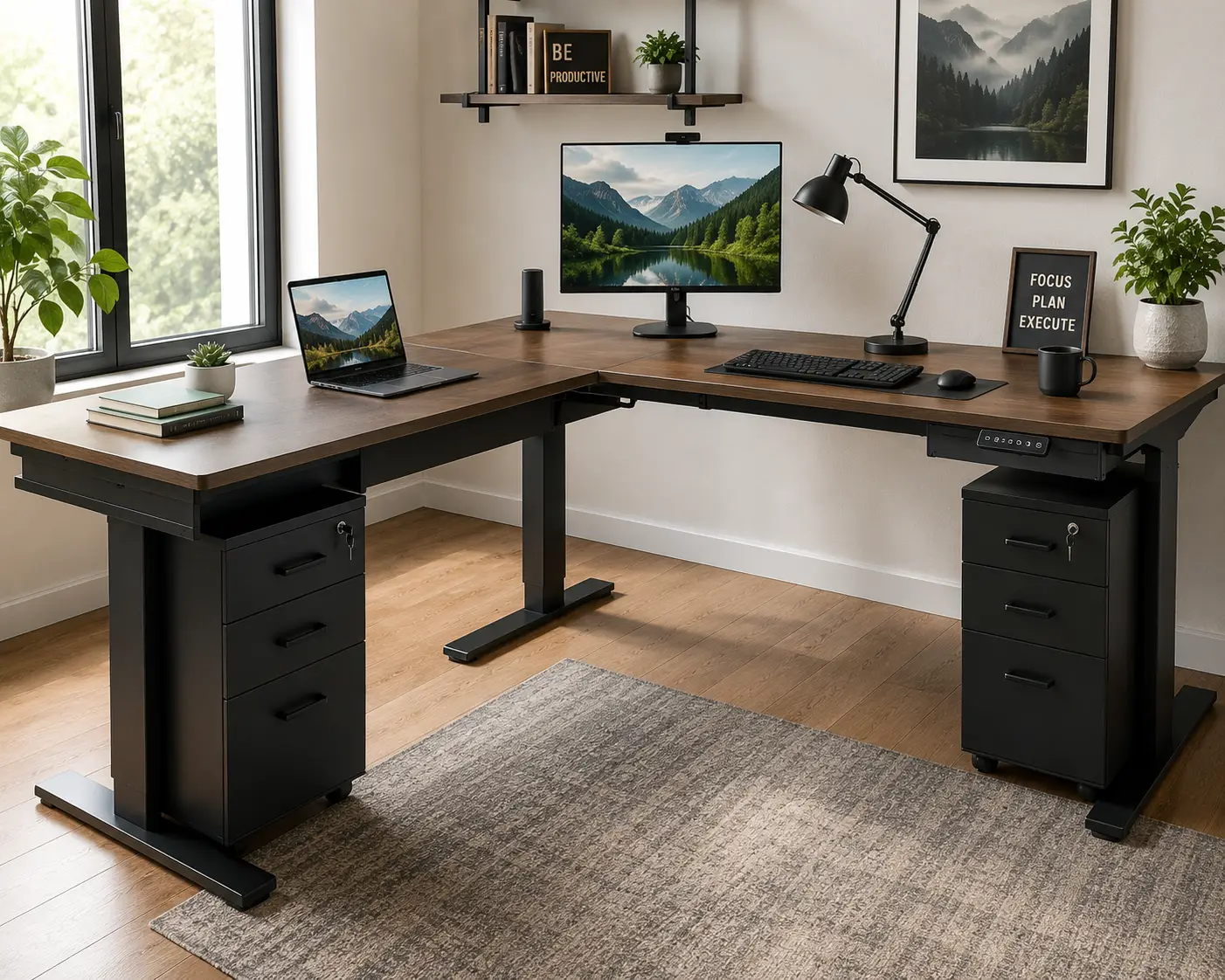
If your corner has been sitting empty while cables, notebooks, and random office supplies pile up on every flat surface you own, an l shaped standing desk with drawers solves two problems at once. You get the wraparound work surface that a corner layout makes possible, plus the height-adjustable base that lets you alternate between sitting and standing, and you get built-in storage so the clutter has somewhere to actually live instead of colonizing your keyboard tray.
This guide skips the marketing copy and gets straight to what matters: real products, real specs, and honest analysis of which desk fits which kind of home office. We looked at electric and manual models, budget-friendly farmhouse styles, and premium triple-motor builds, then broke down who each one is actually built for. According to Mayo Clinic’s research on the risks of prolonged sitting, alternating between sitting and standing throughout the day is one of the simplest ways to offset the health costs of a desk-bound job — and a corner desk with drawers makes that transition easier because everything you need is already within arm’s reach.
Below, you’ll find seven real, currently available options ranging from budget-friendly manual lift-tops to premium triple-motor builds with lifetime warranties, a breakdown of how to choose between them, and answers to the questions people ask most before buying. As an Amazon Associate, this site earns from qualifying purchases, and every recommendation here is based on genuine spec comparisons and aggregated review research rather than sponsored placement.
Quick Comparison: Top L Shaped Standing Desks With Drawers
| Desk | Adjustment Type | Drawers | Weight Capacity | Price Range |
|---|---|---|---|---|
| FLEXISPOT L Shaped Standing Desk with Drawers | Electric | 1 drawer + cabinet | ~155 lbs | Around $300–$400 |
| Bestier L Shaped Standing Desk with Lift Top | Manual lift-top | 1 reversible file drawer | ~110 lbs | Under $250 |
| SEDETA Farmhouse L Shaped Standing Desk | Electric | Storage drawers | ~120 lbs | Around $250–$320 |
| OffiGo L Shaped Electric Standing Desk with 4 Drawers | Electric | 4 drawers | ~130 lbs | Around $300–$380 |
| FEZiBO Triple Motor Reversible L Shaped Standing Desk | Electric (triple motor) | Upper drawers | 330 lbs | Around $550–$650 |
| FlexiSpot E7L Pro L Shaped Standing Desk | Electric (triple motor) | Add-on compatible | 330 lbs | Around $640–$790 |
| Vari L Shape Corner Electric Standing Desk | Electric (triple motor) | Optional undermount drawer | 200 lbs | Around $1,150–$1,300 |
Looking at this table, the split is pretty clean: the first four desks land in “affordable and functional” territory, while the last three trade a higher price for stronger motors, higher weight limits, and better long-term durability. If you’re outfitting a first home office on a tight budget, start with the top of the list; if you’re replacing a desk you’ll use eight hours a day for the next five years, the bottom three earn their premium.
💬 One click helps you compare real prices before you buy — take a look at today’s options! 😊
Top 7 L Shaped Standing Desks With Drawers: Expert Analysis
1. FLEXISPOT L Shaped Standing Desk with Drawers — best all-around value
FLEXISPOT L Shaped Standing Desk with Drawers earns its spot at the top because it doesn’t force you to choose between electric height adjustment and drawer storage the way a lot of budget desks do. The frame is a dual-motor electric lift with a keypad controller, paired with a built-in drawer and cabinet on the shorter leg of the L. The 55″ x 48″ and 63″ x 28″ configurations cover both compact and larger corners, and the frame’s roughly 155-pound capacity comfortably handles a dual-monitor setup plus a small printer. A built-in USB port and cable hooks mean you’re not left improvising a charging solution on day one, which matters more than it sounds — most desks in this price bracket skip it entirely.
Who it’s for: first-time standing desk buyers who want the sit-stand benefit without paying $600+ for a triple-motor frame, and who need at least one lockable-feeling storage spot for peripherals. Based on comparing spec sheets across the FlexiSpot lineup, this model sits deliberately below the E7L Pro in motor strength and desktop material quality, which is exactly why it costs roughly half as much. Reviews of FlexiSpot’s budget L-shaped line consistently mention smooth, quiet height transitions and straightforward keypad presets, with the most common complaint being that assembly takes longer than expected for a two-person job.
Pros:
- ✅ Electric dual-motor lift with programmable height presets
- ✅ Built-in drawer plus cabinet, unusual at this price point
- ✅ USB port and cable hooks included standard
Cons:
- ❌ Assembly is time-consuming and easier with two people
- ❌ Desktop material is a step below FlexiSpot’s premium tiers
At around $300 to $400, FLEXISPOT L Shaped Standing Desk with Drawers is one of the strongest dollar-for-dollar picks in this roundup — you’re getting electric adjustment and real storage for less than many manual-only competitors charge.
2. Bestier L Shaped Standing Desk with Lift Top — most affordable option
Bestier L Shaped Standing Desk with Lift Top takes a different approach to height adjustment: instead of an electric motor, it uses a manual lift-top mechanism you raise by hand, similar to a spring-assisted mechanism found on some drafting tables. That trade-off is precisely why it’s the cheapest desk on this list. The 55″ x 55″ corner footprint extends up to 95 inches of usable surface in some configurations, and the reversible file drawer means the desk can be configured for either a left- or right-hand corner setup, which is a genuinely useful feature for renters who might move.
Who it’s for: budget-conscious buyers, students, or anyone furnishing a first home office who wants the ergonomic benefit of an adjustable surface without paying for motors and a control panel. What most buyers overlook with manual lift-top desks is that you lose the “set it and forget it” convenience of programmable presets — every height change is a physical adjustment, not a button press, so it suits people who don’t switch positions constantly throughout the day. Aggregated buyer feedback on Bestier’s lift-top line tends to flag the particleboard-and-laminate construction as adequate but not premium, and a small number of buyers report the lift mechanism feeling less sturdy at full extension compared to a motorized frame.
Pros:
- ✅ Lowest price point in this entire comparison
- ✅ Reversible drawer works for left- or right-corner setups
- ✅ No motor means nothing electronic to eventually fail
Cons:
- ❌ Manual adjustment is slower and more physical than electric lift
- ❌ Some reports of reduced stability at maximum height
With a price consistently under $250, Bestier L Shaped Standing Desk with Lift Top delivers real value if your budget is the deciding factor and you don’t need motorized convenience.
3. SEDETA Farmhouse L Shaped Standing Desk — best budget farmhouse style
SEDETA Farmhouse L Shaped Standing Desk targets a specific gap in this market: buyers who want an electric height-adjustable corner desk but don’t want the typical black-metal-and-laminate home office look. The 55-inch model uses a farmhouse-style wood-grain finish over an electric lift frame, with storage drawers and a built-in power outlet worked into the same footprint. It’s a genuinely different aesthetic from the industrial styling most of this category defaults to, which matters if the desk is going in a shared living space rather than a dedicated office.
Key features worth noting: the electric motor gives you the same programmable-height convenience as pricier options, just with a lower weight ceiling around 120 pounds — plenty for a laptop, monitor, and lamp, but worth watching if you’re stacking a printer and a monitor arm on top. The honest read here is that SEDETA is competing on design and price rather than raw performance specs, and it succeeds at that specific goal. Early buyer feedback on SEDETA’s farmhouse line highlights the finish quality and styling as the standout, with the usual caveat for this price tier that the desktop material is composite rather than solid wood.
Pros:
- ✅ Distinctive farmhouse finish, rare in this price bracket
- ✅ Electric height adjustment with built-in power outlet
- ✅ Compact 55-inch footprint fits smaller rooms
Cons:
- ❌ Lower weight capacity than most electric competitors here
- ❌ Desktop is composite wood, not solid material
Priced around $250 to $320, SEDETA Farmhouse L Shaped Standing Desk is the pick if aesthetics and electric convenience matter more to you than maximum load capacity.
4. OffiGo L Shaped Electric Standing Desk with 4 Drawers — most drawer storage
OffiGo L Shaped Electric Standing Desk with 4 Drawers solves the “where does everything go” problem more thoroughly than any other desk on this list, simply by including four full drawers instead of the usual one or two. The 63-inch corner frame is reversible, so it adapts to either side of a room, and the electric motor includes a keypad with memory presets. For anyone currently working off a desk with zero enclosed storage, jumping to four drawers changes how you actually use the space — files, chargers, and paperwork stop living in stacks on the desktop.
The practical interpretation of “4 drawers” matters here: this isn’t a filing cabinet bolted to a desk, it’s genuinely integrated storage sized for office supplies, so don’t expect it to replace a full filing cabinet for hanging folders. Reviews of OffiGo’s storage-focused L-shaped desks tend to praise the drawer capacity and the rustic brown finish, while noting that the drawers themselves are shallower than a dedicated storage cabinet would be — a reasonable trade-off given they’re built into a desk frame rather than a standalone unit.
Pros:
- ✅ Four drawers, more enclosed storage than any competitor here
- ✅ Reversible frame adapts to either side of a room
- ✅ Electric motor with memory height presets
Cons:
- ❌ Individual drawers are shallower than a standalone file cabinet
- ❌ Bulkier footprint due to the extra storage housing
At roughly $300 to $380, OffiGo L Shaped Electric Standing Desk with 4 Drawers is the clear choice for anyone whose real problem is a lack of enclosed storage, not just desk space.
5. FEZiBO Triple Motor Reversible L Shaped Standing Desk — strongest motor stability
FEZiBO Triple Motor Reversible L Shaped Standing Desk moves into a different performance tier entirely, and the triple-motor frame is the reason why. Independent reviewers who tested FEZiBO’s triple-motor L-shaped line measured a 330-pound weight capacity and a height range of roughly 27 to 48 inches, with collision detection that stops the desk if it hits an obstacle on the way up or down. A built-in power block with USB-A, USB-C, and headphone hooks rounds out a spec sheet aimed squarely at people running multi-monitor, multi-device setups.
What the spec sheet doesn’t say, but a published review from GamesRadar makes clear, is that the desk moves smoothly and quietly enough to use for video calls without motor noise becoming a distraction — a detail that matters more than raw weight capacity for a lot of buyers. The same review was candid that assembly took roughly five hours solo and that the veneer desktop finish scratches more easily than the price would suggest, calling it “a recommendation I’m giving through gritted teeth.” That’s a useful signal: the mechanical performance is genuinely strong, but budget extra time for setup and treat the surface carefully.
Pros:
- ✅ 330-lb capacity, among the highest in this roundup
- ✅ Triple motors deliver notably smooth, quiet adjustment
- ✅ Built-in USB-A/USB-C ports and collision detection
Cons:
- ❌ Assembly is reported as lengthy and confusing solo
- ❌ Veneer desktop finish scratches more easily than expected
At around $550 to $650, FEZiBO Triple Motor Reversible L Shaped Standing Desk is the strongest performance-per-dollar pick for buyers who need real weight capacity and are willing to trade assembly ease for it.
6. FlexiSpot E7L Pro L Shaped Standing Desk — best build quality for power users
FlexiSpot E7L Pro L Shaped Standing Desk is built for people who treat a standing desk as long-term infrastructure rather than a one-time purchase. The three-leg, triple-motor frame carries a roughly 330-pound (150 kg) capacity and adjusts across a wide 25-to-50-inch height range, which accommodates taller and shorter users far better than entry-level frames. A hardware reviewer at PC Gamer scored it 87 out of 100, specifically praising the smooth motors and high weight ceiling while calling it “a great choice for making good use of an awkward corner” — useful independent confirmation that this frame performs as advertised in real L-shaped rooms, not just on paper.
Based on comparing this model against the cheaper FLEXISPOT drawer desk earlier in this list, the E7L Pro’s premium comes from frame engineering and desktop customization rather than storage: it ships as a frame-only option that pairs with your choice of desktop, including third-party drawer or storage add-ons. The same PC Gamer review noted that assembly requires an electric screwdriver to be practical and that the standard chipboard desktop feels pricey for the material — worth knowing before you commit to a specific desktop pairing.
Pros:
- ✅ Triple motors, 330-lb capacity, wide height range
- ✅ Independently reviewed and scored highly for stability
- ✅ Frame-only flexibility lets you choose your own desktop/storage
Cons:
- ❌ Assembly essentially requires an electric screwdriver
- ❌ Standard desktop material feels expensive for chipboard
Running around $640 to $790 depending on desktop choice, FlexiSpot E7L Pro L Shaped Standing Desk is the pick for buyers who want engineering quality over built-in bells and whistles.
7. Vari L Shape Corner Electric Standing Desk — best warranty and premium finish
Vari L Shape Corner Electric Standing Desk sits at the top of this list for a simple reason: it’s the only desk here backed by a lifetime warranty against defects, which signals a different level of confidence in the build than anything else in this roundup. The 60×60 configuration runs on three whisper-quiet motors, supports 200 pounds, and adjusts across a 25-to-50.5-inch range with four programmable presets and a drop-stop safety sensor that halts the desk if it detects an obstacle underneath — a genuinely useful feature if kids or pets share the space.
Storage isn’t built in by default, but Vari sells a compatible undermount drawer and shelf add-on specifically designed for this frame, along with a cable management tray and desk cubbies — so you’re building a system rather than settling for whatever drawer the manufacturer bundled in. The honest trade-off is price: at roughly $1,150 for the desk alone, plus the storage add-on, this is a multi-year investment rather than an impulse buy. What most buyers overlook is that the desktop’s contoured front edge is specifically designed to soften pressure on your forearms during long typing sessions, a small ergonomic detail cheaper desks skip entirely.
Pros:
- ✅ Lifetime warranty, unmatched elsewhere in this list
- ✅ Modular storage add-ons built specifically for this frame
- ✅ Drop-stop safety sensor and contoured ergonomic edge
Cons:
- ❌ Storage drawer is sold separately, raising the effective price
- ❌ Highest total cost of any desk in this comparison
At around $1,150 to $1,300 once you add storage, Vari L Shape Corner Electric Standing Desk is the premium choice for buyers who want warranty coverage and modular expansion over a bundled low price.
How to Set Up Your L Shaped Standing Desk for Maximum Comfort
Getting the ergonomics right matters more than which specific model you buy, and it’s the part most buyers rush through. Start by setting your sitting height so your elbows form roughly a 90-degree angle at your keyboard, then note that number before you ever raise the desk — most electric frames let you save it as a memory preset, so you’re not re-measuring every day. When you switch to standing, your monitor’s top edge should sit at or just below eye level; if it doesn’t, a monitor arm or riser closes that gap far more cheaply than buying a taller desk.
The OSHA computer workstation eTool is a genuinely useful free resource here, since it walks through exactly what to measure before finalizing a workstation layout, including keyboard height, screen distance, and chair-desk relationships.
Don’t switch straight to standing for eight hours on day one. A more realistic ramp is 30 to 45 minutes of standing per hour for the first week, building up from there — your legs and lower back need time to adapt, and jumping in too aggressively is the single most common reason people abandon a new standing desk within a month. Finally, use the drawers intentionally: keep only daily-use items (charger, notebook, headphones) in the top drawer, and treat the desk’s built-in storage as the first line of defense against surface clutter, not an overflow bin for things you’re not sure what to do with.
Which L Shaped Standing Desk With Drawers Fits Your Work Style?
Not every buyer needs the same desk, and matching your actual habits to the right frame saves money and frustration. Here’s how three common home-office profiles map onto this list.
The budget-conscious student or renter, working from a shared apartment on a tight furniture budget, is best served by the Bestier L Shaped Standing Desk with Lift Top or the SEDETA Farmhouse L Shaped Standing Desk. Neither requires a major financial commitment, both fit in a corner of a bedroom or shared living space, and the manual or lighter-duty electric lift is more than sufficient for a laptop-and-monitor setup that isn’t running eight hours of continuous video calls.
The hybrid-work professional splitting time between a home office and a corporate desk needs something in the middle: enough storage for real work materials, an electric lift for quick transitions between meetings, and a frame sturdy enough for a dual-monitor arm. The FLEXISPOT L Shaped Standing Desk with Drawers and OffiGo L Shaped Electric Standing Desk with 4 Drawers both fit this profile well, balancing price against genuine day-to-day functionality.
The full-time remote worker or content creator running multiple monitors, a printer, and specialized equipment for eight-plus hours daily needs the weight capacity and motor durability of the FEZiBO Triple Motor Reversible L Shaped Standing Desk, FlexiSpot E7L Pro L Shaped Standing Desk, or Vari L Shape Corner Electric Standing Desk. These three cost more up front, but the cost-per-year math changes substantially when you’re putting six-figure hours of use on a frame over its lifespan.
✨ Ready to Reclaim Your Corner?
🔍 Take your home office setup to the next level with a desk built for how you actually work — not just how the listing photo looks. Click through to compare current pricing and availability on the picks above, and get a workspace that keeps your gear organized instead of buried.
Common Problems With L Shaped Standing Desks (and How to Fix Them)
Even a well-reviewed desk runs into predictable snags, and knowing the fix in advance saves a lot of frustration.
Problem: the desk wobbles at full height. This is almost always a leveling issue, not a defect — corner frames distribute weight across three legs instead of two, so even minor floor unevenness shows up more than it would on a straight desk. Most frames, including the FlexiSpot E7L Pro, ship with adjustable leg levelers specifically for this; a five-minute leveling pass usually resolves it entirely.
Problem: cables turn into a tangled mess almost immediately. Corner desks have more surface area and more devices clustered in one spot than a standard rectangular desk, so cable chaos compounds fast. A basic cable tray or the cable hooks included on models like the FLEXISPOT L Shaped Standing Desk with Drawers solves most of this, and running power strips through a drawer cutout (where the desk has one) keeps cords off the floor entirely.
Problem: drawers stick or don’t close smoothly after assembly. This is typically a drawer-slide alignment issue from assembly, not a manufacturing defect — recheck that all mounting screws are seated evenly before assuming the unit is faulty.
Problem: the desk feels too tall or short even at “correct” height. Standard height charts are averages, not guarantees; if you’re outside the 5’4″–6’0″ range the defaults are built around, expect to spend more time dialing in your specific preset than the manual suggests, and don’t be afraid to go outside the “recommended” height if it’s genuinely more comfortable for your body.
What Is an L Shaped Standing Desk With Drawers?
An l shaped standing desk with drawers is a corner-configured desk with two connected work surfaces set at a right angle, combined with a height-adjustable base (electric or manual) and one or more built-in drawers for enclosed storage. The L shape maximizes usable surface area in a corner footprint, while the adjustable height lets you alternate between sitting and standing throughout the day.
The category exists because two separate home-office trends converged: the rise of multi-monitor, multi-device workstations that need more surface area than a straight desk provides, and growing awareness of the health case for reducing continuous sitting. Combining both with built-in storage means you’re not stacking a separate filing cabinet, cable organizer, and monitor stand around a bare desk — the furniture does more of that work for you.
How to Choose an L Shaped Standing Desk With Drawers
- Start with your room’s corner dimensions, not the desk’s listed size. Measure both walls of the corner where the desk will sit, including any door swing or walkway clearance, before comparing models — a 63-inch desk that looks reasonable in photos can dominate a small room.
- Decide between electric and manual adjustment early. Electric motors cost more but give you repeatable, one-touch presets; manual lift-tops are cheaper and have fewer parts to eventually fail, but every height change takes physical effort.
- Match weight capacity to your actual equipment, with margin. Add up your monitors, monitor arm, printer, and any equipment you might add later, then choose a desk rated comfortably above that total — motors under sustained near-max load wear out faster.
- Count and measure the drawers, don’t just count them. A desk with “4 drawers” that are each shallow isn’t necessarily more useful than one deep, well-built drawer — check dimensions, not just quantity.
- Check the height range against your actual height, not the average. If you’re notably taller or shorter than 5’8″, verify the desk’s minimum and maximum height explicitly rather than assuming “standard” will fit.
- Factor in assembly reality, not just the box contents. Triple-motor frames in particular can take hours to assemble solo; if that’s a dealbreaker, budget for a second set of hands or professional assembly.
- Look at warranty length as a quality signal. A lifetime warranty, like the one on the Vari L Shape Corner Electric Standing Desk, tells you the manufacturer expects the frame to last — a useful proxy when you can’t test build quality yourself before buying.
L Shaped Standing Desks for Small Home Offices and Awkward Corners
Small rooms are actually where the L shaped standing desk with drawers category earns its keep, because a corner configuration uses square footage a straight desk simply can’t reach. In a room where a standard 60-inch rectangular desk would block a door or window, the same square footage arranged as an L often leaves the center of the room fully open.
The trade-off is that smaller-footprint L-shaped desks, like the 55-inch SEDETA Farmhouse L Shaped Standing Desk or Bestier L Shaped Standing Desk with Lift Top, sacrifice some surface area compared to the 63-inch options on this list. If your room is genuinely tight, prioritize the compact models and skip the temptation to size up “just in case” — an oversized L-shaped desk in a small room creates the exact clutter problem you’re trying to solve, just distributed across more surface area. Reversible drawer configurations, available on several desks here including the OffiGo L Shaped Electric Standing Desk with 4 Drawers, are particularly valuable in awkward rooms since they let you flip the desk’s orientation to match whichever corner actually has an outlet nearby.
Common Mistakes to Avoid When Buying an L Shaped Standing Desk With Drawers
The most common mistake is buying based on the largest work surface without checking weight capacity — a big desktop with a weak motor will struggle under a heavy dual-monitor setup and wear out faster than a smaller, properly rated frame. A close second is skipping the corner measurement step entirely and assuming “L-shaped” automatically means it’ll fit; measure twice, because return shipping on a desk this size is expensive and inconvenient.
Buyers also frequently underestimate assembly time, especially on triple-motor frames like the FEZiBO Triple Motor Reversible L Shaped Standing Desk, which independent reviewers clocked at several hours solo — block out an afternoon rather than assuming it’s a 30-minute job. Finally, don’t buy purely on drawer count: a desk advertised with more drawers isn’t automatically more useful if each one is too shallow for what you actually need to store, so check dimensions against your real storage needs before deciding drawer quantity is the deciding factor.
L Shaped Standing Desks vs. Traditional Rectangular Standing Desks
| Factor | L Shaped Standing Desk | Rectangular Standing Desk |
|---|---|---|
| Surface area | Higher, wraps around a corner | Lower for the same footprint |
| Room fit | Uses corner space efficiently | Needs a full wall segment |
| Multi-monitor setups | Naturally accommodates 2-3 screens | Often cramped past 2 screens |
| Best for | Multi-device, multi-task workstations | Minimalist, single-monitor setups |
| Typical price | Moderately higher | Generally lower |
The efficiency gap comes down to geometry: a corner configuration effectively adds a second work zone without adding a second piece of furniture, which is why multi-monitor and multi-device setups gravitate toward L shapes. That said, a straight rectangular desk still wins on simplicity and price if you’re running a single laptop and don’t need the extra surface — there’s no reason to pay for corner space you won’t use.
What to Expect: Everyday Performance and Long-Term Value
Day to day, the biggest practical difference between the desks in this roundup comes down to motor count and how often you actually change height. Single- and dual-motor frames, like the entry-level FLEXISPOT L Shaped Standing Desk with Drawers, handle occasional height changes fine but transition more slowly and audibly than triple-motor frames. If you’re the type to switch between sitting and standing every hour, the smoother, quieter movement on triple-motor options like the FEZiBO Triple Motor Reversible L Shaped Standing Desk or FlexiSpot E7L Pro L Shaped Standing Desk genuinely changes how often you’ll actually use the adjustability rather than leaving the desk parked at one height out of inertia.
Long-term cost of ownership matters more than the sticker price suggests. A $250 manual desk with no motor to fail may outlast a cheap electric competitor, but it also can’t be upgraded with programmable presets later. Electric frames from established brands with published warranties — FlexiSpot and Vari both fall into this category — tend to have accessible replacement parts if a motor eventually fails, versus lesser-known brands where sourcing a replacement part years down the line can be genuinely difficult. If you’re planning to keep this desk for five-plus years, weigh the warranty and brand’s parts availability as seriously as the upfront price.
Safety, Regulations, and Standards for Standing Desks
Standing desks with drawers and storage compartments fall under general furniture stability guidance, and it’s worth taking seriously, especially in homes with kids or pets. The Consumer Product Safety Commission’s Anchor It campaign specifically addresses tip-over risk on storage furniture, and while a wall-anchored desk is less prone to tipping than a tall dresser, any desk with drawers loaded near the top should still be checked for stability, particularly at full standing height where the center of gravity shifts higher.
Electric motors on standing desks should carry UL or ETL certification, which confirms the electrical components have been independently tested for safety — this is standard on every desk in this roundup, but it’s worth verifying on any model not covered here before buying. Look also for a listed weight capacity you’re not routinely approaching, an anti-collision or drop-stop sensor if pets or small children share the space (standard on the Vari L Shape Corner Electric Standing Desk and available on several triple-motor competitors), and a grounded power outlet dedicated to the desk rather than an overloaded extension cord running its motor.
Frequently Asked Questions
❓ What is the best l shaped standing desk with drawers for a small home office?
❓ How much does an l shaped standing desk with drawers cost?
❓ Are electric l shaped standing desks with drawers worth it over manual models?
❓ Can I put a printer or heavy monitor arm on an l shaped standing desk with drawers?
❓ Do l shaped standing desks with drawers fit in a corner easily?
Conclusion
An l shaped standing desk with drawers isn’t a single product category so much as a spectrum, running from budget-friendly manual lift-tops that solve the “I need a corner desk with storage” problem cheaply, up to premium triple-motor frames built to survive a decade of daily use. The right pick depends less on which desk scores highest on paper and more on how you actually work: how often you’ll change positions, how much equipment you’re supporting, and how much storage you genuinely need versus how much sounds nice in a listing.
If you want the safest starting point for most home offices, the FLEXISPOT L Shaped Standing Desk with Drawers balances price, storage, and electric convenience better than almost anything else on this list. If budget is the deciding factor, Bestier L Shaped Standing Desk with Lift Top gets you into the category for the least money. And if you’re outfitting a full-time, multi-monitor workstation you expect to use for years, the FlexiSpot E7L Pro L Shaped Standing Desk or Vari L Shape Corner Electric Standing Desk justify their higher price with motor durability and warranty coverage the cheaper options simply can’t match. Whichever you choose, measure your corner twice, buy for the weight capacity you’ll actually need, and give yourself a real adjustment period once it’s set up — the ergonomic benefits only show up if you actually use the height adjustment, not just own it.
Recommended for You
- Desk With Hidden Monitor Lift: 7 Best Options to Try in 2026
- Folding Wood Desk: 7 Best Picks for Small Spaces in 2026
- 7 Best Removable Desk Wheels for a Mobile Workspace (2026)
Disclaimer: This post contains affiliate links. As an Amazon Associate, I earn from qualifying purchases made through these links, at no additional cost to you.
✨ Found this guide helpful? Share it with someone setting up their home office! 💬🤗