
In This Article
Why a Desk With Pull Out Keyboard Tray Still Wins in 2026
Here’s a small confession most home-office setups won’t make: the standard 29-30 inch desk is often too tall for comfortable typing. Your shoulders creep up, your wrists bend back, and by 3 p.m. your forearms feel like they ran a marathon. A desk with pull out keyboard tray solves that problem in the least glamorous, most effective way possible — it drops your keyboard a few inches closer to elbow height and slides it out of sight when you’re done.
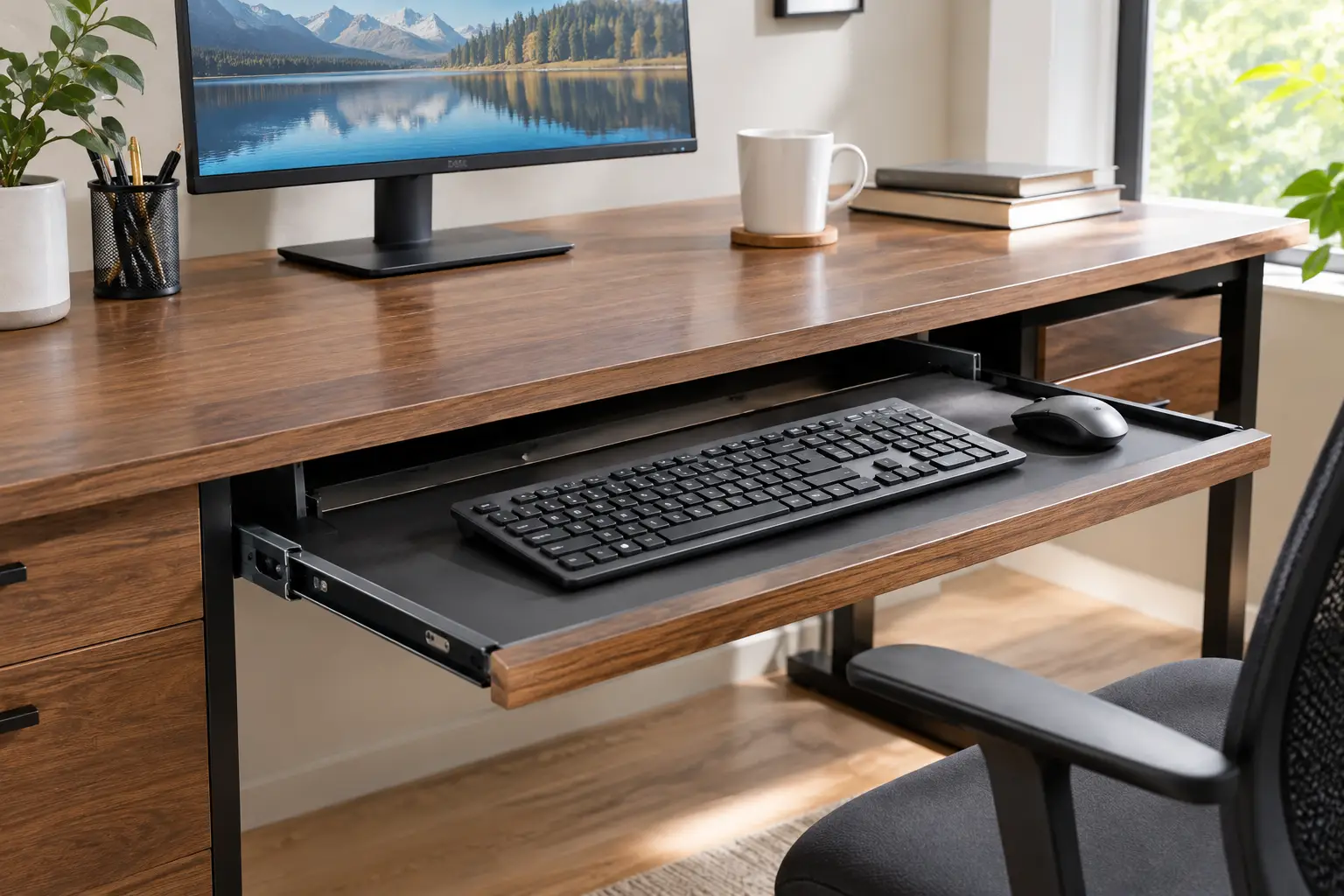
A desk with pull out keyboard tray is a computer or writing desk that has a shallow shelf mounted beneath the main work surface on sliding rails. The tray holds your keyboard (and ideally your mouse) at a lower height than the desktop, freeing up surface space and supporting a more neutral typing posture.
That definition matters because the ergonomic case isn’t marketing fluff. The OSHA Computer Workstations eTool on keyboards notes that a keyboard tray may be needed when your work surface or chair can’t be adjusted properly, and that it can help if you have limited desk space. In other words, the tray is the budget-friendly fix for a fixed-height desk.
In this guide, you’ll find seven real desks available on amazon.com, from a compact glass desk well under $150 to a full Sauder hutch desk in the $400-$600 range. Each pick comes with honest analysis built from spec sheets and aggregated customer feedback — no invented “tests,” no fake reviews. You’ll also get setup tips, real-world buyer scenarios, and a few hard truths about tray sizes that product listings conveniently skip.
Ready to find the one that actually fits your body, your room, and your budget? Let’s dig in.
Quick Comparison: The 7 Best Desks With Keyboard Trays at a Glance
| Desk | Style | Width | Approx. Price Range | Best for |
|---|---|---|---|---|
| Walker Edison 31″ Metal and Glass Desk | Glass/steel | 31″ | Under $150 | Walker Edison 31″ Metal and Glass Desk — tiny rooms |
| Yaheetech Home Office Computer Desk | Wood with top shelf | ~42″ | Around $80-$130 | Yaheetech Home Office Computer Desk — students on a budget |
| Sauder Beginnings Computer Desk | Compact wood tower | ~40″ | Around $100-$170 | Sauder Beginnings Computer Desk — desktop PC owners |
| GreenForest L-Shaped Computer Desk | 3-piece L desk | ~58″ x 44″ | Around $100-$160 | GreenForest L-Shaped Computer Desk — corner gaming setups |
| Walker Edison Ellis L-Shaped Glass Desk | Glass L desk | ~51″ x 51″ | Around $100-$200 | Walker Edison Ellis L-Shaped Glass Desk — modern corners |
| Bestier 55″ Computer Desk | Executive w/ outlets | 55″ | Around $150-$260 | Bestier 55″ Computer Desk — remote workers |
| Sauder Harbor View Computer Desk with Hutch | Desk + hutch | ~62″ | Around $375-$600 | Sauder Harbor View Computer Desk with Hutch — full home office |
Looking at the table, the price gap is wider than the feature gap for most people. The Yaheetech Home Office Computer Desk and the Sauder Beginnings Computer Desk cover the essentials for well under $200, while the Bestier 55″ Computer Desk earns its higher range mainly through width and built-in power. The Sauder Harbor View Computer Desk with Hutch is the outlier: you’re paying for storage and furniture-grade looks, not a better keyboard tray.
💬 One click helps other shoppers make an informed choice too! 😊
Top 7 Desk With Pull Out Keyboard Tray Picks: Expert Analysis
1. Walker Edison 31″ Metal and Glass Desk — smallest footprint in the lineup
If your “office” is really a bedroom corner, the Walker Edison 31″ Metal and Glass Desk is about as compact as a real computer desk gets.
It pairs a powder-coated steel frame with a beveled tempered safety glass top and a sliding keyboard tray underneath. In practice, the glass top makes a tiny desk feel visually lighter, which genuinely matters in a small room — you see floor through it, so the space doesn’t feel boxed in. Tempered glass also shrugs off coffee rings that would stain cheap laminate.
Based on comparing the specs, this desk is for laptop users who add an external keyboard, or for a secondary workstation. It’s not for someone with a full-size keyboard, a large mouse pad, and an eight-hour typing day. The 31-inch width simply leaves little room for anything beyond a monitor and a lamp.
Customer reviews consistently praise how easy it is to assemble and how polished it looks, but a recurring complaint is that the tray is too short to hold a full-size keyboard plus a mouse. Some buyers also report the tray-assembly instructions are unclear.
Pros:
- ✅ Very small footprint for apartments and dorms
- ✅ Tempered glass top is easy to wipe clean
- ✅ Quick, simple assembly for most buyers
Cons:
- ❌ Tray won’t fit a full keyboard and mouse
- ❌ Glass shows fingerprints and dust quickly
💰 Typically under $150 (prices vary — check the current price); excellent value if you type with a compact or tenkeyless keyboard.
2. Yaheetech Home Office Computer Desk — best budget all-rounder
The Yaheetech Home Office Computer Desk packs a surprising amount of organization into a frame that usually sells for around $100.
You get a full-width top shelf, a smooth-sliding keyboard tray of about 22.8 x 9.3 inches, a right-side drawer, and an open cabinet with a height-adjustable shelf. The listed load limits are about 110 lb on the tabletop and 11 lb on the keyboard tray. That 11 lb tray rating is plenty for a keyboard and mouse — but it’s a hint not to lean your forearms on it.
On paper, this is the smart pick for students and first-apartment workers who want a “complete” workstation without buying separate shelving. The top shelf lifts a small monitor or holds books, and the cabinet swallows a printer or router. The catch is width: at roughly 42 inches, it’s a single-monitor desk.
Review sentiment on Yaheetech’s own store is positive overall, with buyers summing it up as a sub-$100 desk that does its job. I couldn’t verify a large, independent body of long-term durability reviews, so treat it as solid value rather than heirloom furniture.
Pros:
- ✅ Top shelf, drawer, and cabinet in one frame
- ✅ Tray size fits most standard keyboards
- ✅ Very strong value for the storage included
Cons:
- ❌ Tray depth leaves little room for a mouse
- ❌ MDF construction won’t survive many moves
💰 Around $80-$130 at the time of writing; one of the best value-for-money picks here.
3. Sauder Beginnings Computer Desk — best for a tower PC and printer
The Sauder Beginnings Computer Desk is the classic American “computer desk” shape, updated just enough for 2026.
It measures roughly 39.6 inches wide, 19.5 inches deep, and 34 inches tall, with an elevated monitor/printer shelf, a slide-out keyboard/mouse shelf, and a dedicated space for a vertical CPU tower. That elevated shelf is the quiet hero: raising your monitor a few inches while dropping your keyboard onto a tray separates the two heights, which is exactly what ergonomists ask for.
Here’s what to weigh: this is a desk for a desktop PC owner with a modest footprint. If you game on a large tower or need dual monitors, the narrow top will frustrate you. For a family computer, a homework station, or a home-budget command center, it’s a sensible, proven design from a US furniture brand.
Aggregated feedback generally centers on the compact size and the convenience of the CPU space; I couldn’t verify enough recent review volume to describe long-term durability trends with confidence, so check the current listing’s recent reviews.
Pros:
- ✅ Raised shelf helps monitor height
- ✅ Dedicated CPU tower space keeps floors clear
- ✅ Compact enough for small rooms
Cons:
- ❌ Narrow top limits dual-monitor setups
- ❌ Traditional cherry finish won’t suit every décor
💰 Roughly $100-$170 depending on finish (check current pricing); fair value for a desktop-PC household.
4. GreenForest L-Shaped Computer Desk — most surface for the money
The GreenForest L-Shaped Computer Desk gives you a full corner workstation at a price many straight desks can’t match.
Its overall footprint is about 57.9 x 44.1 inches with 29.1 inches of height, a keyboard tray of about 22.8 x 9.25 inches, and a separate CPU tray of about 9.25 x 15.6 inches. The three-piece design — two rectangular sections plus a pie-shaped corner — means you can run a gaming monitor on one wing and a laptop or drawing tablet on the other.
What most buyers overlook with this model is that the keyboard tray is roughly the same size as the budget straight desks. You gain a huge amount of desktop, but not a bigger typing platform, so plan to keep the mouse on the tray only if you use a compact keyboard. It’s a great fit for gamers and students who need space more than storage.
Amazon reviews include remarks about details such as the keyboard tray having no pre-drilled holes, which suggests checking the hardware before assembly. Overall sentiment around GreenForest’s L desks focuses on space-per-dollar rather than premium materials.
Pros:
- ✅ Large corner surface for multiple screens
- ✅ Separate CPU stand protects the tower from dust
- ✅ Modular pieces make corner placement flexible
Cons:
- ❌ Keyboard tray is small relative to desk size
- ❌ No drawers for supplies or files
💰 Around $100-$160 at the time of writing; strong value for corner setups.
5. Walker Edison Ellis L-Shaped Glass Desk — sleekest corner option
The Walker Edison Ellis L-Shaped Glass Desk is for people who want a corner workstation that looks modern rather than “dorm furniture.”
The tempered-glass top spans roughly 51 x 51 inches on a powder-coated steel frame. Published capacity is about 50 lb on each side surface, 20 lb on the corner, and 10 lb on the keyboard tray. That 20 lb corner rating matters: it’s fine for a lamp or speaker, but don’t park a heavy monitor right in the corner piece.
Based on comparing the specs, this desk suits a minimalist home office or a gaming corner with lightweight gear. Some versions in the line let you mount the keyboard tray on either side, which helps left-handed users or awkward room layouts. It’s less ideal for people who write by hand a lot, since glass is cold and pens can skid.
Review data for this specific variant is scattered across listings and colors, so I can’t summarize a clear consensus; listing availability has also fluctuated, so check stock before you plan around it.
Pros:
- ✅ Open glass design keeps corners feeling airy
- ✅ Steel frame resists wobble better than thin wood
- ✅ Flexible tray placement on some versions
Cons:
- ❌ Corner section has a low weight limit
- ❌ Availability changes between colors and listings
💰 Roughly $100-$200 depending on finish (prices may vary); good value if you love the look.
6. Bestier 55″ Computer Desk — best for full-time remote work
The Bestier 55″ Computer Desk is the pick for people who work at their desk all day and are tired of crawling under it for power strips.
It measures about 55 x 21.7 x 30.1 inches, with a keyboard tray on two steel slides, a storage drawer, and a bottom file drawer with an adjustable metal bar for Letter, Legal, and A4 hanging files. Depending on the variant, it includes built-in outlets — commonly 2 AC outlets plus USB ports, with some Amazon versions listing a USB-C port. In practice, that means your laptop charger, phone, and desk lamp live on the desk, not a tangle on the floor.
Here’s the honest analysis: the 55-inch width finally makes dual monitors comfortable, and the file drawer makes this a real working office desk, not just a gaming surface. It’s built from P2 particle board, so it’s sturdy enough for daily use, but it isn’t solid wood.
Across retailers, buyer feedback tends to highlight the integrated outlets and stylish fluted drawer fronts; I couldn’t verify a consistent pattern of long-term complaints, so read recent reviews for your exact color.
Pros:
- ✅ Built-in outlets cut cable clutter
- ✅ Real file drawer for paperwork
- ✅ Wide enough for two monitors
Cons:
- ❌ Particle board is heavy and hard to move
- ❌ Outlet and port mix varies by variant
💰 Around $150-$260 at the time of writing; excellent value for daily work.
7. Sauder Harbor View Computer Desk with Hutch — best complete home office
The Sauder Harbor View Computer Desk with Hutch is a furniture piece first and a computer desk second — in the best way.
It stands about 62.2 inches wide, 23.5 inches deep, and 57.4 inches tall with the hutch. The slide-out keyboard/mouse shelf runs on metal runners with safety stops, and there are three drawers, including a full-extension file drawer for letter, legal, or European files. A louvered door hides a vertical CPU tower, while the hutch adds cubbies for mail, books, and supplies.
Who is it for? Someone building a “real” home office in a guest room, or a household that wants the computer area to look like furniture rather than equipment. The safety stops are a meaningful detail for families with kids — trays without them can slide out and drop.
Aggregated reviews on Walmart.com praise the cottage-style look and the detailed instructions, while some buyers note unlabeled parts during assembly and a desktop that scratches easily. Reviewers also mention it’s very heavy.
Pros:
- ✅ Metal runners with safety stops on the tray
- ✅ Huge storage: hutch, drawers, and CPU cabinet
- ✅ Attractive finish that reads as real furniture
Cons:
- ❌ Long, heavy assembly across two boxes
- ❌ Surface can scratch without a desk mat
💰 Roughly $375-$600 depending on retailer and timing (check the current price); worth it if you need storage as much as a desk.
How to Choose a Desk With Pull Out Keyboard Tray
Choosing well is mostly about measuring your body and your gear before you look at photos. Here are the steps that actually change the outcome:
- Measure your seated elbow height. Sit in your chair, relax your shoulders, bend your elbows to about 90 degrees, and measure from the floor. Your keyboard should land at or just below that height — which is why a tray a couple of inches under a 30-inch desktop often works.
- Measure your keyboard and mouse together. A full-size keyboard is around 17-18 inches wide; add a mouse and you need roughly 24-27 inches. Most built-in trays in this guide are about 22-25 inches, so compact keyboards are your friend.
- Check the rail type. Metal runners with safety stops (like the Sauder models) feel more secure than bare plastic channels.
- Confirm leg clearance. A tray sits right above your thighs; tall users should check total desk height and tray thickness.
- Match width to monitors. Under 45 inches is single-monitor territory; 55 inches and up handles two screens.
- Decide on storage. Drawers, CPU cabinets, and hutches add weight and cost — only pay for what you’ll use.
- Read the tray load limit. Most trays are rated around 10-11 lb, so they’re for typing, not leaning.
Cornell University’s ergonomic workstation guidelines explain that the ideal tray is height-adjustable and lets you tilt the keyboard slightly away from you (negative tilt). Built-in desk trays rarely tilt, so treat a fixed tray as a big improvement over the desktop, not a perfect ergonomic solution.
✨ Don’t miss these smart workspace upgrades!
🔍 Take your home office to the next level with this carefully curated lineup. Click a highlighted desk to check current pricing and availability. These picks will help you type longer, sit straighter, and keep your desk clutter-free!
Setting Up Your Keyboard Tray the Right Way (First 30 Days)
A keyboard tray only helps if it’s set up correctly. Here’s a practical first-month routine that turns a new desk into a comfortable workstation.
Day 1: Assemble with patience
Install the tray rails before the desktop is fully loaded, and check that both rails sit parallel. Uneven rails cause the most common tray problem: sticking halfway. If your desk uses metal runners, slide the tray in and out ten times before tightening every screw fully — it lets the rails settle.
Week 1: Dial in your chair height
Since most built-in trays don’t adjust, your chair does the adjusting. Raise or lower it until your forearms are roughly parallel to the floor while your hands rest on the home row. If your feet no longer sit flat, add a footrest rather than compromising arm position.
Week 2: Solve the mouse question
The OSHA guidance on pointer and mouse placement warns that a keyboard tray too small for both devices forces you to reach for the mouse. Fixes include a tenkeyless keyboard, a keyboard with a built-in touchpad, or a clamp-on mouse platform.
Weeks 3-4: Maintain and fine-tune
- ✅ Wipe rails with a dry cloth monthly to clear dust
- ✅ Re-tighten rail screws after the first month of use
- ✅ Keep total tray load under the rated limit
Common first-month mistakes include resting your forearms on the tray edge (which loosens rails), stacking papers on the tray, and slamming it shut. Treat the tray like a drawer, not a shelf, and it should glide smoothly for years.
Which Desk Fits You? Three Real-World Scenarios
Specs are easier to judge when you picture a real person using them. Here are three common profiles, matched to the desks above.
Scenario 1: The college student in a shared apartment
Budget: under $150. Uses a laptop plus an external keyboard for 3-4 hours a day, mostly evenings. Room is about 10 x 10 feet with a bed taking most of the space.
Best match: the Yaheetech Home Office Computer Desk. The top shelf lifts the laptop screen closer to eye level, the tray brings the keyboard down, and the cabinet hides a printer. If the room is truly tiny, the Walker Edison 31″ Metal and Glass Desk is the backup — just pair it with a compact keyboard.
Scenario 2: The full-time remote employee
Budget: $150-$300. Works 8-9 hours daily with two monitors, video calls, and paperwork for a side business.
Best match: the Bestier 55″ Computer Desk. The width handles two monitors, the outlets keep the laptop and phone charged, and the file drawer finally gives tax documents a home. Add a clamp-on mouse platform if the built-in tray feels cramped.
Scenario 3: The family homework-and-bills station
Budget: up to $600. Used by several people across the day, from kids doing homework to adults paying bills on a desktop PC.
Best match: the Sauder Harbor View Computer Desk with Hutch. Safety stops on the tray, a CPU cabinet, and hutch cubbies for each family member’s stuff make it a shared hub. For a smaller budget, the Sauder Beginnings Computer Desk keeps the desktop-PC layout at a fraction of the cost.
The pattern here is simple: let your daily hours and gear decide, then let style break the tie.
Problem → Solution: Fixing Common Keyboard Tray Annoyances
Even a good desk with pull out keyboard tray can develop quirks. Here are the most common ones and how to fix them.
Problem 1: The tray sticks or drags
Solution: Usually the rails aren’t parallel. Loosen the screws on one rail, slide the tray fully in and out to self-align it, then re-tighten. This is common on flat-packed desks like the GreenForest L-Shaped Computer Desk and the Yaheetech Home Office Computer Desk.
Problem 2: No room for the mouse
Solution: Switch to a tenkeyless or 75% keyboard, which frees about 3-4 inches. Alternatively, add a clamp-on mouse platform next to the tray. This is the single most common complaint on compact desks like the Walker Edison 31″ Metal and Glass Desk.
Problem 3: Your knees hit the tray
Solution: Lower your chair slightly and add a footrest, or choose a desk with a thinner tray assembly. Tall users should prioritize desks around 30 inches high, such as the Bestier 55″ Computer Desk.
Problem 4: The tray bounces while typing
Solution: Check that every rail screw is snug and that the tray isn’t overloaded. Bouncing often means you’re resting your wrists hard on the front edge — try a soft wrist rest and lighter typing.
Problem 5: Cables tug on the keyboard
Solution: Leave a slack loop in the keyboard cable so it can travel with the tray, or switch to a wireless keyboard and mouse. Cable tension is a sneaky cause of trays that refuse to close.
Computer Desk With Keyboard Tray vs Clamp-On Keyboard Tray
If you already own a desk, you might wonder whether to replace it with a computer desk with keyboard tray or simply add an aftermarket tray. Here’s how they compare.
| Option | Adjustability | Install | Typical Cost | Best for |
|---|---|---|---|---|
| Built-in tray (e.g., Bestier 55″ Computer Desk) | Fixed height, no tilt | Part of desk assembly | Included in desk price | New desk buyers |
| Clamp-on sliding tray | Fixed height, some swivel | C-clamp, no drilling | Roughly $40-$100 | Keeping your current desk |
| Articulating ergonomic tray | Height + negative tilt | Screws into desk underside | Roughly $150-$400+ | Heavy typists with wrist pain |
Reading this table, the built-in tray is the cleanest, cheapest path if you need a desk anyway — the tray is essentially “free.” Clamp-on trays are a smart patch for a desk you love, but they need a desk edge thin enough to clamp. Articulating trays are the ergonomic gold standard, yet they often cost as much as the desks in this guide.
The deeper takeaway: a built-in tray solves height, not angle. If you already have wrist discomfort, the most effective setup is often a solid desk plus a dedicated articulating tray. If you’re healthy and want a cleaner workspace, a desk with an integrated tray is the simpler choice, with fewer parts to wobble or loosen.
L Shaped Desk With Keyboard Tray: Is the Corner Worth It?
An L shaped desk with keyboard tray gives you two work zones — typically screens on one wing and writing or a second device on the other. The question is whether you’ll actually use both.
The GreenForest L-Shaped Computer Desk and the Walker Edison Ellis L-Shaped Glass Desk take two different approaches. The GreenForest uses wood-look panels and a separate CPU tray, which suits gamers with a tower PC. The Walker Edison uses tempered glass and steel for a lighter look, which suits minimalist offices but has a lower load rating on its corner piece.
Here’s what to weigh before buying an L desk:
- ✅ Corner fit: Measure both walls; these desks need roughly 4-5 feet on each side.
- ✅ Tray placement: Trays usually sit on one wing, not in the corner, so your main monitor should face that wing.
- ✅ Chair movement: Swiveling between wings needs a chair with smooth casters and a clear floor.
The honest downside? L desks rarely come with bigger keyboard trays — the extra space is on the desktop, not under it. If typing comfort is your top priority, an L desk is a space upgrade, not an ergonomic upgrade. If you juggle multiple screens, a drawing tablet, or paper notes, the corner is absolutely worth it.
Small Desk With Keyboard Tray for Apartments and Dorms
A small desk with keyboard tray is one of the smartest buys for tight living spaces, because the tray effectively doubles your usable surface: typing happens below, while the desktop stays free for a laptop, notebook, or meal.
Three things matter most in small spaces. First, visual weight: the glass top on the Walker Edison 31″ Metal and Glass Desk keeps a room feeling open. Second, vertical storage: the Yaheetech Home Office Computer Desk and the Sauder Beginnings Computer Desk both build upward with shelves, which beats adding a separate bookshelf. Third, keyboard size: compact desks almost always mean compact trays, so a tenkeyless keyboard is practically mandatory.
Dorm buyers should also check rules about furniture and assembly — some schools limit what you can bring in or require items to be easily removable. Lightweight desks under about 60 lb are far easier to carry up stairs and move at the end of the semester.
If you rent, avoid desks that require wall-anchoring a hutch unless your lease allows it. The compact picks in this guide are freestanding, so you won’t need to drill into the wall to use them safely.
Office Desk With Keyboard Tray for Full-Time Remote Work
An office desk with keyboard tray needs to do more than look tidy — it has to survive eight-hour days, five days a week. That changes the priorities.
Width comes first. Video calls, spreadsheets, and messaging apps all compete for screen space, and two monitors need roughly 50-55 inches of desk. The Bestier 55″ Computer Desk and the Sauder Harbor View Computer Desk with Hutch both clear that bar.
Power and cable management come second. Built-in outlets, like those on the Bestier 55″ Computer Desk, reduce the cable mess that makes desks feel cluttered and makes cleaning harder. Grommet holes and cable channels help too.
Filing comes third. Many remote workers still handle contracts, receipts, or tax paperwork. A real file drawer for letter or legal hanging files — available on both Bestier and Sauder Harbor View — saves you from buying a separate cabinet.
Finally, consider the tray’s role in your workday. OSHA’s computer workstation purchasing guide recommends keyboard trays wide and deep enough for both the keyboard and the mouse, with keyboard height at about elbow level. If your desk’s built-in tray falls short on width, a mouse platform is a small, inexpensive addition that makes a full-time setup sustainable.
Features That Actually Matter (and Ones That Don’t)
Product listings love bullet points. Here’s how to separate useful features from fluff.
Features that matter
- ✅ Metal runners with safety stops: They prevent the tray from falling out and feel smoother over years of use.
- ✅ Tray width of 24+ inches: Enough for a compact keyboard and mouse together.
- ✅ Stable frame: A wobbly desk transfers bounce to the tray, which disrupts typing.
- ✅ Cable routing: Grommets, back openings, or built-in outlets keep cables from snagging the tray.
Features that matter less than you think
- ❌ “Ergonomic” in the product title: A fixed tray improves height but doesn’t add tilt. The word alone means little.
- ❌ Decorative hardware: Gold handles and fluted panels look great, but don’t change daily comfort.
- ❌ Extra cubbies you won’t fill: Each shelf adds weight, cost, and assembly time.
The real test is simple: does the feature change how your hands, shoulders, or cables behave every day? If yes, it matters. If it only changes how the photo looks, it’s a tiebreaker at best.
Long-Term Cost and Maintenance
The sticker price is only part of the story. Here’s how the lineup compares on long-term value.
| Desk | Approx. Price Range | Expected Lifespan (with care) | Value Verdict | Best for |
|---|---|---|---|---|
| Yaheetech Home Office Computer Desk | $80-$130 | A few years of light use | High | Yaheetech Home Office Computer Desk — short-term living |
| Bestier 55″ Computer Desk | $150-$260 | Several years of daily use | Very high | Bestier 55″ Computer Desk — remote workers |
| Sauder Harbor View Computer Desk with Hutch | $375-$600 | Many years if not moved often | Medium-high | Sauder Harbor View Computer Desk with Hutch — permanent office |
This comparison shows that cost per year often favors the mid-range pick. The Bestier 55″ Computer Desk spreads a moderate price across years of full-time use, while the Yaheetech Home Office Computer Desk is cheapest upfront but best treated as a shorter-term solution. The Sauder Harbor View Computer Desk with Hutch makes sense when you’ll keep it in one room for a long time, since heavy engineered-wood furniture doesn’t love repeated moves.
Simple maintenance that extends tray life
- Dust the rails every month with a dry cloth.
- Re-tighten screws every 6-12 months, especially on particle board.
- Use a desk mat to protect the surface from scratches.
- Never drag a loaded desk — lift it, or empty it first.
Particle board and MDF weaken when screws are repeatedly removed and reinserted. If you plan to move, consider leaving the desk assembled or reinforcing holes with wood glue and toothpicks before reassembly.
Common Mistakes to Avoid When Buying a Desk With Keyboard Tray
Most buyer regret comes from a handful of predictable mistakes.
Mistake 1: Ignoring the tray dimensions. The desktop width gets the attention, but the tray is where your hands live. Check tray width and depth before anything else.
Mistake 2: Assuming “tray” means “ergonomic.” Built-in trays lower your keyboard but usually don’t tilt. If you already experience wrist pain, plan for an articulating tray or talk to a healthcare professional.
Mistake 3: Forgetting the mouse. A keyboard on a tray with the mouse on the desktop puts your hands at two different heights, which strains the shoulder over time.
Mistake 4: Overlooking leg clearance. Tall users and people with thick chair cushions can bump their knees on tray assemblies.
Mistake 5: Underestimating assembly. Larger desks like the Sauder Harbor View Computer Desk with Hutch ship in multiple heavy boxes and can take hours to build. Plan for a second person.
Mistake 6: Buying for today’s gear only. If a second monitor is in your future, buy the wider desk now — it’s cheaper than replacing a desk in a year.
Avoid these six, and you’ll likely love your desk long after the box is recycled.
Safety, Standards, and Materials
Furniture safety rarely makes headlines, but it matters, especially in homes with kids or pets.
Tray safety stops. Trays with safety stops won’t slide all the way out and drop onto feet or small children. Sauder specifically lists safety stops on its slide-out shelves, which is a genuine advantage for families.
Tempered glass. Both Walker Edison desks use tempered safety glass. Tempered glass is far stronger than ordinary glass and, if it breaks, tends to crumble into small pieces rather than sharp shards. Still, avoid dropping heavy objects on the edges, which are the most vulnerable points.
Engineered wood emissions. Several picks list CARB P2-compliant MDF or particle board, referring to California’s formaldehyde emission standards for composite wood. That’s a reassuring sign for indoor air quality, especially in small, closed bedrooms. Federal formaldehyde rules for composite wood products also apply in the US.
Load limits. Treat the published load limits as real limits. A keyboard tray rated around 10-11 lb won’t appreciate you leaning on it to stand up, and a glass corner rated around 20 lb isn’t the place for a heavy monitor.
Electrical features. For desks with built-in outlets, look for listings that mention a recognized safety certification (such as UL or ETL) for the power strip, and avoid daisy-chaining extra power strips into it.
FAQ About Desks With Pull Out Keyboard Trays
❓ Is a desk with pull out keyboard tray worth buying in 2026?
❓ What is the best cheap desk with keyboard tray on Amazon?
❓ Can I add a keyboard tray to my existing desk?
❓ Which desk with keyboard tray is best for two monitors?
❓ How much weight can a pull out keyboard tray hold?
Conclusion: Find the Desk That Fits Your Hands, Not Just Your Room
A desk with pull out keyboard tray isn’t flashy, but it fixes one of the most common home-office problems: a keyboard sitting too high for comfortable, all-day typing. The right choice depends on three things — your space, your hours at the desk, and your gear.
If you’re on a tight budget or in a small room, the Yaheetech Home Office Computer Desk and the Walker Edison 31″ Metal and Glass Desk deliver the essentials without crowding your space. If you run a desktop PC, the Sauder Beginnings Computer Desk keeps the classic layout compact. Corner lovers should compare the GreenForest L-Shaped Computer Desk for raw space and the Walker Edison Ellis L-Shaped Glass Desk for modern style.
For full-time remote work, the Bestier 55″ Computer Desk offers the best balance of width, power, and filing for the money. And if you want a complete, furniture-grade home office that stays put for years, the Sauder Harbor View Computer Desk with Hutch is the standout.
Whatever you choose, measure your elbow height, check the tray size against your keyboard and mouse, and spend a few minutes setting up your chair. Those small steps make a bigger difference than any feature list.
🚀 Ready to upgrade your workspace?
🛒 Click any highlighted desk above to check current pricing and availability on Amazon. Your wrists, shoulders, and clutter-free desktop will thank you!
Recommended for You
- Sit Stand Desk with Storage: 7 Best Picks for 2026 (Clutter-Free)
- Electric Adjustable Desk with Drawers: 7 Best Picks for 2026
- Standing Desk with Cabinets: 7 Best Clutter-Crushing Picks (2026)
Disclaimer: This post contains affiliate links. As an Amazon Associate, I earn from qualifying purchases made through these links, at no additional cost to you.
✨ Found this article helpful? Share it with someone who needs it! 💬🤗