
In This Article
Why an Adjustable Desk With Keyboard Tray Matters More Than a Basic Standing Desk
You raise your desk, adjust your monitor, stand up to work… and then discover that your keyboard is suddenly too high. Sound familiar? That’s one of the most overlooked problems with standing desks. The desk surface may be perfectly positioned for your monitor, but your keyboard and mouse can still force your shoulders upward and your wrists into an uncomfortable angle.
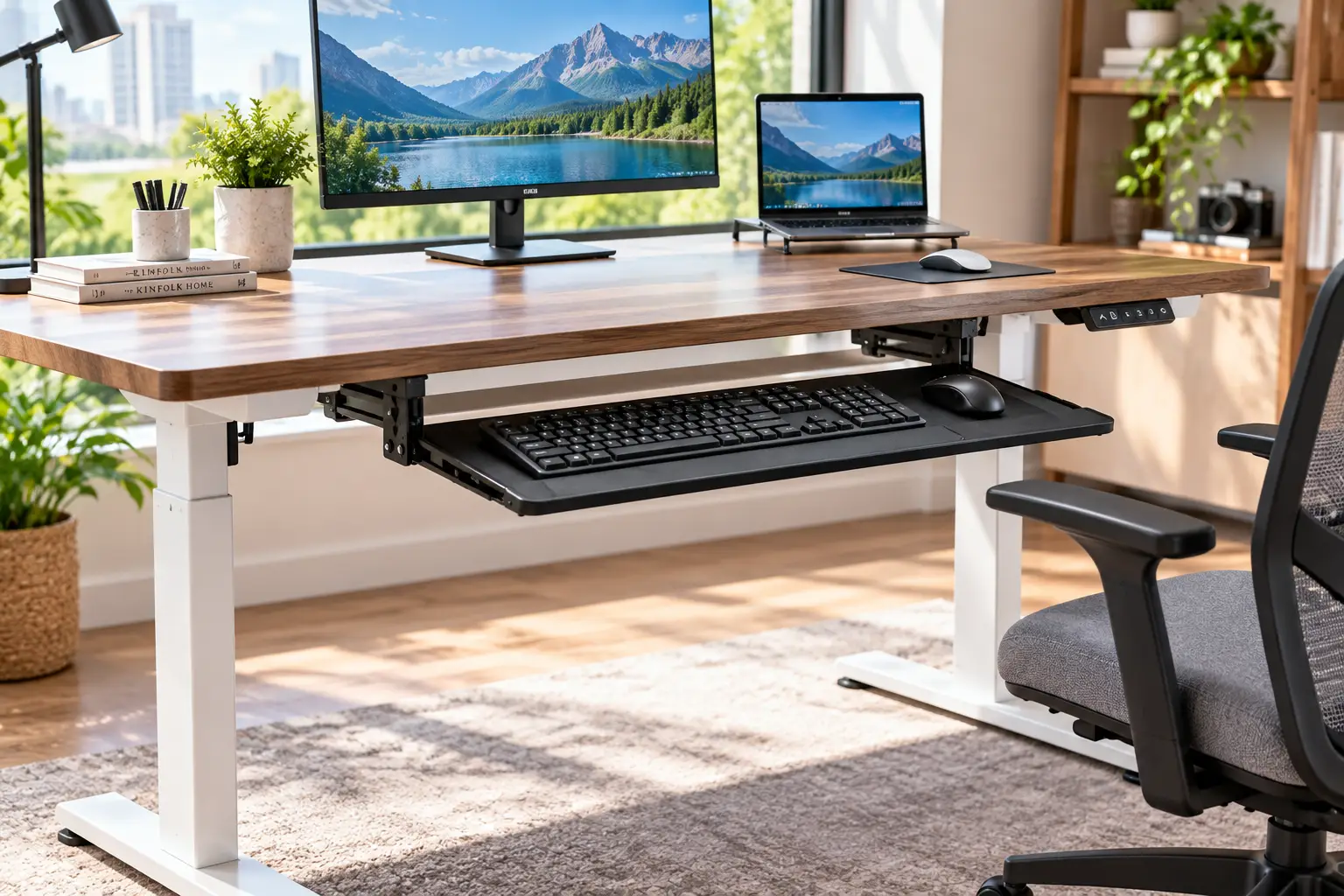
Choosing an adjustable desk with keyboard tray solves that problem by separating the typing surface from the main desktop. Instead of forcing your keyboard to follow the exact height of your monitor, a dedicated tray gives you another surface for positioning the keyboard and mouse closer to your natural elbow height. Some models use a simple pull-out tray, while others offer height, tilt, swivel, or retractable adjustment.
The modern answer is especially useful for people who alternate between sitting and standing. A good electric standing desk can move the entire desktop between sitting and standing heights, while a well-designed keyboard tray keeps your hands in a more consistent ergonomic position. Current models range from compact 44-inch desks to large 72-inch gaming and creator workstations, with features such as memory presets, integrated monitor shelves, drawers, USB charging, LED lighting, and adjustable trays. For example, the HUANUO desk currently offers a 26.7 × 16.8-inch keyboard tray and a 27.9–46.8-inch desk height range.
But “keyboard tray” on a product title doesn’t automatically mean the desk is ergonomic. Tray size, height, stability, mouse space, knee clearance, desk depth, and the distance between the tray and monitor all change how the setup feels in real use.
So in this guide, we compare seven real adjustable desks with keyboard trays, translate their specifications into what they actually mean at your workstation, and explain who each model suits. You’ll also get setup advice, real-world scenarios, common problems, buying mistakes, maintenance guidance, and a practical checklist for choosing the right desk.
What Is an Adjustable Desk With Keyboard Tray?
An adjustable desk with keyboard tray is a height-adjustable workstation that includes a dedicated platform for a keyboard and mouse, allowing the typing surface to sit separately from the main desktop. Most models use an electric lifting system for the desk itself, while the keyboard tray may be fixed, retractable, slide-out, height-adjustable, tilted, or swivel-mounted.
That distinction matters because the ideal height for your monitor is not necessarily the ideal height for your keyboard. A keyboard tray can lower the typing surface relative to the main desk and free valuable desktop space at the same time.
Some current desks include a relatively simple pull-out tray, while more advanced systems allow the tray itself to move. The Eureka Ergonomic adjustable tray, for example, offers 360-degree swivel and 15-degree tilt, while FlexiSpot’s clamp-on tray can extend up to 8.5 inches and supports up to 15 pounds.
For a complete desk, however, the most important question is whether the tray remains comfortable at both sitting and standing heights. A tray that feels perfect while seated may be too low when standing, and a desk that raises beautifully may still have a poorly positioned keyboard.
Quick Comparison: Top Adjustable Desks With Keyboard Trays at a Glance
| Pick | Desk Type | Height Range | Keyboard Tray | Best For |
|---|---|---|---|---|
| HUANUO Electric Standing Desk with Storage & Keyboard Tray | Electric rectangular desk | 27.9–46.8″ | 26.7″ × 16.8″ | Most home offices |
| ErGear Electric Standing Desk With Keyboard Tray | Compact electric desk | 28.35–46.46″ | Up to 22 lb | Small offices and gaming |
| OffiGo 55″ U-Shaped Basic Standing Desk | U-shaped electric desk | Approx. 28.3–46.5″ | Pull-out tray | Multitasking workstations |
| AODK 55″ Electric Standing Desk | Electric desk with storage | 29.9–46.1″ | Pull-out tray | Storage-focused offices |
| OffiGo 55″ L-Shaped Electric Standing Desk | L-shaped electric desk | Adjustable | Pull-out tray | Corner workspaces |
| Mount-It! MI-7998B Mobile Standing Desk | Rolling sit-stand workstation | 33.5–50.8″ | Retractable tray | Mobile workstations |
| Eureka Ergonomic Aero Pro 72″ Desk | Large dual-motor desk | Electric adjustable | Ergonomic adjustable tray | Gaming and creators |
Looking at the table, the HUANUO Electric Standing Desk with Storage & Keyboard Tray is particularly interesting for everyday home-office use because the tray is unusually large and the desk combines storage, monitor support, and electric height adjustment. Its tray measures 26.7 × 16.8 inches and is designed to accommodate a full-size keyboard and mouse.
For smaller rooms, the ErGear 44 × 24-inch desk keeps the footprint compact while still providing a 22-pound keyboard tray and a 176-pound maximum desk load.
If your priority is maximum workspace, the Eureka Ergonomic 72 × 30-inch desk moves into a completely different category, with dual motors, four memory presets, a 220-pound capacity, and an ergonomic keyboard tray.
💬 One click helps other shoppers make an informed choice too! 😊
Top 7 Best Adjustable Desks With Keyboard Trays: Expert Analysis
Each pick below includes what the specifications mean in practice, who it suits, what makes the keyboard tray useful, and the limitations you should consider before buying.
1. HUANUO Electric Standing Desk With Storage & Keyboard Tray — best all-around home-office setup
The HUANUO Electric Standing Desk with Storage & Keyboard Tray is designed around the idea that a standing desk should do more than simply move up and down. It combines electric height adjustment with drawers, an integrated monitor stand, open storage, and a dedicated keyboard tray.
The tray is one of the strongest features. At 26.7 × 16.8 inches, it is large enough for a full-size keyboard and mouse, and the cushioned wrist-rest area is designed to provide a more comfortable typing position. The desk itself adjusts from approximately 27.9 to 46.8 inches, allowing the same workstation to function for both seated and standing use.
The desk is available in 48 × 26-inch and 55 × 26-inch configurations, so buyers can choose between a more compact workstation and a larger desktop. The steel frame and motor are also designed for repeated height adjustments, with HUANUO stating that the desk is built for up to 50,000 lift cycles.
What makes this desk especially practical is how many separate accessories it eliminates. Instead of purchasing a standing desk, keyboard tray, monitor shelf, and storage solution separately, the major components are integrated into one workstation.
Pros:
- ✅ Large 26.7 × 16.8-inch keyboard tray
- ✅ Electric sit-stand adjustment
- ✅ Available in 48- and 55-inch widths
- ✅ Built-in drawers and storage
- ✅ Integrated monitor stand
- ✅ C-clamp compatible rear panel
Cons:
- ❌ More furniture than minimalists may want
- ❌ Storage configuration takes up some visual space
- ❌ Larger models need a reasonably spacious room
Around the mid-$200 range depending on configuration and current promotions — strong value for buyers who want a complete workstation rather than a basic height-adjustable frame.
2. ErGear Electric Standing Desk With Keyboard Tray — compact stability for smaller workspaces
The ErGear Electric Standing Desk with Keyboard Tray is built around a smaller 44 × 24-inch footprint, making it attractive for apartments, bedrooms, student rooms, and compact home offices where a 55- or 72-inch workstation would simply be too large.
The desk adjusts electrically from approximately 28.35 to 46.46 inches and includes three programmable height presets. The frame is designed around a steel structure with aerospace-grade lifting-column connectors, while the motor is rated for a maximum desk load of 176 pounds.
The keyboard tray is the more interesting part for the focus keyword. ErGear states that the tray supports up to 22 pounds and provides enough room for a large keyboard and mouse. That capacity is considerably more than most people will ever need for a keyboard, but the important practical benefit is stability: the tray isn’t designed as a flimsy accessory that flexes every time you type.
The compact desktop does mean you need to plan your monitor arrangement carefully. One large monitor, a laptop, and basic accessories fit comfortably, but a large dual-monitor setup can consume the available surface quickly.
Pros:
- ✅ Compact 44 × 24-inch footprint
- ✅ 28.35–46.46-inch height range
- ✅ Three memory presets
- ✅ 22-pound keyboard tray capacity
- ✅ 176-pound maximum desk load
- ✅ Steel frame construction
Cons:
- ❌ Less desktop space than 55-inch models
- ❌ Limited storage
- ❌ Multiple large monitors may crowd the surface
This is a particularly practical category choice when your biggest problem is finding an adjustable desk that actually fits a smaller room without sacrificing a proper keyboard tray.
3. OffiGo 55″ U-Shaped Basic Standing Desk With Keyboard Tray — best for multitasking
The OffiGo 55″ U-Shaped Basic Standing Desk with Keyboard Tray takes a completely different approach from a conventional rectangular desk. Instead of forcing every task into one straight workspace, the U-shaped design creates a wrap-around working area.
The desk is approximately 55.1 inches wide and 29.1 inches deep, with an electric height range of roughly 28.3 to 46.5 inches. It includes a pull-out keyboard tray, monitor stand, built-in power and USB charging, LED lighting, and storage hooks.
That layout is particularly useful for people who multitask. You can keep the keyboard centered while using one side of the desk for paperwork, another for a laptop, and the central area for a monitor. The keyboard tray also frees the main desktop, which is important because U-shaped desks are usually purchased specifically for their extra working surface.
The trade-off is physical footprint. This is not a desk for a tiny bedroom. It needs enough space around it to use the wrap-around design comfortably.
OffiGo currently lists a five-year warranty and 30-day returns for this model, while the product page shows a 5-star rating from the limited review sample currently displayed.
Pros:
- ✅ Wrap-around U-shaped workspace
- ✅ Electric sit-stand adjustment
- ✅ Pull-out keyboard tray
- ✅ Built-in power and USB charging
- ✅ Monitor stand included
- ✅ Storage hooks and LED lighting
Cons:
- ❌ Large footprint
- ❌ Less suitable for minimalist rooms
- ❌ Built-in electronics add complexity
Around $200 depending on current promotions — an appealing option for multitaskers who need more workspace than a standard rectangular desk provides.
4. AODK 55-Inch Electric Standing Desk With Drawers & Keyboard Tray — best storage-focused workstation
The AODK 55-Inch Electric Standing Desk with Drawers and Keyboard Tray is aimed at people who want their workstation to solve the clutter problem as well as the sitting-versus-standing problem.
The desk offers an adjustable height range of approximately 29.9 to 46.1 inches and includes three height-memory settings. It also integrates a full-sized monitor shelf, two fabric drawers, a pull-out keyboard tray, LED lighting, and built-in charging with three AC outlets and two USB ports.
The keyboard tray is designed specifically for the keyboard and mouse rather than treating the tray as a tiny secondary shelf. When pushed back underneath the desktop, it also reduces visual clutter and frees the main surface for writing, notebooks, speakers, or additional equipment.
AODK lists a maximum weight recommendation of approximately 154 pounds in its manual, so this is not a desk where you should simply pile increasingly heavy equipment on the surface because the motor can technically lift it. The total weight of monitors, accessories, and desktop equipment should remain within the manufacturer’s stated limit.
Pros:
- ✅ 55-inch workspace
- ✅ Three memory height settings
- ✅ Pull-out keyboard tray
- ✅ Two fabric drawers
- ✅ Monitor shelf
- ✅ Three AC outlets and two USB ports
Cons:
- ❌ More visually feature-heavy
- ❌ Fabric drawers are not ideal for heavy items
- ❌ Total load should be monitored carefully
Around $200–$230 depending on configuration and retailer, making it attractive for buyers who want a complete home-office workstation with storage built in.
5. OffiGo 55″ L-Shaped Electric Standing Desk With Keyboard Tray & Monitor Shelf — best for corner offices
The OffiGo 55″ L-Shaped Electric Standing Desk with Keyboard Tray & Monitor Shelf is designed for users who want to make use of a corner rather than placing a conventional rectangular desk in the center of a room.
The L-shaped layout creates two distinct work zones. One side can hold the main monitor and keyboard while the return section provides room for a laptop, paperwork, printer, drawing tablet, or secondary monitor.
The included keyboard tray is especially useful because L-shaped desks can become crowded very quickly. Moving the keyboard below the main surface creates more room for the equipment that cannot be moved onto the tray.
OffiGo’s current product information also highlights a monitor shelf and integrated power features, including AC outlets, USB, and Type-C charging on relevant configurations. The brand describes the keyboard tray as a way to help lower the typing position without forcing the user to raise the chair.
Pros:
- ✅ Excellent use of corner space
- ✅ L-shaped work zones
- ✅ Keyboard tray frees desktop area
- ✅ Monitor shelf
- ✅ Built-in charging
- ✅ Suitable for multitasking
Cons:
- ❌ Requires a dedicated corner
- ❌ More difficult to reposition than a rectangular desk
- ❌ Larger footprint than compact models
This is the choice to consider when your room layout naturally provides a corner workstation and you need more than one working zone.
6. Mount-It! MI-7998B Mobile Standing Desk With Retractable Keyboard — best mobile workstation
The Mount-It! MI-7998B Mobile Standing Desk is less like a traditional home-office desk and more like a rolling workstation. It is designed to move around the room, making it useful for training rooms, classrooms, offices, conferences, or home users who want a workstation that can be repositioned.
The desk adjusts from approximately 33.5 to 50.8 inches and provides a 32 × 20-inch main work surface. Its retractable keyboard tray slides in and out underneath the workstation, allowing the keyboard area to disappear when it is not being used.
Four separate platforms provide space for equipment such as a monitor, laptop, keyboard, printer, and CPU. Locking casters make it possible to reposition the entire workstation and then stabilize it.
The compromise is obvious: this is not the desk to choose if you want a large, permanent 72-inch gaming setup. Its strength is mobility and flexibility.
Mount-It! currently reports a 4.6/5 rating from 29 reviews on its product page, along with a lifetime warranty and 60-day free returns.
Pros:
- ✅ Mobile rolling design
- ✅ 33.5–50.8-inch height adjustment
- ✅ Retractable keyboard tray
- ✅ 32 × 20-inch main surface
- ✅ Multiple equipment platforms
- ✅ Locking casters
Cons:
- ❌ Smaller desktop than full-size standing desks
- ❌ Not ideal for large multi-monitor setups
- ❌ Wheels add complexity compared with fixed desks
7. Eureka Ergonomic Aero Pro 72″ Standing Desk — best large workstation for gaming and creators
The Eureka Ergonomic Aero Pro 72″ Standing Desk is the large-format option in this lineup. With a 72 × 30-inch desktop, dual motors, four memory presets, and a stated 220-pound weight capacity, it is designed for users who need substantial workspace rather than a compact office desk.
The keyboard tray is more sophisticated than the simple slide-out designs found on many budget desks. Eureka describes it as height adjustable, retractable, rotatable 360 degrees, and angle adjustable. That makes it particularly interesting for users who spend long periods gaming, streaming, editing, or creating content.
The large desktop also provides enough room for multiple monitors, speakers, lighting equipment, microphones, controllers, drawing tablets, or other creator hardware.
The downside is simply size. A 72-inch desk requires a substantial room and should not be purchased based solely on how impressive the specification sheet looks. Measure the wall, walking clearance, chair movement, and power-cable route first.
Pros:
- ✅ Huge 72 × 30-inch workspace
- ✅ Dual-motor electric adjustment
- ✅ 220-pound capacity
- ✅ Four memory presets
- ✅ Adjustable and retractable keyboard tray
- ✅ 360-degree tray rotation
- ✅ Designed for gaming and content creation
Cons:
- ❌ Large footprint
- ❌ Higher cost
- ❌ Excessive for simple office work
For gamers, streamers, editors, and creators with room to spare, however, the combination of large surface area and a genuinely adjustable keyboard tray makes this a much more capable workstation than a basic standing desk.
All 7 Adjustable Desks With Keyboard Trays Compared Side by Side
| Product | Desk Size | Height Range | Tray Style | Key Strength | Price Range |
|---|---|---|---|---|---|
| HUANUO Standing Desk | 48″/55″ × 26″ | 27.9–46.8″ | Large slide-out | Storage + ergonomics | $200–$300 |
| ErGear Standing Desk | 44″ × 24″ | 28.35–46.46″ | Large keyboard tray | Compact stability | $150–$220 |
| OffiGo 55″ U-Shaped | 55.1″ × 29.1″ | 28.3–46.5″ | Pull-out | Multitasking | $180–$220 |
| AODK 55″ Standing Desk | 55″ class | 29.9–46.1″ | Pull-out | Storage + charging | $190–$230 |
| OffiGo 55″ L-Shaped | 55″ class | Adjustable | Pull-out | Corner workspace | $200–$250 |
| Mount-It! MI-7998B | 32″ × 20″ main surface | 33.5–50.8″ | Retractable | Mobility | $180–$220 |
| Eureka Aero Pro 72″ | 72″ × 30″ | Electric | Adjustable/retractable | Gaming + creators | $400+ |
The pattern is clear: there isn’t one perfect desk for every user. The HUANUO emphasizes an integrated home-office setup, ErGear focuses on compactness, OffiGo gives you more elaborate layouts, AODK prioritizes storage and charging, Mount-It! focuses on mobility, and Eureka is aimed at large, equipment-heavy workstations.
How to Set Up an Adjustable Desk With Keyboard Tray for Better Ergonomics
Knowing how to use an adjustable desk with keyboard tray correctly is just as important as buying the right model. The goal isn’t simply to stand more often. It is to create a position where your monitor, keyboard, mouse, chair, and body work together.
1. Start with your seated position. 🪑 Sit normally with your shoulders relaxed and your elbows close to your body. Adjust the desk until your forearms can reach the keyboard without your shoulders lifting.
2. Position the keyboard tray. ⌨️ The keyboard should sit close enough that you don’t need to reach forward. If the tray has tilt adjustment, use a small negative or neutral angle rather than creating an aggressive upward tilt.
3. Adjust the monitor separately. 🖥️ Your monitor should be positioned so you can look toward the screen without constantly bending your neck downward. This is one reason a separate keyboard tray can be useful: the monitor can remain higher while the keyboard stays lower.
4. Program sitting and standing heights. Save at least one seated and one standing preset if your desk supports memory controls. Current models such as ErGear provide three programmable settings, while the Eureka Aero Pro provides four.
5. Check the mouse position. 🖱️ A large keyboard tray is much more useful if the mouse can sit comfortably beside the keyboard. Avoid placing the mouse so far to the side that your shoulder has to rotate outward.
6. Test the transition. Raise and lower the desk several times with your normal equipment installed. Watch the keyboard cable, monitor cable, power cord, and anything stored underneath.
7. Recheck after one week. Your ideal height may change once you actually use the desk. Make small adjustments rather than assuming the first configuration is perfect.
Which Adjustable Desk With Keyboard Tray Fits Your Home? Three Real-World Scenarios
Specs are easier to judge when you picture real use. Here are three common profiles and the desks that fit them.
The apartment renter — limited space, one monitor, daily computer work
You’ve got a bedroom or small home office and don’t want a giant executive desk dominating the room. The ErGear 44 × 24-inch desk is the most natural fit because it keeps the footprint relatively compact while still providing electric height adjustment and a substantial keyboard tray. Its 28.35–46.46-inch range also gives enough flexibility for typical sit-stand work.
If you need more storage, the HUANUO 48 × 26-inch model adds drawers and monitor support without jumping to the enormous dimensions of a 72-inch workstation.
The home-office multitasker — two monitors, paperwork, laptop and accessories
If your work involves switching between documents, video calls, spreadsheets, and multiple devices, a larger workstation makes more sense. The OffiGo 55″ U-shaped desk provides wrap-around workspace, a keyboard tray, monitor stand, and built-in charging.
The keyboard tray becomes particularly useful here because it keeps the main desktop available for documents and equipment instead of permanently occupying the center with a keyboard.
The gamer or content creator — multiple monitors and lots of hardware
If you have multiple monitors, speakers, a microphone, camera equipment, lighting, controllers, or a drawing tablet, small desks become frustrating very quickly.
The Eureka Ergonomic Aero Pro 72″ is designed around exactly this kind of setup. Its 72 × 30-inch surface and 220-pound capacity provide significantly more room, while the adjustable keyboard tray can be positioned separately from the main desktop.
✨ Ready to upgrade your workspace?
🔍 Take your desk setup to the next level with this carefully researched lineup. Check current pricing and availability, then choose the desk that matches your room, typing position, equipment, and preferred sitting-to-standing routine.
Problem → Solution: Fixing Keyboard Height, Wobble, and Desk Clutter
Even with a good adjustable desk with keyboard tray, things can go wrong. Here are the five most common problems and their fixes.
❌ Problem 1: Your shoulders still feel high while typing.
✅ Solution: The keyboard tray is probably too high. Lower the tray or desk until your elbows can remain close to your body. A height-adjustable tray is particularly useful because it lets you separate keyboard height from monitor height.
❌ Problem 2: The keyboard tray shakes while typing.
✅ Solution: Check every mounting point and screw. Large mechanical keyboards can transmit more force than a lightweight office keyboard. If you’re using an aftermarket clamp-on tray, verify that the clamp is attached to a structurally strong section of the desk.
❌ Problem 3: The tray is comfortable sitting down but awkward when standing.
✅ Solution: Your tray and desk are not necessarily moving together in the correct relationship. Re-adjust the standing desk height and, if possible, change the tray height or tilt independently. This is one reason fully adjustable trays have an advantage over fixed pull-out shelves.
❌ Problem 4: The keyboard tray hits your knees.
✅ Solution: Check the tray depth and your chair position. Retractable trays such as the Mount-It! MI-7998B can be pushed away when you need more clearance.
❌ Problem 5: Your desk looks cluttered even with a keyboard tray.
✅ Solution: Use the freed desktop space intentionally. Move the keyboard and mouse completely onto the tray, then use the main surface for monitors, notebooks, speakers, or other equipment. Built-in cable management can also make a significant difference.
How to Choose the Best Adjustable Desk With Keyboard Tray
Use these seven criteria to choose the best adjustable desk with keyboard tray for your home, no matter which brand you consider.
- Tray size. A tray needs enough room for both your keyboard and mouse. The HUANUO model, for example, provides a 26.7 × 16.8-inch platform, while smaller trays may leave little room for mouse movement.
- Tray adjustment. Decide whether you need a simple slide-out tray or independent height, tilt, swivel, and rotation. More adjustment is useful for users who alternate frequently between sitting and standing.
- Desk height range. Check both the minimum and maximum height rather than looking only at the word “adjustable.” A range around 28–46 inches covers many seated and standing applications, but taller users may need more.
- Desk stability. Stability matters more at maximum height. A desk that feels solid at sitting height may develop noticeable movement when raised.
- Desktop size. Measure your monitor, speakers, laptop, and other equipment before choosing. A 44-inch desk can be enough for one monitor, while large creator setups may need 55–72 inches.
- Total weight capacity. Add your monitors, desktop computer, speakers, accessories, and anything else that sits on the desk. Never assume that a powerful motor automatically means unlimited capacity.
- Cable management. Electric desks move, so every cable needs enough slack to travel through the full height range without pulling against a port or becoming trapped.
Adjustable Desk With Keyboard Tray vs. Standard Standing Desk
A standard standing desk raises the entire work surface, including the keyboard. That is simple and clean, but it means your keyboard position is tied directly to your monitor and desktop height.
An adjustable desk with keyboard tray creates two separate zones. The monitor can remain on the main desktop or monitor shelf while the keyboard and mouse sit on the lower tray. This can make it easier to create a more natural typing position.
The keyboard tray also saves desktop space. Instead of having a keyboard permanently occupy the central area of the desk, it can slide underneath when you are writing, drawing, or using the desk for another activity.
The trade-off is complexity. A tray introduces another moving component that can wobble, collect dust, or interfere with your knees if it is poorly positioned.
There is also a difference between an integrated tray and an aftermarket tray. A desk designed around a keyboard tray generally has the mounting points, clearance, and dimensions planned from the beginning. A clamp-on tray is more flexible, but you need to verify compatibility with the desk’s thickness and underside structure. FlexiSpot’s KT3B, for example, is a clamp-on tray measuring 25 × 12 inches with an 8.5-inch maximum extension and a 15-pound load rating.
Features That Actually Matter (and Ones That Don’t)
Standing-desk packaging loves big claims. Here’s how to separate useful specifications from marketing.
✅ Features that matter:
- Independent keyboard positioning. The whole point of a tray is to let your keyboard sit at a useful height.
- Real tray dimensions. A 26.7 × 16.8-inch tray tells you much more than “large ergonomic keyboard shelf.”
- Stable mounting. A tray that bounces while typing defeats the purpose.
- Useful height range. Look at both minimum and maximum desk height.
- Memory presets. Three or four saved positions can make switching between sitting and standing effortless.
- Cable management. Electric movement requires controlled cable routing.
- Total load capacity. This becomes particularly important with multiple monitors and desktop computers.
❌ Features that matter less than you think:
- LED lighting. It can look good, but it has little to do with ergonomic performance.
- Huge color selections. Desk color rarely changes comfort or stability.
- Excessive USB ports. Convenient, but not a substitute for a well-designed desk.
- Gaming branding. A desk doesn’t become more ergonomic because it is marketed to gamers.
- “Premium” marketing language. Actual height range, tray dimensions, stability, and weight capacity are more useful than adjectives.
- Maximum lift-cycle claims alone. A high cycle number is useful, but it does not tell you whether the desk feels stable at full height.
Common Mistakes to Avoid When Buying an Adjustable Desk With Keyboard Tray
Even experienced shoppers make these mistakes.
Buying by desk height alone. A desk can have an impressive 48-inch maximum height and still have a keyboard tray positioned too low or too high for your body.
Choosing a tiny keyboard tray. If your mouse barely fits beside your keyboard, you’ll end up moving the mouse onto the desktop, defeating the purpose of the tray.
Ignoring knee clearance. A deep tray can be comfortable for typing but annoying when you sit down. Always consider how far it extends toward your chair.
Buying the biggest desk that fits on paper. A 72-inch desk may physically fit in a room but leave insufficient walking space around it.
Forgetting monitor height. A keyboard tray solves the hand position problem, not the monitor position problem. Your monitor still needs to be independently positioned.
Overloading the desk. Add the weight of everything before buying, especially if you’re using a desktop PC, multiple monitors, speakers, and heavy accessories.
Ignoring cable length. A standing desk can move more than 15 inches vertically. Short power and display cables can become the weak link in an otherwise excellent setup.
Long-Term Cost and Maintenance: Is an Adjustable Desk With Keyboard Tray Worth It?
The sticker price of a standing desk tells only part of the story. What matters over several years is how often you use the height adjustment, whether the keyboard tray remains stable, and whether the desk can adapt to future equipment.
A $200 desk used every weekday can be more valuable than a $500 desk that looks impressive but rarely gets raised. Conversely, a professional creator who spends eight hours a day at the workstation may benefit from investing in a larger, heavier-duty desk with better motors and a more sophisticated tray.
Maintenance is relatively straightforward.
Maintenance checklist:
- 🔩 Check frame and tray screws periodically.
- 🧹 Keep the keyboard mechanism free from dust and debris.
- 🔌 Inspect cables after changing desk height or equipment.
- ⚖️ Stay within the manufacturer’s weight rating.
- 🖥️ Recheck monitor and accessory weight after upgrades.
- 🧽 Wipe the desktop and tray regularly.
- 🔧 Re-tighten hardware if you notice wobbling.
- 📏 Recheck your ergonomic height whenever you change chairs or monitors.
Integrated keyboard trays can also reduce the need to purchase separate accessories later. A desk such as the HUANUO combines storage, monitor support, and a large keyboard tray in one system, while the OffiGo U-shaped model integrates the keyboard tray with power, USB, lighting, and monitor support.
That means the long-term value isn’t just the desk itself. It is the number of separate accessories you no longer need to buy.
Adjustable Desk With Keyboard Tray: Tailored Advice for Different Needs
Not every workstation needs the same configuration. Here’s how to choose based on your situation.
Students and Small-Room Users
A compact desk such as the ErGear 44 × 24-inch model makes more sense than a large executive workstation. You get electric height adjustment and a proper keyboard tray without consuming an entire bedroom.
Gamers
Gamers often benefit from a larger surface because of multiple monitors, speakers, controllers, and other peripherals. The Eureka Ergonomic Aero Pro 72-inch gives you much more room and a 220-pound capacity, while its adjustable keyboard tray can be positioned separately from the desktop.
Home-Office Professionals
The HUANUO is especially practical when you want storage, monitor support, and a large keyboard tray without assembling a collection of separate accessories.
Writers and Researchers
A pull-out keyboard tray can free the main surface for notebooks, printed documents, books, or reference material. An L-shaped or U-shaped desk can be especially useful if you regularly work with physical materials alongside a computer.
Mobile or Shared Workspaces
The Mount-It! MI-7998B is the more specialized choice because it can roll between locations and includes a retractable keyboard tray. It makes sense for training spaces, flexible offices, classrooms, or users who need to change their workstation location.
Frequently Asked Questions
❓ Is an adjustable desk with keyboard tray better than a normal standing desk?
❓ Should the keyboard tray move with the desk?
❓ How big should a keyboard tray be?
❓ Can I add a keyboard tray to a standing desk that doesn't include one?
❓ Is a keyboard tray good for gaming?
Conclusion: Better Typing Starts With the Right Desk
An adjustable desk with keyboard tray is more than a standing desk with an extra shelf underneath. The real advantage is that it separates the position of your keyboard from the position of your monitor and main work surface. That small design difference can make a workstation feel considerably more natural when you alternate between sitting and standing.
If you want the most complete home-office package, the HUANUO Electric Standing Desk with Storage & Keyboard Tray combines a large 26.7 × 16.8-inch tray with electric height adjustment, drawers, and monitor support. For smaller spaces, the ErGear 44 × 24-inch desk offers a compact footprint with a 22-pound keyboard tray and three height presets.
If your priority is workspace rather than compactness, the OffiGo 55-inch U-shaped desk creates a wrap-around workstation, while the AODK 55-inch model adds drawers, a monitor shelf, charging, and LED lighting.
For creators and serious gamers, the Eureka Ergonomic Aero Pro 72-inch provides a much larger 72 × 30-inch surface, dual motors, 220-pound capacity, and a more adjustable keyboard tray.
Whichever desk you choose, don’t shop by the phrase “adjustable” alone. Measure the tray, check the desk’s full height range, calculate your equipment weight, confirm knee clearance, and make sure your cables can move with the desk. Do that, and you’ll get something much more valuable than a desk that simply goes up and down — you’ll have a workstation designed around the way you actually work.
Your better workspace is one click away!
Pick the adjustable desk with keyboard tray that fits your room, typing style, and equipment, then check current pricing and availability. Your shoulders, wrists, and future work sessions will thank you!
Recommended for You
- Electric Standing Desk Legs: 7 Best Picks to Beat Wobble in 2026
- Electric Stand Up Desk Frame: 7 Smartest Picks for 2026
- Standing Desk for Tall Person: 7 Proven Picks That Reach (2026)
Disclaimer: This post contains affiliate links. As an Amazon Associate, I earn from qualifying purchases made through these links, at no additional cost to you.
✨ Found this article helpful? Share it with someone who needs it! 💬🤗