
In This Article
Why a Sit Stand Keyboard Tray Is the Upgrade Nobody Talks About
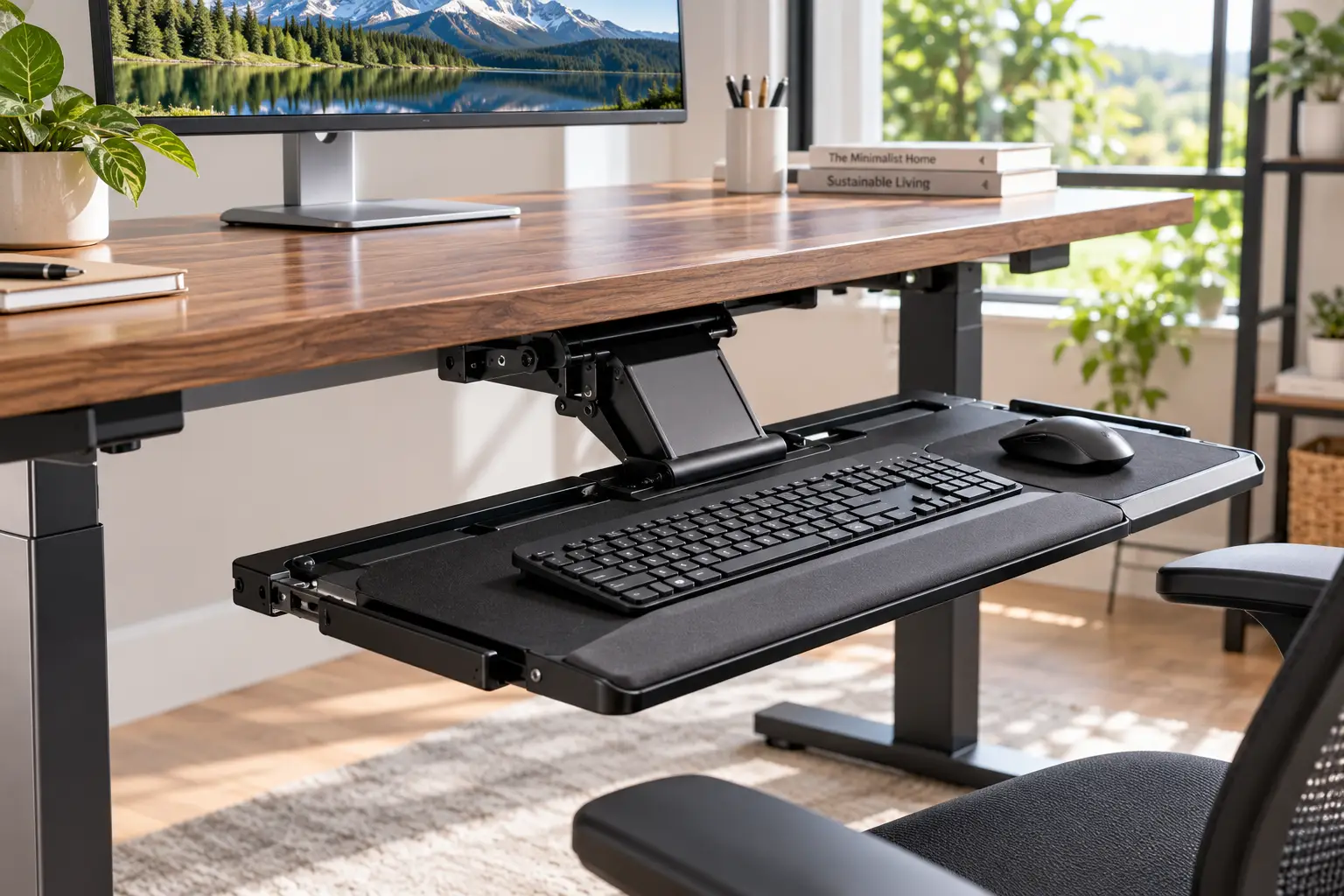
A sit stand keyboard tray is an adjustable platform, usually mounted under your desk or built into a desk converter, that holds your keyboard and mouse at or slightly below elbow height whether you’re sitting or standing. Most good models also tilt the keyboard slightly away from you, keeping your wrists straight instead of bent back.
Here’s the thing most people discover the hard way: buying a standing desk doesn’t automatically fix your typing posture. Your monitor wants to be high. Your hands want to be low. A single flat desktop can’t serve both masters, so something gives — usually your shoulders, your neck, or your wrists. That’s exactly the gap a sit stand keyboard tray fills.
The idea isn’t new. Ergonomists have pushed separating the keyboard from the work surface for decades, and the modern standing desk boom has simply made the problem more visible. When you raise a desk to standing height, a thick desktop plus a tall keyboard can push your hands two or three inches above where your elbows naturally hang. Multiply that by eight hours and you’ve got a recipe for that familiar ache between your shoulder blades.
In this 2026 guide, we compare seven real products available on Amazon — from a sub-$75 drawer to a premium converter with a drop-down keyboard platform. You won’t find invented “I tested this for three weeks” stories here. Instead, you’ll get honest analysis built from spec sheets, published ergonomics guidance, and the patterns that show up consistently in customer reviews. We’ll also cover setup, common mistakes, and how to tell whether you need a tray at all.
Quick Comparison: Best Sit Stand Keyboard Tray Picks at a Glance
| Product | Type | Height Adjustment | Tilt | Approx. Price Range | Best for |
|---|---|---|---|---|---|
| Uncaged Ergonomics KT1 | Lever-arm tray | ~4.5″ below desk to desk level | Neutral to negative | $75–$135 | Uncaged Ergonomics KT1: budget negative tilt |
| HUANUO 360 Adjustable Keyboard Tray | Knob-arm tray | ~6.3″ range | Up to ~22° down | $50–$90 | HUANUO 360: sit-stand on a budget |
| EUREKA ERGONOMIC ERK-AKB-02 | Knob-arm tray | Multi-position | Wide tilt (varies by version) | $100–$150 | EUREKA ERK-AKB-02: full-size gaming setups |
| VIVO MOUNT-KB03B | Articulating tray | ~5″ range | ~22° | $45–$70 | VIVO MOUNT-KB03B: entry-level articulation |
| 3M AKT150LE | Lever-free arm | ~6–6.75″ below desk | +10° to -15° | $250–$330 | 3M AKT150LE: fixed desks, long-term durability |
| Fellowes Office Suites 9140305 | Drawer | 3 fixed settings | None | $40–$75 | Fellowes 9140305: simple keyboard drop |
| Ergotron WorkFit-TX | Converter + tray | Full sit-to-stand | Back-tilt platform | $550–$760 | Ergotron WorkFit-TX: no standing desk yet |
Looking at the table, the dividing line isn’t really price — it’s whether the tray adjusts tilt and height easily enough that you’ll actually use those adjustments every day. The HUANUO 360 Adjustable Keyboard Tray and Uncaged Ergonomics KT1 give you the most ergonomic range for the money, while the Ergotron WorkFit-TX is the only pick here that turns a regular desk into a sit-stand workstation on its own. Meanwhile, the Fellowes Office Suites 9140305 is honest about what it is: a simple drawer, not a fully articulating arm.
💬 One click helps other shoppers make an informed choice too! 😊
Top 7 Sit Stand Keyboard Tray Picks: Expert Analysis
1. Uncaged Ergonomics KT1 — best negative tilt for the money
The Uncaged Ergonomics KT1 exists to deliver the ergonomic “must-haves” without premium-brand pricing.
Its single locking lever lets you raise the keyboard from roughly 4.5 inches below the desk up to desk level and set a neutral or negative tilt in one motion. In practice, that one-lever design matters more than it sounds: trays that need a wrench or several knobs tend to get “set once and forgotten,” which defeats the purpose of a sit-stand setup. The 18.5 x 8.75-inch keyboard panel has non-skid strips, and the separate 7 x 8.75-inch mouse pad attaches on either side. It rides a 16-inch steel track and swivels 360 degrees, then slides fully under the desk.
Based on comparing the specs, this is the pick for someone who wants genuine negative tilt — the posture ergonomists recommend most — on a modest budget. One independent lab review praised its 15° of negative tilt and stability but flagged that it falls short of premium trays in refinement.
Reviews consistently report sturdy construction and an easy lever, while a common complaint is that the keyboard panel is narrow for full-size keyboards with a numpad.
Pros:
- ✅ Single lever adjusts height and tilt together
- ✅ True negative tilt for neutral wrists
- ✅ Steel construction feels stable while typing
Cons:
- ❌ Keyboard panel is narrow for wide keyboards
- ❌ Only a one-year warranty
Expect roughly $75–$135 depending on retailer — strong value if negative tilt is your priority.
2. HUANUO 360 Adjustable Keyboard Tray — widest sit-stand range under $100
The HUANUO 360 Adjustable Keyboard Tray is built around one headline number: about 6.3 inches of height adjustment.
Why does that matter? If your tray is mounted under a standing desk, it rides up and down with the desk — but your ideal keyboard drop below the desktop isn’t always identical sitting versus standing, especially if you wear different shoes or use an anti-fatigue mat. That 6.3-inch window gives you room to fine-tune. The 25 x 9.84-inch platform fits most full-size keyboards plus a mouse, a padded wrist rest is included, and listings describe tilt of up to roughly 22 degrees downward along with full swivel.
On paper, this makes it the most well-rounded budget option for people who already own an electric standing desk and want to drop their hands a couple of inches. It’s especially well-suited to people whose desktops sit too high for their seated elbow height.
Reviews consistently praise the height range and value; the most common gripe concerns the adjustment knobs, which some buyers find fiddly and need to retighten over time.
Pros:
- ✅ Generous height range for sit-stand fine-tuning
- ✅ Platform fits keyboard and mouse together
- ✅ Wrist rest included out of the box
Cons:
- ❌ Knob adjustments are slower than a lever
- ❌ Some bounce reported at the platform edges
Typically $50–$90 — arguably the best value for standing desk owners.
3. EUREKA ERGONOMIC ERK-AKB-02 — roomiest platform for full-size setups
The EUREKA ERGONOMIC ERK-AKB-02 solves a problem many cheaper trays ignore: space for a full-size keyboard and a mouse with real swing room.
Its carbon-fiber-textured board measures about 28.35 x 10.24 inches, and a raised lip doubles as a wrist rest while stopping the keyboard from sliding when tilted. It swivels 360 degrees and offers height adjustment, but tilt specs vary by listing — some advertise up to 43° of vertical tilt, others 15° — so confirm which version you’re buying. Importantly, its mechanism is designed to fit desks with cross beams, a frequent headache on electric standing desks.
What most buyers overlook: the mounting bracket is about 17.8 inches deep, so your desk needs roughly 20 inches of usable depth underneath. Measure for your desk’s motor and crossbar before ordering.
Reviews consistently describe it as sturdy for the price and a good fit for standing desks that sit too high. Recurring complaints include some bounce at the outer edges and, for some users, the tray hitting their knees when sitting close.
Pros:
- ✅ Large platform fits gaming keyboards and mice
- ✅ Designed to work around desk cross beams
- ✅ Built-in lip supports wrists and keyboard
Cons:
- ❌ Can reduce knee clearance when sitting
- ❌ Adjustment knob draws mixed feedback
Expect around $100–$150 at the time of writing — fair value for big setups.
4. VIVO MOUNT-KB03B — affordable articulation from a trusted mount brand
The VIVO MOUNT-KB03B brings an articulating arm — the feature that separates real keyboard trays from simple drawers — down to an entry-level price.
You get a 25 x 10-inch tray, roughly 5 inches of height adjustment, around 22 degrees of tilt, side-to-side rotation, and forward-back travel on its track. Translation: you can drop the keyboard below the desk, angle it gently away from you, and swing it slightly toward your dominant hand. The 3-year limited warranty is also better than some pricier rivals offer.
There are two catches worth knowing. First, weight capacity is listed at just 4.4 lbs — fine for a standard keyboard and mouse, but not a laptop. Second, VIVO itself notes that on a height-adjustable desk you’ll typically need its MOUNT-SPACER01 bracket to clear the frame crossbar. Factor that into your budget.
This model makes sense for first-time tray buyers who want genuine articulation without spending triple digits.
Reviews consistently highlight the articulating arm as the standout feature, while some users note the tray adds noticeable weight under thinner desktops (VIVO recommends at least 5/8-inch thickness).
Pros:
- ✅ True articulating arm at a budget price
- ✅ Solid 3-year limited warranty
- ✅ Tilt and rotation for personalized positioning
Cons:
- ❌ Low 4.4 lb weight capacity
- ❌ Spacer bracket often needed on standing desks
Usually $45–$70 — excellent value if you only need keyboard and mouse.
5. 3M AKT150LE — built-to-last arm for fixed-height desks
The 3M AKT150LE is the “buy once, keep for a decade” option, backed by a lifetime warranty on the arm and five years on the tray.
Its lever-free “easy adjust” arm works intuitively: tilt the platform up, move it, release, and it locks. Tilt runs from +10° to -15°, and 3M’s spec sheets list roughly 6.75 inches of drop below the mounting surface (one independent lab review measured about 6 inches down and 4 inches of rise above the desk). The keyboard platform slides left and right, and the separate mousing surface works on either side with gel wrist rests included.
Here’s the honest catch: that same lab review concluded it’s not a great fit for most adjustable-height desks, because the 23-inch track often won’t clear standing-desk crossbars. So who’s it for? People with a fixed desk who alternate with a separate standing station, or offices with deep traditional desks.
Reviews consistently praise the smooth, tool-free adjustment and durability; the most common frustration is installation clearance on modern desks.
Pros:
- ✅ Lifetime arm warranty signals long service life
- ✅ Easy one-motion height and tilt adjustment
- ✅ Gel wrist rests and separate mouse surface
Cons:
- ❌ Long track conflicts with many standing desks
- ❌ Premium price for an under-desk tray
Expect $250–$330 — worthwhile mainly for fixed desks and long horizons.
6. Fellowes Office Suites 9140305 — simplest way to drop your keyboard
The Fellowes Office Suites 9140305 is a keyboard drawer, not an articulating tray — and that’s precisely its appeal for some buyers.
It offers three height settings (about 1.75, 2.13, or 2.5 inches below the track), a steel tray around 22 inches wide, ball-bearing glides, and a mouse tray that mounts on either side or stows underneath. It carries a three-year limited warranty. On a standing desk, this drawer rides along with the desktop, so it simply keeps your keyboard a fixed couple of inches lower in both positions.
What the spec sheet doesn’t say, but reviews reveal: changing heights means unscrewing the locks once installed, which buyers describe as a hassle. So treat it as “set and forget.” There’s also no tilt, so you won’t get negative slope.
It’s best for budget buyers whose only problem is that the desktop is an inch or two too high, or who want to reclaim desk space.
Reviews consistently praise the retractable mouse tray and easy fit, while common complaints are the fiddly height change and no backstop.
Pros:
- ✅ Very affordable way to lower your keyboard
- ✅ Mouse tray stows away when not needed
- ✅ Smooth ball-bearing glide tracks
Cons:
- ❌ No tilt adjustment at all
- ❌ Changing height requires tools after installation
Generally $40–$75 — good value for simple needs, not for ergonomic fine-tuning.
7. Ergotron WorkFit-TX — sit-stand converter with a drop-down keyboard
The Ergotron WorkFit-TX is the premium answer for people who don’t own a standing desk yet and don’t want to replace their current one.
It sits on top of your existing desk and lifts monitors up to 30 inches (10–40 lbs total) alongside a height-adjustable, back-tilt keyboard platform that drops below the worksurface. That’s the key detail. Many cheap converters put the keyboard on the same level as the monitor shelf, which leaves your hands too high when seated. The WorkFit-TX’s ultra-low profile keeps both seated and standing positions closer to ergonomic guidance. It’s backed by a five-year warranty, and Ergotron sells a deeper 27.8-inch-wide keyboard tray accessory if the stock platform feels tight.
The trade-offs: it weighs around 58 lbs, takes up real desk footprint, and costs as much as many full electric desks.
Customer reviews on reseller sites consistently praise the low seated height and the drop-down keyboard as the reason they chose it over other converters.
Pros:
- ✅ Turns any desk into a sit-stand station
- ✅ Keyboard drops below desk height when seated
- ✅ Five-year warranty and smooth lift mechanism
Cons:
- ❌ Heavy and bulky on smaller desks
- ❌ Priced near full standing desks
Expect $550–$760 — premium, but the cleanest all-in-one sit-stand solution here.
Full Head-to-Head Comparison of All 7 Trays
| Product | Platform Size | Mounting | Warranty | Review Sentiment | Best for |
|---|---|---|---|---|---|
| Uncaged Ergonomics KT1 | 18.5″ x 8.75″ + 7″ mouse pad | 16″ track | 1 year | Stable; narrow panel | Uncaged Ergonomics KT1: negative-tilt seekers |
| HUANUO 360 Adjustable Keyboard Tray | 25″ x 9.84″ | Track, under desk | Check listing | Great range; fiddly knobs | HUANUO 360: standing desk owners |
| EUREKA ERGONOMIC ERK-AKB-02 | 28.35″ x 10.24″ | Beam-compatible bracket | Check listing | Sturdy; knee clearance issues | EUREKA ERK-AKB-02: large keyboards |
| VIVO MOUNT-KB03B | 25″ x 10″ | Track (spacer for desk frames) | 3 years | Articulation praised | VIVO MOUNT-KB03B: first-time buyers |
| 3M AKT150LE | Keyboard + separate mouse platform | 23″ track | Lifetime arm / 5-year tray | Durable; install clearance | 3M AKT150LE: fixed desks |
| Fellowes Office Suites 9140305 | ~22″ wide drawer | Screw-mounted track | 3 years | Simple; tools to adjust | Fellowes 9140305: tight budgets |
| Ergotron WorkFit-TX | Back-tilt platform (deep option 27.8″) | Desktop converter | 5 years | Low profile praised | Ergotron WorkFit-TX: no standing desk |
The table reveals a pattern worth noticing: warranty length tracks closely with how often you’ll touch the adjustments. The 3M AKT150LE and Ergotron WorkFit-TX are designed for daily movement over many years, while budget picks like the HUANUO 360 Adjustable Keyboard Tray work best when you dial in a position and mostly leave it. If you have an electric standing desk, the EUREKA ERGONOMIC ERK-AKB-02 and VIVO MOUNT-KB03B are the most crossbar-friendly choices — just measure first.
✨ Don’t miss the right fit for your workspace!
🔍 Take your standing desk setup to the next level with this carefully curated lineup. Click a highlighted product to check current pricing and availability — the right tray can make long workdays noticeably easier on your shoulders and wrists!
How to Set Up Your Sit Stand Keyboard Tray (Your First 30 Days)
Buying the tray is the easy part. Setting it up correctly is where the benefit actually happens.
Step 1: Measure before you drill
Sit in your chair with feet flat and shoulders relaxed. Let your arms hang, then bend your elbows to about 90 degrees. Measure from the floor to the underside of your forearm — that’s your seated target. Repeat standing, in the shoes you usually wear. Compare both numbers to your desk height.
Step 2: Find your mounting zone
Check under the desk for crossbars, motors, cable trays, and drawers. Note the track length and bracket depth of your tray and confirm everything clears through the desk’s full travel.
Step 3: Set height first, tilt second
Raise or lower the platform until your fingers rest on the home row with your forearms roughly parallel to the floor or angled slightly down. Then tilt the keyboard gently away from you until your wrists are straight.
Step 4: Position the mouse at the same level
A perfect keyboard with a mouse perched up on the desk recreates the reach problem. Keep it beside the keyboard, at the same height.
Common mistakes in the first 30 days
- ✅ Re-check screw tightness after week one — wood compresses.
- ✅ Expect negative tilt to feel odd for a few days; that’s normal.
- ❌ Don’t skip re-adjusting when you switch to standing.
- ❌ Don’t flip out the keyboard’s rear feet — it undoes negative tilt.
Give yourself two weeks before judging comfort. Most adjustment awkwardness fades quickly once your muscle memory catches up.
Real-World Scenarios: Matching the Right Tray to You
Specs only matter in context. Here are three common profiles and the reasoning behind each match.
🖥️ The remote worker with an electric standing desk
Budget: under $100. Use: 8+ hours daily, switching positions 3–4 times. Your desk already handles sit-to-stand, but the thick desktop puts your hands too high when seated. The HUANUO 360 Adjustable Keyboard Tray is the natural fit: its 6.3-inch range lets you fine-tune each position, and it rides along with the desk. If you use a full-size mechanical keyboard plus a big mouse pad, step up to the EUREKA ERGONOMIC ERK-AKB-02 for the extra platform width — after measuring your crossbar.
🏢 The office worker at a traditional fixed desk
Budget: flexible, company-reimbursed. Use: all-day seated typing, occasional standing at a separate counter. Here durability and smooth adjustment matter more than sit-stand range. The 3M AKT150LE shines on a fixed desk, and its lifetime arm warranty makes it easy to justify on an expense report. For a tighter budget, the Uncaged Ergonomics KT1 delivers the same core benefit — negative tilt below desk height.
🎓 The renter or student who can’t replace their desk
Budget: moderate. Use: 4–6 hours daily, wants to stand some of the day. If drilling is off-limits or you don’t own a standing desk, the Ergotron WorkFit-TX is the cleanest path because it sits on top of any sturdy desk. If that’s out of budget, start with a fixed-desk tray like the VIVO MOUNT-KB03B and add standing time later.
The thread connecting these? Match the tray to your desk first, your body second, and your budget third.
Problem → Solution: Fixing Common Keyboard Tray Annoyances
Even well-chosen trays create a few predictable headaches. Here’s how to solve the most common ones.
Problem 1: The tray bounces while you type
Solution: Tighten all mounting screws and the arm’s tension knob, then shorten how far the tray extends. Bounce is worst at full extension. Trays with steel arms, such as the Uncaged Ergonomics KT1, tend to resist this better than lighter designs.
Problem 2: Your knees hit the tray when sitting
Solution: Lower your chair slightly and raise the tray to the highest height that still keeps your elbows comfortable, or pull the tray further out. Some users with the EUREKA ERGONOMIC ERK-AKB-02 solve this by mounting the bracket closer to the desk’s front edge.
Problem 3: The tray won’t clear your standing desk frame
Solution: Use a manufacturer spacer bracket. VIVO’s MOUNT-SPACER01 exists exactly for this when installing the VIVO MOUNT-KB03B on height-adjustable frames. If no spacer exists, consider a converter like the Ergotron WorkFit-TX instead.
Problem 4: Your mouse feels too far away
Solution: Move the mouse platform to sit flush with the keyboard, or switch to a compact tenkeyless keyboard to shorten your reach.
Problem 5: Wrists still ache after setup
Solution: Check for positive tilt — keyboard feet raised or the tray angled toward you. Flatten it, then add a small negative angle. If pain persists, see a healthcare professional; equipment helps posture, but it can’t diagnose conditions.
How to Choose a Sit Stand Keyboard Tray
Use these seven steps to narrow your options quickly:
- Measure your elbow height, sitting and standing. This tells you how far below the desktop the keyboard needs to drop — the single most important number.
- Inspect what’s under your desk. Crossbars, motors, and drawers decide which track lengths and bracket depths will physically fit.
- Prioritize negative tilt. A tray that slopes the keyboard slightly away from you keeps wrists straight; positive tilt does the opposite.
- Check the height range against your measurements. A wider range, like the HUANUO 360 Adjustable Keyboard Tray‘s 6.3 inches, gives you room to fine-tune.
- Size the platform for your actual gear. Full-size keyboards plus a mouse need roughly 25 inches or more of width.
- Prefer quick adjustment. Levers and easy-adjust arms get used daily; knobs requiring tools often get ignored.
- Read the weight capacity and warranty. Low capacity limits what you can place on the tray; long warranties signal sturdier mechanisms.
For a deeper reference on where your keyboard should sit, OSHA’s Computer Workstations eTool on keyboards notes that a keyboard tray may be needed when the desk or chair can’t be adjusted properly — and that it should be adjustable in height and tilt while leaving enough leg and foot clearance. Those two conditions alone eliminate a surprising number of products.
Keyboard Tray for Standing Desk vs Desk Converter vs Desk Alone
There are three common ways to type comfortably both sitting and standing. Each has a real place.
| Setup | Seated Ergonomics | Standing Ergonomics | Cost | Best for |
|---|---|---|---|---|
| Standing desk alone | Good only if desk reaches elbow height | Good | $$–$$$ | Thin desktops, average-height users |
| Standing desk + keyboard tray | Excellent with negative tilt | Excellent | $$–$$$ | HUANUO 360 or EUREKA ERK-AKB-02 owners |
| Desk converter with drop-down tray | Very good | Very good | $$$ | Ergotron WorkFit-TX buyers keeping their desk |
| Fixed desk + articulating tray | Excellent | Not applicable | $–$$ | 3M AKT150LE or Uncaged Ergonomics KT1 users |
The table makes one counterintuitive point clear: a standing desk on its own can be enough. If your desk can lower to your seated elbow height and your desktop is thin, adding a keyboard tray for standing desk use may just eat your leg room. But most desks bottom out around 25–29 inches, and many people need their keyboard lower than that while seated — which is where a tray earns its keep.
Desk converters are the middle ground. Cheaper converters often place the keyboard deck too high, so look specifically for drop-down designs like the Ergotron WorkFit-TX. And if you rarely stand, a fixed desk with a quality articulating tray delivers the best seated posture per dollar.
Negative Tilt Keyboard Tray: Features That Actually Matter (and Ones That Don’t)
Marketing copy loves to list features. Here’s how to separate signal from noise.
✅ Features that matter
- Negative tilt. Cornell University’s ergonomics research describes the ideal typing posture as one with the keyboard below seated elbow height and its base gently sloped away from you. A negative tilt keyboard tray makes that possible; a flat drawer can’t.
- Height adjustability that’s easy to use. If you won’t adjust it, the range doesn’t matter.
- Stability. A tray that wobbles breaks your typing rhythm.
- Mouse placement. The mouse should sit beside and level with the keyboard.
❌ Features that matter less than you think
- Built-in phone holders and headset hooks. Handy, but irrelevant to posture.
- Extreme tilt numbers. Beyond roughly -15°, most people won’t use the extra range; check how easily you can set a modest angle instead.
- 360-degree swivel. Nice in shared offices, but most users stay centered.
- “Gaming” branding. A good tray is a good tray.
Interestingly, Cornell’s same research notes that conventional keyboard trays angled upward haven’t been shown to substantially improve wrist posture. In other words, the tray itself isn’t magic — the negative slope is what does the work.
Common Mistakes to Avoid When Buying an Adjustable Keyboard Tray
Most returns come from a handful of avoidable errors.
Mistake 1: Ignoring your desk’s underside
Standing desk frames, motors, and crossbars block long tracks. The 3M AKT150LE‘s 23-inch track, for example, often conflicts with adjustable-height frames.
Mistake 2: Buying a drawer when you need an arm
A drawer like the Fellowes Office Suites 9140305 lowers your keyboard but can’t tilt it. If wrist angle is your concern, you need an articulating arm.
Mistake 3: Overlooking platform size
Measure your keyboard and your mouse movement area. A narrow panel forces your mouse out wide, which reintroduces shoulder strain.
Mistake 4: Forgetting desktop thickness
Some trays need a minimum thickness — VIVO recommends at least 5/8 inch for the VIVO MOUNT-KB03B — or screws won’t hold securely.
Mistake 5: Assuming a converter will fix seated posture
Many converters put the keyboard too high for sitting. Look for drop-down keyboard designs.
Mistake 6: Treating it as set-and-forget
An adjustable keyboard tray only pays off if you adjust it. Choose a mechanism you’ll actually touch every time you switch positions.
Cornell’s workstation design guide sums up the stakes neatly: poorly designed trays can bounce, restrict leg clearance, or allow upward angles that increase wrist extension. Each mistake above maps directly onto one of those risks.
Long-Term Cost and Maintenance
A tray’s sticker price tells only part of the story. Here’s how cost of ownership looks across the lineup.
| Product | Upfront Range | Warranty | Likely Extra Costs | Long-Term Value |
|---|---|---|---|---|
| Fellowes Office Suites 9140305 | $40–$75 | 3 years | None typical | Good for basic needs |
| VIVO MOUNT-KB03B | $45–$70 | 3 years | Spacer bracket for standing desks | Very good |
| HUANUO 360 Adjustable Keyboard Tray | $50–$90 | Check listing | Possible knob retightening | Very good |
| Uncaged Ergonomics KT1 | $75–$135 | 1 year | None typical | Good |
| EUREKA ERGONOMIC ERK-AKB-02 | $100–$150 | Check listing | Longer screws on thin desks | Good |
| 3M AKT150LE | $250–$330 | Lifetime arm / 5-year tray | None typical | Excellent over 10+ years |
| Ergotron WorkFit-TX | $550–$760 | 5 years | Optional deep keyboard tray | Excellent if replacing a desk purchase |
The numbers suggest an interesting split. Spread over a decade, the 3M AKT150LE‘s higher price can work out to only a few dollars more per year than a budget tray you might replace twice. On the other hand, if you’ll move apartments or desks frequently, a lower-cost tray like the VIVO MOUNT-KB03B minimizes your risk.
Maintenance checklist
- ✅ Tighten mounting screws every 3–6 months.
- ✅ Wipe tracks and glides to prevent grit buildup.
- ✅ Check arm tension if the tray starts drooping.
- ✅ Replace worn wrist rests rather than the whole tray.
Small habits like these keep a mid-range tray feeling solid for years.
Safety, Standards, and Workplace Guidance
Keyboard trays aren’t regulated like electrical appliances, so there’s no UL listing to look for on a purely mechanical tray. That puts the burden on you to judge safety through installation and setup.
Mounting safety
- Use the correct screw length for your desktop — too long and screws can poke through the surface; too short and the tray can pull loose.
- Never exceed the listed weight capacity. The VIVO MOUNT-KB03B, for instance, is rated for just 4.4 lbs on its platform.
- On electric standing desks, run the desk through its full range after installation to confirm nothing pinches cables or collides with the frame.
Workplace guidance
In the US, OSHA doesn’t set a specific keyboard tray standard, but its computer workstation guidance is widely used by employers to evaluate setups. Workplace ergonomics programs commonly cite standing keyboard heights in roughly the mid-30s to high-40s inches from the floor, depending on the user — another reason a tray’s height range matters.
Converters and stability
Desktop converters like the Ergotron WorkFit-TX carry heavy loads above your desk. Confirm your desk can bear the converter plus monitors, and keep the total within the stated 10–40 lb capacity.
If you have an existing condition such as carpal tunnel syndrome, talk with a doctor or occupational therapist before relying on equipment alone.
FAQs
❓ Do I need a sit stand keyboard tray if I already have a standing desk?
❓ Can you install an under desk keyboard tray on an electric standing desk?
❓ What's the best keyboard tray for standing desk users on a budget?
❓ Is a keyboard drawer the same as an adjustable keyboard tray?
❓ How much weight can a sit stand keyboard tray hold?
Conclusion: Your Wrists Will Thank You
A sit stand keyboard tray isn’t the flashiest upgrade in a home office, but it might be the one that matters most once you’ve spent real money on a standing desk. The core idea is simple: keep your keyboard at or slightly below elbow height, slope it gently away from you, and make adjusting it easy enough that you actually do.
If you own an electric standing desk and want the best value, start with the HUANUO 360 Adjustable Keyboard Tray. Need more space for a full-size keyboard? The EUREKA ERGONOMIC ERK-AKB-02 is worth measuring for. Working on a fixed desk? The Uncaged Ergonomics KT1 delivers negative tilt affordably, while the 3M AKT150LE is the long-haul investment. First-time buyers can try the VIVO MOUNT-KB03B, budget minimalists can grab the Fellowes Office Suites 9140305, and anyone without a standing desk should seriously consider the Ergotron WorkFit-TX.
Whichever you choose, measure twice, mount once, and give yourself two weeks to adjust.
🚀 Ready to upgrade your workspace?
🔍 Click any highlighted product above to check current pricing and availability. The right sit stand keyboard tray turns long days at the desk into something your shoulders, neck, and wrists can actually live with!
Recommended for You
- Ergonomic Standing Chair: 7 Best Picks That Save Your Back (2026)
- Sit and Stand Desk Legs: 7 Best Frames Worth Buying in 2026
- Standing Desk for Tall People: 7 Best Picks That Fit in 2026
Disclaimer: This post contains affiliate links. As an Amazon Associate, I earn from qualifying purchases made through these links, at no additional cost to you.
✨ Found this article helpful? Share it with someone who needs it! 💬🤗