
In This Article
Shopping for a wood standing desk with drawers can feel like wading through a swamp of near-identical product listings, all promising “premium wood” and “ample storage” without telling you much of anything useful. If you’ve spent any time scrolling Amazon search results, you already know the problem: dozens of desks that look almost the same in the thumbnail, wildly different price tags, and vague marketing copy that never quite explains what you’re actually getting for your money.
A wood standing desk with drawers solves two home-office headaches at once. It lets you switch between sitting and standing throughout the day — something the Mayo Clinic and other health researchers have linked to real benefits for people who sit for long stretches — and it gives you a place to stash cables, chargers, notebooks, and the general clutter that piles up on any desk within about a week of setup. The “wood” part matters too, both aesthetically (a warm oak, walnut, or bamboo desktop reads very differently than a slab of gray laminate) and practically, since genuine hardwood and bamboo tops tend to resist dents and wear better than cheap veneer over particleboard.
In this guide, we researched seven real, current standing desks with drawers that you can find on Amazon right now, spanning true entry-level budget builds up through genuine solid-wood premium desks. We’ll walk through what each one actually offers, where the marketing oversells things, how to think about wood type versus price, and how to avoid the mistakes that lead to a wobbly desk or a drawer that jams within a month. This article contains affiliate links, and as an Amazon Associate we may earn from qualifying purchases — more on that at the end.
What Is a Wood Standing Desk With Drawers?
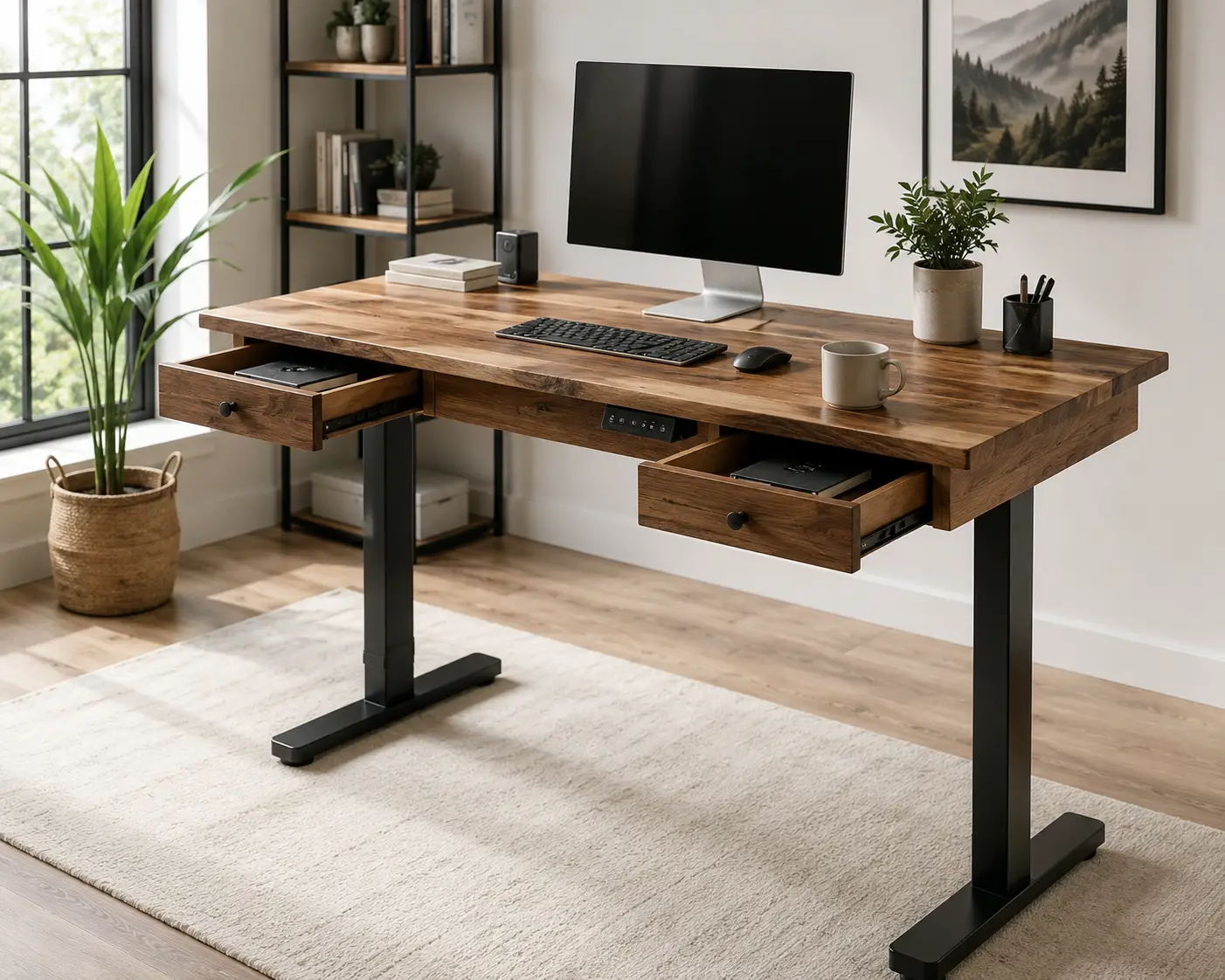
A wood standing desk with drawers is a height-adjustable desk — usually electric, sometimes manual — with a desktop made from real hardwood, bamboo, or a wood-look laminate, paired with one or more built-in or attachable drawers for storage. The “wood” designation covers a spectrum: some desks use genuine solid hardwood slabs, others use a thin wood veneer over engineered board, and a few use durable laminate finishes designed to mimic reclaimed wood or maple grain. Understanding which category a specific desk falls into is the single most important thing to check before you buy, since price and durability both track closely with that distinction.
Furniture stability matters here too. While the Consumer Product Safety Commission’s tip-over rules were written primarily for dressers and clothing storage units, the underlying engineering logic — wide bases, low centers of gravity, weight-tested drawers — is the same reasoning that goes into a well-built standing desk frame. It’s a useful mental model to keep in the back of your mind as you compare options.
Quick Comparison: Top Wood Standing Desks With Drawers at a Glance
| Desk | Desktop Material | Height Range | Weight Capacity | Best For |
|---|---|---|---|---|
| FEZIBO 48×24 Standing Desk | Engineered wood, rustic laminate | ~27.4″–46.1″ | 176 lbs | Tightest budget |
| FlexiSpot Comhar 48″ | Bamboo-finish laminate | ~28″–47″ | ~100 lbs | Simple, compact setups |
| SHW 48-Inch Standing Desk | Maple/Walnut/Oak veneer | 28″–45″ | ~110–160 lbs | Reliable mid-budget pick |
| Branch Duo Standing Desk | MDF, woodgrain laminate | 28″–47.8″ | 275 lbs | Small spaces, style |
| FlexiSpot Q8 Bamboo Desk | 100% solid bamboo | 24″–49.2″ | 220 lbs | Tech-forward home offices |
| Vari Classic (Reclaimed Wood) | Laminate, wood-look finish | ~25″–50.5″ | 200 lbs | Polished, corporate look |
| UPLIFT V2 Solid Wood | Genuine rubberwood, solid | ~25.5″–51″ | Up to 355 lbs (frame) | Long-term investment |
Looking at the table above, the FEZIBO 48×24 Standing Desk wins on raw affordability if you just need drawers and don’t care about desktop material, while the UPLIFT V2 Solid Wood desk sits at the opposite end for buyers who want an actual hardwood surface built to outlast several apartments. If organization is the priority over desktop authenticity, the Branch Duo Standing Desk splits the difference nicely with its felt-lined drawer accessory and compact frameless design.
💬 Bookmark this page — you’ll want to compare these seven side by side before you commit to one.
Our Top 7 Wood Standing Desks With Drawers for 2026
We picked these seven to cover the full range a shopper actually encounters: rock-bottom budget builds, dependable mid-range options, and genuine solid-wood desks for people who plan to keep their desk for a decade. Every price below is a range, not a locked-in figure — check the current listing for exact pricing at the time you buy.
1. FEZIBO 48×24 Standing Desk with 4 Drawers — most storage per dollar
If your main complaint about desks is “there’s nowhere to put anything,” the FEZIBO answers that directly with four separate drawers built into the frame. The rustic brown top is an engineered-wood laminate rather than solid hardwood, but FEZIBO notes the deskboard is FSC certified, meaning the wood fiber inside traces back to responsibly managed forests — a detail that matters if sourcing is part of your buying criteria. The electric motor moves the desktop through roughly a 27″ to 46″ range with anti-collision technology that nudges the desk back a couple centimeters if it meets an obstacle mid-lift, and memory presets let you save your preferred sitting and standing heights so you’re not eyeballing it every day.
This is a strong fit for students, side-hustlers, or anyone furnishing a first home office who needs a lot of small-item storage — pens, chargers, notebooks, the odd fidget toy — without paying premium prices. It’s a weaker fit if you’re precious about desktop authenticity, since the 176-pound weight capacity and engineered-wood build are clearly budget-tier engineering rather than furniture-grade construction. As with most desks in this price bracket, expect feedback to lean positive on storage capacity and overall value, with occasional notes about drawer glide smoothness — it’s worth reading the most recent buyer reviews on the listing before you check out, since manufacturing quality on budget furniture can shift between production runs.
Pros:
- ✅ Four separate drawers for genuinely serious storage
- ✅ FSC-certified wood fiber in the desktop
- ✅ Anti-collision motor technology at a budget price point
Cons:
- ❌ Laminate top, not solid or veneer hardwood
- ❌ 176 lb capacity is on the lower end for the category
The FEZIBO typically lands in the $180 to $260 range depending on color and drawer configuration — for buyers who weight storage above all else, it’s tough to beat on pure value.
2. FlexiSpot Comhar 48″ Standing Desk with Drawer — best for compact, no-fuss setups
The Comhar’s bamboo-finish top and black legs give it a clean, minimalist look that fits into apartments and shared spaces without dominating the room. A single embedded drawer slides out from beneath the desktop, which keeps the profile simpler than multi-drawer competitors — good if you find four drawers more clutter-prone than helpful. FlexiSpot built in both USB-C (45W) and USB-A charging ports, plus a child lock feature that prevents the desk from moving when little hands are around, a small but genuinely useful touch for home offices doubling as family spaces.
What most buyers overlook with single-drawer desks like this one is that the simplicity is the point: less to assemble, less to break, and a lower learning curve for anyone new to electric desks. The Comhar is well suited to renters, minimalists, and anyone setting up a laptop-and-monitor station rather than a multi-device command center. Its 100-pound weight capacity, however, means it’s not the desk for stacking a tower PC, two monitors, and a printer on top — that’s where you’d want to look further up this list. Aggregated feedback on FlexiSpot’s Comhar line consistently highlights quick assembly and quiet motor operation, with the more common critique being that the drawer itself is shallow — fine for cables and stationery, less useful for bulkier supplies.
Pros:
- ✅ Fast 45W USB-C charging built into the frame
- ✅ Child lock feature for family-friendly homes
- ✅ Compact footprint fits small rooms easily
Cons:
- ❌ 100 lb weight capacity limits heavier setups
- ❌ Single drawer offers less storage than multi-drawer rivals
Expect to pay somewhere in the $230 to $300 range. For a tidy single-monitor setup, this is a sensible, low-drama choice.
3. SHW 48-Inch Electric Standing Desk with Drawer — the dependable budget-to-mid workhorse
SHW has built a reputation as the value alternative to pricier brands, and the 48-inch drawer model backs that up with a genuinely functional feature set: a large LED height display, three memory presets, a cable management tray, and a drawer with adjustable interior compartments so you’re not just tossing loose items into an empty box. The desktop comes in maple, walnut, oak, black, or white finishes, and while these are wood-look veneers rather than solid slabs, the color options let you match an existing room’s furniture more easily than most competitors.
Based on comparing the specs against similarly priced rivals, the SHW’s real strength is consistency — reviewers and independent comparison sites describe the motor as quiet with steady, predictable transitions between heights, and the steel-frame construction is built to minimize wobble at standing height, which is where cheaper desks tend to fall apart. It’s a smart pick for anyone who wants a “just works” desk without paying for brand-name extras like wireless charging or app connectivity. The tradeoff is that SHW doesn’t chase flashy features — you’re getting a solid, unglamorous desk that does its job.
Pros:
- ✅ Five real finish options to match your room
- ✅ Drawer has genuinely adjustable interior compartments
- ✅ Quiet, steady motor performance reported consistently
Cons:
- ❌ Veneer finish, not solid hardwood
- ❌ Weight capacity varies by finish/frame (verify before buying)
Pricing generally runs $230 to $320 depending on finish. For buyers who want reliability without premium branding, the SHW is one of the safer bets on this list.
4. Branch Duo Standing Desk (Woodgrain Top) — best design-forward pick for small spaces
Branch rebuilt its original standing desk into the frameless Duo, and the redesign specifically created room between the legs for an optional felt-lined drawer — a detail that shows real thought about how people actually use a desk, rather than storage as an afterthought. The woodgrain desktop is a laminated MDF surface, not solid wood, but the finish reads warm and natural in person, and the frameless construction gives you noticeably more legroom than desks with a traditional crossbar. The OLED control panel and reusable threaded inserts (for tool-free reassembly if you move) are small but meaningful upgrades over typical clip-together desk hardware.
Professional reviewers at outlets like TechRadar and Tom’s Guide have praised the Duo’s quiet height adjustment and called the felt-lined drawer accessory a standout for the price, while noting the desk ships with only two memory-height presets — fewer than most rivals — and that full assembly takes longer than the “under 15 minutes” marketing some competitors advertise. It’s a strong choice for studio apartments, small home offices, or anyone who wants their desk to look intentional rather than purely functional. If you want the drawer, budget for it as an add-on rather than assuming it’s bundled with the base desk.
Pros:
- ✅ Frameless design maximizes legroom in tight spaces
- ✅ Felt-lined drawer accessory is genuinely well-built
- ✅ 275 lb lift capacity, high for its size class
Cons:
- ❌ Only two memory height presets
- ❌ Drawer and cable organizer are separate purchases
The base desk runs roughly $500 to $600 depending on size, with the drawer accessory adding another $90 to $100. It’s a mid-range investment that punches above its price in design.
5. FlexiSpot Q8 Bamboo Standing Desk with Drawer — best for tech-heavy home offices
The Q8 is where FlexiSpot leans into genuine bamboo rather than a printed finish — the 55-by-28-inch desktop is described as 100% natural bamboo with a lacquer coating the company says resists scratches, moisture, and insects, which puts it in a different durability tier than the veneer desks lower on this list. What sets the Q8 apart from most drawer-equipped desks, though, is the built-in wireless charging pad alongside USB-A and USB-C ports — a detail that matters if your daily routine involves setting a phone down a dozen times a day without hunting for a cable.
What the spec sheet doesn’t say, but the broader FlexiSpot product line suggests, is that this tier of desk is aimed squarely at people who’ve outgrown a basic sit-stand desk and want the next step up without jumping to boutique furniture pricing. The dual-motor, 3-stage lift and 220-pound weight capacity comfortably support a dual-monitor arm plus a full desktop tower, and the pre-assembled top-and-drawer combination genuinely does cut setup time versus fully flat-packed alternatives. If your workspace revolves around phone-adjacent workflows — video calls, two-factor codes, constant notifications — the wireless charging pad alone may justify the price jump from the entry-level picks above.
Pros:
- ✅ Genuine 100% bamboo desktop, not a printed veneer
- ✅ Built-in wireless charging plus USB-A/C ports
- ✅ 220 lb capacity handles multi-monitor setups comfortably
Cons:
- ❌ Noticeably pricier than FlexiSpot’s Comhar line
- ❌ Larger 55″ footprint won’t suit every room
Expect a price range around $550 to $700. For anyone treating their desk as a genuine tech hub, this is the strongest option under four figures.
6. Vari Classic Electric Standing Desk – Reclaimed Wood — the polished, corporate-office look
Vari built its reputation on desks that look like they belong in a well-funded startup office, and the Classic’s “Reclaimed Wood” finish delivers that aesthetic convincingly — at least from a few feet away. It’s worth being upfront here: independent reviewers have noted that despite the name, this is a contractor-grade laminate finish designed to mimic reclaimed wood grain, not an actual reclaimed-wood slab. Up close, the laminate pattern and light reflection give away the material, though reviewers generally still describe the finish as handsome and the chamfered edges as a nice design touch that most laminate desks skip.
Here’s what to weigh: the desk is tested to ANSI/BIFMA performance standards, backed by a 5-year frame warranty, and rated for 200 pounds — solid numbers for the category — and the T-style legs are widely reported as some of the sturdiest in this price bracket, with minimal wobble even at full standing height. If genuine solid wood matters to you philosophically, look elsewhere on this list; if you want a desk that photographs beautifully on a video call and holds up to daily office use, the Classic remains a reasonable pick, particularly during Vari’s periodic site-wide sales.
Pros:
- ✅ ANSI/BIFMA tested for real-world durability
- ✅ Sturdy T-style legs with minimal high-height wobble
- ✅ Handsome finish that photographs well on video calls
Cons:
- ❌ “Reclaimed wood” is a laminate finish, not real wood
- ❌ Pricier than several genuinely wood-topped competitors
Prices typically range from about $650 to $900 depending on size, occasionally dropping further during sales — always worth checking the current price before buying, since Vari runs frequent promotions.
7. UPLIFT V2 Standing Desk with Solid Rubberwood Desktop — the long-term investment pick
This is the one genuine solid-wood entry on our list, and it shows in both the price and the intended buyer. The dark brown rubberwood desktop is real hardwood rather than veneer or laminate, paired with UPLIFT’s V2 frame — a dual-motor design with an inverted leg structure meant to stay stable even at maximum height, plus a memory keypad and the company’s patent-pending mounting-point system that lets you add accessories, including a drawer, without drilling new holes. UPLIFT backs the frame with a notably long 15-year warranty, which is unusually generous for the category and signals real confidence in the build.
Based on comparing this desk against the rest of the field, the UPLIFT V2 is the pick for buyers who think of a desk as furniture they’ll own for a decade rather than a commodity they’ll replace in three years. Real solid wood does require more care than laminate — expect to occasionally treat the surface and watch for humidity-driven expansion, the same maintenance you’d give any hardwood furniture — but you’re also getting a desktop that can be sanded and refinished rather than one that peels or chips when scratched. Retail listings reference the V2 frame’s history of being recognized as a top pick by major buying-guide publications, though it’s worth confirming any specific accolade is current before treating it as gospel.
Pros:
- ✅ Genuine solid rubberwood desktop, not veneer or laminate
- ✅ Industry-leading 15-year frame warranty
- ✅ Modular mounting system for drawers and other accessories
Cons:
- ❌ Highest price point on this list
- ❌ Solid wood needs more upkeep than laminate finishes
Budget roughly $750 to $1,000 depending on size and drawer accessories — a real investment, but one aimed at buyers who’ve already decided this is their last desk purchase for a while.
How to Choose a Wood Standing Desk With Drawers
Sorting through seven desks is easier once you know which criteria actually matter versus which ones are marketing noise. Here’s the order we’d weigh them in:
- Desktop material first. Decide whether “wood” needs to mean solid hardwood, real bamboo, or whether a convincing wood-look laminate is fine. This single decision eliminates most of the field immediately and sets your realistic price floor.
- Weight capacity against your actual setup. Add up your monitor arm, tower, monitors, and desk accessories, then add a comfortable buffer — don’t buy to the exact limit.
- Drawer configuration. One deep drawer suits minimalists; four smaller drawers suit people who need to sort items by category. Think about how you actually organize a desk today, not how you imagine you might.
- Height range for your body. Check the desk’s minimum and maximum height against your own sitting and standing elbow height — a desk that “fits everyone” often fits no one particularly well.
- Motor and noise level. If you’re on video calls often, a louder motor is a bigger deal than the spec sheet makes it seem; look for desks with reviewers specifically commenting on noise.
- Warranty length. A 5-year warranty and a 15-year warranty aren’t just numbers — they’re a proxy for how confident the manufacturer is in their own build quality.
- Assembly complexity. If you’re setting this up solo, prioritize desks with fewer components and pre-assembled desktops, even if it means a slightly higher price.
Working through this list in order, most buyers find they’ve already narrowed seven options down to two or three before price even enters the conversation.
✨ Ready to compare specs side by side? Scroll back up and check the current price on your top pick before it changes.
Setting Up and Maintaining Your New Wood Standing Desk
Getting a new wood standing desk with drawers from box to functional workspace goes more smoothly with a bit of planning. First, clear a generous work area before you start — most electric desks ship in two or three boxes, and having room to lay out hardware by drawer or panel prevents the classic “wait, which screws go where” scramble. Second, assemble the frame on the floor before attaching the desktop; flipping a fully built desk right-side up is far harder than flipping an empty frame.
Once assembled, calibrate the memory height settings immediately rather than eyeballing your sit and stand positions later — most desks require holding the up/down buttons for a few seconds to enter programming mode, and doing this on day one saves you from re-learning the process weeks in. For genuine wood or bamboo desktops specifically, wipe down the surface with a slightly damp cloth rather than harsh cleaners, and keep the desk out of direct sunlight where possible to reduce fading and warping over time. Laminate and veneer tops are more forgiving here but still benefit from avoiding standing water.
For drawer maintenance, periodically check that drawer slides remain free of dust and debris, especially if your home has pets or lots of foot traffic. A drop of silicone-based lubricant on metal slides once or twice a year keeps most drawers gliding smoothly for the life of the desk. If you notice your desk struggling to reach its previous maximum height or moving unevenly, that’s usually a sign one motor is working harder than the other — often resolved by redistributing weight more evenly across the desktop rather than clustering everything on one side.
Real-World Scenarios: Which Wood Standing Desk With Drawers Fits Your Life?
The remote worker in a studio apartment. If your desk needs to disappear visually into a small living space, the compact footprint and frameless legroom of the Branch Duo Standing Desk or the single-drawer FlexiSpot Comhar make more sense than a wide 55-inch desktop. Budget matters here too — most studio-apartment buyers we’d expect to land in the $250 to $600 range rather than splurging on premium hardwood.
The hybrid employee who’s building a permanent home office. Someone commuting into an office two or three days a week and treating the rest as a genuine workspace benefits from investing once rather than upgrading twice. The UPLIFT V2 Solid Wood desk, with its 15-year warranty and real hardwood top, suits this profile especially well — the higher upfront cost amortizes over years of daily use.
The gamer or streamer who needs power and storage. Multiple monitors, a full tower, peripherals, and a webcam setup call for higher weight capacity and built-in charging. The FlexiSpot Q8 Bamboo Desk, with its 220-pound capacity and wireless charging pad, is purpose-built for exactly this kind of tech-dense setup.
The budget-conscious student or side-hustler. If cash is tight and the priority is simply “somewhere organized to work that isn’t the kitchen table,” the FEZIBO 48×24 Standing Desk delivers the most drawers per dollar without demanding a premium desktop.
Common Mistakes to Avoid When Buying a Standing Desk With Drawers
A surprising number of returns and regrets come down to a handful of repeated mistakes. First, buyers frequently underestimate how much floor and wall clearance an electric desk needs at full standing height — measure your ceiling and any nearby shelving before ordering, not after. Second, people often assume “solid wood” in a product title guarantees a solid slab; as we’ve seen across this list, several desks marketed with wood-adjacent names are actually laminate or veneer, so read the material specification, not just the product name.
Third, buyers sometimes ignore weight capacity until it’s too late, loading a 100-pound-rated desk with a heavy monitor arm, a tower, and a printer, then wondering why the desk struggles to lift smoothly or develops a wobble over time. Fourth, drawer count gets overweighted relative to drawer quality — four flimsy drawers that jam within months are worse than one well-built drawer with smooth metal slides. Finally, many shoppers skip reading the warranty terms entirely, missing the difference between a warranty that covers the full frame and motor versus one that only covers the desktop finish.
Solid Wood vs. Laminate and Engineered Wood Standing Desks
The single biggest fork in the road when shopping this category is solid wood versus laminate or engineered wood, and the differences go well beyond looks. Solid wood desktops — like the rubberwood top on the UPLIFT V2 Solid Wood desk — are cut from actual timber, which means they can be sanded, refinished, and repaired if scratched or dented, much like any piece of hardwood furniture. The tradeoff is weight, cost, and a small amount of ongoing care: solid wood expands and contracts slightly with humidity, and most manufacturers recommend occasional conditioning to keep the surface from drying out.
Laminate and veneer desktops — the category covering the SHW, Branch Duo, and Vari Classic picks above — apply a thin decorative layer over engineered board (MDF or particleboard). This keeps costs down and makes the desktop lighter and easier to ship, and modern laminates have gotten genuinely convincing at mimicking wood grain. The downside is that once the surface layer is damaged, it typically can’t be repaired the way solid wood can; a deep scratch or chip usually means living with it or replacing the desktop. Bamboo, used on the FlexiSpot Q8, sits in its own category — it’s a genuine natural material like solid wood, but it’s harder and more moisture-resistant than most hardwoods, which is part of why it’s become popular for desk surfaces specifically.
If budget allows, real wood or bamboo generally wins on longevity. If budget is the deciding factor, a well-reviewed laminate desk from a reputable brand will still comfortably outlast a cheap desk with poor quality control, regardless of what material sits on top.
What to Expect: Everyday Performance of a Wood Standing Desk
Health researchers have spent years studying what prolonged sitting does to the body, and the findings are part of why standing desks moved from novelty to mainstream office furniture. According to Mayo Clinic guidance on sitting risks, extended sitting has been linked to obesity, elevated blood pressure, and higher blood sugar, and people who sit more than eight hours a day with little physical activity face health risks comparable to those associated with smoking or obesity. Simply owning a standing desk doesn’t undo all of that on its own — the same Mayo Clinic guidance notes it isn’t fully clear whether standing alone, without added movement, meaningfully lowers those risks — but a height-adjustable desk at least removes the friction that keeps most people locked in one position for hours at a stretch.
Day to day, the biggest quality-of-life difference between a good and mediocre standing desk shows up in the transition itself. A well-built motor moves smoothly and quietly enough that you barely notice it during a video call, while a cheaper motor can be audibly distracting and slower to reach height. Memory presets matter more than most first-time buyers expect — once you’ve dialed in your ideal sitting and standing heights, you’ll use those buttons daily rather than manually adjusting each time, so a desk with unreliable presets becomes a minor daily annoyance. Drawer performance follows a similar pattern: smooth metal slides feel effortless within days, while budget plastic runners can start sticking within the first few weeks of regular use.
Long-Term Cost and Maintenance of a Wood Standing Desk
The sticker price is only part of the total cost of owning a standing desk. Electric desks draw very little power — typically in the range of 150 to 200 watts only while actively adjusting height, dropping to a near-negligible standby draw — so electricity cost is essentially a non-factor over the desk’s lifespan. The bigger long-term cost variable is durability: a $250 laminate desk that needs replacing in three years due to a failing motor or a chipped desktop can end up costing more over a decade than a $750 solid-wood desk backed by a 15-year warranty.
Maintenance costs stay low across the board if you take basic care of the desk — wiping down surfaces, avoiding standing water, and occasionally lubricating drawer slides. Where costs diverge is in repairability. A scratched laminate top is typically a total loss for that surface, while a scratched solid-wood top can often be lightly sanded and re-oiled at home for the cost of a maintenance kit rather than a full desktop replacement. When you’re weighing a $300 gap between two desks, it’s worth mentally amortizing that gap against how many years you expect to keep the desk, not just the upfront number on the listing.
✨ Don’t miss these picks while prices hold! 🔍 Compare the full lineup above and lock in your favorite before availability shifts. A tidy, height-adjustable workspace is one upgrade that pays you back every single day. 🪑
Safety, Regulations, and Standards for Standing Desks
Standing desks aren’t heavily regulated the way, say, cribs or car seats are, but a few standards and safety practices are worth knowing. Desks tested to ANSI/BIFMA performance standards — the Business and Institutional Furniture Manufacturers Association’s benchmark — have been evaluated for structural stability, weight-bearing capacity, and general durability under realistic use conditions; several desks on this list, including the Vari Classic, specifically call out this testing. For homes with young children, the general furniture-stability principles behind the CPSC’s tip-over prevention standards are a useful frame of reference, even though those specific rules target clothing storage units rather than desks: wide, stable bases and properly distributed weight reduce tip risk across furniture categories generally.
On the ergonomics side, the U.S. Department of Labor’s Occupational Safety and Health Administration maintains a computer workstations eTool with practical guidance on positioning your monitor, keyboard, and chair relative to a height-adjustable desk — worth a skim once your new desk arrives, since even a great desk won’t help your posture if the monitor height and keyboard angle are off. Electrically, look for desks whose motors and control panels reference UL or ETL certification in the listing, which indicates independent testing for basic electrical safety, and always plug electric desks directly into a wall outlet or a properly rated power strip rather than daisy-chaining through undersized extension cords.
Your Buyer Decision Framework: Which Wood Standing Desk With Drawers Should You Choose?
If your budget is under $300 and drawers matter more than desktop material, choose a laminate desk like the FEZIBO because you’ll maximize storage per dollar without overspending on a surface you won’t notice day to day. If your priority is a small footprint and design that photographs well on video calls, choose the Branch Duo Standing Desk because its frameless build and felt-lined drawer solve small-space clutter elegantly. If you’re building a serious multi-monitor tech setup, choose the FlexiSpot Q8 Bamboo Desk because its higher weight capacity and wireless charging were built for exactly that use case. If you’ve decided this desk needs to last a decade or more, choose the UPLIFT V2 Solid Wood desk because its genuine hardwood top and 15-year warranty are built around long-term ownership, not a three-year replacement cycle.
Problem → Solution: Fixing Common Wood Standing Desk Drawer Issues
Problem: The drawer sticks or won’t glide smoothly. This is almost always a dust or misalignment issue rather than a defect. Remove the drawer, wipe down the slides, and apply a small amount of silicone-based lubricant to the metal rails before reinstalling.
Problem: The desk wobbles at standing height. Check that all leg bolts were fully tightened during assembly first — this is the most common cause. If the frame is fully tightened and still wobbles, uneven flooring is the next likely culprit; adjustable feet or leveling pads can compensate for minor floor unevenness.
Problem: The desktop finish looks scuffed within weeks. On laminate desks, avoid abrasive cleaners and use a soft microfiber cloth. On solid wood desks like the UPLIFT V2, light surface scuffs can often be buffed out with a wood-conditioning product rather than requiring a full refinish.
Problem: Memory height presets stop working correctly. Most electric desks require a reset procedure after a power interruption or after moving the desk — check the manual for the specific hold-button sequence, since this varies by manufacturer and usually resolves the issue in under a minute.
Problem: The desk is too tall or too short even at its extremes. Double-check the listed height range against your actual sitting elbow height before assuming the desk is defective; some models genuinely aren’t designed for users at the very short or very tall end of the height spectrum, which is worth confirming before purchase rather than after.
Frequently Asked Questions
❓ Is a wood standing desk with drawers better than one without storage?
❓ How much weight can a wood standing desk with drawers hold?
❓ Are solid wood standing desks worth the extra cost?
❓ Do wood standing desks require special maintenance?
❓ Can I add a drawer to a standing desk that doesn't include one?
Conclusion
Choosing among seven wood standing desks with drawers really comes down to answering two questions honestly: how much desktop authenticity actually matters to you, and how long you realistically plan to keep the desk. Budget-friendly laminate options like the FEZIBO and FlexiSpot Comhar solve the storage-and-standing problem without a big financial commitment, mid-range picks like the Branch Duo, SHW, and Vari Classic balance style and durability, and the FlexiSpot Q8 and UPLIFT V2 Solid Wood sit at the top of the list for buyers who want either serious tech capability or a genuine hardwood surface built to last.
None of these are the “wrong” choice in isolation — they’re built for different budgets, different rooms, and different daily habits. What matters is matching the desk’s material, weight capacity, and drawer configuration to how you’ll actually use it, rather than chasing whichever listing has the most convincing photos. Whichever desk you land on, take the time to calibrate your memory presets and check your monitor height once it’s assembled — those five minutes of setup are what actually determine whether you use the standing feature daily or let it collect dust as a very expensive regular desk.
✨ Found your favorite? Check the current price and availability on the listing before you check out — pricing and stock shift often. 💬🤗
Recommended for You
- Adjustable Standing Desk With Storage: 7 Best Picks for 2026
- 7 Best Under Desk Sliding Drawer Picks for a Clutter-Free 2026 Desk
- 6 Screen Monitor Stand: 7 Best Picks for 2026 (Pros & Cons)
Disclaimer: This post contains affiliate links. As an Amazon Associate, I earn from qualifying purchases made through these links, at no additional cost to you.
✨ Found this article helpful? Share it with someone who needs it! 💬🤗