
In This Article
Six monitors sounds excessive until you actually try to trade stocks, monitor a security operations dashboard, or edit a multicam video timeline on a single 27-inch screen. At that point, a 6 screen monitor stand stops being a luxury and starts being the only thing standing between you and a cluttered, chaotic desk. The problem is that most of these hex mounts look nearly identical in product photos, and the specs sheets rarely tell you what actually matters once you’ve got six displays hanging off a single pole.
This guide breaks down seven real, currently available 6 screen monitor stand options, from budget-friendly clamp mounts to gas-spring rigs built for 32-inch panels. You’ll get honest analysis grounded in real specifications and aggregated customer feedback, not recycled marketing copy. We’ll also walk through how weight capacity, VESA compatibility, and desk depth interact so you don’t end up with a stand that’s technically rated for your monitors but wobbles the moment you type. As an Amazon Associate, this article may contain affiliate links, and we’ll flag that clearly again below.
Before diving into the seven picks, it helps to define exactly what this category of hardware is and isn’t, since “monitor stand” gets used loosely across the furniture and electronics aisles.
What Is a 6 Screen Monitor Stand?
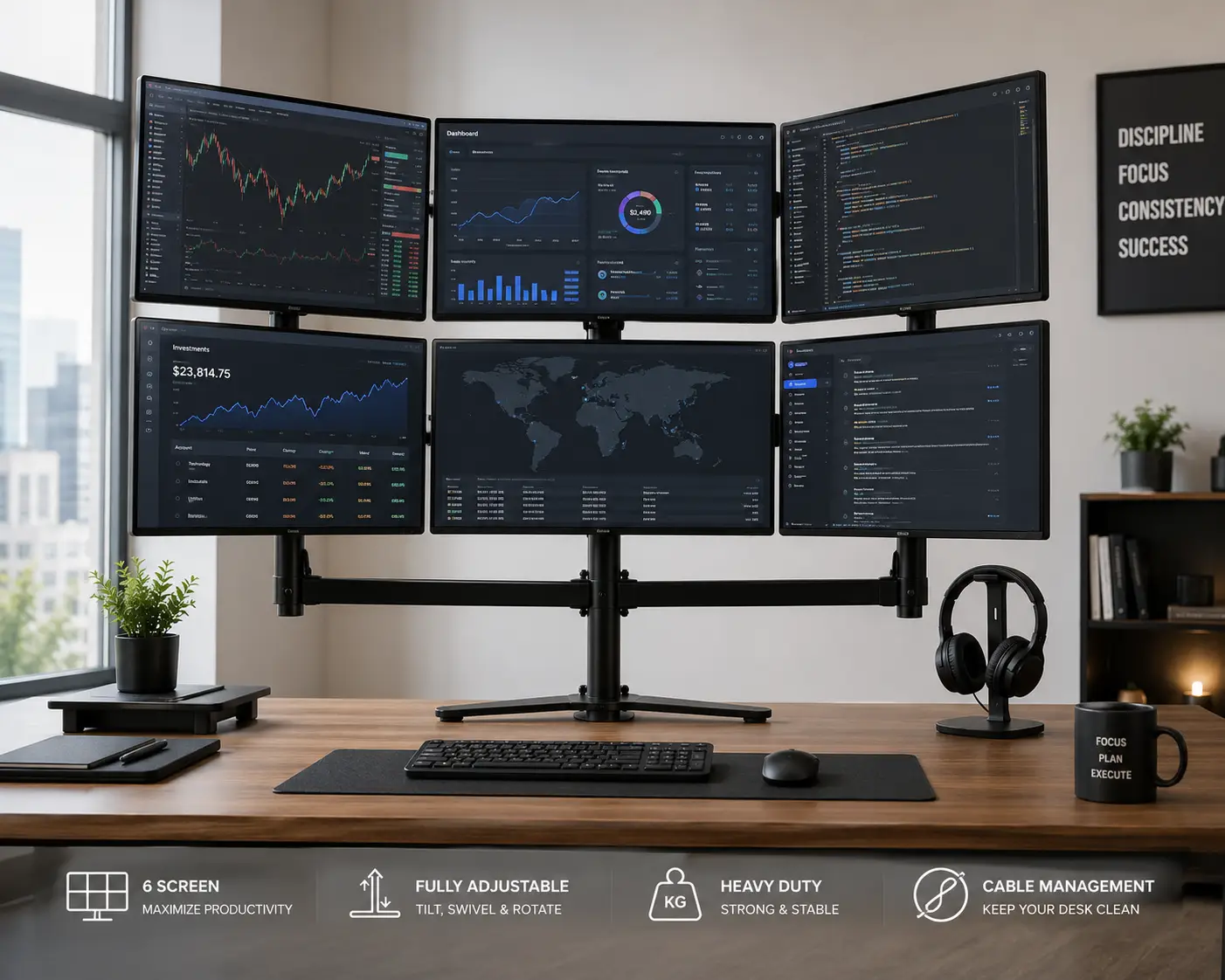
A 6 screen monitor stand (also called a hex monitor mount) is a desk-mounted frame with six independent, VESA-compatible arms or brackets arranged around a central pole, letting six displays be positioned, tilted, and rotated without six separate stands cluttering the desk surface.
Most models attach via a C-clamp or grommet hole, though a handful of freestanding versions sit directly on the desk with a weighted base and need no drilling or clamping at all. Every stand in this guide uses the VESA mounting standard, the industry pattern of four screw holes on the back of a monitor, so compatibility comes down to matching your screens’ VESA pattern (usually 75x75mm or 100x100mm) to the mount rather than the brand of monitor you own.
Quick Comparison: Top 6 Screen Monitor Stand Picks at a Glance
| Stand | Best For | Screen Size Range | Mounting Style |
|---|---|---|---|
| VIVO Hex Monitor Desk Mount | Best overall value | 17″–27″ | Freestanding base |
| Mount-It! MI-756 | Best budget entry point | 13″–24″ | Double C-clamp |
| HILLPORT Hex Six Monitor Desk Mount | Best full-motion articulation | 17″–32″ | C-clamp or grommet |
| VIVO Premium Hex Ultra Wide | Best for large/ultrawide screens | 27″–38″ | Heavy-duty C-clamp |
This shortlist covers the four scenarios most shoppers land in: an all-around setup with standard 24-27″ monitors, a tight budget with smaller screens, a setup that needs heavy-duty gas-spring motion, and a premium build for oversized panels. If none of these four quite fits, the remaining three picks below cover freestanding no-drill setups and extra-tall budget alternatives. Worth noting: weight capacity and screen size range are the two specs that eliminate more options than price does, so start there before you start comparing dollar signs.
💬 Ready to see the full lineup? Scroll down for all seven, with honest pros and cons for each.
The 7 Best 6 Screen Monitor Stands for 2026: Expert Analysis
1. VIVO Hex Monitor Desk Mount (STAND-V006F) — best all-around value
The VIVO Hex Monitor Desk Mount earns the top spot because it hits the sweet spot most shoppers actually need: six arms, a freestanding base, and support for the 24-27″ monitors that dominate home and small-office setups. This model holds screens up to 27 inches and 22 lbs each on standard 75x75mm and 100x100mm VESA patterns, so the vast majority of office and gaming monitors will bolt straight on without an adapter plate.
What the spec sheet doesn’t fully convey is how much the freestanding base changes the setup experience. Because it doesn’t require a C-clamp or grommet hole, you can reposition the whole rig without unscrewing anything from your desk, which matters if you’re in a rental, a shared office, or just someone who rearranges furniture more than once a year. Every joint tightens independently with a hex key, so if one arm starts drifting under the weight of a heavier monitor, you fix that arm specifically instead of loosening the whole array.
Based on comparing this against the other freestanding options in this list, the VIVO stands out for offering full ±15° tilt, ±15° swivel, and 360° rotation per arm, plus portrait/landscape flexibility on every screen — a combination competitors in this price bracket often trim down to save cost. Reviews consistently report that the steel-and-aluminum build feels sturdy for the price, though a common theme in aggregated feedback is that joints benefit from an occasional re-tightening after a few months of daily repositioning, which is normal wear for any multi-arm mount rather than a defect specific to this model.
Pros:
- ✅ Freestanding base needs no drilling or clamping
- ✅ Independently tightening joints for long-term stability
- ✅ Supports portrait and landscape on all six arms
Cons:
- ❌ Maxes out at 27″ screens, too small for larger panels
- ❌ Joints may need periodic re-tightening over time
Expect to find the VIVO Hex Monitor Desk Mount priced in the $130-$180 range at the time of writing, though prices may vary — check the current price before buying. For six-monitor coverage without a drill or a premium price tag, this is a strong value pick.
2. Mount-It! MI-756 Six Monitor Stand — best budget entry point
The Mount-It! MI-756 is the pick for anyone who wants six screens without spending premium-mount money, and its double C-clamp base is the detail that makes the budget positioning work. Rather than relying on a single point of contact, the double clamp spreads the load across two grip points on the desk edge, which measurably reduces the wobble that plagues cheaper single-clamp hex mounts once all six monitors are loaded.
This model tilts 15 degrees up and down, and the four outer displays swivel a full 360 degrees independently, while the two center screens adjust height along the vertical pole. All six positions rotate between portrait and landscape and lock in place with hardware included in the box, along with an instruction manual that Mount-It! backs with US-based customer support. What that means in practice: if a screen slips out of position, the fix is almost always a quarter-turn on the correct hex bolt rather than a full teardown.
Reviews consistently report that the MI-756 feels well-constructed with a clean finish and that setup is genuinely straightforward for a six-arm rig, which is not something every budget hex mount can claim. The most common critique in aggregated feedback centers on the middle monitor’s height alignment relative to the outer four, and a handful of buyers note the arm spacing runs narrow for anyone using screens above 21 inches — worth checking against your monitor width before ordering.
Pros:
- ✅ Double C-clamp base resists wobble under full load
- ✅ US-based customer support and included hardware
- ✅ Genuinely budget-friendly for a full six-arm mount
Cons:
- ❌ Middle monitor height can misalign with outer four
- ❌ Arm spacing is tight for screens over 21 inches
The Mount-It! MI-756 typically lands under $150 at the time of writing, making it one of the most affordable ways to get a full hex array — check the current price, since Mount-It! sells several size variants of this same base design.
3. HILLPORT Hex Six Monitor Desk Mount (HLX35JX-6P) — most full-motion articulation
If the first two picks feel too basic for a setup that needs heavier screens and finer positioning, the HILLPORT Hex Six Monitor Desk Mount is built for exactly that gap. Its gas-spring arms support screens from 17 up to 32 inches at nearly 20 lbs per arm, which opens the door to using six mid-size monitors instead of forcing you into the smaller panels most hex mounts top out at.
The gas-spring mechanism is the feature that actually matters here, and it’s worth explaining why: unlike friction-joint arms that rely purely on tightened bolts, gas springs use pressurized cylinders to counterbalance the monitor’s weight, so you can push a 27-inch screen into position with one finger and it holds there without drifting. Combined with ±45° tilt and ±90° swivel per arm plus full 360° rotation, this is meaningfully more adjustable than the budget options above, and the C-clamp-or-grommet mounting kit means it works whether your desk has a pre-drilled cable hole or not.
What most buyers overlook with gas-spring mounts is that the extra articulation comes with a taller footprint — HILLPORT’s center post runs 35.43 inches tall with brackets spaced nearly 30 inches apart, so it needs a wider and deeper desk than the compact freestanding units. HILLPORT backs the build with a 5-year manufacturer warranty and dedicated tech support, a longer coverage window than most competitors in this category offer.
Pros:
- ✅ Gas-spring arms hold position with one-finger adjustment
- ✅ Supports screens up to 32 inches, larger than most hex mounts
- ✅ 5-year warranty backs the steel construction
Cons:
- ❌ Requires a wider, deeper desk than compact freestanding models
- ❌ Higher price point than basic friction-joint mounts
Expect the HILLPORT Hex Six Monitor Desk Mount to sit in the $200-$260 range at the time of writing — check the current price, and confirm your desk depth before ordering given the taller center post.
4. Stand Steady 6 Monitor Mount Desk Setup — best balance of motion and price
The Stand Steady 6 Monitor Mount Desk Setup positions itself between the budget clamp mounts and the premium gas-spring rigs, and that middle-ground positioning is genuinely earned. It accommodates screens from 17 to 32 inches at up to 17.6 lbs each, with detachable VESA mounting plates that make swapping a damaged or upgraded monitor a five-minute job instead of a full reinstall.
Full-motion articulation here means 360° spin, 17° swivel, and 34° tilt per arm, plus a sturdy metal base engineered to resist the shaking and tilting that heavier six-monitor setups are prone to. What that swivel-versus-tilt split means in practice: the more generous tilt range is useful for stacking a monitor in portrait orientation and angling it slightly downward toward eye level, while the tighter swivel range is plenty for the side-to-side adjustments most people actually make day to day. The clamp-on base skips drilling entirely, and built-in cable clips along both the arms and the base pole keep six sets of power and video cables from turning into a rat’s nest.
Reviews consistently report that the metal frame construction looks and feels more premium than the price suggests, and that the mount holds steady once installed. The main friction point in aggregated feedback is that first-time installation of six arms and their VESA plates takes real patience, even though the process itself doesn’t require special tools.
Pros:
- ✅ Detachable VESA plates make monitor swaps quick
- ✅ Built-in cable clips on arms and base pole
- ✅ Sturdy metal base resists shaking under full load
Cons:
- ❌ Initial six-arm setup takes longer than simpler mounts
- ❌ Swivel range is narrower than tilt range
The Stand Steady 6 Monitor Mount Desk Setup generally falls between $150 and $190 at the time of writing — check the current price, as Stand Steady periodically runs bundle pricing with monitor arm accessories.
5. Suptek Hex LED LCD Monitor Stand (MD68126) — lightest on the wallet
For shoppers who want six screens but are working with a genuinely tight budget, the Suptek Hex LED LCD Monitor Stand is the value alternative to the bigger-name brands above. Its defining feature is an extra-tall 31.5-inch pole, which gives it more vertical range than most compact hex mounts and makes it easier to stack monitors at different heights for a layered, wall-of-screens look.
Suptek markets this as a fully adjustable stand for screens up to 27 inches, and the heavy-duty framing follows the same general design language as the pricier VIVO and Mount-It! units: independent arms, tightening joints, and standard VESA compatibility. Here’s what matters in practice — a lesser-known brand at this price point is a reasonable trade when you’re mounting six similarly sized 21-24″ monitors that don’t push the weight limits, but it’s a riskier bet if you’re planning to eventually upgrade to heavier or larger panels down the line, since the resale and long-term parts support for smaller brands tends to be thinner than for established names.
If you cannot verify a deep bench of aggregated customer reviews for a specific model, the honest thing to do is say so rather than invent sentiment — Suptek’s hex stands carry far fewer public reviews than the VIVO or Mount-It! equivalents, so treat this pick as a value-first option backed primarily by its spec sheet and category reputation rather than a large body of verified feedback.
Pros:
- ✅ Extra-tall 31.5″ pole for layered screen heights
- ✅ Lowest price point among the seven picks here
- ✅ Standard VESA compatibility matches most 21-24″ monitors
Cons:
- ❌ Thinner base of verified customer reviews than major brands
- ❌ Less headroom for future monitor upgrades
The Suptek Hex LED LCD Monitor Stand typically runs under $130 at the time of writing — check the current price, and lean toward this pick specifically for uniform, mid-size monitor arrays rather than mixed screen sizes.
6. VIVO Premium Hex Ultra Wide (STAND-TS06C) — built for large and ultrawide displays
Every stand covered so far tops out around 27 or 32 inches, which leaves a real gap for anyone running six large or ultrawide monitors — that’s exactly the gap the VIVO Premium Hex Ultra Wide fills. It’s rated for screens from 27 up to 38 inches, a size range no other stand in this list touches, with a heavy-duty C-clamp base and an extra-tall telescoping pole built to handle the added leverage that bigger panels put on the arms.
The telescoping arm design is the detail worth understanding here: rather than fixed-length arms that force a single depth for all six monitors, telescoping arms let you pull larger screens closer or push them back to preserve the OSHA-recommended 20-to-40-inch viewing distance even when the panels themselves are considerably wider than standard monitors. VIVO also designed this model with a flush wall setup option, useful for anyone building a semi-permanent trading desk or command-center layout where the stand sits close to a wall.
Based on comparing this against the standard-size hex mounts above, the tradeoff is straightforward: you’re paying a premium for capacity most six-monitor shoppers don’t need, so this is the right call specifically for video editors, financial traders running large chart panels, or control-room setups — not for anyone planning to run six ordinary 24-inch office monitors, where a smaller stand does the same job for considerably less.
Pros:
- ✅ Only stand here rated for 27″-38″ large and ultrawide screens
- ✅ Telescoping arms preserve proper viewing distance
- ✅ Flush wall setup option for permanent installations
Cons:
- ❌ Premium price relative to standard-size hex mounts
- ❌ Overkill for anyone using ordinary 24″ monitors
Given the larger build and hardware, the VIVO Premium Hex Ultra Wide typically runs in the $220-$280 range at the time of writing — check the current price, since large-format monitor mounts see more price variation than standard sizes.
7. MonMount Hex 6 Freestanding Monitor Stand (LCD-6490B) — best no-drill freestanding option
Rounding out the list, the MonMount Hex 6 Freestanding Monitor Stand takes a different structural approach than the C-clamp and grommet mounts above: it uses two triple-led mounting brackets attached to a weighted base that sits directly on the desk, with no clamping or drilling required at all. That makes it the most renter-friendly and desk-agnostic pick in this lineup, since it works on any flat surface regardless of thickness or edge access.
Built for screens up to 25 inches, the metal frame construction is designed specifically to counterbalance six monitors’ worth of weight through the base rather than through desk-edge clamping pressure, which is a meaningfully different engineering approach than every clamp-based stand covered above. What this means in practice: the MonMount trades a small amount of maximum screen size (25″ versus 27-32″ on competitors) for a setup that can be moved across a room in one piece without ever touching a screwdriver.
Because this is a freestanding, weighted-base design rather than a desk-clamped one, buyers should verify their desk surface can support the combined static weight of the base and six monitors before finalizing a purchase — a detail more relevant here than on lighter clamp-mounted alternatives. For shoppers prioritizing flexibility and easy relocation over maximum screen size, this remains a solid, honestly-positioned pick to close out the seven.
Pros:
- ✅ Fully freestanding, weighted base needs no clamping
- ✅ Works on any desk regardless of edge thickness
- ✅ Easy to relocate as a complete unit
Cons:
- ❌ Maximum screen size (25″) is smaller than most rivals
- ❌ Desk must support the full weighted-base load directly
Look for the MonMount Hex 6 Freestanding Monitor Stand in the $140-$180 range at the time of writing — check the current price, and confirm your desk’s static weight tolerance if you’re working with a lighter table.
Full Feature Comparison: All 7 Six-Monitor Stands
| Stand | Screen Size | Weight Capacity | Mount Type | Best For |
|---|---|---|---|---|
| VIVO Hex Monitor Desk Mount | 17″–27″ | 22 lbs/arm | Freestanding | Overall value |
| Mount-It! MI-756 | 13″–24″ | Standard duty | Double C-clamp | Tight budgets |
| HILLPORT Hex Six Monitor Desk Mount | 17″–32″ | 19.8 lbs/arm | C-clamp/grommet | Full articulation |
| Stand Steady 6 Monitor Mount | 17″–32″ | 17.6 lbs/arm | Clamp-on | Balanced pick |
| Suptek Hex LED LCD Monitor Stand | Up to 27″ | Standard duty | C-clamp | Lowest cost |
| VIVO Premium Hex Ultra Wide | 27″–38″ | Heavy duty | C-clamp | Large/ultrawide screens |
| MonMount Hex 6 Freestanding | Up to 25″ | Weighted base | Freestanding | No-drill relocation |
Looking at the table above, the split really comes down to screen size and mounting style rather than brand: the HILLPORT Hex Six Monitor Desk Mount and VIVO Premium Hex Ultra Wide cover the two ends of “I need bigger screens,” while the Mount-It! MI-756 and Suptek Hex LED LCD Monitor Stand cover “I need this to cost as little as possible.” Anyone who doesn’t fit neatly into either extreme is usually best served by the VIVO Hex Monitor Desk Mount or Stand Steady 6 Monitor Mount, which is exactly why those two anchor the quick comparison table above.
✨ Found the right fit already? Click through on your pick above to check current availability and pricing before it changes.
How to Set Up Your 6 Screen Monitor Stand
Unboxing six monitor arms at once is more overwhelming than any single-monitor mount, so a deliberate setup order saves real time. First, assemble the base and center pole fully before attaching a single arm — trying to build the frame with monitors already hanging off it is how most stability complaints in customer reviews actually originate. Second, attach and loosely tighten all six VESA plates to their monitors on the floor or a table before lifting anything onto the pole, since threading screws behind a mounted monitor is far harder once it’s already six feet in the air on an arm.
Once the frame is standing, mount the two center screens first, since they set the reference height for the four outer arms. Tighten each joint to a firm-but-adjustable resistance rather than maximum torque; over-tightening gas-spring or friction joints is a common first-30-days mistake that either strips the hardware or defeats the point of adjustable arms entirely. Route cables through the built-in clips as you go rather than after everything is mounted — retrofitting cable management around six live monitors is tedious and increases the odds of accidentally yanking a cable loose.
Finally, do a weight and stability check before walking away: gently press down and side-to-side on each outer arm at full extension. Any noticeable flex signals a loose clamp or an under-tightened pivot, not a defective stand, and it’s worth fixing immediately rather than after weeks of daily wobble fatigue on the joints.
Real-World Setups: Matching a 6 Screen Monitor Stand to Your Workflow
Not every six-monitor buyer has the same needs, and matching the stand to the actual workflow avoids a lot of buyer’s remorse. Consider three common profiles:
The day trader running real-time charts across a dozen tickers typically prioritizes screen count and quick repositioning over screen size, since chart density matters more than individual panel resolution. A model like the VIVO Hex Monitor Desk Mount or Mount-It! MI-756, paired with six identical 24″ monitors, gives a clean, symmetric wall of data without overspending on capacity that goes unused.
A video editor or livestream producer juggling a timeline, preview monitor, chat overlay, and reference footage benefits from mixed screen sizes and portrait capability, which points toward the HILLPORT Hex Six Monitor Desk Mount or Stand Steady 6 Monitor Mount, both of which offer the swivel and tilt range needed to angle a portrait-mode script monitor next to landscape editing panels.
A home-lab or IT operations enthusiast building a permanent NOC-style dashboard wall, especially with larger 32-38″ displays for at-a-glance monitoring, is the clearest use case for the VIVO Premium Hex Ultra Wide, where the telescoping arms and flush wall setup pay off in a way they wouldn’t for a smaller, more casual setup.
How to Choose a 6 Screen Monitor Stand
- Confirm your monitors’ VESA pattern first. Nearly every stand here supports 75x75mm and 100x100mm, but if you own older or ultra-budget monitors, verify the pattern on the box or manual before ordering an incompatible mount.
- Match weight capacity to your actual monitors, not your target monitors. If you plan to upgrade to heavier panels later, buy for that future weight now rather than replacing the whole stand in a year.
- Measure your desk depth and width against the stand’s footprint. Gas-spring and telescoping-arm models like the HILLPORT and VIVO Premium need more physical space than compact freestanding units.
- Decide between clamp-mounted and freestanding early. Clamp mounts generally offer more stability per dollar; freestanding units offer more flexibility and no desk damage risk.
- Check the swivel-versus-tilt balance for your use case. Portrait-heavy setups need generous tilt range; wide side-by-side layouts benefit more from swivel range.
- Factor in cable management from the start. Stands with built-in clips save meaningful setup time versus retrofitting zip ties after the fact.
- Read the warranty terms, not just the length. A 5-year warranty on a mount you can self-service (like HILLPORT’s) is worth more in practice than a longer warranty requiring a full return-and-replace process.
Common Mistakes to Avoid When Buying a 6 Screen Monitor Stand
The single most common mistake is buying based on price per arm without checking maximum screen size against your actual monitors — a stand rated for 24″ screens will physically fit a 27″ panel but won’t hold it at the rated weight capacity, which shortens the joint’s usable life. A second frequent misstep is skipping the desk depth check entirely; a stand engineered for a 30-inch-deep desk will crowd a shallow 20-inch desk, pushing screens uncomfortably close to your face and defeating the ergonomic point of a proper mount.
Buyers also regularly underestimate how much desk clearance a C-clamp needs — most clamps require access to the desk’s rear edge, which doesn’t work on desks pushed flush against a wall or on desks with a thick apron beneath the surface. Finally, a subtler but costly mistake is ignoring cable routing until after all six monitors are mounted, since retrofitting cable management around a fully loaded stand is genuinely more difficult than doing it during initial setup.
6 Screen Monitor Stand vs Individual Monitor Arms
A natural alternative to a dedicated hex stand is simply buying six separate single-monitor arms and lining them up across the desk. On paper, this offers more flexibility — you can mix and match brands, replace one arm without touching the others, and avoid a single point of structural failure. In practice, six independent arms rarely align as cleanly as a purpose-built hex frame, since each arm clamps and adjusts independently, making consistent height and spacing across six screens a genuinely fiddly, time-consuming process compared to a stand engineered around a shared center pole.
| Factor | 6 Screen Monitor Stand | 6 Individual Monitor Arms |
|---|---|---|
| Alignment consistency | High — shared pole and bracket geometry | Low — depends on manual leveling per arm |
| Desk footprint | Compact, centralized | Spread across full desk width |
| Upfront cost | Generally lower per screen | Generally higher per screen |
| Repair/replacement | Whole unit or single arm, depending on design | Fully independent per arm |
The comparison above makes the tradeoff clear: individual arms win on repair independence, since one failing joint doesn’t affect the other five, but a dedicated hex stand wins decisively on alignment, footprint, and typically total cost. For most six-monitor buyers, especially anyone assembling the setup for the first time, the alignment consistency alone justifies choosing a purpose-built stand over piecing together six separate arms.
💬 One click helps other shoppers make an informed choice too! 😊
What to Expect: Everyday Performance
Living with six monitors day to day is a different experience than the spec sheet suggests. The most immediate change is peripheral awareness — dashboards, chat windows, and reference material sit in your side vision without needing a full head turn, which genuinely reduces the constant alt-tabbing that eats time on a single-monitor setup. Industry survey data backs this up at scale: Jon Peddie Research’s ongoing multi-monitor studies have repeatedly found self-reported productivity gains averaging around 42% among knowledge workers using multiple displays, driven largely by less time lost switching between application windows.
What the productivity numbers don’t capture is the adjustment period. Expect the first week to involve real trial and error on angle and distance — screens that felt fine in the store often need re-tilting once you’re actually seated and typing for hours. Center screens on a hex stand also tend to sit slightly closer than the outer four due to the pole geometry, so many users end up nudging the center pair back a few degrees to even out the viewing distance across the whole array. None of this is a defect in any specific stand; it’s simply the normal calibration process anyone building a six-monitor workspace goes through.
Long-Term Cost and Maintenance
A 6 screen monitor stand is a largely “buy once” purchase compared to the monitors themselves, but it isn’t entirely maintenance-free. Expect to re-tighten friction joints every few months on budget and mid-range models as the hardware settles under sustained weight; this takes minutes with the included hex key and isn’t a sign of product failure. Gas-spring models like the HILLPORT largely avoid this issue since the cylinders don’t loosen the same way threaded joints do, which is part of what justifies their higher upfront price for anyone planning to reposition screens frequently.
| Cost Factor | Budget Stands (~$110-$150) | Premium/Gas-Spring Stands (~$200-$280) |
|---|---|---|
| Upfront price | Lower | Higher |
| Joint maintenance frequency | Every 2-4 months | Rarely needed |
| Typical arm articulation | Good | Excellent |
| Best long-term fit | Static, rarely-repositioned setups | Frequently adjusted setups |
As the table shows, the real long-term cost difference isn’t the mount itself failing — it’s the time spent on maintenance versus the time saved by smoother, longer-lasting articulation. Anyone who repositions screens daily, such as a shared workstation used by multiple people, will likely recoup a gas-spring stand’s higher price in saved adjustment time within the first year.
Safety, Regulations, and Standards
Because a fully loaded 6 screen monitor stand can carry well over 60 pounds of display hardware on a single desk-mounted frame, stability matters more here than with a single monitor stand. While the Consumer Product Safety Commission’s furniture stability standards are written primarily around freestanding furniture like dressers, the underlying principle applies directly to any heavy, top-loaded structure on a desk: a narrow base or an under-tightened clamp under real-world load is a genuine stability risk, not just a theoretical one.
Practically, this means checking that a C-clamp is rated for your specific desk’s thickness, that a freestanding weighted base actually sits on a surface strong enough to bear it, and that no single arm is loaded beyond its rated capacity even if the stand as a whole seems sturdy. All seven stands in this guide use standard VESA mounting hardware, which is a well-established, widely tested interface, but the mounting frame itself is where quality and design differ most between budget and premium options.
Frequently Asked Questions
❓ How much weight can a 6 screen monitor stand hold?
❓ Can I use a 6 screen monitor stand without drilling into my desk?
❓ What size monitors work best with a 6 screen monitor stand?
❓ Is a 6 screen monitor stand better than 6 separate monitor stands?
❓ How do I stop cables from tangling on a 6 monitor setup?
Conclusion
A 6 screen monitor stand is one of those purchases where the “best” pick genuinely depends on what you’re already working with — your desk depth, your existing monitors’ size and VESA pattern, and how often you expect to reposition screens once everything is mounted. The VIVO Hex Monitor Desk Mount remains the safest all-around choice for standard 24-27″ setups, the Mount-It! MI-756 covers tighter budgets without cutting corners on the double C-clamp base, and the HILLPORT Hex Six Monitor Desk Mount or VIVO Premium Hex Ultra Wide make sense the moment your monitors get bigger or your positioning needs get more demanding.
Whichever of the seven you land on, the setup and maintenance advice above applies across the board: build the frame before mounting screens, don’t over-tighten the joints, and route your cables as you go rather than after the fact. Get those fundamentals right and a hex mount is genuinely a “set it up once and forget about it” upgrade to how much desk you actually get to use.
Recommended for You
- 48 x 30 Desk: 7 Best Picks for Home Offices in 2026
- 3 Monitor Wall Mount: 7 Best Picks for 2026 (Pros & Cons)
- 7 Best Triple Monitor Stands in 2026 (Ranked & Reviewed)
Disclaimer: This post contains affiliate links. As an Amazon Associate, I earn from qualifying purchases made through these links, at no additional cost to you.
✨ Found this article helpful? Share it with someone who needs it! 💬🤗