
In This Article
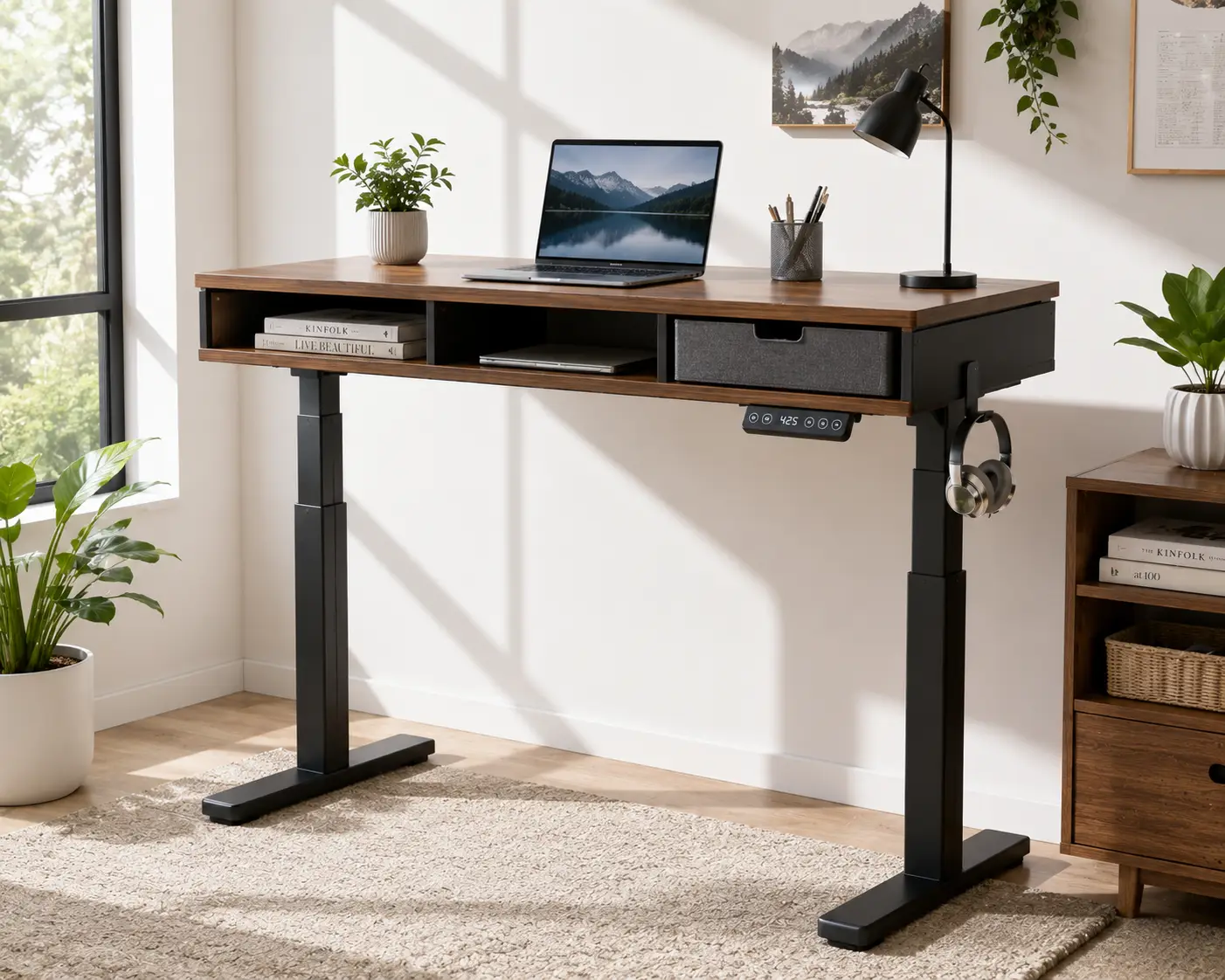
If your home office looks like a losing battle against cables, sticky notes, and a keyboard that never quite has a home, you’re not alone. An adjustable standing desk with storage solves two problems at once: it gets you moving throughout the day, and it gives your clutter somewhere to actually live. But not every desk marketed this way delivers real storage — some just bolt on a flimsy tray and call it a day.
This guide breaks down seven real, currently available options, from budget-friendly double-drawer desks to premium setups with locking file cabinets. You’ll get honest analysis based on real spec sheets and aggregated customer reviews — not recycled marketing copy — so you can figure out which desk actually fits your workflow, your space, and your budget.
Sitting for long stretches has real, well-documented health costs: researchers at the Mayo Clinic have found that prolonged sitting is linked to metabolic syndrome, cardiovascular risk, and even mortality comparable to smoking in the most extreme cases. Pairing height adjustability with genuine storage means you’re not sacrificing an organized desk for the sake of your posture — you get both.
Quick disclosure before we dive in: this post contains affiliate links, and as an Amazon Associate, purchases made through them may earn a small commission at no extra cost to you. That never affects which products we recommend or how we describe them — every product below is discussed on its actual merits.
Adjustable Standing Desk With Storage at a Glance
Short on time? Here’s the fast version. These four stand out as strong starting points before you dig into the full breakdown below.
| Product | Price Range | Height Range | Best For |
|---|---|---|---|
| FEZIBO 48″ Double Drawer Desk | Around $200–$320 | 27.4″–46.1″ | Best budget pick |
| HUANUO 55″ Desk with Keyboard Tray | Around $230–$350 | 27.9″–46.8″ | Best storage-first design |
| FlexiSpot E7 + Under-Desk Drawer | Around $500–$700 | 24″–45.7″ | Best stability and weight capacity |
| UPLIFT V2 + Locking Drawer | Around $700–$1,000 | 25.3″–50.9″ | Best premium long-term investment |
Looking at this snapshot, the pattern is clear: price scales pretty directly with weight capacity, motor quality, and how “built-in” the storage feels versus bolted-on. The FEZIBO is the easiest entry point if you’re testing whether a standing desk fits your routine at all, while the UPLIFT V2 is the desk you buy when you already know you’ll be using it for the next decade. We’ll unpack all seven finalists — including three more that didn’t make this shortlist but might be a better match for your specific setup — in the sections below.
💬 One click helps other shoppers make an informed choice too! 😊
The 7 Best Adjustable Standing Desks With Storage in 2026
Every desk here was evaluated on the same criteria: how much real, usable storage it offers, how the height-adjustment mechanism performs, what actual buyers report after weeks of daily use, and whether the price genuinely matches what you get. We cover entry-level, mid-range, and premium tiers, plus a couple of lesser-known picks worth a look.
1. FEZIBO 48″ Double Drawer Standing Desk — most affordable real storage
The FEZIBO is where a lot of first-time standing desk buyers start, and it’s easy to see why. This 48″ x 24″ desk moves electrically between 27.36″ and 46.06″, covering a comfortable sit-to-stand range for most adult heights.
The double-drawer design sits directly under the desktop, paired with an open storage shelf above it — meaning you get closed storage for supplies and open storage for things you grab constantly, like a notebook or phone. The desktop itself is FSC-certified, which matters if you care about where your composite wood is actually sourced from. Three programmable memory-height buttons and an anti-collision feature (the desk reverses two centimeters if it senses an obstruction while lifting) round out the practical side.
Based on comparing the spec sheet against pricier competitors, the FEZIBO‘s 176-pound weight capacity is the clearest trade-off for the lower price — fine for a laptop, monitor, and desk accessories, but not built for a dual-monitor arm setup plus a heavy printer. Reviews consistently report that assembly is straightforward, typically under an hour, and that the motor runs quietly under 50 decibels. A recurring theme in customer feedback is that the composite desktop, common at this price tier, is more sensitive to standing water or heavy scratching than solid wood alternatives — a fair trade for the price, but worth knowing going in.
This is the pick for someone testing whether a sit-stand routine sticks before investing more, or for a secondary desk in a guest room or dorm.
Pros:
- ✅ FSC-certified desktop plus double drawer and open shelf
- ✅ Anti-collision safety tech included as standard
- ✅ Quiet motor operation under 50 decibels
Cons:
- ❌ 176-lb weight capacity limits heavier multi-monitor setups
- ❌ Composite desktop is less scratch- and moisture-resistant than premium materials
At around $200 to $320 depending on color and current promotions, the FEZIBO delivers genuine drawer storage at a price point that’s hard to beat — check the current price before buying, since these figures shift often.
2. HUANUO 55″ Desk with Keyboard Tray — best storage-first design
The HUANUO takes a different approach: instead of treating storage as an afterthought, its whole layout is built around it. You get two drawers, an open cubby for a keyboard and mouse, and a genuinely large 26.7″ x 11.8″ pull-out keyboard tray — a feature a lot of “storage” desks skip entirely.
What most buyers overlook with keyboard trays is how much desktop real estate they actually free up. Instead of your keyboard eating into desk space full-time, it tucks away when you’re not typing, leaving the 55″ x 26″ surface open for documents or a second monitor. The desk also has a 2.36″ extended rear panel specifically designed for C-clamp monitor mounts, so you’re not stuck placing a monitor arm awkwardly on a shallow lip.
HUANUO’s own engineering notes claim the lifting columns are tested to 100,000 cycles, and real owner reviews back up a smooth, stable lift even at full height. Aggregated customer sentiment is largely positive on build quality for the price, though several reviewers mention assembly runs closer to two hours than the “30 minutes” often advertised — budget the extra time, especially if you’re working solo.
The height range of 27.9″ to 46.8″ comfortably covers most adult users, and the 176-pound capacity mirrors the FEZIBO’s — again, fine for a standard single-monitor workstation but not a heavy-duty industrial rig.
Pros:
- ✅ Oversized 26.7-inch keyboard tray frees up desktop space
- ✅ C-clamp compatible rear panel for monitor mounts
- ✅ Dual drawers plus an open accessory cubby
Cons:
- ❌ Assembly commonly takes closer to two hours than advertised
- ❌ 176-lb capacity caps out before heavy multi-monitor setups
Priced around $230 to $350 depending on the length and finish you choose, the HUANUO is the strongest pick if a cluttered keyboard and mouse are your actual pain point, not just paperwork.
3. AODK 55″ Desk with Drawers, Power Outlet & LED Lighting — best for power-hungry setups
If your desk needs to charge four devices at once, the AODK is built with that exact problem in mind. This 55″ model bundles two cloth drawers, a keyboard tray, and — the real differentiator — a built-in power strip with three outlets and two USB ports, plus a hidden cable management tray to keep everything tidy.
Here’s what the spec sheet doesn’t say outright: the built-in power strip means you’re not running a separate power bar across your floor or fishing behind the desk for an outlet every time you need to charge something. Paired with 20 LED lighting modes on the desk’s edge, this is clearly designed with content creators, gamers, and anyone running a multi-device setup in mind rather than a strictly minimalist home office.
Reviews consistently mention the drawers themselves are fabric-lined rather than solid, which keeps the desk lightweight but means they’re better suited to soft items — cables, chargers, notebooks — than heavier binders or tools. The motor is rated for roughly 10,000 lift cycles with noise between 45 and 55 decibels, respectable but on the higher end of the desks in this roundup.
Height adjustment ranges from about 29.9″ to 46.1″ on the 55″ model (a slightly shorter-range variant is also available at 47″), which is a touch more limited at the top end than some competitors — worth checking if you’re on the taller side.
Pros:
- ✅ Built-in 3-outlet, 2-USB power strip saves floor cable clutter
- ✅ 20 LED lighting modes for ambient customization
- ✅ Hidden cable management tray keeps cords out of sight
Cons:
- ❌ Fabric drawers are less rigid than solid wood or metal
- ❌ Shorter top-end height range than several competitors
Expect to pay in the $220 to $350 range depending on configuration, with pricing that fluctuates based on ongoing promotions — always check the current price before adding to cart.
4. FlexiSpot E7 with Under-Desk Drawer Add-On — best stability and weight capacity
The FlexiSpot E7 takes a modular approach: the frame itself doesn’t ship with drawers, but its design leaves enough clearance between the frame and desktop to add an under-desk drawer, keyboard tray, or cable tray without removing structural support — something FlexiSpot specifically calls out as a limitation of competing “brand X” frames.
What most buyers overlook is that this modularity is actually a strength for anyone who wants to customize rather than accept a fixed configuration. Start with the frame and desktop, then add the drawer accessory, casters, or a clamp power strip as your needs evolve. The E7’s headline number is its weight capacity: up to 355 pounds thanks to a solid carbon steel base and thicker leg columns, nearly double what several of the budget entries on this list can support.
Based on comparing the specs, the E7’s 3-stage legs (versus the more common 2-stage design) extend the height range down to 24″ and up to 45.7″, making it one of the more accommodating options for shorter or taller users alike. Reviews highlight the upright-mounted motors for improved lateral stability, meaning less wobble at standing height — a common complaint with cheaper single-motor desks.
The trade-off is cost stacking: the frame, desktop, and drawer are typically purchased as separate line items, so your final price depends heavily on which combination you build.
Pros:
- ✅ 355-lb weight capacity, among the highest in this roundup
- ✅ Modular add-ons: drawer, casters, and power strip sold separately
- ✅ 3-stage legs extend the usable height range further
Cons:
- ❌ Drawer, desktop, and casters are purchased separately from the frame
- ❌ Final price varies significantly based on configuration chosen
A fully configured FlexiSpot E7 with drawer typically lands around $500 to $700, though building out the full desktop-plus-accessory combination can push toward $750 — prices vary, so check current listings before finalizing your cart.
5. ApexDesk Elite 60″ with 3-Drawer Mobile File Cabinet Bundle — best for document-heavy work
For anyone whose desk clutter is mostly paper — client files, printed contracts, notebooks — the ApexDesk Elite bundle solves a problem the drawer-only desks on this list don’t: real file storage. The bundle pairs the Elite Series 60″ height-adjustable desk with a 3-drawer steel mobile file cabinet featuring two upper drawers plus a stationery tray.
The cabinet’s anti-tilt mechanism only allows one drawer to open at a time, a small but meaningful safety detail if you’re opening drawers with a laptop bag on your shoulder or kids nearby. Four 360-degree swivel casters mean the cabinet rolls where you need it rather than being permanently anchored under the desk, which is handy if you switch between a standing desk and a separate meeting table.
Here’s what most buyers overlook: separating the file cabinet from the desk frame means your under-desk clearance stays open, so the cabinet’s weight never interferes with the lift mechanism — a real risk with built-in under-desk drawers on cheaper desks. The desk itself lifts from 29″ to 49″ at 1.5 inches per second, supporting up to 235 pounds, with four programmable height presets.
A common complaint in customer reviews centers on the desktop’s laminate finish, which several buyers report scratches more easily than expected within the first couple of months of daily use — a coaster or desk mat is a worthwhile add-on.
Pros:
- ✅ Genuine 3-drawer steel file cabinet, not just a shallow tray
- ✅ Anti-tilt mechanism prevents multiple drawers opening at once
- ✅ Mobile cabinet rolls independently of the desk’s lift mechanism
Cons:
- ❌ Laminate desktop reportedly scratches more easily than premium finishes
- ❌ Mobile cabinet takes up floor space rather than living under the desk
The bundle typically runs around $600 to $800 depending on desktop color and cabinet finish — always confirm the current price, since ApexDesk bundles are frequently discounted or repackaged.
6. UPLIFT V2 with Locking Slim Desk Drawer — best premium long-term investment
The UPLIFT V2 is the desk you buy when you’ve decided a standing desk is a permanent fixture of your workday, not an experiment. The frame alone supports up to 355 pounds and adjusts from 25.3″ to 50.9″ — one of the widest height ranges in this list, useful for shared households or very tall users.
What sets the storage apart here is how it’s engineered: UPLIFT’s Slim Desk Drawer mounts directly to the underside of the desktop rather than the frame, so it moves in sync with the desk at every height. What most buyers overlook is that under-frame drawers on some competing desks can end up at an awkward angle or height once you’re standing — this one stays exactly where you left it, complete with a lock for phones, wallets, or a laptop up to 15 inches wide, and a built-in charging cable pass-through.
Based on comparing warranty terms across every desk in this roundup, UPLIFT’s 15-year coverage is the longest by a wide margin — a strong signal of how the company expects the frame to hold up over years of daily lifts. A professional reviewer testing the V2 noted the walnut laminate finish felt a bit dated compared to some rivals’ wood-grain options, though UPLIFT offers a wide range of alternative finishes if that’s a concern.
This is the desk for someone who’s already sold on the sit-stand lifestyle and wants a setup they won’t be replacing in three years.
Pros:
- ✅ 15-year warranty, longest in this comparison
- ✅ Locking drawer mounts to the desktop and moves with height changes
- ✅ 355-lb capacity and a 25.3″–50.9″ height range
Cons:
- ❌ Drawer and other accessories are priced and purchased separately
- ❌ Default walnut laminate finish looks dated to some reviewers
Expect a fully outfitted UPLIFT V2 with the locking drawer to run around $700 to $1,000 — premium pricing, but justified by the warranty length and weight capacity if you’re in it for the long haul.
7. Vari Electric Standing Desk with Soft-Close Storage — best office-grade file storage
The Vari Electric Standing Desk rounds out this list as the pick built most like traditional office furniture — in a good way. Its storage accessories include soft-close, lockable drawers and a dedicated 3-Drawer File Cabinet with genuine letter- or legal-size hanging file capability, a feature none of the other six desks on this list offer at that level of document organization.
What the spec sheet doesn’t say, but the product design implies, is that Vari is targeting hybrid and remote professionals who still handle physical paperwork regularly — think legal, healthcare admin, or accounting work from home. The desk itself comes in 48″, 60″, and 72″ widths, supports up to 200 pounds, and includes a well-reviewed cable management tray as a near-standard add-on.
A professional review from Tom’s Guide, after direct testing, called it one of the easiest standing desks to assemble and praised its overall sturdiness, ranking it competitively against both UPLIFT and Fully’s Jarvis line on price-per-feature. Reviews consistently report that the soft-close drawer mechanism feels noticeably higher-end than the fabric or basic steel drawers found on budget desks — you won’t hear a slam, even with kids or pets around.
The trade-off is weight capacity: at 200 pounds, it’s the lowest ceiling among the higher-end desks here, so a heavy dual-monitor arm plus accessories is worth double-checking against your total load.
Pros:
- ✅ Soft-close, lockable drawers with legal/letter hanging file storage
- ✅ Backed by a 30-day return policy and strong third-party reviews
- ✅ Multiple width options (48″, 60″, 72″) to fit different room sizes
Cons:
- ❌ 200-lb weight capacity is lower than FlexiSpot or UPLIFT
- ❌ Storage accessories are priced separately, adding to total cost
Pricing for the Vari desk alone starts in the $700 to $950 range, with storage accessories adding roughly $130 to $300 more depending on which drawer or cabinet you choose — check the current price, as Vari runs frequent seasonal promotions.
Comparing All 7 Standing Desks With Storage
| Product | Price Range | Weight Capacity | Storage Type | Best For |
|---|---|---|---|---|
| FEZIBO | $200–$320 | 176 lbs | Double drawer + shelf | Budget first-timers |
| HUANUO | $230–$350 | 176 lbs | 2 drawers + keyboard tray | Storage-first layout |
| AODK | $220–$350 | 176 lbs | 2 drawers + power strip | Power-hungry setups |
| FlexiSpot E7 | $500–$700 | 355 lbs | Add-on drawer (modular) | Stability & weight capacity |
| ApexDesk Elite | $600–$800 | 235 lbs | 3-drawer mobile file cabinet | Paper-heavy work |
| UPLIFT V2 | $700–$1,000 | 355 lbs | Locking desktop-mounted drawer | Long-term investment |
| Vari | $700–$950+ | 200 lbs | Soft-close, lockable file drawers | Office-grade document storage |
Looking at the full lineup, weight capacity and price move together almost in lockstep, with the FlexiSpot E7 and UPLIFT V2 standing out for supporting 355 pounds versus the 176-pound ceiling on the budget trio. If document storage is your priority rather than raw capacity, the ApexDesk Elite and Vari pull ahead with genuine file-cabinet functionality that the others simply don’t offer.
✨ Don’t miss these exclusive deals! 🔍 Take your home office setup to the next level with this carefully curated lineup. Click a highlighted item to check current pricing and availability. These picks will help you build a workspace that actually stays organized.
How to Set Up Your Adjustable Standing Desk With Storage the Right Way
Getting the desk delivered is the easy part — dialing it in for daily use is where most people either love or abandon their new setup within the first month.
Start with the height presets before you touch storage. Stand normally, let your arms hang, then bend elbows to 90 degrees — that’s roughly your standing typing height. Do the same seated. Program both into your desk’s memory buttons immediately; re-measuring every morning is the fastest way to stop using the standing function altogether.
Next, plan your drawer contents deliberately rather than dumping in whatever’s nearby. Reserve the top drawer for daily-use items — chargers, a notebook, pens — and push less frequent items (spare cables, manuals, backup hardware) to the bottom. If your desk includes a keyboard tray like the HUANUO or AODK, resist the urge to also pile items on it when not typing; that defeats the ergonomic point of a tray in the first place.
A study published via the National Institutes of Health found that providing workers with a sit-stand desk reduced measured sitting time by an average of 94 minutes per day — but that benefit only materializes if the desk is actually used, not left permanently in the seated position because standing feels inconvenient. Set a simple rule for the first 30 days: stand for at least 15 minutes every hour, using a phone timer if needed, and adjust from there once it feels natural.
Finally, route cables before you finalize the desk’s position. Bundle power cords and monitor cables together with a velcro strap or the cable tray many of these desks include, leaving enough slack for the desk’s full height range — a cable pulled taut at standing height is a common cause of accidental disconnections and even tipped monitors.
Real-World Scenarios: Which Standing Desk With Storage Fits Your Workday
The remote paralegal. Working from a spare bedroom, handling physical case files daily, budget around $700–$900. The Vari or ApexDesk Elite bundle makes the most sense here — both offer genuine legal/letter file storage that a shallow desk drawer simply can’t replace, and the soft-close mechanism on the Vari means late-night filing doesn’t wake anyone else in the house.
The budget-conscious student. Living in a dorm or small apartment, using the desk primarily for a laptop and notebooks, budget under $350. The FEZIBO or HUANUO covers this well — enough drawer space for supplies, a manageable footprint, and a price that doesn’t strain a student budget. Weight capacity isn’t a major concern with a single laptop setup.
The dual-monitor content creator. Running a gaming or streaming setup with multiple devices needing power, budget around $250–$400. The AODK‘s built-in power strip and USB ports directly solve the “too many chargers, not enough outlets” problem that dedicated creators run into constantly, and the LED lighting doubles as stream-friendly ambient lighting.
The long-term hybrid professional. Splitting time between office and home, wants a desk that will still perform well in five years, budget $700+. The UPLIFT V2 or FlexiSpot E7 makes the most financial sense — the higher weight capacity accommodates a full multi-monitor arm setup, and warranty length (15 years on the UPLIFT) reflects genuine confidence in long-term durability.
Standing Desk With Storage: Common Problems and Practical Fixes
Problem: The drawer won’t clear the frame at standing height. This typically happens when an under-desk drawer is mounted too low or too far back. Solution: reposition using the manufacturer’s recommended clearance measurements before final tightening, and test the desk’s full height range with the drawer installed before loading it with items.
Problem: Cables get caught or stretched during height adjustment. Solution: use a cable management tray or sleeve rated for the desk’s motion range, and leave a deliberate slack loop rather than pulling cords taut — most desks in this roundup, including the FlexiSpot E7 and AODK, include or offer a cable tray specifically for this.
Problem: The desk wobbles at full standing height. Solution: check that all frame bolts are torqued per the assembly manual (a common oversight is under-tightening leg-to-frame connections), and consider a desk with a higher weight capacity and thicker leg columns, like the FlexiSpot E7, if wobble persists even after proper assembly.
Problem: Storage gets cluttered again within weeks. Solution: apply the “one drawer, one category” rule — office supplies in one, cables and chargers in another — rather than a general catch-all drawer, and do a five-minute reset at the end of each week rather than letting clutter compound.
Problem: Desk height presets keep resetting. Solution: this is usually a power interruption issue rather than a defect — avoid plugging the desk into a switched outlet or power strip that gets turned off nightly, since that can wipe programmed memory settings on some models.
What Is an Adjustable Standing Desk With Storage?
An adjustable standing desk with storage is a height-adjustable desk — typically electric, though some are manual crank or pneumatic — that includes built-in or add-on drawers, shelves, or cabinets for organizing office supplies, documents, and accessories without sacrificing the desk’s core ergonomic function.
The category exists because early standing desks solved the sitting problem but created a new one: without a fixed under-desk cavity for a filing cabinet or drawer unit, users lost the storage that traditional desks took for granted. Manufacturers responded with two approaches — desktop-mounted drawers that move with the desk, and separate mobile cabinets that roll alongside it. Both solve the same underlying issue in different ways, which is exactly why the seven desks above vary so much in their storage design.
How to Choose an Adjustable Standing Desk With Storage
- Start with your actual storage need, not the desk’s marketing. If you handle physical files daily, a shallow drawer won’t cut it — look at desks like the Vari or ApexDesk Elite with genuine file-cabinet capacity instead.
- Check the weight capacity against your full setup, not just the desktop. Add up your monitor arm, monitors, laptop, and accessories; if you’re near or over a desk’s stated capacity, move up to a higher-capacity option like the FlexiSpot E7 or UPLIFT V2.
- Measure your actual height range needs. Stand and sit at your ideal typing height, then confirm the desk’s range covers both — taller users especially should double-check the top of the range before buying.
- Decide whether desktop-mounted or frame-mounted storage matters to you. Desktop-mounted drawers, like on the UPLIFT V2, move with the desk at every height; frame-mounted or separate cabinets stay at a fixed floor height.
- Factor in total cost, not just the base desk price. Several strong options, including the FlexiSpot E7 and UPLIFT V2, sell storage as an add-on — build your full configuration before comparing prices across desks.
- Read aggregated reviews for assembly time and motor noise, not just features. These day-to-day details, more than spec sheets, determine whether you’ll actually enjoy using the desk.
- Confirm the warranty length before you commit. A longer warranty, like UPLIFT’s 15 years, is a meaningful signal of how long the manufacturer expects the frame and motor to perform reliably.
Standing Desk With Drawers vs. Standing Desk With a Separate File Cabinet
Built-in drawers and separate mobile file cabinets solve the same core problem — where does your stuff go — but they suit genuinely different work styles, and the difference matters more than most buying guides admit.
Built-in drawers, like those on the FEZIBO, HUANUO, and AODK, mount directly to the desk and stay put permanently. What most buyers overlook is that this convenience comes with a ceiling: these drawers are almost always shallow, designed for small supplies rather than hanging files or bulky binders, since deep drawers would interfere with the desk’s lift mechanism.
Separate mobile file cabinets, like the ApexDesk Elite bundle or Vari‘s 3-Drawer File Cabinet, solve that by keeping storage entirely independent of the desk frame. This means genuinely deep drawers with real hanging-file capacity, but at the cost of floor space and, in most cases, a noticeably higher total price once you add the cabinet to the desk.
The practical takeaway: if your storage needs are light — chargers, notebooks, a few office supplies — built-in drawers are simpler and cheaper. If you’re managing actual paperwork on a regular basis, a separate file cabinet isn’t a luxury; it’s the only format that will genuinely keep up with you.
Features That Actually Matter (and Ones That Don’t)
Marketing copy on standing desks tends to bury the features that actually affect daily use under ones that sound impressive but rarely change your experience.
Actually matters: weight capacity relative to your real setup, motor noise level, height range relative to your body, and drawer depth relative to what you’re storing. These directly determine whether the desk functions well for years.
Matters less than it sounds: the exact number of LED lighting modes (20 versus 10 rarely changes anything meaningful), and marginal differences in lift speed between roughly 1 and 1.5 inches per second — both get you from sitting to standing in well under 15 seconds either way.
Genuinely useful, often skipped: anti-collision detection, which several budget desks like the FEZIBO include as standard, and cable management trays, which prevent the single most common source of daily annoyance with any height-adjustable desk.
Common Mistakes to Avoid When Buying a Height Adjustable Desk With Storage
The most common mistake is buying based on desktop size alone and ignoring under-desk clearance for storage. A wide, spacious desktop is meaningless if the frame’s leg placement blocks where you actually wanted to mount a drawer — check clearance specs, not just width and depth.
A close second: underestimating total cost by comparing only the base desk price. As the comparison table above shows, several desks — the FlexiSpot E7 and UPLIFT V2 among them — sell drawers and cabinets separately, so the sticker price you see first isn’t the price you’ll actually pay for a fully equipped setup.
Buyers also frequently skip checking weight capacity against their actual equipment, assuming any electric desk can handle a dual-monitor arm without issue. A monitor arm alone can weigh 15–20 pounds before you’ve added the monitors themselves, and combined with a laptop, docking station, and accessories, budget desks with 176-pound ceilings can get closer to their limit than expected.
Finally, don’t skip reading real assembly-time feedback. Desks advertised as “30-minute assembly” frequently run closer to 60–90 minutes in aggregated reviews, particularly with added drawers — plan your setup time accordingly rather than starting the night before a big workday.
Long-Term Cost and Maintenance
A height-adjustable desk with storage is a multi-year purchase, and the real cost of ownership extends well past the sticker price. Budget desks in the $200–$350 range typically carry 1–2 year warranties, while premium options like the UPLIFT V2 extend coverage to 15 years — a meaningful difference if the motor or lift mechanism ever needs service.
Maintenance itself is minimal but not zero. Lift columns benefit from an occasional check that mounting bolts haven’t loosened after repeated height changes, and drawer glides — especially on budget cloth drawers like the AODK‘s — can loosen faster under heavier daily use than the metal glides on desks like the Vari or ApexDesk Elite cabinet.
Total cost of ownership should also factor in accessory add-ons. A desk like the FlexiSpot E7, priced attractively as a bare frame, often ends up costing close to what a fully-loaded desk like the HUANUO costs once you’ve added a matching desktop, drawer, and cable management tray — run the full math before assuming the “cheaper” option stays cheaper.
Safety, Regulations, and Standards for Standing Desks With Storage
Furniture stability matters more with height-adjustable desks than fixed ones, since the entire structure moves through a range of positions daily. The U.S. Consumer Product Safety Commission’s Anchor It! campaign has documented a nearly 50% decline in tip-over injuries since the initiative launched, driven largely by better anchoring practices and stricter furniture stability standards — a useful reminder that even sturdy-looking furniture benefits from proper anchoring, especially in households with children.
Look for desks that specify a tested weight capacity rather than an estimated one, and treat that number as a hard ceiling, not a target. Mobile file cabinets, like the one bundled with the ApexDesk Elite, are worth checking for anti-tilt mechanisms specifically — a feature that limits how many drawers can open simultaneously and reduces tip risk considerably, particularly with fully loaded file drawers.
Electrical safety matters too, especially for desks with built-in power strips like the AODK. Confirm that any built-in outlet or USB charging feature carries UL or ETL certification, which indicates independent testing against U.S. electrical safety standards, before routing your primary devices through it.
FAQs
❓ What's the difference between a standing desk with drawers and one with a file cabinet?
❓ Can I add storage to a standing desk that didn't come with any?
❓ How much weight can an adjustable standing desk with storage hold?
❓ Is a standing desk with a keyboard tray better than one without?
❓ Do standing desks with storage cost more than regular height-adjustable desks?
Conclusion
The right adjustable standing desk with storage really comes down to matching the storage format to how you actually work, not to which desk looks most impressive in photos. If you’re managing physical paperwork daily, the file-cabinet-equipped Vari or ApexDesk Elite will serve you far better than a shallow drawer ever could. If you’re just trying to keep chargers and notebooks out of sight on a reasonable budget, the FEZIBO or HUANUO gets the job done without overspending. And if you’re building a setup you expect to rely on for years, the higher weight capacity and warranty coverage on the FlexiSpot E7 or UPLIFT V2 are worth the higher upfront cost.
Whichever direction you go, remember that the desk itself is only half the equation — actually using the height adjustment daily, per the FTC’s guidance on honest, well-substantiated product recommendations, is exactly the kind of practical, evidence-based approach this guide has tried to model throughout: real specs, real reviews, and honest trade-offs rather than hype.
✨ Ready to upgrade your workspace? Compare these picks and find your perfect adjustable standing desk with storage today! 🏆
Recommended for You
- 6 Screen Monitor Stand: 7 Best Picks for 2026 (Pros & Cons)
- 6 Monitor Mount: 7 Best Picks for 2026 (Pros & Cons)
- 48 x 30 Desk: 7 Best Picks for Home Offices in 2026
Disclaimer: This post contains affiliate links. As an Amazon Associate, I earn from qualifying purchases made through these links, at no additional cost to you.
✨ Found this article helpful? Share it with someone who needs it! 💬🤗