
In This Article
If your wrists ache by 3 p.m. and your desk looks like a cable jungle, the problem probably isn’t your work ethic — it’s your setup. An office desk with keyboard tray solves two problems at once: it drops your keyboard and mouse to a healthier typing height, and it frees up your main work surface for a monitor, notebook, or that cup of coffee you keep almost knocking over. Whether you’re outfitting a first apartment, upgrading a cramped home office, or finally replacing the folding table you’ve used since 2022, the right desk with keyboard tray can genuinely change how your body feels at the end of the day.
This guide breaks down seven real, currently available options — from budget-friendly wood desks under $200 to full electric standing desks with built-in power outlets. We’ll walk through what each one actually gets you, who it’s built for, and where the compromises are, based on manufacturer spec sheets and aggregated customer feedback rather than marketing copy. According to OSHA’s computer workstations guidance, keyboards and working surfaces that sit too high or too low can lead to awkward wrist, arm, and shoulder postures — which is exactly the discomfort a properly positioned keyboard tray is designed to prevent. Let’s find the office desk with keyboard tray that actually fits how you work.
What Is an Office Desk With Keyboard Tray?
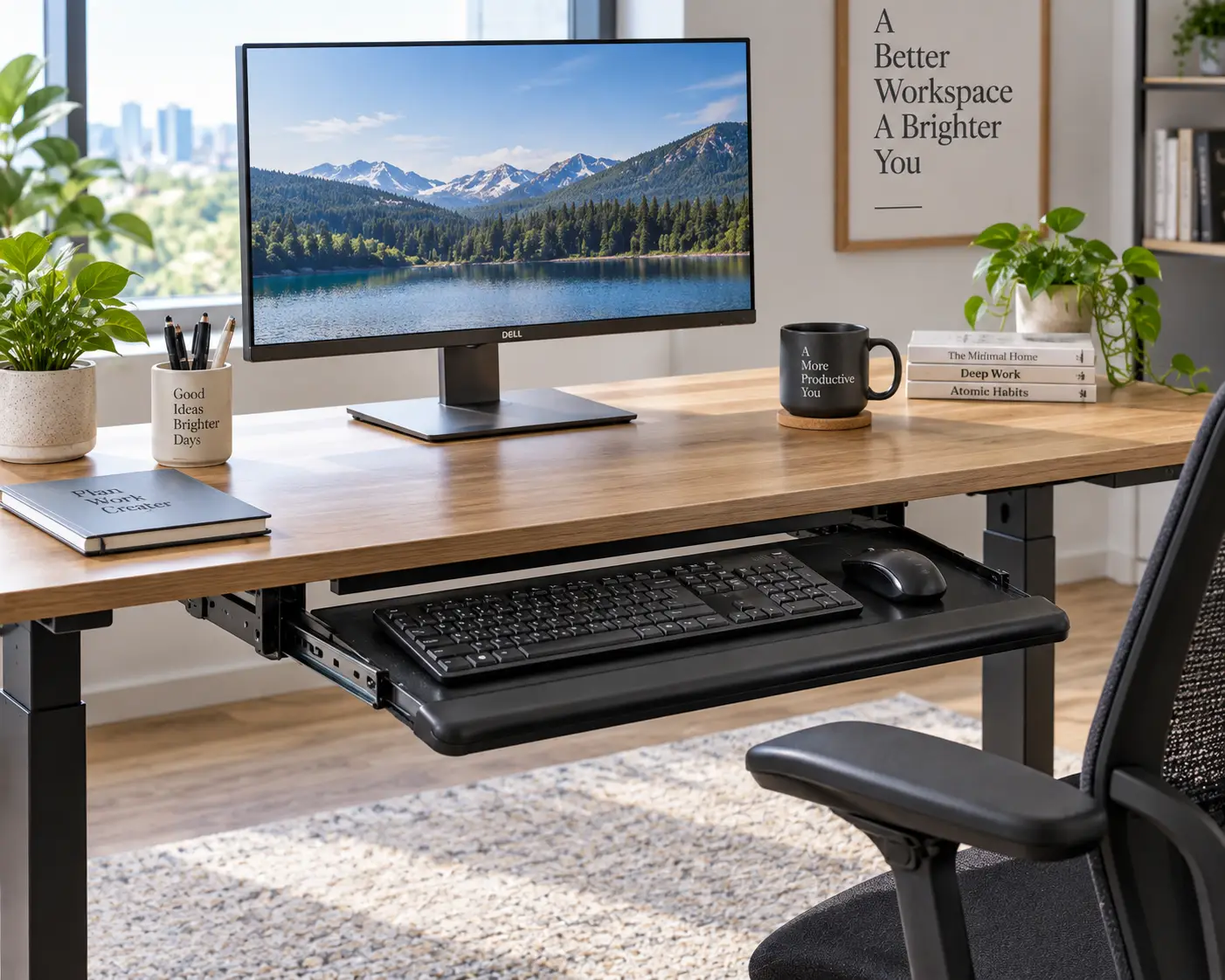
An office desk with keyboard tray is a workstation that includes a dedicated, usually slide-out or pull-down, platform positioned below the main desktop for your keyboard and mouse. Instead of typing on the same surface as your monitor, you type at a lower, often adjustable, height — which keeps your wrists straighter and your shoulders more relaxed during long sessions.
Quick Comparison: Office Desk With Keyboard Tray Picks at a Glance
| Product | Type | Price Range | Best For |
|---|---|---|---|
| Sauder Select Computer Desk | Fixed wood desk | Around $150–$200 | Budget-conscious buyers |
| Sauder Palladia Computer Desk | Fixed wood desk with file drawer | Between $180 and $260 | Storage + keyboard tray combo |
| Tribesigns 69″ L-Shaped Desk | L-shaped corner desk | Between $150 and $230 | Corner spaces and dual-monitor setups |
| VIVO 42″ Standing Desk Converter | Desktop riser | Between $170 and $220 | Adding a tray to an existing desk |
| FLEXISPOT M7B Standing Desk Converter | Compact desktop riser | Under $150 | Small desks and tight budgets |
| AODK 55″ Electric Standing Desk | Full electric standing desk | Between $350 and $450 | All-in-one power users |
| OffiGo 55″ U-Shaped Electric Standing Desk | Full electric standing desk | Between $400 and $550 | Dual-monitor, high-output workspaces |
Looking at this lineup, the split is straightforward: the two Sauder desks and the Tribesigns desk are fixed-height wood desks aimed at people who want a permanent, traditional-looking setup, while the VIVO and FLEXISPOT models are converters that sit on top of a desk you already own. The AODK and OffiGo desks sit at the top of the lineup as full electric standing desks, where the keyboard tray is just one feature in a much larger ergonomic package. Budget-first shoppers should start with the FLEXISPOT M7B, while anyone who wants sit-stand flexibility built into a single unit should look at the AODK or OffiGo.
💬 One click helps other shoppers make an informed choice too! 😊
Top 7 Office Desks With Keyboard Tray: Expert Analysis
We chose these seven based on real availability, genuine spec differences, and coverage across entry-level, mid-range, and premium price points — not because any single one is “the best” for everyone. Here’s how they actually compare.
1. Sauder Select Computer Desk with Slide-Out Keyboard Tray — best classic budget pick
The Sauder Select Computer Desk is the kind of no-frills desk that quietly does its job without demanding a design decision from you. It’s built around Sauder’s patented T-slot drawer system, which is worth mentioning because assembly complaints are one of the most common gripes with flat-pack furniture in this category.
The desk’s slide-out keyboard/mouse shelf runs on metal drawer runners with safety stops, meaning the tray won’t accidentally slide all the way out and dump your keyboard on the floor — a small detail that matters more than it sounds once you’ve lived with a cheaper tray that lacks one. The storage area behind the door holds a vertical CPU tower with an adjustable shelf, and the lower drawer functions as a file drawer for letter-size hanging files, which is genuinely useful if you’re using this as a true home office desk rather than just a laptop stand. A desktop grommet hole handles cord routing, which keeps the surface from turning into a snake pit of cables.
Who it’s for: first-time home office buyers, students, or anyone who wants a traditional wood desk with a keyboard tray without spending $300+. It’s not for you if you need a large, open surface for multiple monitors — the desktop is modestly sized.
Reviews of Sauder’s Select-line desks consistently describe the assembly as time-consuming but manageable, with the T-slot system speeding up an otherwise fiddly process; a recurring theme in aggregated feedback is that the finish looks noticeably better in person than in photos, though a small number of buyers reported shipping dents that required a replacement part.
Pros:
- ✅ Metal-runner keyboard tray with safety stops included
- ✅ Built-in file drawer for letter-size hanging folders
- ✅ Grommet hole keeps desktop cords organized
Cons:
- ❌ Compact desktop limits multi-monitor setups
- ❌ Assembly takes longer than expected for first-timers
The Sauder Select Computer Desk typically runs in the $150–$200 range depending on finish, and for that price it delivers real storage plus a functional keyboard tray — solid value if your workspace needs are straightforward.
2. Sauder Palladia Computer Desk with File Drawer & Keyboard Tray — most storage per dollar
Step up from the Select line and you land on the Sauder Palladia Computer Desk, a roughly 53-inch-wide desk that trades a little bit of footprint efficiency for a meaningfully larger work surface and three drawers, including a full file cabinet with roller-glide slides.
The flip-down keyboard tray sits below the main surface and pairs with built-in cable management, so you’re not just getting a tray — you’re getting an entire cord-routing system designed around it. Engineered wood construction with metal legs gives the desk a more finished, less “flat-pack” look than pure MDF designs, and the patented T-slot drawer system (same as the Select line) is meant to shave real time off assembly, even though owner reports still put full setup at several hours for two people.
Who it’s for: home-based professionals who need actual file storage — tax documents, client folders, printed contracts — alongside a keyboard tray, not just a laptop perch. If you mostly work off a single laptop and don’t need drawers, this is more desk than you need.
A recurring theme in aggregated owner feedback is that the desk looks and feels sturdier than its price class suggests once assembled, with several buyers specifically calling out the finished back panel as useful for placing the desk away from a wall. The most common complaint, consistent across multiple retail listings, is that assembly is a multi-hour project with a lot of small parts, and a handful of buyers reported cosmetic shipping damage.
Pros:
- ✅ Three drawers including a full-size file cabinet
- ✅ Finished back panel works in the middle of a room
- ✅ Integrated cable management around the keyboard tray
Cons:
- ❌ Assembly commonly takes 4–6 hours
- ❌ Heavier and bulkier than compact keyboard-tray desks
Priced in the $180–$260 range depending on finish and retailer promotions, the Sauder Palladia Computer Desk is arguably the best value in this list if file storage is a real requirement rather than a nice-to-have.
3. Tribesigns 69″ L-Shaped Desk with Monitor Stand & Keyboard Tray — best for corners and dual monitors
The Tribesigns L-Shaped Desk solves a different problem entirely: what to do with an awkward corner. At roughly 69 inches along its longest run, this reversible desk is built from engineered wood with a metal frame, includes a monitor stand riser built into the design, and adds an open storage shelf on the shorter leg for books, a printer, or decor.
Because it’s L-shaped, you effectively get two work zones — one dedicated to your primary monitor and keyboard tray, and a secondary surface for a laptop, notes, or a second screen. The keyboard tray itself slides out beneath the main desktop, and because the desk is reversible, you can configure the long side to run left or right depending on your room layout, which matters more than it sounds when you’re working around a window or a doorway.
Who it’s for: people with an underused corner and a genuine need for two work zones — gamers running dual monitors, remote employees who juggle a laptop plus an external display, or anyone tired of a rectangular desk eating the middle of a room. It’s not ideal for tight apartments where floor space is already scarce, since L-shaped desks need more total square footage than a straight desk of similar surface area.
Reviews of this desk line frequently praise the monitor stand for reducing neck strain by lifting the screen closer to eye level right out of the box, and buyers note that the industrial-style metal frame feels noticeably more rigid than all-wood alternatives at a similar price. The most consistent criticism is that the assembly instructions are sparse for a piece with this many components, and a smaller number of reviewers mention the open shelf attracting clutter rather than reducing it.
Pros:
- ✅ Reversible L-shape fits either side of a corner
- ✅ Built-in monitor stand raises screen height for free
- ✅ Two distinct work zones on one footprint
Cons:
- ❌ Needs more total floor space than a straight desk
- ❌ Assembly instructions are thinner than the parts count suggests
At around $150–$230, the Tribesigns L-Shaped Desk punches well above its price for anyone who actually has a corner to fill and wants a keyboard tray built into a larger, more flexible layout.
4. VIVO 42″ Height-Adjustable Standing Desk Converter with Keyboard Tray — best add-on for an existing desk
Not everyone wants to replace their desk — sometimes you just want to fix the one you have. The VIVO Standing Desk Converter sits directly on top of your current desk and adds a dual-tiered platform: a roughly 42″ x 22″ upper surface for your monitor or laptop, and a 30″ x 10.5″ keyboard tray that raises and lowers in sync with the top tier.
That synchronized movement matters more than it might seem. On cheaper converters, the keyboard tray and monitor surface move independently, which means you constantly re-adjust one after moving the other. Here, dual pneumatic springs let you shift from sitting to standing height (roughly a 6″ to 17″ range) in one smooth motion, and the desktop supports up to 33 lbs while the tray handles up to 4 lbs — enough for a full-size keyboard and mouse, though not much beyond that.
Who it’s for: renters, apartment dwellers, or anyone who likes their existing desk but wants sit-stand flexibility and a proper keyboard tray without buying new furniture. It’s a poor fit if your current desk is already shallow or unstable, since adding 30+ lbs of hardware on top will expose any existing wobble.
We could not verify a large body of third-party star ratings specific to this exact 42-inch configuration, so weigh the following alongside the spec sheet rather than as a settled verdict: buyers of VIVO’s converter line in general consistently mention the lift-assist springs as noticeably smoother than lower-cost alternatives, while a smaller number note that the full 42″ width takes up meaningful desktop real estate once installed.
Pros:
- ✅ Synchronized keyboard tray and monitor tier
- ✅ Works on top of a desk you already own
- ✅ Smooth pneumatic sit-to-stand transition
Cons:
- ❌ 42″ width eats a lot of your existing desktop
- ❌ Tray’s 4 lb capacity is tight for a wrist rest plus mouse
Priced roughly $170–$220, the VIVO Standing Desk Converter is the pick if “buying a desk” isn’t actually what you want — you want the ergonomics without the furniture-shopping project.
5. FLEXISPOT M7B 28″ Standing Desk Converter with Removable Keyboard Tray — best compact and budget riser
If the VIVO converter is too large for your desk, the FLEXISPOT M7B is the compact alternative. At 28.4″ x 16.3″ for the main surface and a matching 28.4″ x 12.1″ keyboard tray, it’s sized for smaller desks, dorm rooms, or a secondary workstation where a full-size converter would overwhelm the space.
The standout feature here is the quick-release, removable keyboard tray: a single-step attach/detach mechanism that lets you pop the tray off entirely when you just want a flat laptop surface, then snap it back on for typing sessions. The U-shaped cutout over the tray area also accommodates a 17″ laptop directly, which is a detail aimed squarely at people who don’t use an external keyboard full-time. A heavy-duty steel frame and gas-spring lift mechanism handle the height adjustment (roughly 4.7″ to 19.7″), with a combined weight capacity of 37.4 lbs across the desktop and tray.
Who it’s for: budget shoppers, laptop-primary users, and anyone whose desk simply doesn’t have room for a 30+ inch converter. It’s not the choice for dual-monitor setups — the surface is genuinely compact, and cramming two screens on it will feel tight.
Multiple independent reviewers who tested FlexiSpot’s clamp-on and converter keyboard trays specifically highlighted the smooth, ball-bearing slide action and straightforward, tool-optional installation as standout strengths, while noting the tray’s roughly 15 lb load limit as a real ceiling if you’re the type to rest a tablet or notebook on it alongside your keyboard.
Pros:
- ✅ Quick-release tray attaches and detaches in one step
- ✅ Compact footprint fits smaller desks
- ✅ U-shaped cutout works directly with a 17″ laptop
Cons:
- ❌ Too small for serious dual-monitor use
- ❌ Not compatible with FlexiSpot’s Ergo or gaming series desktops
Usually priced under $150, the FLEXISPOT M7B is the most accessible entry point on this list for anyone who wants a real keyboard tray without committing to a full desk purchase.
✨ Don’t miss these exclusive ergonomic upgrades! 🖱️ Take your home office to the next level with a pick from this lineup — click through to check current pricing and availability, and start typing pain-free today.
6. AODK 55″ Electric Standing Desk with Drawers & Keyboard Tray — best all-in-one electric setup
The AODK Electric Standing Desk is where this list moves from “add a keyboard tray” to “buy a complete workstation.” At 55 inches wide with a 29.9″ to 46.1″ electric height range, this desk includes a keyboard tray, a full monitor stand, two fabric drawers, and — notably — three built-in AC outlets plus two USB ports, so you’re not routing a separate power strip across the floor.
The desk also includes a hidden cable management tray and LED lighting (reported at up to 20 modes in some listings) built into the frame, along with three programmable memory height presets so you can jump between sitting and standing positions at the press of a button. Weight capacity is rated at 154 lbs, which comfortably covers a monitor arm, dual displays, and a full desktop setup.
Who it’s for: people who want everything solved in one purchase — power management, storage, monitor positioning, and a keyboard tray — and who have the budget and floor space for a 55-inch desk. It’s overkill if you just need a quiet corner for occasional laptop work.
During extended hands-on testing covered in independent buying guides, reviewers specifically praised the desk’s power outlets and LED lighting as genuinely useful daily conveniences rather than gimmicks, and called out the smooth, quiet motor operation during height changes; the same coverage noted the included keyboard tray runs on the smaller side relative to the desk’s overall size, and that the fabric drawers, while functional, aren’t premium-grade materials.
Pros:
- ✅ Built-in power outlets and USB ports at desk level
- ✅ Three memory height presets for quick sit-stand switching
- ✅ 154 lb capacity handles a full multi-monitor setup
Cons:
- ❌ Included keyboard tray is smaller than the desk itself
- ❌ Fabric drawers aren’t as durable as solid wood alternatives
Expect to pay somewhere between $350 and $450 for the AODK Electric Standing Desk, which is a fair trade if you’re consolidating a power strip, a monitor riser, storage drawers, and a keyboard tray into one purchase instead of four.
7. OffiGo 55″ U-Shaped Electric Standing Desk with Keyboard Tray — best for maximizing dual-monitor workspace
The OffiGo U-Shaped Desk takes the electric standing desk concept and reshapes it — literally. Its U-shaped, dual-corner desktop design effectively doubles usable surface area compared to a standard rectangle, which is a genuine advantage if your job means juggling a primary monitor, a laptop, and reference materials simultaneously.
Height adjusts electrically across a 28.3″ to 46.5″ range with three memory presets, matching the AODK’s convenience features but pairing them with the wider, wraparound desktop shape. The desk includes a dedicated keyboard tray, a monitor stand for the primary work surface, a built-in power outlet cluster, and an LED light strip with ten color options — a feature aimed more at ambiance and gaming setups than pure productivity, but a nice bonus regardless. Weight capacity sits at 154 lbs, matching its closest competitor in this lineup.
Who it’s for: power users who genuinely fill a desk — multiple monitors, a laptop dock, speakers, task lighting — and who have a room layout that can accommodate a U-shaped footprint against a wall or in a corner. It’s not the right call for anyone tight on space, since the dual-corner design needs meaningfully more depth than a straight desk.
Buying guides that tested this desk alongside competitors specifically called the U-shaped layout “the future of workstation design” for how it creates two distinct corner workspaces from a single desk, while also flagging that the wraparound shape means the desk needs a genuinely open corner or wall space to make sense — it doesn’t work well pushed against a single flat wall.
Pros:
- ✅ U-shaped design roughly doubles usable surface area
- ✅ Three power outlets plus two USB ports built in
- ✅ Ten-mode LED strip adds functional task lighting
Cons:
- ❌ Requires a genuine corner or open wall space
- ❌ Among the pricier options in this roundup
Typically priced between $400 and $550, the OffiGo U-Shaped Desk is the splurge pick for anyone whose workspace demands go well beyond “somewhere to put a keyboard.”
Full Comparison: Features, Price Range & Best Use Case
| Product | Height Adjustable | Keyboard Tray Size (approx.) | Weight Capacity | Best For |
|---|---|---|---|---|
| Sauder Select Computer Desk | No | Standard slide-out | Moderate | Simple, traditional setups |
| Sauder Palladia Computer Desk | No | Flip-down | Moderate–high | File storage + keyboard tray |
| Tribesigns 69″ L-Shaped Desk | No | Slide-out | 100+ lbs (typical for class) | Corners and dual monitors |
| VIVO 42″ Converter | Yes (6″–17″) | 30″ x 10.5″ | Desktop 33 lbs / tray 4 lbs | Adding a tray to your desk |
| FLEXISPOT M7B Converter | Yes (4.7″–19.7″) | 28.4″ x 12.1″ | 37.4 lbs combined | Small desks, tight budgets |
| AODK 55″ Electric Desk | Yes (29.9″–46.1″) | Compact, integrated | 154 lbs | All-in-one power users |
| OffiGo 55″ U-Shaped Desk | Yes (28.3″–46.5″) | Integrated, U-shape | 154 lbs | Multi-monitor, high output |
Reading across this table, the real dividing line isn’t price — it’s whether you want a fixed desk or height flexibility. The Sauder Select, Sauder Palladia, and Tribesigns desks are all excellent if you already know you prefer sitting and just want a proper keyboard tray, while the VIVO and FLEXISPOT converters exist specifically for people unwilling to commit to full standing-desk furniture. The AODK and OffiGo desks justify their higher price by bundling height adjustment, power management, and generous surface area into a single purchase.
How to Choose an Office Desk With Keyboard Tray
Picking the right desk with keyboard tray comes down to seven practical checkpoints, roughly in order of importance:
- Measure your available floor space first. L-shaped and U-shaped desks need real corner or wall depth — don’t fall in love with the OffiGo U-Shaped Desk before confirming it physically fits.
- Decide fixed-height vs. adjustable. If you already know you won’t stand while working, a fixed desk like the Sauder Select Computer Desk saves money you’d otherwise spend on a feature you won’t use.
- Check the keyboard tray’s dimensions, not just the desk’s. A tray under 24″ wide will feel cramped once you add a mouse pad and wrist rest — a common oversight buyers only notice after unboxing.
- Confirm weight capacity against your actual gear. Dual monitors, a monitor arm, and a laptop dock add up fast; the 154 lb-rated AODK and OffiGo desks have real headroom, while lighter converters do not.
- Consider cable management up front. Desks with a grommet hole or dedicated cable tray, like the Sauder Palladia Computer Desk, save you from an aftermarket cable sleeve purchase later.
- Factor in assembly time and help needed. Larger desks with file drawers commonly take several hours and are easier with two people — plan your Saturday accordingly.
- Match the tray mechanism to your habit. If you switch between laptop-only and full keyboard-and-mouse work, a removable tray like the one on the FLEXISPOT M7B is more useful than a fixed slide-out.
Setting Up Your New Desk: A Practical How-To Guide
Getting the ergonomic benefit out of a keyboard tray depends almost entirely on how you set the height and angle — the desk itself is only half the equation. Start by sitting in your normal chair with your feet flat on the floor and your elbows relaxed at your sides. The keyboard tray should sit at, or just slightly below, elbow height; if you find yourself lifting your shoulders to reach the keys, lower the tray.
Next, address tilt. Most trays, including the ones on the VIVO and FLEXISPOT converters, allow a slight negative slope — meaning the front edge (near the spacebar) sits a bit higher than the back. This keeps your wrists straight instead of bent upward, which is one of the most common posture mistakes in home offices. Avoid a positive tilt unless you’re working in a reclined position.
In the first 30 days, resist the urge to skip micro-adjustments. Height that felt right on day one often needs a small tweak once you’ve spent real hours at the desk — a slightly-too-low tray, for example, tends to reveal itself as forearm fatigue by the end of week one, not immediately. For standing desk converters and full electric desks, alternate between sitting and standing every 30–60 minutes rather than committing to one position all day; the goal is movement, not standing for its own sake. Finally, route your cables through any grommet hole or cable tray before you plug everything in — retrofitting cable management after your monitor and peripherals are already connected is far more annoying than doing it during setup.
Real-World Scenarios: Which Desk Fits Your Work Style?
The remote employee juggling two screens. If you’re on video calls most of the day and run a laptop plus an external monitor, the Tribesigns L-Shaped Desk gives you a dedicated zone for each without cramming everything onto one surface, and its built-in monitor stand handles the eye-level problem automatically.
The budget-conscious student in a shared space. A dorm room or small apartment bedroom rarely has room for a 55-inch desk. The FLEXISPOT M7B converter sits on almost any surface you already have — a nightstand-adjacent desk, a folding table — and its removable tray means you can clear the surface entirely when it’s not homework time.
The full-time freelancer who needs real storage. Contracts, invoices, and reference materials pile up fast when you work from home professionally. The Sauder Palladia Computer Desk‘s file drawer plus keyboard tray combination handles both the ergonomic and organizational sides of that problem in one purchase.
The power user running a multi-monitor command center. If your setup includes two or more displays, a laptop dock, and enough peripherals to need real power management, the OffiGo U-Shaped Desk or AODK Electric Standing Desk are built for exactly that kind of load, both in surface area and in built-in outlets.
Common Problems With Keyboard Trays (and How to Fix Them)
Problem: The tray wobbles when you type. This usually traces back to loose mounting hardware rather than a defective tray. Re-tighten the clamp or bracket screws — on converters like the VIVO and FLEXISPOT M7B, this is a five-minute fix, not a return-worthy defect.
Problem: The tray is too low or too high after installation. Most slide-out trays on fixed desks, including the Sauder Select Computer Desk, have a single mounting height. If it’s uncomfortable, an added wrist rest or a chair-height adjustment often solves it more easily than modifying the desk itself.
Problem: Not enough room for both keyboard and mouse. Standard trays run 24″–30″ wide, which is tight once you add a full-size keyboard and a mousepad. Switching to a compact or tenkeyless keyboard reclaims several inches — a cheap fix compared to buying a new desk.
Problem: Cables constantly get caught on the tray’s slide mechanism. Reroute your keyboard and mouse cables through a grommet hole or the dedicated cable tray on desks like the Sauder Palladia Computer Desk, and use a short cable clip to keep slack from hanging into the tray’s path.
Problem: The tray feels flimsy under a heavier ergonomic keyboard. Check the tray’s rated load capacity before assuming it’s broken — the FLEXISPOT M7B‘s tray, for instance, is rated for roughly 15 lbs, which is plenty for a standard keyboard and mouse but tight if you’re also resting a wrist pad, a trackpad, and a tablet on it simultaneously.
Common Mistakes to Avoid When Buying an Office Desk With Keyboard Tray
The single most common mistake is buying based on desk width alone and ignoring keyboard tray depth — a tray that’s wide but shallow won’t comfortably fit a mouse alongside a full-size keyboard. Another frequent misstep is skipping the weight capacity check entirely; a converter rated for 33 lbs on the main surface will struggle under two monitors and a monitor arm, even if the desk “looks” sturdy in photos.
Buyers also regularly underestimate assembly time on file-drawer desks like the Sauder Palladia Computer Desk, planning an hour when the realistic figure is closer to four to six. On the standing-desk side, a common oversight is not checking whether the keyboard tray is fixed or removable — if you switch frequently between laptop-only work and full keyboard-and-mouse sessions, a fixed tray like some found on entry-level converters will feel like a permanent obstruction rather than a feature.
Finally, don’t assume every “keyboard tray” description means the same thing. Some are simple flat platforms; others, like the tray on the VIVO 42″ Converter, move in sync with the main desktop and adjust independently of it. Read the specific mechanism description, not just the marketing phrase “with keyboard tray,” before you buy.
Office Desk With Keyboard Tray vs. Standing Desk Converter vs. Fixed Desk
These three categories solve overlapping but distinct problems, and conflating them is where a lot of buyer’s remorse comes from. A traditional office desk with keyboard tray — like the Sauder Select Computer Desk or Sauder Palladia Computer Desk — is a complete, standalone piece of furniture. You’re buying the whole workstation, storage included, but you’re locked into a fixed sitting height unless you also adjust your chair.
A standing desk converter, such as the VIVO 42″ Converter or FLEXISPOT M7B, sits on top of furniture you already own. This is the lower-commitment, lower-cost path to sit-stand flexibility with a keyboard tray, but you sacrifice some desktop depth to the converter itself, and you’re still bound by the stability and size of whatever desk is underneath it.
A full electric standing desk with an integrated keyboard tray, like the AODK or OffiGo, replaces your desk entirely and builds height adjustment, power outlets, and often storage into a single unit. It’s the most expensive route, but it’s also the only one that gives you both a completely custom-height surface and a keyboard tray without stacking hardware on top of existing furniture. If budget allows and you have the floor space, this category delivers the most complete ergonomic package; if either constraint is tight, a fixed desk or converter remains the more practical choice.
What to Expect: Everyday Performance
On a fixed wood desk like the Sauder Select Computer Desk, day-to-day use feels exactly like a traditional desk with one added step: sliding the tray out each morning and back in at night, if you choose to tuck it away. The keyboard tray height is set once during assembly, so there’s no ongoing adjustment — which is either a relief (nothing to fiddle with) or a limitation (no flexibility for different tasks), depending on your preference.
Converters like the VIVO and FLEXISPOT M7B change day-to-day performance more noticeably. Expect a brief learning curve on the lift mechanism — most pneumatic-spring converters take a few uses to get comfortable adjusting one-handed — but after that, transitioning from sitting to standing typically takes under 10 seconds. The trade-off is desktop depth: because the converter sits on top of your existing desk, your usable surface behind the unit shrinks, which matters if you also keep a printer or notebook nearby.
Full electric desks like the AODK and OffiGo offer the smoothest daily experience by design — motorized height changes with memory presets mean you’re pressing a button rather than lifting or cranking anything. Independent testing of comparable electric standing desks in this price bracket consistently reports quiet motor operation and reliable preset memory, though buyers should expect the desk to shift slightly during the first few height changes as the frame settles.
Office Desk With Keyboard Tray for Different Users
For remote workers: Prioritize desks with a monitor stand and enough surface for a webcam-appropriate camera angle — the Tribesigns L-Shaped Desk and AODK Electric Standing Desk both handle this well through built-in monitor risers.
For gamers: A keyboard tray that accommodates a full-size mechanical keyboard and a large mousepad matters more than storage. The OffiGo U-Shaped Desk‘s LED lighting and generous surface area make it a natural fit, though any of the wider-tray options here will work.
For students in small spaces: Compact, removable-tray converters like the FLEXISPOT M7B offer the ergonomic benefit without demanding a dedicated piece of furniture, which matters in dorms and shared apartments.
For small-business owners handling paperwork: Real file storage matters as much as keyboard positioning. The Sauder Palladia Computer Desk‘s file drawer plus keyboard tray combination directly addresses this, keeping physical documents and ergonomic typing in one footprint.
Long-Term Cost and Maintenance
Fixed wood desks like the Sauder Select Computer Desk and Sauder Palladia Computer Desk have essentially no ongoing maintenance cost beyond occasionally re-tightening drawer and tray hardware after a year or two of use — engineered wood construction holds up well under normal office use but isn’t designed for repeated relocation, so factor that in if you move often.
Standing desk converters introduce a mechanical component — the pneumatic spring or gas-lift mechanism — that can lose some lift strength over years of heavy use, though this is typically covered under manufacturer warranties in the first few years. Full electric desks like the AODK and OffiGo carry the highest upfront cost but also the most moving parts: motors, control panels, and memory presets. These generally come with multi-year frame and motor warranties from reputable brands, which is worth confirming before purchase, since a motor replacement outside of warranty can approach a meaningful fraction of the desk’s original price.
Looked at over a 5-year ownership window, the cheaper fixed desks and converters in this list often come out ahead on total cost simply because there’s less to fail — but the electric desks earn their premium back in daily convenience and, for some users, genuine health benefits from more consistent standing breaks, which is a harder value to price but a real one nonetheless.
Safety, Regulations, and Standards
Office furniture in the U.S. isn’t subject to the same mandatory testing regime as, say, children’s furniture, but reputable brands still test against voluntary industry benchmarks. Several standing desks and converters in this category, including comparable models from major brands, are built to meet or exceed ANSI/BIFMA performance standards, which cover stability, strength, and durability under repeated use — it’s worth confirming this certification on the specific listing before buying an electric desk, since not every budget model carries it.
Beyond structural standards, proper keyboard tray positioning is itself a documented safety consideration. Research indexed by the National Institute for Occupational Safety and Health found that adjustable workstations can reduce sitting time and lower overall body discomfort in jobs involving long hours of sitting, reinforcing that a keyboard tray isn’t just a convenience feature — it’s a documented piece of injury-prevention equipment when used correctly. If you’re setting up a workstation for a shared or commercial space, it’s also worth reviewing your desk height and tray placement against a university ergonomics guide or your employer’s ergonomics policy, since correct height and tilt matter more than any single product feature.
Features That Actually Matter (and Ones That Don’t)
Actually matters: Keyboard tray weight capacity, tray tilt adjustability, and overall desk weight capacity relative to your gear. These directly affect daily comfort and whether your setup holds up over time.
Actually matters: Cable management features like grommet holes or dedicated trays, seen on the Sauder Palladia Computer Desk. They sound minor until you’re three months in and tired of tripping over cords.
Doesn’t matter much: RGB or multi-color LED lighting, found on the OffiGo U-Shaped Desk. It’s a pleasant extra, not a functional upgrade — don’t let it sway a decision that should be based on tray dimensions and weight capacity.
Doesn’t matter much: The exact number of memory height presets on electric desks. Whether a desk offers three or four presets rarely changes daily use in practice, since most people settle into one sitting and one standing height and rarely deviate.
Actually matters: Assembly complexity and whether the product ships partially assembled. This is consistently underweighted by buyers and consistently overrepresented in negative reviews after the fact.
Frequently Asked Questions
❓ What height should a keyboard tray be for proper ergonomics?
❓ Is a keyboard tray worth it for a standard desk?
❓ Can I add a keyboard tray to a desk that doesn't have one?
❓ Do standing desk converters work with any existing desk?
❓ How much weight can a typical office desk keyboard tray hold?
Conclusion
There’s no single best office desk with keyboard tray — there’s a best one for your space, budget, and how your work actually happens day to day. If you want a straightforward, affordable setup with real storage, the Sauder Select Computer Desk or Sauder Palladia Computer Desk will serve you well for years. If your workspace revolves around a corner or you’re juggling multiple monitors, the Tribesigns L-Shaped Desk makes better use of the room you have. Renters and budget shoppers who don’t want to replace existing furniture should look at the VIVO 42″ Converter or the more compact FLEXISPOT M7B, while anyone ready to invest in a complete, height-adjustable workstation with built-in power and storage should seriously consider the AODK Electric Standing Desk or the OffiGo U-Shaped Desk.
Whichever direction you go, the underlying goal is the same: get your keyboard off the same plane as your monitor, get your wrists into a neutral position, and stop letting your workstation dictate how your body feels at the end of the day. A well-chosen office desk with keyboard tray is one of the cheapest, most direct upgrades you can make to how comfortable — and how productive — your workday actually is.
✨ Ready to upgrade your workspace? Browse today’s picks above and check current pricing before it changes. 💬🤗
Recommended for You
- Adjustable Standing Desk With Storage: 7 Best Picks for 2026
- 7 Best Under Desk Sliding Drawer Picks for a Clutter-Free 2026 Desk
- 6 Screen Monitor Stand: 7 Best Picks for 2026 (Pros & Cons)
Disclaimer: This post contains affiliate links. As an Amazon Associate, I earn from qualifying purchases made through these links, at no additional cost to you.
✨ Found this article helpful? Share it with someone who needs it! 💬🤗