
In This Article
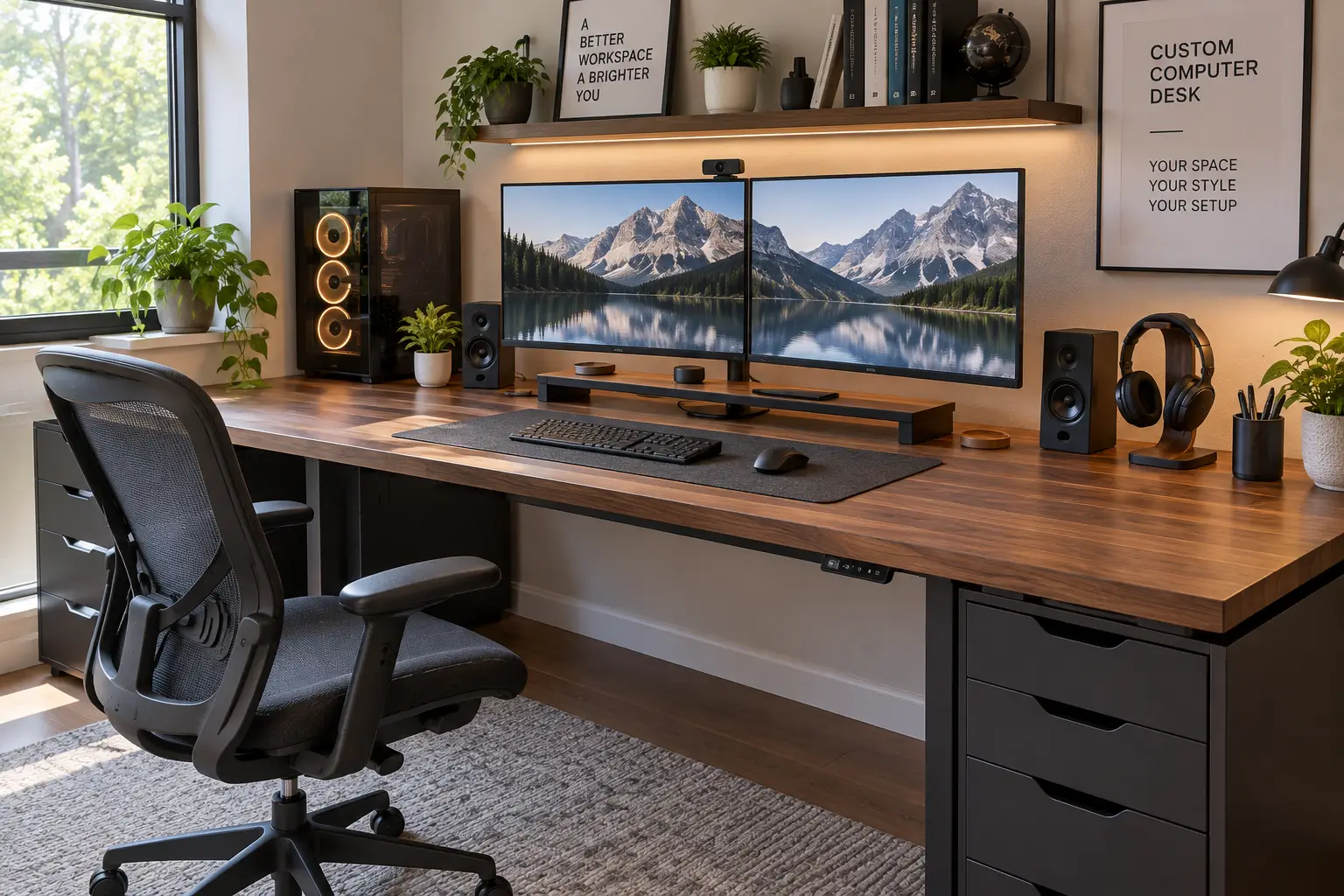
If you’ve spent more than ten minutes shopping for office furniture lately, you already know the problem: a “standard” desk almost never fits a real setup. You’ve got two monitors, a mechanical keyboard, a laptop dock, maybe a treadmill underneath, and a back that starts complaining by 2 p.m. That’s exactly why so many shoppers are searching for a custom computer desk instead of grabbing whatever’s on the showroom floor.
A custom computer desk is any workstation you can adapt to your body, your gear, and your space — through height adjustment, modular shelving, reversible layouts, or a build-your-own configurator — rather than a one-size-fits-all fixed table. What most buyers overlook is that “custom” doesn’t have to mean expensive or complicated. It can be as simple as a $200 reversible corner desk or as involved as a fully configured electric frame with a hand-picked bamboo top.
Below, we’ve pulled real spec sheets and aggregated customer feedback on seven genuine, currently sold desks — from budget-friendly starter frames to premium configurable systems — so you can match your workflow, your room, and your budget instead of settling. We’ll also walk through how to configure one yourself, which mistakes trip up first-time buyers, and what the research says about ergonomics, courtesy of resources like OSHA’s Computer Workstations eTool.
Quick Comparison: Top 7 Custom Computer Desks at a Glance
| Desk | Adjustment Type | Price Range | Best For |
|---|---|---|---|
| UPLIFT V2 | Electric, dual motor | $600–$1,000+ | Deepest customization |
| FlexiSpot E7 | Electric, dual motor | $370–$500 | Best all-around value |
| Autonomous SmartDesk Core | Electric, dual motor | $400–$700 | Budget customization |
| VIVO 60″ x 24″ Electric Desk | Electric, single/dual motor | Under $250 | Most color/top combos |
| Bestier 95.2″ L-Shaped Desk | Fixed height, modular shelves | $150–$260 | Reversible modular layout |
| SHW 55″ Electric Desk | Electric, single motor | $180–$320 | Built-in storage drawer |
| FlexiSpot E7L Pro | Electric, triple motor | $700–$900 | Premium L-shaped corner setup |
Looking at the table above, the pattern is clear: the more you pay, the more the desk adapts to you rather than the other way around — wider height ranges, more motors, and more desktop choices. But that doesn’t mean the budget end is a compromise across the board; the Bestier 95.2″ L-Shaped Desk and VIVO 60″ x 24″ Electric Desk both punch above their price by offering configuration flexibility (reversible shelving, dozens of top/frame color pairings) that has nothing to do with motors. If your top priority is sit-stand health benefits specifically, the electric models earn their premium; if it’s simply arranging a desk around an oddly shaped room, the modular options may be the smarter buy.
✨ 💬 One click helps other shoppers make an informed choice too! 😊
Top 7 Custom Computer Desks: Expert Analysis
1. UPLIFT V2 — deepest configurator on the market
The UPLIFT V2 earns its top spot because almost nothing about it ships “as-is” — you build it piece by piece. Buyers choose from more than 30 desktop finishes (laminate, bamboo, bamboo, rubberwood, and multiple solid woods), sizes from 42″ to 80″ wide, and either a standard or advanced keypad. The dual-motor frame lifts from roughly 25.3″ to 50.9″, which comfortably covers users from about 5’0″ to 6’8″ without floor risers — a real practical difference if your household includes a shorter and a taller user sharing the same desk. A 6-axis accelerometer powers the anti-collision system, meaning the desk stops itself if it bumps a shelf or a curious cat on the way up.
In practice, this level of choice matters most to people who plan to keep a desk for a decade — you’re not stuck with whatever finish happened to be in stock. Reviewers who’ve tested it long-term, including multi-year testing referenced by outlets that track standing desks year over year, consistently rank it among the most solid builds available, citing rock-steady stability even at full height. The trade-off, and it’s a real one: a configured UPLIFT V2 typically lands $120–$200 above a similarly specced FlexiSpot E7, and solid-wood tops can push the total well past $1,000. Aggregated reviews also flag a minor annoyance — the standard keypad attaches with adhesive tape rather than screws, so budget for the upgraded keypad if you want a display and four memory presets from day one.
Pros:
- ✅ Widest desktop and finish selection of any desk here
- ✅ 15-year warranty on frame, motors, and electronics
- ✅ Height range fits users from 5’0″ to roughly 6’8″
Cons:
- ❌ Costs noticeably more than comparable dual-motor rivals
- ❌ Basic keypad feels cheap compared to the desk’s price
In the $600–$1,000+ range depending on configuration, the UPLIFT V2 is best justified if you’re keeping the desk long term and want to pick every detail; check the current price before ordering, since Amazon and the brand’s own site periodically differ.
2. FlexiSpot E7 — best value for a serious dual-motor build
The FlexiSpot E7 is the desk most people land on after comparing specs across the category, and it’s easy to see why: a 355-lb weight capacity, a 15-year warranty, and four memory presets, all at a price meaningfully below the UPLIFT V2. The frame’s upright column mount — where the inner column extends from a fixed base rather than sliding out of an outer sleeve — trades a couple of inches of maximum height for noticeably better side-to-side rigidity at full extension. In practical terms, that means less wobble when you’re leaning on the desk while standing, which matters more than raw height for most home offices.
What most buyers overlook is that FlexiSpot’s own lineup can be confusing, since the E5, E7, and E7 Pro share nearly identical lift speed (about 1.5 inches per second) and noise levels (around 50 dB). The three numbers that actually separate them are weight capacity, maximum height, and warranty length — and the E7 hits the sweet spot for anyone whose setup stays under roughly 300 lbs. Real owner reviews consistently mention that assembly is genuinely a two-person job because the steel components are heavy; the instructions are clear, but plan for help moving the box.
Pros:
- ✅ 355-lb capacity handles multi-monitor, dual-PC setups
- ✅ 15-year warranty beats most desks in this price bracket
- ✅ Reinforced frame stays rigid at full standing height
Cons:
- ❌ Heavy build makes solo assembly and moving difficult
- ❌ Taller users (6’5″+) may find max height too short
Available in the $370–$500 range depending on desktop size and finish, the FlexiSpot E7 is the desk to check first if you want dual-motor reliability without configurator-level spending.
3. Autonomous SmartDesk Core — customization without the premium price tag
The Autonomous SmartDesk Core proves that “custom” doesn’t require a four-figure budget. Buyers choose from three top sizes — a 43″ x 24″ Small, a 53″ x 29″ Classic, and a 70.5″ x 30″ XL — plus finishes spanning white, black, walnut, white oak, and bamboo, all mounted on the same dual-motor steel frame. That frame supports roughly 250–265 lbs and adjusts across a wide enough range to suit most sitting and standing heights, with four programmable presets for quick recall.
Here’s what the spec sheet doesn’t say outright: independent lab testing found the desk’s real-world transit speed running closer to half of Autonomous’s published number, so don’t expect the fastest sit-to-stand transition in this list — it’s smooth, just not quick. Reviewers across multiple outlets, including PC Gamer and How-To Geek, described the desk as a genuinely stylish, durable option that comfortably undercuts pricier rivals like the BDI Stance, while noting it skips the anti-collision sensor found on the UPLIFT V2 and FlexiSpot E7. That’s a fair trade for the price, but it means you should be a little more careful positioning shelves or décor nearby.
Pros:
- ✅ Three size and five-plus finish combinations to choose from
- ✅ Dual-motor frame stays quiet under normal daily use
- ✅ Strong value against pricier configurable competitors
Cons:
- ❌ No anti-collision safety sensor included
- ❌ Real-world lift speed runs slower than advertised
Pricing runs from around $400 for the Small frame-and-top bundle up to about $700 for the XL bamboo configuration — a genuinely flexible entry point into electric height adjustment.
4. VIVO 60″ x 24″ Electric Stand Up Desk — the most mix-and-match combinations under $250
If sheer variety is what you’re after, the VIVO 60″ x 24″ Electric Stand Up Desk may be unmatched at its price. VIVO sells this frame with more than 20 tabletop and frame color pairings — bamboo, black, dark walnut, reclaimed wood, even a white marble dry-erase surface and an RGB-lit option — so it’s genuinely possible to match a specific aesthetic rather than accepting whatever a big-box store happens to stock. Memory presets let you save your preferred sitting and standing heights, and the 60″ width comfortably fits a dual-monitor arrangement plus a full-size keyboard tray.
Retail listings for this line show consistently strong customer sentiment, with several color variants sitting at 4.4 to 4.6 stars across dozens of ratings; owners frequently describe the finished desk as “beautiful and solid” once assembled. On the flip side, more than one reviewer flagged that once you add a nicer top finish, the price creeps closer to established mid-tier competitors — so the deepest discount only applies to the base colorways. Assembly reviews also note the parts aren’t clearly labeled out of the box, so budget extra time versus a desk with a more streamlined build process.
Pros:
- ✅ Over 20 top and frame color combinations available
- ✅ Memory presets for fast sit-stand transitions
- ✅ Strong aggregated customer ratings across variants
Cons:
- ❌ Premium finishes narrow the price gap versus rivals
- ❌ Unlabeled hardware makes assembly slower than expected
At roughly $200 for the base 60″ x 24″ configuration (larger 60″ x 30″ versions with drawers run closer to $330), this is a strong pick for anyone customizing purely by color and finish rather than motor performance.
5. Bestier 95.2″ L-Shaped Reversible Corner Desk — the most flexible modular layout
Not every “custom” desk needs a motor. The Bestier 95.2″ L-Shaped Reversible Corner Desk earns its spot by solving a different customization problem entirely: room shape. Its under-desk shelving can be installed as Right + Middle or Left + Middle, and the whole unit can be reconfigured from an L-shape into a long two-person desk, which is genuinely useful if you’re not sure yet whether your home office will end up as a corner setup or a straight run against a wall. The desktop is CARB-certified P2 particleboard over a steel frame, with three built-in cable holes for basic cord management.
Because there’s no lift mechanism, this desk skips the sit-stand health conversation entirely — worth noting honestly rather than glossing over, since ergonomics research from sources like OSHA’s workstation guidance points to alternating postures as a meaningful factor in reducing musculoskeletal strain over a workday. What the Bestier desk does deliver is a large usable surface (95.2″ of combined length) for a fraction of an equivalent electric L-shaped desk, which makes it a smart choice for dual-workstation households, streamers who need a second monitor bay, or anyone prioritizing square footage over height adjustment.
Pros:
- ✅ Reversible shelving adapts to either side of a room
- ✅ Converts between L-shape and long two-person layout
- ✅ Large 95.2″ surface at a fraction of electric-desk pricing
Cons:
- ❌ Fixed height offers no sit-stand ergonomic benefit
- ❌ Particleboard build is less durable than steel-and-wood rivals
Typically priced in the $150–$260 range depending on finish, this is the pick for buyers who define “custom” as “fits my room” rather than “adjusts to my body.”
6. SHW 55″ Electric Height Adjustable Desk — customization with built-in storage
The SHW 55″ Electric Height Adjustable Desk targets a specific gap: buyers who want electric adjustment and a place to stash accessories without adding a separate organizer. Its digital display handset offers four memory presets, the steel-legged frame telescopes from roughly 28″ to 45–46″, and it’s available in five finishes (Cherry, Maple, Walnut, Black, and Oak) to match existing furniture. The built-in drawer is a genuinely practical touch that’s absent from most desks in this list, and grommeted cord holes keep the top from turning into a cable jungle.
Aggregated Amazon reviews are candid about the trade-offs: several owners note the motor is more exposed and audible than pricier alternatives, and the desk’s edges are noticeably sharp if you rest an arm on the corner for extended periods — a legitimate note on ergonomics, and a nudge to keep elbows off the edge regardless of which desk you buy. On the reliability side, one detailed customer account described a motor failure after the warranty window closed, followed by the manufacturer replacing the entire desk at no charge once contacted directly — a data point worth factoring into how you weigh SHW’s customer support against its bargain price.
Pros:
- ✅ Built-in storage drawer not found on most rivals
- ✅ Five finish options to match existing office furniture
- ✅ Digital handset with four memory-height presets
Cons:
- ❌ Motor runs louder and more exposed than premium desks
- ❌ Desktop edges are noticeably sharp along the sides
Priced roughly between $180 and $320 depending on finish, the SHW 55″ Electric Desk is the practical choice for buyers who want one furniture piece to double as a workstation and a small storage unit.
7. FlexiSpot E7L Pro — the premium choice for a custom corner workstation
For anyone who has outgrown a single-surface desk entirely, the FlexiSpot E7L Pro delivers a genuinely large L-shaped electric workstation — 58.7″ to 82.7″ along the long side and 25.8″ to 40.1″ along the short return, with a height range of roughly 25″ to 50.8″. Three motors (rather than the usual two) keep the larger surface lifting evenly instead of racking to one side, and the 330-lb weight capacity comfortably supports twin monitor arms, a full tower PC, and accessories without flexing.
Reviewers who’ve tested the E7L Pro directly describe it as impressively sturdy with smooth, quiet motor performance and ample real estate for gaming peripherals or a heavy dual-monitor setup — genuinely useful if your workflow spans a main display, a secondary reference monitor, and physical paperwork or a drawing tablet on the return. The honest trade-off is size and cost: this is, by a wide margin, the largest footprint on this list, and it demands a corner or wall configuration that many apartments simply don’t have room for. It’s also the second-most expensive desk here, behind a fully loaded UPLIFT V2.
Pros:
- ✅ Three motors keep the large L-shape lifting evenly
- ✅ 330-lb capacity supports heavy multi-monitor setups
- ✅ Genuine corner-desk real estate for dual workflows
Cons:
- ❌ Requires significant floor space to install
- ❌ One of the priciest options in this roundup
Expect to pay in the $700–$900 range for the FlexiSpot E7L Pro depending on desktop material — a legitimate investment if a corner workstation is genuinely how you work, not just how it looks in photos.
Full Feature Comparison: All 7 Custom Computer Desks
| Desk | Height Range | Weight Capacity | Motors | Warranty | Best For |
|---|---|---|---|---|---|
| UPLIFT V2 | 25.3″–50.9″ | 355 lbs | Dual | Up to 15 yrs | Total customization |
| FlexiSpot E7 | 22.8″–48.4″ | 355 lbs | Dual | 15 yrs | Value + reliability |
| Autonomous SmartDesk Core | ~28″–47.5″ | ~250–265 lbs | Dual | 5 yrs (varies) | Budget adjustability |
| VIVO 60″x24″ | Adjustable, model-dependent | ~176–220 lbs | Single/Dual | 1–5 yrs (varies) | Color/finish variety |
| Bestier 95.2″ L-Shaped | Fixed | ~110–150 lbs | None | Limited | Modular layout |
| SHW 55″ | 28″–45/46″ | ~150–200 lbs | Single | Varies | Built-in storage |
| FlexiSpot E7L Pro | 25″–50.8″ | 330 lbs | Triple | 10–15 yrs | Premium L-shape |
Scanning this table, the height-and-weight numbers cluster tightly among the three dual-motor electric desks — UPLIFT V2, FlexiSpot E7, and Autonomous SmartDesk Core — which means the real differentiator between them is customization depth and warranty length, not raw lifting power. The Bestier desk stands apart by trading motorized adjustment for layout flexibility entirely, while the FlexiSpot E7L Pro is the only option built specifically for a large corner footprint.
How to Configure Your Custom Computer Desk Step by Step
Building a desk that actually fits your workflow isn’t complicated, but skipping a step here tends to show up as regret three months later.
- Measure your space first, not the desk. Note the width, depth, and any wall obstructions like outlets or baseboard heaters before comparing models — an L-shaped desk like the Bestier 95.2″ or FlexiSpot E7L Pro needs real corner clearance.
- Decide if you actually want sit-stand adjustment. If you rarely stand while working, a fixed modular desk like the Bestier saves money you’d otherwise spend on a motor you won’t use often.
- Set your height range based on your tallest and shortest users. Standing elbow height is roughly your height minus about 20 inches — check this against each desk’s max height before ordering, especially if you’re above 6’2″.
- Choose your desktop material based on daily habits, not looks alone. Laminate resists spills and scratches better than raw wood veneers; bamboo splits the difference on durability and price.
- Budget for accessories separately. Cable trays, monitor arms, and power strips are often sold as add-ons rather than included, and they meaningfully affect how “finished” the desk feels.
- Confirm the current price and configuration total before checkout. Configurable desks like the UPLIFT V2 can balloon quickly once you start adding premium woods or upgraded keypads — check the current price for your exact build rather than assuming the advertised starting price.
- Plan for a two-person assembly window on electric desks. Nearly every electric frame in this list weighs enough that assembly goes faster — and more safely — with a second set of hands.
Real-World Scenarios: Which Custom Desk Fits Your Life
Picture three very different home offices, because “best” genuinely depends on who’s sitting down.
A graduate student splitting a small apartment bedroom into a study nook doesn’t need triple motors — they need a desk that won’t dominate the room and that survives being bumped by a roommate. The VIVO 60″ x 24″ Electric Desk or the Bestier 95.2″ L-Shaped Desk (used in its compact configuration) both fit that budget and footprint without sacrificing usable surface.
A remote software developer running two monitors, a laptop dock, and the occasional video call needs stability above almost everything else — a wobbly desk during a client call is a real problem, not a minor annoyance. The FlexiSpot E7 hits that requirement directly, with enough weight capacity to spare for a second monitor arm down the line.
A small business owner running a home-based design studio, juggling a drawing tablet, a full tower PC, and physical reference materials, benefits most from the extra real estate of the FlexiSpot E7L Pro or a fully configured UPLIFT V2 — the added cost buys back desk space that would otherwise mean a second piece of furniture entirely.
Common Desk Problems and How Customization Solves Them
Problem: Two monitors won’t fit without crowding the keyboard. A wider desktop — 60″ or larger, like the VIVO 60″ x 24″ or FlexiSpot E7L Pro — solves this more reliably than a monitor arm alone, since it also leaves room for a full-size keyboard and mouse mat.
Problem: Back and neck pain by mid-afternoon. This is precisely the pattern OSHA’s ergonomics guidance flags around static postures; alternating between sitting and standing on an electric desk like the FlexiSpot E7 or Autonomous SmartDesk Core is one of the more direct interventions available without a full ergonomic chair upgrade.
Problem: Cables turn into a tangled mess within a week. Look specifically for grommets or a cable tray — the SHW 55″ and UPLIFT V2 both include cord routing that a purely modular desk like the Bestier handles only partially through its cable holes.
Problem: The desk doesn’t fit an oddly shaped room. This is where reversible, modular designs earn their keep — the Bestier 95.2″ L-Shaped Desk‘s reversible shelving can flip to either side depending on where your outlets and doorway sit.
Problem: Budget doesn’t stretch to a full configurator build. Start with the frame-plus-basic-top bundle on the Autonomous SmartDesk Core or the base color on the VIVO 60″ x 24″, and upgrade the desktop material later if your budget grows — most electric frames accept standard-size replacement tops.
✨ Don’t miss these exclusive deals!
🔍 Take your home office setup to the next level with this carefully curated lineup. Click a highlighted item to check current pricing and availability. These picks will help you build a workspace the whole household — or the whole workday — can actually enjoy!
How to Choose a Custom Computer Desk
- Start with weight capacity, not height range. Add up your monitor stand, PC tower, and any accessories before assuming a 250-lb frame is “enough” — dual-monitor setups add up faster than most buyers expect.
- Match the motor count to the desktop size. A single motor struggles on anything past about 55″ wide; anything larger genuinely benefits from dual or triple motors like the FlexiSpot E7L Pro.
- Check the warranty terms on motors specifically, not just the frame — motor failures are the most common electric-desk complaint in aggregated reviews, and coverage varies significantly by brand.
- Decide between fixed and adjustable before shopping by price, since a fixed modular desk like the Bestier and an electric desk like the SHW 55″ occupy overlapping price bands but solve different problems entirely.
- Look for anti-collision detection if kids or pets share the space. It’s a small feature that only a few desks here include, but it matters more than most spec sheets suggest.
- Read the assembly reviews, not just the star rating. A 4.5-star desk with dozens of complaints about unlabeled hardware, like some VIVO variants, still needs an honest time budget for setup.
- Confirm return policy before ordering a large L-shaped model. Desks like the FlexiSpot E7L Pro are expensive to ship back if the footprint doesn’t fit your room as measured.
Custom Computer Desk vs. Pre-Built Fixed Desk
A pre-built fixed desk from a big-box retailer wins on one thing: same-day availability and typically the lowest sticker price. That’s a legitimate advantage if you need a desk today and don’t care about long-term ergonomics. But a fixed desk locks in one height for every user and every task, which is precisely the limitation that pushed OSHA and other occupational health bodies to recommend adjustable furniture as one of the more effective interventions against static-posture strain.
A custom computer desk — whether that’s an electric frame like the FlexiSpot E7 or a modular layout like the Bestier 95.2″ L-Shaped Desk — costs more upfront but pays that back in two ways: it adapts as your setup changes (a second monitor, a new chair, a taller roommate), and it typically ships with a meaningfully longer warranty than budget fixed furniture. The honest calculus is straightforward: if you expect to keep the same desk for one or two years in a temporary space, a fixed desk is defensible. If you’re setting up a workspace you expect to use daily for five-plus years, the customization premium tends to pay for itself in comfort and flexibility alone.
Custom Computer Desks for Different Users
For gamers and streamers: Surface area and cable routing matter more than height range, since most gaming setups stay seated. The FlexiSpot E7L Pro or Bestier 95.2″ L-Shaped Desk both offer the real estate for a wide monitor array, a stream deck, and peripherals without crowding.
For remote professionals on video calls all day: Stability during standing use is non-negotiable — a shaky desk shows up on camera. The FlexiSpot E7 and UPLIFT V2 both prioritize rigidity at full height over raw price.
For students in shared or small spaces: Budget and footprint typically outrank motor count. The VIVO 60″ x 24″ and the compact Bestier configuration both keep costs and floor space down without sacrificing a usable work surface.
For anyone managing chronic back or neck discomfort: An electric sit-stand desk paired with proper monitor height is one of the more evidence-backed adjustments available; OSHA’s workstation guidance is a genuinely useful free resource for dialing in the rest of the setup once the desk itself is sorted.
Long-Term Cost and Maintenance
The purchase price is only part of the real cost of a custom computer desk. Electric models like the FlexiSpot E7, UPLIFT V2, and SHW 55″ rely on motors that, per aggregated reviews across this category, are the single most common point of failure after year two or three — which is exactly why warranty length deserves more weight than most buyers give it. A 15-year motor warranty, as offered on the UPLIFT V2 and FlexiSpot E7, effectively removes that risk from your long-term cost calculation, while shorter or unspecified warranties on budget frames shift that risk back onto you.
Fixed modular desks like the Bestier 95.2″ L-Shaped Desk skip the motor-failure risk entirely, but particleboard surfaces are more vulnerable to moisture damage and edge chipping over years of daily use than the steel-and-laminate or steel-and-wood combinations found on the electric desks in this list. Realistically, budget five to ten dollars a year for basic upkeep — tightening leg bolts, wiping down cable trays, and checking grommet seals — regardless of which desk you choose; it’s a trivial cost next to a desk replacement.
Safety, Regulations, and Standards
Office desks aren’t subject to the same mandatory federal stability testing as furniture like dressers, but the underlying engineering principles overlap. The Consumer Product Safety Commission’s long-running work on furniture tip-over prevention — most recently reinforced through its Anchor It! campaign — is a useful frame of reference even for desks: a wide, stable base matters more than most buyers realize, particularly for tall L-shaped units like the FlexiSpot E7L Pro loaded with heavy monitor arms.
On the ergonomic side, the relevant standard most desk manufacturers reference is ANSI/BIFMA X6.5, which governs home-office and occasional-use desk products, alongside general workplace ergonomics guidance from federal agencies. None of this requires a certification hunt before you buy — but it’s worth choosing a desk with a stated weight capacity comfortably above your actual gear, keeping cords away from walkways, and avoiding overloading one side of any reversible or L-shaped configuration.
Frequently Asked Questions
❓ What is a custom computer desk?
❓ How much does a custom computer desk cost?
❓ Is a custom computer desk worth it for a home office?
❓ Can I customize a standing desk after I buy it?
❓ What size custom computer desk do I need for two monitors?
Conclusion
There’s no single “best” custom computer desk — there’s only the one that matches your body, your gear, and your room. If you want the deepest configuration options and don’t mind paying for them, the UPLIFT V2 remains the benchmark. If you want dual-motor reliability at a fair price, the FlexiSpot E7 is the safest recommendation in this entire list. Budget-conscious buyers get real customization too, whether that’s the color and finish variety of the VIVO 60″ x 24″, the layout flexibility of the Bestier 95.2″ L-Shaped Desk, or the storage-plus-adjustment combo on the SHW 55″. And anyone building a genuine dual-workflow corner office should take a hard look at the FlexiSpot E7L Pro.
Whichever direction you go, the research is consistent on one point: a desk that fits you — rather than the other way around — is one of the more effective, evidence-backed upgrades you can make to a home workspace. Match the desk to your actual daily habits rather than the flashiest spec sheet, confirm the current price before checkout, and you’ll end up with a setup that earns its keep for years.
✨ Ready to build your own setup?
🛠️ Compare the picks above side by side, check today’s price on your favorite, and turn your workspace into one that actually works for you.
Recommended for You
- Wall Monitor Holder: 7 Best Picks to Reclaim Your Desk in 2026
- Keyboard Riser for Desk: 7 Best Picks to End Wrist Pain (2026)
- 7 Best Office Desk With Keyboard Tray Picks for 2026 (Ergonomic Guide)
Disclaimer: This post contains affiliate links. As an Amazon Associate, I earn from qualifying purchases made through these links, at no additional cost to you.
✨ Found this article helpful? Share it with someone who needs it! 💬🤗