
In This Article
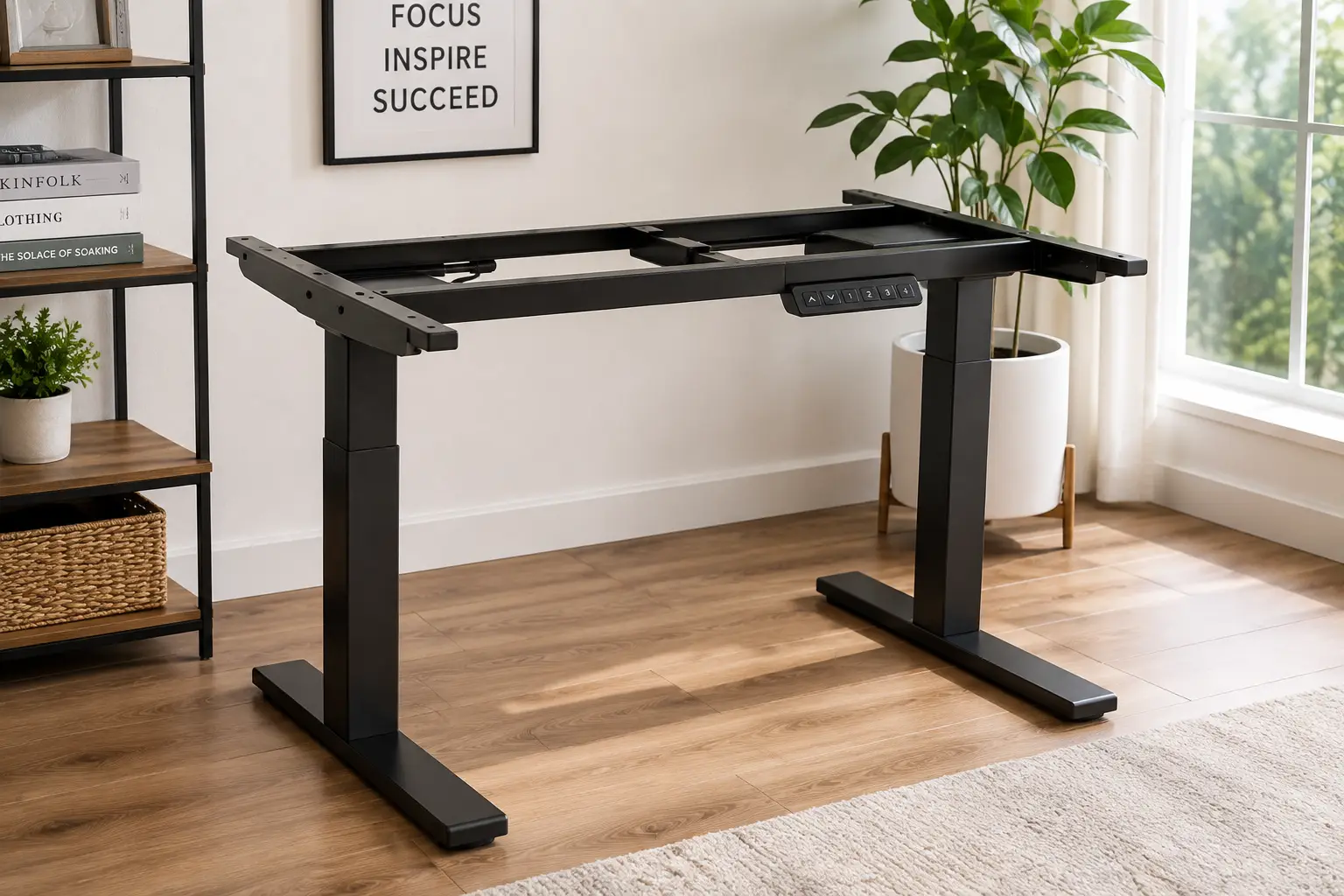
Buying a sit stand desk frame instead of a full pre-built standing desk is one of those decisions that seems small until you realize how much money and flexibility it actually saves you. A sit stand desk frame is just the motorized (or manual) base — the legs, motor, and control box — sold without a desktop, which means you get to keep whatever surface you already love, or pick a custom size that a boxed desk simply doesn’t offer. That flexibility is exactly why frame-only sales have quietly become one of the fastest-growing categories in home office furniture over the last few years.
The catch is that not all frames are built the same way, and the specs sheet alone won’t tell you which one deserves a spot under your desktop. A 154-lb weight limit sounds fine until you stack two monitors, a monitor arm, and a mini PC on top of it. A single motor sounds cheaper right up until it strains and slows down at 40 inches. In this guide, we’re breaking down seven real, currently available frames — from a $140 hand-crank base to an $800 commercial-grade dual-motor unit — with honest analysis of who each one actually fits, not just a features list copied from the box.
According to OSHA’s guidance on computer workstations, proper workstation height and posture adjustability are directly tied to reducing musculoskeletal strain, which is exactly the problem a good sit stand desk frame is designed to solve. We’ll walk through the top picks, a full comparison table, how to choose the right one for your space, and the mistakes that trip up most first-time buyers.
Quick Comparison: 7 Sit Stand Desk Frames at a Glance
| Frame | Motor Type | Height Range | Weight Capacity | Price Range | Best For |
|---|---|---|---|---|---|
| FLEXISPOT EC1 | Single | 27.9″–47.6″ | 154 lbs | Around $150–$220 | Tightest budgets |
| VIVO DESK-V102E | Single | 28.7″–48.5″ | 176 lbs | Around $230–$260 | Simple electric upgrade |
| VIVO DESK-V101M | Manual crank | 27.8″–46.5″ | 132 lbs | Around $130–$150 | No-motor reliability |
| Autonomous A2-2021 | Dual | 25″–51″ | 300 lbs | Around $280–$380 | DIY builders on a budget |
| FLEXISPOT E7 Pro | Dual | 25.0″–50.6″ | 440 lbs | Around $330–$480 | Heavy dual-monitor setups |
| Fully Jarvis Frame Only | Dual | 24.5″–50″ | Up to 350 lbs (advertised) | Around $400–$550 | Wide or custom desktops |
| UPLIFT V2-Commercial | Dual | 22.6″–48.6″ | 535 lbs | Around $750–$850 | Maximum load capacity |
Looking at the table, the split is pretty clear: the three sub-$400 frames trade weight capacity and motor redundancy for price, while the three premium options justify their cost with real engineering — heavier steel, dual motors, and load ratings that comfortably handle multi-monitor arms. The VIVO DESK-V101M stands apart as the only manual option, which matters if you want zero electronics to eventually fail. If your setup is a single monitor and a laptop, you genuinely don’t need the UPLIFT V2-Commercial‘s 535-lb ceiling — but if you’re running a dual-arm mount with a large ultrawide, that headroom stops being a luxury and starts being a requirement.
💬 One click helps other shoppers make an informed choice too! 😊
Top 7 Sit Stand Desk Frames for 2026: Honest Breakdown
1. FLEXISPOT EC1 — lightest entry point on this list
The FLEXISPOT EC1 is the frame most people land on first simply because it removes almost every barrier to entry. Its single motor and 2-stage steel legs adjust across a 27.9″–47.6″ range at roughly 1 inch per second, and FlexiSpot backs the frame and motor with a 5-year warranty (2 years on the controller and switch). What that spec sheet doesn’t say outright: a single motor at this price point means slightly slower, slightly less synchronized lifts than dual-motor frames, and you’ll notice it more if your desktop is unusually wide.
Based on comparing the specs against every other frame here, the FLEXISPOT EC1 is squarely built for one-monitor setups, laptops, or a secondary desk in a guest room — not for anyone stacking dual monitor arms or heavy equipment. Reviews consistently report that the FLEXISPOT EC1 is quiet (under 50 decibels) and easy to assemble solo, though a recurring theme in aggregated feedback is that the 154-lb capacity feels tight once you factor in the desktop’s own weight, leaving less headroom than the number suggests.
Pros:
- ✅ Lowest price of any electric frame on this list
- ✅ Quiet operation under 50 decibels
- ✅ Straightforward single-person assembly
Cons:
- ❌ 154-lb capacity leaves little room for heavy gear
- ❌ Single motor lifts noticeably slower than dual-motor frames
The frame alone typically runs around $150–$220 depending on the bundle, and at that price it’s hard to beat as a first electric standing desk frame — just don’t expect it to keep pace with heavier dual-motor options as your setup grows.
2. VIVO DESK-V102E — best memory touchpad for the price
The VIVO DESK-V102E upgrades on basic budget frames with a memory touch pad controller, letting you save preset heights instead of holding a button until you eyeball the right spot. Its single motor moves at 1.5 inches per second across a 28.7″–48.5″ range, and it supports 176 lbs of static load — a modest but real step up from entry-level competitors.
What most buyers overlook with this model is the 10% duty cycle: the motor is rated for about 2 minutes of continuous movement before it needs an 18-minute cooldown. In practice this is a non-issue for normal daily sit-to-stand transitions, but it does mean the VIVO DESK-V102E isn’t the frame to buy if you’re planning to raise and lower it repeatedly in a shared or classroom-style setup. Aggregated customer sentiment on this model is generally positive around ease of setup and the responsiveness of the touchpad, with the more common complaints centered on the plastic feel of the control box rather than the frame’s actual lifting performance.
Pros:
- ✅ Touch-pad memory presets at a budget price
- ✅ 176-lb capacity beats most single-motor rivals
- ✅ Simple two-leg design fits small offices
Cons:
- ❌ 10% duty cycle limits continuous adjustments
- ❌ Control box feels less premium than the frame itself
Expect to pay somewhere in the $230–$260 range, which puts the VIVO DESK-V102E right at the point where an electric height adjustable desk frame starts to feel genuinely convenient rather than merely functional.
3. VIVO DESK-V101M — best manual crank alternative
Not every sit stand desk frame needs a motor, and the VIVO DESK-V101M makes a legitimately strong case for going manual. A hand crank raises and lowers the frame across a 27.8″–46.5″ range, supporting up to 132 lbs — modest numbers, but paired with zero electronics that can short out, overheat, or need a firmware reset five years from now.
Here’s what to weigh: manual crank frames trade convenience for reliability. You won’t get instant height changes or memory presets, and cranking a loaded desktop up several inches takes real effort. But reviews of manual VIVO frames consistently point to the mechanism’s durability as the standout feature — there’s simply less that can fail. For anyone setting up a secondary workstation, a kid’s homework desk, or a garage workbench where cost matters more than speed, this is the most budget-conscious entry on the list by a wide margin.
Pros:
- ✅ No motor or electronics means fewer failure points
- ✅ Lowest price of any frame in this roundup
- ✅ Simple, tool-light assembly
Cons:
- ❌ Manual cranking is slow and requires physical effort
- ❌ 132-lb capacity is the lowest here
At around $130–$150, the VIVO DESK-V101M is less a compromise than a genuinely different philosophy — durable simplicity over motorized convenience.
4. Autonomous A2-2021 — best dual motor under $400
The Autonomous A2-2021 is where dual-motor lifting starts becoming affordable. Its two motors work in tandem across a 25″–51″ height range, with an adjustable leg spread of 40″–73″ to fit different desktop widths, and a 300-lb lifting capacity that comfortably outperforms every single-motor frame on this list.
Based on comparing the specs, what makes dual motors matter isn’t just raw strength — it’s synchronization. Single motors can rack (tilt slightly) under uneven loads over time; dual motors correct for that automatically, which matters if you’re mounting a monitor arm off-center. Reviews of the Autonomous DIY frame lineup frequently mention straightforward assembly and solid stability at full height, with the more common criticism being that the keypad and cable management feel more basic than what FlexiSpot or UPLIFT include at similar price points.
Pros:
- ✅ Dual motors for better stability and synced lifts
- ✅ 300-lb capacity handles multi-monitor setups
- ✅ Wide 40″–73″ leg adjustment fits various desktop sizes
Cons:
- ❌ Keypad feels more basic than premium competitors
- ❌ Cable management is minimal out of the box
Priced around $280–$380, the Autonomous A2-2021 is the frame we’d point budget-conscious buyers toward if dual-motor stability matters more than brand-name extras.
5. FLEXISPOT E7 Pro — best anti-collision safety features
The FLEXISPOT E7 Pro steps up to genuinely heavy-duty territory: a 440-lb static load rating, dual motors, and an automotive-grade steel frame with an electrostatic spray coating designed to resist chipping over years of use. Its height range spans 25.0″–50.6″, and FlexiSpot backs the frame, motors, and electronics with a 15-year warranty — among the longest in this category.
The anti-collision sensor is the feature that actually changes daily use: if the desktop bumps into a shelf, wall, or your knee mid-adjustment, the FLEXISPOT E7 Pro automatically stops and reverses rather than continuing to push. What the spec sheet doesn’t say plainly is how much that safety layer matters once you’ve got cables, a docking station, or a wall-mounted shelf nearby — it’s the difference between a minor bump and a cracked monitor arm. Reviews consistently highlight the LED touchscreen keypad and USB charging port as standout conveniences, while a recurring critique is that the desktop options sold alongside the frame carry a real price premium over buying the frame alone.
Pros:
- ✅ 440-lb capacity handles serious multi-monitor rigs
- ✅ Anti-collision sensor prevents accidental damage
- ✅ 15-year warranty on frame, motors, and electronics
Cons:
- ❌ Bundled desktop options add noticeably to the price
- ❌ Heavier frame makes solo assembly more difficult
Expect to pay roughly $330–$480 depending on keypad and configuration, making the FLEXISPOT E7 Pro one of the strongest value-for-durability picks in the premium tier.
6. Fully Jarvis Frame Only — widest desktop compatibility
The Fully Jarvis Frame Only is built for people who already have a desktop in mind — or want the freedom to build one. Its adjustable base spans 24″–74″, supporting tops from 44″ to 82″ wide and 27″ to 36″ deep, with a height range of 24.5″–50″ powered by dual motors moving at roughly 1.5 inches per second under light loads.
Here’s an honest caveat worth flagging: FlexiSpot’s competitor comparisons and independent reviews note that while Fully advertises a 350-lb lifting capacity, the OEM motor manufacturer’s own rating is closer to 281 lbs — a gap worth knowing about if you’re planning to load the frame near its advertised ceiling. That said, the Fully Jarvis Frame Only carries a 15-year warranty on frame parts and electronics, includes a six-way accelerometer anti-collision system, and traces its engineering lineage to Herman Miller’s furniture testing standards. Aggregated reviews are consistently positive about build quality and desktop-size flexibility, with sound level being the most commonly cited drawback — testing has shown noise climbing toward 70+ decibels near maximum load.
Pros:
- ✅ Supports desktops up to 82″ wide — widest range here
- ✅ 15-year warranty on frame and electronics
- ✅ Six-way accelerometer anti-collision safety system
Cons:
- ❌ Advertised capacity exceeds the motor’s own OEM rating
- ❌ Noticeably louder than competitors near full load
At around $400–$550 for the frame alone, the Fully Jarvis Frame Only earns its price primarily through desktop-size flexibility rather than raw lifting power.
7. UPLIFT V2-Commercial — highest weight capacity available
The UPLIFT V2-Commercial T-Frame sits at the top of this list for a reason: a 535-lb weight capacity that dwarfs everything else here, dual motors, a 95-lb steel frame, and an advanced memory keypad with four presets. Its height range runs 22.6″–48.6″, adjusting at 1 inch per second, and UPLIFT backs it with a 10-year warranty.
What most buyers overlook is that 535 lbs isn’t about how much your monitor weighs — it’s about long-term structural headroom. A frame rated well above what you’re actually loading experiences less strain over years of daily cycling, which is exactly why commercial and multi-monitor power users gravitate toward this tier. Reviews consistently describe the UPLIFT V2-Commercial as one of the most stable frames tested at full height, with minimal wobble even under heavy dual-arm monitor mounts. The most common critique in aggregated feedback isn’t performance — it’s price, since this frame costs roughly triple what an entry-level single-motor option runs.
Pros:
- ✅ 535-lb capacity, the highest on this list
- ✅ Exceptional stability at full height under heavy loads
- ✅ Advanced 4-preset memory keypad included
Cons:
- ❌ Priced well above every other frame in this roundup
- ❌ Overkill for single-monitor or laptop-only setups
At around $750–$850, the UPLIFT V2-Commercial is the frame to buy once, not the frame to buy first — it’s built for people who already know exactly how much weight they’re putting on it.
What Is a Sit Stand Desk Frame?
A sit stand desk frame is the motorized or manual base of a height-adjustable desk, sold without a desktop, that lets you raise or lower your work surface between sitting and standing positions. Unlike a full standing desk, a frame-only purchase lets you attach your own tabletop — repurposing an existing surface or choosing a custom size the manufacturer doesn’t sell pre-assembled.
This distinction matters more than it sounds. Buying a frame separately from the desktop is how most experienced home-office builders save money: desktops are commodity plywood, laminate, or bamboo panels that cost far less bought separately than bundled with a branded frame. It also solves a real problem — most pre-built standing desks only come in a handful of fixed widths, while a height adjustable desk frame like the Fully Jarvis Frame Only can stretch to fit an 82-inch custom slab or shrink to fit a tight corner.
How to Choose a Sit Stand Desk Frame
Picking the right frame comes down to matching real specs to your actual setup, not chasing the highest number on the page. Here’s the reasoning we’d walk a friend through:
- Start with your desktop’s dimensions. Measure the width and depth you want before shopping — a frame’s leg-spread range (like the Autonomous A2-2021‘s 40″–73″) determines what sizes it can actually support.
- Add up your equipment’s real weight. Monitors, arms, docking stations, and PC towers add up fast; leave at least 30% headroom above your total, since manufacturer ratings are often measured under ideal lab conditions.
- Decide if single motor is enough. A single motor works fine for light, centered loads; anything wider than a monitor and laptop benefits from the synchronized lift of a dual-motor frame.
- Check the height range against your actual height. Taller users (6’2″+) need a frame that maxes out well above 48″; shorter users need the minimum height low enough to sit comfortably, not just stand.
- Factor in noise if you’re in a shared space. Duty-cycle and decibel ratings vary widely — the VIVO DESK-V102E‘s 10% duty cycle matters in an open office, less so at home.
- Compare warranties, not just price. A 5-year warranty versus a 15-year warranty is a real signal of how confident the manufacturer is in the motor and frame’s longevity.
- Decide whether anti-collision safety is worth the premium. If you work near shelving, walls, or cables, the feature on frames like the FLEXISPOT E7 Pro pays for itself the first time it prevents a collision.
For a deeper technical walkthrough of proper desk height and posture, Cornell University’s ergonomics program offers a free workstation checklist that pairs well with any frame you land on.
Sit Stand Desk Frame vs. Pre-Built Standing Desk vs. Standing Desk Converter
Frames aren’t the only way to get height adjustability — it helps to see how they stack up against the two most common alternatives.
| Option | Upfront Cost | Customization | Stability | Best For |
|---|---|---|---|---|
| Sit Stand Desk Frame (e.g. FLEXISPOT EC1) | Low to moderate | High — any desktop size/material | Good to excellent | Custom setups, budget builders |
| Pre-Built Standing Desk (frame + top bundle) | Moderate to high | Low — fixed sizes only | Good to excellent | Buyers who want zero assembly decisions |
| Standing Desk Converter (riser on existing desk) | Low | Low — sits on top of current desk | Fair — can wobble under load | Renters or no-drill offices |
The written comparison matters more than the table alone: a converter is the cheapest and fastest option, but it eats into usable desk depth and tends to feel less stable than a true frame, especially with a keyboard tray attached. A pre-built desk removes decision fatigue but locks you into whatever width the manufacturer offers — often a poor fit for corner setups or unusually large monitors. A dedicated sit stand desk frame like the Autonomous A2-2021 or UPLIFT V2-Commercial splits the difference: real stability and lifting power, with the freedom to choose your exact desktop.
✨ Don’t miss these exclusive deals!
🔍 Take your workspace to the next level with this carefully curated lineup. Click a highlighted pick above to check current pricing and availability on Amazon — these picks will help you build a sit-to-stand setup that actually fits your desk, your budget, and how you work.
Common Mistakes to Avoid When Buying a Sit Stand Desk Frame
Even careful shoppers trip up on a handful of predictable mistakes. Here’s what expert reviewers and aggregated customer feedback flag most often.
Buying purely on weight capacity is the most common error — a 535-lb-rated frame like the UPLIFT V2-Commercial is wasted money if your setup is a single monitor and a laptop; that budget is better spent elsewhere. The opposite mistake is just as costly: underestimating real-world load. A 154-lb rating on the FLEXISPOT EC1 sounds generous until you add a desktop’s own 30–40 lbs, leaving far less headroom for equipment than the number implies.
Ignoring leg-spread range is another frequent misstep — buyers assume any frame fits any desktop, then discover their 30-inch-deep custom slab exceeds what a budget frame’s crossbar can support. Skipping the duty-cycle spec causes real frustration too, particularly in shared or classroom settings where a frame like the VIVO DESK-V102E needs cooldown time between adjustments. Finally, many buyers overlook cable management entirely until the frame is assembled and cords are dangling into the height-adjustment mechanism — a problem worth solving with a cable tray at purchase time, not after.
Long-Term Cost and Maintenance
The sticker price is only part of what a sit stand desk frame actually costs over time. Motors, like any mechanical component, have a service life — and that’s where warranty length becomes a genuine financial signal, not just marketing copy.
| Tier | Example | Typical Warranty | 5-Year Outlook |
|---|---|---|---|
| Budget | FLEXISPOT EC1, VIVO DESK-V101M | 2–5 years | Low upfront cost; motor replacement (if needed) may exceed original frame price |
| Mid-range | Autonomous A2-2021, VIVO DESK-V102E | 2–5 years | Balanced cost-to-durability; dual motors reduce wear on individual components |
| Premium | FLEXISPOT E7 Pro, Fully Jarvis Frame Only, UPLIFT V2-Commercial | 10–15 years | Higher upfront cost offset by warranty coverage well beyond typical desk ownership |
Interpreting that table honestly: a $150 frame that needs a $100 motor repair in year three isn’t actually cheaper than a $450 frame backed by 15 years of coverage — it just moves the cost from purchase day to an inconvenient afternoon later. Maintenance itself is minimal across every tier here: periodically check that leg bolts haven’t loosened from repeated height cycling, keep cables clear of the lift mechanism, and avoid exceeding the rated capacity, which is the single biggest driver of premature motor wear according to aggregated long-term user reports.
Getting Started: Your First 30 Days With a New Sit Stand Desk Frame
Unboxing a new frame is the easy part — getting real value out of it takes a little intention in the first month. Assembly typically takes 30–60 minutes solo for lighter frames like the VIVO DESK-V102E, longer for heavier dual-motor units like the FLEXISPOT E7 Pro, where a second set of hands makes attaching the desktop considerably easier.
Once it’s built, resist the urge to stand all day immediately. Ergonomics researchers generally recommend easing into standing time gradually — start with 30-minute standing intervals a few times a day and build from there, rather than trying to stand for eight hours on day one. Mayo Clinic research on active workstations has even linked gradual standing habits to modest improvements in cognitive performance, which is a nice bonus on top of the usual posture benefits. Set your sitting and standing heights properly before saving them as memory presets: elbows at roughly 90 degrees, monitor top at eye level, in both positions. This is also the ideal window to sort out cable management — route cords through the frame’s built-in channels (if included) or add a basic cable tray before things get tangled around the lift columns. Common first-month mistakes include setting the standing height too low (causing shoulder strain) and skipping an anti-fatigue mat, which noticeably reduces leg and lower-back discomfort during longer standing stretches.
Real-World Scenarios: Matching a Sit Stand Desk Frame to Your Life
Different buyers need genuinely different frames, and seeing a few real profiles side by side makes the decision easier than specs alone.
Consider a college student working from a dorm room on a tight budget with a single monitor and laptop: the VIVO DESK-V101M or FLEXISPOT EC1 covers everything they need without wasting money on capacity they’ll never use. Now picture a software developer running a triple-monitor setup on a custom 70-inch desktop: the Fully Jarvis Frame Only‘s wide base and dual motors are built exactly for that scenario, where a narrower frame simply wouldn’t reach. Finally, think about a small business outfitting a shared commercial workspace with heavy-duty daily use across multiple employees: the UPLIFT V2-Commercial‘s 535-lb capacity and 10-year warranty make sense as an investment that needs to survive years of constant cycling by different people, not just occasional home use.
Sit Stand Desk Frame for Every Body: Tall Users, Short Users, and Multi-Monitor Setups
Height range matters more than almost any other spec, and it’s the one most commonly overlooked. Users over 6’2″ often find that a maximum height around 48″ leaves the desktop too low even fully extended, especially once you account for desktop thickness — the Autonomous A2-2021‘s 51″ ceiling or the Fully Jarvis Frame Only‘s 50″ max gives noticeably more headroom. Shorter users face the opposite problem: a frame that doesn’t sit low enough forces hunched shoulders even in “sitting” mode, which is where the UPLIFT V2-Commercial‘s 22.6″ minimum stands out as unusually accommodating.
Multi-monitor users have their own priority list entirely: leg-spread width and weight capacity matter more than height range. A dual or triple monitor arm concentrated toward one side of the desktop is exactly the load pattern dual motors are designed to correct for, which is why single-motor frames like the FLEXISPOT EC1 aren’t the right fit once you’re running more than one display.
Safety, Regulations, and Standards for Standing Desk Frames
Safety compliance is easy to overlook when comparing height ranges and motor wattage, but it’s genuinely worth checking before you buy. Many premium frames, including models in the Herman Miller/Fully family like the Fully Jarvis Frame Only, are tested against ANSI/BIFMA office furniture standards, which evaluate structural stability, load durability, and safety under repeated cycling — a meaningful signal that a frame has been engineered beyond just passing a one-time weight test.
Tip-over stability is the other safety consideration most buyers never think about until it’s a problem. The Consumer Product Safety Commission’s furniture safety standards exist primarily around tip-over risk in furniture broadly, and while desk frames are inherently more stable than tall dressers, uneven weight distribution — a monitor arm cantilevered far to one side, for example — still increases tipping risk on any frame. Look for anti-collision sensors (standard on the FLEXISPOT E7 Pro and Fully Jarvis Frame Only) if you work in a space with shelves, walls, or cables nearby, and always confirm UL or ETL electrical certification on the power adapter before plugging in an electric frame, particularly with off-brand budget options.
Features That Actually Matter (and Ones That Don’t)
Marketing copy loves to highlight numbers that sound impressive but rarely change daily use. Lifting speed differences of half an inch per second, for instance, add up to maybe two or three seconds across a full height change — genuinely unnoticeable in practice. Bluetooth app control is another feature that sounds modern but adds little over a well-designed physical keypad with memory presets, which every frame in this list already includes in some form.
What actually matters: weight capacity relative to your real equipment load, motor count relative to desktop width, and warranty length as a proxy for expected motor lifespan. Anti-collision sensors matter more than most buyers initially think, particularly in tighter offices. Duty cycle matters if you expect to adjust height frequently throughout the day rather than once or twice. Everything else — keypad backlighting, app connectivity, colored LED height displays — is genuinely nice-to-have, not decision-driving.
FAQs
❓ What is the difference between a sit stand desk frame and a full standing desk?
❓ Can I put any desktop on a sit stand desk frame?
❓ How much weight can a sit stand desk frame hold?
❓ Are cheap sit stand desk frames worth buying?
❓ Do sit stand desk frames need to be plugged in?
Conclusion
Choosing the right sit stand desk frame really comes down to being honest about two things: how much weight you’re actually putting on it, and how wide your desktop needs to be. Budget single-motor frames like the FLEXISPOT EC1 and VIVO DESK-V102E cover light, single-monitor setups well, while the VIVO DESK-V101M remains a genuinely smart pick for anyone who values mechanical simplicity over motorized convenience. Once your setup grows past one monitor, dual-motor frames like the Autonomous A2-2021, FLEXISPOT E7 Pro, Fully Jarvis Frame Only, and UPLIFT V2-Commercial each offer a different balance of price, width, and raw capacity worth matching to your specific equipment.
None of these seven are the “wrong” choice in isolation — they’re built for different desks, different bodies, and different budgets. What matters is buying based on your actual weight load and desktop dimensions rather than chasing the highest spec number on the page. Whichever frame you land on, pair it with a properly set sitting and standing height, and you’ll get the ergonomic benefit that made you consider a height adjustable desk frame in the first place.
Recommended for You
- Mid Century Modern Office Chairs: 7 Best Picks for 2026
- Manual Treadmill Under Desk: 7 Best Picks to Try in 2026
- Rolling Adjustable Height Desk: 7 Best Picks for 2026 (Reviewed)
Disclaimer: This post contains affiliate links. As an Amazon Associate, I earn from qualifying purchases made through these links, at no additional cost to you.
✨ Found this article helpful? Share it with someone who needs it! 💬🤗