
In This Article
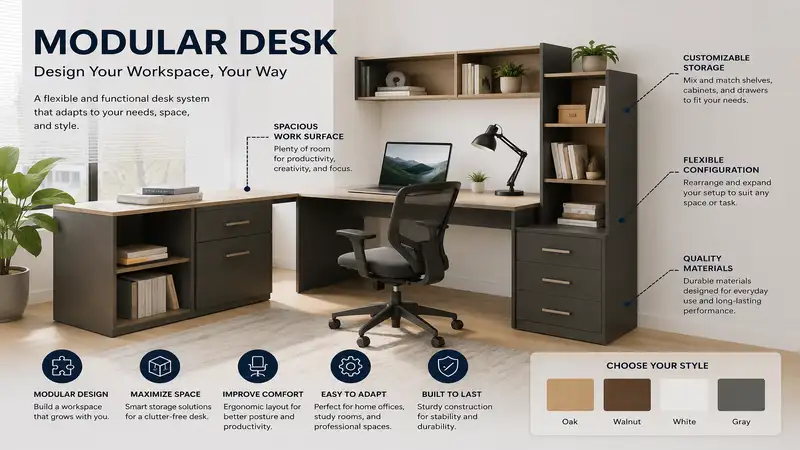
If you’ve ever tried to force a sprawling, L-shaped executive desk into a modern apartment, you know the specific frustration of “workspace friction.” A modular desk isn’t just furniture; it is an infrastructure-as-a-service for your professional and creative life. A modular desk is a configurable workstation composed of independent, interchangeable segments that allow users to expand, shrink, or reorient their surface area based on evolving equipment needs, room geometry, and workflow transitions.
In my decade as an interior consultant, I’ve found that the primary cause of workspace abandonment is rigidity. When your desk cannot grow with your secondary monitor setup or shrink when you move to a smaller home office, it becomes a liability rather than an asset. Most people treat desks as permanent monoliths, but the most productive folks I work with treat them like Lego sets. The “why” behind this is biological: your brain thrives in environments that can be tweaked to suit the task at hand. Whether you are transitioning from a standing desk posture to a focused deep-work mode, or expanding your rig for a new 4K editing suite, a flexible system is the only way to avoid ergonomic stagnation. Today, we’re going to dissect the industry’s most versatile frames and tops to help you build a surface that works as hard as you do.
Quick Comparison of Leading Modular Desk Systems
Before selecting your frame, you need to understand how these systems handle weight distribution and future expansion.
| Product Model | Primary Material | Configuration | Load Capacity | Price Range |
| UPLIFT V2 Standing Desk | Steel Frame / Laminate | Fully Modular | 355 lbs | $600 – $900 |
| Flexispot E7 Pro Plus | Heavy-duty Steel | L-Shape/Straight | 355 lbs | $450 – $700 |
| Branch Standing Desk | Reinforced Steel | Width Adjustable | 275 lbs | $550 – $850 |
| Fully Jarvis (Remnant) | Sustainable Bamboo | Expandable | 350 lbs | $500 – $750 |
| Vari Electric Standing | Industrial Steel | Fixed/Modular Add-on | 220 lbs | $650 – $950 |
Looking at the comparison above, the UPLIFT V2 Standing Desk stands out as the engineering favorite due to its massive accessory ecosystem, allowing you to mount everything from treadmill bases to acoustic privacy panels. While the Flexispot E7 Pro Plus provides a more budget-friendly entry point for those needing L-shape configurations, users should note that the stability of the “wing” attachment is heavily dependent on how precisely you torque the mounting bolts during the initial assembly phase.
✨ Don’t Miss These Exclusive Deals!
🔍 Take your modular desk to the next level with these carefully selected products. Click on any highlighted item to check current pricing and availability. These tools will help you create authentic workspace productivity your family will love!
Top 5 Modular Desk Systems: Expert Analysis
1. UPLIFT V2 Standing Desk (The Gold Standard)
The UPLIFT V2 Standing Desk is the undisputed heavyweight champion of modularity, featuring a proprietary accessory mounting system that spans the entire frame.
-
Key Specs: Dual-motor lifting system with a 355 lb lift capacity; frame width adjusts from 42″ to 80″.
-
Expert Insight: What most buyers overlook is the frame’s “C-frame” design, which pushes the legs toward the rear. This is crucial for avoiding knee-bashing when you use a walking treadmill underneath. If you are a heavy user with three-monitor arms, the optional crossbar is a non-negotiable upgrade to eliminate “monitor wobble” at standing heights.
-
Customer Feedback: Users rave about the customization, though a few note the assembly instructions can be daunting for those with limited DIY experience.
-
Pros: Massive accessory ecosystem, extreme stability, industry-leading warranty.
-
Cons: Higher entry cost, heavy components require two people to assemble.
-
Value Verdict: $600-$900 range; a long-term investment for professionals who want a desk that can effectively change its function every year.
2. Flexispot E7 Pro Plus (The Versatility Specialist)
The Flexispot E7 Pro Plus is designed for users who need to swap between a tight office corner and a sprawling open-room layout.
-
Key Specs: Inverted column design for added stability; proprietary “keypad” with programmable memory presets.
-
Expert Insight: I personally love the inverted column design here. It hides the motor mechanisms better than most competitors, giving it a much cleaner “architectural” look. However, if you plan to use this on thick carpet, ensure you install the leveling feet firmly; the base footprint is narrower than the UPLIFT, which can lead to slight lateral sway if not leveled perfectly.
-
Customer Feedback: Owners praise the intuitive keypad, though some feel the motor noise is slightly more “mechanical” than premium silent-lift units.
-
Pros: Excellent weight-to-price ratio, sleek cable management channels, easy assembly.
-
Cons: Narrower base can feel less planted on carpet, requires manual cable management prep.
-
Value Verdict: $450-$700 range; the best mid-range choice for gamers and remote workers who want a “premium feel” without the premium price tag.
3. Branch Standing Desk (The Minimalist Pro)
The Branch Standing Desk focuses on a “less is more” philosophy, targeting corporate-quality aesthetics for home setups.
-
Key Specs: 3-stage motor columns; high-density 1.25″ thick laminate tops.
-
Expert Insight: This desk is the most “plug-and-play” of the group. The 3-stage motors mean it has a much wider travel range—perfect if you are very tall or very short. A subtle detail: the finish on their white laminate is incredibly stain-resistant, which is a lifesaver if you are like me and constantly spill coffee while working on deadlines.
-
Customer Feedback: Users love the professional look, though some report that the pre-drilled holes for the controller are fixed, limiting where you can place the handset.
-
Pros: Professional-grade durability, rapid assembly, wide height range.
-
Cons: Limited accessory options compared to UPLIFT, fixed handset location.
-
Value Verdict: $550-$850 range; ideal for the corporate professional who wants a refined, no-fuss desk that looks good on Zoom calls.
4. Fully Jarvis (The Sustainable Titan)
The Fully Jarvis continues to hold a reputation as the “eco-warrior” of desks, known for its durable, sustainably sourced bamboo tops.
-
Key Specs: Sustainably sourced bamboo top; lifting speed of 1.5 inches per second.
-
Expert Insight: Bamboo isn’t just for looks; it’s harder than maple and doesn’t warp with humidity changes. If you live in a basement office or a humid climate, this top will outlast standard particleboard every time. Pro-tip: wipe the bamboo down with a light lemon oil once every six months to keep the finish from drying out and feeling “chalky.”
-
Customer Feedback: Users love the tactile feel of the bamboo, though the frame is strictly utilitarian and lacks the hidden cable trays of the newer competition.
-
Pros: Extremely durable top, eco-conscious, smooth motor transition.
-
Cons: Lacks integrated cable management, frame design is basic.
-
Value Verdict: $500-$750 range; the best choice for those who value natural materials and long-term surface durability over flashy electronic features.
5. Vari Electric Standing (The Stability King)
The Vari Electric Standing desk is built for the user who demands an “industrial-grade” rock-solid typing experience.
-
Key Specs: Dual-motor system; heavy-duty laminate with a durable, textured surface.
-
Expert Insight: This desk is heavy. I mean, really heavy. While that makes it a pain to move, it also means it is impossible to accidentally nudge. If you suffer from “shaky monitor syndrome” during your typing sessions, the sheer mass of the Vari frame will solve your problem immediately. It doesn’t sway, period.
-
Customer Feedback: People appreciate the simplicity, though some wish the depth options were more customizable for ultra-deep monitor setups.
-
Pros: Unmatched stability, high-quality finishes, built to last a lifetime.
-
Cons: Extremely heavy, very basic aesthetic, limited configuration options.
-
Value Verdict: $650-$950 range; the absolute best choice if your priority is a desk that refuses to budge, no matter how hard you type.
Practical Usage Guide: Building Your “Forever” Workspace
A modular desk is only as good as its configuration. To make it truly yours, you need to think about zones.
The Zone-Based Configuration Guide
-
The Deep-Work Zone: Keep your primary screen and keyboard here. This area should be kept strictly clear of peripherals. If you have a modular side-table attachment (like the ones from UPLIFT), put your coffee, notebooks, and reference materials there.
-
The Peripheral Zone: Use modular side-arms or clamp-on shelves to move your printer, webcam mic, or secondary gear off the main surface. This clears up the primary surface and stops your desk from looking like a tech-graveyard.
-
The Ergonomic Baseline: Set your desk height so your elbows are at 90 degrees. If your desk frame has memory presets, set one to your sitting height, one to your standing height, and one for a “lean” posture—this is a secret hack for long meetings where you need to stay active but don’t want to stand fully.
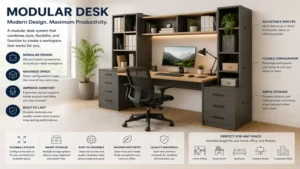
Pro-Tip: Cable Management is Modular, Too
Most people hide cables behind the desk, which makes them impossible to reach. Use velcro-backed cable sleeves that stick directly to the frame of your desk. This allows you to add or remove cables as you swap out your modular components without needing to unplug the whole system and start over.
How to Choose the Right Modular Desk
Don’t buy a desk based on the color; buy it based on your movement profile.
-
Assess Your Load: If you use a dual-monitor arm + a heavy gaming rig on the desk, look for a 300+ lb capacity. If you just have a laptop and a notebook, you can save money by opting for a 200 lb rated frame.
-
Determine Your Stability Threshold: Are you a “heavy typer”? If you hit the keys hard, do not buy a single-motor desk. You need a dual-motor, wide-footprint frame like the Vari Electric Standing to prevent the “monitor shake” that will drive you crazy.
-
Future-Proofing for Space: If you think you might move within two years, choose a system with a telescopic frame that supports multiple tabletop lengths. This way, you can keep the expensive frame and just swap the top if your next room is smaller.
Common Mistakes When Buying a Desk
-
Buying for “Right Now”: Many people buy a fixed-size desk because it fits their current corner. Buy for the next five years. Can this frame be expanded with an L-extension? Can the top be swapped?
-
Ignoring the Depth: Most office desks are 24 inches deep. This is fine for laptops, but if you have a monitor arm, you lose half that space. Always go for a 30-inch deep top if your space allows it.
-
Forgetting the Floor: If you have thick carpets, you must check if your desk has “leveling feet” that are wide enough. A narrow foot will sink into the carpet over time, causing your desk to tilt forward.
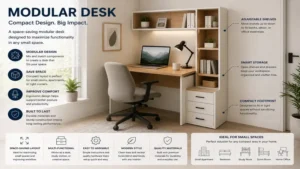
Features That Actually Matter (And Those That Don’t)
-
Matters: Motorized Height Range. If you are under 5’4″ or over 6’2″, a standard desk might not go low or high enough. Check the “lowest” and “highest” specs before you order.
-
Matters: Frame Stability (The “Wobble Test”). Does the desk sway when you push on it? If you can’t test it, read the reviews and search specifically for the word “wobble.”
-
Doesn’t Matter: Built-in Charging Ports. These are usually cheap, outdated USB-A ports. Use your own high-speed power bank or a clamp-on high-speed hub instead.
-
Doesn’t Matter: RGB Lighting. It looks cool for a week, then it just creates glare on your screen. Save the money and buy a better monitor arm.
FAQs
❓ Can a modular desk hold a computer tower on top?
✅ Yes, but you must ensure the surface material (like solid wood or thick laminate) can handle the point-load. I always recommend a frame-mounted CPU holder instead to save precious desk surface…
❓ Do I need a power drill to assemble these?
✅ Most modular desks come with the necessary Allen keys, but having a cordless drill with a low-torque setting will cut your assembly time by 60%…
❓ How often should I reset my standing desk motors?
✅ If you notice your desk is slightly tilted or the motors are making a “thumping” sound, perform a manual reset (usually by holding the down button until the desk hits the bottom). Do this every 3 months…
❓ Can I mix and match different brands for the frame and the top?
✅ Absolutely! Many pros buy an industrial frame (like UPLIFT or Vari) and source a custom butcher-block top from a local lumber yard to get a higher-quality finish at a better price…
❓ Are motorized desks energy-efficient?
✅ They use virtually zero power when sitting idle. The only time they draw significant power is for the 15-20 seconds a day you are actually adjusting the height…
Conclusion
Building a workspace shouldn’t feel like a permanent commitment. A modular desk gives you the freedom to evolve, reconfigure, and scale as your career needs change. Whether you opt for the heavy-duty stability of a Vari or the accessory-rich ecosystem of an UPLIFT, the key is to prioritize a quality frame. You can always change the tabletop later, but the frame is the heart of your desk. Invest there first, and you’ll have a workspace that lasts for years.
Recommended for You
- Hideaway Desk Guide: 5 Space-Saving Workstations for 2026
- 5 Best Custom Desk Workstations for 2026 Office Upgrades
- 5 Best 3 Monitors with Stand Options for a Flawless 2026 Workspace
Disclaimer: This article contains affiliate links. As an Amazon Associate, I earn from qualifying purchases. If you purchase products through these links, we may earn a small commission at no additional cost to you.
✨ Found this helpful? Share it with your friends! 💬🤗