
In This Article
What Are Desktop Risers? An Introduction
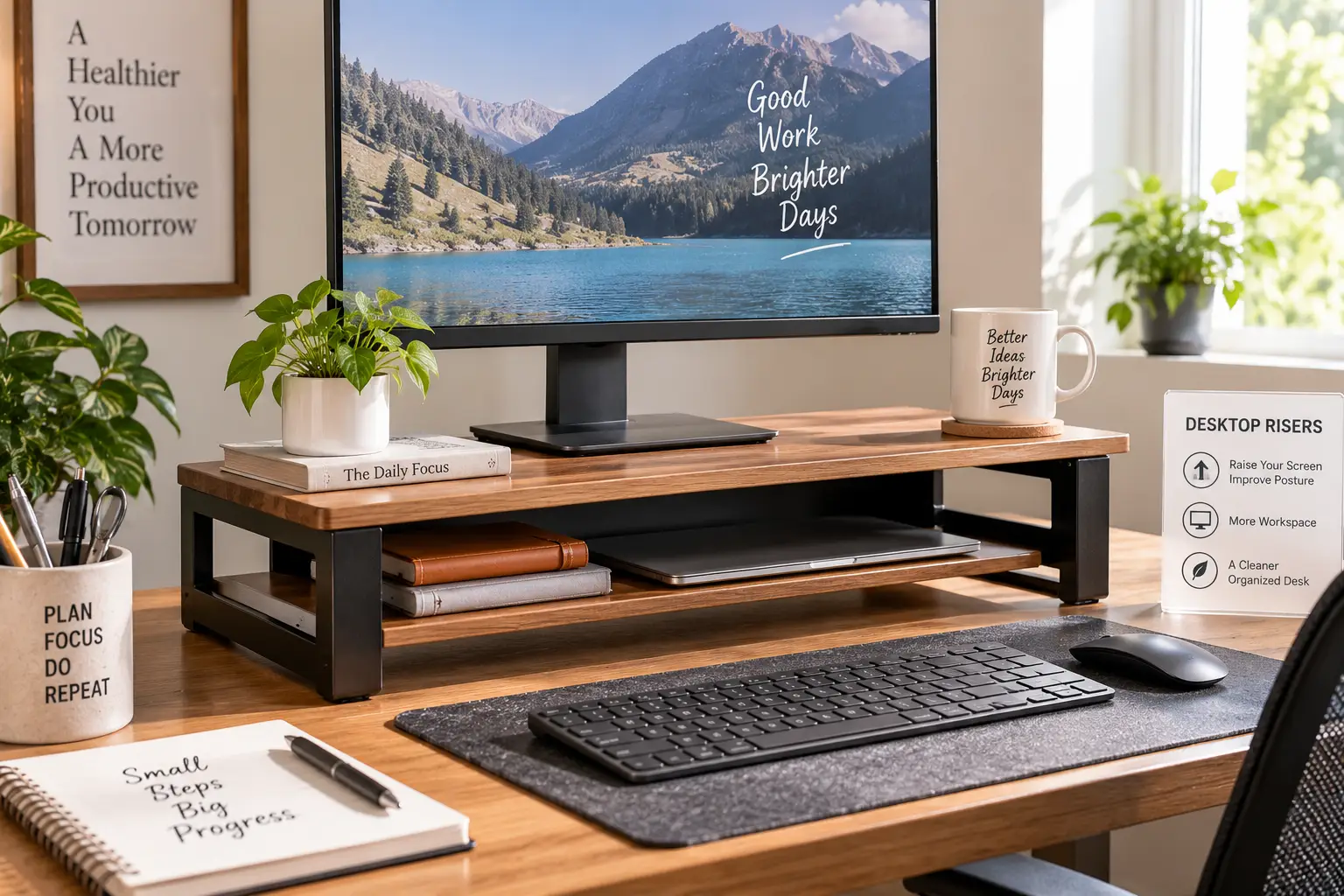
If you’ve ever finished a workday rubbing the back of your neck, there’s a decent chance your monitor is the culprit. Desktop risers are small platforms that sit on top of your existing desk and lift your monitor, laptop, or both closer to eye level — no new furniture, no drilling, no rewiring your whole workspace. Most add somewhere between 3 and 20 inches of height, and a lot of them throw in a shelf or drawer underneath for your keyboard, notebooks, or cable clutter.
The appeal is obvious: desktop risers are cheap compared to a full standing desk, they take about five minutes to set up, and they solve a very specific, very common problem — screens that sit too low. According to the Occupational Safety and Health Administration’s guidance on computer workstations, the top of your monitor should sit at or slightly below eye level, with the center of the screen falling 15 to 20 degrees below your straight-ahead line of sight. Most laptops and a lot of monitors, sitting flat on a desk, fall well short of that mark — which is exactly the gap a desktop riser is built to close.
This guide breaks down 7 real desktop risers currently available on Amazon, spanning bare-bones budget picks to premium models with real storage. We’ll compare them head-to-head, walk through how to actually choose one for your setup, and cover the mistakes that lead people to buy the wrong riser twice. As an Amazon Associate, this article contains affiliate links, and we may earn a commission from qualifying purchases at no additional cost to you.
Quick Comparison: Desktop Risers at a Glance
| Product | Height | Weight Capacity | Storage | Best For |
|---|---|---|---|---|
| HUANUO Monitor Riser | Fixed, ~3.5 in | Up to 44 lbs | Ventilated open shelf | Tight budgets |
| ROCDEER Bamboo Monitor Stand | Fixed, ~4.7 in | Moderate | Open under-shelf | Aesthetic-focused desks |
| WESTREE Dual Monitor Stand | Fixed, ~4–5 in | Moderate-high | Two enclosed drawers | Storage on a budget |
| BONTEC Wooden 2-Tier Stand | Fixed, ~4.9 in | High (dual-monitor rated) | Open two-tier shelf | Dual-monitor setups |
| VIVO 32-inch K Series | Adjustable, 4.5–20 in | Up to 33 lbs | Lower shelf | Sit-stand flexibility |
| Klearlook Foldable Stand | Adjustable, foldable | Light-moderate | Drawer + phone/tablet slot | Small or shared desks |
| Fenge Acrylic Drawer Stand | Fixed, ~5.7 in | Up to 99 lbs | Interchangeable acrylic drawers | Heavy dual-monitor rigs |
Looking at the table, the split really comes down to fixed-height platforms versus adjustable ones, and open shelving versus enclosed storage. The HUANUO Monitor Riser and ROCDEER Bamboo Monitor Stand keep things simple and cheap, while the Fenge Acrylic Drawer Stand and BONTEC Wooden 2-Tier Stand are built for people running two monitors and want that surface to disappear the visual clutter underneath. If your priority is being able to shift height throughout the day rather than commit to one fixed lift, the VIVO 32-inch K Series and Klearlook Foldable Stand are the only two here that actually adjust.
💬 Ready to stop looking down at your screen? Compare the full picks below and find your fit.
The Top 7 Desktop Risers: Expert Analysis
1. HUANUO Monitor Riser — sturdiest steel build under $30
The HUANUO Monitor Riser earns its spot as the budget pick largely because it doesn’t feel like a budget product once it’s loaded up. It’s built around a welded steel frame rated for up to 44 pounds, which is well beyond what a single monitor demands — reviewers running dual setups or resting a small printer on top report no flex or wobble. The ventilated mesh deck matters more than it sounds: laptops and some monitor power bricks run warm, and open airflow underneath keeps heat from pooling against the desk surface.
Based on comparing the specs against similar steel risers in this price bracket, what stands out is the fixed 3.5-inch lift — modest, but enough to bring most 24- to 27-inch monitors into OSHA’s recommended eye-level range without over-elevating a laptop screen past comfortable range. This is the riser for someone who wants the ergonomic fix without spending more than a nice lunch costs. Reviews consistently report that the assembly takes under two minutes with no tools, and the anti-slip pads keep it planted even on smooth desks. A recurring theme in aggregated feedback is that the 3.5-inch height, while useful, isn’t quite enough for taller monitors or people over 6’2″ who need a bigger lift.
Pros:
- ✅ Rated for 44 lbs — handles heavy monitors easily
- ✅ Tool-free assembly in under two minutes
- ✅ Ventilated deck reduces heat buildup
Cons:
- ❌ Fixed height may be too short for tall users
- ❌ No enclosed storage, just an open shelf
Price typically runs under $30 on Amazon, and for that range, the build quality-to-price ratio here is hard to beat — check the current price before buying, since availability shifts.
2. ROCDEER Bamboo Monitor Stand — best natural-look aesthetic
The ROCDEER Bamboo Monitor Stand exists for a specific kind of buyer: someone who cares as much about how their desk looks as how it functions. FSC-certified bamboo construction gives it a warm, natural texture that steel and plastic risers can’t match, and it holds up better against humidity than MDF or particleboard alternatives, which matters if your desk sits near a window or in a room without climate control.
The fixed 4.7-inch height is a full inch taller than the HUANUO, putting it closer to the ergonomic sweet spot for most single-monitor setups, and the platform comfortably fits a 27-inch display with room to spare. What most buyers overlook with a bamboo stand like this is that the under-shelf, while not enclosed, is deep enough to slide a wireless keyboard fully out of sight — a small design choice that keeps a minimalist desk looking minimalist. Reviews consistently point to the finish quality as the standout: no rough edges, no visible glue lines, and a grain pattern that photographs well for anyone building a desk setup around aesthetics. The honest tradeoff is that this stand doesn’t adjust and doesn’t include a drawer, so it’s a poor match for anyone who wants to reconfigure height by task or hide loose cables and supplies.
Pros:
- ✅ Genuine FSC-certified bamboo, not veneer
- ✅ More moisture-resistant than MDF competitors
- ✅ Under-shelf clears a wireless keyboard
Cons:
- ❌ Fixed height, no adjustment options
- ❌ No enclosed drawer for supplies
Expect to pay in the $45–60 range — a fair value-for-money trade if the look of your desk is part of the decision, not just the function.
3. WESTREE Dual Monitor Stand with Two Drawers — most storage for the price
The WESTREE stand targets a common complaint with cheaper risers: nowhere to actually put things. Two enclosed drawers sit beneath a solid wood platform, giving you a place for pens, chargers, notebooks, or anything else you’d rather not see while you work. The platform itself is wide enough to support a dual-monitor arrangement or one large ultrawide, and the roughly 4–5 inch fixed lift lands in a comfortable range for most seated setups.
What the spec sheet doesn’t say, but reviews reveal, is that the drawer glide mechanism holds up surprisingly well for the price — a frequent worry with budget storage furniture is that drawers start sticking or rattling within a few months, and that complaint is notably rare in aggregated WESTREE feedback. Based on comparing this to the BONTEC below, the WESTREE trades a bit of platform width for enclosed storage at a lower price point, which makes it the pick for anyone whose desk tends toward clutter rather than a showpiece. Reviews are consistently positive on stability under two monitors, though a handful of buyers note the drawers are shallow — fine for stationery, tight for anything bulkier like a full-size notebook.
Pros:
- ✅ Two enclosed drawers, unusual at this price
- ✅ Solid wood platform supports dual monitors
- ✅ Drawer glides hold up well over time
Cons:
- ❌ Drawers are shallow for bulky items
- ❌ Fixed height, not adjustable
Pricing sits under $30 in most listings, which for genuine enclosed storage is a standout value — always confirm the current price, since wood furniture pricing fluctuates more than steel.
4. BONTEC Wooden 2-Tier Monitor Stand — best for dual-monitor setups
The BONTEC is the closest thing on this list to a default recommendation for anyone running two screens. At roughly 35.8 inches wide, the platform comfortably distributes the combined weight of two 27-inch monitors — reviewers testing with about 32 pounds of combined display weight report zero sag, and even a single 34-inch ultrawide sits flat with no flex at the edges.
The 4.92-inch lift is a genuinely useful middle ground: tall enough to correct the “looking down” posture that OSHA and other ergonomics researchers flag as a driver of neck strain, but not so tall that a laptop perched on top becomes awkward to type on. Here’s what to weigh before buying this one specifically: the wide platform means you need real desk depth and width to make it work. On a standard 48-inch desk it fits with room to spare, but on anything narrower than about 40 inches, it will crowd your other desk accessories. Reviews consistently praise the two-tier design for separating the monitor deck from a lower shelf that comfortably holds a keyboard, and the high review volume behind this model (well into the tens of thousands) gives the aggregated sentiment more statistical weight than smaller-sample competitors.
Pros:
- ✅ Wide platform handles two monitors with zero sag
- ✅ Two-tier layout separates monitor and keyboard space
- ✅ Large, well-established review base backs durability claims
Cons:
- ❌ Needs a desk at least 40 inches wide
- ❌ Fixed height, no adjustment
Typical pricing lands in the $35–50 range, and given the width and dual-monitor rating, it’s a strong value for anyone with the desk space to match.
5. VIVO 32-inch K Series — widest height adjustment range
The VIVO 32-inch K Series is the riser to reach for if a single fixed height doesn’t fit your workflow. It adjusts from 4.5 inches up to a full 20 inches, which is a genuinely unusual range for a desktop riser rather than a full standing desk converter — it can function as a modest monitor lift or, at full extension, nearly double as a laptop stand for standing work in short bursts.
That flexibility comes from a sturdier frame than most fixed risers use, and it shows in the 33-pound weight rating, which comfortably covers a single large monitor or a monitor-plus-laptop combination. Based on comparing this against fixed alternatives like the BONTEC, the tradeoff is straightforward: you gain adjustability and lose some of the raw weight capacity and platform width that dedicated dual-monitor stands offer. Reviews consistently highlight the 3-year warranty as a meaningful differentiator in a category where most competitors offer little more than a 30-day return window, and the lower shelf gives just enough room for a keyboard at heights below roughly 10 inches. What most buyers overlook is that at the very top of the adjustment range, stability decreases slightly — fine for occasional standing use, less ideal as an all-day standing platform.
Pros:
- ✅ Adjusts from 4.5 to 20 inches
- ✅ Backed by an unusually long 3-year warranty
- ✅ Doubles as a light standing-desk substitute
Cons:
- ❌ Less stable at maximum height extension
- ❌ Narrower platform than dedicated dual-monitor stands
Expect a price in the $60–90 range depending on configuration — a reasonable middle ground if flexibility matters more to you than raw storage.
6. Klearlook Foldable Height Adjustable Stand — most portable, foldable design
The Klearlook stand solves a problem the rest of this list mostly ignores: what if your desk isn’t a permanent setup? The foldable frame collapses flat for storage or transport, which makes it a natural fit for hybrid workers moving between a home office and a coworking space, students in dorm rooms, or anyone who just doesn’t want a fixed structure occupying desk space every day.
Height adjustment lets you tune the lift to different monitor sizes or switch between a monitor and a laptop without buying two products, and the built-in storage drawer plus a small phone or tablet slot add genuine utility beyond the core lifting function. Reviews consistently report that the folding mechanism, which is usually the weak point on collapsible furniture, holds up well through repeated use — a common failure mode on cheaper foldable stands is loosening hinges, and that complaint shows up far less often here than on generic alternatives. The honest caveat: because it’s built to fold, the overall weight capacity is lighter than the rigid steel and wood options on this list, so it’s better matched to a single monitor or a laptop than a heavy dual-display rig.
Pros:
- ✅ Folds flat for storage or travel
- ✅ Adjustable height fits multiple monitor sizes
- ✅ Includes a drawer and phone/tablet slot
Cons:
- ❌ Lower weight capacity than rigid alternatives
- ❌ Less stable than fixed steel or wood stands
Pricing generally falls in the $20–35 range, which is competitive for a stand that adjusts and folds — a smart pick for anyone whose workspace isn’t fixed either.
7. Fenge Monitor Stand with Acrylic Drawers — premium build, highest weight capacity
The Fenge sits at the top of this lineup for a reason: a 99-pound weight capacity that dwarfs everything else on this list, built around a solid aluminum footing that reviewers consistently describe as feeling more substantial than the all-steel competitors it’s priced against. That capacity isn’t just a number on a spec sheet — it means genuinely heavy dual-monitor arrangements, or a monitor plus a small desktop tower, sit on this platform without a second thought.
The 5.7-inch fixed height lands squarely in the ergonomic zone for most seated users, and the interchangeable acrylic drawer system is the standout feature: unlike fixed wood drawers, these snap in and out, so you can reconfigure storage without buying a new stand. Based on aggregated testing feedback, a buyer running a 32-inch curved monitor and a separately-stood laptop, totaling around 28 pounds, reported the platform stayed perfectly level with no detectable sag — a meaningful data point given how many budget stands start to bow under half that weight. The tradeoff for this build quality is assembly complexity: the aluminum legs attach with hex screws, and reviews consistently recommend a power screwdriver rather than the included hand tool to avoid a slow, frustrating setup.
Pros:
- ✅ 99-lb capacity, the highest on this list
- ✅ Interchangeable acrylic drawers for flexible storage
- ✅ Aluminum footing outperforms steel competitors on rigidity
Cons:
- ❌ Assembly is more involved than other picks
- ❌ Premium pricing relative to fixed-height competitors
Expect to pay in the $70–100 range — steep for this category, but justified if you’re loading it with genuinely heavy equipment rather than a single lightweight monitor.
Full Comparison: All 7 Desktop Risers Side by Side
| Product | Best For | Height Type | Storage | Price Range |
|---|---|---|---|---|
| HUANUO Monitor Riser | Budget buyers | Fixed | Open shelf | Under $30 |
| ROCDEER Bamboo Monitor Stand | Aesthetic-first desks | Fixed | Open shelf | $45–60 |
| WESTREE Dual Monitor Stand | Budget + storage | Fixed | Two drawers | Under $30 |
| BONTEC Wooden 2-Tier Stand | Dual-monitor setups | Fixed | Open two-tier | $35–50 |
| VIVO 32-inch K Series | Height flexibility | Adjustable | Lower shelf | $60–90 |
| Klearlook Foldable Stand | Small/shared desks | Adjustable, folds | Drawer + slot | $20–35 |
| Fenge Acrylic Drawer Stand | Heavy setups | Fixed | Interchangeable drawers | $70–100 |
Stacking all seven side by side, the pattern is clear: price climbs with a combination of weight capacity, adjustability, and enclosed storage, not any single factor alone. If your budget caps out under $30, the HUANUO Monitor Riser and WESTREE Dual Monitor Stand both deliver a genuinely useful ergonomic fix without compromising on stability. Buyers with heavier equipment or a two-monitor rig should look toward the BONTEC or Fenge, since both are built and rated specifically for that load.
✨ Found the height you need? Check current pricing and availability on your top pick before it changes!
How to Choose a Desktop Riser
Picking the right desktop riser comes down to matching a handful of specs to your actual desk and equipment, rather than just grabbing the highest-rated option. Here’s the framework we’d recommend working through in order:
- Measure your current eye-to-screen gap. Sit in your normal posture and note how far below eye level the top of your monitor sits — this tells you roughly how many inches of lift you need, which narrows your options fast.
- Confirm weight capacity against your actual equipment. Add up the weight of everything that will sit on the platform, then look for a rated capacity at least 20% above that total for a safety margin.
- Check platform width against your monitor count. A single 24-inch monitor needs far less width than a dual-monitor or ultrawide setup — using a too-narrow platform risks tipping.
- Decide if you need enclosed storage. Open shelves are fine for keyboards and mice; enclosed drawers matter more if you want cables, chargers, or supplies out of sight.
- Consider fixed versus adjustable height. Fixed risers are simpler and often sturdier; adjustable ones cost more but adapt if you switch between a laptop and monitor or want occasional standing use.
- Check your desk’s depth and width. Wide, deep risers like the BONTEC need real desk real estate — measure before you buy, not after.
- Factor in assembly and return policy. Tool-free options save time; a longer warranty (like the VIVO’s 3-year coverage) hedges against long-term wear.
How to Set Up and Optimize Your New Desktop Riser
Getting a desktop riser right isn’t just unboxing it and setting your monitor on top — a few adjustments in the first week make the difference between a riser that actually fixes neck strain and one that just moves the problem a few inches. Start by measuring your seated eye height before you even open the box: sit in your normal chair position, close your eyes, open them, and note where your gaze naturally lands. That’s your target for the top edge of your monitor, per OSHA’s computer workstation guidance, which recommends the top of the screen sit at or just below eye level rather than above it.
Once the riser is assembled, position your monitor at least 20 inches from your face — closer distances force your eyes to work harder to focus, while farther distances tempt you to lean forward and lose the ergonomic benefit you just paid for. If you’re using an adjustable model like the VIVO or Klearlook, resist the urge to max out the height on day one; make small adjustments over the first week and pay attention to whether your neck feels more relaxed by the afternoon, not just in the first ten minutes. A common mistake in the first 30 days is treating cable management as an afterthought — route power and display cables through or behind the riser immediately, since retrofitting cable routing after your desk is fully set up is far more annoying than doing it during initial setup. Finally, if your riser includes a lower shelf, resist stacking it higher than the manufacturer’s rated capacity; overloading the lower tier is one of the most common causes of the wobble complaints that show up in negative reviews.
Real-World Scenarios: Which Desktop Riser Fits Your Setup
Not every desk looks the same, so matching a specific riser to a specific situation is often more useful than a generic “best overall” pick. Here are three common profiles and the products that fit them.
The budget-conscious remote worker. If you’re working from a small apartment desk, running a single monitor, and want the ergonomic fix without spending much, the HUANUO Monitor Riser is the practical call — its 44-pound rating is overkill for a single display, which just means extra safety margin, and the sub-$30 price keeps the whole upgrade low-stakes.
The dual-monitor professional. Anyone running two 24- to 27-inch displays for spreadsheet work, coding, or design needs width and weight capacity more than adjustability. The BONTEC Wooden 2-Tier Stand or the Fenge Acrylic Drawer Stand both fit this use case — the BONTEC if desk aesthetics and a lower price matter more, the Fenge if you’re also running heavier peripherals and want interchangeable storage.
The hybrid worker without a fixed desk. If you split time between a home office and a coworking space, or share a desk with a roommate or partner, a rigid fixed-height riser is the wrong tool. The Klearlook Foldable Stand folds flat for transport and adjusts to fit whatever desk you land at that day, trading some weight capacity for flexibility that fixed risers simply can’t offer.
Common Desktop Riser Problems and How to Fix Them
Even a well-chosen riser can run into a handful of predictable issues. Here’s how to solve the ones that show up most often in aggregated customer feedback.
Problem: The riser wobbles when typing. This is almost always a leveling or overloading issue, not a defective unit. Check that all four feet or the base are making full contact with your desk — an uneven desk surface is a common hidden cause — and confirm you haven’t exceeded the rated weight capacity, especially on the lower shelf.
Problem: The height still isn’t quite right. If a fixed-height riser leaves your monitor slightly too low or too high, the fix usually isn’t a new riser — it’s adjusting your chair height first, per OSHA’s guidance to elevate your line of sight by raising the chair rather than only adjusting the monitor, then using a footrest if your feet no longer reach the floor comfortably.
Problem: Cables look messy underneath. Enclosed-drawer models like the WESTREE or Fenge solve this by design, but on open-shelf risers like the HUANUO or ROCDEER, a simple adhesive cable clip or velcro tie routed along the riser’s legs handles most of the clutter without buying new furniture.
Problem: The riser feels too small once you add a second monitor. This is a sizing mistake more than a product flaw — single-monitor stands like the ROCDEER simply aren’t built for a two-display load. The fix is upgrading to a wider platform like the BONTEC rather than trying to balance a second monitor precariously on a stand rated for one.
Desktop Risers vs. Monitor Arms: Which Should You Choose?
Desktop risers and monitor arms solve the same underlying problem — a screen sitting too low — but they get there in very different ways, and the right choice depends more on your desk and habits than on which product is objectively “better.” A riser is a static platform: you set it on the desk, place your monitor on top, and the height is fixed (or adjustable within a set range on models like the VIVO). A monitor arm clamps or bolts to your desk and holds the screen in open air, letting you tilt, rotate, and slide it far more freely than any platform ever could.
The practical tradeoffs come down to desk space, monitor weight, and how often you reposition your screen. A riser reclaims very little desk depth — the monitor still sits toward the back of the desk, just higher — but it also frees up the space directly underneath for a keyboard or storage, which most arms don’t offer. An arm frees up the entire desk surface where the monitor used to sit, which matters more on small desks, but it requires drilling or clamping into the desk edge and generally can’t be moved between desks as easily as a riser can. Weight also matters: heavier monitors, especially large curved or ultrawide displays, are often easier to support securely on a rigid riser like the Fenge than on an arm rated for lighter displays. If you’re running a single monitor on a shallow desk and want maximum surface flexibility, an arm is worth considering; if you want a simple, no-drilling fix with built-in storage, a riser like the ones in this guide gets you there faster and for less money.
Desktop Risers for Specific Audiences
For remote and hybrid workers, the priority is usually balancing cost against genuine daily comfort — an 8-hour workday with a poorly positioned screen adds up fast, so even a budget option like the HUANUO delivers outsized value relative to its price.
For gamers, weight capacity and platform width matter more than storage, since gaming setups often run larger, heavier monitors and sometimes a second display for chat or streaming tools. The Fenge’s 99-pound rating and the BONTEC’s dual-monitor width both hold up well here.
For students and shared-space users, portability wins out. Dorm rooms and shared apartments rarely offer a permanent desk setup, which makes the Klearlook’s foldable design more practical than a fixed platform, even at the cost of some weight capacity.
For anyone managing existing neck or shoulder discomfort, it’s worth pairing a desktop riser with broader ergonomic awareness rather than treating it as a standalone fix. The CDC’s ergonomics resources note that sustained awkward postures are a key contributor to musculoskeletal strain, and a riser addresses only the monitor-height piece of that picture — chair height, keyboard position, and break frequency all play a role too.
What to Expect: Everyday Performance
On paper, the difference between a 3.5-inch riser and a 5.7-inch riser sounds trivial. In daily use, it isn’t. The gap between where your eyes naturally rest and where the top of your screen sits determines whether you’re holding a neutral neck posture all day or subtly tilting your head down every time you glance at your screen — a posture that, per the broader field of human factors and ergonomics, compounds into fatigue and discomfort over repeated hours rather than causing acute pain in any single sitting.
What most buyers notice first isn’t the height change itself — it’s how much desk space opens up underneath. Even the simplest open-shelf risers on this list free up enough room for a keyboard, which in turn lets you push your chair back slightly and adopt a more relaxed arm position. Buyers moving from a flat desk to any riser in this lineup consistently report the adjustment period is short, typically a few days, and that the biggest everyday difference is noticing bad posture creep back in when working without the riser — on a laptop away from the desk, for instance — rather than actively feeling the benefit while using it.
Long-Term Cost and Maintenance
Desktop risers are close to maintenance-free compared to most desk furniture, but the total cost of ownership still varies by material and mechanism. Fixed wood and bamboo stands like the ROCDEER or BONTEC have essentially nothing to maintain beyond an occasional wipe-down — no moving parts means nothing to lubricate or replace. Steel risers like the HUANUO hold up well over time but can develop surface rust in humid environments if scratched down to bare metal, so a felt pad under any metal object placed directly on the deck is a cheap way to extend its life.
Adjustable models carry slightly more long-term risk simply because they have moving parts — the VIVO’s height mechanism and the Klearlook’s folding hinges are the components most likely to wear over years of daily use, which is why the VIVO’s 3-year warranty is a genuinely meaningful factor in its value proposition rather than just a marketing line. Drawer-based storage, as on the WESTREE and Fenge, is the other area worth watching: glide mechanisms on cheap furniture are a common failure point, though aggregated reviews on both these models report better-than-average durability here. Across the category, a $30–50 riser that lasts 5+ years without issue is a better long-term value than a $20 alternative that needs replacing within a year — factor expected lifespan into the price comparison, not just the sticker price.
Safety, Regulations, and Standards
Desktop risers aren’t subject to the same regulatory scrutiny as larger furniture, but a few practical safety points are worth knowing. Furniture stability is a real concern with any raised platform carrying weight — the U.S. Consumer Product Safety Commission’s furniture safety guidance focuses primarily on tip-over risks with larger furniture, but the underlying principle applies at smaller scale too: never exceed a stated weight capacity, and always confirm a riser sits flat and level before loading it up, since an unstable base is the single most common cause of stability complaints in aggregated reviews across every product in this category.
There’s no dedicated federal certification specific to desktop risers the way there is for, say, electronics (FCC) or energy use (ENERGY STAR), since these are simple, non-electrical platforms. That said, reputable manufacturers typically test against general furniture industry standards for load-bearing stability, and a rated weight capacity that’s clearly published — as every product in this guide has — is a reasonable proxy for that testing having been done. If a listing doesn’t publish a weight capacity at all, treat that as a red flag rather than an oversight.
Frequently Asked Questions
❓ Are desktop risers actually worth it?
❓ How much height do I need for a desktop riser?
❓ Can a desktop riser hold two monitors?
❓ What's the difference between a desktop riser and a monitor arm?
❓ Do desktop risers work for laptops too?
Conclusion
A desktop riser is a small, inexpensive fix for a problem that quietly costs a lot over a full workday: a screen positioned too low. Across the 7 real products in this guide, the right pick depends less on finding a single “best” option and more on matching weight capacity, storage, and adjustability to your actual desk and equipment. Budget-focused buyers get genuine value from the HUANUO Monitor Riser or WESTREE Dual Monitor Stand, dual-monitor setups are best served by the BONTEC Wooden 2-Tier Stand or Fenge Acrylic Drawer Stand, and anyone who needs flexibility across desks or monitor types should look at the VIVO 32-inch K Series or Klearlook Foldable Stand. Whichever you choose, pair it with proper chair height and monitor distance, and the ergonomic payoff compounds every single day you’re at your desk.
Recommended for You
- Custom Computer Desk: 7 Best Adjustable Picks for 2026
- 7 Best Manual Height Adjustable Desks in 2026: Real Picks, Real Pros & Cons
- Wall Monitor Holder: 7 Best Picks to Reclaim Your Desk in 2026
Disclaimer: This post contains affiliate links. As an Amazon Associate, I earn from qualifying purchases made through these links, at no additional cost to you.
✨ Found this article helpful? Share it with someone who needs it! 💬🤗