
In This Article
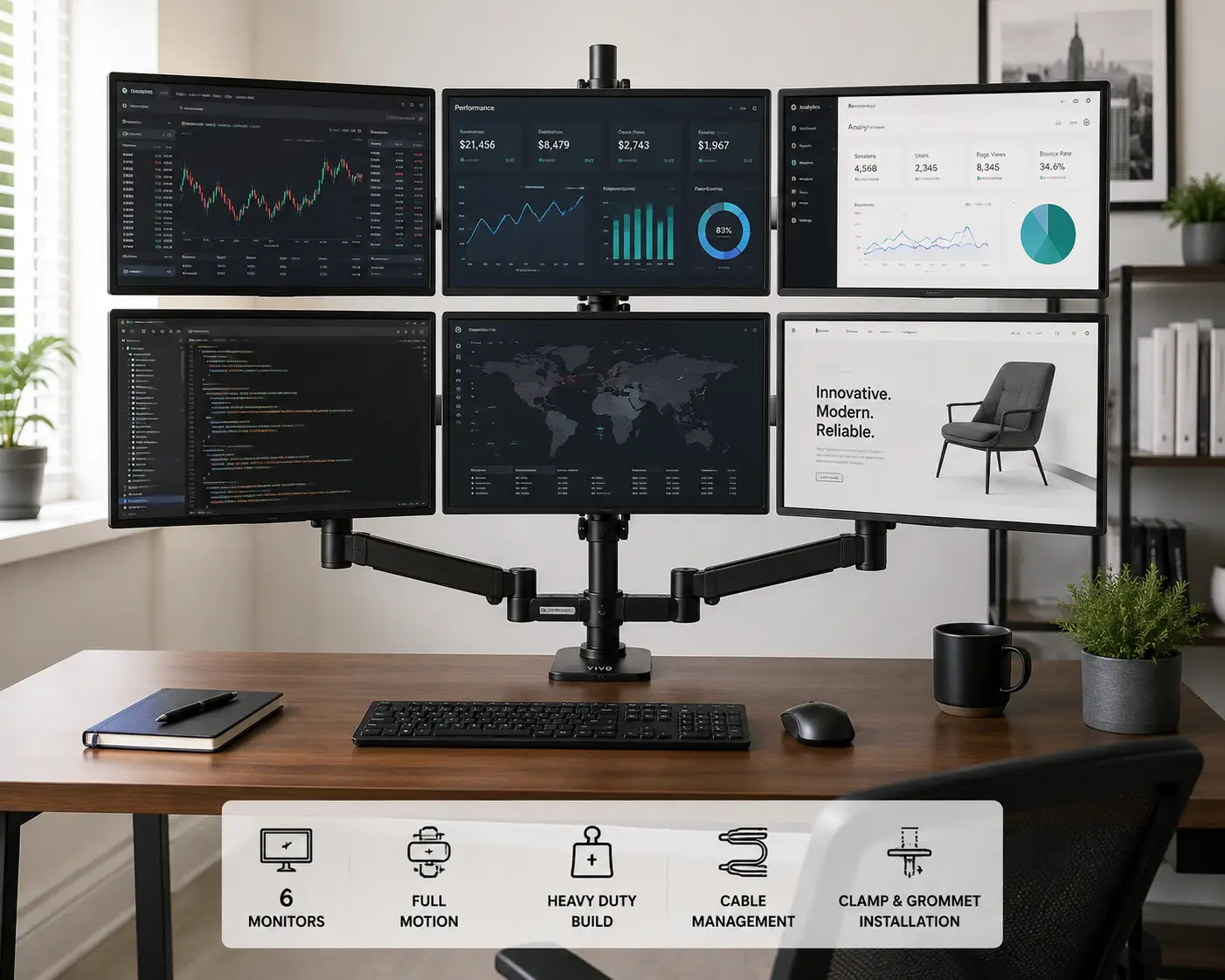
A 6 monitor mount is a desk-mounted frame that holds six displays on adjustable, VESA-compatible arms instead of six separate stands crowding your desktop. If you’re staring down a wall of trading terminals, CAD windows, or security feeds and wondering how anyone keeps that many screens organized, you’re in the right place. The honest answer is that a good six-screen setup isn’t about buying the biggest frame you can find — it’s about matching arm articulation, weight capacity, and mounting style to how you actually work.
This guide skips the fluff you’d get from a straight Amazon listing. We dug into real spec sheets, aggregated customer feedback, and side-by-side comparisons of seven six-monitor mounts that are genuinely available in the US market right now, from budget-friendly steel frames to premium aluminum rigs built for day-trading desks. Whether you’re setting up a home office, a dev workstation, or a full command-center battle station, you’ll find honest pros, honest cons, and a clear sense of who each mount is actually built for. We’ll also walk through how a 6 monitor mount stacks up against traditional monitor stands, what tends to go wrong in the first month of ownership, and how to choose based on your desk, your monitors, and your budget — not just the flashiest product photo.
Disclosure: This post contains Amazon affiliate links. As an Amazon Associate, I earn from qualifying purchases, at no additional cost to you.
Quick Comparison: 6 Monitor Mount Options at a Glance
| Mount | Screen Size Range | Mounting Style | Best For |
|---|---|---|---|
| Mount-It! MI-756 | 17″–24″ | Double C-clamp | Budget-conscious office setups |
| Stand Steady 6 Monitor Mount | 17″–32″ | Clamp-on or grommet | Larger mixed-size displays |
| VIVO Hex STAND-V006F | 17″–27″ | Freestanding C-clamp | Compact home offices |
| AVLT Hex 32″ AVLT-DM50-1 | Up to 32″ | C-clamp or grommet | Day trading and gaming rigs |
Even at a glance, the split is clear: entry-level six-screen mounts top out around 24 inches per display, while the more capable rigs stretch to 27 or 32 inches and support meaningfully more weight per arm. If your monitors are on the smaller side (under 24 inches), the budget picks below will save you money without sacrificing much; if you’re running 27-inch or larger panels, you’ll want to skip straight to the heavier-duty aluminum options later in this list.
✨ Ready to compare all seven in depth? Keep scrolling — the full breakdown (with real weight capacities and price ranges) is just below.
Top 7 Six Monitor Mounts: Expert Analysis
1. Mount-It! MI-756 — most budget-friendly full hex frame
The Mount-It! MI-756 is the mount most people land on when they want six screens without spending like they’re outfitting a Wall Street trading floor. It ships as a hex frame with a double C-clamp base, meaning it grips two points on your desk instead of one — a small detail that matters a lot once you’ve got six monitors’ worth of torque pulling on the frame.
Every arm is VESA 75×100 compatible and independently height-adjustable, and the four outer displays swivel a full 360 degrees while the frame tilts 15 degrees up and down. In practice, that swivel range means you can angle the outer screens slightly inward, which cuts down on the neck-turning you’d otherwise do glancing at monitors five and six. It’s rated for screens between 17 and 24 inches, so anyone running larger 27-inch panels should look further down this list.
Based on comparing the specs against pricier alternatives, the Mount-It! MI-756 is the clear pick for anyone building a six-screen setup on a first-office budget — home-lab servers, point-of-sale monitoring walls, or a starter trading desk. Reviews consistently report that the double C-clamp holds firm even with smaller monitors mounted at full extension, though a handful of buyers note the steel frame flexes slightly if all six arms are pulled to maximum reach simultaneously.
Pros:
- ✅ Lowest price point of any hex mount on this list
- ✅ Double C-clamp adds stability most single-clamp rivals lack
- ✅ 5-year warranty backs the build
Cons:
- ❌ Caps out at 24-inch monitors, not 27-inch or larger
- ❌ Frame can flex slightly under full six-arm extension
Expect this mount to land in the under-$300 range, and given the warranty and clamp design, it’s a genuinely strong value pick for smaller-format displays.
2. Stand Steady 6 Monitor Mount Desk Setup — best size flexibility
The Stand Steady 6 Monitor Mount stands out because it doesn’t force you into one screen size across all six arms — it’s rated for 17 to 32 inches, so you can mix a large center display with smaller flanking monitors if that fits your workflow.
Its steel frame carries detachable VESA plates on every arm, each offering 360-degree spin, 17-degree swivel, and 34-degree tilt, and the whole rig attaches via either a grommet hole or a clamp-on base, so you’re not locked into drilling your desk. What that flexibility means in real terms: you can reconfigure which monitor sits where without disassembling the frame, which matters if your monitor lineup changes as your job does.
On paper, this mount is built for people whose six-screen setup isn’t static — analysts who swap in a reference monitor, streamers who add a capture-preview screen, or anyone whose “six” grows or shrinks by one occasionally. Aggregated reviews describe the built-in cable clips along the arms and base pole as a genuine time-saver during setup, while a recurring complaint centers on the instructions being sparse for first-time builders — budget extra time for your first assembly.
Pros:
- ✅ Widest supported screen range at 17 to 32 inches
- ✅ Choice of grommet or clamp-on mounting, no drilling required
- ✅ Built-in cable management clips on every arm
Cons:
- ❌ Assembly instructions are thinner than competitors’ manuals
- ❌ Full 32-inch monitors on all six arms will strain the base
Pricing typically falls in the $300–$450 range depending on the color and bundle, which is reasonable for the size flexibility you’re getting.
3. VIVO Hex Monitor Desk Mount (STAND-V006F) — best compact freestanding frame
The VIVO Hex STAND-V006F takes a freestanding approach — its heavy-duty base sits on the desk rather than clamping to the edge, which is the right call if your desk edge is already crowded or your desktop is unusually thick.
It supports 17- to 27-inch monitors up to 22 pounds each on fully articulating arms, and VIVO’s engineering lets each arm extend, tilt, swivel, and rotate independently. What most buyers overlook with a freestanding frame like this is that it distributes weight across a wider base footprint, which in practice makes it noticeably less wobbly than clamp-based rigs when you’re actively repositioning multiple screens at once.
This is the mount worth considering if you want six-screen flexibility but don’t want to commit to a permanent clamp or grommet hole — renters, shared-desk offices, and anyone who might relocate the setup down the line. Reviews consistently note that the freestanding base holds steady on typical laminate desks, though a few buyers mention the base’s footprint eats more desk real estate than clamp-mounted alternatives.
Pros:
- ✅ No drilling or clamping — fully freestanding base
- ✅ Holds up to 22 lbs per monitor, generous for the price
- ✅ Independent tilt, swivel, and rotation on every arm
Cons:
- ❌ Base footprint takes up more desk space than clamp mounts
- ❌ Not rated for monitors above 27 inches
Expect a price in the $250–$350 range, making it a strong value pick for renters or shared offices that need six screens without permanent hardware.
4. VIVO Premium Hex Ultra Wide (STAND-TS06C) — best for large or ultrawide panels
The VIVO Premium Hex STAND-TS06C exists for one specific problem: none of the mounts above are rated for genuinely large monitors, and this one is — supporting 27- to 38-inch displays, including ultrawides.
Its heavy-duty C-clamp pairs with an extra-tall pole and telescoping arms that flush-mount against a wall setup if you want a nearly seamless look. Here’s what that means in practice: the taller pole gives you enough vertical room to stagger screens without the top row crowding your ceiling line, and the telescoping reach means large 34-inch ultrawides don’t collide with their neighbors when angled.
This model is aimed squarely at buyers running a genuinely oversized six-panel wall — video editors previewing timelines across multiple large displays, or trading desks that prefer fewer, bigger screens over many small ones. What the spec sheet doesn’t say, but buyer feedback reveals, is that the telescoping arms need more careful initial calibration than fixed-length arms, since uneven extension is more visually obvious on large panels.
Pros:
- ✅ Rated for 27″ to 38″ screens, including ultrawides
- ✅ Extra-tall pole prevents top-row screens from crowding overhead
- ✅ Telescoping arms allow flush, near-wall-mount aesthetics
Cons:
- ❌ Requires more careful arm calibration for a level look
- ❌ Premium size support comes with a premium price tag
This is the priciest option on the list, generally landing in the $500–$650 range, but it’s the only mount here genuinely built for large-format six-screen walls.
5. AVLT Hex 32″ Monitor Desk Stand (AVLT-DM50-1) — best for day trading and gaming rigs
The AVLT Hex AVLT-DM50-1 is built from premium aluminum rather than steel, and AVLT markets it explicitly for videowall, gaming, and day-trading setups — a claim the spec sheet actually backs up.
Each arm holds up to 17.6 pounds and adjusts with 1.8 inches of fine-tune travel so all six monitors line up flush, plus tilt of ±34 degrees, swivel of ±17 degrees, and full 180-degree screen rotation for portrait orientation. Based on comparing this to the steel-frame competitors above, the aluminum construction meaningfully reduces the frame flex you’d notice on cheaper hex mounts, especially once every arm is loaded and extended.
This is the mount to pick if visual precision matters as much as function — traders who need six perfectly flush charts, or streamers building a symmetrical on-camera battle station. Aggregated review sentiment is strongly positive on build quality and the integrated cable management, with the main recurring critique being that the aluminum arms, while sturdy, feel stiffer to adjust than the steel arms on cheaper rivals until they’re broken in.
Pros:
- ✅ Premium aluminum construction resists flex under full load
- ✅ 1.8″ fine-tune adjustment for perfectly flush alignment
- ✅ Supports portrait rotation on all six arms
Cons:
- ❌ Arms feel stiffer to adjust out of the box
- ❌ Costs more upfront than comparable steel-frame mounts
Pricing generally sits in the $400–$550 range, which tracks with the aluminum build and the precision-alignment feature set.
6. HILLPORT HP X35JX-6 — best weight capacity per screen
The HILLPORT HP X35JX-6 quietly out-specs several pricier rivals on one number that matters a lot: weight capacity. It’s rated for up to 19.8 pounds per screen across monitors up to 32 inches — more headroom than several of the steel-frame mounts above.
Its 35.43-inch center post gives real vertical range, and each arm supports ±45-degree tilt, ±90-degree rotation, and a full 360-degree spin, with independent height fine-tuning per arm so mismatched monitor heights can be leveled out after installation. What this means in practice: if your six monitors aren’t identical models — a common reality for anyone who’s upgraded screens one at a time over the years — this mount handles that mismatch better than most.
This is a strong pick for buyers whose six-screen lineup is a patchwork of different monitor generations rather than six identical panels. Reviews consistently praise the sturdy steel build and the 5-year warranty, while the manufacturer’s own documentation flags a real limitation worth heeding: pulling any monitor beyond the stand’s center of gravity risks tipping the whole frame, so careful loading order matters during setup.
Pros:
- ✅ Highest per-screen weight rating on this list at 19.8 lbs
- ✅ Independent height fine-tuning corrects mismatched monitors
- ✅ 5-year warranty with US-based support
Cons:
- ❌ Manufacturer warns against overextending arms past center of gravity
- ❌ Taller center post needs extra ceiling clearance
Expect a price in the $350–$450 range, which is competitive given the weight capacity you’re getting.
7. Suptek Hex Monitor Stand (MD68126) — lightest footprint, tallest reach
The Suptek Hex MD68126 rounds out this list as the lean, no-frills option — an extra-tall 31.5-inch pole built specifically for six screens up to 27 inches without the premium materials (or premium price) of the aluminum options above.
Its heavy-duty base and fully adjustable arms cover the essentials — tilt, swivel, and height adjustment — without extras like telescoping reach or portrait rotation. In practice, that means setup is faster and there’s less to calibrate, which suits buyers who want six functional screens up and running in an afternoon rather than a weekend project.
This is the pragmatic pick for home offices and small businesses that need six monitors working reliably without paying for capabilities they won’t use, like ultrawide support or aluminum construction. What most buyers overlook here is that the simpler arm design, paradoxically, means fewer failure points over time — aggregated review sentiment reflects that reliability, with most complaints centered on the finish looking slightly less polished than pricier steel or aluminum rivals rather than on functional issues.
Pros:
- ✅ Straightforward setup with fewer parts to calibrate
- ✅ Extra-tall 31.5″ pole for full six-screen vertical range
- ✅ Lower price point than aluminum or ultrawide-rated rivals
Cons:
- ❌ No telescoping arms or portrait rotation
- ❌ Finish reads as less premium than aluminum competitors
This one typically runs in the $250–$320 range, making it one of the more accessible full hex frames on the market today.
Full 7-Product Comparison Table
| Mount | Max Screen Size | Weight per Screen | Mount Type | Best For |
|---|---|---|---|---|
| Mount-It! MI-756 | 24″ | Not specified by mfr | Double C-clamp | Budget hex setups |
| Stand Steady 6 Monitor Mount | 32″ | 10 lbs | Clamp or grommet | Mixed monitor sizes |
| VIVO Hex STAND-V006F | 27″ | 22 lbs | Freestanding | Renters, shared desks |
| VIVO Premium Hex STAND-TS06C | 38″ | Not specified by mfr | C-clamp | Ultrawide/large panels |
| AVLT Hex AVLT-DM50-1 | 32″ | 17.6 lbs | C-clamp or grommet | Trading and gaming rigs |
| HILLPORT HP X35JX-6 | 32″ | 19.8 lbs | C-clamp | Mismatched monitor sets |
| Suptek Hex MD68126 | 27″ | Not specified by mfr | Heavy-duty base | Simple, reliable setups |
Looking at the table above, the AVLT Hex AVLT-DM50-1 and HILLPORT HP X35JX-6 offer the strongest weight capacity for larger 27-to-32-inch monitors, while the Mount-It! MI-756 remains the entry point for anyone running smaller 17-to-24-inch screens on a tighter budget. If your six monitors aren’t a matched set, the HILLPORT HP X35JX-6‘s independent height fine-tuning is worth the modest price premium over the Suptek Hex MD68126.
🔥 Found the mount that fits your setup?
⚡ Check current pricing and availability on your top pick before it changes. A well-matched 6 monitor mount is the kind of upgrade you’ll notice every single day at your desk!
How to Set Up a 6 Monitor Mount: A Step-by-Step Guide
Getting a six-screen mount installed correctly the first time saves you from redoing it later, so it’s worth slowing down here. First, clear your desk completely and measure its thickness — most C-clamp bases only grip desks between roughly 0.4 and 3.1 inches thick, and the VESA mounting standard that governs these arms assumes a specific hole pattern (75x75mm or 100x100mm) on the back of each monitor, so confirm your displays are VESA-compatible before you buy anything.
Next, assemble the base frame fully before attaching any monitors — trying to build the frame with screens already hanging on it is how most first-time installs go sideways. Attach the VESA plates to each monitor on a soft surface to avoid scratching the screen, then mount monitors from the center outward rather than edge-first, since a center-first approach keeps the frame balanced as weight is added.
Once all six screens are on, route cables through the built-in clips before final tightening, then adjust height so the top of your center monitors sits at or just below eye level — a widely cited ergonomics guideline from OSHA’s computer workstation eTool. Finally, tighten every clamp screw a second time after 24 hours of use, since steel and aluminum frames commonly settle slightly under load in the first day.
Real-World Scenarios: Who Actually Needs Six Monitors
If you’re a day trader running charting software, order books, and news feeds simultaneously, a mount like the AVLT Hex AVLT-DM50-1 or HILLPORT HP X35JX-6 makes sense given their higher per-screen weight ratings and precision alignment — the cost (typically $350–$550) is justified by uptime and screen real estate that directly affects trading decisions.
If you’re a home-office professional juggling video calls, spreadsheets, and reference documents on a moderate budget, the Mount-It! MI-756 or Suptek Hex MD68126 covers the essentials without overspending — both fall under $350 and handle standard 17-to-27-inch monitors comfortably.
If you’re a video editor or motion designer previewing large-format timelines, the VIVO Premium Hex STAND-TS06C is the only mount on this list actually rated for 27-to-38-inch ultrawide panels, and its higher price (roughly $500–$650) reflects genuinely different engineering rather than just a brand markup.
How to Choose a 6 Monitor Mount: 7 Criteria That Matter
- Confirm VESA compatibility first. Check the back of each monitor for a 75x75mm or 100x100mm screw pattern before buying any mount — without it, no six-monitor arm will attach.
- Match weight capacity to your actual monitors. A 27-inch monitor can weigh anywhere from 10 to 22 pounds; undersized arms sag or fail to hold position over time.
- Measure your desk thickness. C-clamp bases typically require desks under roughly 3 inches thick; thicker or glass desks may need a grommet mount or reinforcement instead.
- Decide between clamp, grommet, or freestanding. Freestanding bases avoid drilling but eat more desk space; clamps are more compact but require accessible desk edges.
- Check the tilt, swivel, and rotation range. Wider ranges (like ±45-degree tilt or full 360-degree swivel) matter most for the outer two screens in a six-monitor row.
- Look at cable management design. Built-in clips along the arms and pole meaningfully reduce the cable clutter six monitors otherwise generate.
- Weigh the warranty length. Most reputable hex mounts carry 5-year warranties; anything shorter is worth a second look before committing.
6 Monitor Mount vs. Traditional Monitor Stands and Single Arms
| Factor | 6 Monitor Mount (Hex Frame) | Traditional Individual Stands | Single Monitor Arms x6 |
|---|---|---|---|
| Desk space used | Low (one shared base) | High (six separate footprints) | Moderate (six clamp points) |
| Alignment | Built-in, adjustable together | Manual, inconsistent | Manual, per-arm |
| Cost | Moderate, one purchase | Low individually, adds up | High (arms sold per unit) |
| Best for | Dedicated 6-screen setups | Casual, mismatched displays | Flexible, non-uniform desks |
A dedicated 6 monitor mount wins decisively on desk space and alignment consistency, since all six arms share one calibrated frame rather than six independently wobbling stands. Buying six separate single-monitor arms individually usually costs more in total and requires six separate clamp points along your desk edge, which isn’t realistic on most standard desks. The tradeoff is flexibility — a hex frame assumes a fairly fixed six-screen layout, while individual arms let you reposition or remove single monitors without touching the rest of the setup.
Independent reviewers who test single monitor arms in isolation, including Tom’s Guide’s ongoing monitor arm testing, consistently flag smooth articulation and stable base construction as the features that separate a good arm from a frustrating one — the same criteria carry over directly to evaluating a six-arm hex frame, just multiplied across six points of failure instead of one. That’s worth keeping in mind: a hex mount is only as reliable as its weakest individual arm, so the build-quality differences between the budget and premium options earlier in this guide matter more with six arms working in tandem than they would on a single-monitor purchase.
Common Mistakes to Avoid When Buying a Six Monitor Desk Mount
The most common mistake is buying based on price alone without checking weight capacity against your actual monitors — a mount rated for 10 pounds per screen will sag or drift out of position with heavier 27-inch panels. A close second is skipping the desk-thickness check; C-clamp bases that don’t fit your desk edge properly can loosen over time, even if the mount itself is well-built. Buyers also frequently underestimate cable management needs, assuming six monitors’ worth of power and video cables will “figure themselves out” — without built-in clips, that rarely happens cleanly. Finally, some buyers overlook ceiling clearance entirely; a mount with a 35-inch center post plus a top row of monitors can exceed low-ceiling home office setups, so measuring vertical space before ordering avoids an awkward return.
Features That Actually Matter (and Ones That Don’t)
Weight capacity per arm and VESA compatibility are non-negotiable — these determine whether the mount physically works with your monitors at all. Independent height fine-tuning also matters more than most buyers expect, since even monitors from the same model line often have slight manufacturing variance that needs correcting after mounting. On the other hand, marketing terms like “premium aesthetic” or “sleek modern design” rarely translate into functional differences worth paying extra for — the steel-versus-aluminum distinction matters far more for long-term rigidity than paint finish or frame color. Similarly, portrait rotation is a genuinely useful feature for coding or document-heavy workflows, but it’s wasted spend if none of your software benefits from a vertical orientation.
Safety, Regulations, and Standards for Multi-Monitor Mounts
Every mount on this list uses the VESA Mounting Interface Standard, the industry-wide specification that governs the screw-hole pattern connecting monitors to arms — checking for this compliance is the single most important safety step before buying. Beyond VESA compliance, desk-mounted hardware isn’t subject to a dedicated federal weight-limit regulation the way children’s furniture is, so the manufacturer’s stated weight capacity is your primary safety reference; exceeding it risks arm failure or desk damage rather than triggering a regulatory violation. For general product-safety questions or to check for any recalls on a specific brand before buying, the Consumer Product Safety Commission’s public database is the most reliable federal resource available to shoppers.
It’s also worth following recognized ergonomic placement guidance — OSHA’s guidance on monitor positioning recommends keeping the top of your screens at or just below eye level, and the center of the display roughly 15 to 20 degrees below your straight-ahead line of sight. A height-adjustable hex mount makes that positioning far easier to achieve consistently across six displays than six mismatched individual stands ever could, since one calibrated frame keeps every screen at a uniform height rather than requiring six separate adjustments that tend to drift out of alignment over time.
Long-Term Cost and Maintenance of a 6 Monitor Setup
A six-monitor mount is largely a one-time purchase, but a few maintenance habits extend its lifespan. Re-tighten clamp screws every few months, since vibration and thermal cycling gradually loosen hardware on any metal frame. Inspect VESA screws annually, particularly on arms carrying heavier 24-to-32-inch monitors, since these bear the most sustained torque. Steel-frame mounts (like the Mount-It! MI-756 or Suptek Hex MD68126) are typically the most budget-friendly to own long-term, while aluminum builds (like the AVLT Hex AVLT-DM50-1) resist flex better over years of daily repositioning, which can mean fewer alignment touch-ups over a multi-year ownership period even though the upfront cost is higher.
Frequently Asked Questions
❓ Do all monitors work with a 6 monitor mount?
❓ How much weight can a 6 monitor mount hold?
❓ Can a 6 monitor mount attach to a glass desk?
❓ Is a 6 monitor mount better than six separate monitor stands?
❓ What's the average price range for a 6 monitor mount?
Conclusion
A 6 monitor mount is one of those purchases where the “best” option genuinely depends on what’s already on your desk. If you’re working with smaller 17-to-24-inch displays on a tight budget, the Mount-It! MI-756 delivers real value without unnecessary extras. If your monitors are a mismatched patchwork collected over time, the HILLPORT HP X35JX-6‘s independent height correction solves a problem the other mounts on this list simply don’t address. And if you’re building a serious trading or gaming battle station where flush alignment and long-term rigidity matter, the aluminum construction on the AVLT Hex AVLT-DM50-1 justifies its higher price tag.
Whichever you choose, the core buying criteria stay the same: confirm VESA compatibility, match weight capacity to your real monitors, and measure your desk before you order. Get those three right, and any of the seven mounts above will genuinely transform a cluttered six-screen desk into an organized, ergonomically sound workstation.
Recommended for You
- 48 x 30 Desk: 7 Best Picks for Home Offices in 2026
- 3 Monitor Wall Mount: 7 Best Picks for 2026 (Pros & Cons)
- 7 Best Triple Monitor Stands in 2026 (Ranked & Reviewed)
Disclaimer: This post contains affiliate links. As an Amazon Associate, I earn from qualifying purchases made through these links, at no additional cost to you.
✨ Found this article helpful? Share it with someone building their own multi-monitor setup! 💬🤗