
In This Article
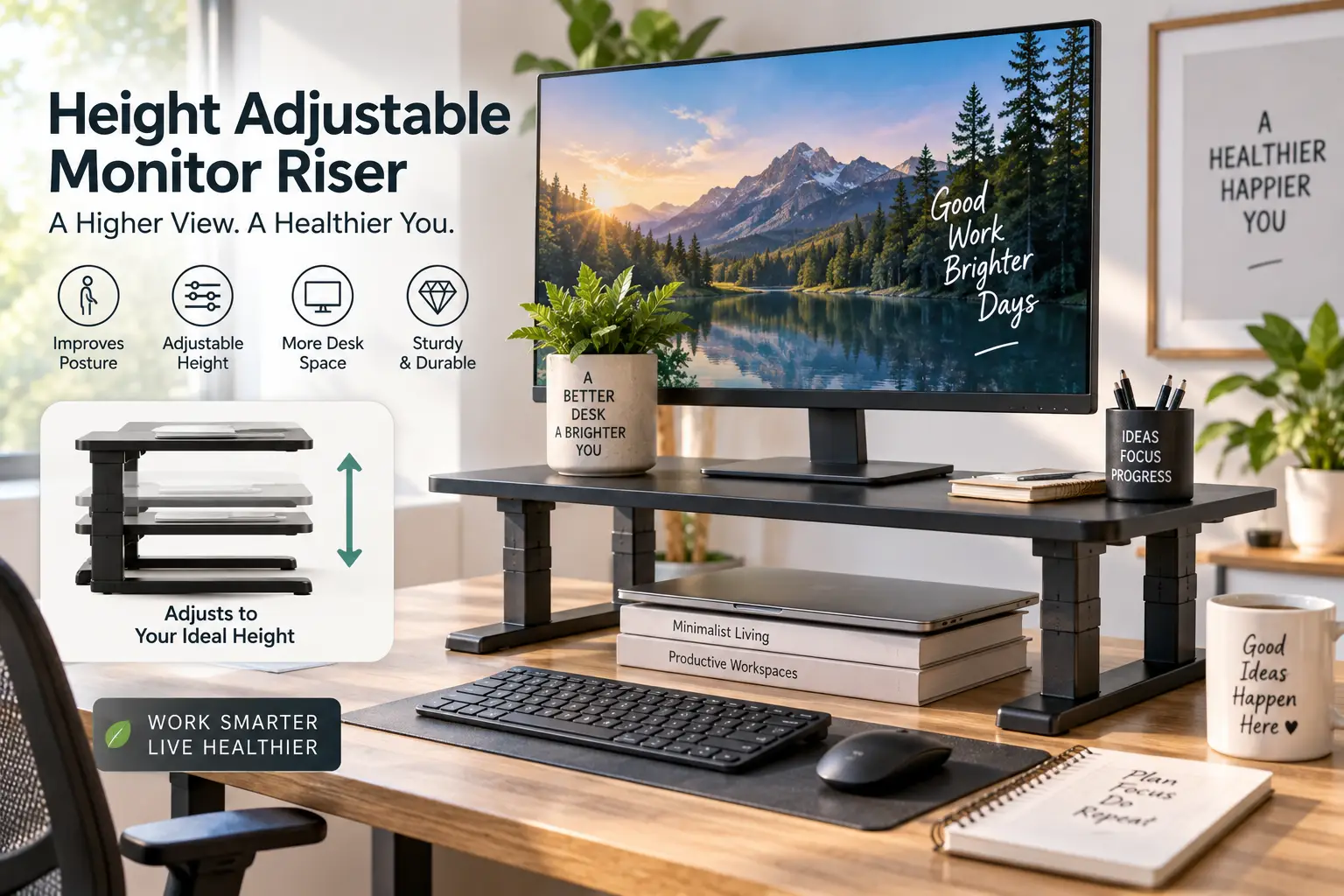
Your neck knows before your brain does. If you’ve spent the last hour hunched forward, chin dropped toward a screen that’s sitting too low, that dull ache creeping up your shoulders is your body’s way of filing a complaint. A height adjustable monitor riser is a platform that lifts your display (and often a laptop, printer, or keyboard) to a more ergonomic viewing height, with the ability to change that height rather than being locked into one fixed elevation. Unlike a fixed monitor stand, a height adjustable monitor riser lets you dial in the exact position where the top third of your screen sits at or just below eye level — which, according to workplace ergonomics guidance, is one of the simplest ways to reduce neck and upper-back strain during long computer sessions.
This guide covers seven real, currently available options on amazon.com, from budget-friendly stackable plastic risers to pneumatic sit-stand platforms and glass-topped premium builds. We’ll compare specs, weight capacities, and honest aggregated review sentiment so you can match a riser to your desk, your monitor, and your budget — no guesswork required. As an Amazon Associate, this article contains affiliate links, and we may earn a commission on qualifying purchases at no extra cost to you.
Quick Comparison: The Best Height Adjustable Monitor Risers at a Glance
| Riser | Height Range | Weight Capacity | Best For |
|---|---|---|---|
| VIVO Height Adjustable Standing Desk Riser | 4.2″–19.7″ (pneumatic) | 33 lbs | Sit-stand flexibility |
| HUANUO 3-Level Monitor Riser | 3.9″–5.5″ | 44 lbs | Everyday value |
| Amazon Basics Height Adjustable Riser | 2.87″–4.88″ | 22 lbs | Entry-level budgets |
| WALI Adjustable Monitor Stand | 4″–5.5″ | 44 lbs | Long-term durability |
| FITUEYES Dual Monitor Stand Riser | 4″ fixed lift, adjustable length | 55 lbs | Dual-monitor desks |
| WESTREE Dual Monitor Stand Riser | ~5″ fixed lift | 149.9 lbs | Heavy ultrawide monitors |
| Hemudu Tempered Glass Riser | Tilt 0–15°, fixed lift | 88 lbs | Premium desk aesthetics |
Looking at the table, the spread here is wider than most buying guides let on: weight capacity alone ranges from 22 lbs to nearly 150 lbs, and only the VIVO offers true pneumatic height adjustment rather than fixed leg settings. If your priority is dialing in one exact ergonomic height and locking it there, the VIVO and its sit-stand mechanism earn the extra cost. If you’re working with a single lightweight monitor and a tight budget, the Amazon Basics or HUANUO options cover the basics without overpaying for capacity you’ll never use.
💬 Ready to stop hunching over your desk? Scroll down to find your match and check today’s price on Amazon.
Top 7 Height Adjustable Monitor Risers for Every Desk
We researched real spec sheets, verified current availability on amazon.com, and cross-referenced aggregated customer sentiment for each pick below. Prices are shown as ranges since Amazon pricing changes frequently — always check the current price before buying.
1. VIVO Height Adjustable Standing Desk Riser — full sit-stand range
The standout feature here is the pneumatic lift, which takes this riser from a barely-there 4.2 inches to a full 19.7 inches, turning it into a genuine sit-stand converter rather than a static shelf. A single-handle squeeze releases the gas spring, and the dual-tier design keeps a keyboard tray moving in sync with the monitor platform so your whole workstation rises together. In practice, this means you can transition from sitting to standing throughout the day without buying a full standing desk — a meaningful upgrade for anyone whose current setup is a fixed-height desk. This model is best suited to people who already know they want to alternate positions during the day, not just nudge their monitor a few inches higher. Reviews consistently report that the locking mechanism holds steady even under a heavier monitor, though some buyers note the footprint is bulkier than a simple stackable riser.
Pros:
- ✅ Adjusts across a 15-inch range, sit to stand
- ✅ Keyboard tray moves with the monitor platform
- ✅ Locks securely at any chosen height
Cons:
- ❌ Larger footprint than fixed-height risers
- ❌ Higher price than basic stackable models
Priced in the $70–$100 range depending on color and finish, the VIVO earns its premium for buyers who genuinely want sit-stand flexibility rather than a one-time height boost.
2. HUANUO 3-Level Monitor Riser — best value with steady mesh platform
What sets this riser apart is the perforated steel mesh platform, which actively improves airflow under a laptop instead of trapping heat the way solid plastic shelves do. The three height settings (roughly 3.9, 4.7, and 5.5 inches) give you real choice without pneumatic complexity, and the 44-pound weight capacity comfortably covers even large 32-inch monitors. Based on comparing the specs against similarly priced competitors, the mesh design is the meaningful differentiator — it’s a small detail that matters if you’re running a laptop underneath a docked external display for hours at a time. This is a strong fit for remote workers who want dependable height flexibility without paying for features like tilt or pneumatic lift they may never use. Reviews consistently report smooth, tool-free assembly and stable performance, with the main complaint being that the anti-slip legs can mark certain glass desks.
Pros:
- ✅ Mesh platform improves airflow and cooling
- ✅ 44-lb capacity handles large monitors
- ✅ Tool-free assembly in minutes
Cons:
- ❌ Only three fixed height settings
- ❌ Rubber feet may mark glass desktops
At around $25–$35, the HUANUO delivers close to premium stability at a genuinely budget-friendly price point.
3. Amazon Basics Height Adjustable Monitor Stand Riser — most affordable entry point
The defining trait of this riser is its stackable 3-level ABS plastic design, which lets you physically add or remove tiers to change height rather than relying on adjustable legs. Height options run from about 2.87 inches up to 4.88 inches, which suits smaller monitors and laptop risers better than large ultrawide displays. What most buyers overlook with this model is that the built-in storage organizer slots are genuinely useful for pens, cables, and small accessories, effectively turning your monitor riser into a desk organizer too. It’s the right call for students, dorm setups, or anyone testing whether a riser even helps before investing more. The 22-pound weight capacity is the real limiting factor here, so it’s a poor match for anything heavier than a standard 24-inch monitor.
Pros:
- ✅ Lowest price point in this roundup
- ✅ Built-in storage organizer slots
- ✅ Simple stacking system, no tools needed
Cons:
- ❌ 22-lb capacity limits it to lighter monitors
- ❌ Fixed plastic tiers feel less premium than metal
Typically priced under $30, this is the safest low-risk pick if you’re not sure how much height adjustment you actually need yet.
4. WALI Adjustable Monitor Stand — metal build backed by a 10-year warranty
The single most notable spec on this riser isn’t the height range — it’s the warranty. A 10-year manufacturer warranty on a sub-$40 product is unusual, and it signals real confidence in the metal platform’s long-term durability. The three adjustment levels span roughly 4 to 5.5 inches, and the steel construction holds up to 44 pounds without the wobble that plagues cheaper plastic risers. Here’s what to weigh: this isn’t the riser for maximum height range, but for buyers who want a “set it and forget it” solution that will genuinely outlast the desk it sits on, WALI’s build quality is hard to beat at this price. It’s particularly well-suited to home offices where the riser needs to survive years of daily use without replacement. Aggregated reviews frequently cite the sturdy, no-wobble feel as the top reason for repeat purchases from the same buyers.
Pros:
- ✅ 10-year manufacturer warranty
- ✅ Solid steel platform, minimal wobble
- ✅ 44-lb capacity for larger monitors
Cons:
- ❌ Narrower height range than pneumatic options
- ❌ Industrial look may not match every desk
Expect a price in the $30–$45 range, making the warranty-to-cost ratio one of the best in this category.
5. FITUEYES Dual Monitor Stand Riser — built specifically for dual-monitor desks
This riser’s defining feature is its adjustable length, extending up to roughly 42.7 inches to comfortably span two monitors side by side, with a swiveling 3-shelf hinge design that lets each side rotate independently. The wood construction supports up to 55 pounds combined, which covers most dual 24–27-inch monitor setups with room to spare. What the spec sheet doesn’t say, but reviews reveal, is that the hinges stay a bit loose until weight is actually placed on them — once loaded, buyers describe the stand as fully stable, but the empty-stand wobble can be misleading during unboxing. This is a purpose-built solution for anyone running a two-monitor workstation who’s tired of two separate stands cluttering the desk, since it also opens up storage space underneath for a keyboard or small electronics. It’s less useful for single-monitor setups, where its extra length becomes wasted desk real estate.
Pros:
- ✅ Adjustable length fits two monitors comfortably
- ✅ Independent swivel hinges on each side
- ✅ 55-lb combined weight capacity
Cons:
- ❌ Feels wobbly before weight is applied
- ❌ Overkill footprint for single-monitor desks
Priced roughly in the $35–$55 range, this remains a go-to pick for dual-monitor home offices.
6. WESTREE Dual Monitor Stand Riser — highest capacity for heavy ultrawide monitors
The number that jumps out here is the 149.9-pound weight capacity — dramatically higher than anything else in this roundup, and enough to comfortably handle two 27-inch gaming monitors or a single heavy 49-inch ultrawide with room to spare. The rustic wood-and-steel build spans about 35.8 inches, wide enough for dual displays, and the thick alloy steel legs are the reason it can carry that much weight without flexing. Based on comparing the specs, this is the clear pick for gamers and content creators running dual high-refresh monitors, where lighter risers risk sagging over time under sustained weight. It also functions well as a general-purpose shelf for a soundbar, game console, or printer thanks to the storage space underneath. The tradeoff is that its rustic aesthetic won’t suit every minimalist home office, and its size demands genuine desk depth.
Pros:
- ✅ Massive 149.9-lb weight capacity
- ✅ Wide enough for dual monitors or an ultrawide
- ✅ Thick steel legs resist flex under load
Cons:
- ❌ Rustic wood look isn’t universally matched to every desk
- ❌ Takes up significant desk depth
Priced around $45–$70, the WESTREE is the safest choice if you’ve ever worried about a riser’s long-term structural limits.
7. Hemudu Tempered Glass Monitor Riser — premium look with a genuine tilt function
The tempered glass platform is the first thing anyone notices about this riser, and it’s backed by real functionality: an 88-pound weight capacity and a 0–15 degree tilt range that lets you angle the screen for glare reduction or a more natural line of sight. What most buyers overlook with tilt-capable risers is how much they help with overhead lighting glare specifically — a problem a flat, non-tilting platform simply can’t solve. The glass surface pairs particularly well with matte-black or white monitor bezels, giving the desk a showroom look rather than a purely functional one. This is the pick for anyone treating their desk setup as part of their home office’s visual design, not just a productivity tool. The main consideration is that glass, while tempered and rated for safety, will show fingerprints and dust more visibly than a matte metal or wood surface.
Pros:
- ✅ 0–15° tilt function reduces screen glare
- ✅ 88-lb capacity handles heavier displays
- ✅ Tempered glass gives a premium, modern look
Cons:
- ❌ Glass shows fingerprints and dust easily
- ❌ Premium pricing versus basic metal risers
Expect to pay in the $55–$90 range, positioning this as the aesthetic-forward choice among today’s height adjustable monitor riser options.
Comparing the Top 7 Head-to-Head
| Riser | Material | Platform Type | Price Range | Best For |
|---|---|---|---|---|
| VIVO Height Adjustable Standing Desk Riser | Steel frame | Solid, dual-tier | $70–$100 | Sit-stand routines |
| HUANUO 3-Level Monitor Riser | Steel mesh | Vented | $25–$35 | Everyday value |
| Amazon Basics Height Adjustable Riser | ABS plastic | Stackable, solid | Under $30 | Light, budget setups |
| WALI Adjustable Monitor Stand | Steel | Solid | $30–$45 | Long-term durability |
| FITUEYES Dual Monitor Stand Riser | Wood | Solid, 3-shelf | $35–$55 | Dual-monitor desks |
| WESTREE Dual Monitor Stand Riser | Wood & alloy steel | Solid | $45–$70 | Heavy ultrawide monitors |
| Hemudu Tempered Glass Riser | Tempered glass & steel | Solid, tilting | $55–$90 | Premium aesthetics |
The pattern worth noting: weight capacity and material track closely together, with plastic risers like the Amazon Basics model topping out around 22 lbs, steel options like HUANUO and WALI settling around 44 lbs, and reinforced builds like WESTREE and the Hemudu glass riser climbing into the 88–150 lb range. If you’re running a single lightweight monitor, that extra capacity is money spent on headroom you’ll never use — but for dual-monitor or ultrawide setups, it’s genuinely the deciding factor between a stand that lasts and one that eventually sags.
How to Set Up and Get the Most From Your Monitor Riser
Unboxing a new height adjustable monitor riser is the easy part; getting the height genuinely right takes a little more care. Start by sitting in your normal working posture, shoulders relaxed, and have someone check (or use your phone’s camera on a timer) that the top third of your screen lines up roughly with your eyeline. Most people need somewhere between 4 and 6 inches of lift, though taller users over 6 feet often need the higher end of that range, and shorter users may only need 2 to 4 inches.
Once positioned, route your cables through or around the riser’s legs rather than letting them dangle — most models, including the HUANUO and WALI, leave enough clearance underneath for a small cable management tray or clips. In the first 30 days, the most common mistake is setting the height once and never revisiting it; your ideal position can shift slightly depending on your chair, footwear, or even the time of day as posture fatigue sets in. Every few weeks, recheck your setup, and don’t hesitate to readjust a multi-level riser like the VIVO if your workflow changes from mostly sitting to a mix of sitting and standing.
Real Desk Setups: Which Monitor Riser Fits Your Situation
Picture three different desks. First, a college student in a dorm room with a single 24-inch monitor and almost no budget — for them, the Amazon Basics riser or the HUANUO covers the essentials without wasting money on capacity or features they don’t need. Second, a freelance video editor running dual 27-inch monitors who needs both stability and desk organization — the FITUEYES dual riser or the higher-capacity WESTREE fits that workflow, since both are built specifically to span two screens.
Third, a remote employee who alternates between sitting and standing throughout an 8-hour workday and wants real ergonomic control, not just a fixed boost — that’s exactly the buyer the VIVO pneumatic riser was designed for. None of these setups are wrong; they simply reflect different budgets, monitor counts, and daily routines. Matching your riser to your actual use case, rather than buying the most feature-packed option available, is the single biggest factor in whether you’ll still be using it happily a year from now.
Monitor Riser Problems and How to Fix Them
Even a well-reviewed riser can run into a handful of predictable issues. Here’s how to solve the most common ones.
Wobbling under weight: This usually means the riser is near or past its rated capacity, or the legs weren’t fully tightened during assembly. Double-check every screw and confirm your monitor’s actual weight against the listed capacity — models like the WALI and WESTREE solve this proactively with reinforced steel legs.
Screen still too low or too high: If you’re between two fixed height settings, consider a riser with a wider adjustment range like the VIVO, or stack a thin book or cable box on top of a fixed-height model as a temporary fix while you decide on an upgrade.
Laptop overheating on the platform: Solid plastic or glass platforms trap heat. Switch to a vented mesh design like the HUANUO, which is specifically built to improve airflow underneath.
Desk clutter underneath: Choose a riser with built-in storage compartments, like the Amazon Basics stackable model, or add a slim cable tray to any open-leg design.
How to Choose a Height Adjustable Monitor Riser
- Measure your ideal height first. Sit normally and note where your eyes naturally land — that’s your target, not a guess.
- Check your monitor’s actual weight. Add 20% headroom above your monitor’s listed weight when comparing capacity specs.
- Decide between fixed-level and pneumatic adjustment. Fixed levels (like on the HUANUO or WALI) are cheaper and simpler; pneumatic lift (like the VIVO) offers finer, tool-free control.
- Consider your monitor count. Single-screen desks rarely need the length of a dual-monitor riser like the FITUEYES.
- Factor in material and desk aesthetic. Wood, steel, and glass all perform differently in look and heat dissipation.
- Look for storage or cable management. A riser that organizes your desk earns its footprint twice over.
- Compare warranty length. A longer warranty, like WALI‘s 10-year coverage, often signals genuine build confidence.
Common Mistakes to Avoid When Buying a Monitor Riser
The most frequent mistake is buying based on price alone and ignoring weight capacity — a $20 plastic riser rated for 22 lbs under a 30-lb ultrawide monitor is a recipe for sagging within months. A close second is skipping measurements entirely and assuming “higher is better,” which often overshoots the ideal eye-level position and creates new strain rather than relieving it. Buyers also frequently overlook desk depth, ordering a long dual-monitor riser like the FITUEYES or WESTREE without confirming it actually fits their desk’s dimensions. Finally, many shoppers ignore platform material until after purchase, only to discover a solid plastic or glass surface traps heat under a laptop — something a vented option like the HUANUO avoids from the start.
Height Adjustable Monitor Riser vs Monitor Arm
| Factor | Monitor Riser | Monitor Arm |
|---|---|---|
| Setup | Sits on desk, no mounting | Clamps or grommets to desk edge |
| Desk space | Uses some desk footprint | Frees desk surface entirely |
| Adjustability | Fixed levels or pneumatic lift | Full articulation (height, tilt, swivel) |
| Best for | Laptops, storage needs, budget setups | Single monitors, minimalist desks |
| Typical price | $20–$100 | $40–$150+ |
A monitor arm technically offers more precise positioning since it can swing, tilt, and rotate in ways a riser can’t, but it requires clamping to your desk and works best with a single VESA-compatible monitor. A riser, by contrast, is the more flexible general-purpose tool: it can hold a laptop, printer, or multiple devices, it needs zero desk modification, and models like the VIVO now close much of the height-adjustment gap that used to favor arms exclusively. For renters or anyone who doesn’t want to drill or clamp anything to their desk, a riser remains the simpler, lower-commitment choice.
✨ Don’t miss these exclusive deals!
🔍 Take Your Desk Setup to the Next Level
Whether you’re battling neck strain, juggling dual monitors, or just want a tidier workspace, these seven picks cover every budget and use case. Click through to check today’s price and availability — your future self (and your neck) will thank you.
What to Expect: Everyday Performance and Ergonomics
On paper, a few inches of lift sounds minor, but in daily use the difference is significant. Within the first week, most people report noticeably less end-of-day neck tightness once their monitor sits at proper eye level, a pattern consistent with broader office ergonomics guidance on reducing awkward neck postures during prolonged screen use. Fixed-level risers like the HUANUO or Amazon Basics model take seconds to reposition once you find your ideal height, while pneumatic options like the VIVO require a bit more initial calibration but reward you with finer control.
Where performance diverges most is under real desk conditions: heavier monitors on lower-capacity risers can develop a slight forward tilt over months of use, which is exactly why matching capacity to your actual monitor weight (not just the minimum) matters more than most buyers initially assume.
Long-Term Cost and Maintenance
A height adjustable monitor riser is one of the lowest-maintenance purchases you’ll make for your desk, but it isn’t entirely maintenance-free. Steel and glass models need an occasional wipe-down to prevent dust buildup in vents or on the platform surface, while wood risers like the FITUEYES or WESTREE benefit from staying away from direct moisture to preserve the finish over years of use.
| Riser | Upfront Cost | Expected Lifespan | Maintenance Needs |
|---|---|---|---|
| Amazon Basics Height Adjustable Riser | Lowest | 2–4 years | Minimal, occasional dusting |
| HUANUO 3-Level Monitor Riser | Low-mid | 4–6 years | Wipe mesh vents periodically |
| WALI Adjustable Monitor Stand | Low-mid | 6–10+ years (warrantied) | Minimal |
| VIVO Height Adjustable Standing Desk Riser | Higher | 5–8 years | Check pneumatic seal occasionally |
Looking at the table, the WALI‘s 10-year warranty makes its effective cost-per-year among the lowest in this roundup, even though its upfront price isn’t the cheapest. Buyers optimizing purely for long-term value should weigh warranty length and material durability just as heavily as the sticker price, since a riser that needs replacing every two years quietly costs more over a decade than one built to last.
Safety, Regulations, and Standards for Home Office Equipment
Monitor risers themselves aren’t subject to a dedicated federal safety standard the way furniture with tip-over risk is, but general workplace ergonomics guidance from organizations like OSHA still applies to how you position your screen, keyboard, and chair together as a system. Cornell University’s ergonomics research program similarly emphasizes evaluating monitor height, distance, and viewing angle as an interconnected setup rather than adjusting one piece in isolation. When shopping, look for risers made from materials rated for their stated weight capacity (steel and tempered glass models typically list this clearly), and always stay within the manufacturer’s weight limit rather than treating it as a soft suggestion — exceeding capacity is the most common cause of long-term sagging or structural failure in budget risers.
Frequently Asked Questions
❓ What is the ideal height for a monitor riser?
❓ Can a height adjustable monitor riser hold two monitors?
❓ Is a monitor riser better than a monitor arm?
❓ How much weight can a monitor riser hold?
❓ Do monitor risers help with neck pain?
Conclusion
A height adjustable monitor riser is a small, inexpensive fix for a problem that compounds every single workday: a screen sitting at the wrong height. Whether you need the budget simplicity of the Amazon Basics riser, the dependable mid-range value of the HUANUO or WALI, the dual-monitor span of the FITUEYES, the heavy-duty capacity of the WESTREE, the sit-stand flexibility of the VIVO, or the premium tilt-and-glass look of the Hemudu, there’s a real, currently available option that matches your desk and your budget. The right choice comes down to matching weight capacity and height range to your actual setup rather than chasing the most feature-packed model on the list.
Getting your monitor to the correct ergonomic height is one of the cheapest upgrades you can make to a home office, and unlike most desk gear, it pays you back every single day you sit down to work.
✨ Ready to Upgrade Your Desk?
Pick the riser that matches your setup above, check today’s price on Amazon, and give your neck the break it’s been asking for.
Recommended for You
- Left Handed Desk: 7 Best Picks for 2026 (Buying Guide)
- 7 Best Right Handed Desks for 2026: A No-Guesswork Buying Guide
- Concealed Computer Desk: 7 Best Picks to Hide Clutter in 2026
Disclaimer: This post contains affiliate links. As an Amazon Associate, I earn from qualifying purchases made through these links, at no additional cost to you.
✨ Found this article helpful? Share it with someone who needs it! 💬🤗