
In This Article
If your monitor is propped on a stack of old textbooks or balanced precariously on top of your router, you already know the problem: it’s not stable, it’s not at eye level, and it looks like a fire hazard waiting to happen. A metal monitor stand solves all three issues at once, and it does it for less money than a decent dinner out. Unlike wood or particleboard risers, a metal monitor stand riser relies on welded or bolted steel and aluminum framing, which means it can carry real weight — a 27-inch LCD, a small printer, sometimes an entire dual-monitor setup — without the sag or wobble that plagues cheaper materials over time.
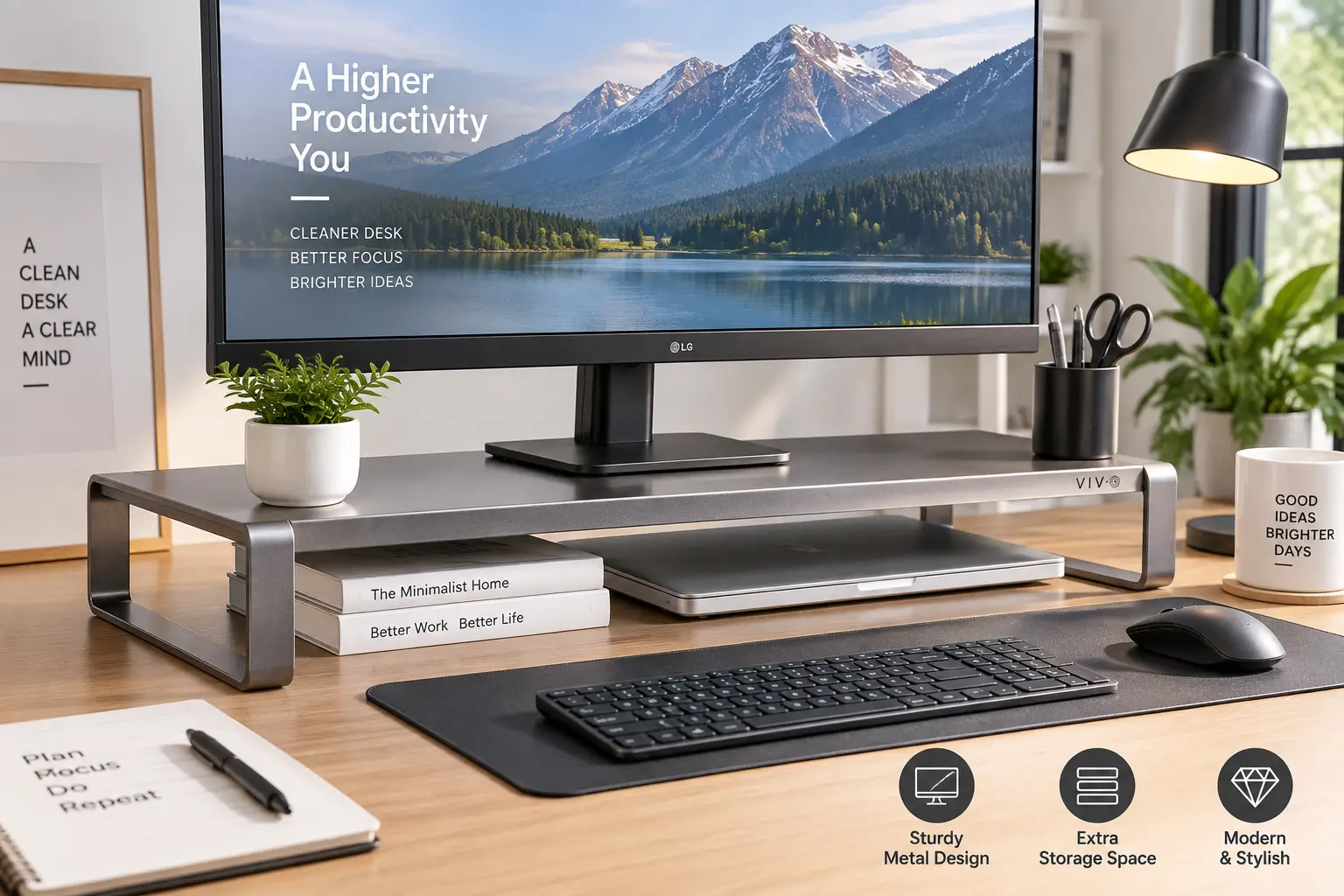
So, what is a metal monitor stand? It’s a raised platform, usually built from powder-coated steel or brushed aluminum, that lifts a monitor, laptop, or all-in-one PC to a more ergonomic height while often adding storage space, cable routing, or a USB hub underneath. The goal is simple: get your screen to eye level so you stop craning your neck, and free up desk real estate in the process.
This guide breaks down seven real, currently available metal monitor stands spanning entry-level clamp-free risers to premium aluminum hubs, walks through how to size one correctly for your desk and monitor, and flags the mistakes that lead to buyer’s remorse. According to the Occupational Safety and Health Administration, the top of a monitor should sit at or slightly below eye level, with the center of the screen positioned 15 to 20 degrees below horizontal eye level — a target that’s almost impossible to hit without some kind of riser under most desks and chairs.
Disclosure: This post contains Amazon affiliate links. As an Amazon Associate, we may earn a commission from qualifying purchases, at no additional cost to you.
Metal Monitor Stand: Quick Comparison
Before diving into full reviews, here’s a fast snapshot of how the top picks stack up on the specs that matter most: platform size, weight capacity, and what each one is genuinely best suited for.
| Product | Material | Weight Capacity | Price Range | Best For |
|---|---|---|---|---|
| VIVO 12″ Aluminum Monitor Riser | Aluminum + steel | 33 lbs | Under $30 | Tightest desks |
| Simple Houseware Metal Monitor Stand Riser | Steel | ~30 lbs | Under $35 | Budget + storage |
| VIVO 16″ Aluminum Monitor Riser | Aluminum | 44 lbs | Around $30–$40 | Zero-assembly setup |
| Simple Trending Metal Monitor Stand with Drawer | Steel | 66 lbs | In the $30–$45 range | 2-tier organizing |
| HUANUO 2-Tier Metal Monitor Riser with Drawer | Steel | ~55 lbs | Around $35–$50 | Mid-range all-rounder |
| Simple Trending 2-Tier Dual Monitor Stand | Steel | 100 lbs | Between $40 and $60 | Dual-monitor setups |
| Satechi Type-C Aluminum Monitor Stand Hub | Aluminum | 50 lbs | Around $80–$100 | Mac/iMac users, USB hub |
Looking at this table, the split is really about depth of need. The two VIVO aluminum risers cover shoppers who just want their screen a few inches higher with minimal footprint, while the Simple Trending and HUANUO steel stands add drawer storage for anyone whose desk doubles as a junk drawer. The Satechi Type-C Aluminum Monitor Stand Hub sits in its own category — you’re not just paying for elevation, you’re paying for a built-in USB-C hub that a plain steel riser can’t match.
💬 Bookmark this comparison and scroll down to the full breakdown of all seven picks below — your ideal match depends on your monitor size and how much desk clutter you’re trying to solve for.
Top 7 Metal Monitor Stands: Expert Analysis
We researched real spec sheets, current availability on amazon.com, and aggregated customer feedback for each of these seven picks. Every one is a genuine, purchasable product — not a placeholder — spanning entry-level risers up to a premium aluminum hub for Mac users.
1. VIVO 12″ Aluminum Monitor Riser — smallest footprint for tight desks
The 12-inch platform on the VIVO 12″ Aluminum Monitor Riser (model STAND-V000S) is built for desks where every inch counts. This is a straightforward slab riser rather than a storage stand, and that’s the point: it does one job — lifting your screen — without eating extra desk depth.
Specs-wise, it’s built from aluminum and steel, with a 12-inch by 8-inch platform and a height adjustment range of roughly 4.5 to 6.5 inches, using a built-in spring buffer to lock the height in place. In practice, that adjustment range covers the sweet spot for most 22–27-inch monitors on a standard-height desk, meaning you’re not stuck guessing at a fixed elevation the way you would with a solid block riser.
This is the pick for anyone with a shallow desk, a laptop-plus-external-monitor combo, or a dorm-sized workstation where a wide storage stand simply won’t fit. Anti-slip silicone padding on the platform keeps a monitor or laptop from sliding when you nudge the desk, and the same padding protects the desk surface from scuffing. Reviews consistently report that the stand feels sturdier than its compact size suggests, though a handful of buyers note the platform is too small for oversized 32-inch+ ultrawide monitors — worth checking your monitor’s base footprint before ordering.
Pros:
- ✅ Compact 12-inch platform fits tight desks
- ✅ Height adjusts without tools or assembly
- ✅ Anti-slip padding protects desk and screen
Cons:
- ❌ Too small for large ultrawide monitor bases
- ❌ No storage space underneath
Priced under $30, the VIVO 12″ Aluminum Monitor Riser is one of the cheapest legitimate metal options on this list, and for a single compact monitor, it’s hard to argue with the value.
2. Simple Houseware Metal Monitor Stand Riser — budget pick with a real storage drawer
The Simple Houseware Metal Monitor Stand Riser takes a different approach than the VIVO: instead of a bare platform, it’s an all-metal frame finished in classic black coating with a built-in sliding drawer and two side storage compartments.
The all-steel construction is the headline feature here — no wood veneer, no particleboard, just welded metal that’s rated to comfortably support a standard monitor, small printer, or laptop. The letter-size drawer is deep enough for documents or a notebook, and the side compartments work well for a phone, a stack of sticky notes, or a small tablet. What most buyers overlook with a stand like this is that the drawer isn’t just a gimmick — it directly replaces a desk drawer for anyone using a standing desk or a desk without built-in storage.
This is the stand for anyone who wants a “everything in one place” desk setup on a tight budget, particularly students, home-office workers in small apartments, or anyone consolidating a cluttered desk. Aggregated reviews describe the drawer glide as smooth for the price point, with a recurring theme that assembly is genuinely a five-minute job, not the hour-long ordeal some flat-pack furniture turns into.
Pros:
- ✅ Letter-size drawer replaces a desk drawer
- ✅ All-metal frame, no particleboard
- ✅ Two side compartments for small items
Cons:
- ❌ Fixed height, not adjustable
- ❌ Drawer capacity is modest for bulky items
At under $35, this is one of the best value-for-money metal monitor stands here — you’re getting real storage, not just elevation, for a price that undercuts most single-purpose risers.
3. VIVO 16″ Aluminum Monitor Riser — zero-assembly slab riser
The VIVO 16″ Aluminum Monitor Riser (model STAND-V000H) is a solid aluminum platform that needs no assembly at all — you take it out of the box, set it on your desk, and you’re done.
At 16 inches wide by 8.25 inches deep and just 2.25 inches tall, it’s rated to hold up to 44 pounds, noticeably more than the 12-inch VIVO model above. That extra width matters in practice: it’s wide enough to support larger 27–32-inch monitors without the base overhanging the edges, and the open slots cut into each side double as handles, which sounds minor until you’re the one repositioning your desk setup for the third time this year.
Because it’s a single fixed-height slab rather than an adjustable riser, this is best suited to buyers who already know roughly how much lift they need — typically desks that sit a couple of inches too low relative to the user’s eye level. Aggregated customer sentiment highlights the solid, one-piece feel of the aluminum construction as a standout, with the main recurring critique being that the fixed 2.25-inch height won’t be enough lift for taller users on very low desks.
Pros:
- ✅ Zero assembly required, out of the box
- ✅ Wide 16-inch platform fits larger monitors
- ✅ Side slots double as carry handles
Cons:
- ❌ Fixed height isn’t adjustable
- ❌ Limited lift for very low desks
Expect to pay in the $30–$40 range, and given the all-aluminum build and 44-pound capacity, that’s a fair trade for a stand that will outlast several cheaper alternatives.
4. Simple Trending Metal Monitor Stand with Drawer — 2-tier organizer for a single monitor
The Simple Trending Metal Monitor Stand with Drawer goes further than a basic riser by adding a full second tier underneath the monitor platform, plus a pull-out drawer and pen holders.
At 16 inches wide by 10 inches deep by 6.25 inches tall, and rated to hold up to 66 pounds, this sturdy metal frame is built to carry more than just a monitor — the lower shelf comfortably fits a keyboard, a small printer, or a game console when it’s not in use. The practical upside of the two-tier layout is that it turns “monitor stand” into “monitor stand plus a chunk of your desk’s total storage,” which matters a lot in small home offices where every surface pulls double duty.
This is a strong match for anyone who’s outgrown a basic riser but doesn’t need dual-monitor width — think single-monitor gamers who want console storage underneath, or anyone tired of a keyboard cluttering the desk surface. Reviews consistently mention that the built-in drawer and pen holders genuinely reduce desktop clutter, while a common complaint in customer reviews is that the suction-cup feet, while effective at preventing slide, can be difficult to reposition once set.
Pros:
- ✅ 66-lb capacity handles monitor plus extras
- ✅ Lower tier fits keyboard or console
- ✅ Drawer and pen holders cut down clutter
Cons:
- ❌ Suction feet are fiddly to reposition
- ❌ Bulkier footprint than a basic riser
Priced in the $30–$45 range, the Simple Trending Metal Monitor Stand with Drawer delivers meaningfully more function than a plain riser for only a modest price bump.
5. HUANUO 2-Tier Metal Monitor Riser with Drawer — mid-range all-rounder
The HUANUO 2-Tier Metal Monitor Riser with Drawer covers similar ground to the Simple Trending stand above, but it’s worth including as a genuine alternative brand at a comparable price point, since HUANUO has built a strong track record in the desk-accessory space (its monitor arms are frequent best-sellers in their own category, as PC hardware reviewers have noted).
This stand uses a two-tier metal frame with an integrated drawer, positioning it as a direct organizer-plus-riser combo rather than a bare platform. The metal build supports a standard monitor and keyboard storage on the lower shelf, and like the Simple Trending model, the drawer is sized for small office supplies rather than bulky files. Where it tends to differentiate is fit and finish — reviewers frequently mention a slightly more refined black coating and tighter drawer tolerances compared to some competing budget stands.
This is a solid pick for shoppers who want a second, comparably priced option to cross-shop against the Simple Trending stand before committing — brand loyalty aside, the practical difference between the two comes down to small details like drawer smoothness and finish rather than core capability. Aggregated reviews describe the assembly process as intuitive, generally completed in under 15 minutes with the included hardware.
Pros:
- ✅ Two-tier design adds keyboard/console space
- ✅ Comparable capacity to similarly priced rivals
- ✅ Reviewers note tighter drawer fit and finish
Cons:
- ❌ Overlaps heavily with similar competitors
- ❌ Not ideal for dual-monitor setups
In the $35–$50 range, it’s a fair alternative if the Simple Trending stand above is out of stock or you simply prefer a different brand’s finish and reputation.
6. Simple Trending 2-Tier Metal Dual Monitor Stand — built for two screens
If you’re running a dual-monitor setup, the Simple Trending 2-Tier Metal Dual Monitor Stand is purpose-built for exactly that, with a 32-inch-wide platform, mesh cooling vents, and a rated capacity of 100 pounds.
That 100-pound capacity is the standout figure here — it’s roughly double what most single-monitor risers on this list can handle, which matters because two 27-inch monitors plus their stands can easily add up to 30–40 pounds combined. The mesh top isn’t just cosmetic, either: it improves airflow around a laptop or small PC placed on top, which cheaper solid-top risers can’t offer. The bottom tier is wide enough for a full keyboard and even a game console, addressing a real pain point for anyone running a dual-monitor trading, coding, or streaming setup on a standard-depth desk.
This is the stand for dual-monitor users, hybrid gaming-and-work setups, or anyone consolidating two screens plus peripherals onto one organized platform. Reviews consistently praise the non-slip base for keeping two monitors stable even during active typing, and several buyers specifically mention using the bottom shelf for an Xbox or PlayStation alongside a keyboard — a use case the manufacturer explicitly designed for.
Pros:
- ✅ 100-lb capacity handles two monitors easily
- ✅ Mesh top improves airflow underneath
- ✅ Wide bottom tier fits keyboard and console
Cons:
- ❌ 32-inch width won’t suit small desks
- ❌ Higher price than single-monitor risers
At roughly $40–$60, this is genuinely one of the best value dual-monitor metal stands available, undercutting most dual-monitor arm setups by a wide margin while requiring zero desk-clamp installation.
7. Satechi Type-C Aluminum Monitor Stand Hub — premium pick for Mac and iMac users
The Satechi Type-C Aluminum Monitor Stand Hub is the outlier on this list in the best way: it’s not just a riser, it’s a functioning USB-C hub built into a brushed-aluminum stand designed to visually match Apple’s iMac and Studio Display line.
Under the hood, this unibody aluminum stand packs a USB-C data port and three USB 3.0 Type-A ports, plus microSD and SD card slots and a 3.5mm headphone jack, all accessible from the front edge of the stand via a single cable connection to your computer. Rated to hold up to 50 pounds, it’s easily strong enough for an iMac or a large external display, and the low 1.63-inch profile means it lifts screens just enough for ergonomic correction without looking bulky on a minimalist desk. What the spec sheet doesn’t fully convey is how much this simplifies a Mac setup specifically — instead of a separate USB hub cluttering the desk, the ports live exactly where your hands already are.
This is squarely aimed at Mac and iMac owners, content creators who need quick SD card access, and anyone who values aesthetic consistency with Apple hardware over raw storage capacity — it’s not the pick for someone who wants a drawer for pens. Reviews and hands-on coverage consistently highlight the built-in cable management as a standout detail, with commentary noting that having the monitor raised, plus the ports front-and-center, removes the tangle of dongles that usually accumulates around an iMac.
Pros:
- ✅ Built-in USB-C hub with 4 extra ports
- ✅ Unibody aluminum matches Apple aesthetics
- ✅ Integrated cable management, no dongles
Cons:
- ❌ Premium price versus plain metal risers
- ❌ No drawer or under-platform storage
At around $80–$100, it’s the most expensive pick here, but for Mac users who’d otherwise buy a separate USB hub anyway, the Satechi Type-C Aluminum Monitor Stand Hub effectively bundles two purchases into one.
Full Spec Comparison: All 7 Metal Monitor Stands
| Product | Platform Size | Weight Capacity | Storage | Price Range | Best For |
|---|---|---|---|---|---|
| VIVO 12″ Aluminum Monitor Riser | 12″ x 8″ | 33 lbs | None | Under $30 | Small desks |
| Simple Houseware Metal Monitor Stand Riser | Compact | ~30 lbs | Drawer + 2 compartments | Under $35 | Budget storage |
| VIVO 16″ Aluminum Monitor Riser | 16″ x 8.25″ | 44 lbs | None | $30–$40 | No-assembly setup |
| Simple Trending Metal Monitor Stand with Drawer | 16″ x 10″ | 66 lbs | Drawer + lower tier | $30–$45 | Single monitor + gear |
| HUANUO 2-Tier Metal Monitor Riser with Drawer | Similar 2-tier | ~55 lbs | Drawer + lower tier | $35–$50 | Mid-range alternative |
| Simple Trending 2-Tier Metal Dual Monitor Stand | 32″ x 10″ | 100 lbs | 2 drawers + lower tier | $40–$60 | Dual monitors |
| Satechi Type-C Aluminum Monitor Stand Hub | 8.43″ x 8.5″ | 50 lbs | USB hub, no drawer | $80–$100 | Mac/iMac + ports |
Reading across this table, weight capacity and storage move almost in lockstep with platform size — the bigger the footprint, the more it can carry and organize, with the Satechi Type-C Aluminum Monitor Stand Hub as the clear exception, trading storage for connectivity instead. If your priority is simply getting a single monitor to eye level cheaply, the two VIVO risers win on price-per-inch-of-lift; if you’re organizing an entire desk around one purchase, the Simple Trending 2-Tier Metal Dual Monitor Stand offers the most functional real estate per dollar.
✨ Ready to upgrade your setup? 🔍 Check current pricing and availability on any of the picks above before they sell out — stock on budget metal stands tends to move fast during back-to-school and January desk-refresh seasons.
How to Set Up Your New Metal Monitor Stand the Right Way
Getting a metal monitor stand out of the box is the easy part — dialing in the height correctly is where most people get it wrong on day one.
Start by sitting in your normal working posture, with your feet flat and your back supported, then measure straight across from your eyes to where the top third of your screen currently sits. Mayo Clinic’s office ergonomics guidance recommends adjusting your setup so your feet rest flat on the floor and your equipment is positioned to keep joints comfortable throughout the workday — the same principle applies whether you’re adjusting a chair or a monitor stand. If your screen’s top edge sits below your eyeline even at your desk’s current height, that’s your cue to size up rather than down.
Once the stand is in place, route your cables before you declare the setup finished — this is the step almost everyone skips and immediately regrets. Metal riser platforms with side slots or mesh tops make it easy to run HDMI, power, and USB cables underneath rather than draping them across the desk, and a cheap set of adhesive cable clips (often bundled with stands like the Simple Trending dual-monitor model) keeps everything from sliding back into view. Finally, re-check stability by gently pressing down on one corner of the platform; any stand rated for its listed weight capacity shouldn’t flex or rock, and if it does, your desk surface — not the stand — is usually the culprit.
A common first-30-days mistake is treating the stand as a “set it and forget it” purchase. Revisit the height after a week of real use, since your perception of correct posture often shifts once you’ve adjusted to the new eye level.
Which Metal Monitor Stand Fits Your Setup? Real-World Scenarios
Specs only tell half the story — here’s how three common buyer profiles map onto the picks above.
The budget-conscious student in a dorm room: Desk space is scarce, the budget is under $35, and there’s no room for a second tier of storage. The VIVO 12″ Aluminum Monitor Riser or the Simple Houseware Metal Monitor Stand Riser both fit this profile well — the VIVO for pure minimalism, the Simple Houseware if a drawer for pens and cables would actually get used.
The hybrid gamer-and-remote-worker with two monitors: This buyer needs a stand that survives daily keyboard vibration, holds real weight, and has room for a console underneath for evenings. The Simple Trending 2-Tier Metal Dual Monitor Stand, with its 100-pound rating and mesh cooling top, is purpose-built for exactly this use case, and its price still undercuts most desk-clamp monitor arm setups.
The Mac-based creative professional: Frequent SD card transfers, a cluttered dongle situation, and an iMac or Studio Display that already looks great — this buyer doesn’t want a plastic drawer bolted underneath their expensive setup. The Satechi Type-C Aluminum Monitor Stand Hub solves the elevation problem and the port-access problem in a single purchase that matches their existing hardware aesthetically.
How to Choose a Metal Monitor Stand
Cutting through the marketing, these are the criteria that actually determine whether a stand will work for your desk:
- Measure your monitor’s base footprint first. A stand’s platform needs to be at least as large as your monitor’s stand or VESA mount base, or the monitor will overhang the edge.
- Check the weight rating against your actual gear. Add up your monitor’s weight, plus anything you’ll stack on a lower tier — most single-monitor stands are rated 30–66 lbs, dual-monitor stands go up to 100 lbs.
- Decide if you need adjustability or a fixed height. Fixed-height slabs are cheaper and sturdier; adjustable risers cost slightly more but adapt if you switch desks or chairs later.
- Factor in storage needs honestly. A drawer sounds nice on paper, but if you won’t use it, a bare platform is cheaper and has a smaller footprint.
- Match material to your actual use case. Steel handles more weight at a lower price; aluminum is lighter and more corrosion-resistant, which matters for anyone near a window or humid climate.
- Confirm desk clearance for legs and knees. A tall two-tier stand can eat into legroom on desks that are already on the low side.
- Look for anti-slip feet or padding. This is a small detail that prevents scratched desks and sliding monitors, and nearly every stand on this list includes it — but it’s worth double-checking before you buy.
Common Mistakes to Avoid When Buying a Metal Monitor Stand
Even a well-reviewed stand can be the wrong purchase if it’s mismatched to your setup. Watch for these recurring pitfalls:
Buying based on price alone without checking the weight capacity is the single most common mistake — a stand rated for 30 lbs holding a 15-lb monitor is fine, but the same stand under a monitor-plus-printer combo will eventually sag or bow. Ignoring platform depth is another frequent issue; a desk with only 20 inches of depth won’t comfortably fit a stand with a large lower tier plus a keyboard tray, leaving no room to actually sit at a normal distance from the screen.
Skipping the return policy check is a quieter but costly mistake, since monitor stand dimensions listed online (width, depth, height) are sometimes rounded, and a half-inch difference can matter on a genuinely tight desk. Finally, some buyers assume “metal” automatically means “heavy-duty,” but coated sheet steel and aluminum vary widely in gauge and thickness — reading the specific weight rating matters more than the material name alone.
Metal Monitor Stands vs. Monitor Arms: Which Should You Buy?
A metal monitor stand and a monitor arm solve the same core problem — getting your screen to eye level — through very different mechanisms, and the right choice depends on your desk and how often you reposition your screen.
A monitor stand sits passively on the desk surface, requires zero clamping or drilling, and works on any desk regardless of thickness or edge design. A monitor arm, by contrast, clamps or bolts to the desk edge and lets you push, pull, tilt, and rotate the screen freely, which is genuinely useful if you switch between sitting and standing or frequently share your screen with someone beside you — reviewers testing arms in this category found that even budget metal-framed models held up well under repositioning, though build quality can vary between models, with some budget arms using plastic cladding over a metal frame rather than solid metal throughout. The tradeoff is installation complexity and price: a decent monitor arm typically costs more than a comparable metal stand and requires a compatible desk edge and a VESA-mounted monitor.
For most home offices, a fixed metal stand is the simpler, cheaper, and more universally compatible choice — you lose some flexibility in exchange for a five-minute setup and no risk of desk-clamp compatibility issues. Monitor arms earn their higher price primarily for dual-screen flexibility or genuinely tight desks where floor-standing footprint matters more than upfront cost.
Metal Monitor Stands for Remote Workers, Gamers, and Small-Office Setups
Different users lean on different features from the same basic product category, and it’s worth being specific about who benefits most from what.
Remote workers doing back-to-back video calls all day benefit most from stands with adjustable height, since screen position directly affects how you appear on camera — eye level with the lens reads as more engaged than looking down at a low screen. Gamers running dual monitors or a monitor-plus-console setup get the most value from high-capacity, wide-platform stands like the dual-monitor pick above, where the lower tier genuinely replaces a separate console shelf. Small-office and shared-desk setups, meanwhile, tend to favor stands with drawers and cable management over pure aesthetics, since the goal is usually reducing visible clutter across a space multiple people share.
The through-line across all three groups: buy for the workflow you actually have, not the setup you see in a desk-tour video. A minimalist aluminum slab looks great on camera, but if you actually need drawer storage, you’ll just end up cluttering the desk around it instead.
Long-Term Cost and Maintenance
A metal monitor stand is about as close to a “buy it once” purchase as desk accessories get, but a few maintenance habits extend that lifespan meaningfully.
Powder-coated steel stands can chip if scraped repeatedly against a hard edge, exposing bare metal underneath that’s more prone to surface rust in humid environments — a quick touch-up with appliance touch-up paint prevents this from spreading. Aluminum stands like the two VIVO risers and the Satechi hub don’t rust, but the anodized or brushed finish can show fine scratches over years of monitor swaps, so lifting rather than sliding equipment on and off the platform preserves the finish. Drawer-equipped stands benefit from an occasional check of the sliding rails — a drop of light machine oil on a sticking drawer track solves most smoothness complaints reviewers mention.
In terms of total cost of ownership, a $30–$60 metal stand that lasts five-plus years works out to roughly $6–$12 per year, which is difficult to beat against the ergonomic cost of years of neck strain from an unraised monitor, or the recurring cost of replacing a warping wood riser every year or two.
Safety, Regulations, and Standards for Monitor Stands
Monitor stands themselves aren’t subject to a dedicated federal safety standard the way, say, furniture tip-over rules apply to dressers, but a few standards and guidelines are still relevant to buying and using one safely.
If your monitor uses a VESA mounting pattern on the back, checking compatibility matters if you ever pair a stand with an additional mounting bracket or arm — the VESA Mounting Interface Standard defines the hole-pattern spacing manufacturers use for compatibility across brands, and most metal risers are designed to be VESA-agnostic since the monitor simply rests on the platform rather than bolting to it. On the ergonomic side, OSHA’s guidance stresses that the entire visible screen area should stay within a 60-degree downward viewing angle from any working posture, which is the practical safety argument for correct stand height beyond simple comfort.
For anyone buying a stand with a lower tier meant to hold a printer or small electronics, keep the total load under the manufacturer’s stated weight capacity — every product listed in this guide includes a specific pound rating, and exceeding it is the primary way these products fail prematurely, typically as a bent shelf rather than a sudden collapse.
Frequently Asked Questions
❓ How much weight can a metal monitor stand hold?
❓ Is a metal monitor stand better than a wood one?
❓ What size metal monitor stand do I need for a 27-inch monitor?
❓ Do metal monitor stands work with standing desks?
❓ Can I put a metal monitor stand under an iMac?
Conclusion
A metal monitor stand is one of the cheapest, highest-impact upgrades you can make to a home office or gaming desk — it fixes posture, frees up desk space, and in several of the picks above, adds real organizational storage on top. If you’re working with a tight budget and a single monitor, the VIVO 12″ Aluminum Monitor Riser or Simple Houseware Metal Monitor Stand Riser get the job done without overspending. Running a dual-monitor setup or sharing a desk with a game console pushes you toward the Simple Trending 2-Tier Metal Dual Monitor Stand, while Mac owners who want a cleaner cable situation should look hardest at the Satechi Type-C Aluminum Monitor Stand Hub.
Whichever you land on, the fundamentals from this guide hold: measure your monitor’s footprint first, match the weight rating to your actual gear rather than just your current monitor, and don’t skip re-checking the height after your first week of real use. Get those three details right, and a $30–$100 metal stand will likely outlast several other things on your desk.
Recommended for You
- Left Handed Desk: 7 Best Picks for 2026 (Buying Guide)
- 7 Best Right Handed Desks for 2026: A No-Guesswork Buying Guide
- Concealed Computer Desk: 7 Best Picks to Hide Clutter in 2026
Disclaimer: This post contains affiliate links. As an Amazon Associate, I earn from qualifying purchases made through these links, at no additional cost to you.
✨ Found this article helpful? Share it with someone who needs it! 💬🤗