
In This Article
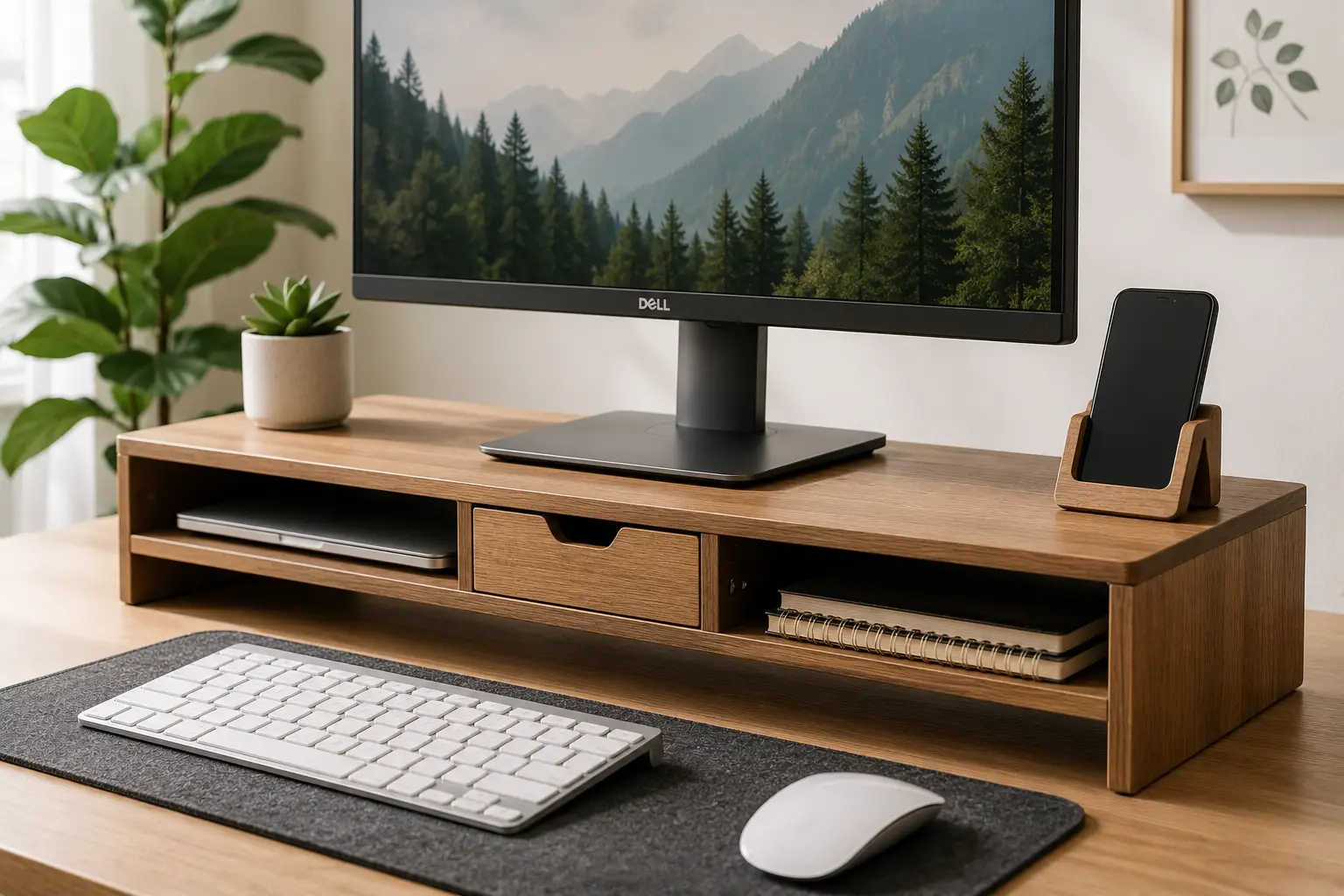
If your neck aches by 3 p.m. and your desk looks like a cable graveyard, the fix might be smaller — and cheaper — than you think. A wood computer monitor riser solves two problems at once: it lifts your screen to a healthier viewing height, and it reclaims the dead space underneath for a keyboard, notebook, or coffee mug. Unlike the flimsy plastic risers that flex under a 27-inch display, a well-built wood computer monitor riser adds real mass and stability to your setup, while looking like an actual piece of furniture instead of a dorm-room afterthought.
What Is a Wood Computer Monitor Riser? A wood computer monitor riser is a solid platform — typically walnut, bamboo, oak, or MDF with a wood veneer — that elevates a monitor, laptop, or small printer several inches above the desk surface. Most models also create usable storage space underneath for a keyboard, cables, or office supplies.
The catch is that “wood monitor riser” now covers a huge range of quality, from $18 MDF boxes to $90 solid-walnut shelves with FSC certification. This guide breaks down seven real, currently available options — spanning entry-level, mid-range, and premium builds — and explains what actually matters when you’re choosing between them: load capacity, wood type, storage layout, and the ergonomic math that determines whether a riser actually helps your neck or just makes your desk look nicer. Getting the height right matters more than people realize; OSHA’s guidance for computer workstations recommends positioning the center of the monitor 15 to 20 degrees below horizontal eye level, and a riser is often the simplest way to get there without buying a new desk.
At a Glance: Quick Comparison of Top Wood Computer Monitor Risers
| Product | Wood Type | Best For | Price Range |
|---|---|---|---|
| HumanCentric Wood Monitor Stand | Solid black walnut | Premium single-monitor desks | Around $75–$90 |
| TEAMIX Black Monitor Stand Riser | MDF wood board | Tight budgets | Under $25 |
| BONTEC Wooden Monitor Stand Riser | MDF wood, white finish | Small-desk organization | Around $35–$45 |
| Aothia Dual Monitor Stand | FSC-certified wood, cork legs | Dual-monitor and gaming rigs | Around $50–$65 |
| COREMINDED Solid Wood Dual Monitor Stand | Solid walnut | Long-term durability | Around $60–$75 |
A few patterns jump out immediately. Solid wood options like the HumanCentric Wood Monitor Stand and the COREMINDED Solid Wood Dual Monitor Stand sit at the top of the price range because solid walnut costs more to source and mill than MDF, but they also tend to hold up better over years of daily use. Budget picks like the TEAMIX Black Monitor Stand Riser trade long-term durability for an accessible price point that’s hard to argue with for a first apartment or a spare-room setup. If you’re running two monitors, the Aothia Dual Monitor Stand stands out for pairing genuine FSC-certified materials with a wide enough surface to handle a dual-screen workflow without wobble.
💬 Ready to see current pricing? Tap any highlighted pick above to check availability before it sells out.
Top 7 Wood Computer Monitor Risers: Expert Analysis
We researched real spec sheets, verified current US availability, and cross-referenced aggregated customer review themes for each of the following seven products. Pricing is shown in ranges only, since Amazon pricing fluctuates — always check the current price at checkout.
1. HumanCentric Wood Monitor Stand — best premium single-monitor riser
The HumanCentric Wood Monitor Stand is the pick for anyone who wants their desk to look intentional, not improvised. It’s built from solid black walnut rather than a veneer-wrapped composite, which is the main reason it costs more than most of the risers on this list.
Its patented design uses a solid wood shelf with a cutout underneath sized for a standard keyboard, so instead of a vague “storage area” you get a genuinely useful, laptop-adjacent slot that keeps your desk visually clean. The walnut grain is left mostly exposed rather than painted over, which means — like any real wood product — no two units look exactly alike. In practice, that finish also resists the scuffing and edge-chipping that MDF risers tend to show within the first year.
Who it’s for: this is the riser for a permanent desk setup where you’ll be looking at it daily for years, not a dorm room you’ll be moving out of every August. Reviews consistently report that buyers are impressed by the weight and rigidity of the wood, noting that it doesn’t flex or creak the way lighter composite risers can under a heavier monitor. A recurring theme in customer feedback is that the walnut tone doesn’t perfectly match every desk finish, so it’s worth checking your desk’s undertones before buying if a color match matters to you.
Pros:
- ✅ Solid walnut construction, not a veneer
- ✅ Patented keyboard-storage cutout underneath
- ✅ Feels substantial — minimal flex under load
Cons:
- ❌ Premium price compared to MDF alternatives
- ❌ Natural grain variation means less uniform color
Price and value: expect to pay in the $75–$90 range at the time of writing. For a permanent, one-and-done home office upgrade, the HumanCentric Wood Monitor Stand is a strong value; for a temporary setup, it’s more riser than you probably need.
2. TEAMIX Black Monitor Stand Riser — best budget pick under $25
The TEAMIX Black Monitor Stand Riser is proof that you don’t need to spend big to get a monitor to eye level. At roughly 14.2 by 9.5 inches, it’s compact enough for a single monitor or a laptop, and it’s rated to hold up to 80 pounds — far more than any home monitor actually weighs, which gives you a comfortable safety margin.
It’s built from MDF wood board rather than solid lumber, which is exactly what keeps the price this low; MDF is a manufactured, engineered wood product, so it’s more uniform (and cheaper to produce) than solid walnut or oak, though it’s also more susceptible to moisture damage over time. The minimalist black finish is designed to disappear visually rather than stand out, which is the right call for anyone who wants function without a design statement.
Who it’s for: students, renters, and anyone setting up a first home office on a tight budget. Aggregated customer reviews describe the assembly as straightforward, typically taking under ten minutes with the included hardware, and note that the riser feels sturdier than its price suggests once assembled. A common complaint in customer reviews is that the inner storage height (under 3 inches) is too shallow for a full-size keyboard with legs extended, so plan to store thinner items underneath instead.
Pros:
- ✅ Very accessible price point
- ✅ Holds up to 80 pounds — plenty of headroom
- ✅ Fast, tool-light assembly
Cons:
- ❌ MDF is less moisture-resistant than solid wood
- ❌ Shallow underside limits what fits beneath it
Price and value: typically under $25. For the money, this is one of the best entry points into a wood computer monitor riser category that often starts closer to $40.
3. BONTEC Wooden Monitor Stand Riser — most versatile 2-tier organizer
The BONTEC Wooden Monitor Stand Riser leans into organization rather than pure elevation. Its 2-tier design puts your monitor or laptop up top while the open lower shelf holds a keyboard, notebook, and daily-use items — a meaningful upgrade over single-shelf risers if desk clutter is your real problem.
At 66 pounds of rated capacity and a 5.6-inch rise, it lifts a screen noticeably higher than most competitors on this list, which matters if you’re working from a low desk or a taller chair. Built-in phone-holder slots and cable-routing channels mean the practical difference isn’t cosmetic: cables that used to snake across your desk now get tucked out of the sightline, and your phone has a dedicated spot instead of sliding around next to your keyboard.
Who it’s for: anyone whose desk complaint is really “too much stuff, not enough surface,” not just “screen too low.” Reviews consistently mention how much cleaner desks look after adding the shelf, and several buyers highlight the phone slot as more useful in daily practice than expected. What the spec sheet doesn’t say, but reviews reveal, is that the white finish shows dust more visibly than the darker options on this list, so it needs a quick wipe-down more often.
Pros:
- ✅ Two-tier design adds real storage, not just height
- ✅ 5.6-inch rise — taller than most competitors
- ✅ Built-in cable management and phone holder
Cons:
- ❌ White finish shows dust and fingerprints easily
- ❌ Bulkier footprint than single-shelf risers
Price and value: generally in the $35–$45 range. For a small desk that needs both elevation and organization, the BONTEC Wooden Monitor Stand Riser does double duty well enough to justify the mid-tier price.
4. Aothia Dual Monitor Stand — best FSC-certified dual monitor riser
The Aothia Dual Monitor Stand is built for the two-screen crowd, with a 43-inch-wide surface that comfortably spans a dual-monitor arrangement or a monitor-plus-laptop combo without either device hanging off the edge.
What sets it apart on paper is the combination of FSC-certified wood and cork-padded legs rated to support up to 50 pounds. FSC certification means the wood is sourced from responsibly managed forests, which is a real, verifiable distinction rather than a vague “eco-friendly” marketing claim — you can look up what that certification actually requires if sustainability factors into your buying decision. The cork legs aren’t just a sustainability flourish either; cork has natural grip and cushioning properties, which translates into less desk-surface scratching than hard wood or metal legs.
Who it’s for: dual-monitor home offices and gaming setups where surface width is the limiting factor, not weight capacity. Reviews consistently report that the extra-long surface genuinely fits two monitors side by side without crowding, which is the exact failure point of most 20-inch single-monitor risers pressed into dual-monitor duty. A recurring theme in feedback is that assembly, while simple, benefits from a second pair of hands given the length of the piece.
Pros:
- ✅ 43-inch surface genuinely fits two monitors
- ✅ FSC-certified wood — verifiable sourcing standard
- ✅ Cork legs reduce desk-surface scratching
Cons:
- ❌ Long surface makes solo assembly awkward
- ❌ 50 lb capacity is lower than some solid-wood rivals
Price and value: expect roughly $50–$65. For a dual-monitor desk, the width-to-price ratio here beats most single-monitor risers stacked side by side.
5. COREMINDED Solid Wood Dual Monitor Stand — sturdiest dual-monitor build
The COREMINDED Solid Wood Dual Monitor Stand takes a different approach to the dual-monitor category: instead of engineered wood with a veneer, it’s built from solid wood in a 42-inch walnut-finished shelf, prioritizing rigidity over the cork-leg flexibility of the Aothia model above.
The distinguishing feature here is straightforward — real solid wood construction typically resists sagging under sustained heavy loads better than composite alternatives, which matters if you’re running two 27-inch or larger monitors rather than a monitor-and-laptop pairing. The underside keyboard storage area is deep enough for a full-size mechanical keyboard, legs extended, which is a common failure point on shallower risers.
Who it’s for: buyers who specifically want solid wood (not MDF or veneer) in a dual-monitor format and are willing to pay a bit more for that material distinction. Reviews consistently describe the stand as feeling “furniture-grade” rather than “accessory-grade,” with several buyers noting it looks intentional even without a monitor on top of it. What most buyers overlook with this model is that solid wood, unlike MDF, will show minor natural grain and color variation between units — a feature, not a defect, of the material.
Pros:
- ✅ Genuine solid wood, not MDF or veneer
- ✅ Deep underside clearance for full-size keyboards
- ✅ Sturdy under sustained dual-monitor loads
Cons:
- ❌ Higher price than composite dual-monitor risers
- ❌ Natural wood variation between individual units
Price and value: typically $60–$75. If “solid wood” is a non-negotiable for you in a dual-monitor riser, this is one of the few options genuinely built to that standard rather than just marketed with wood tones.
6. ROCDEER Bamboo Dual Monitor Stand Riser — greenest choice on this list
The ROCDEER Bamboo Dual Monitor Stand Riser swaps hardwood for moso bamboo, a fast-renewing grass technically classified as wood-adjacent for furniture purposes, and pairs it with a 2-tier, drawer-equipped design rated to a notably high 300-pound capacity.
Bamboo’s practical advantage is that it regenerates far faster than hardwood trees — some species reach harvestable maturity in three to five years versus decades for oak or walnut — which is why bamboo furniture tends to carry a lower environmental footprint per pound of material. The adjustable length and angle feature is genuinely useful in daily practice, letting you fine-tune the platform to an L-shaped desk or an unconventional monitor arrangement rather than being locked into one fixed width.
Who it’s for: environmentally conscious buyers and anyone who wants dual-monitor or triple-monitor support without the higher price tag of solid walnut. Reviews consistently highlight the 300-pound rating as reassuring overkill relative to what a monitor setup actually weighs, and describe the drawer as genuinely useful for cable clutter rather than a gimmick. A common complaint in customer reviews is that the natural bamboo finish, left unsealed in spots, can show minor scuffs faster than a lacquered walnut surface.
Pros:
- ✅ Fast-renewing bamboo — genuinely lower-impact material
- ✅ 300 lb capacity, well beyond typical monitor weight
- ✅ Adjustable length and angle for flexible desks
Cons:
- ❌ Unsealed finish can scuff faster than lacquered wood
- ❌ Drawer hardware feels less premium than the shelf itself
Price and value: generally $40–$55. For buyers prioritizing sustainability and flexible sizing over a premium hardwood look, the ROCDEER Bamboo Dual Monitor Stand Riser is hard to beat on value.
7. Navaris Wood Monitor Stand — best compact riser for small desks
The Navaris Wood Monitor Stand takes the opposite approach from the dual-monitor entries above: a compact 13.7 x 9.4 x 2.8-inch real-wood platform with a walnut finish, designed for single monitors, laptops, or small displays on desks where every inch of surface counts.
It’s made of real wood with cork padding underneath, which is a small but meaningful detail — cork prevents the kind of desk-surface scratches that hard wood or plastic feet can leave behind over months of repositioning. Its 11.4-inch monitor surface is intentionally sized for compact and mid-size monitors rather than ultrawide displays, so it’s a poor match if you’re running a 34-inch curved screen.
Who it’s for: laptop users, secondary-desk setups, and anyone working in a small apartment or dorm room where a full-width dual-monitor riser simply wouldn’t fit. Reviews consistently note the natural wood grain as a standout aesthetic feature, with several buyers describing their unit’s grain pattern as unique enough to feel like a one-off object rather than a mass-produced accessory — which, given the real-wood construction, is genuinely accurate rather than marketing language. What the spec sheet doesn’t say, but reviews reveal, is that the compact footprint means limited storage room underneath compared to the larger risers on this list.
Pros:
- ✅ Real wood with scratch-preventing cork padding
- ✅ Compact footprint fits small desks and dorms
- ✅ Unique natural grain — no two units identical
Cons:
- ❌ Too small for ultrawide or dual-monitor use
- ❌ Limited underside storage given its compact size
Price and value: typically $30–$40. For a small single-monitor or laptop setup, this is a genuinely well-built option at a fair price.
Full Comparison: All 7 Wood Computer Monitor Risers
| Product | Material | Capacity | Best For | Price Range |
|---|---|---|---|---|
| HumanCentric Wood Monitor Stand | Solid walnut | Standard monitor weight | Permanent premium desks | $75–$90 |
| TEAMIX Black Monitor Stand Riser | MDF wood | 80 lbs | Tight budgets | Under $25 |
| BONTEC Wooden Monitor Stand Riser | MDF wood | 66 lbs | Storage + organization | $35–$45 |
| Aothia Dual Monitor Stand | FSC-certified wood + cork | 50 lbs | Dual-monitor rigs | $50–$65 |
| COREMINDED Solid Wood Dual Monitor Stand | Solid walnut | Heavy dual loads | Long-term durability | $60–$75 |
| ROCDEER Bamboo Dual Monitor Stand Riser | Moso bamboo | 300 lbs | Sustainability-focused buyers | $40–$55 |
| Navaris Wood Monitor Stand | Real wood + cork | Standard monitor weight | Small desks, single monitor | $30–$40 |
Looking at the table above, the clearest split is between single-monitor risers (HumanCentric, TEAMIX, BONTEC, Navaris) and dual-monitor-width platforms (Aothia, COREMINDED, ROCDEER). If budget is your main constraint, the TEAMIX Black Monitor Stand Riser is the obvious entry point, while the ROCDEER Bamboo Dual Monitor Stand Riser‘s 300-pound rating makes it the safest pick if you’re not entirely sure how much weight you’ll eventually stack on top. Buyers who specifically want solid, non-composite wood should weigh the HumanCentric Wood Monitor Stand against the COREMINDED Solid Wood Dual Monitor Stand — the deciding factor is simply whether you need single- or dual-monitor width.
✨ Don’t miss these exclusive deals! 🔍 Take your home office setup to the next level with this carefully curated lineup. Click a highlighted pick to check current pricing and availability. These risers will help you build a workspace that actually feels good to sit at, all day, every day.
How to Set Up and Optimize Your Wood Monitor Riser in Under 15 Minutes
Buying the right riser is only half the job — placement determines whether it actually helps your posture or just becomes a slightly taller desk clutter magnet. Here’s how to get it right the first time.
Start by measuring your seated eye height rather than guessing. Sit in your normal chair, in your normal posture, and note where your eyes land relative to your desk surface. Most people need somewhere between 3 and 6 inches of additional height, which is exactly the range most risers on this list provide — the BONTEC Wooden Monitor Stand Riser‘s 5.6-inch rise sits at the higher end of that range, while compact options like the Navaris Wood Monitor Stand sit lower.
Next, center the monitor directly in front of you rather than off to one side, even temporarily during setup — small angle offsets compound into neck strain over an 8-hour workday. Route your cables before you set the monitor down, not after; risers with built-in channels, like the BONTEC Wooden Monitor Stand Riser, make this step almost automatic, while flat-shelf risers benefit from a $5 cable clip added separately. Once the monitor is in place, sit back and check that the top third of the screen sits at or just below your eye line — if you’re still tilting your chin up, you likely need a taller riser or a monitor arm instead.
Finally, build a light maintenance habit: wipe solid wood and bamboo surfaces with a barely damp cloth every few weeks rather than a wet one, since standing moisture is what eventually warps engineered wood products like MDF. Re-check your monitor angle every time you change chairs, desks, or jobs — ergonomic setups aren’t “set and forget,” they’re a habit you maintain.
Real-World Setups: Which Wood Monitor Riser Fits You?
Rather than a generic “it depends,” here’s how three common situations map onto the products above.
The budget-conscious remote worker. You’re working from a spare bedroom, spending under $30 total, and just need your laptop screen off the desk surface. The TEAMIX Black Monitor Stand Riser covers this exactly — sub-$25 pricing, 80-pound capacity you’ll never come close to using, and a footprint that fits a laptop or single monitor without eating your whole desk.
The dual-monitor developer or editor. You run two screens side by side for eight-plus hours a day, and a wobbly or narrow riser is a productivity problem, not just an aesthetic one. Between the Aothia Dual Monitor Stand and the COREMINDED Solid Wood Dual Monitor Stand, the deciding question is sourcing versus raw rigidity: choose Aothia if FSC-certified materials and cork-leg desk protection matter to you, or COREMINDED if you want the added stiffness of solid wood under two heavy monitors.
The design-conscious minimalist with a small desk. You’ve got a compact desk, one monitor or a laptop, and you actually care what the riser looks like sitting there empty. The Navaris Wood Monitor Stand‘s real-wood grain and compact 13.7-inch footprint fit this use case well, while the HumanCentric Wood Monitor Stand is the upgrade pick if your desk and budget can support a larger, heavier walnut piece as a genuine furniture statement.
How to Choose a Wood Computer Monitor Riser
Use these seven criteria, in order of importance, to narrow down your decision:
- Solid wood vs. engineered wood (MDF). Solid walnut or bamboo costs more but resists moisture and long-term sagging better than MDF; MDF is fine for a budget or temporary setup, less ideal for a permanent one.
- Rise height. Measure your actual eye-to-desk gap before buying — most people need 3 to 6 inches, matching the range covered by the products above.
- Surface width for your monitor count. Single monitor: 12–20 inches is plenty. Dual monitor: look for 40+ inches, like the Aothia Dual Monitor Stand or COREMINDED Solid Wood Dual Monitor Stand.
- Weight capacity margin. Your monitor likely weighs under 20 pounds, but a higher-rated riser (like the ROCDEER Bamboo Dual Monitor Stand Riser‘s 300 lbs) gives more confidence against long-term sag.
- Storage layout underneath. Decide if you want open shelf space, a drawer, or nothing at all — this changes the footprint and price meaningfully.
- Finish and desk protection. Cork-padded legs, like those on the Navaris Wood Monitor Stand and Aothia Dual Monitor Stand, protect your desk surface better than bare wood or hard plastic feet.
- Sustainability sourcing, if it matters to you. FSC certification or bamboo (a fast-renewing grass) are the two verifiable “greener” options on this list, versus unlabeled MDF or hardwood. According to Canada’s Centre for Occupational Health and Safety, a monitor placed too high tends to cause more discomfort over time than one placed slightly too low, which is a useful tiebreaker if you’re stuck choosing between two riser heights — when in doubt, size down rather than up.
Wood Monitor Risers vs. Adjustable Monitor Arms
A wood monitor riser isn’t the only way to fix monitor height — adjustable monitor arms are the other common solution, and it’s worth understanding when each one actually wins.
| Factor | Wood Monitor Riser | Adjustable Monitor Arm |
|---|---|---|
| Upfront cost | $20–$90 | $40–$150+ |
| Desk clamping required | No | Usually yes |
| Adds storage underneath | Often (open shelf/drawer) | No |
| Height adjustability | Fixed once placed | Fully adjustable, often tool-free |
| Best for shared/standing desks | Less ideal (fixed height) | Better (quick readjustment) |
A wood riser wins on simplicity, price, and the bonus of underside storage — you set it once, and it doesn’t require clamping into your desk edge or drilling. It’s the better call for a fixed, single-user desk where the ideal height won’t change day to day. An adjustable arm wins if you switch between sitting and standing, share a desk with people of different heights, or want to reclaim the entire desk surface by getting the monitor off it entirely. If your setup is a static home-office desk with one primary user, any of the seven risers above will outperform a monitor arm on value; if you’re on a sit-stand desk, the calculus flips.
Common Mistakes to Avoid When Buying a Wooden Monitor Stand
Even a well-reviewed riser can be the wrong purchase if you skip a few basic checks first.
Buying without measuring your actual eye height is the most common mistake — people default to whichever riser looks tallest in photos, then end up either still hunching or, just as often, tilting their chin up because the riser overshoots the ideal height. Ignoring surface width for a dual-monitor setup is a close second; a 20-inch single-monitor riser simply won’t fit two 24-inch displays side by side, no matter how sturdy it is. Skimming past the material spec is another frequent error — MDF and solid wood are marketed with nearly identical photos, but they age very differently, so it pays to actually read whether “wood” means solid lumber or an engineered composite. Finally, ignoring weight capacity margin can matter more than people expect if you plan to stack a printer or a second display on top later; buying with headroom, like the 300-pound-rated ROCDEER Bamboo Dual Monitor Stand Riser, avoids having to repurchase down the line.
Wood Monitor Risers for Different Users
Different users have different priorities, and the “best” riser genuinely changes depending on who’s asking.
For remote workers on a tight budget, price and simplicity win — the TEAMIX Black Monitor Stand Riser or Navaris Wood Monitor Stand both deliver real ergonomic benefit without a big spend. For gamers and streamers running multi-monitor setups, surface width and weight capacity matter more than aesthetics, making the ROCDEER Bamboo Dual Monitor Stand Riser or Aothia Dual Monitor Stand the stronger fits. For design-focused professionals — creative directors, architects, anyone whose desk doubles as a portfolio piece — solid walnut construction like the HumanCentric Wood Monitor Stand earns its higher price through visible material quality. For students and dorm setups, compact footprint and easy reassembly (for move-out day) matter most, again pointing toward the Navaris Wood Monitor Stand or TEAMIX Black Monitor Stand Riser.
Long-Term Cost and Maintenance of a Wood Monitor Stand
A wood computer monitor riser is a low-maintenance purchase compared to most desk accessories, but “low-maintenance” isn’t “zero-cost-of-ownership,” and it’s worth understanding the real numbers before you buy.
| Consideration | MDF Risers (e.g., TEAMIX, BONTEC) | Solid Wood/Bamboo (e.g., HumanCentric, ROCDEER) |
|---|---|---|
| Typical lifespan | 2–4 years with regular use | 5–10+ years with regular use |
| Moisture sensitivity | Higher — can swell or delaminate | Lower — more moisture-resistant |
| Replacement cost over 8 years | 2–3 units (~$50–$75 total) | 1 unit (~$60–$90 total) |
| Resale/reuse value | Minimal | Moderate — solid wood holds appeal |
Interpreting the numbers above, the cheaper MDF options aren’t necessarily the better long-term value once you account for likely replacement cycles — a budget riser you replace twice can cost roughly the same, over eight years, as a solid-wood riser you buy once. That said, if you genuinely expect to move desks, jobs, or living situations within a couple of years, the lower upfront cost of an MDF option like the TEAMIX Black Monitor Stand Riser is the more rational choice, since you’re not planning to keep any single riser long enough for the durability gap to matter.
💬 One click helps other shoppers make an informed choice too! 😊
Safety, Sustainability, and Certification Standards
Furniture safety standards in the US mostly focus on tip-over risk for tall, top-heavy pieces like dressers, but the same underlying logic applies to desk accessories: a wide base and low center of gravity matter. The Consumer Product Safety Commission’s Anchor It campaign has spent a decade pushing for more stable furniture design to cut down tip-over injuries — a good general reminder to keep any elevated desk accessory, riser included, positioned flat and centered rather than perched near a desk edge, especially in households with small children or pets.
On the sourcing side, look for two verifiable claims rather than vague “eco-friendly” language: FSC certification (used on the Aothia Dual Monitor Stand) confirms the wood was harvested under an independently audited forestry standard, and bamboo (used on the ROCDEER Bamboo Dual Monitor Stand Riser) is a fast-renewing grass with a meaningfully lower growth-cycle footprint than hardwood trees. Neither claim is regulated the way food labeling is, so a named certification body is a stronger signal than an unsupported “sustainable” label on the box.
Frequently Asked Questions
❓ Does a wood computer monitor riser actually help neck pain?
❓ How much weight can a wood monitor riser hold?
❓ Is MDF wood or solid wood better for a monitor riser?
❓ Can a wood monitor riser fit two monitors?
❓ What height should a wood computer monitor riser be?
Conclusion
A wood computer monitor riser is one of the rare desk upgrades that pays off immediately — better posture, a cleaner desk surface, and in most cases, genuinely useful storage you didn’t have before. The right pick really does depend on your setup: the TEAMIX Black Monitor Stand Riser if budget is the priority, the Aothia Dual Monitor Stand or COREMINDED Solid Wood Dual Monitor Stand if you’re running two screens, and the HumanCentric Wood Monitor Stand if you want a permanent, furniture-grade centerpiece for a desk you’ll be sitting at for years. Whichever you choose, the underlying ergonomic math doesn’t change — get the top of your screen to roughly eye level, keep it centered and arm’s length away, and the rest of your posture tends to follow.
Take a few minutes to measure your actual desk-to-eye gap before you buy, match it against the rise heights compared above, and you’ll skip the common mistake of ending up with a riser that’s the wrong height for your specific chair and desk combination.
Recommended for You
- Three Monitor Desk: 7 Best Picks for 2026 (Avoid Overpaying)
- Monitor Swivel Mount: 7 Best Picks for a Pain-Free Setup (2026)
- Swivel Monitor Stand: 7 Best Picks for Your Desk (2026)
Disclaimer: This post contains affiliate links. As an Amazon Associate, I earn from qualifying purchases made through these links, at no additional cost to you.
✨ Found this article helpful? Share it with someone who needs it! 💬🤗