
In This Article
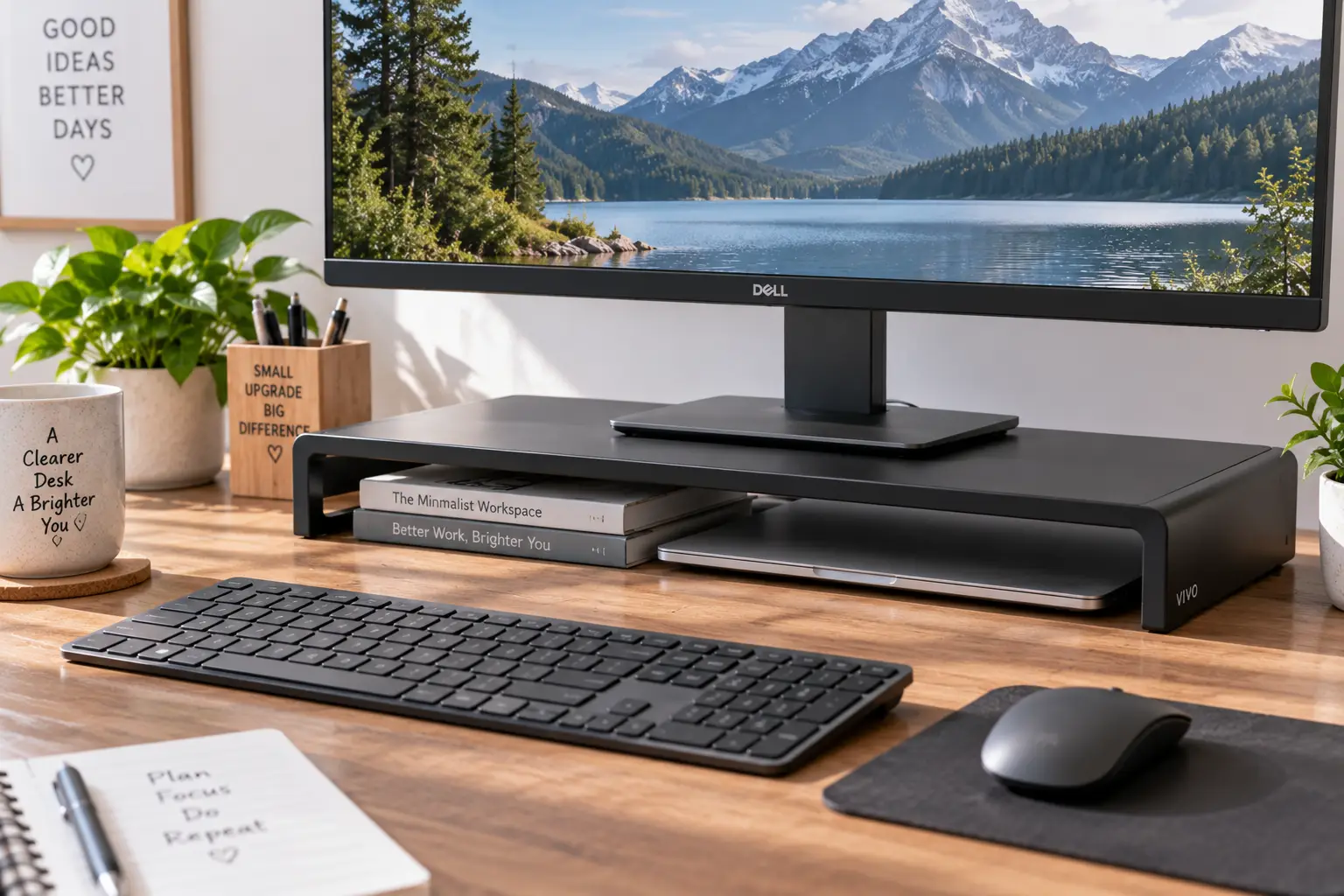
A low profile computer monitor stand is a riser, foldable base, or slim mounting solution that lifts your screen just enough to hit eye level without adding bulk, height, or visual clutter to your desk. Unlike tall pedestal stands or bulky arms, a true low profile design sits close to the desktop, keeps your sightline natural, and still leaves room underneath for a keyboard tray, notebook, or cable box.
If you’ve ever hunched forward to read a screen that sits too low, or propped a monitor on old textbooks because your desk has zero clearance for a full-size mount, you already know why this category exists. A low profile computer monitor stand solves a narrow but very real problem: you want the ergonomic benefit of a proper monitor height without sacrificing desk space, aesthetics, or budget.
This guide breaks down seven real, currently available options — from a $20 plastic riser to a full articulating arm — and explains, in plain terms, which one actually fits your setup. We researched real spec sheets, aggregated customer feedback, and federal ergonomics guidance from the Occupational Safety and Health Administration so you’re not just reading a features list. You’ll get honest analysis of who each stand is for, what it does well, and where it falls short, plus a practical framework for choosing between a riser, a foldable stand, and a full monitor arm.
Disclosure: This post contains affiliate links. As an Amazon Associate, I earn from qualifying purchases made through these links, at no additional cost to you.
Quick Comparison: Low Profile Monitor Stands at a Glance
Before diving into full reviews, here’s a fast snapshot of how these seven stands stack up on height range and ideal use case. This isn’t the full breakdown — just enough to point you toward the right category before you read further.
| Product | Height Adjustment | Best For |
|---|---|---|
| WALI Tempered Glass Riser | 3.1″ or 5.1″ (fixed steps) | Budget buyers who want a minimalist glass look |
| Amazon Basics ABS Riser | 2.87″ / 4.2″ / 4.8″ | First-time buyers on a tight budget |
| Amazon Basics Wood Stand | Fixed, low profile | Home offices wanting a warm, non-tech look |
| HUANUO Vented Metal Riser | Fixed ~3.94″ | Anyone who needs cooling airflow under a laptop or monitor |
| WEARSON WS-03A Foldable Stand | Tilts, folds flat | POS setups, touchscreens, shared desks |
| HUANUO Freestanding VESA Swivel Stand | 5 height options | Buyers who want VESA articulation without a clamp-on arm |
| Ergotron LX Desk Monitor Arm | Up to 13″ of vertical travel | Anyone who wants the screen fully off the desk |
Low profile doesn’t always mean “riser.” As the table shows, some of the flattest, most desk-friendly designs are actually articulating arms that retract close to the surface rather than static blocks that sit under the monitor. The right pick depends less on price and more on how much adjustability you actually need day to day.
💬 Bookmark this guide and come back to it — comparing specs side by side beats guessing from a product thumbnail! 😊
Top 7 Low Profile Computer Monitor Stands — Expert Analysis
We picked these seven to cover the realistic range of what’s actually available on amazon.com: tempered glass and wood risers for people who just want a clean look, vented metal platforms for anyone running warm hardware, a fold-flat option built for touchscreens and shared stations, a freestanding VESA swivel base, and a genuine low profile arm for people who want the display floating just above the desk. Every one of these is a real product with a real spec sheet — no invented models, no fabricated reviews.
1. WALI Tempered Glass Monitor Riser — cleanest minimalist look for the money
The WALI Tempered Glass Monitor Riser is the pick for anyone who wants a stand that visually disappears under the monitor rather than looking like office equipment. Its triangular tempered-glass platform measures roughly 20 x 11 inches, and the stainless-steel legs adjust between two fixed heights — about 3.1 or 5.1 inches — so you’re not fumbling with knobs or sliders. What that height range means in practice: it’s enough to lift a 24-inch monitor from “too low” to “roughly eye level” for most seated adults, without adding the several extra inches a pedestal stand would.
This is a strong fit for anyone furnishing a home office on a budget or setting up a secondary desk where looks matter as much as function — think a glass-top desk, a minimalist all-white setup, or a shared studio space. Reviews consistently report that the glass feels sturdier than its price suggests, though a recurring theme in customer feedback is that the legs can feel slightly wobbly if the desk surface isn’t perfectly level. A smaller but real complaint: tempered glass shows fingerprints and dust more visibly than metal or wood alternatives, so it needs more frequent wiping to stay looking clean.
Pros:
- ✅ Genuinely low visual profile that blends into modern desks
- ✅ Two fixed height settings cover most eye-level needs
- ✅ Extra storage space underneath for a keyboard or notebook
Cons:
- ❌ Only two height positions, no fine adjustment
- ❌ Glass surface shows fingerprints and needs regular cleaning
At a price in the $30 range, the WALI Tempered Glass Monitor Riser offers strong value for anyone prioritizing looks and basic height correction over adjustability — check the current price before buying, since Amazon pricing shifts often.
2. Amazon Basics Height Adjustable Monitor Stand Riser — most beginner-friendly budget pick
The Amazon Basics Height Adjustable Monitor Stand Riser is built around a simple idea: give first-time buyers a no-fuss way to test whether raising their monitor actually helps, without spending much to find out. It uses a stackable-leg design with three height settings — roughly 2.87, 4.2, and 4.8 inches — made from ABS plastic rather than metal or glass. In practice, that means you snap on however many leg segments you need and get a flat, non-slip platform that holds up to 22 pounds, which comfortably covers most 24- to 27-inch monitors.
This stand is best suited to people setting up their very first ergonomic workstation, students working from a dorm desk, or anyone who wants to try a monitor riser before committing to a pricier metal or arm-based option. Reviews consistently point out that assembly takes just a couple of minutes with zero tools, and the underside storage is genuinely useful for a compact keyboard or notebook. On the downside, aggregated customer feedback frequently notes that the plastic construction feels less substantial than the metal risers in this guide, and it’s not the right choice for heavier ultrawide monitors near the top of its weight limit.
Pros:
- ✅ Tool-free assembly in about two minutes
- ✅ Three stackable height settings for personalized fit
- ✅ Non-skid feet keep the platform stable on most desks
Cons:
- ❌ ABS plastic feels less premium than metal alternatives
- ❌ 22-lb weight limit rules out larger ultrawide monitors
Priced under $25 in most cases, the Amazon Basics Height Adjustable Monitor Stand Riser is hard to beat as a low-risk entry point — just confirm the current price, since Amazon adjusts it regularly.
3. Amazon Basics Rectangular Wood Monitor Stand — warmest, most furniture-like aesthetic
The Amazon Basics Rectangular Wood Monitor Stand takes a different approach from the plastic-and-metal risers in this list: it’s a solid, fixed-height wooden platform designed to look like a piece of desk furniture rather than a piece of tech hardware. There’s no adjustability here — what you see is what you get — but that simplicity is the point for buyers who’ve already measured their ideal height and just need a stable, attractive base.
What this means in practice is that it suits people with a specific aesthetic in mind: warm wood tones, a “cozy home office” look, or a desk that already mixes wood and metal accents where a plastic riser would stand out for the wrong reasons. Based on comparing the spec sheet against the adjustable options in this guide, the tradeoff is clear — you give up flexibility in exchange for a cleaner, more finished appearance and (per aggregated reviews) noticeably better stability than lighter plastic risers, since the added weight of solid wood construction resists sliding. The most common critique in customer feedback is the fixed height itself; buyers who guess wrong on their ideal elevation have no way to adjust after the fact.
Pros:
- ✅ Solid wood construction feels more stable than plastic risers
- ✅ Furniture-style look blends with wood desks and shelving
- ✅ No assembly quirks — simple, fixed, ready to use
Cons:
- ❌ Fixed height with zero adjustability
- ❌ Heavier and less portable than folding alternatives
Expect a price around $30, making the Amazon Basics Rectangular Wood Monitor Stand a solid value pick specifically for buyers who already know their ideal monitor height — check current pricing before you order.
4. HUANUO Vented Metal Monitor Riser — best airflow for laptops and warm hardware
The HUANUO Vented Metal Monitor Riser is built for a specific pain point the glass and wood options don’t address: heat. Its powder-coated steel platform (roughly 14.57 x 9.25 inches) is perforated with ventilation holes, and it raises whatever sits on top by about 3.94 inches — enough to correct a too-low monitor or laptop screen without pushing it into “too high” territory. The steel plate is rated to hold up to 44 pounds, roughly double the capacity of the plastic Amazon Basics riser above.
Here’s what that combination actually buys you: if you’re running a laptop as a secondary display, docking a Mac mini underneath a monitor, or just live somewhere warm without great desk airflow, the perforated platform genuinely helps dissipate heat compared to a solid glass or wood surface. That makes it a strong pick for anyone who’s noticed their laptop getting uncomfortably warm sitting flat on the desk. Reviews consistently mention that the steel feels noticeably sturdier than plastic risers at a similar price, with several buyers specifically citing reduced wobble under a full-size monitor. A recurring complaint, however, is that the perforated holes can make small desk items (paper clips, pen caps) prone to falling through if stored directly underneath.
Pros:
- ✅ Ventilated steel platform helps prevent device overheating
- ✅ 44-lb capacity handles larger monitors and full setups
- ✅ Noticeably more rigid than plastic riser competitors
Cons:
- ❌ Vented holes let small items fall through if stored below
- ❌ Fixed single height, no adjustment range
At a price around $30, the HUANUO Vented Metal Monitor Riser delivers real value for anyone whose priority is cooling and stability over adjustability — as always, check the current listing price before purchase.
5. WEARSON WS-03A Foldable Touch Monitor Stand — best for touchscreens and shared desks
The WEARSON WS-03A Foldable Touch Monitor Stand solves a problem none of the risers above can: what happens when you need the stand itself to disappear. Built from alloy steel, it supports 10- to 24-inch displays using VESA 75x75mm and 100x100mm mounting patterns, with a tilting head for angle adjustment. Its standout feature is that the entire unit folds nearly flat, which is exactly why it shows up so often in point-of-sale and kiosk setups where a display needs to lie face-up for storage or transport between shifts.
What that folding mechanism means in daily use: this is the stand to pick if your monitor gets touched, moved, or shared throughout the day — a retail checkout screen, a shared conference-room display, or a home setup where the monitor doubles as a drawing tablet and needs to lie flat periodically. It’s genuinely less useful if your monitor stays in one fixed position all day, since you’re paying for flexibility you won’t use. Based on comparing the spec sheet to the fixed risers above, the tradeoff is clear: you gain fold-flat versatility and touchscreen-ready rigidity, but the mechanism adds moving parts that a simple platform riser doesn’t have. Reviews consistently describe the steel frame as noticeably sturdier than expected for touch use, which matters since touchscreens apply repeated pressure a passive monitor never does; a smaller number of reviewers note the tilt head requires a firm hand to adjust smoothly at first.
Pros:
- ✅ Folds nearly flat for storage, transport, or shared use
- ✅ VESA 75×75 and 100×100 compatibility fits many monitors
- ✅ Steel frame holds up well under repeated touchscreen pressure
Cons:
- ❌ More moving parts than a simple fixed riser
- ❌ Tilt head can feel stiff during initial adjustments
Priced in the $40 to $60 range, the WEARSON WS-03A Foldable Touch Monitor Stand earns its higher cost through genuine mechanical versatility that flat risers simply can’t offer — confirm current pricing before ordering.
6. HUANUO Freestanding VESA Swivel Monitor Stand — most adjustability without a clamp-on arm
The HUANUO Freestanding VESA Swivel Monitor Stand sits in the middle ground between a static riser and a full desk-clamped arm. It uses a VESA 75x75mm/100x100mm mounting plate on a weighted freestanding base, fits 13- to 34-inch screens, holds up to 44 pounds, and offers five height options along with 360-degree swivel rotation. Unlike a clamp-on arm, there’s nothing to attach to the edge of your desk — you just set the base down, which matters if you’re in a rental, use a standing desk with a rounded edge, or simply don’t want to drill or clamp anything.
In practice, that freestanding design means you get most of the flexibility of an arm — real height range, easy rotation between landscape and portrait, swivel for sharing your screen with someone beside you — without committing to permanent hardware on your desk. This makes it a strong option for renters, anyone with an unusually thick or thin desktop that a clamp won’t grip well, or buyers who want the ability to fully reposition their monitor throughout the day. What most buyers overlook with this model is that “freestanding” also means it occupies real desk footprint under the base itself, unlike a true clamp-on arm that reclaims that space entirely. Reviews consistently praise the smooth swivel motion and describe the VESA mount as compatible with a wide range of monitor brands; a common complaint is that the base, while stable, still takes up noticeably more desk real estate than the flat risers earlier in this list.
Pros:
- ✅ Five height options plus full 360-degree swivel
- ✅ No desk clamp or drilling required — just set it down
- ✅ 44-lb capacity covers most 27- to 34-inch monitors
Cons:
- ❌ Base footprint takes up more desk space than flat risers
- ❌ Less “invisible” profile than a true clamp-on arm
At a price between $50 and $80, the HUANUO Freestanding VESA Swivel Monitor Stand is a smart middle-tier pick for buyers who want arm-like motion without committing to a permanent desk mount — always double-check the live price before buying.
7. Ergotron LX Desk Monitor Arm with Low-Profile Clamp — best for a truly clutter-free desk
The Ergotron LX Desk Monitor Arm with Low-Profile Clamp is the outlier in this list because it isn’t a riser at all — it’s an articulating arm, and in some ways it’s the most genuinely “low profile” option here, since a properly adjusted arm removes the monitor’s footprint from the desk entirely. It supports displays up to 34 inches and 25 pounds, attaches via a compact clamp designed for desks 1 to 1.4 inches thick, and uses the same VESA 75x75mm/100x100mm pattern as several other stands on this list. Once mounted, it offers up to 13 inches of height travel, 75 degrees of tilt, and full 360-degree pan and rotation.
What that range of motion means for a real desk: instead of a fixed platform under your monitor, you get a screen that can be pushed back and folded down when you’re not using it, then pulled forward and raised to exact eye level when you are — something none of the six stands above can do. This makes it the clear pick for anyone running a genuinely tight desk (a standing desk converter, a small apartment setup, a shared workstation) where every square inch of surface matters, or for anyone who’s tried a fixed riser and found the height still wasn’t quite right. Based on comparing the spec sheet to the freestanding options above, the arm’s patented constant-force technology means it holds position without drifting downward over time, a common failure point in cheaper arms. Reviews consistently cite the 10,000-cycle motion testing and 10-year warranty as reasons buyers trust it for years of daily repositioning, though the most frequent critique is that installation and cable routing take longer than simply setting a riser on the desk.
Pros:
- ✅ Frees up desk space entirely once mounted
- ✅ Up to 13″ of height travel plus 75° tilt and full rotation
- ✅ Constant-force design resists drift, backed by a 10-year warranty
Cons:
- ❌ Requires desk clamp installation, unlike plug-and-play risers
- ❌ Higher upfront cost than any riser in this guide
Priced between $150 and $220, the Ergotron LX Desk Monitor Arm with Low-Profile Clamp costs more than every other pick here, but for buyers who want a genuinely clear desk, the long-term value and warranty coverage justify the jump — check the current price, since Ergotron and third-party sellers both list it on Amazon at varying points.
Full Comparison: All 7 Stands Side by Side
| Product | Type | Weight Capacity | Material | Best For |
|---|---|---|---|---|
| WALI Tempered Glass Riser | Fixed riser (2 heights) | Standard monitor weight | Tempered glass + steel legs | Minimalist glass desks |
| Amazon Basics ABS Riser | Stackable riser (3 heights) | Up to 22 lbs | ABS plastic | First-time buyers, tight budgets |
| Amazon Basics Wood Stand | Fixed riser | Standard monitor weight | Solid wood | Warm, furniture-style desks |
| HUANUO Vented Metal Riser | Fixed riser | Up to 44 lbs | Powder-coated steel | Laptops and heat-prone setups |
| WEARSON WS-03A | Foldable tilt stand | 10–24″ displays | Alloy steel | Touchscreens, shared desks |
| HUANUO Freestanding VESA Stand | Freestanding swivel base | Up to 44 lbs, 13–34″ screens | Steel base, VESA plate | Renters, no-clamp setups |
| Ergotron LX Desk Arm | Clamp-on articulating arm | Up to 25 lbs, up to 34″ | Aluminum/steel construction | Fully clearing the desk surface |
Looking at the comparison table above, the pattern that jumps out is the tradeoff between footprint and flexibility: the WALI Tempered Glass Riser and Amazon Basics ABS Riser sit at the low-commitment end, while the Ergotron LX Desk Monitor Arm sits at the high-flexibility, higher-cost end. Buyers with a single monitor and a fixed viewing position rarely need to spend past the HUANUO Vented Metal Riser or WEARSON WS-03A, while anyone juggling multiple tasks, sharing a desk, or working from an especially cramped space will get more real-world value from the HUANUO Freestanding VESA Stand or the Ergotron LX Desk Monitor Arm, despite the higher price point.
How to Set Up Your Low Profile Monitor Stand for Real Ergonomic Benefit
Buying the right stand only solves half the problem — where you actually place it matters just as much. Per OSHA’s computer workstation guidance, the top of your monitor should sit at or slightly below eye level, with the center of the screen falling roughly 15 to 20 degrees below your horizontal line of sight. That’s the target every stand in this guide is trying to help you hit.
Start by sitting in your normal working posture, with your chair at its usual height, and have someone (or a phone on a timer) check where the top of your unmounted monitor currently lines up with your eyes. If it’s below eye level, that gap — measured in inches — tells you exactly which stand height to look for; a riser or arm that overshoots and pushes the screen above eye level is just trading one bad posture for another. Once the height is set, check your viewing distance: OSHA recommends keeping the monitor at least 20 inches away, and most people land comfortably between 20 and 28 inches.
For risers specifically, place the unit dead-center behind your keyboard rather than off to one side, since an off-axis monitor encourages the same neck rotation a too-low screen does. For the Ergotron LX Desk Monitor Arm, take the extra few minutes to route cables through the arm’s channel before finishing height adjustments — doing it afterward means redoing the cable slack every time you reposition the screen. Whichever stand you choose, revisit the height every few weeks; small changes in chair height, footwear, or even a new desk lamp can shift what “eye level” actually means for you.
✨ Ready to fix your monitor height for good? Grab the pick that matches your setup above and give your neck a break today! ✨
Real-World Scenarios: Matching a Stand to How You Work
Specs only tell part of the story — the right stand really depends on how your desk gets used day to day. Here are three common setups and the honest reasoning behind each recommendation.
The budget-conscious student or first apartment setup. If you’re working from a small desk, don’t yet know your ideal monitor height, and want to spend as little as possible finding out, the Amazon Basics Height Adjustable Monitor Stand Riser is the sensible starting point. Its three height settings let you experiment without committing, and the tool-free setup means you’re not out much time if it turns out you need something else.
The touchscreen or shared point-of-sale desk. Retail counters, reception desks, and any setup where more than one person interacts with the screen throughout the day call for something sturdier than a passive riser. The WEARSON WS-03A Foldable Touch Monitor Stand is built specifically for this — its steel frame tolerates repeated touch pressure, and the fold-flat design means the display can be stowed between shifts or events without unmounting anything.
The tight desk with a single dedicated monitor. If your desk surface is already crowded — a standing desk converter, a corner setup, or a small apartment workstation — the math changes. Here, the Ergotron LX Desk Monitor Arm earns its higher price by reclaiming the desk space a riser would otherwise occupy, and its wide height range means you’re not locked into whatever position the stand ships in. For a two-monitor version of this same tight-desk problem, look at Ergotron’s dual-arm accessories, which use the same low-profile clamp base.
How to Choose a Low Profile Monitor Stand
Use these criteria, in order, to narrow down which type actually fits your desk:
- Measure your current eye-level gap. Before comparing products, figure out how many inches your monitor needs to rise. This single number eliminates most options immediately — a 5-inch gap rules out a stand that only offers 3 inches of lift.
- Confirm your monitor’s weight and VESA pattern. Larger monitors, especially curved or ultrawide models, need a stand rated well above their actual weight; check the specs on the back of your display for a VESA mounting pattern before buying anything that requires one.
- Decide if you need adjustability or a fixed height. If you already know your ideal height, a fixed riser like the Amazon Basics Rectangular Wood Monitor Stand is simpler and cheaper. If you’re not sure, pay for adjustability.
- Consider desk material and clamp compatibility. Glass desks, very thin desks, or desks with unusual edges can rule out clamp-based arms; check the clamp’s rated thickness range before ordering an arm-style stand.
- Think about what goes underneath. If you plan to store a keyboard, notebook, or cable box under the stand, prioritize a platform-style riser like the HUANUO Vented Metal Monitor Riser over an arm, which leaves the desk clear but offers no under-stand storage.
- Match ventilation needs to your hardware. If you’re running a laptop, mini PC, or anything that generates real heat under the monitor, a vented platform beats a solid glass or wood surface.
- Set a realistic budget band. Risers in this guide run from roughly $20 to $60; a genuine articulating arm starts closer to $150. Decide which tier you’re in before you start comparing individual features, so you’re not tempted by specs you don’t actually need.
Common Mistakes to Avoid When Buying a Low Profile Monitor Stand
Even a well-reviewed stand can be the wrong purchase if it doesn’t match your setup. Here’s what most buyers get wrong:
Buying based on price alone. The cheapest riser is a false economy if it doesn’t actually correct your monitor height — you’ll end up buying a second stand and paying twice. Measure first, then shop within a budget that meets that measurement.
Ignoring weight capacity on curved or ultrawide monitors. A 34-inch curved display can weigh considerably more than a standard 24-inch flat panel. Buyers who don’t check this end up with a wobbly or unsafe setup, especially on lighter plastic risers.
Assuming “low profile” means “adjustable.” Several genuinely low profile products, including fixed wood risers, offer zero height adjustment. That’s fine if you’ve measured correctly, but it’s a common source of returns when buyers assume every stand works like the adjustable models they’ve seen elsewhere.
Overlooking desk thickness for clamp-based arms. The Ergotron LX Desk Monitor Arm and similar products list a specific clamp range (roughly 1 to 1.4 inches for this model); an unusually thick or thin desktop can prevent a secure mount entirely.
Forgetting about cable management. A stand that lifts your monitor but leaves cables dangling or bunched underneath undercuts the clean look most buyers are going for in the first place. Factor in a few extra dollars for cable clips or sleeves regardless of which stand you choose.
Low Profile Monitor Stands vs. Monitor Arms
The line between “riser” and “arm” gets blurry once you’re actually comparing products, so it’s worth spelling out where each type genuinely wins.
| Factor | Riser / Static Stand | Monitor Arm |
|---|---|---|
| Desk footprint | Occupies fixed space under monitor | Frees desk space once mounted |
| Setup effort | Set it down, done | Requires clamp installation |
| Height range | Usually 2–6 inches, fixed steps | Often 10+ inches, continuous |
| Under-stand storage | Yes, in most riser designs | No — nothing to store under |
| Typical price | $20–$80 | $100–$250+ |
| Best desk type | Standard desks with spare surface | Small, shared, or standing desks |
A riser like the HUANUO Vented Metal Monitor Riser wins when your priority is simplicity, storage space underneath, and a lower upfront cost. An arm like the Ergotron LX Desk Monitor Arm wins when desk space itself is the scarce resource, or when you need a much larger height range than any fixed riser can offer. Neither is universally “better” — the right choice depends entirely on which resource you have less of: money or desk space.
Long-Term Cost and Maintenance
A monitor stand is one of the rare desk accessories with almost no ongoing cost, but the total picture still varies by type. Fixed risers like the WALI Tempered Glass Monitor Riser and Amazon Basics Wood Stand have effectively zero maintenance — no moving parts to wear out, though the glass model will need occasional cleaning to stay smudge-free. Adjustable and folding models, including the WEARSON WS-03A and the HUANUO Freestanding VESA Swivel Stand, have hinges and tilt mechanisms that can loosen slightly over years of daily use; most are designed with replaceable hardware, so a stray screw or hinge issue rarely means replacing the whole unit.
The Ergotron LX Desk Monitor Arm is the clear long-term value play despite its higher upfront cost. Its 10-year warranty and 10,000-cycle motion testing (equivalent to roughly ten years of daily repositioning) mean you’re less likely to replace it at all, which changes the real cost-per-year math considerably compared to a $30 riser you might swap out after a desk reconfiguration. If you expect to keep the same desk setup for years and reposition your monitor often, the arm’s higher sticker price amortizes down close to what you’d spend replacing two or three cheaper risers over the same period.
Safety, Regulations, and Standards
Monitor stands and arms aren’t subject to the same rigorous federal certification requirements as, say, electrical equipment, but a few standards and guidelines are still worth knowing before you buy. Weight capacity ratings (like the 44-lb rating on several products in this guide) are set by manufacturers based on internal testing; exceeding that rating is the most common cause of stand failure and a legitimate tip-over or drop hazard for both the monitor and anyone nearby.
For workplace and home-office setups, the OSHA computer workstations eTool remains the most widely cited federal reference for monitor placement, and the CDC’s National Institute for Occupational Safety and Health publishes broader ergonomics and musculoskeletal-disorder guidance that applies beyond just monitor height — posture, break frequency, and keyboard placement all factor into whether a raised monitor actually delivers the comfort benefit you’re expecting. Clamp-based arms like the Ergotron LX Desk Monitor Arm also carry desk-thickness specifications; mounting one outside the rated clamp range is both a stability risk and typically a warranty violation, so it’s worth measuring your desk edge with an actual tape measure rather than eyeballing it.
FAQs
❓ What is a low profile computer monitor stand?
❓ How much height do I actually need from a monitor stand?
❓ Can a low profile monitor stand hold a curved or ultrawide monitor?
❓ Is a monitor arm better than a riser for a small desk?
❓ Do low profile monitor stands work with laptops too?
Conclusion
The right low profile computer monitor stand really comes down to two questions: how many inches of height correction do you need, and how much desk space are you willing to give up to get it? Budget-focused buyers chasing a simple fix will do well with the Amazon Basics Height Adjustable Monitor Stand Riser or the WALI Tempered Glass Monitor Riser — both correct the most common ergonomic mistake (a monitor sitting too low) for a modest price. Anyone running warmer hardware or a laptop-as-monitor setup should lean toward the HUANUO Vented Metal Monitor Riser, while touchscreen and shared-desk situations are better served by the fold-flat WEARSON WS-03A.
For buyers who want more flexibility without permanent desk hardware, the HUANUO Freestanding VESA Swivel Stand splits the difference nicely. And if desk space is your real constraint — not price — the Ergotron LX Desk Monitor Arm is worth the jump; its long warranty and genuine desk-clearing design make it the stand most likely to still be on your desk five years from now. Whichever you choose, the underlying goal is the same one OSHA has been recommending for decades: get the top of that screen to eye level, and let your neck finally relax.
✨ Found the right stand for your setup? Check today’s price on your top pick and give your desk — and your neck — the upgrade it deserves! ✨
Recommended for You
- Two Sided Desk: 7 Best Double Desks for 2 People in 2026
- Desk with LEDs: 7 Best Picks to Upgrade Your Setup in 2026
- 7 Best pc tower case stand Picks for 2026 (Buyer’s Guide)
Disclaimer: This post contains affiliate links. As an Amazon Associate, I earn from qualifying purchases made through these links, at no additional cost to you.
✨ Found this article helpful? Share it with someone who needs it! 💬🤗