
In This Article
Why a Wall Monitor Holder Might Be the Best Upgrade for Your Workspace
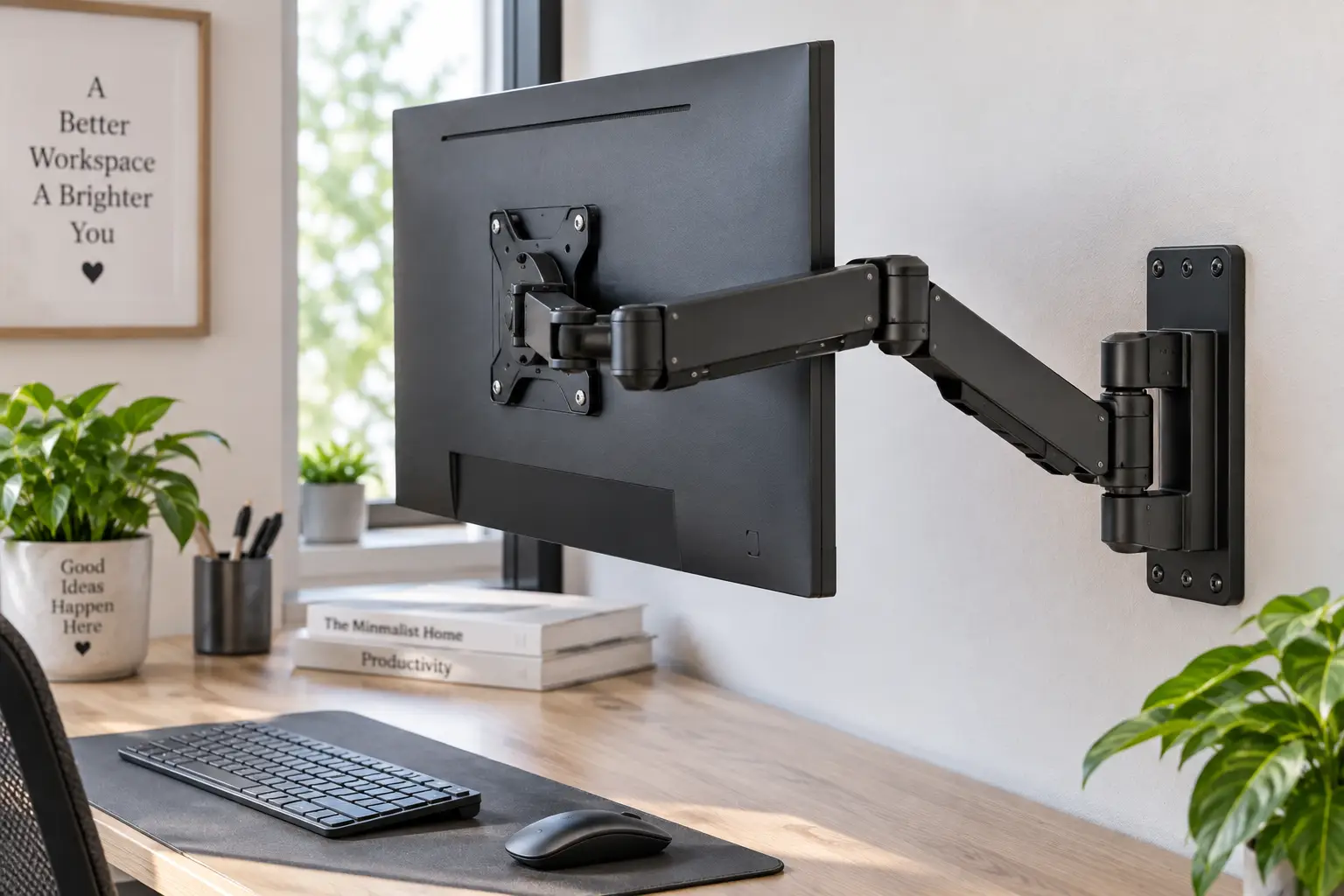
If your desk looks like a monitor stand graveyard — cables everywhere, a wobbly arm eating half your workspace, a screen that never quite sits at the right height — a wall monitor holder solves all three problems at once. What is a wall monitor holder? It’s a wall-mounted bracket, usually built from steel or aluminum, that attaches a computer monitor directly to a wall stud using a VESA mounting plate, freeing up the entire desk surface while letting you adjust height, tilt, swivel, and rotation independently of anything sitting on your desk.
This isn’t a niche upgrade anymore. Remote work turned spare bedrooms and kitchen corners into full-time offices, and a wall monitor holder is one of the cheapest ways to turn a cramped nook into something that actually works for eight hours a day. Getting the monitor off the desk and onto the wall also aligns with the ergonomic guidance the Occupational Safety and Health Administration provides for computer workstations, which recommends the top of the screen sit at or just below eye level — something desk clamps and freestanding stands rarely nail on the first try.
In this guide, we researched real, currently available products — not marketing copy — and broke down what actually matters: load capacity, VESA compatibility, range of motion, and what real owners say once the box is open and the drill comes out. We’ll walk through 7 real wall monitor holder and monitor wall mount options across entry-level, mid-range, and premium price points, plus the setup mistakes, maintenance habits, and buying criteria that Amazon listings conveniently leave out.
Wall Monitor Holder at a Glance: Quick Comparison Table
Before diving into the full reviews, here’s a fast side-by-side look at how these seven monitor wall mount options stack up on the specs that matter most for everyday use.
| Product | Screen Size | Weight Capacity | Motion | Best For |
|---|---|---|---|---|
| MOUNT PRO Single Monitor Wall Mount | 13″-32″ | Up to 19.8 lbs | Height, tilt, swivel | Tightest budget |
| WALI Single Monitor Wall Mount | 13″-32″ | Up to 33 lbs | Full motion, 15″ extension | Best all-around value |
| Mount-It! Full Motion Single Monitor Wall Mount | 13″-32″ | Up to 19.8 lbs | Gas spring, 14.9″ height travel | Smoothest one-hand adjustment |
| HUANUO Gaming Monitor Wall Mount | 22″-35″ | Up to 22 lbs | Gas spring, folds to 3.15″ | Curved gaming monitors |
| WALI Dual Monitor Wall Mount | 13″-32″ (x2) | Up to 19.8 lbs per arm | Full motion, 9.5″ height | Budget dual-screen |
| VIVO Premium Dual Monitor Wall Mount | 21″-32″ (x2) | Heavy-duty telescoping arms | Telescoping, flush-to-wall | Clean dual-screen look |
| Ergotron LX Wall Mount | 20″-34″ | Up to 24.9 lbs | 330mm height, 360° rotation | Premium daily-use pick |
Looking at the table, the pattern that jumps out is the trade-off between price and range of motion: budget picks like the MOUNT PRO Single Monitor Wall Mount cover the basics but skimp on extension and load capacity, while the Ergotron LX Wall Mount commands a premium because its CF (constant force) technology holds position at any height without drifting. If you’re running two screens, notice that the WALI Dual Monitor Wall Mount and VIVO Premium Dual Monitor Wall Mount solve the same problem in very different ways — one prioritizes cost, the other prioritizes a tight, flush-to-wall profile.
💬 One click helps other shoppers make an informed choice too! 😊
Top 7 Wall Monitor Holders: Expert Analysis
We prioritized real products currently sold on Amazon (amazon.com), spanning entry-level, mid-range, and premium price bands, plus both single- and dual-monitor configurations. Every price mentioned below is a range, not an exact figure, since Amazon pricing shifts constantly — always check the current price at checkout.
1. MOUNT PRO Single Monitor Wall Mount — lowest barrier to entry
If your only goal is getting one monitor off the desk without spending much, the MOUNT PRO Single Monitor Wall Mount is the obvious starting point. It’s built for 13″ to 32″ screens with a height-adjustable full-motion arm and standard VESA 75×75/100×100 compatibility, so it fits the overwhelming majority of office and gaming monitors on the market today.
The 19.8 lb weight capacity comfortably covers most 24″-27″ monitors, which typically weigh 8-13 lbs, giving you real headroom before you’re anywhere near the limit. In practice, that means you’re not stuck second-guessing whether a slightly heavier panel will strain the joint over time. What most buyers overlook with entry-level mounts like this one is that “full motion” doesn’t always mean the same range across brands — here, tilt and swivel are functional but modest compared to the gas-spring options further down this list.
Reviews consistently report that installation is genuinely simple, with pre-drilled hardware and clear instructions being a recurring theme, though a handful of buyers note the tilt tension loosens slightly after several months of daily adjustment. That’s a normal wear pattern for spring-tension joints at this price point, not a defect specific to this brand.
Pros:
- ✅ Fits the widest range of common monitor sizes
- ✅ Straightforward single-stud installation
- ✅ Genuinely budget-friendly entry point
Cons:
- ❌ Tension loosens gradually with heavy daily use
- ❌ Limited forward/backward extension versus gas-spring models
Expect this one to sit in the under-$50 range on Amazon at the time of writing; for a first wall monitor holder or a secondary workstation, it’s hard to argue with the value.
2. WALI Single Monitor Wall Mount — best all-around value
The WALI Single Monitor Wall Mount (model 1330LM) is one of the best-selling wall mounted monitor arm options for a reason: it holds up to 33 lbs, extends 15 inches from the wall, and supports the full range of articulating movement — tilt, swivel, and rotation — for screens between 13″ and 32″.
That 33 lb ceiling matters more than it sounds. Most single monitors on the market weigh well under 20 lbs, so this mount effectively future-proofs you against upgrading to a larger, heavier panel later without needing a second purchase. The 15-inch extension is also genuinely useful in shared or sit-stand setups, since it lets you pull the screen close for focused work, then push it flush to the wall when the desk becomes a dining table or a crafting surface.
Based on comparing the specs against similarly priced competitors, WALI’s build quality consistently punches above its price class — the base plate uses a thicker gauge steel than most sub-$60 mounts. Aggregated customer feedback backs this up: reviewers frequently mention the arm holds its position without drifting, a common complaint with cheaper full-motion arms.
Pros:
- ✅ High 33 lb weight capacity for the price
- ✅ Long 15-inch extension for flexible positioning
- ✅ Reviewers report minimal drift over time
Cons:
- ❌ VESA plate cover can feel slightly loose out of the box
- ❌ Cable channel is narrow for thick HDMI/power cable bundles
Priced in the $30-$50 range at the time of writing, the WALI Single Monitor Wall Mount is the pick we’d recommend to most people asking “what wall monitor holder should I actually buy.”
3. Mount-It! Full Motion Single Monitor Wall Mount — smoothest adjustment
The Mount-It! Full Motion Single Monitor Wall Mount (model MI-35114) swaps a spring-tension knob for a true gas spring arm, giving it 14.9 inches of height adjustment that moves with a light push rather than a wrestling match. It supports 13″ to 32″ screens up to 19.8 lbs, with 75x75mm and 100x100mm VESA compatibility and an arm that extends up to 22.6 inches from the wall.
What that gas spring actually buys you in practice is one-handed adjustment — you can nudge the screen up or down mid-task without stopping to loosen a knob first, which matters if you switch between sitting and standing throughout the day. The 180° swivel and -15° to 90° tilt range also cover awkward corner-desk setups where a fixed-tilt mount would leave you looking at the screen from an angle.
Here’s what the spec sheet doesn’t say, but reviews reveal: the gas spring is tuned for lighter monitors, and buyers mounting screens near the 19.8 lb ceiling report the arm sags slightly over the first few weeks before settling. It’s a good pick for the 5-8 lb range typical of 24″ IPS monitors, less ideal if you’re planning to hang a heavy 32″ panel.
Pros:
- ✅ True gas-spring arm for tool-free height changes
- ✅ Long 22.6-inch extension from the wall
- ✅ Integrated cable management channel
Cons:
- ❌ Spring tension can sag with monitors near the max weight
- ❌ Portrait rotation requires removing the VESA plate first on some panels
Typically found in the $60-$90 range, this is the wall mount for computer monitor setups where smooth, frequent repositioning matters more than raw weight capacity.
4. HUANUO Gaming Monitor Wall Mount — built for curved screens
Curved and ultrawide monitors are notoriously hard to wall-mount because their VESA points sit closer to the panel’s center of gravity, and that’s exactly the problem the HUANUO Gaming Monitor Wall Mount addresses. Rated for 22″ to 35″ screens up to 22 lbs, it folds flat to just 3.15 inches from the wall and extends out to 18.31 inches when you want the screen closer.
The internal spring system is the standout feature here — instead of a knob you tighten and loosen, the arm holds itself in place through spring tension alone, so repositioning during a long gaming session doesn’t require reaching for a tool. Tilt runs a generous +35° to -35°, swivel covers 180°, and rotation is a full 360°, which together make it one of the more flexible wall mounted monitor arm options for gaming desks where the chair, not the mount, usually moves.
Reviews consistently praise how it handles curved 32-inch panels without wobble, a common failure point for cheaper mounts that weren’t engineered for off-center weight distribution. On the practical side, installation runs close to the marketed 10-15 minutes, provided you’ve already located a stud.
Pros:
- ✅ Specifically engineered for curved and ultrawide panels
- ✅ Folds to 3.15 inches for a near-flush profile
- ✅ Full 360° rotation for portrait gaming or streaming layouts
Cons:
- ❌ 22 lb capacity is tight for the largest curved ultrawides
- ❌ Fold-flat position limits tilt range compared to fully extended
Expect a price in the $45-$70 range at the time of writing — reasonable given how few mounts on the market specifically account for curved-panel geometry.
5. WALI Dual Monitor Wall Mount — budget dual-screen setup
For anyone running two monitors who still wants desk space back, the WALI Dual Monitor Wall Mount supports two screens up to 32 inches and roughly 19.8 lbs each on independent articulating arms, with a maximum height adjustment around 9.5 inches.
The independent-arm design is the key practical detail: each screen tilts, swivels, and rotates on its own, so you can angle one monitor toward a webcam and keep the other flat for spreadsheet work, something fixed dual-arm bars can’t do. Because the whole assembly bolts to the wall rather than clamping to the desk, vibration from typing or bumping the desk doesn’t transfer to the screens — a specific advantage over desk-clamped dual arms, which tend to wobble when the desk itself isn’t perfectly rigid.
The trade-off, and it’s a real one, is permanence and limited height range. Once installed, you can’t easily raise the setup for a standing desk without remounting, and the 9.5-inch adjustment window is noticeably shorter than single-arm competitors. Aggregated reviews describe the stability as excellent once mounted, with the most common complaint being the planning phase — measuring exactly where the wall bracket needs to sit relative to where the desk will go.
Pros:
- ✅ Two independently adjustable arms, not a fixed bar
- ✅ Rock-solid stability since nothing touches the desk
- ✅ Clears significant desk space for a dual-monitor setup
Cons:
- ❌ Only 9.5 inches of height adjustment
- ❌ Not ideal if you plan to switch to a standing desk later
At a price typically in the $50-$80 range, it’s the most cost-effective way to wall-mount two screens at once.
6. VIVO Premium Dual Monitor Wall Mount — flush dual-screen profile
The VIVO Premium Dual Monitor Wall Mount (model MOUNT-TS32B) takes a different approach to dual-screen wall mounting: telescoping arms instead of articulating joints, built for 21″ to 32″ displays with heavy-duty steel construction designed to sit flush against the wall.
In practice, telescoping arms extend and retract in a straight line rather than swinging outward, which keeps the whole setup visually tighter and less prone to the “spider arm” look that articulating dual mounts can have. That’s a meaningful difference if the wall monitor holder is going in a shared or client-facing space where appearance matters as much as function. The flush-to-wall design also means less depth eaten up behind the screens, useful in narrow rooms where a desk sits close to the wall.
What the spec sheet doesn’t emphasize enough is how this design trades some flexibility for that clean look — telescoping arms don’t swivel as widely as HUANUO’s or WALI’s articulating designs, so if you need to angle a screen sharply toward a corner seating position, this isn’t the pick. Reviewers who prioritize a minimal, low-profile dual-monitor wall setup rate it highly; those wanting maximum adjustability tend to prefer articulating alternatives.
Pros:
- ✅ Clean, low-profile telescoping design
- ✅ Heavy-duty steel built for two larger displays
- ✅ Minimal wall depth compared to articulating dual mounts
Cons:
- ❌ Less swivel range than fully articulating dual arms
- ❌ Telescoping mechanism needs more horizontal wall clearance
Typically priced in the $70-$110 range, this is the wall monitor holder to choose when the finished look matters as much as the adjustability.
7. Ergotron LX Wall Mount — the premium daily-driver
The Ergotron LX Wall Mount sits at the top of this list for a reason: it supports monitors up to 34 inches and 24.9 lbs, with up to 330mm (about 13 inches) of continuous height adjustment powered by Ergotron’s CF (constant force) technology, plus 360° rotation, 360° pan, and a wide -5° to 70° tilt range.
CF technology is the feature that actually separates Ergotron from nearly everything else on this list — instead of a spring that loosens over years of use, the arm uses a counterbalanced mechanism calibrated to the monitor’s specific weight, so it holds position precisely at any height without drifting down over time. For anyone who repositions their screen multiple times a day, that difference becomes very noticeable after the first year of ownership. The 640mm range of extension also comfortably handles both close-up focused work and pushing the screen back when it’s not in use.
Long-term value is where this mount earns its premium price: Ergotron backs the LX with a 10-year warranty, a figure that dwarfs the 1-2 year coverage typical of budget competitors, and it’s ETL-certified for safety compliance. Reviews consistently describe it as the most stable, precise arm they’ve owned, with several noting they replaced a cheaper mount with the LX after experiencing sag or wobble elsewhere.
Pros:
- ✅ CF technology holds height precisely without drift
- ✅ Industry-leading 10-year manufacturer warranty
- ✅ Handles monitors up to 34 inches and 24.9 lbs
Cons:
- ❌ Meaningfully pricier than every other mount on this list
- ❌ Overkill if you rarely reposition your screen
Expect to pay in the $150-$250 range depending on color and current promotions — a real investment, but one reviewers consistently say pays for itself in daily comfort and longevity.
How to Set Up Your Wall Monitor Holder the Right Way
Getting a wall monitor holder mounted correctly the first time saves you from redrilling holes into drywall, which is both annoying and cosmetically permanent. Start by using a stud finder to locate a wood or metal stud within your desired mounting zone — nearly every wall monitor holder on this list is rated assuming a direct stud connection, not a drywall-only anchor, since monitors combined with the arm’s own weight routinely exceed what drywall alone can safely support.
Once you’ve marked the stud, dry-fit the wall plate and use a level before drilling a single hole; even a few degrees of tilt becomes obvious once a monitor is attached and centered in your field of view. Attach the VESA plate to the monitor before lifting it onto the arm — it’s far easier to screw four small bolts into a monitor resting on a desk than to hold a screen up against a wall bracket one-handed. During the first 30 days, recheck the mounting screws after about a week; slight settling into fresh drywall or wood is normal and a quick quarter-turn keeps everything snug.
For ongoing maintenance, wipe down the arm’s joints every few months and avoid over-tightening tension knobs, which accelerates wear on spring-tension mounts specifically. If you ever notice the screen drifting downward on its own — a common early complaint with budget mounts — that’s almost always a tension adjustment issue, not a structural failure, and it’s usually fixable with the included hex key rather than a return.
Real-World Scenarios: Which Wall Mounted Monitor Arm Fits Your Life
Picture three different home offices, because the “best” wall monitor holder genuinely depends on who’s using it. A freelance writer working from a converted closet with a single 24-inch monitor and zero desk space to spare is the ideal candidate for the WALI Single Monitor Wall Mount — it’s inexpensive, holds well above the weight of a typical 24-inch panel, and the 15-inch extension means the tiny desk underneath can still hold a keyboard, notebook, and coffee mug without feeling cramped.
Now picture a competitive gamer running a 32-inch curved monitor in a bedroom setup where the desk needs to convert to a standing position occasionally and the screen gets repositioned constantly during marathon sessions. That’s a much better match for the HUANUO Gaming Monitor Wall Mount, whose spring-tension arm and curved-panel-friendly design solve problems the budget single mounts simply weren’t built to handle.
Finally, consider a small business owner running a two-monitor accounting setup in a home office that doubles as a client meeting space five hours a week. Here, appearance and stability both matter, which makes the VIVO Premium Dual Monitor Wall Mount the stronger pick over the cheaper WALI Dual Monitor Wall Mount — the telescoping arms keep the wall looking tidy during client visits, even though it costs somewhat more upfront.
Common Wall Monitor Holder Problems and How to Fix Them
Even a well-reviewed monitor wall mount runs into a handful of predictable issues, and most have simple fixes rather than requiring a return. If the screen slowly droops after a day or two, the tension knob or gas-spring calibration needs adjusting — nearly every mount on this list includes a hex key or turn-screw specifically for this, and it’s a five-minute fix rather than a defect.
If cable management looks messy despite the mount’s built-in channel, the usual culprit is trying to route a bulky power brick through a slot designed for slim cables; running the power adapter separately along the wall with adhesive clips solves this cleanly. When the VESA plate doesn’t sit flush against the monitor, double-check you’re using the correct screw length — monitors vary in recess depth, and using screws that are too long can actually crack the panel’s rear housing.
Finally, if the mount feels shaky at the wall connection itself rather than at the arm joints, that’s almost always a sign the anchor missed the stud or only caught its edge; the Consumer Reports guide to anchoring items safely to walls is a useful reference for confirming you’re using the right hardware for your specific wall type before assuming the product itself is faulty.
How to Choose a Wall Monitor Holder: 7 Criteria That Actually Matter
- Confirm VESA compatibility first. Check your monitor’s mounting-hole pattern against the VESA Mounting Interface Standard before buying anything — most modern monitors use 75x75mm or 100x100mm patterns, but larger or older panels sometimes don’t.
- Weigh your monitor, don’t guess. Manufacturers list panel weight in the spec sheet; buy a mount rated for at least 1.5x that figure for long-term stability.
- Decide how far you need it to extend. A wall-hugging profile suits shared spaces, while a longer reach benefits anyone who wants the screen pulled close during work and pushed back afterward.
- Check the height adjustment range against your desk height. A mount with only 9-10 inches of travel may not comfortably serve both a seated and standing position.
- Match the motion type to your habits. Gas-spring arms suit people who reposition often; simpler tilt-only mounts are fine for a screen that’s set once and left alone.
- Factor in wall type before purchase. Concrete or plaster walls need different anchoring hardware than standard drywall-over-stud construction — plan for this cost if it applies to you.
- Read the warranty length as a proxy for build confidence. A 1-year warranty versus Ergotron’s 10-year coverage tells you a lot about how the manufacturer expects the product to hold up.
Common Mistakes to Avoid When Buying a Monitor Wall Mount
The single most common mistake is buying based on screen size alone while ignoring weight capacity — a 32-inch monitor can weigh anywhere from 10 to 20+ lbs depending on the panel type, and a mount rated by size but not tested at the heavier end of that range can sag over time. Another frequent misstep is skipping the VESA check entirely; some ultrawide and curved monitors ship with nonstandard patterns that require an adapter plate most budget mounts don’t include.
Buyers also regularly underestimate installation requirements, assuming any wall works, when in reality hollow interior walls without an accessible stud may need a stud relocation or a specialized heavy-duty drywall anchor kit rated for the combined weight of the mount and monitor. Finally, it’s easy to be tempted by the cheapest option on a search results page without checking aggregated review themes — a $20 price gap between two similar-looking mounts often reflects real differences in steel gauge and long-term tension retention, not just brand markup.
Wall Monitor Holder vs Desk Monitor Arm: Which Wins for Your Setup
A wall monitor holder and a desk-clamped monitor arm solve the same core problem — getting the screen off a stand and into an adjustable position — but they behave very differently once installed. A wall mount transfers zero weight or vibration to the desk itself, which is why testing from outlets like PCWorld’s monitor arm reviews consistently finds wall-mounted setups more stable under typing vibration than desk-clamped alternatives, particularly on thinner desks that flex under load.
Desk arms win on flexibility, though: they can be repositioned, removed, or moved to a new desk entirely without patching drywall, and they work in rentals where permanent wall modifications aren’t allowed. A wall monitor holder wins on stability and desk space, since the entire desktop surface stays clear regardless of how the arm is positioned, but it commits you to a fixed location and typically requires a landlord’s approval in rental housing.
If you’re setting up a permanent home office in a space you own, the stability and desk-space advantages of a wall monitor holder generally outweigh the flexibility trade-off. If you rent, move frequently, or want to relocate your entire desk setup on a whim, a desk-clamped arm remains the more practical choice despite the added desk footprint.
What to Expect: Everyday Performance of a Wall Mounted Monitor
On paper, every wall monitor holder in this guide claims smooth motion and stable positioning, but real-world performance varies more than spec sheets suggest. Gas-spring arms like the Mount-It! Full Motion Single Monitor Wall Mount and HUANUO Gaming Monitor Wall Mount feel noticeably more premium in daily use — repositioning takes a light push rather than loosening a knob, unlocking a knob, adjusting, then retightening it, which matters more than people expect once you’re doing it multiple times a day.
Budget spring-tension mounts, by contrast, tend to feel great for the first several months before requiring periodic tension adjustments — not a dealbreaker, but worth setting expectations around if you’re coming from a fixed monitor stand that never needed any upkeep at all. Dual-monitor wall setups introduce an additional consideration: independently articulating arms like WALI’s let you angle each screen separately, which sounds like a small thing until you realize how often one monitor needs to face a webcam while the other stays flat for reference material.
Wall Monitor Holder for Gamers, Remote Workers, and Small Spaces
Gamers chasing an immersive curved or ultrawide setup should prioritize a wall mounted monitor arm engineered specifically for off-center weight distribution, like the HUANUO Gaming Monitor Wall Mount, since standard flat-panel mounts can wobble noticeably under a curved screen’s heavier, unevenly balanced chassis. Fast repositioning also matters more in gaming contexts — leaning back to adjust the screen mid-session shouldn’t require pausing to loosen a knob.
Remote workers on video calls all day benefit most from precise, driftless height adjustment, which is exactly where the Ergotron LX Wall Mount‘s CF technology earns its higher price tag — a screen that holds a consistent eye-level position across dozens of daily calls avoids the neck strain that comes from constantly readjusting a sagging arm. For small spaces — studio apartments, closet offices, dorm rooms — the priority flips entirely toward a compact, wall-hugging profile; the MOUNT PRO Single Monitor Wall Mount and WALI Single Monitor Wall Mount both fold reasonably flat and don’t demand much wall real estate, which matters when every square foot is doing double duty.
Long-Term Cost and Maintenance of a Monitor Wall Mount
A wall monitor holder is a buy-once purchase in a way that desk stands and cheap monitor arms often aren’t. Because there are no moving parts that wear out from opening and closing drawers or repeated desk bumps, a properly installed wall mount with a quality tension mechanism can realistically last a decade or more — which is exactly the bet Ergotron is making with its 10-year warranty on the LX line.
Total cost of ownership should also factor in installation hardware you might need beyond what’s included: heavy-duty drywall anchors for hollow-wall installs, a stud finder if you don’t already own one, and possibly a second set of hands for dual-monitor installs where holding two screens steady while marking mounting points is genuinely a two-person job. None of these add-ons cost much individually, but budgeting an extra $15-$30 for hardware and tools avoids a frustrating mid-installation hardware store run. Compared to replacing a cheap desk stand every 2-3 years as it wobbles or breaks, a one-time investment in a quality wall monitor holder is usually the better long-term value, even at the premium end of this list.
Safety, Regulations, and Standards for Wall Mounted Monitors
Wall-mounting a monitor is generally low-risk compared to mounting a large flat-screen TV, but the same underlying physics apply: any object bolted to a wall needs to be secured into a structural point capable of supporting its weight plus a safety margin. All seven products in this guide are built around the VESA mounting standard, which the Video Electronics Standards Association’s specification defines precisely so that mounting hardware from any manufacturer can be trusted to match a monitor’s rear mounting points.
Beyond VESA compliance, look for products that are ETL or UL listed where available — the Ergotron LX Wall Mount, for instance, carries ETL certification, which confirms third-party testing against recognized safety standards rather than just a manufacturer’s own claims. Because monitors are lighter than most TVs, catastrophic tip-over risk is lower, but the installation principles are identical: locate a stud, use hardware rated for the combined weight of the mount and monitor, and avoid relying on plastic drywall anchors alone for anything beyond the lightest displays.
Frequently Asked Questions
❓ Do I need to find a wall stud to install a wall monitor holder?
❓ Can a wall monitor holder work with a curved or ultrawide monitor?
❓ How much weight can a wall monitor holder support?
❓ Is a wall monitor holder better than a desk mount?
❓ How much does a wall monitor holder cost on Amazon?
Final Verdict: The Best Wall Monitor Holder for 2026
There’s no single best wall monitor holder for every setup — the right pick depends on your monitor’s size and weight, how often you reposition it, and whether you’re mounting one screen or two. For most people replacing a wobbly desk stand on a budget, the WALI Single Monitor Wall Mount hits the strongest balance of weight capacity, extension, and price. Gamers with curved panels should look to the HUANUO Gaming Monitor Wall Mount, dual-screen setups are well served by either the WALI Dual Monitor Wall Mount or the more polished VIVO Premium Dual Monitor Wall Mount, and anyone who wants a genuinely premium daily-driver arm that won’t sag or drift after years of use should budget for the Ergotron LX Wall Mount.
Whatever you choose, the underlying principle stays the same across every product on this list: find the stud, match the VESA pattern, and buy a mount rated well above your monitor’s actual weight. Get those three things right, and a wall monitor holder is one of the rare workspace upgrades that pays off every single day you sit down to work.
✨ Don’t miss these exclusive deals!
🔍 Take your home office setup to the next level with this carefully curated lineup. Click a highlighted item to check current pricing and availability. These picks will help you get a cleaner, more comfortable desk the whole household will appreciate!
Recommended for You
- 7 Best Office Desk With Keyboard Tray Picks for 2026 (Ergonomic Guide)
- Wood Standing Desk With Drawers: 7 Best Picks for 2026
- Adjustable Standing Desk With Storage: 7 Best Picks for 2026
Disclaimer: This post contains affiliate links. As an Amazon Associate, I earn from qualifying purchases made through these links, at no additional cost to you.
✨ Found this article helpful? Share it with someone who needs it! 💬🤗