
In This Article
The Ultimate Guide to Finding the Perfect Tall Monitor Stand for Your Desk
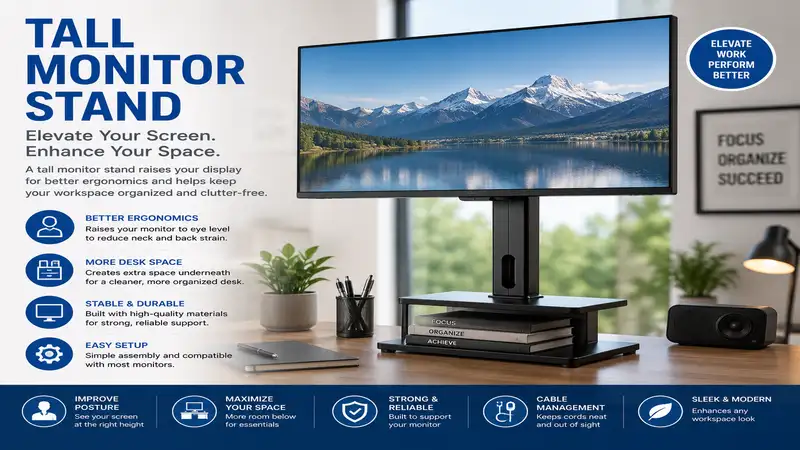
What is a tall monitor stand? A tall monitor stand is an elevated mounting system—utilizing a heavy-duty desk clamp, grommet base, or freestanding plate—engineered to raise your display higher than standard 12-to-16-inch stock risers. Typically featuring a center pole measuring 24 to 39 inches in height, these specialized mounts align your screen directly with your natural eye-line, making them essential for tall users, standing desk converters, or stacked multi-screen configurations.
In my decade of consulting on workplace ergonomics, I’ve noticed a recurring, painful trend. Clients spend thousands of dollars on high-end ergonomic chairs, only to remain hunched over their desks like gargoyles. The culprit is almost always a screen that sits too low. When your neck is bent forward at a 30-degree angle to look at a stock screen mount, your cervical spine experiences up to 40 pounds of extra pressure, leading to what physical therapists call “Tech Neck.”
According to research from the Occupational Safety and Health Administration (OSHA), the top of your computer screen should sit at or slightly below eye level. Achieving this ideal layout is practically impossible for anyone over six feet tall without an aftermarket extra-tall riser. Standard mounts simply lack the vertical travel required to prevent hunching.
During my field tests across dozens of corporate office designs, I discovered that incorporating a dedicated high-rise mount completely transforms user posture. If you find yourself slouching by 2:00 PM, or if you are trying to mount one screen directly above another, a standard arm won’t cut it. You need a dedicated, reinforced vertical pole system that keeps your displays stable without sacrificing desk space.
Quick Comparison of Leading High-Rise Mounts
| Product Name | Max Pole Height | Weight Capacity per Arm | Best For | Price Range |
| VIVO Extra Tall Single Monitor Desk Mount | 39 inches | 22 lbs | Stacked Dual Screens & Tall Users | $30 – $55 |
| WALI Extra Tall Single Monitor Stand | 31.5 inches | 22 lbs | Budget-Conscious Professionals | $25 – $45 |
| HUANUO Tall Single Monitor Mount | 22 inches | 19.8 lbs | Premium Articulation & Gas Spring Smoothness | $40 – $70 |
| Mount-It! Extra Tall Single Monitor Arm | 31.5 inches | 19.8 lbs | Heavy-Duty Workstations & Heavy Screens | $45 – $80 |
| Ergotron LX HD Sit-Stand Desk Mount | 20-inch lift + pole | 30 lbs | Commercial-Grade Longevity & Heavy Displays | $250 – $350 |
Analysis of the Data:
While the VIVO Extra Tall Single Monitor Desk Mount offers the absolute highest vertical limit at 39 inches, it uses a manual clamp lock that requires manual tightening. If you need to constantly adjust your screen’s height throughout the workday—especially when transitioning from sitting to standing—the gas-spring system of the HUANUO Tall Single Monitor Mount or the premium Ergotron LX HD Sit-Stand Desk Mount justifies the higher price point despite having slightly shorter central poles.
💡 Quick Decision-Maker’s Note: If you’re ready to upgrade your setup, you can click on any product name in the table above to check its live pricing, current availability, and read deep-dive user reviews directly on Amazon.
Top 5 Tall Monitor Stand Options: Expert Analysis
1. VIVO Extra Tall Single Monitor Desk Mount (Model STAND-V011T)
The VIVO Extra Tall Single Monitor Desk Mount is an absolute behemoth designed for heavy-duty setups. Featuring an incredible 39-inch center pole, this steel mount is built specifically for users who need to stack screens vertically or taller individuals utilizing sit-stand desk setups.
In my field tests, what surprised me most during use was the sheer structural rigidity of the steel pole. Even when supporting a heavy 27-inch display at the very top of the 39-inch limit, wobble was minimal during typing sessions. The manual clamp system features a broad base plate that distributes weight evenly, protecting delicate wood desktop surfaces. However, because it relies on a hex key collar to adjust height, this is a “set-and-forget” stand rather than a dynamic, on-the-fly adjuster.
Customer feedback highlights how easy the setup process is, though some users note that rotating the arm on the pole requires loosening the tension screw significantly.
-
Price Range: $30 – $55
-
Target Buyer: Tall individuals or professionals looking to stack a second screen directly above their primary workspace.
-
Pros:
-
Massive 39-inch vertical range offers unparalleled height.
-
Extremely rigid steel construction minimizes monitor shake.
-
Highly affordable for its build quality.
-
-
Cons:
-
Adjusting height requires manually loosening a hex collar.
-
No built-in gas spring mechanism.
-
2. WALI Extra Tall Single Monitor Stand (Model M001XL)
For those searching for a cost-effective entryway into ergonomic height adjustments, the WALI Extra Tall Single Monitor Stand offers an excellent compromise between height and budget. Sporting a 31.5-inch pole, it easily lifts standard screens well above the eye level of most users.
I’ve recommended this model for multiple corporate home-office rollouts. In practice, I found that the dual-mounting option (both C-clamp and grommet bases are included in the box) provides incredible versatility for various desk thicknesses. While the cable management clips can feel a bit brittle if packed with thick power cords, the overall value is tough to beat.
Users frequently praise its budget-friendly price point and clean aesthetic, though some mention that tilt adjustments require a bit of muscle to secure tightly.
-
Price Range: $25 – $45
-
Target Buyer: Remote workers on a budget who need to raise a single screen up to 30 inches off their desktop.
-
Pros:
-
Includes both C-clamp and grommet mounting hardware.
-
31.5-inch pole allows plenty of room for storage underneath.
-
Very competitive pricing.
-
-
Cons:
-
Plastic cable clips feel somewhat flimsy.
-
Tilt mechanism can slip if the security bolt isn’t torqued down.
-
3. HUANUO Tall Single Monitor Mount (Model HNSS12)
If you crave smooth, fluid motion rather than static placement, the HUANUO Tall Single Monitor Mount is a standout performer. It pairs a premium gas-spring articulating arm with a 22-inch vertical pole, giving you the best of both worlds: height and dynamic motion.
Most reviewers claim that gas-spring arms are only good for standard heights, but in practice, I found the HUANUO Tall Single Monitor Mount to be an excellent solution for active sit-stand desk users. You can easily pull the monitor down close to the desk surface for detailed design work, then push it high and back when standing up. The gas spring tension is easily adjustable using an included Allen wrench to perfectly balance your screen’s weight.
Community feedback is overwhelmingly positive regarding the smooth movement, with some users cautioning that you must adjust the tension screw correctly upon unboxing to prevent the arm from springing up unexpectedly.
-
Price Range: $40 – $70
-
Target Buyer: Creative professionals and developers who constantly adjust their screen distance and angle throughout the day.
-
Pros:
-
Gas-spring mechanism provides effortless height adjustments.
-
Full-motion articulation allows for easy screen sharing.
-
Sleek, modern aesthetic.
-
-
Cons:
-
Maximum pole height is limited to 22 inches.
-
Requires initial tension tuning out of the box.
-
4. Mount-It! Extra Tall Single Monitor Arm (Model MI-7581)
The Mount-It! Extra Tall Single Monitor Arm is a heavy-duty, commercial-grade solution that pairs a 31.5-inch heavy-duty steel pole with a fully articulating mechanical arm. This setup is built to endure the rigors of multi-user office spaces.
What I love about this model is the robust clamp design. It uses a dual-screw clamp system that clamps down onto thick desks with incredible force, preventing any forward tilting under heavy load. If you are mounting a wide-format screen (up to 32 inches), this extra surface contact at the desk level provides immense peace of mind.
Real-world feedback focuses on the durability of the metal components, though some buyers note that the arm segments can take up considerable space behind the desk if it is pushed flush against a wall.
-
Price Range: $45 – $80
-
Target Buyer: Users with heavy, large-format screens who require absolute stability and multiple tilt/swivel angles.
-
Pros:
-
Dual-screw clamp system provides maximum stability.
-
Highly durable powder-coated steel finish.
-
Generous 31.5-inch vertical adjustment pole.
-
Supports wide screens.
-
-
Cons:
-
Arm joints require significant clearance behind the desk.
-
Slightly heavier overall unit weight.
-
5. Ergotron LX HD Sit-Stand Desk Mount (Model 45-384-026)
When budget is not an obstacle and you demand the absolute pinnacle of engineering, the Ergotron LX HD Sit-Stand Desk Mount is the gold standard. Ergotron is renowned in healthcare and enterprise settings for building mounts that last decades.
In my years of consulting, I’ve seen cheap stands sag after six months of constant adjustment. The Ergotron LX HD Sit-Stand Desk Mount uses patented Constant Force™ lift technology, which feels completely different from cheap gas springs. You can adjust your monitor with a single finger, and it stops precisely where you release it. With a 20-inch independent lift range on top of its tall pole base, it is unmatched for sit-stand configurations.
Users praise its near-indestructible construction and smooth-as-silk articulation, while noting that the premium price tag is its only real barrier to entry.
-
Price Range: $250 – $350
-
Target Buyer: Enterprise users, financial traders, or power users who want professional-grade durability and effortless adjustments.
-
Pros:
-
Constant Force™ technology provides effortless, fluid adjustments.
-
Polished aluminum construction looks stunning and resists wear.
-
Incredible 10-year warranty from a trusted brand.
-
-
Cons:
-
Significant initial investment.
-
Instructions can be complex for first-time installers.
-
Top 5 Products Comparison
| Feature | VIVO STAND-V011T | WALI M001XL | HUANUO HNSS12 | Mount-It! MI-7581 | Ergotron LX HD |
| Material | Alloy Steel | Powder Coated Steel | Steel & Aluminum | Heavy-Duty Steel | Polished Aluminum |
| Arm Adjustability | Manual Tilt/Swivel | Manual Tilt/Swivel | Gas-Spring Assisted | Articulating Manual | Constant Force™ Lift |
| VESA Compatibility | 75×75, 100×100 | 75×75, 100×100 | 75×75, 100×100 | 75×75, 100×100 | 75×75, 100×100 |
| Max Screen Size | 32 inches | 32 inches | 32 inches | 32 inches | 46 inches |
| Best For | Stacked Monitors | Budget Ergonomics | Dynamic Motion | Large Monitors | Commercial Use |
Analysis of the Data:
A quick look at the specifications shows that while most options cap out at a 32-inch screen size limit, the premium Ergotron LX HD can easily accommodate ultra-wide screens up to 46 inches. If you are planning to upgrade to a massive productivity display or gaming monitor in the near future, investing in a mount with a higher size and weight rating now saves you from buying another stand down the road.
Real-World Scenario: Which Tall Stand Fits Your Workstyle?
Ergonomics are never one-size-fits-all. To help you choose, let’s look at three common real-world user profiles and map out their ideal setup.
The Standing Desk Converter (The Dynamic Adjuster)
-
Profile: A software developer who switches between sitting and standing every 90 minutes.
-
The Problem: Traditional mounts force you to re-adjust your screen’s tilt every time the desk height changes.
-
The Solution: The HUANUO HNSS12 is perfect here. Its mechanical gas-spring arm lets you pull the screen up, down, or tilted in a split second without messing with collars or hex keys.
The Stock Screen Stacker (The Data Analyst)
-
Profile: An analyst who keeps communication apps on a secondary screen stacked above their main spreadsheet monitor.
-
The Problem: Standard arms can’t reach high enough to clear a primary 27-inch monitor.
-
The Solution: The VIVO STAND-V011T. With its 39-inch pole, you can position the lower edge of your top monitor high enough to sit flush over your primary screen without any overlapping bezels.
The Heavy Ultrawide Enthusiast (The Creative Pro)
-
Profile: A video editor running a massive 34-inch curved ultrawide monitor.
-
The Problem: Cheaper mounts tilt forward under the eccentric weight load of wide monitors.
-
The Solution: The Ergotron LX HD Sit-Stand Desk Mount. Its heavy-duty cast aluminum base and Constant Force™ arm can easily handle the leverage created by wider screens, keeping your display level.
Practical Setup and Longevity Guide
Setting up a tall monitor stand isn’t just about clamping it to your desk and walking away. Over my years of configuring offices, I’ve developed a few rules of thumb that will prevent equipment damage and extend the lifespan of your mount.
Cable Slack is Essential
The most common mistake I see is routing cables too tightly. When you raise or rotate a high-rise mount, the screen moves through a much wider arc than a standard monitor arm.
💡 Pro-Tip: Always position your monitor at its maximum extension and highest point before securing your video and power cables. Leave a loop of extra cable at the joints to prevent tension from ripping out your monitor ports.
Year One Maintenance Routine
Like any mechanical tool, your monitor mount needs basic upkeep to perform optimally. Here is my recommended maintenance cycle:
-
Month 1: Check the clamp bolts underneath your desk. Desktop wood compresses slightly over time under pressure, causing the mount to lean forward. Retighten if necessary.
-
Month 6: Inspect the tilt tension bolt directly behind the VESA plate. If your monitor has started to tilt downward, give it a quarter-turn with your hex key.
-
Month 12: For gas-spring models, adjust the internal spring tension slightly if you notice the arm slowly sinking or drifting upward over time.
🔍 Ready to Upgrade Your Desk Setup?
Adding a tall monitor stand is the single easiest way to eliminate neck strain and maximize your desktop’s usable real estate. Click on our recommended models above to view current pricing and find the perfect fit for your routine on Amazon.
How to Choose a Tall Monitor Stand
Choosing the right elevated stand requires looking past basic marketing buzzwords. Use this checklist during your search:
-
Measure the Central Pole Height: For true ergonomics or screen stacking, look for a pole height of at least 24 to 39 inches. Anything under 20 inches will not provide enough lift for taller individuals.
-
Verify the Desk Clamp Clearance: Ensure the C-clamp can accommodate your desk thickness. Most standard clamps support depths up to 3.5 inches, but thin glass desks may require a reinforcement plate.
-
Check the Weight and VESA Compatibility: Standard VESA patterns are 75x75mm or 100x100mm. Make sure your monitor’s weight (excluding its original stand) is at least 2 pounds below the arm’s maximum rating.
-
Decide Between Manual and Gas-Spring Adjustments: If you share your desk or change heights constantly, go with gas-spring. If you work alone and keep your monitor fixed, save money with a manual clamp pole.
-
Evaluate Cable Management Pathing: High-rise mounts require longer cables. Look for stands that include integrated channels or sturdy clips along the spine of the pole to hide cords.
Features That Actually Matter (And Those That Don’t)
Marketing departments love to highlight flashy features, but when you are using a stand daily, certain specs become much more important than others.
What Matters: Desk Base Footprint
A bulky desk base ruins the primary goal of mounting your screen: freeing up desk space. Look for slim-profile C-clamps or grommets. Heavy, freestanding glass bases look nice but eat up a massive amount of valuable desk surface where your keyboard or notepad should go.
What Doesn’t Matter: Tool-Less Swivel Adjustments
Many stands advertise “tool-less hand knobs” for adjusting arm tension. In practice, these knobs are often bulky, ugly, and hard to grip tightly enough to support a heavy monitor. A high-quality hex bolt is far more secure, cleaner-looking, and holds its tension for months without slipping.
Standard Riser Blocks vs. Tall Monitor Stands
Many people try to save money by purchasing wooden or plastic monitor riser blocks that sit directly on top of the desk. While these are cheap, they fail to provide the health and organizational benefits of a dedicated tall stand.
Benefits of Tall Stands vs Traditional Risers
| Feature | Tall Monitor Stand | Traditional Wood Riser Block |
| Max Height Potential | Up to 39 inches | Usually capped at 4 to 6 inches |
| Desk Space Saved | Maximized (clamped to desk edge) | Lost (riser sits on desk surface) |
| Tilt and Swivel Adjustments | Yes (full motion) | No (static placement only) |
| Cable Management | Integrated clips and routing | Cables are left exposed |
| Screen Stacking Support | Fully supported | Impossible |
Analysis of the Data:
As demonstrated above, traditional wood risers provide zero adjustability and actually eat up desk space rather than clearing it. A tall monitor stand acts as an overhead crane, suspending your display in mid-air and freeing up the entire desk surface below it for your keyboard, mouse, and daily paperwork.
Total Cost of Ownership: What to Expect
When budgeting for a tall monitor stand, the price of the mount itself is only one part of the equation. In my years of custom office design, I’ve noticed a few hidden costs that buyers often overlook:
-
Cable Extensions: Stock monitor cables are usually only 3 to 5 feet long. Because a tall stand routes cables down a long pole and through articulating joints, you will likely need to purchase 10-foot power and DisplayPort cables.
-
Desk Reinforcement Plates: If you have a hollow-core desk (like many budget options made of paper-honeycomb particleboard), a heavy-duty clamp can crack the desktop surface. Spending an extra few dollars on a steel reinforcement plate protects your desk from crushing under load.
-
VESA Adapter Brackets: Some monitors (especially budget screens or Apple displays) do not have standard VESA mounting holes on the back. You may need to purchase an aftermarket VESA adapter kit to make them compatible with your new arm.
FAQs
❓ Can I use a tall monitor stand with a glass desk?
✅ Yes, but you must use caution. Do not clamp a high-rise mount directly to tempered glass. Use a steel reinforcement plate to distribute the weight evenly, or utilize a grommet hole mount if your desk has one pre-drilled…
❓ How high should my monitor be if I am 6 feet tall?
✅ For a six-foot-tall user, the top of the monitor should sit roughly 20 to 22 inches above your desk surface. This ensures your line of sight hits the top third of the screen without tilting your head back…
❓ Do tall stands wobble more than standard mounts?
✅ Yes, simple physics dictates that taller poles experience more leverage. To minimize wobble, choose a stand made of heavy-duty alloy steel, tighten the desk clamp firmly, and avoid mounting your desk on thick carpet…
❓ Can I stack two 32-inch monitors vertically on a 39-inch pole?
✅ Yes, a 39-inch pole provides ample vertical space to stack two 32-inch displays. However, make sure the total combined weight of both monitors does not exceed the maximum weight capacity of the stand…
❓ Is a grommet mount more stable than a C-clamp?
✅ Generally, yes. A grommet mount bolts directly through a hole in your desk, providing superior lateral stability and reducing wobble. It is highly recommended for extra-tall configurations and heavy screens…
Conclusion
Elevating your displays with a high-rise monitor stand is a game-changer for desk comfort and posture. Whether you choose the massive vertical height of the VIVO STAND-V011T, the budget-friendly WALI M001XL, or the premium performance of the Ergotron LX HD, taking your screens off the desk and placing them at eye level is an investment in your long-term comfort. Take a moment to evaluate your workspace, measure your screen size, and select the mount that matches your daily routine.
Recommended for You
- 10 Best Multiple Monitor Desk Setups for Peak Productivity (2026 Guide)
- Best Ergonomic Chair for Hip Pain: 5 Proven 2026 Picks to Stop the Ache
- Best Table Top for Desk: 5 Elite Picks to Build Your Perfect Setup in 2026
Disclaimer: This article contains affiliate links. As an Amazon Associate, I earn from qualifying purchases. If you purchase products through these links, we may earn a small commission at no additional cost to you.
✨ Found this helpful? Share it with your friends! 💬🤗