
In This Article
Workrite Desk Shopping in 2026: What You Actually Need to Know First
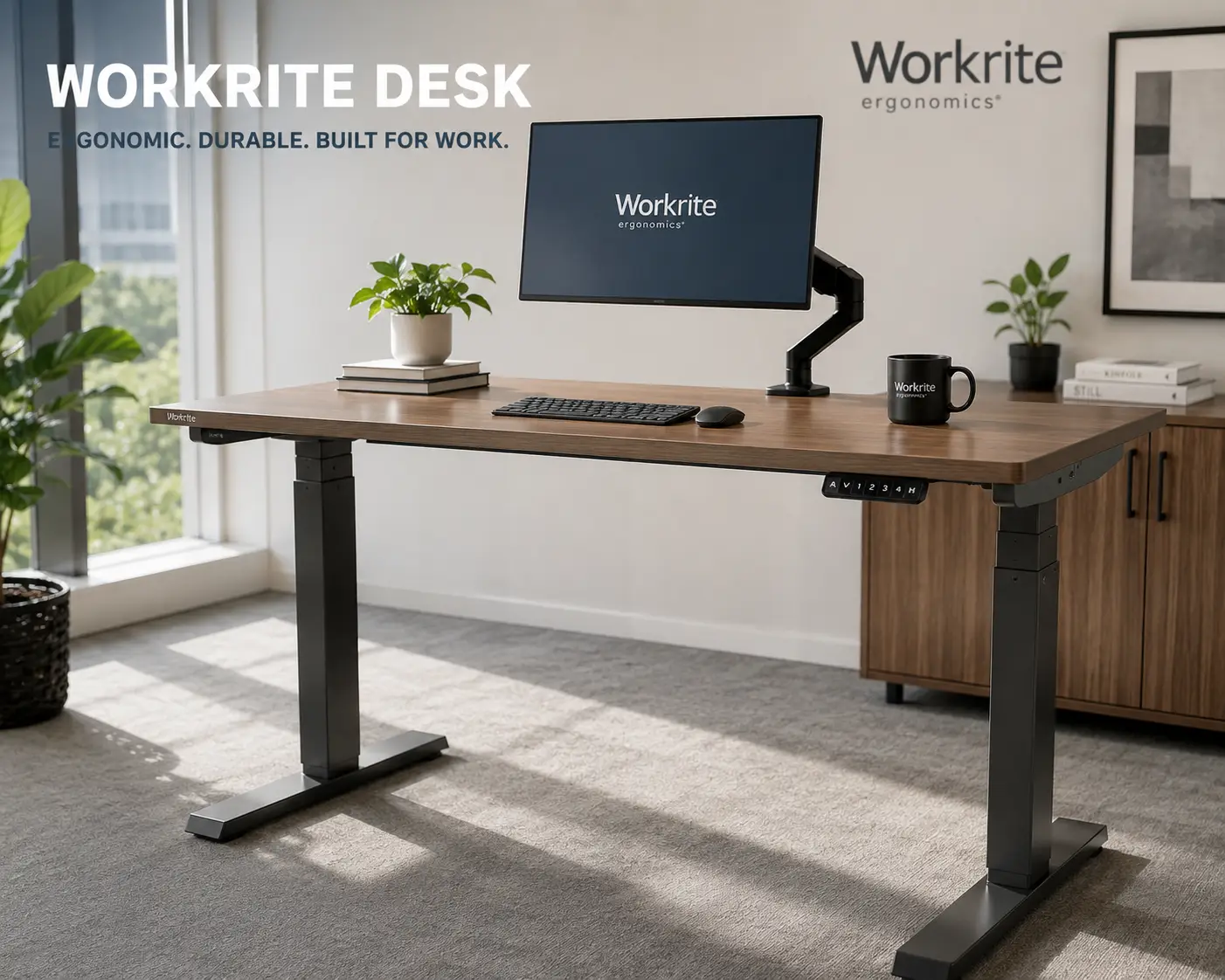
A workrite desk is a height-adjustable workstation made by Workrite Ergonomics, a commercial ergonomics manufacturer that builds electric and manual sit-stand desks, standing desk converters, keyboard trays, and monitor arms for offices, healthcare facilities, and home workspaces. If you’ve spent any time researching sit-stand furniture, you’ve probably run into the name more than once — usually attached to words like “commercial-grade” or “lifetime warranty.”
That reputation is earned, but it also makes shopping confusing. Workrite doesn’t sell one desk — it sells an entire ecosystem of frames, converters, and worksurfaces that can be mixed and matched into dozens of configurations. Trying to figure out which combination is right for a home office, a shared workstation, or a small business can turn into a rabbit hole of spec sheets and dealer quotes fast.
This guide cuts through that. We researched seven real workrite desk models — from full electric sit-stand tables to compact desktop converters — pulled their actual specifications, and compared them honestly, including where they fall short. You’ll also find a practical buying framework, real-world scenarios matched to specific models, and answers to the questions people actually type into Google before buying a workrite standing desk.
One quick note before we dive in: Workrite doesn’t post fixed retail pricing the way consumer brands do, since much of its lineup is configured to order (frame + top + finish + accessories). We’ll use realistic price ranges throughout, and you should always confirm the current price and configuration options before buying — as prices and options can shift with laminate tier, size, and finish.
As an Amazon Associate, this article contains affiliate links and I may earn from qualifying purchases at no additional cost to you.
Quick Comparison: Top Workrite Desks at a Glance
| Model | Type | Height Range | Payload Capacity | Best For |
|---|---|---|---|---|
| Sierra HX Electric | Full electric desk | 22.5″–48.7″ | 225–300 lb | Long-term commercial use |
| Fundamentals EX | Full electric desk | 22.5″–48.7″ | 125 lb | Budget-conscious buyers wanting a full desk |
| Fundamentals LX | Full electric desk (2-stage) | ~25″–47″ | ~110 lb | Smaller budgets, lighter loads |
| Cascade Counterbalance | Manual sit-stand desk | 27.5″–46.5″ | Up to 85 lb | Offices without easy power access |
| Solace 2 | Standing desk converter | ~22″ of travel | Dual monitor capable | Retrofitting an existing desk, no power needed |
| Solace Electric | Electric converter | 17.1″ travel | 110 lb (worksurface) | Retrofit buyers who want push-button ease |
| Solace Desktop HD | Compact converter | 14.6″ travel | 45 lb | Small spaces, dual-monitor minimalists |
Looking at the table, the split is really between full replacement desks (Sierra HX Electric, Fundamentals EX, Fundamentals LX, Cascade Counterbalance) and converters that sit on top of a desk you already own (Solace 2, Solace Electric, Solace Desktop HD). The Sierra HX Electric carries by far the highest payload and the longest warranty, which explains why it costs the most; the Solace Desktop HD sits at the opposite end, trading capacity and range for a lower price and a five-minute setup. If your existing desk is solid and you just want the sit-stand motion, a converter almost always beats replacing the whole desk on cost.
💬 One click helps other shoppers make an informed choice too! 😊
The 7 Best Workrite Desks and Standing Desk Converters, Reviewed
Every model below is a real, currently available Workrite Ergonomics product. We’ve grouped honest analysis, real aggregated review sentiment (clearly labeled as such), and pricing guidance for each — not just a features list.
1. Sierra HX Electric — the commercial workhorse built to outlast the office
If you only remember one workrite desk name, make it this one — Sierra HX is the model most commercial dealers point to first, and for good reason. Its “hidden crossbar” frame design removes the center support bar found on cheaper electric desks, which does two things: it maximizes knee clearance for taller users, and it frees up the underside of the desk for a keyboard tray, CPU holder, or cable trough without anything getting in the way. The frame ranges from 22.5″ to 48.7″ tall, moves at 1.6 inches per second, and comes in 2-leg (225 lb payload) or 3-leg (up to 300 lb payload) configurations, so a heavy dual-monitor setup or a CAD workstation genuinely isn’t a problem here.
What most buyers overlook is the certification stack: Sierra HX meets BIFMA G1-2013 height-adjustability requirements and BIFMA X5.5 durability standards, carries GREENGUARD Gold certification for low chemical emissions, and is UL962 listed. In practice, that means it’s been independently tested for structural durability and indoor air quality — not just marketing claims. Reviews aggregated from ergonomics dealers consistently mention the desk’s stability at full height and note that the lifetime warranty on frame components was a deciding factor for buyers who’d already burned out a motor on a cheaper desk. A recurring complaint is assembly time on the larger 3-leg configurations, which can take longer than a basic 2-leg desk.
Pros:
- ✅ Hidden crossbar frees up legroom and space for accessories
- ✅ Up to 300 lb payload on the 3-leg frame
- ✅ Backed by a lifetime warranty on frame components
Cons:
- ❌ Among the priciest workrite desk options
- ❌ Larger configurations take longer to assemble
Depending on size, leg configuration, and laminate tier, the Sierra HX Electric typically lands somewhere in the $1,200 to $1,900 range for a complete desk with base and top — check the current price and configuration before ordering, since laminate tier and width both move the total. For anyone who plans to keep the same desk for a decade or more in daily commercial use, it’s a genuinely strong value despite the higher upfront cost.
2. Fundamentals EX — the price fighter that doesn’t cut corners on the frame
The Fundamentals EX exists to answer a specific question: what if you want commercial-grade reliability without the commercial-grade price tag? It uses the same 22.5″–48.7″ height range and 1.6 inches-per-second lift speed as the pricier Sierra HX, but with a simpler frame that trims the payload capacity down to 125 lb after the top is installed. For a single monitor, a laptop dock, and normal desk clutter, that’s plenty of headroom.
The standout feature here is energy efficiency — Workrite’s own data puts the Fundamentals EX at under a dollar a year in electricity use, which sounds like a marketing throwaway line until you realize it reflects a genuinely low 0.1W standby draw and a 2.5A max current pull, both of which matter if you’re outfitting a multi-desk office and thinking about total power load. The programmable switch lets you save preset heights, which review sentiment from ergonomics retailers consistently flags as one of the most-used features on the desk — people set a sit height and a stand height once and never think about it again. The most common critique in aggregated feedback is that the desktop surface, while solid, doesn’t feel as premium as the Sierra HX’s laminate options, and the payload ceiling means it’s not the right pick for heavy multi-monitor arms.
Pros:
- ✅ Full commercial-grade frame at a workrite standing desk entry price
- ✅ Backed by a 10-year warranty on electric components
- ✅ GREENGUARD Gold certified with very low standby power draw
Cons:
- ❌ 125 lb payload limits heavy multi-monitor arms
- ❌ Desktop laminate feels less premium than Sierra HX
Expect the Fundamentals EX to run somewhere between $650 and $950 for a complete desk depending on width and laminate — prices may vary by dealer, so check the current price before purchasing. For a home office or a standard single-monitor workstation, it’s arguably the best value in the entire workrite desk lineup.
3. Fundamentals LX — the lightest lift on the smallest budget
The Fundamentals LX is the two-stage sibling to the EX, and the difference matters more than it sounds. A two-stage lift uses fewer telescoping sections in the leg columns, which trims cost and weight but also trims total height range and load capacity slightly compared to the three-stage EX. In practice, the LX still comfortably covers sitting-to-standing transitions for the vast majority of users; it’s really the outer edges — very tall users, or desks loaded with heavier equipment — where the EX pulls ahead.
Where the LX earns its keep is as a genuine entry point into the workrite electric desk lineup for buyers who’ve been comparing budget imports and want something with an actual certification and warranty behind it instead. It carries the same programmable switch, the same GREENGUARD Gold and UL962 certifications, and the same BIFMA-compliant frame engineering as its siblings — Workrite doesn’t cut certification corners just because a frame is cheaper. Aggregated dealer feedback describes the LX as “the desk they recommend when someone says they just want something that works,” which is a fair summary: it’s not flashy, but it does the core job reliably. The main drawback flagged in reviews is a narrower size range compared to the EX and Sierra HX lines, so very wide corner configurations aren’t typically available.
Pros:
- ✅ The most affordable electric option in the Workrite catalog
- ✅ Same certifications (GREENGUARD Gold, UL962) as pricier models
- ✅ Programmable height presets included standard
Cons:
- ❌ Slightly less height range and payload than the EX
- ❌ Fewer size and configuration options overall
Pricing for the Fundamentals LX generally sits in the $550 to $800 range for a full desk — as always, treat this as a starting point and check the current price for your exact size and finish. If your workload is light — a laptop, a single monitor, basic peripherals — this is a very reasonable place to start.
4. Cascade Counterbalance — the manual alternative for spaces without easy power
Not every workspace has a convenient outlet under the desk, and not every buyer wants to deal with motors and cables at all. That’s the gap Cascade Counterbalance fills. Instead of an electric motor, it uses a spring-loaded counterbalance mechanism: you pull a trigger handle and the desk glides to your desired height using stored mechanical tension, similar to how an adjustable office chair’s pneumatic cylinder works, just scaled up. Properly adjusted, it balances loads from roughly 0 to 85 lb and moves through a 27.5″–46.5″ height range.
The honest analysis here is that a counterbalance desk trades a little bit of precision for a genuine simplicity advantage — there’s no motor to eventually wear out, no power cord routing to plan around, and nothing to fail electrically over a decade of use. That’s exactly why it shows up so often in facilities where power access is limited or where IT/facilities teams want to minimize the number of electrical components in a workstation. Review sentiment aggregated from commercial ergonomics dealers is generally positive on reliability, though several buyers note that the trigger mechanism requires proper calibration to the load on the desk — an under-loaded or overloaded desk can feel jumpy or sluggish to adjust, which is a legitimate learning curve compared to a simple up/down button.
Pros:
- ✅ No electrical components to install, wire, or eventually replace
- ✅ Quick, smooth height changes once properly calibrated
- ✅ Solid fit for offices with limited power access
Cons:
- ❌ Requires trigger recalibration if desk load changes significantly
- ❌ Worksurface top is sold separately from the base
The Cascade Counterbalance base alone typically falls in the $450 to $650 range, with the worksurface priced separately depending on size and laminate — always confirm the current price for the full configuration you need. It’s a smart pick for anyone who wants a genuinely low-maintenance workrite sit-stand desk without wiring concerns.
5. Solace 2 — the no-power desktop converter for an existing desk you already like
If you don’t want to replace your desk at all, the Solace 2 standing desk converter clamps or grommet-mounts to the back edge of whatever desk you already own and adds sit-stand motion on top of it. A pneumatic strut does the lifting work, so raising or lowering the keyboard platform, secondary worksurface, and monitor mount takes a light pull rather than a button press — Workrite designed it to support users from the 100th percentile of standing women to the 95th percentile of standing men, which is a wide practical range for shared desks.
What sets the Solace 2 apart from cheaper converters on Amazon is that the monitor mount, keyboard platform, and secondary surface all travel together as a unit, so you’re not fumbling with separate adjustments every time you switch positions. It also supports an optional dual-monitor adapter for buyers running two screens. Aggregated customer feedback consistently praises how quickly it becomes second nature — users report the sit-to-stand transition takes seconds once installed — while a recurring critique is that the clamp mount needs a reasonably sturdy desk edge to bite into; very thin or unstable desktops aren’t ideal candidates.
Pros:
- ✅ No electricity or wiring required at all
- ✅ Monitor, keyboard, and worksurface move together as one unit
- ✅ Works on almost any existing desk via clamp or grommet mount
Cons:
- ❌ Needs a sturdy desk edge for the clamp to mount securely
- ❌ Dual-monitor support requires a separate adapter purchase
You’ll generally find the Solace 2 priced in the $500 to $750 range depending on configuration — check the current price before ordering, since premium features and the dual-monitor adapter add to the base cost. For renters, shared offices, or anyone who simply likes their current desk, this is one of the smartest workrite desk converter picks in the lineup.
6. Solace Electric — push-button retrofit adjustability for a desk you’re keeping
The Solace Electric takes the same retrofit concept as the Solace 2 and swaps the pneumatic strut for a motor, which changes the day-to-day experience more than the spec sheet suggests. Instead of pulling a lever and gently guiding the platform, you press a button and the Programmable Control does the work — including three memory presets, so you can save a sit height, a stand height, and a mid-point without re-adjusting every time. The lifting mechanism handles up to 110 lb across the worksurface and 11 lb on the keyboard platform, with a 17.1″ lifting range that comfortably covers a full sit-to-stand transition for most users.
Where this model earns its “electric” name in practice is consistency — a motor moves at the same speed and to the same height every single time, which matters more than it sounds like for people who switch positions frequently throughout the day. Reviews aggregated from retrofit buyers highlight the presets as the single most-used feature, echoing what we saw with the Fundamentals EX. The tradeoff, as always with electric converters, is that you need a nearby outlet and you’re adding one more motor and cable run to manage, which manual-mechanism buyers specifically try to avoid.
Pros:
- ✅ Three programmable height presets for one-touch adjustments
- ✅ 110 lb worksurface capacity handles dual-monitor setups
- ✅ Comes mostly pre-assembled, minimizing install time
Cons:
- ❌ Requires a nearby power outlet
- ❌ One more motor and cable to manage versus a manual converter
Pricing on the Solace Electric generally runs $700 to $950 depending on monitor bracket configuration — as with every model here, confirm the current price at checkout since add-ons like dual or triple monitor brackets change the total. It’s the clear pick if you specifically want the workrite electric desk experience without giving up your current desk.
7. Solace Desktop HD — the compact, budget-friendly entry point for dual monitors
Not everyone needs — or has room for — a full-size converter. The Solace Desktop HD is Workrite’s compact answer: a 42″ wide primary worksurface with a 45 lb load capacity, enough to fit two 27″ monitors side by side with room left over for a notepad or phone. It ships fully assembled with no tools required, which genuinely matters for anyone who’s been burned by a multi-hour furniture assembly session before. A gas-assisted lift gives it a 14.6″ travel range — noticeably shorter than the full electric converters above, but sufficient for most users to move comfortably between sitting and standing.
The honest tradeoff here is capacity and range for simplicity and price. This isn’t the model for a triple-monitor battlestation or a heavy CPU sitting on the platform — it’s built for people who mostly need a laptop-and-monitor setup that moves cleanly and doesn’t take up much desk depth (it fits desks as shallow as 24″). Aggregated review sentiment from buyers repeatedly mentions how fast it is to unbox and start using — often cited as a 10-minute install — while a fair number of reviews note that at maximum height, taller users may find the range slightly short compared to the Solace Electric or Solace 2.
Pros:
- ✅ Ships fully assembled — no tools needed
- ✅ Fits a 24″ deep desk, ideal for tight spaces
- ✅ Supports two 27″ monitors with room to spare
Cons:
- ❌ Shorter 14.6″ lifting range than other Solace models
- ❌ 45 lb capacity limits heavier equipment setups
The Solace Desktop HD is typically the most affordable full converter in the lineup, generally priced under $550 — check the current price, as it can vary by retailer and whether a monitor arm is bundled in. For a compact home office corner, it’s hard to beat on convenience alone.
How to Choose a Workrite Desk: 7 Criteria That Actually Matter
Specs alone don’t tell you which workrite desk fits your workspace. Here’s the order we’d actually walk through it:
- Decide converter vs. full desk first. If your current desk is sturdy and you like its footprint, a converter (Solace 2, Solace Electric, Solace Desktop HD) is almost always cheaper and faster to set up than replacing the whole desk.
- Match payload to your real equipment. Weigh — or reasonably estimate — your monitor arms, CPU, and accessories. Buying a 45 lb-capacity converter for a 60 lb dual-monitor arm setup is the single most common mistake we see in aggregated buyer feedback.
- Check your available power source. Electric models (Sierra HX Electric, Fundamentals EX/LX, Solace Electric) need a nearby outlet; Cascade Counterbalance and Solace 2 don’t.
- Confirm desk depth compatibility. Converters generally need at least 24″ of desk depth to mount securely — measure before you buy, not after.
- Weigh warranty length against expected lifespan. A lifetime warranty (Sierra HX) makes more sense in a shared commercial workstation used daily for a decade than in a home office you might reconfigure in three years.
- Consider height range against your actual height. If you’re outside average height ranges on either end, prioritize models with the widest adjustment range rather than the cheapest option.
- Factor in certifications if you’re outfitting a workplace. GREENGUARD Gold and BIFMA compliance matter more in commercial or institutional settings subject to procurement standards than in a single home office.
According to the Occupational Safety and Health Administration, a well-adjusted workstation should let your monitor sit roughly at eye level with your forearms parallel to the floor — worth keeping in mind regardless of which model you land on, since the desk is only half of a properly set-up workstation.
Which Workrite Desk Fits Your Work Style? Real-World Scenarios
Specs are easier to apply when you can see them mapped to an actual person’s situation. Here are three common profiles and the reasoning behind each recommendation.
The remote software developer, working from a home office 8+ hours a day. This person needs reliable, frequent height changes and enough payload for a dual-monitor arm plus a mechanical keyboard. The Fundamentals EX hits the sweet spot here — commercial-grade reliability, a 125 lb payload that comfortably handles a monitor arm, and programmable presets that make switching positions genuinely effortless throughout a long workday. Budget-wise, it sits well below the Sierra HX while still carrying real certifications.
The renter or shared-office worker who can’t modify furniture. If you don’t own your desk — or you’re in a co-working space where a full desk swap isn’t an option — a converter is the only realistic path. Between the three Solace models, the choice comes down to power access and monitor count: the Solace 2 if there’s no outlet nearby and one or two monitors are enough, or the Solace Electric if you want push-button presets and have power within reach.
The small business outfitting five to ten workstations for staff of varying heights. Consistency and durability matter more than any single feature here. The Sierra HX Electric in a 2-leg configuration across the board keeps procurement simple, its wide height range (22.5″–48.7″) accommodates a broad range of employee heights without special-ordering different frames, and the lifetime warranty on frame components meaningfully reduces long-term replacement costs across a fleet of desks.
Common Workrite Desk Problems and How to Fix Them
Even a well-built workrite desk runs into the same handful of issues in the field. Here’s what actually causes them and what to do.
Problem: The desk feels wobbly at full standing height. This is almost always a leveling or floor-contact issue, not a defect. Check that all foot levelers are making even contact with the floor, and confirm the desk isn’t overloaded relative to its rated payload — overloading a frame amplifies sway noticeably at maximum extension.
Problem: A counterbalance desk (Cascade) feels jumpy to raise or lower. This means the trigger tension isn’t calibrated to your actual worksurface load. Most units have a calibration adjustment specifically for this — recheck it any time you significantly add or remove equipment from the desk.
Problem: A converter (Solace family) won’t mount securely to your desk. Verify your desktop thickness and edge sturdiness match the clamp’s rated range before assuming a defect — thin laminate desks or rounded edges are the most common culprits, and a grommet mount is often a better fit than a clamp on those surfaces.
Problem: An electric desk’s memory presets stop working correctly. This is typically a reset issue rather than a hardware failure. Most Workrite programmable switches have a documented reset procedure in the included manual; re-holding the preset button for the specified duration reprograms the memory.
Problem: You’re not actually using the standing position once it’s installed. This is a behavior problem, not a desk problem — and it’s extremely common. Research on sit-stand workstation adoption suggests starting with short, scheduled standing intervals rather than trying to stand for hours at a stretch works far better for long-term habit-building than an all-or-nothing approach.
Common Mistakes to Avoid When Buying a Sit-Stand Desk
Aggregated buyer regret tends to cluster around a small set of avoidable mistakes.
Buying based on price alone without checking payload capacity is the most frequent one — a $300 converter that maxes out at 25 lb simply won’t hold a dual-monitor arm, no matter how good the reviews look. A close second is skipping the desk-depth check before buying a converter; if your desk is shallower than 24″, several models in this lineup won’t mount properly, and you’ll find that out after the box arrives rather than before. Buyers also frequently underestimate how much they’ll value programmable presets once they’ve lived with a desk that requires re-adjusting the height every single time — it sounds like a minor convenience until you’re doing it a dozen times a day.
On the flip side, some buyers over-invest, choosing the most expensive electric option for a workload that never gets close to its actual capacity. If you’re running a laptop and one monitor, the Fundamentals LX genuinely does the same core job as the Sierra HX Electric for meaningfully less money — the extra payload and finish options on the pricier model only pay off if you’ll actually use them.
Safety, Certifications, and Standards: What BIFMA, UL, and GREENGUARD Actually Mean
Certifications on a spec sheet can feel like noise, but they translate into real, practical guarantees. BIFMA (Business and Institutional Furniture Manufacturers Association) certification, specifically the G1-2013 and X5.5 standards referenced across the Workrite lineup, means the frame has been independently tested for structural durability, stability, and safe height adjustability under repeated use — not just a one-time load test. UL962 listing confirms the electrical components (motors, switches, cabling) meet recognized safety standards for household and commercial furniture, which matters more than it sounds like given how many budget import desks skip third-party electrical testing entirely.
GREENGUARD Gold certification is about indoor air quality — it verifies that a product meets strict chemical emissions limits, which is particularly relevant for enclosed home offices and shared workspaces where off-gassing from cheap laminates and adhesives can accumulate over time. None of this is required by law for office furniture, which is exactly why it’s worth checking for on any workrite desk you’re comparing against uncertified alternatives. If you want a deeper look at workplace ergonomic standards more broadly, the Mayo Clinic’s overview of sitting-related health risks is a genuinely useful primer on why sit-stand furniture became a workplace priority in the first place.
Long-Term Cost and Maintenance of a Workrite Desk
The sticker price is only part of the real cost picture. Electric models draw very little standby power — Workrite’s own figures put the Fundamentals line at under a dollar per year in electricity — so ongoing utility cost is essentially a non-factor. The bigger long-term cost variable is warranty coverage relative to how long you’ll actually keep the desk. A Sierra HX Electric with a lifetime warranty on frame components effectively removes replacement-cost risk for as long as you own it, while the 10-year coverage on Fundamentals EX and the 5-year coverage on Cascade Counterbalance and the Solace converters still comfortably outlast the typical 3–5 year office furniture refresh cycle most businesses budget around.
Maintenance itself is minimal across the lineup — periodic checks that foot levelers remain flush with the floor, occasional cable management upkeep so cords don’t get pinched during height changes, and (for the Cascade) rechecking trigger calibration if the desk’s load changes significantly. None of the seven models here require lubrication, motor servicing, or specialized upkeep under normal use, which is a meaningful point in favor of the category compared to cheaper import desks where motor failure after 2–3 years is a common complaint pattern in general online marketplace reviews.
Features That Actually Matter (and Ones That Don’t)
Across this lineup, a few features consistently make a real day-to-day difference: programmable height presets (nearly every reviewer who has them mentions using them constantly), a wide height range relative to your actual height, and a rated payload with real headroom above what you’ll actually load onto the desk. Hidden crossbar design, found on the Sierra HX, also matters more than it sounds like if you’re adding a keyboard tray or CPU holder underneath.
Features that matter less than marketing suggests: adjustment speed differences beyond roughly 1–1.5 inches per second are barely noticeable in daily use, and premium laminate finishes, while nice, don’t affect the desk’s actual ergonomic performance at all. If budget is tight, spend it on payload capacity and warranty length before spending it on finish upgrades.
Ready to build a workspace that actually supports a full workday? Compare configurations and lock in the model that fits your setup today.
✨ Don’t miss these exclusive deals!
🔍 Take your home or office ergonomics to the next level with this carefully curated workrite desk lineup. Click a highlighted model to check current pricing and availability. These picks will help you build a workstation that keeps you comfortable and productive all day long!
What to Expect: Everyday Performance
Once installed, the practical difference between these models shows up less in the spec sheet and more in how often you actually change positions. Electric models with presets tend to get used more consistently throughout the day, simply because there’s no friction involved — you press a button rather than manually cranking or pulling a trigger. Manual and pneumatic options (Cascade Counterbalance, Solace 2) require slightly more physical effort per adjustment, which some users prefer as a natural forcing function to stand less impulsively, and others find mildly annoying by the fourth or fifth adjustment of the day.
Noise level is worth mentioning too — Workrite’s electric motors are consistently described in aggregated feedback as quiet enough for open offices and video calls, which isn’t universal across the standing desk category; some competing budget motors are noticeably whinier at full extension. Stability at maximum height is strong across every model here when used within its rated payload, which is where the BIFMA testing actually pays off in daily use rather than just on paper.
Workrite Desk for Specific Audiences: Home Offices, Small Businesses, and Shared Workstations
Home office users generally get the most value from the Fundamentals EX or Fundamentals LX — full commercial reliability without paying for capacity you won’t use solo. Small businesses outfitting multiple desks benefit most from standardizing on one frame, typically the Sierra HX Electric for its wide height range and long warranty, which simplifies both procurement and future replacement parts. Shared or hot-desking workstations, where multiple people of different heights use the same desk daily, specifically benefit from programmable presets — each person can save their own sit and stand heights, which removes the friction of manual readjustment that otherwise discourages consistent use. If you’re specifically outfitting a shared space, the BIFMA-tested stability of the Sierra HX frame is worth the added cost given how much more use it’ll see than a single-person desk.
How to Set Up and Get the Most From Your New Workrite Desk
Getting the desk itself right is only step one — how you use it in the first month determines whether it becomes a daily habit or an expensive coat rack.
Start with a short standing interval, not an all-day stand. Research on sit-stand workstation adoption consistently shows that people who start with 15–20 minute standing intervals and gradually increase them stick with the habit far longer than people who try to stand for hours immediately.
Set your presets correctly on day one. For sitting, your elbows should be at roughly a 90-degree angle with your forearms parallel to the desk. For standing, raise the desk until you reach that same angle while standing upright — don’t eyeball it against a “comfortable-looking” height.
Route your cables before you start adjusting heights daily. A loose cable that gets caught during a height transition is the single most common cause of accidental strain on converter mounts and electric motors alike — a basic cable management sleeve or clip solves this in minutes.
Pair the desk with an anti-fatigue mat if you plan to stand for meaningful stretches. Standing on a hard floor for long periods shifts the strain to your feet and lower back instead of eliminating it — a simple mat noticeably changes standing comfort.
Recheck level and calibration after the first week. Especially with the Cascade Counterbalance, small settling in the mechanism during the first several uses is normal — a quick recheck of trigger tension after the first week ensures long-term smooth operation.
Buyer Decision Framework: Match Your Situation to the Right Model
If you want a fast answer instead of reading every section above, use this:
- If you rent or can’t modify your desk, choose a Solace converter — pick the Solace 2 for no power access, the Solace Electric for push-button presets, or the Solace Desktop HD for the smallest footprint and lowest price.
- If you’re outfitting a single home office and want commercial reliability on a budget, choose the Fundamentals EX or Fundamentals LX.
- If you’re equipping a business with multiple desks or need maximum payload and the longest warranty, choose the Sierra HX Electric.
- If you specifically want to avoid motors and electrical components altogether, choose the Cascade Counterbalance.
Workrite Desk vs. a Standard Fixed-Height Desk: What Actually Changes
The core difference isn’t just “you can stand now” — it’s how a workday physically unfolds. On a fixed-height desk, posture is locked in for hours at a stretch, and the only real adjustment most people make is slouching further as fatigue sets in. A height-adjustable workrite desk removes that constraint entirely, letting posture change every hour or two rather than staying static for an entire shift. Research summarized by the Mayo Clinic notes that extended sitting is linked to a cluster of health concerns, including elevated blood pressure and blood sugar, and that even brief regular movement breaks meaningfully counter those effects — a sit-stand desk is one of the most frictionless ways to build that movement into a normal workday without changing your actual job.
The tradeoff is cost and setup complexity: a fixed desk is simpler and cheaper upfront, full stop. But amortized over the 5–10+ year lifespan these models are built for, the added cost of a workrite sit-stand desk works out to a modest amount per year for a category of furniture people generally use daily for the entire time they own it.
Frequently Asked Questions
❓ Is a Workrite desk worth the price compared to budget standing desks?
❓ Can I put a Workrite standing desk converter on any existing desk?
❓ How much weight can a Workrite electric desk hold?
❓ Do Workrite desks come fully assembled?
❓ What's the difference between the Fundamentals EX and LX models?
Conclusion
There isn’t one single best workrite desk — there’s a best one for your specific desk depth, payload needs, power access, and budget. If you already like your current desk and just want sit-stand motion, start with the Solace converter family. If you’re building a new workstation from scratch on a budget, the Fundamentals EX delivers real commercial reliability without the commercial price tag. And if you’re outfitting a business or simply want the desk you’ll never need to think about replacing, the Sierra HX Electric‘s lifetime warranty and top-tier payload capacity make the higher price genuinely justifiable.
Whichever model you land on, the biggest factor in whether it actually improves your workday isn’t the spec sheet — it’s whether you build the habit of actually using the standing position regularly. Set your presets correctly, start with short intervals, and let the rest follow.
✨ Ready to upgrade your workspace? Browse the full lineup above and find the workrite desk that matches how you actually work.
Recommended for You
- Wood Computer Monitor Riser: 7 Best Picks for 2026 (Ranked)
- U Shaped Computer Desk: 7 Best Picks for a Better 2026 Office
- Three Monitor Desk: 7 Best Picks for 2026 (Avoid Overpaying)
Disclaimer: This post contains affiliate links. As an Amazon Associate, I earn from qualifying purchases made through these links, at no additional cost to you.
✨ Found this article helpful? Share it with someone who needs it! 💬🤗