
In This Article
Finding the Right Adjustable Desk Frame for Your Home Office
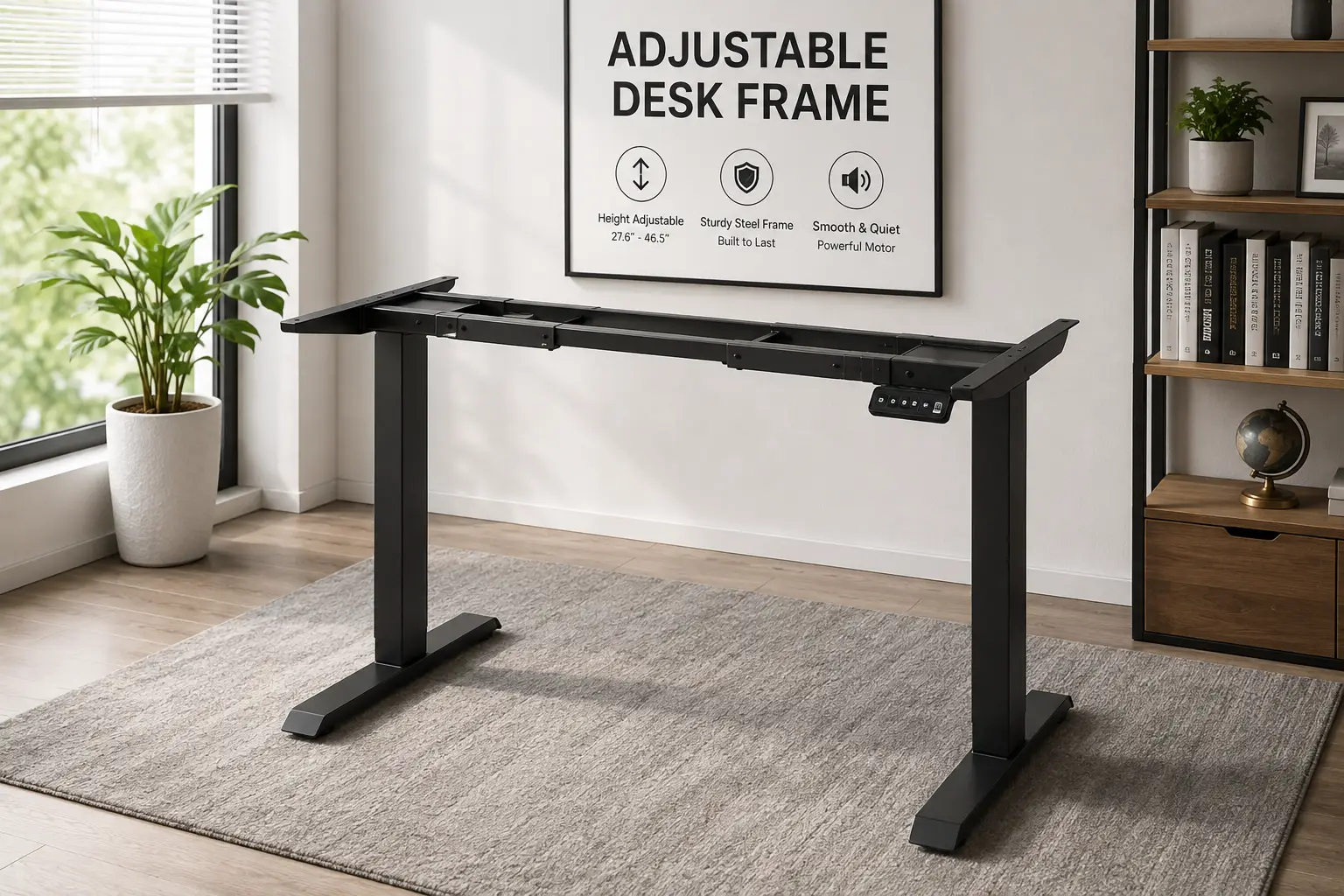
If your lower back starts complaining by 2 p.m. and your desk hasn’t moved an inch since the day it arrived, you’re not imagining the problem — you’re sitting through it. An adjustable desk frame is the motorized (or hand-cranked) base that raises and lowers your work surface between sitting and standing heights, and it has quickly become one of the most-searched home office upgrades in the US as more people build out permanent remote and hybrid setups. In plain terms, an adjustable desk frame is the steel understructure — legs, crossbar, motor or gas-spring lift, and control panel — that pairs with almost any desktop, whether that’s a slab you already own or a top ordered separately.
Picking the right one matters more than most shoppers expect. A frame rated for 150 pounds will sag under a triple-monitor arm and a full docking station; a frame that only reaches 46 inches will leave a 6’2″ software engineer hunched over even at “standing” height, undermining the exact posture benefits Cornell University’s ergonomics program has spent decades researching. For this guide, we compared real spec sheets, checked weight and height figures against manufacturer documentation, and cross-referenced dozens of aggregated customer reviews and independent lab tests — rather than leaning on marketing copy alone — to line up seven genuinely different adjustable desk frame options for 2026, from a sub-$200 dual-motor base to a flagship frame built to survive a decade of daily use. Whether you’re outfitting one desk or re-equipping an entire home office, here’s what actually separates a good adjustable desk frame from a disappointing one — and which electric standing desk frame is worth your money.
Adjustable Desk Frame Quick Comparison
Before diving into the full breakdown, here’s how the seven frames stack up at a glance.
| Frame | Motor | Weight Capacity | Height Range | Price Range | Best For |
|---|---|---|---|---|---|
| VIVO DESK-V122EW | Dual | 220 lbs | 28″–47″ | Under $200 | Tightest budgets |
| SHW Premium Frame | Electric | ~110 lbs | 28″–46″ | $200–$280 | Small, quiet spaces |
| FlexiSpot EC1 | Single | 154 lbs | 28″–47.6″ | $300–$400 | First-time buyers |
| FlexiSpot E7 | Dual | 355–440 lbs | 22.8″–48.4″ | $350–$480 | Most home offices |
| Autonomous SmartDesk Core | Dual | 265 lbs | 29.4″–48″ | $400–$600 | Anti-collision on a budget |
| Fully Jarvis | Dual | 350 lbs (claimed) | 24.5″–50″ | $450–$600 | Very tall or short users |
| Uplift V2 | Dual, 3-stage | 355 lbs | 25.3″–50.9″ | $600 and up | Long-term, heavy-duty use |
A clear pattern shows up once you scan the table: weight capacity and height range generally climb with price, but not in a straight line. The FlexiSpot E7 punches well above its price bracket on raw capacity, while the Uplift V2 justifies its premium price mostly through stability and warranty length rather than a dramatically bigger capacity number. If your main constraint is desk height rather than budget, the Fully Jarvis and Uplift V2 cover the widest range of user heights, while the SHW Premium Frame and FlexiSpot EC1 are worth a look only if your load stays genuinely light.
💬 Found your top contender already? Compare a couple more picks below before you decide — the right adjustable desk frame depends on your height, desk size, and budget. 😊
Top 7 Adjustable Desk Frames: Expert Analysis
1. VIVO DESK-V122EW — most affordable true dual-motor frame
The VIVO DESK-V122EW proves you don’t need to spend $600 to get a genuine dual-motor lift, and that alone makes it worth a look for anyone furnishing a first home office on a tight budget.
Both motors work together to move desktops between 28 and 47 inches at up to roughly 25mm per second, and the frame is rated to support table tops from 41 to 82 inches wide — plenty of room for a generous single-slab desktop. The push-button controller stores four height presets, so switching between a seated and standing setup takes one tap instead of a fumbled hold-and-wait, and VIVO rates operating noise under 55 decibels.
Based on comparing the specs against pricier dual-motor frames on this list, the VIVO DESK-V122EW gives up weight capacity and warranty length to hit its price point — a reasonable trade-off if you’re running a laptop and a single monitor rather than a triple-monitor battle station. What most buyers overlook with entry-level frames like this one is that the motor pairing itself, not just the price, is the real differentiator versus true single-motor budget desks.
Reviews consistently report smooth, quiet operation at this price tier, with some buyers noting that the 220-pound capacity feels adequate for typical setups but leaves little margin once you add a monitor arm and a full-size printer stand.
Pros:
- ✅ Genuine dual-motor lift at a near single-motor price
- ✅ Four memory presets speed up daily height changes
- ✅ Fits desktops from 41″ to 82″ wide
Cons:
- ❌ 220-lb capacity trails every other dual-motor frame here
- ❌ Just a 3-year warranty versus 15 years on pricier picks
Expect to pay under $200 for the VIVO DESK-V122EW, which makes it one of the strongest value-for-money picks on this list as long as your load stays modest.
2. SHW Premium Electric Standing Desk Frame — quietest frame for tight spaces
The SHW Premium Electric Standing Desk Frame trades raw capacity for one of the quietest lifts in this lineup, which makes it a smart pick for apartments, shared offices, or anyone who’s constantly on video calls.
The frame adjusts across a roughly 28-to-46-inch range and is built to accept table tops between 40 and 72 inches wide, so it suits compact-to-mid-size desktops rather than sprawling L-shaped setups. Reviewers describe the motor as smooth and noticeably quieter than budget competitors, and the frame includes memory height presets so you’re not re-adjusting from scratch every morning.
Here’s what to weigh: the SHW Premium Electric Standing Desk Frame‘s roughly 110-pound weight rating is the lowest on this list, so it’s best suited to a single monitor, a laptop, and light accessories rather than a heavy dual-arm mount. On paper, this means SHW is less a “do everything” frame and more a purpose-built option for minimalist desk setups where quiet operation matters more than raw muscle.
Aggregated customer feedback frequently praises the quiet, stable lift and the compact footprint, while a recurring complaint centers on the modest 46-inch maximum height, which can feel short for users over about 6 feet tall.
Pros:
- ✅ Among the quietest electric lifts in this price range
- ✅ Compact frame suits smaller desks and rooms
- ✅ Straightforward memory-preset controller
Cons:
- ❌ Roughly 110-lb capacity is the lowest of the seven
- ❌ 46″ max height may feel short for taller users
Typical pricing lands in the $200 to $280 range, which is fair value if your desk stays light and your ceiling for “standing height” doesn’t need to stretch past 46 inches.
3. FlexiSpot EC1 — best value single-motor starter frame
The FlexiSpot EC1 is built for shoppers who want their first sit-stand setup without committing to dual-motor pricing, and it delivers a genuinely smooth lift for the money.
A single motor drives the height adjustment from about 28 to 47.6 inches, and FlexiSpot backs it with a heavy-gauge steel frame that assembles in roughly 30 minutes according to independent testers. The desktop-and-frame bundles let you match a bamboo or laminate top to the base in one order, which simplifies shopping if you don’t already own a desktop.
What most buyers overlook with single-motor frames is that the motor housing typically sits exposed rather than tucked behind a covered column, which is exactly the trade-off reviewers flag on the FlexiSpot EC1 — it looks a little more utilitarian than the covered dual-motor frames further up this list. Based on comparing the specs, this is a fair exchange for a frame that undercuts most dual-motor competitors by roughly $150 to $300.
Reviewers who tested the FlexiSpot EC1 describe the lift as smooth and quiet for a single motor, while flagging the 154-pound capacity and narrower height range as the clearest limitations versus FlexiSpot’s own higher-tier frames.
Pros:
- ✅ Lowest realistic entry price for an electric lift
- ✅ Smooth, quiet single-motor operation
- ✅ Roughly 30-minute assembly in independent tests
Cons:
- ❌ Exposed motor housing looks less finished than covered frames
- ❌ 154-lb capacity is the lowest ceiling among electric options here
Pricing starts around $300 and commonly lands near $400 with a bundled desktop, putting the FlexiSpot EC1 solidly in “budget-conscious but still electric” territory.
4. FlexiSpot E7 — best all-around dual-motor workhorse
The FlexiSpot E7 is the frame most home-office buyers should compare everything else against, because it combines genuinely high weight capacity with a long warranty at a mid-range price.
Dual motors mounted directly to the uprights push the frame through a 22.8-to-48.4-inch range and are rated for 355 pounds on the standard E7, climbing to 440 pounds on the E7 Pro variant — enough for a heavy dual-monitor arm setup, a printer, and a treadmill base with room to spare. The frame supports desktops from 47.2 to 80 inches wide, and FlexiSpot backs the motors and frame with a 15-year warranty, a figure that matches far pricier competitors.
Based on comparing the specs, what sets the FlexiSpot E7 apart isn’t a single standout feature but the combination: high capacity, wide desktop compatibility, an LCD keypad with USB-C charging and a child lock, and 20,000-plus lift-cycle motor testing, all at a price well under the premium tier. What most buyers overlook is that this level of capacity and warranty coverage used to be exclusive to $700-plus frames just a few years ago.
Reviews consistently report smooth dual-motor lifting and minimal wobble at working height, with a recurring theme that assembly and cable routing take longer than on single-motor frames simply because there’s more hardware to install.
Pros:
- ✅ 355–440 lb capacity handles heavy multi-monitor setups
- ✅ 15-year warranty on frame, motors, and electronics
- ✅ USB-C keypad with child lock and memory presets
Cons:
- ❌ Assembly and cable management take longer than single-motor frames
- ❌ Keypad finish is a step below Uplift’s premium controller
Typical pricing runs from about $350 to $480, though frequent promotions bring it closer to $300 — making the FlexiSpot E7 arguably the best all-around value on this list.
5. Autonomous SmartDesk Core — budget dual-motor with anti-collision
The Autonomous SmartDesk Core stands out for bundling anti-collision sensing — a feature usually reserved for pricier frames — into a genuinely mid-tier price point.
The dual-motor, single-stage lift moves between roughly 29.4 and 48 inches, with Autonomous advertising a 2.3-inch-per-second transit speed, though independent testing measured closer to 1.2 inches per second in practice. Weight capacity sits at 265 pounds, and the anti-collision system automatically reverses direction if the desktop meets resistance while rising or lowering — a genuinely useful safety layer in a house with kids or pets.
Here’s what to weigh honestly: independent lab testing reported real instability near the top of the frame’s height range, and reviewers have been blunt about calling the desktop finish “commodity-grade” on kit versions. Based on comparing the specs and test data, the Autonomous SmartDesk Core is a reasonable pick specifically for its anti-collision feature and dual-motor price point, but it’s not the frame to choose if rock-solid stability at full height is your top priority.
Aggregated reviews are mixed: buyers moving up from a fixed desk are generally satisfied, while reviewers who’ve tested multiple frames side by side rank the SmartDesk Core behind the FlexiSpot E7 and Fully Jarvis on build quality and stability.
Pros:
- ✅ Anti-collision sensing standard at a mid-tier price
- ✅ Dual-motor lift with a serviceable 265-lb capacity
- ✅ Multiple desktop finishes available if bought as a kit
Cons:
- ❌ Independent testing found wobble near the top height setting
- ❌ Warranty (5-year base, 1-year top) trails the 15-year frames nearby
Frame-only pricing generally runs $400 to $600 depending on retailer and bundle, which is fair for the anti-collision feature but not a clear win on stability against the FlexiSpot E7 at a similar price.
6. Fully Jarvis — widest height range for tall or short users
The Fully Jarvis has been a fixture in the standing desk category for years, and its 24.5-to-50-inch height range remains one of the widest of any frame on this list — a genuine advantage if you’re outfitting a household with very different heights.
Dual JieCang linear motors drive the lift at up to 1.5 inches per second unloaded (slowing to roughly 1.11 inches per second at 350 pounds of load), and FlexiSpot’s own comparison materials, along with independent testers, note that the newer version uses upgraded ball bearings instead of the sleeve bearings found in earlier production runs. FlexiSpot backs the frame and electronics with a 15-year warranty, though the desktop itself carries just one year.
Based on comparing the specs, the Fully Jarvis rates a 350-pound capacity on its marketing materials, but the motor manufacturer’s own published rating is closer to 281 pounds — a discrepancy independent reviewers have flagged directly, so buyers running near the top of that range should treat the higher number cautiously. What most buyers overlook is that the Jarvis’s biggest asset, its exceptional height range, comes with a documented stability trade-off above roughly 40 inches.
Reviews and independent lab tests are consistent on this point: buyers praise the wide adjustment range and smooth movement at working height, while multiple testers report noticeable side-to-side wobble once the desk is raised toward its maximum.
Pros:
- ✅ 24.5″–50″ range fits the widest span of user heights here
- ✅ 15-year warranty on frame and electronics
- ✅ Long track record with a well-established brand
Cons:
- ❌ Reviewers report wobble above roughly 40″ of height
- ❌ Real-world weight capacity likely runs below the advertised 350 lbs
Pricing generally falls between $450 and $600 for the frame, positioning the Fully Jarvis as a strong pick for height-range flexibility specifically, rather than an all-around stability champion.
7. Uplift V2 — most stable premium frame on the market
The Uplift V2 sits at the top of this list because independent lab testing consistently measures it as the most stable frame in its category, with under half an inch of sway even at full height and full load.
A dual-motor, three-stage leg design covers a 25.3-to-50.9-inch height range at roughly 1.5 inches per second — about 12 seconds for a full sit-to-stand transition — while staying under 45 decibels, notably quieter than the Jarvis at comparable load. Weight capacity is rated at 355 pounds, and Uplift backs the frame and motors with a 15-year warranty plus a 5-year desktop warranty, among the strongest coverage combinations available.
What most buyers overlook when comparing price tags alone is that the Uplift V2‘s premium isn’t really about capacity — several frames on this list match its 355-pound rating — it’s about the measurable difference in stability, noise, and the sheer breadth of desktop customization Uplift offers (independent testers cite more than 20 desktop material options). On paper, this makes the Uplift V2 the frame to choose when you’re equipping a desk you expect to use daily for a decade, not just the next year or two.
Reviews are largely positive on durability and stability, with the most common criticism being that the standard keypad feels basic for the price and that the adhesive keypad mount can loosen over time — issues Uplift addresses with an optional advanced controller upgrade.
Pros:
- ✅ Best-in-class stability, under half an inch of sway at full height
- ✅ 15-year frame/motor warranty plus a 5-year desktop warranty
- ✅ Height range comfortably fits users from about 5’0″ to 6’8″
Cons:
- ❌ The highest price on this list by a meaningful margin
- ❌ Standard keypad feels basic without the advanced-controller upgrade
Pricing starts around $600 and climbs from there with desktop upgrades, but for anyone prioritizing long-term stability, the Uplift V2 is the adjustable desk frame least likely to disappoint five years in.
✨ Don’t miss the right fit for your setup!
🔍 Take your home office to the next level with this carefully compared lineup. Weigh your height, desktop size, and budget against the table above, then click through to check current pricing and availability. The right pick here will get you a workspace that actually adapts to you — not the other way around.
How to Set Up Your New Adjustable Desk Frame the Right Way
Buying the right adjustable desk frame is only half the job — how you set up your new adjustable desk frame in the first 30 days determines whether it lasts a decade or starts wobbling within a year. Start with assembly itself: torque every leg bolt evenly rather than fully tightening one leg before moving to the next, since uneven tension is a common cause of the frame racking slightly out of square. Most manufacturers, including FlexiSpot and VIVO, recommend a specific bolt-tightening sequence in the manual for exactly this reason — skipping it is one of the most common assembly mistakes reviewers flag.
Once your adjustable desk frame is assembled, calibrate your memory presets around your actual elbow height rather than a generic “standing desk height” number you saw online — sit or stand with your arms relaxed at 90 degrees and set the preset there, then repeat for your standing position. Route cables through the frame’s built-in tray or a clip-on sleeve before you load the desktop with monitors; retrofitting cable management after the fact is far more annoying than doing it during setup. Finally, check every bolt again after about a week of regular use — new frames settle slightly, and a five-minute re-tightening pass now prevents the wobble that shows up on frames left unchecked for months. If your model includes anti-collision sensing, test it deliberately in the first few days by lowering the desk toward a soft obstacle so you know it actually engages before you rely on it around kids or pets.
Which Adjustable Desk Frame Fits Your Work Style? 3 Real-World Scenarios
The budget-conscious remote worker. If you’re working from a studio apartment with a single monitor and a laptop dock, you don’t need an adjustable desk frame rated for 440 pounds of capacity or a 15-year warranty — you need something quiet, compact, and inexpensive. The VIVO DESK-V122EW or SHW Premium Electric Standing Desk Frame both fit this profile well, keeping your upfront cost under $280 while still giving you genuine motorized height adjustment instead of a static desk or a bulky converter.
The tall power user. A 6’3″ software engineer running dual 27-inch monitors, a mechanical keyboard tray, and occasionally a treadmill base needs both height range and capacity. The Fully Jarvis covers users up to roughly 6’5″ comfortably thanks to its 50-inch max height, while the FlexiSpot E7 offers similar reach with meaningfully higher weight capacity — a better match if the treadmill base is a regular fixture rather than an occasional add-on.
The small business equipping multiple desks. If you’re outfitting five workstations on a fixed budget but still want a real warranty in case something fails, the FlexiSpot E7 is the strongest fit in this lineup: its 15-year frame and motor warranty rivals the Uplift V2 at roughly half the per-desk cost, which matters a lot once you multiply that price difference across an entire office.
Adjustable Desk Frame Decision Framework: If This, Choose That
Cutting through seven options is easier with a simple framework. If you’re under 5’4″ or over 6’4″, prioritize height range first — the Fully Jarvis or Uplift V2 will fit you more comfortably than shorter-range budget frames. If budget is truly your only constraint, the VIVO DESK-V122EW, SHW Premium Electric Standing Desk Frame, or FlexiSpot EC1 all deliver genuine electric height adjustment under $400.
If you run a heavy dual-monitor arm, a printer, or a treadmill base, weight capacity should drive your decision — the FlexiSpot E7 and Uplift V2 both clear 355 pounds with room to spare. If anti-collision safety matters because you have young kids or pets underfoot, the Autonomous SmartDesk Core and FlexiSpot E7 both include automatic reversal sensing. And if peace of mind over a decade-plus of daily use is what you’re really paying for, look at warranty length above almost anything else: the FlexiSpot E7, Fully Jarvis, and Uplift V2 all back their frames for 15 years, which tells you a lot about how confident each manufacturer is in its own hardware.
How to Choose an Adjustable Desk Frame
Shopping for an adjustable desk frame gets much simpler once you work through it in order:
- Add up your real weight load first. Tally your monitor(s), monitor arm, laptop dock, and any accessories before you look at a single frame’s capacity rating — most buyers underestimate this by 30 to 50 pounds.
- Match the height range to your body, not the average. Sit and stand with your arms at 90 degrees to find your real target heights, then confirm the frame’s range comfortably covers both.
- Decide between single- and dual-motor lift. Single motors save money but generally cap out around 150–175 pounds; dual motors cost more but routinely handle 220 pounds and up.
- Confirm desktop compatibility. Check the frame’s supported width and depth range against the desktop you already own or plan to buy — this trips up more buyers than any other spec.
- Weigh warranty length as a durability signal. A 15-year frame warranty tells you the manufacturer expects the hardware to last; a 1-to-3-year warranty is a hint that it might not.
- Check noise level if you’re on video calls often. Anything under about 50 decibels is comfortable during a live call; frames that hit 65-plus decibels under load can be distracting.
- Verify safety features if kids or pets are around. Anti-collision sensing that automatically reverses the lift is worth prioritizing in any household with young children.
The Consumer Reports guide to choosing a standing desk backs up several of these points independently, particularly the emphasis on weight capacity headroom and warranty length as reliability signals — useful confirmation before you commit to a specific frame.
How the Top 7 Adjustable Desk Frames Compare
| Frame | Warranty (Frame/Motor) | Noise Level | Lift Speed | Anti-Collision |
|---|---|---|---|---|
| VIVO DESK-V122EW | 3 years | Under 55 dB | ~25 mm/sec | No |
| SHW Premium Frame | Not specified | Very quiet | Moderate | No |
| FlexiSpot EC1 | Not specified | Quiet | Moderate | No |
| FlexiSpot E7 | 15 years | Low | Fast | Yes |
| Autonomous SmartDesk Core | 5 years | Moderate | ~1.2 in/sec | Yes |
| Fully Jarvis | 15 years | 50–72 dB (load-dependent) | ~1.5 in/sec | No |
| Uplift V2 | 15 years | Under 45 dB | ~1.5 in/sec | Optional |
The warranty column tells its own story: the three frames backed for 15 years — the FlexiSpot E7, Fully Jarvis, and Uplift V2 — are also the three most weight-capable frames on this list, which is rarely a coincidence in this category. Noise and anti-collision, by contrast, don’t track neatly with price: the Autonomous SmartDesk Core includes anti-collision well below the Fully Jarvis‘s price point, while the Uplift V2 stays quietest overall despite not making anti-collision standard on every configuration.
Common Mistakes to Avoid When Buying an Adjustable Desk Frame
The single most common mistake buyers make when choosing an adjustable desk frame is buying based on price or brand name alone without adding up real weight load — a frame rated for 150 pounds looks fine on paper until you stack a monitor arm, a laptop dock, and a desk lamp on it and watch the lift strain. A close second is picking the minimum viable height range for your height rather than a comfortable one; buyers right at the edge of a frame’s range often find themselves stretching or hunching within a few months.
Skipping cable management planning is another frequent misstep — running cables loosely alongside a moving frame is how cords get pinched or yanked loose during height changes. Buyers also tend to assume every “dual motor” frame performs identically, when in practice motor quality, gearing, and control software vary enough that two dual-motor frames at similar prices can differ meaningfully in stability and noise, as the comparison table above shows. Finally, it’s easy to overlook that frame warranty and desktop warranty are frequently different numbers entirely — a 15-year frame warranty paired with a 1-year desktop warranty is common, and buyers who assume the whole desk is covered for 15 years are often disappointed later.
Adjustable Desk Frame vs Fixed-Height Desk and Standing Desk Converters
| Factor | Fixed-Height Desk | Standing Desk Converter | Adjustable Desk Frame |
|---|---|---|---|
| Sit-stand flexibility | None | Yes, on top of existing desk | Yes, full desk moves |
| Desk footprint | Standard | Adds bulk on top of desk | Standard (no added bulk) |
| Typical cost | Lowest | Low to mid | Mid to high |
| Long-term ergonomics | Poor for posture variety | Good, but smaller work surface | Best overall |
A fixed-height desk is the cheapest option upfront, but posture variety, not just occasional standing, is what actually helps with the aches associated with all-day sitting — something a fixed desk simply can’t offer. A standing desk converter sits on top of your existing desk and lets you switch positions without replacing furniture, which is a reasonable low-commitment entry point, but it typically shrinks your usable work surface and adds visible bulk. An adjustable desk frame solves both problems by moving the entire desktop, preserving your full work surface at any height — the trade-off is a higher upfront cost and the need to either keep or buy a compatible desktop.
Safety, Regulations, and Standards for Adjustable Desk Frames
Reputable adjustable desk frame manufacturers test every adjustable desk frame against ANSI/BIFMA X5.5, the industry standard covering structural stability, load testing, and durability for office desking, and many frames — including several in this lineup — carry UL or ETL electrical safety certification for the motor and control box. These aren’t just marketing badges: they indicate the frame has been tested for tip-over resistance, repeated lift-cycle durability, and electrical safety under normal household use, which matters given how much weight and daily movement these frames handle over years of use.
On the health side, OSHA’s guidance on computer workstations outlines how proper desk height and posture variety reduce musculoskeletal strain, reinforcing why the height-range and elbow-angle calibration steps covered earlier in this guide genuinely matter rather than being an afterthought. If you have young children or pets at home, prioritize a frame with anti-collision sensing — like the FlexiSpot E7 or Autonomous SmartDesk Core — since a moving desk frame without automatic reversal poses a real pinch-point risk that a stationary desk simply doesn’t.
Long-Term Cost and Maintenance
An adjustable desk frame’s sticker price is only part of the real long-term cost of ownership. Budget frames like the VIVO DESK-V122EW and SHW Premium Electric Standing Desk Frame cost less upfront but carry shorter warranties, meaning a motor failure in year four or five becomes an out-of-pocket repair or replacement. Premium frames like the Uplift V2 and mid-range frames like the FlexiSpot E7 cost more initially but spread that cost over 15 years of warranty coverage, which often works out cheaper per year of ownership if you genuinely keep the desk that long.
| Price Tier | Frames | Typical Warranty | Best-Fit Buyer |
|---|---|---|---|
| Budget (under $280) | VIVO DESK-V122EW, SHW Premium Frame | 3 years or less | Light use, short-term ownership |
| Mid-range ($300–$600) | FlexiSpot EC1, FlexiSpot E7, Autonomous SmartDesk Core, Fully Jarvis | 5–15 years | Most home offices |
| Premium ($600+) | Uplift V2 | 15 years (frame), 5 years (desktop) | Daily use over a decade-plus |
Looking at the table, the mid-range tier offers the widest spread of value, since it includes both the highest-capacity frame on this list (the FlexiSpot E7) and the widest height range (the Fully Jarvis) well below premium pricing. Maintenance itself is minimal across every tier: wipe down the columns occasionally, avoid letting cables snag during height changes, and re-tighten leg bolts about once a year. Beyond that, the research on prolonged standing at work from NIOSH is a useful reminder that the real long-term “cost” of getting this wrong isn’t just a squeaky motor — it’s trading one set of postural problems (too much sitting) for another (too much static standing) if you don’t actually alternate between positions throughout the day.
Frequently Asked Questions
❓ How much weight can an adjustable desk frame hold?
❓ How much does an adjustable desk frame cost?
❓ Do adjustable desk frames come with a desktop included?
❓ Is a dual-motor adjustable desk frame worth it over single-motor?
❓ How long does an adjustable desk frame typically last?
Conclusion
Choosing the right adjustable desk frame really comes down to being honest about three things: how much weight you’re actually putting on it, how tall the people using it are, and how long you expect it to last. If you’re working with a tight budget and a light setup, the VIVO DESK-V122EW and SHW Premium Electric Standing Desk Frame deliver genuine electric height adjustment without the premium price tag. If you want the strongest all-around value for a typical home office, the FlexiSpot E7 is hard to beat, pairing high weight capacity with a 15-year warranty at a mid-range price. And if you’re equipping a desk you plan to rely on daily for the next decade, the Uplift V2‘s measurably superior stability and comprehensive warranty coverage make its higher price easier to justify.
None of these seven frames are the “wrong” choice in isolation — they’re built for genuinely different priorities, from the Fully Jarvis‘s exceptional height range to the Autonomous SmartDesk Core‘s built-in anti-collision sensing at a mid-tier price. What matters is matching the frame’s real strengths, not just its marketing headline, to how you’ll actually use your desk every day. Revisit the comparison table near the top of this guide, weigh it against the decision framework above, and you’ll land on an adjustable desk frame that fits your body, your budget, and your workflow — not just the one with the flashiest listing photos.
Recommended for You
- 7 Best Sit Stand Desk Frames of 2026 (Budget to Premium)
- Standing Desk Height Chart: 7 Best Adjustable Desks (2026)
- Mid Century Modern Office Chairs: 7 Best Picks for 2026
Disclaimer: This post contains affiliate links. As an Amazon Associate, I earn from qualifying purchases made through these links, at no additional cost to you.
✨ Found this article helpful? Share it with someone who needs it! 💬🤗