
In This Article
Why a 36 inch standing desk Is the Small-Space Sweet Spot
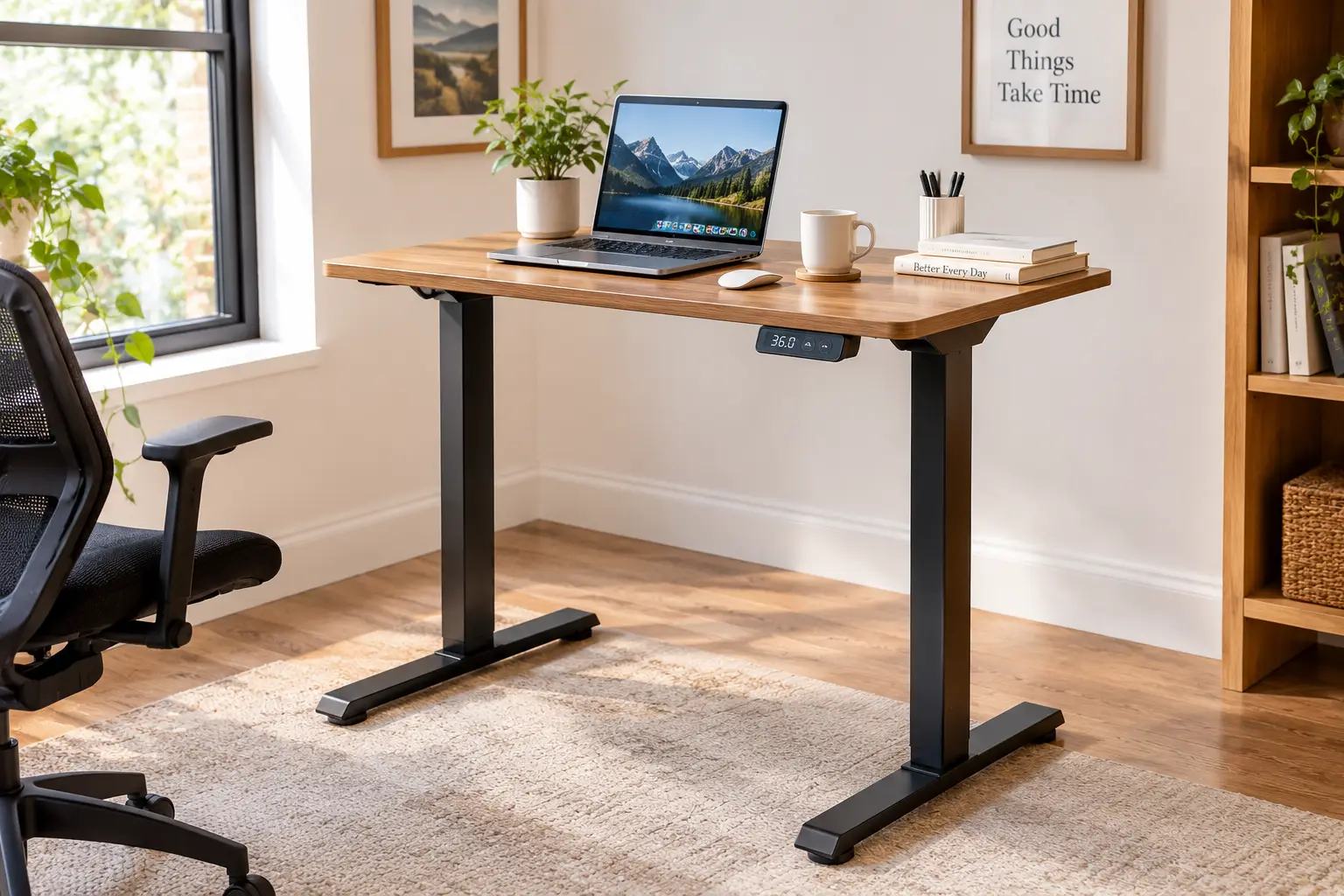
A 36 inch standing desk is a height-adjustable work surface — either a complete sit-stand desk or a converter that sits on top of your current desk — measuring about three feet wide. It’s big enough for a laptop plus a monitor (or two slim monitors) yet small enough for a bedroom corner, dorm, or studio apartment.
That’s the whole appeal in one sentence. Most “standard” standing desks start at 48 inches wide, and plenty of rooms simply don’t have four feet of wall to give. Three feet, though? That’s the width of a typical nightstand-plus-lamp zone, the gap beside a closet door, or the nook under a window. It’s where a lot of real-life home offices actually happen.
The idea itself isn’t new — the history of the standing desk stretches back centuries, long before motors and memory presets. What’s new is how many compact options now exist on amazon.com, and how confusing the category has become. Search “36 inch” and you’ll get full electric desks, hand-crank desks, gas-spring converters, motorized converters, and a few that are really 35 inches wide pretending otherwise.
So in this guide, we sorted it out. You’ll find seven real products — two full desks and five converters — chosen across entry-level, mid-range, and premium tiers. For each one, we translate the spec sheet into what it means at 3 p.m. on a Tuesday, summarize what real buyers and independent reviewers have reported (and flag where reliable review data doesn’t exist), and tell you who should skip it.
You’ll also get setup guidance, problem-fixing tips, a buyer decision framework, and cost-of-ownership math. No fluff, no invented test stories — just honest analysis you can act on.
Quick Comparison: The Best 36 inch standing desk Options at a Glance
Here’s the fast version before we dig in. Prices are approximate ranges at the time of writing — they move constantly, so always check the current price.
| Product | Type | Width | Lift | Approx. Price | Best for |
|---|---|---|---|---|---|
| Okin Small Electric Standing Desk (36″ x 24″) | Full desk | 36″ | Electric | $130–$220 | Okin Small Electric Standing Desk (36″ x 24″) — budget renters who want a real desk |
| VIVO DESK-KIT-CB3B Manual Stand Up Desk | Full desk | 35.5″ | Hand crank | $170–$260 | VIVO DESK-KIT-CB3B Manual Stand Up Desk — no outlet nearby, rare adjusters |
| Vari VariDesk Pro Plus 36 | Converter | 36″ | Spring-assisted | $350–$450 | Vari VariDesk Pro Plus 36 — zero assembly, build quality |
| FlexiSpot M2B 35″ ClassicRiser | Converter | 35″ | Gas spring | $150–$250 | FlexiSpot M2B 35″ ClassicRiser — taller users, shallow desks |
| VIVO DESK-V000V 36″ Desk Converter | Converter | 36″ | Gas spring | $100–$170 | VIVO DESK-V000V 36″ Desk Converter — tightest budgets |
| Stand Steady FlexPro Power 36 | Converter | 36″ | Electric | $300–$450 | Stand Steady FlexPro Power 36 — push-button converter fans |
| Mount-It! MI-7934 Desk Converter | Converter | 36.25″ | Gas spring | $170–$260 | Mount-It! MI-7934 Desk Converter — dual monitors on arms |
Looking at this table, the first fork in the road is obvious: do you want a whole new desk or a riser for the desk you already own? If you’re replacing furniture, the Okin Small Electric Standing Desk (36″ x 24″) gives you motorized convenience for roughly the price of a premium converter. If you’re keeping your desk, the VIVO DESK-V000V 36″ Desk Converter is the low-cost entry point, while the Vari VariDesk Pro Plus 36 is where you pay extra for fit, finish, and no assembly.
💬 One click helps other shoppers make an informed choice too! 😊
Top 7 36 inch standing desk Picks: Expert Analysis
Each pick below follows the same structure: what it does, what that means for you, what buyers report, and whether it’s worth the money. Two quick ground rules: “36 inch” refers to width, and converter heights are measured from the surface of the desk they sit on — not from the floor.
1. Okin Small Electric Standing Desk (36″ x 24″) — one-piece top on a budget
The Okin Small Electric Standing Desk (36″ x 24″) is the rare compact electric desk that doesn’t split its top into two glued-together panels.
Its 36″ x 24″ one-piece desktop sits on a motorized frame that travels from about 27.6″ to 45.3″, with a stated noise level under 50 dB and a 154 lb capacity. In practice, that height range comfortably covers most people from roughly 5’0″ to about 6’1″ standing; very tall users may find the top stop a hair short. The 154 lb rating is overkill for a laptop-and-monitor setup, which is exactly what you want — desks run steadier well below their limit. A rear cable groove and optional wheels (on some variants) make it apartment-friendly.
Based on the specs, this is a great fit for renters, students, and first-time sit-stand users who want a real desk rather than a riser. Its footprint is around 6 square feet, so it slips into spaces a 48″ desk never could.
Reliable aggregated review data was limited at the time of writing, since this is a relatively new listing — so weigh the brand’s claimed 20,000-cycle motor testing as a manufacturer claim rather than proven longevity.
Pros:
- ✅ Solid one-piece top with no center seam
- ✅ Quiet motor suits shared rooms and late nights
- ✅ Tiny footprint fits bedrooms and dorms
Cons:
- ❌ Limited independent review history so far
- ❌ Top height may fall short for very tall users
Typically in the $130–$220 range, the Okin Small Electric Standing Desk (36″ x 24″) is strong value if you want motorized adjustment without converter compromises.
2. VIVO DESK-KIT-CB3B Manual Stand Up Desk — works anywhere, no outlet needed
The VIVO DESK-KIT-CB3B Manual Stand Up Desk trades a motor for a hand crank, which means it works anywhere — even far from a power outlet.
The desktop measures 35.5″ x 23.6″ on an all-steel frame rated for 154 lb, with a particle-board top that resists scratches. Cranking is slower than pushing a button, so expect roughly 30 seconds or more of turning to go from sitting to standing. That sounds tedious, but it’s quietly useful: there’s no motor to fail, no control box to replace, and no cable to route across the floor. It ships in two cartons (frame and top), so plan for a bit of assembly.
Honestly, this desk suits people who change position once or twice a day rather than every hour — writers who stand for morning email, or a kid’s homework station that gets set once for a growing child. If you plan to switch often, the crank will get old fast, and you’ll likely stop adjusting.
We couldn’t verify a substantial pool of reviews specific to this exact 36″ model, so the recommendation rests on VIVO’s long track record with crank frames and the straightforward, low-failure-point design.
Pros:
- ✅ No electricity required, place it anywhere
- ✅ Fewer parts that can break over time
- ✅ Generous 154 lb weight rating
Cons:
- ❌ Cranking is slow for frequent sit-stand switching
- ❌ Two-box shipment means real assembly time
Usually around $170–$260, the VIVO DESK-KIT-CB3B Manual Stand Up Desk is fair value for low-frequency adjusters who prize simplicity.
3. Vari VariDesk Pro Plus 36 — no-assembly premium converter
The Vari VariDesk Pro Plus 36 is the converter that made the category famous, and it still arrives fully assembled — lift it out of the box and work.
Its two-tier design gives you a 36″ x 20″ monitor platform above a 36″ x 14.25″ keyboard tray, with 11 locking height settings and a spring-assisted lift. The top platform reaches about 17.5″ above your desk. What that means practically: on a standard 29″–30″ desk, the keyboard tray tops out around 42″–44″ from the floor, which suits many people up to roughly 5’10”. Taller folks may run out of height, a point independent dealer reviews have flagged directly.
Based on comparing the specs, this is for buyers who value build quality and instant setup over maximum adjustability. The heavy base and thick steel inspire confidence, but the base itself is large (30″ x 24″), so measure your desk first.
Vari’s own site shows a rating around 4.8 out of 5 across more than 4,000 reviews, with praise centering on quality and ease of use. The recurring criticisms from independent reviewers: limited max height and no independent keyboard-to-monitor adjustment.
Pros:
- ✅ Arrives fully assembled and ready to use
- ✅ Thick steel and a heavy, stable base
- ✅ Spacious keyboard tray for full-size setups
Cons:
- ❌ Max height can be short for tall users
- ❌ Large base eats most of a small desk
At roughly $350–$450, the Vari VariDesk Pro Plus 36 is a premium price for a premium feel — worth it if you’ll never touch an Allen key.
4. FlexiSpot M2B 35″ ClassicRiser — straight-up lift for taller users
The FlexiSpot M2B 35″ ClassicRiser is an inch shy of 36″, but its vertical lift makes it one of the smartest choices for tight desks.
Instead of swinging up and forward like many risers, it rises straight up, adjusting from about 5.9″ to 19.7″ across 12 settings, with a 35 lb capacity. Lifting takes roughly 13 lb of force, and lowering takes about 3 lb. That straight-up path matters in small rooms: the unit doesn’t sweep toward your belly or need extra clearance behind your chair. FlexiSpot says it fits users up to 6’1″ on a 28″ desk and up to 6’5″ on a 31″ desk — a real advantage over the Vari VariDesk Pro Plus 36 for taller buyers.
This is the pick for tall users, shallow desks, and anyone who wants converter convenience without the “leaning over” feeling. The removable keyboard tray is wide enough for a full keyboard plus mouse.
Standing Desk Nation’s store shows about 4.8 out of 5 from over 120 reviews, and a third-party aggregator scored it highly across 900+ reviews. One recurring caution: the tray sticks out when lowered, so measure desk depth and width carefully.
Pros:
- ✅ Vertical lift saves space and improves stability
- ✅ Excellent height range for tall users
- ✅ Low lifting force, easy daily adjustment
Cons:
- ❌ Slightly narrower than true 36 inches
- ❌ Keyboard tray footprint surprises some buyers
Generally $150–$250 depending on retailer and finish, the FlexiSpot M2B 35″ ClassicRiser is arguably the best value per inch of adjustment.
5. VIVO DESK-V000V 36″ Desk Converter — lowest-cost way to stand
The VIVO DESK-V000V 36″ Desk Converter is the most affordable way to turn an existing desk into a sit-stand setup without feeling flimsy.
It offers a 36″ x 22″ top surface, a 25″ x 10.5″ keyboard tray that rises in sync, dual gas springs, and a 33 lb total capacity, with up to roughly 17″ of height adjustment. The U-shaped cutout lets a laptop sit lower on the tray while a monitor rides on top. That 33 lb limit is the key number: two 24″ monitors on their stock stands plus a laptop can approach it, so check your screen weights before loading up.
Based on the specs, this suits budget-conscious remote workers, students, and anyone testing whether sit-stand working actually sticks before investing more. The narrower keyboard tray is the main compromise — fine for a compact keyboard and mouse, tight for a wide gaming keyboard with a large mouse pad.
We couldn’t pin down a reliable, model-specific review aggregate for this exact variant, so our take leans on the documented specs and VIVO’s broad presence in the category. Also note: VIVO lists a California Prop 65 warning for its risers.
Pros:
- ✅ Very low price for a 36-inch riser
- ✅ Quick gas-spring adjustment, no electricity needed
- ✅ Laptop-friendly U-shaped cutout design
Cons:
- ❌ 33 lb capacity limits heavy monitor setups
- ❌ Keyboard tray is narrow for full-size layouts
Usually $100–$170, the VIVO DESK-V000V 36″ Desk Converter delivers the best “try it before you commit” value here.
6. Stand Steady FlexPro Power 36 — push-button converter, fully assembled
The Stand Steady FlexPro Power 36 brings motorized, push-button adjustment to a converter that arrives fully assembled.
It rises from flat to about 19.5″ above your desk, holds a two-monitor setup, and uses a quiet electric lift instead of springs. Two things make that valuable. First, electric lifting stays consistent no matter how heavy your load is, so you’re not wrestling springs calibrated for a different weight. Second, 19.5″ of rise is generous — it beats the Vari VariDesk Pro Plus 36 and approaches the FlexiSpot M2B 35″ ClassicRiser, which helps taller users.
This is for anyone who knows they’ll switch positions many times a day, or who has wrist, shoulder, or back issues that make squeezing a handle and lifting a loaded platform unpleasant. You do need an outlet within reach.
We couldn’t verify a large, reliable pool of reviews for this specific model, so treat our assessment as spec-based. Confirm the current weight capacity on the listing, since Stand Steady’s lower-tier FlexPro models carry notably lighter limits.
Pros:
- ✅ Push-button electric lift requires no effort
- ✅ Tall 19.5-inch rise suits taller users
- ✅ Arrives fully assembled out of the box
Cons:
- ❌ Needs a power outlet within reach
- ❌ Limited verifiable review data at present
Typically $300–$450, the Stand Steady FlexPro Power 36 makes sense if effortless daily switching is worth paying for.
7. Mount-It! MI-7934 Desk Converter — dual monitor arms included
The Mount-It! MI-7934 Desk Converter bundles a dual monitor mount, so you get two screens floating above a 36″ platform without buying arms separately.
The platform measures about 36.25″ x 22″, the keyboard tray 26.75″ x 9″, and height adjusts from roughly 6.25″ to 16.5″. Total desk capacity is 33 lb, with each monitor arm rated for up to 17.6 lb. The arms tilt, swivel, and rotate for portrait mode, and they free up the platform surface for a laptop, notebook, or coffee. The trade-off: the arms plus monitors count toward the 33 lb limit, so heavy screens eat your budget fast.
Honestly, this is best for dual-monitor workers of average height who’d otherwise spend extra on separate arms. Tall users should be cautious — 16.5″ of rise is the lowest ceiling in this lineup.
Customer reviews on Mount-It’s own site echo that concern: a 6’0″ reviewer reported the monitors still sat too low even at maximum height, and another found adjusting monitor height fiddly. Buyers who fall in the average-height range generally describe it as good value.
Pros:
- ✅ Dual monitor arms included in the box
- ✅ Frees platform space for laptop and notes
- ✅ Portrait rotation for coders and writers
Cons:
- ❌ Lowest max height among these picks
- ❌ Arm height adjustments can be fiddly
Around $170–$260, the Mount-It! MI-7934 Desk Converter is solid value because the included arms alone would cost a good chunk of that.
Side-by-Side Specs: How the 7 Picks Really Compare
Specs only matter when you line them up. This table focuses on the numbers that decide daily comfort.
| Product | Capacity | Adjustment Range | Assembly | Review Signal | Best for |
|---|---|---|---|---|---|
| Okin Small Electric Standing Desk (36″ x 24″) | 154 lb | 27.6″–45.3″ floor | Moderate | Limited data | Okin Small Electric Standing Desk (36″ x 24″) — small rooms |
| VIVO DESK-KIT-CB3B Manual Stand Up Desk | 154 lb | Crank adjusted | Moderate | Limited data | VIVO DESK-KIT-CB3B Manual Stand Up Desk — no-outlet spots |
| Vari VariDesk Pro Plus 36 | Check listing | Up to ~17.5″ | None | ~4.8/5, 4,000+ (brand site) | Vari VariDesk Pro Plus 36 — plug-and-play |
| FlexiSpot M2B 35″ ClassicRiser | 35 lb | 5.9″–19.7″ | Minimal | ~4.8/5, 120+ (retailer) | FlexiSpot M2B 35″ ClassicRiser — tall users |
| VIVO DESK-V000V 36″ Desk Converter | 33 lb | Up to ~17″ | Minimal | Limited data | VIVO DESK-V000V 36″ Desk Converter — budget testers |
| Stand Steady FlexPro Power 36 | Check listing | Flat–19.5″ | None | Limited data | Stand Steady FlexPro Power 36 — frequent switchers |
| Mount-It! MI-7934 Desk Converter | 33 lb total | 6.25″–16.5″ | Moderate | Mixed on height | Mount-It! MI-7934 Desk Converter — dual monitors |
The pattern jumps out: full desks win on capacity by a factor of four or more, while converters cluster around 33–35 lb. If your setup includes a heavy ultrawide monitor or a desktop tower on the surface, that alone pushes you toward the Okin Small Electric Standing Desk (36″ x 24″) or the VIVO DESK-KIT-CB3B Manual Stand Up Desk. Among converters, height range is the real differentiator — the FlexiSpot M2B 35″ ClassicRiser and Stand Steady FlexPro Power 36 reach highest, while the Mount-It! MI-7934 Desk Converter sits lowest.
✨ Don’t miss these small-space standouts! 🔍 Take your home office to the next level with this carefully curated lineup. Click a highlighted item to check current pricing and availability — one of these picks will help you work healthier, starting this week!
Getting Started: Your First 30 Days With a 36 inch standing desk
Unboxing is the easy part. The first month is where most standing desks either become habit or become a very expensive shelf.
Day 1: Set your heights correctly
Stand in the shoes you’ll actually wear (or socks, if that’s your home-office reality). Raise the surface until your elbows sit at about 90 degrees with shoulders relaxed and wrists flat. Then set the monitor so the top of the screen is at or slightly below eye level and at least an arm’s length away. On a converter, you’ll likely find the keyboard height first and accept a compromise on monitor height — a cheap monitor riser or arm fixes that later.
Week 1: Start small
Don’t go from zero to four hours of standing. Begin with 30–60 minutes of total standing spread across the day, in 15–20 minute blocks. Your feet, calves, and lower back need time to adapt. Harvard Health has also noted that standing for long stretches can overload joints and aggravate existing pain — the goal is variety, not endurance.
Weeks 2–4: Build a rhythm
Aim to change position every 30–60 minutes. Tie switching to natural triggers: stand for calls, sit for deep-focus writing, stand after lunch. Add an anti-fatigue mat around week two if your feet complain.
Common first-month mistakes
- ❌ Standing with locked knees instead of shifting weight
- ❌ Forgetting to lower the monitor when you sit
- ❌ Overloading a converter “just a little” past its limit
Which 36 inch standing desk Fits Your Life? Three Real Scenarios
Specs are abstract. Here’s how the lineup maps onto three common situations.
Scenario 1: The college student in a shared dorm
Budget: under $200. Space: a 36″ gap between bed and closet. Use: laptop, notes, occasional second screen, adjusted three or four times a day. The Okin Small Electric Standing Desk (36″ x 24″) is the natural fit — quiet enough not to wake a roommate, compact enough to fit, and it becomes the whole desk rather than an add-on. If there’s already a school-issued desk you can’t remove, the VIVO DESK-V000V 36″ Desk Converter is the cheaper workaround.
Scenario 2: The 6’3″ remote engineer in a one-bedroom apartment
Budget: flexible. Existing furniture: a solid 30″-tall writing desk they love. Use: dual monitors, 8+ hours daily, frequent switching. Height is the constraint here. The FlexiSpot M2B 35″ ClassicRiser reaches high enough on a 30″–31″ desk, while the Stand Steady FlexPro Power 36 adds push-button ease. We’d steer this buyer away from the Mount-It! MI-7934 Desk Converter, since its max rise is the lowest in the group.
Scenario 3: The part-time bookkeeper in a converted guest room
Budget: mid-range. Constraint: the only free wall has no outlet. Use: standing for an hour each morning, sitting afternoons. The VIVO DESK-KIT-CB3B Manual Stand Up Desk makes sense — the crank is slow, but two adjustments a day is no hardship, and no power cable needs to cross the floor.
Fixing Common Problems: Wobble, Low Screens, and Cramped Keyboards
Almost every complaint about compact standing desks falls into a handful of buckets. Here’s how to solve each one.
Problem 1: The desk wobbles at standing height
All sit-stand desks get a bit less rigid as they extend. Fix it by tightening every frame bolt after the first week (things settle), leveling the feet, and pushing the desk against a wall. On a converter, place the base fully on the desk — never overhanging an edge. Keep heavy items centered rather than on one end.
Problem 2: Monitors are too low when standing
This is the most common converter complaint, and reviewers of the Vari VariDesk Pro Plus 36 and Mount-It! MI-7934 Desk Converter have raised it. Solutions: add a monitor riser or clamp-on arm (check platform thickness first), switch to a converter with more rise, or place your laptop on a stand so it acts as a second, higher screen.
Problem 3: The monitor shakes when you type
Keyboard and monitor on connected tiers means typing vibrations travel upward. Some Vari VariDesk Pro Plus 36 owners have described this. Softer typing helps, but the real fix is decoupling: a separate keyboard tray or a full desk like the Okin Small Electric Standing Desk (36″ x 24″).
Problem 4: The keyboard tray feels cramped
A 25″-wide tray won’t hold a full-size keyboard plus a large mouse pad. Switch to a tenkeyless keyboard, or choose a model with a wider tray.
Problem 5: Gas springs feel too stiff or too loose
Spring converters are tuned for a mid-range load. If yours shoots up or won’t stay down, adjust your load (add or remove items) closer to the recommended weight, or check whether your model offers tension adjustment.
How to Choose a 36 inch standing desk: 7 Steps
Choosing well comes down to a short list of measurable decisions. Work through these in order.
- Measure your space and your current desk. Note width, depth, and height. A converter’s base must sit fully on your desk; a full desk needs clearance for your chair to slide under.
- Decide: desk or converter. Replacing furniture? Get a full desk. Keeping a desk you like, or renting furnished? A converter wins.
- Check the height range against your body. Your standing elbow height determines what you need. For converters, add your desk height to the unit’s max rise.
- Add up your equipment weight. Monitors, stands, laptop, and accessories. Stay comfortably under the limit — ideally 70% or less.
- Choose your lift type. Electric for frequent switching, gas spring for fast and cheap, crank for no-outlet spots.
- Evaluate depth, not just width. Keep screens at least about 20 inches from your eyes, per OSHA’s desk and workstation guidance. A shallow top forces monitors too close.
- Weigh warranty and support. Motors and gas springs are wear items; a clear multi-year warranty is part of the value.
Follow these steps and the right 36 inch standing desk usually becomes obvious — often before you even compare brands.
36 inch standing desk converter vs. Full Small Standing Desk
This is the decision that shapes everything else, so it deserves more than a one-liner.
A 36 inch standing desk converter sits on top of an existing desk. Its big advantages: no furniture replacement, minimal assembly (often none), and it moves with you. The Vari VariDesk Pro Plus 36 and Stand Steady FlexPro Power 36 arrive fully assembled. The downsides: lower weight limits (around 33–35 lb on the models here), less usable surface area because the tiers overlap, and the height ceiling depends on the desk underneath.
A full small standing desk replaces your desk entirely. You get far higher capacity, a single flat work surface, full-range adjustment from the floor, and better separation between keyboard and monitor. You give up portability and need to assemble it.
| Factor | Converter | Full Small Desk | Fixed Traditional Desk | Best for |
|---|---|---|---|---|
| Setup effort | Low | Moderate | Moderate | Converter — renters |
| Weight capacity | ~33–35 lb | ~150 lb | Varies | Full desk — heavy gear |
| Height flexibility | Limited by base desk | Full range | None | Full desk — tall users |
| Portability | High | Low | Low | Converter — movers |
| Surface space | Tiered, reduced | Full top | Full top | Full desk — spreaders |
Reading the table, converters win on convenience and mobility, while full desks win on nearly every ergonomic and capacity metric. A traditional fixed desk offers no sit-stand option at all, which is the whole reason you’re here. If you can replace your desk, a full model like the Okin Small Electric Standing Desk (36″ x 24″) is the more capable choice; if you can’t, the converter route is perfectly valid.
36 x 24 standing desk: Is That Depth Enough?
Width gets the headlines, but depth quietly decides comfort. A 36 x 24 standing desk — like the Okin Small Electric Standing Desk (36″ x 24″) and the VIVO DESK-KIT-CB3B Manual Stand Up Desk at 35.5″ x 23.6″ — is the most common compact footprint, and it’s worth understanding what 24 inches actually buys you.
Here’s the practical math. A monitor on a standard stand typically needs 8–10 inches of depth for its base. A keyboard needs about 6 inches, plus a few inches of wrist room in front. That leaves enough space to keep a 24″ monitor near the recommended distance of at least 20 inches from your eyes — but only if you push the monitor toward the back edge. Stack a laptop in front, and things get crowded.
The fix is vertical, not horizontal. A monitor arm clamped to the rear edge lifts the screen off the surface entirely and recovers several inches of depth. That turns a 36 x 24 standing desk into a genuinely comfortable single- or dual-monitor workstation.
Should you size down to a 20″-deep desk to save floor space? Only if you work mostly on a laptop. With an external monitor, 20 inches of depth usually pushes the screen uncomfortably close. Converters behave differently: the VIVO DESK-V000V 36″ Desk Converter and Mount-It! MI-7934 Desk Converter offer 22″ platforms, but that depth sits on top of your existing desk, so your actual working depth depends on both.
Small Standing Desk Advice for Apartments, Dorms, and Tall Users
A small standing desk serves very different people, and the right choice shifts depending on who’s using it.
Renters and apartment dwellers
Your priorities are footprint, noise, and move-out simplicity. Converters are ideal because they leave your furniture untouched and pack into a car trunk. If you want a full desk, look for a one-piece top (fewer failure points when you disassemble) and a quiet motor so downstairs neighbors don’t hear every adjustment. The Okin Small Electric Standing Desk (36″ x 24″), with its claimed sub-50 dB motor, fits well.
Dorm students
Dorm rooms often come with furniture you can’t remove, which makes a converter like the VIVO DESK-V000V 36″ Desk Converter the path of least resistance. Check your school’s housing rules before bringing a full desk — some restrict furniture additions.
Tall users (6’1″ and up)
Height is your constraint, full stop. Among full desks, check that the maximum height reaches your standing elbow height with an inch to spare. Among converters, the FlexiSpot M2B 35″ ClassicRiser (rated up to 6’5″ on a 31″ desk) is the standout, while the Mount-It! MI-7934 Desk Converter is the one to avoid.
Shorter users (under 5’4″)
Check the minimum height instead. A full desk that bottoms out near 27.5″ is a good sign; converters on a 30″ desk may leave your keyboard too high while seated. A keyboard tray or footrest solves that.
Compact Electric Standing Desk Features That Matter (and Ones That Don’t)
Marketing pages for any compact electric standing desk love long feature lists. Here’s how to separate signal from noise.
Features that genuinely matter
- ✅ Height range that fits your body. Everything else is secondary if you can’t reach proper elbow height.
- ✅ Stability at standing height. A desk that sways while you type becomes a desk you stop raising.
- ✅ Realistic weight capacity. Headroom improves stability and motor or spring lifespan.
- ✅ Memory presets (on electric models). They make switching one tap instead of a hold-and-guess routine, which strongly influences whether you’ll keep switching.
- ✅ Warranty length and clarity. Motors and springs wear; support matters.
Features that matter less than you’d think
- ❌ Calorie counters and “health” apps. Harvard Health reported that standing burns only about 8 more calories per hour than sitting — see its analysis of what standing desks really do. The benefit is movement variety, not weight loss.
- ❌ Built-in USB ports. Handy, but a $15 power strip does the same job and won’t fail with the desk.
- ❌ Glass tops. They look great, but they’re heavy, cold on forearms, and unfriendly to clamp-on monitor arms.
- ❌ Extremely fast lift speed. A second or two saved per switch doesn’t change daily life.
The bottom line: prioritize fit, stability, and support. The flashy extras rarely decide whether a 36 inch standing desk earns a permanent place in your routine.
Long-Term Cost and Maintenance of a 36 inch standing desk
The sticker price is only part of the story. Here’s what ownership looks like over five years.
Electric full desks (like the Okin Small Electric Standing Desk (36″ x 24″)) carry the most potential failure points: motor, control box, hand switch, and cabling. Maintenance is minimal — tighten bolts yearly, keep cables clear of moving parts — but a dead motor out of warranty can mean replacing the frame.
Gas-spring converters (the VIVO DESK-V000V 36″ Desk Converter, FlexiSpot M2B 35″ ClassicRiser, and Mount-It! MI-7934 Desk Converter) are mechanically simple, but springs can weaken over years of cycling. Keep the load consistent and avoid slamming the unit down.
Crank desks (the VIVO DESK-KIT-CB3B Manual Stand Up Desk) have the fewest failure points of all. An occasional drop of lubricant on the crank mechanism keeps it smooth.
| Product | Approx. Price | Est. Cost per Year (5 yrs) | Main Wear Point | Best for |
|---|---|---|---|---|
| VIVO DESK-V000V 36″ Desk Converter | $100–$170 | $20–$34 | Gas springs | VIVO DESK-V000V 36″ Desk Converter — lowest cost |
| Okin Small Electric Standing Desk (36″ x 24″) | $130–$220 | $26–$44 | Motor | Okin Small Electric Standing Desk (36″ x 24″) — best desk value |
| FlexiSpot M2B 35″ ClassicRiser | $150–$250 | $30–$50 | Gas springs | FlexiSpot M2B 35″ ClassicRiser — tall-user value |
| Vari VariDesk Pro Plus 36 | $350–$450 | $70–$90 | Spring lift | Vari VariDesk Pro Plus 36 — premium build |
Spread over five years, even the premium converter costs less than a daily coffee habit, which reframes the price gap. The budget VIVO and Okin picks deliver the lowest cost per year, while the Vari’s higher cost buys build quality and zero assembly rather than extra features. The real “cost” to avoid is buying something you stop using — so fit and stability should outweigh a $50 saving.
Common Mistakes to Avoid When Buying a Small Standing Desk
Most regrets with compact sit-stand desks trace back to a few avoidable errors.
Mistake 1: Measuring width but not depth. A 36″ width fits, but a converter’s keyboard tray or a desk’s 24″ depth may not. Measure both, plus chair clearance.
Mistake 2: Ignoring the height ceiling. Especially with converters, calculate desk height plus max rise. Many returns come from tall buyers discovering this after setup.
Mistake 3: Underestimating equipment weight. Two monitors on factory stands can weigh 20+ lb before your laptop. Near-capacity loads mean more wobble and faster spring or motor wear.
Mistake 4: Assuming “36 inch” means identical sizes. Among our picks, widths range from 35″ to 36.25″. Always check the exact dimension on the listing.
Mistake 5: Buying a crank when you’ll switch hourly. Be honest about your habits. If you’ll adjust eight times a day, pay for electric or gas-spring.
Mistake 6: Skipping the anti-fatigue mat. Hard floors turn a 20-minute stand into sore feet. A mat is one of the cheapest upgrades you’ll make.
Mistake 7: Expecting health miracles. A standing desk supports movement variety; it doesn’t replace walking or exercise.
Safety, Standards, and Certifications for Sit-Stand Desks
A compact desk may look simple, but it combines steel, springs or motors, and sometimes electronics — so a few safety points are worth checking.
Standards to look for
In the US, the key voluntary furniture standard is BIFMA X5.5, which covers desk and table products and includes stability and strength testing. For motorized furniture, look for UL 962 (household and commercial furnishings) listing or an equivalent ETL mark on the frame and control box. Electronic components may also carry FCC compliance markings. Manufacturers don’t always advertise these on Amazon, so check the product page, manual, or ask the seller directly — and treat unverified certification claims with caution.
California Prop 65
Some listings — including VIVO’s risers — carry California Proposition 65 warnings about chemical exposure. These are disclosure requirements, not proof of harm, but they’re worth knowing about if it concerns you.
Practical safety habits
- ✅ Keep hands, pets, and kids clear of moving frames and gas-spring hinges.
- ✅ Use anti-collision settings on electric desks if available.
- ✅ Route cables with slack so they don’t snag when the desk rises.
- ✅ Never exceed the rated weight, and never use a converter overhanging a desk edge.
- ✅ Plug electric desks directly into a wall outlet or quality surge protector, not a daisy-chained power strip.
FAQ About the 36 inch standing desk
❓ Can a 36 inch standing desk hold two monitors?
❓ How much does a 36 inch standing desk cost?
❓ Is a 36 inch standing desk good for gaming?
❓ Where can I buy a 36 inch standing desk with wheels?
❓ Does a 36 inch standing desk converter fit on a small desk?
Conclusion: Finding Your Perfect 36 inch standing desk
A great 36 inch standing desk isn’t about chasing the most features — it’s about matching height range, weight capacity, and lift type to your body, your space, and your habits.
If you’re replacing your desk and want the most capability for the money, the Okin Small Electric Standing Desk (36″ x 24″) is the standout full-desk pick, while the VIVO DESK-KIT-CB3B Manual Stand Up Desk serves outlet-free corners and infrequent adjusters. If you’re keeping your current desk, the VIVO DESK-V000V 36″ Desk Converter is the smartest low-risk entry point, the FlexiSpot M2B 35″ ClassicRiser is the clear choice for tall users, and the Vari VariDesk Pro Plus 36 rewards buyers who value build quality and zero assembly. Want push-button convenience on top of your existing desk? The Stand Steady FlexPro Power 36 delivers it. Running two screens on a budget? The Mount-It! MI-7934 Desk Converter includes the arms.
Whichever you choose, the setup and habits matter as much as the hardware. Set proper elbow and eye heights, start with short standing sessions, and switch positions every 30–60 minutes. Treat the desk as a tool for movement, not a marathon of standing.
Measure twice, be honest about how often you’ll adjust, and pick the option that fits the life you actually live.
🚀 Ready to upgrade your workspace? ✨ Click any highlighted pick above to check current pricing and availability — your healthier, more flexible workday is just one smart choice away!
Recommended for You
- desktop monitor stand wood: 7 Best Picks That Actually Hold Up (2026)
- White Folding Desk: 7 Best Space-Saving Picks for 2026 (Honest Guide)
- Sliding Keyboard Tray: 7 Best Picks for Pain-Free Typing (2026)
Disclaimer: This post contains affiliate links. As an Amazon Associate, I earn from qualifying purchases made through these links, at no additional cost to you.
✨ Found this article helpful? Share it with someone who needs it! 💬🤗