
In This Article
What Is a Dual Monitor Riser for Desk Use?
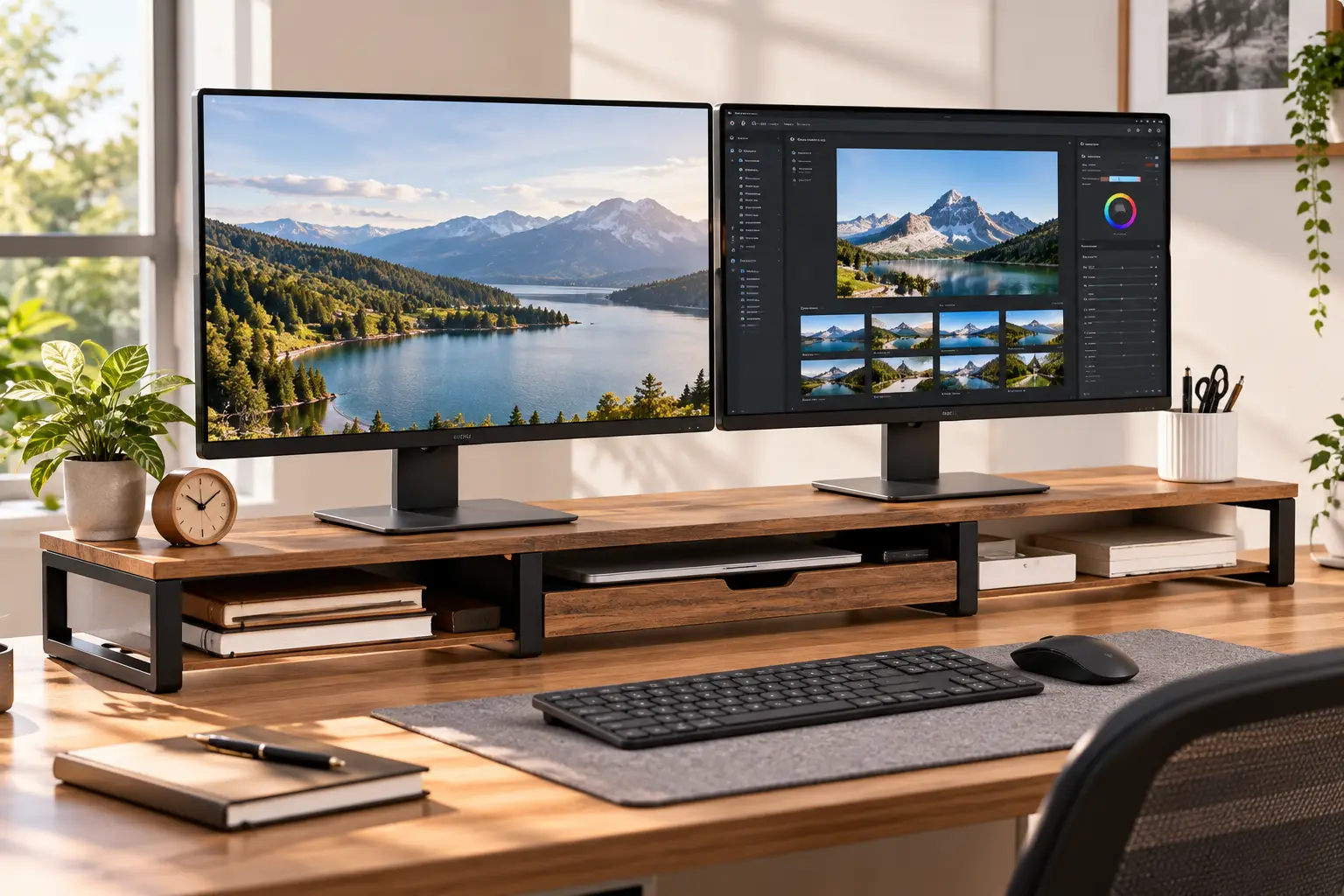
A dual monitor riser for desk use is a long, shelf-style platform — usually 30 to 43 inches wide — that lifts two monitors 4 to 7 inches off your desktop. It raises screens toward eye level, keeps them side by side on one stable surface, and frees the space underneath for a keyboard, notebooks, or a drawer.
Here’s the quiet problem with most two-screen setups: the monitors arrived with stands designed for “average,” and nobody’s desk is average. So your eyes drift downward all day, your chin follows, and by 4 p.m. your neck feels like it’s been holding a bowling ball. (Technically, it has — your head weighs about that much.)
A dual monitor riser for desk setups solves this without drilling, clamping, or reading a VESA spec sheet. You set it down, put both screens on top, and the height jumps instantly. Unlike two mismatched single risers, one long platform keeps both displays at the same height, which matters more than people think — a half-inch mismatch between bezels is surprisingly distracting when your eyes cross that seam hundreds of times an hour.
The category has also grown up. In 2026, you’ll find everything from basic MDF shelves to steel platforms with push-button height settings, models with drawers and phone slots, all-in-one stands with USB hubs and wireless charging, and even sit-to-stand converters that double as dual-monitor risers. Today’s computer monitors are lighter and wider than ever, which is exactly why platform design — length, depth, and weight capacity — now matters more than raw lift.
In this guide, you’ll get seven real products available on amazon.com, honest analysis built from spec sheets and aggregated customer feedback, setup advice the Amazon listings skip, and a clear framework for picking the right one the first time.
Quick Comparison: The 7 Best Dual Monitor Risers at a Glance
| Product | Material | Length | Max Load | Lift Height | Best for |
|---|---|---|---|---|---|
| HUANUO HNLL11 Dual Monitor Stand | Steel + ABS drawer | 29.1″–40.7″ | 44 lbs | 3.9″ / 4.7″ / 5.5″ | Adjustable height on a budget |
| BONTEC Dual Monitor Stand Riser | Wood board | 31.5″–42.5″ | 44 lbs | ~4.1″ | Small-to-medium desks, color options |
| FITUEYES 3-Shelf Monitor Stand (DT108001WB) | 15mm MDF | 36.4″–42.7″ | 33 lbs | ~4″ | Corner and angled setups |
| WESTREE Dual Monitor Stand Riser with Two Drawers | Wood + steel | Wide fixed / 27″–38″ variant | 100 lbs | Varies by version | Rustic look, heavy loads |
| Fenge Dual Monitor Stand with 2 Drawers | 15mm MDF | 42.5″ | 99 lbs | 6.0″–6.6″ | Two 32″ monitors, max lift |
| Vaydeer All-in-One Dual Monitor Stand Riser | Metal | 39.3″ | Check listing | Fixed | Charging hub + storage in one |
| VIVO DESK-V000K 32″ Desk Converter | Steel + engineered wood | 31.5″ surface | 33 lbs | ~4.2″–19.7″ | Sitting and standing |
Looking at the table, the clearest split is load capacity: the WESTREE and Fenge stands are rated around 100 lbs, while the FITUEYES and VIVO DESK-V000K top out at 33 lbs — fine for two 24-inch monitors, tight for two heavy 32-inch screens. If you want adjustable height without spending much, the HUANUO HNLL11 is the only fixed-platform riser here with three preset heights. And if your real goal is standing part of the day, the VIVO DESK-V000K is in a different league of adjustability, at a different price.
💬 One click helps other shoppers make an informed choice too! 😊
Top 7 Dual Monitor Risers: Expert Analysis
1. HUANUO HNLL11 Dual Monitor Stand — best adjustable height for the money
The HUANUO HNLL11 Dual Monitor Stand solves the single biggest flaw of fixed risers: you can actually change its height. Push-button legs give three settings — 3.9, 4.7, and 5.5 inches — so if your first guess is wrong, you’re not stuck.
The steel platform stretches from 29.1 to 40.7 inches, and the side platforms swivel in or out. In practice, that swivel lets you angle two monitors into a gentle “V,” which keeps the outer edges of both screens at a more equal distance from your eyes. The 44-lb capacity comfortably covers two typical 24- to 27-inch monitors, and the vented steel surface helps if you park a laptop on one side.
Based on comparing the specs, this is the riser for people who aren’t sure what height they need — first-time buyers, shared desks, or anyone whose chair height changes. The 9.25-inch platform depth is shallower than some wooden models, so check that your monitors’ stand bases fit before ordering. HUANUO also offers a 1-year limited warranty with US-based support, which is better than many no-name competitors in this price band.
On aggregated review sentiment: I couldn’t verify a large body of individual reviews for this exact model number, so treat the height-adjustment convenience as a spec-sheet strength rather than a proven long-term result.
Pros:
- ✅ Three preset heights fix the “wrong height” gamble
- ✅ Steel build feels sturdier than particleboard alternatives
- ✅ Swiveling sides support a curved two-screen layout
Cons:
- ❌ 9.25-inch depth may not fit large monitor bases
- ❌ Plastic drawer is small and purely for odds and ends
Usually found in the $40–$70 range — strong value for anyone who wants adjustability without stepping up to a converter.
2. BONTEC Dual Monitor Stand Riser — most flexible fit for average desks
The BONTEC Dual Monitor Stand Riser is the easy-to-live-with middle ground: adjustable length, a tidy storage layout, and enough color options to match almost any room.
Its length adjusts from 31.5 to 42.5 inches, and the side panels can be angled for a straight or corner-style layout. That range matters: at its shortest it fits a 40-inch-wide desk without overhang, and at its longest it handles two 27-inch monitors side by side. Underneath, three compartments hold a keyboard, notebooks, or a game controller, while a built-in smartphone slot and cable opening keep your phone visible and cords routed backward instead of draping across the front.
Here’s what to weigh: the lift is roughly 4.1 inches and fixed. That’s ideal for most people of average height using monitors with their factory stands, but taller users may still sit below eye level. Several roundups list a 44-lb capacity, which is plenty for two standard monitors but not for stacking a printer on top as well.
Customer feedback on retail listings tends to emphasize that the stand feels sturdier than expected and that the adjustable length and swivel make fitting it to a desk easy. It’s sold in black, white, walnut, rustic brown, pink, and purple, which is unusual in this category.
Pros:
- ✅ Wide 31.5–42.5 inch adjustable length range
- ✅ Phone slot and cable opening reduce desk clutter
- ✅ Six finishes suit offices, dorms, and gaming rooms
Cons:
- ❌ Fixed height won’t suit very tall users
- ❌ Wood board can chip if overtightened during assembly
Typically between $35 and $55 — one of the best value-for-money picks for an everyday two-screen setup.
3. FITUEYES 3-Shelf Monitor Stand (DT108001WB) — best for corner and angled layouts
The FITUEYES 3-Shelf Monitor Stand uses hinged sections instead of a sliding mechanism, which makes it the most shape-shifting riser on this list.
Built from 15mm MDF, the three shelves rotate freely on their hinges, and the overall length runs from about 36.4 to 42.7 inches. That hinge design is the real story: you can bend the stand into an L for a corner desk, a shallow V for two screens, or a straight line — something sliding-rail risers can’t do. The roughly 4-inch lift is moderate, and rubber feet keep it from skating across a smooth desktop.
On paper, this suits people with oddly shaped workspaces: L-desks, corner nooks, or setups where one monitor sits slightly off to the side. One caveat worth flagging: listings show a 33-lb capacity on some retail pages and higher figures elsewhere. When numbers conflict, plan around the lower one — 33 lbs covers two 24-inch monitors comfortably, but two heavy 32-inch screens are pushing it.
Reviews consistently describe it as a big upgrade for desk organization, with owners noting how much cleaner their workspace looks once supplies move underneath. Fewer reviewers comment on long-term sag, so heavy setups remain the open question.
Pros:
- ✅ Hinged shelves create L, V, or straight layouts
- ✅ Up to 42.7 inches of usable length
- ✅ Simple design with few parts to break
Cons:
- ❌ Conservative 33-lb rating limits heavy monitors
- ❌ No drawer or phone slot for small items
Generally in the $35–$60 range — excellent value if your desk isn’t a simple rectangle.
4. WESTREE Dual Monitor Stand Riser with Two Drawers — sturdiest rustic build
The WESTREE Dual Monitor Stand Riser with Two Drawers pairs a rustic brown wood top with black steel legs, and its standout number is capacity: up to 100 lbs.
That 100-lb rating changes what you can put on it. Two 32-inch monitors, a soundbar, and a small printer won’t come close to the limit, which means less flex in the middle of the board over time — the most common failure point of cheap risers. Slide-out drawers hold sticky notes, pens, and chargers, and WESTREE also sells a variant with a single 13-inch drawer, phone slots, and an adjustable 27- to 38-inch length with angled sides.
What most buyers overlook is that “WESTREE” covers several similar listings. The two-drawer version is wider and fixed; the adjustable one is better for smaller desks. Read the dimensions carefully before you click, because the right choice depends entirely on your desk width.
I couldn’t verify a meaningful volume of individual US reviews for each WESTREE variant, so the strongest claims here come from the spec sheet: steel legs, a high load rating, and pre-drilled holes for quick assembly. If the farmhouse-industrial look fits your room, it’s a solid match.
Pros:
- ✅ 100-lb rating handles heavy monitors and printers
- ✅ Steel legs resist the mid-board sag
- ✅ Two drawers hide small desk clutter
Cons:
- ❌ Several similar variants make ordering confusing
- ❌ Rustic finish won’t suit every modern office
Usually around $60–$80, depending on the version — fair value for the capacity.
5. Fenge Dual Monitor Stand with 2 Drawers — highest lift for big screens
The Fenge Dual Monitor Stand with 2 Drawers is built for people running two large monitors who need more lift than the typical 4 inches.
At 42.5 inches long, it’s sized for two 32-inch monitors, and the listed height adjusts between 6.0 and 6.6 inches — noticeably taller than every other fixed riser here. The 15mm MDF board and thick legs carry a 99-lb maximum load. A 10.9-inch slide-out drawer adds hidden storage, and Fenge also sells a 2-tier version with frosted acrylic drawers and a clear acrylic model with a 4.7-inch lift.
Based on comparing the specs, this is the pick for tall users and for anyone with monitors on short factory stands. That extra two inches over a standard riser can be the difference between “close to eye level” and “actually at eye level.” The flip side: if you’re shorter or use tall monitors already, 6+ inches may push your screens too high, forcing you to tilt your head back — which is worse than looking down.
The spec sheet doesn’t say this, but the seller’s own listing notes that the acrylic drawers may smell of plastic when first unboxed; that should fade after airing out. The stand weighs roughly 19 lbs, so it stays put.
Pros:
- ✅ 6.0–6.6 inch lift suits tall users
- ✅ 99-lb capacity supports two 32-inch monitors
- ✅ Multiple styles, including acrylic and wood
Cons:
- ❌ Too tall for shorter users or tall monitor stands
- ❌ Heavier and bulkier to move than steel risers
Prices vary widely by version and seller — roughly $90 to $170 at the time of writing — so check the current price on your preferred variant.
6. Vaydeer All-in-One Dual Monitor Stand Riser — the desk command center
The Vaydeer All-in-One Dual Monitor Stand Riser is less a shelf and more a docking station that happens to hold two monitors.
The 39.3-inch metal platform packs two pull-out drawers, eight USB ports (four for fast charging, four for data transfer), a 15W wireless charging pad, and an LED light strip. Practically, that means your phone charges by sitting on the corner of the stand, your flash drive plugs in at the front instead of behind your PC tower, and you can retire a separate USB hub.
Here’s what to weigh: integrated electronics add points of failure that a wooden shelf simply doesn’t have. If one USB port dies, the whole stand isn’t useless, but it’s no longer the product you paid for. Also note that Vaydeer’s older 2-tier aluminum model is a different product — some of its listings state the USB 3.0 ports are for data only and don’t charge. Confirm which version you’re buying.
I couldn’t verify a robust volume of reviews specific to the all-in-one model, so its appeal rests on the feature list and Vaydeer’s established presence in the monitor-stand category. It’s best for remote workers whose desks are drowning in cables and chargers.
Pros:
- ✅ Eight USB ports replace a separate hub
- ✅ 15W wireless pad charges your phone hands-free
- ✅ Metal build with two-tier storage
Cons:
- ❌ Premium price compared with plain risers
- ❌ Built-in electronics can fail before the frame does
Sits at the premium end of the category — often well above $150 — so check the current price before deciding.
7. VIVO DESK-V000K 32″ Desk Converter — best for sit-stand switching
The VIVO DESK-V000K 32″ Desk Converter is the only product here that goes beyond “riser”: it lifts both monitors and your keyboard from sitting to standing height.
Its 31.5-inch top holds two monitors (or one large screen plus a laptop), and a keyboard tray rises in sync with the surface. The height range runs from roughly 4.2 to 19.7 inches with a 33-lb lifting capacity. In everyday terms, that means a 24-inch dual setup fits comfortably, while two heavier 27-inch monitors with their factory stands may approach the limit. VIVO backs it with a 3-year warranty — longer than most risers.
Based on comparing the specs, this is the right choice if you’ve been eyeing a standing desk but don’t want to replace your existing one. Measure first: the surface needs roughly a 34-inch-wide desk to avoid overhang. And since the keyboard sits slightly above the desk at the lowest setting, some users pair it with a wrist rest.
Reviews consistently report that it feels stable and is easy to raise, while a common complaint is that lowering it takes deliberate downward force. A few long-term owners describe using it daily for years without issues.
Pros:
- ✅ True sit-to-stand range with synced keyboard tray
- ✅ 3-year warranty beats most competitors
- ✅ Installs on your existing desk, no tools needed to use
Cons:
- ❌ 33-lb limit restricts heavy 27–32 inch pairs
- ❌ Lowering the platform requires noticeable effort
Usually in the $130–$180 range — great value compared with replacing your whole desk.
✨ Don’t miss these smart desk upgrades!
🔍 Take your workspace to the next level with this carefully curated lineup. Click a highlighted product to check current pricing and availability. These picks will help you build a setup your neck, eyes, and productivity will all thank you for! 🖥️🖥️
Setting Up Your Dual Monitor Riser: A 30-Day Getting-Started Guide
Unboxing is the easy part. Getting the setup right is what turns a shelf into an ergonomic upgrade. Follow this sequence.
Day 1: Set the chair first, then the screens
Adjust your chair until your feet sit flat and your elbows rest at roughly 90 degrees while typing. Only then place the riser. Doing it in reverse means you’ll raise the monitors to match a badly set chair. Cornell University’s ergonomics guidance suggests the top of the monitor casing sit about 2 to 3 inches above eye level, with the screen roughly an arm’s length away — a good benchmark for checking your result.
Day 1–3: Arrange the two screens by how you use them
- 🖥️ One primary, one secondary? Center your main monitor directly in front of you and angle the second one to the side.
- 🖥️🖥️ Both used equally? Put the seam between them directly in front of your nose and angle both slightly inward.
Week 1: Route the cables before you get comfortable
Run power and video cables down the back of the riser, not underneath the front edge. Use the stand’s cable opening (if it has one) and a couple of reusable Velcro ties. Leave a little slack so you can adjust angles without unplugging.
Weeks 2–4: Fine-tune and watch for warning signs
If your neck still tilts down, add a lift (the HUANUO HNLL11 lets you click up a setting). If you notice yourself leaning back or tilting your chin up, the screens are too high. Also check the board’s center every couple of weeks for sag — a slight dip means you’re near the capacity limit.
Common first-month mistakes
- ❌ Putting the keyboard on top of the riser with the monitors
- ❌ Cramming heavy items into the under-shelf space, which stresses the legs
- ❌ Skipping the rubber feet on glass or polished desks
Real-World Scenarios: Which Dual Monitor Riser Fits Your Life?
Specs only make sense once you attach them to an actual person. Here are three common profiles and the reasoning behind each match.
Scenario 1: The remote worker with a cluttered 48-inch desk
Budget: around $50 · Use: 8+ hours a day, five days a week · Gear: two 24-inch monitors, a laptop, a phone, and endless sticky notes.
The best match is the BONTEC Dual Monitor Stand Riser. Its 31.5–42.5 inch length fits a 48-inch desk with room left over for a lamp, and the phone slot plus three compartments absorbs the clutter. If charging cables are the real mess, the Vaydeer All-in-One Dual Monitor Stand Riser is the upgrade — but at three to five times the cost, only if you’ll actually use the ports.
Scenario 2: The 6’3″ engineer with two 32-inch screens
Budget: around $100–$150 · Use: long coding sessions · Gear: two heavy 32-inch monitors on short stands.
Weight and lift are the deciding factors, so the Fenge Dual Monitor Stand with 2 Drawers wins: 99-lb capacity, 42.5 inches of length, and a 6+ inch lift that a taller frame actually needs. The WESTREE Dual Monitor Stand Riser with Two Drawers is the backup pick if you prefer a rustic look and don’t need the extra height.
Scenario 3: The student or gamer who wants to stand occasionally
Budget: under $200 · Use: evenings and weekends · Gear: two 24-inch monitors.
The VIVO DESK-V000K 32″ Desk Converter gives you a real standing option without buying a new desk. Two 24-inch monitors stay well within its 33-lb limit. If standing is a “maybe someday” idea, though, save money with the HUANUO HNLL11 Dual Monitor Stand and its three preset heights.
Problem → Solution: Fixing the 5 Most Common Riser Headaches
Even the right riser can come with small frustrations. Here’s how to fix the ones that come up most.
1. “The middle of the board is sagging.” You’re likely near or over the weight rating, or the board is particleboard with a center gap. Move heavy items (speakers, a printer) closer to the legs, or switch to a steel-legged, high-capacity option like the WESTREE Dual Monitor Stand Riser with Two Drawers or Fenge Dual Monitor Stand with 2 Drawers.
2. “My monitor bases hang over the front edge.” Measure your monitor’s stand footprint before buying. Many risers are only 9 to 10 inches deep. If yours is shallow, rotate the monitor bases slightly or consider a monitor arm instead.
3. “The two screens are at slightly different heights.” That’s usually the monitors, not the riser. Use each monitor’s own height adjustment to fine-tune, or slip a thin, firm shim under one base.
4. “My keyboard won’t fit underneath.” Full-size keyboards need about 2 inches of clearance and more than 17 inches of width. The Fenge and HUANUO HNLL11 offer the most clearance; tenkeyless keyboards solve the problem on lower risers.
5. “The stand slides when I bump it.” Make sure all rubber feet are installed, wipe the desk clean of dust, and add a desk mat. On glass desks, non-slip pads are essential.
How to Choose a Dual Monitor Riser for Desk Setups
Choosing well comes down to seven decisions, in this order:
- Measure your eye level first. Sit upright and note the height of your eyes above the desk. The OSHA Computer Workstations eTool recommends arranging monitors so your head and neck stay in a neutral, forward-facing position — the riser’s lift should close the gap between your current screen height and that target.
- Measure your desk width. Leave at least 4 to 6 inches on each side of the riser for a lamp, mug, or speakers.
- Add up your monitors’ weight. Check each monitor’s weight with its stand, then add 25% as a safety margin. That number should fall well under the riser’s rating.
- Check platform depth against your monitor bases. A base that overhangs the edge is a tipping risk.
- Decide between fixed and adjustable height. If you’re unsure about your ideal height, adjustable models like the HUANUO HNLL11 remove the guesswork.
- Choose your storage style. Open shelves are faster to grab from; drawers hide clutter. You rarely need both.
- Match the material to the room — and your patience. Steel is the most durable; MDF and wood look warmer but can chip; integrated electronics add features and failure points.
Common Mistakes to Avoid When Buying a Dual Monitor Stand Riser
The most expensive mistake isn’t buying the wrong brand — it’s buying the wrong size. Here are the pitfalls that come up again and again.
Buying for screen size instead of total width. Two 27-inch monitors are roughly 48 to 49 inches wide side by side. A 40-inch riser still works because monitor stands are narrower than the screens, but the screens will overhang the ends. That’s fine — just don’t assume you need a riser as wide as your screens.
Ignoring the lift height entirely. Most listings mention the lift as a minor spec, but it’s the single number that decides whether your setup is ergonomic. A 4-inch riser under monitors on tall factory stands can push the screens too high.
Trusting the most optimistic capacity number. When the same product shows different ratings across retailers — as with the FITUEYES 3-Shelf Monitor Stand — plan around the lowest figure.
Assuming “dual monitor riser” means “fits any desk.” A 42-inch riser on a 44-inch desk looks cramped and leaves nowhere for your mouse to roam. Adjustable-length models like the BONTEC Dual Monitor Stand Riser are the safest bet for small desks.
Overpaying for features you won’t use. Wireless charging and LED strips are great if you’ll use them daily. If not, the money is better spent on a good chair.
Dual Monitor Riser vs Monitor Arms vs Standing Desk Converter
Before you buy, it’s worth asking whether a riser is even the right category.
| Option | Height range | Install | Desk space freed | Typical price | Best for |
|---|---|---|---|---|---|
| Dual monitor riser (e.g., BONTEC Dual Monitor Stand Riser) | Fixed or small adjustments | Set it down | Underneath only | $35–$170 | Simple, renter-friendly fixes |
| Dual monitor arm | Wide, per-screen | Clamp or grommet | Most of the desk | $40–$200+ | VESA monitors, precise positioning |
| Desk converter (e.g., VIVO DESK-V000K 32″ Desk Converter) | Sit to stand | Set it down | Little | $130–$300+ | Adding standing time |
| Stack of books | Whatever you have | Free | None | $0 | Testing your ideal height first |
Reading across the table, risers win on simplicity and stability: no clamping, no VESA compatibility check, and no risk of a gas spring sagging over time. Monitor arms win on precision and free up the most desk space, but they need a desk edge that can take a clamp and monitors with VESA mounting holes — something many budget and curved screens lack (check your monitor’s spec sheet for the VESA mounting pattern if you’re unsure). Converters cost more but are the only option here that changes your posture entirely.
A useful middle path: use a stack of books for a week to find your ideal height, then buy a fixed riser with that exact lift.
Features That Actually Matter (and the Ones That Don’t)
Marketing copy for monitor risers tends to list every feature as if it were equally important. It isn’t.
✅ Features that genuinely matter
- Lift height — the core ergonomic function. Everything else is secondary.
- Weight capacity — determines whether the board stays flat after a year.
- Platform depth — decides whether your monitor bases fit safely.
- Adjustable length — the difference between a riser that fits your desk and one that dominates it.
- Non-slip feet — small detail, big impact on stability.
⚠️ Nice to have, but situational
- Drawers — worth it if you hate visual clutter; otherwise open shelves are faster.
- Phone slots — handy for keeping notifications in your peripheral vision.
- Hinged or swivel sides — essential for corner desks, irrelevant for straight ones.
❌ Usually overrated
- LED light strips — a fun aesthetic, but they don’t improve how you work.
- “Ergonomic” in the product title — every riser says it. Lift height and fit are what make one actually ergonomic for you.
The one exception: integrated USB and charging, as on the Vaydeer All-in-One Dual Monitor Stand Riser, earn their place if your desk currently relies on a power strip and a separate hub.
Long-Term Cost and Maintenance
A dual monitor riser is one of the few desk upgrades with almost no ongoing cost — but materials still decide how long it lasts.
Total cost of ownership
A $40 riser that lasts five years costs less than a dollar a month. Even the premium Vaydeer All-in-One Dual Monitor Stand Riser works out to a few dollars a month over its lifetime — if the electronics hold up. Converters like the VIVO DESK-V000K 32″ Desk Converter cost more upfront but replace a standing desk that could run several hundred dollars, and the 3-year warranty lowers the risk.
Material durability
- Steel (like the HUANUO HNLL11 Dual Monitor Stand) resists sag and chipping best. Wipe it with a damp cloth; avoid harsh solvents on the finish.
- MDF and engineered wood (like the FITUEYES 3-Shelf Monitor Stand and Fenge Dual Monitor Stand with 2 Drawers) look great and feel solid, but medium-density fiberboard swells if it gets wet. Use coasters and wipe spills immediately.
- Wood with steel legs (like the WESTREE Dual Monitor Stand Riser with Two Drawers) balances warmth and strength.
A simple maintenance schedule
- 🔧 Monthly: dust the surface and check that the monitors sit flat.
- 🔧 Every 3 months: re-tighten screws and check for center sag.
- 🔧 Yearly: inspect rubber feet and replace any that have hardened or fallen off.
Safety, Standards, and Ergonomic Guidelines
There’s no federal safety certification specific to monitor risers, and OSHA has no binding ergonomics regulation for office desks — its computer workstation guidance is advisory. That doesn’t mean safety is optional; it means the responsibility falls on how you set things up.
Stability and tip-over risk
The main hazard with any riser is a monitor tipping off the edge. Keep monitor bases fully on the platform, never exceed the rated capacity, and be extra careful in homes with young children or pets who might pull on cables. A tipped 27-inch monitor can cause injury and certainly a costly repair.
Electrical considerations for powered risers
For risers with built-in USB ports or wireless charging, look for recognized testing marks such as UL or ETL on the power adapter, and FCC compliance for wireless charging components. Use the adapter the manufacturer recommends rather than an underpowered phone brick, which can cause slow charging or overheating.
Ergonomic red flags
- Your chin tilts up to see the top of the screen → too high.
- You lean forward to read text → screen is too far or text too small.
- You turn your head sharply to view the second monitor → angle it inward more.
If you wear bifocals or progressive lenses, set the screens slightly lower than standard guidance and tilt them back a touch, so you can read through the lower part of your lenses without craning your neck.
Dual Monitor Riser with Storage: Is It Worth Paying More?
Storage is the feature that most separates budget risers from mid-range ones, so it deserves its own honest look.
When storage pays off
If your desk currently holds pens, chargers, sticky notes, a notebook, and a phone, a riser with drawers or compartments clears that layer in one move. The WESTREE Dual Monitor Stand Riser with Two Drawers and Fenge Dual Monitor Stand with 2 Drawers both hide clutter behind drawer fronts, which makes a visibly calmer workspace — something many people find helps focus during long work sessions.
When it doesn’t
Drawers reduce the open space under the riser. If you want to slide your keyboard underneath at the end of the day, a model with an open center like the BONTEC Dual Monitor Stand Riser or FITUEYES 3-Shelf Monitor Stand is more practical. Drawers also add weight and assembly time.
The middle ground
Phone slots and small side compartments give you quick-grab storage without swallowing the under-shelf space. The BONTEC model is a good example: three compartments plus a phone slot, with the center still open.
Bottom line: pay for drawers only if hidden storage is a real need. Otherwise, an open-shelf adjustable dual monitor riser plus a small desk organizer delivers the same result for less.
FAQ: Dual Monitor Riser for Desk
❓ Can a dual monitor riser hold two 32-inch monitors?
❓ Is a monitor riser better than a monitor arm for two screens?
❓ How high should a dual monitor stand riser be?
❓ Are wooden monitor risers sturdy enough for daily use?
❓ Do dual monitor risers work on standing desks?
Conclusion: The Right Dual Monitor Riser for Desk Comfort Starts With a Tape Measure
Here’s the honest takeaway: the “best” dual monitor riser for desk setups isn’t the one with the most features — it’s the one whose lift, length, and capacity match your body, your desk, and your monitors.
If you want one recommendation for most people, the BONTEC Dual Monitor Stand Riser offers the best balance of adjustable length, sensible storage, and price. If you’re unsure about height, the HUANUO HNLL11 Dual Monitor Stand takes the guesswork out with three settings. Tall users with big screens should look straight at the Fenge Dual Monitor Stand with 2 Drawers, while heavy, rustic setups suit the WESTREE Dual Monitor Stand Riser with Two Drawers. Corner desks belong to the FITUEYES 3-Shelf Monitor Stand, cable-heavy desks to the Vaydeer All-in-One Dual Monitor Stand Riser, and anyone ready to stand part of the day should consider the VIVO DESK-V000K 32″ Desk Converter.
Before you click “buy,” take five minutes: measure your eye height above the desk, your desk width, and your monitor bases. Those three numbers will tell you more than any product title ever will. Get them right, and you’ll feel the difference in your neck by the end of the first week.
🚀 Ready to fix your two-screen setup for good?
🖥️ Your neck has waited long enough! Click any highlighted product above to check current prices and availability, pick the one that fits your desk, and turn tomorrow’s workday into a more comfortable one. ✨
Recommended for You
- Wall Storage and Desk: 7 Best Space-Saving Picks for 2026
- No Electricity Treadmill: 7 Best Picks That Actually Work (2026)
- Small Corner Standing Desk: 7 Best Space-Saving Picks for 2026
Disclaimer: This post contains affiliate links. As an Amazon Associate, I earn from qualifying purchases made through these links, at no additional cost to you.
✨ Found this article helpful? Share it with someone who needs it! 💬🤗