
In This Article
Introduction: Why the Best Two Monitor Stand Changes Your Whole Desk
Two screens perched on their factory stands look harmless — until you add up the cost. Two bulky feet swallow the front of your desk, the screens never sit at quite the same height, and by 4 p.m. your neck has been tilted a few degrees to one side for hours. Picking the best two monitor stand fixes all three problems at once, and in 2026 it’s still one of the cheapest ergonomic upgrades you can make. 🖥️🖥️
Here’s the catch: the category is crowded. Dozens of dual monitor stands on Amazon share nearly identical photos and copy-paste spec bullets, yet they behave very differently once two real monitors are hanging off them. One arm holds a 27-inch screen like it’s welded in place; a lookalike slowly sags until your display is staring at your keyboard. Weight windows, desk-thickness limits, and the type of spring inside matter far more than the glossy renders suggest.
This guide does the sorting for you. We compared seven real, widely available models — from a sub-$40 steel pole mount to a premium Ergotron arm — using manufacturer spec sheets, retailer listings, and the recurring themes in aggregated customer reviews. For each one, you’ll get an honest read on who it’s for, what the numbers mean at your actual desk, and where buyers say it falls short.
Then we go further than any product listing will: a 30-minute setup guide, fixes for the most common sagging and wobbling problems, and a simple framework for matching a stand to your monitors, your desk, and your budget. Whether you’re a remote worker, a gamer, a student, or someone who just wants their desk back, you’ll know exactly what to buy — and how to make it stay put. ⚡
What Is a Two Monitor Stand?
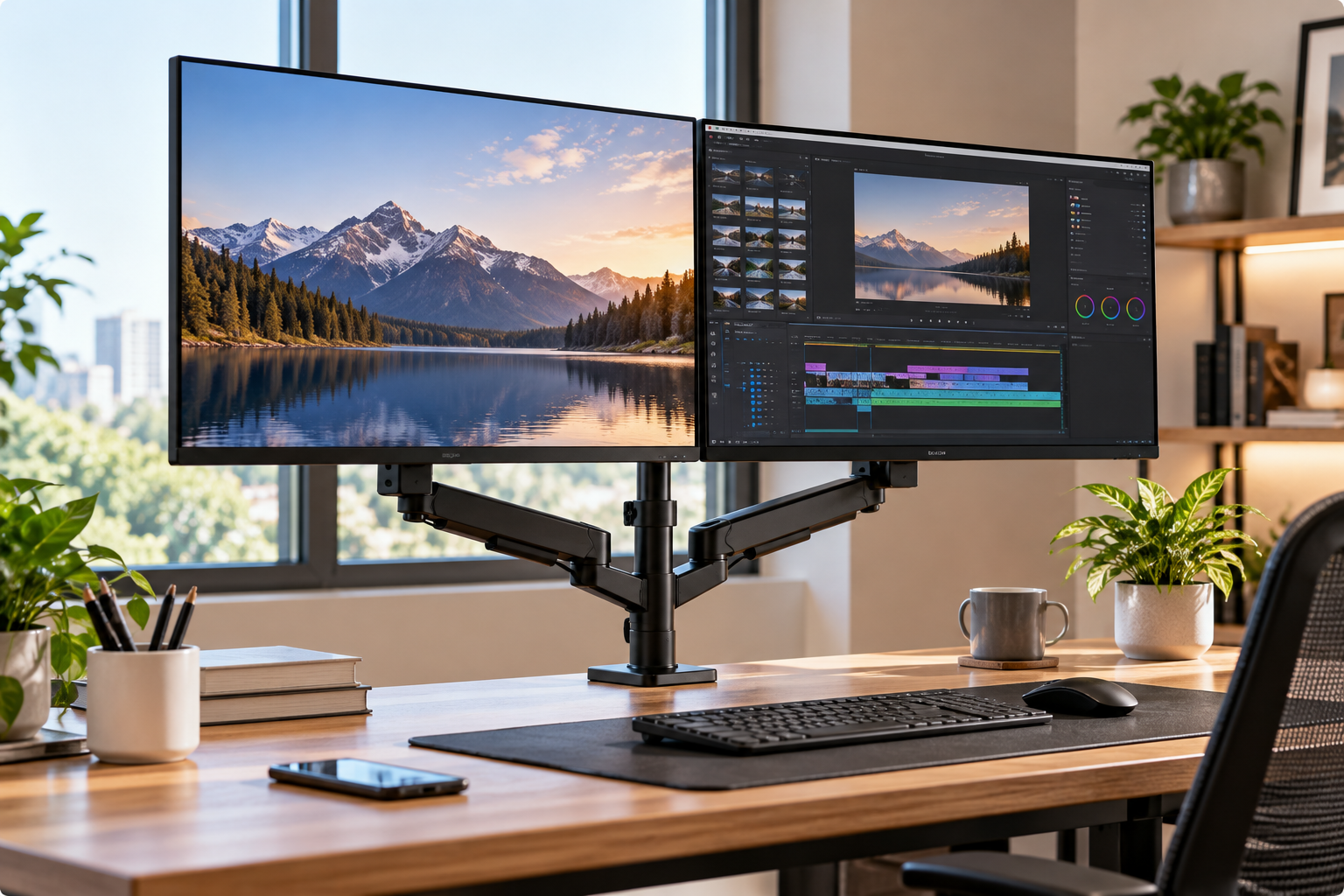
A two monitor stand — also called a dual monitor stand, dual monitor arm, or dual monitor desk mount — is a single support that holds two displays by the threaded holes on their backs, replacing the factory stands. It lets you set each screen’s height, tilt, swivel, and rotation independently while clearing desk space.
Almost every model in this guide relies on the same connection: the VESA Flat Display Mounting Interface, a standardized square of screw holes on the back of most modern monitors. The two patterns you’ll see on dual monitor stands are 75 × 75 mm and 100 × 100 mm. Flip your monitor around before you shop — if you see four screw holes in a square, you’re almost certainly good to go.
Beyond that shared mount, two monitor stands fall into three families:
- 🔩 Pole mounts with locking joints — a steel post clamped to your desk, with arms you position once and tighten with an Allen key. Cheap, sturdy, but slow to readjust.
- 🌀 Gas spring arms — a compressed spring counterbalances each monitor, so you can move it with one hand. Great if you adjust often, but tension must match your monitor’s weight.
- 🧱 Freestanding bases — a weighted plate that sits on the desk with no clamp at all. Ideal for renters and awkward desks, with tighter limits on reach.
Knowing which family fits your habits narrows the field faster than any spec sheet.
Quick Comparison: Best Two Monitor Stand Picks at a Glance
Short on time? This table lines up all seven picks by mounting style, the screen sizes and weights each one officially supports, and the price bracket you can expect at the time of writing. Prices move constantly, so treat the ranges as a guide and check the current listing before you buy.
| Product | Type | Screen Size | Weight per Arm | Price Range | Best for |
|---|---|---|---|---|---|
| HUANUO FlowLift HNDS6 | Gas spring arms | 13–32″ | 4.4–19.8 lbs | ~$50–$80 | Most home offices (HUANUO FlowLift HNDS6) |
| VIVO STAND-V002 | Pole + locking joints | 13–30″ | Up to 22 lbs | ~$30–$45 | Set-and-forget budget setups (VIVO STAND-V002) |
| ErGear EGCM1 | Pole + locking joints | 13–32″ | Up to 17.6 lbs | Under $40 | The tightest budgets (ErGear EGCM1) |
| Amazon Basics Gas Spring Dual Monitor Arm | Gas spring arms | 15–27″ | 4.4–15.4 lbs | ~$45–$75 | Lighter 24–27″ screens (Amazon Basics Gas Spring Dual Monitor Arm) |
| VIVO STAND-V002F | Freestanding base | 13–27″ | Up to 22 lbs | ~$40–$60 | Renters and no-clamp desks (VIVO STAND-V002F) |
| MOUNTUP MU0033 | Heavy-duty gas spring | Up to 35″ | 6.6–30.9 lbs | ~$100–$160 | Ultrawides and heavy panels (MOUNTUP MU0033) |
| Ergotron LX Dual Side-by-Side Arm | Premium counterbalance | Up to 27″* | 7–20 lbs (40 lbs combined) | ~$300–$450 | Full-time pros who want it to last (Ergotron LX Dual Side-by-Side Arm) |
*Some older Ergotron spec sheets list 24″ as the size limit; current listings show 27″.
Looking at the table, the HUANUO FlowLift HNDS6 covers the widest everyday window — 13 to 32 inches and up to 19.8 lbs per arm — for well under $100, which is why it’s our default recommendation. If you’ll set your screens once and never touch them again, the VIVO STAND-V002 actually posts a higher per-arm weight rating (22 lbs) for roughly half the money, because friction joints don’t have a spring to overpower.
The outliers are deliberate. The MOUNTUP MU0033 is the only pick here built for heavy curved ultrawides, while the Ergotron LX Dual Side-by-Side Arm costs several times more but brings a long track record and a 40-lb combined rating on a single base. Notice, too, that every gas spring model has a minimum weight — a detail that trips up buyers with lightweight monitors.
💬 Found your match? Click a highlighted product name to check the current price and availability — and share this table to help another shopper decide! 😊
Top 7 Dual Monitor Stands of 2026: Expert Analysis
Each pick below is a real model you can find on amazon.com. We focus on what the specs mean in daily use, who each stand genuinely suits, and what aggregated reviews reveal that the listing doesn’t.
1. HUANUO FlowLift HNDS6 — best all-rounder for most desks
If you want one stand that fits the widest range of monitors and desks with the least drama, start your shortlist here. The current listing covers screens from 13 to 32 inches weighing 4.4 to 19.8 lbs per arm, with VESA 75 and 100 plates, +85°/-50° tilt, ±90° swivel, and full 360° rotation. In practice, that window swallows the majority of 24- and 27-inch office monitors and plenty of 32-inch models — just weigh your panel without its factory stand.
The gas spring arms let you reposition a screen with one hand instead of loosening bolts, and HUANUO says its springs pass 20,000 lift cycles in lab testing. The FlowLift revision also adds a larger base plate with a dual C-clamp structure, aimed squarely at the classic budget-arm complaint: wobble at the clamp.
Based on comparing the specs, the HUANUO FlowLift HNDS6 is the sweet spot for home-office workers and gamers who nudge their screens more than once a week — flipping one display to portrait for code or chat, or pulling both closer for spreadsheets. If you never move your monitors, you’re paying for a spring you won’t use.
Reviews consistently praise straightforward assembly and independent height control for each screen; the most common complaint is drift or droop when the spring tension isn’t tuned to the monitor’s weight and extension.
Pros:
- ✅ Wide 13–32″ and 4.4–19.8 lb compatibility window
- ✅ One-hand height and angle changes via gas springs
- ✅ Reinforced dual C-clamp base reduces desk wobble
Cons:
- ❌ Needs tension tuning to stop sagging or drifting
- ❌ Very light monitors may fall below the minimum
💲 Usually around $50–$80 at the time of writing (check the current price) — excellent value for full-motion adjustability.
2. VIVO STAND-V002 — sturdiest steel stand for the money
This is the no-nonsense workhorse many people picture when they hear “dual monitor stand,” and its appeal is raw holding power per dollar. Listings rate it for two 13–30-inch screens at up to 22 lbs each, with arms that slide along a steel center pole, ±90° tilt, 180° swivel, 360° rotation, and a C-clamp or grommet base for desks up to about 3.25 inches thick.
That 22-lb rating is higher than many gas spring arms at triple the price, and here’s why: every joint is friction-locked with an Allen key, so there’s no spring to overpower. The trade-off is speed — changing height means loosening a collar on the pole. One quietly clever detail: each VESA plate can be nudged up or down about half an inch, so mismatched monitors can still line up their top edges.
The VIVO STAND-V002 suits remote workers, students, and office managers outfitting several desks who will set their screens once and leave them. If you share a desk or switch between sitting and standing, look at the gas spring picks instead.
Aggregated reviews highlight solid construction, easy assembly, and handy cable clips, while a recurring complaint is monitors drooping until the joints are tightened firmly — heavier screens need a firm hand on the wrench.
Pros:
- ✅ High 22 lb per-arm rating for the price
- ✅ Half-inch VESA plate adjustment aligns mismatched screens
- ✅ Fits thick desks up to about 3.25 inches
Cons:
- ❌ Height changes require loosening joints with tools
- ❌ Joints can droop until fully tightened
💲 Typically around $30–$45 (prices may vary) — outstanding value if you rarely readjust.
3. ErGear EGCM1 — cheapest way to mount two 32-inch screens
When the budget is tight but your monitors are big, this pole-style stand stretches every dollar. ErGear rates it for 13–32-inch screens up to 17.6 lbs per arm, with ±45° tilt, ±90° swivel, 360° rotation, and a maximum height of 16.3 inches above the desk. The C-clamp fits desks from 0.39 to 3.15 inches thick, while the grommet option tops out around 2.17 inches.
What do those numbers mean in practice? The 32-inch support is generous for the price, but the 16.3-inch ceiling is the spec to watch. For a seated user of average height with standard 24- or 27-inch monitors, it’s typically enough; taller users or anyone mounting on a standing desk may find the top edge stops short of eye level.
The ErGear EGCM1 makes the most sense for students, first apartments, and secondary desks — or as a placeholder while you save for a gas spring arm. Like the VIVO, it’s a set-once design, so it rewards patience during setup.
Customer reviews frequently describe it as strong value for a simple setup that’s only moved occasionally; the recurring criticisms are fiddly fine-tuning and arms that can hang past the desk edge when folded inward.
Pros:
- ✅ Supports 32-inch screens at a rock-bottom price
- ✅ Wide 0.39–3.15 inch clamp range
- ✅ Steel build with cable clips on arms and pole
Cons:
- ❌ 16.3-inch max height limits taller users
- ❌ Precise angle adjustments take patience
💲 Often under $40, sometimes around $30 (check the current price) — the best pure-budget option here.
4. Amazon Basics Gas Spring Dual Monitor Arm — longest reach for lighter screens
This is a straightforward gas spring arm whose standout trait is reach, aimed at mainstream 24- and 27-inch monitors. It supports 15–27-inch screens weighing 4.4–15.4 lbs per arm, with -90°/+85° tilt, ±90° swivel, 360° rotation, and an arm that extends up to 20.5 inches out and 18.25 inches high.
That 20.5-inch reach is more generous than the budget pole mounts, so you can pull a screen right up to your face for detailed photo or spreadsheet work, then push it back toward the wall. The 15.4-lb ceiling, however, rules out many 32-inch monitors and some heavier 27-inch gaming panels. One detail most buyers overlook: the arm ships preset for 15.4-lb monitors, so a lighter screen will float upward until you back off the tension — a common day-one surprise rather than a defect.
The Amazon Basics Gas Spring Dual Monitor Arm fits office workers with two lightweight 24- or 27-inch displays who want spring-assisted movement without paying premium prices.
Our research didn’t surface a large, verifiable body of aggregated reviews for this exact dual model, so we’re not characterizing buyer sentiment; judge it on the published specs and Amazon’s standard return window.
Pros:
- ✅ Generous 20.5-inch reach and 18.25-inch height
- ✅ Light-touch gas spring repositioning
- ✅ Full tilt, swivel, and rotation range
Cons:
- ❌ 15.4 lb limit excludes many larger monitors
- ❌ Factory tension preset needs adjusting for lighter screens
💲 Typically in the $45–$75 range at the time of writing — fair value if your monitors fit the weight window.
5. VIVO STAND-V002F — no clamp, no drilling required
Not every desk can take a clamp, and this freestanding version exists for exactly those situations. It holds two 13–27-inch screens up to 22 lbs each on a weighted base measuring about 13 × 10.5 inches, with a roughly 17-inch center post, ±90° tilt, 180° swivel, 360° rotation, and an optional bolt-through grommet if you change your mind later.
Think about where that matters: desks pushed flush against a wall, desks with a thick front lip or a crossbar under the edge, and rental furniture you can’t mark up. The flip side is physics. VIVO itself warns against pulling monitors too far forward or back beyond the base’s center of gravity — the base is the only thing keeping two screens upright.
The VIVO STAND-V002F is ideal for renters, dorm rooms, and anyone who rearranges their workspace often. If you plan to swing screens far forward, a clamp mount is the safer choice.
Many reviewers report the stand feels surprisingly stable on its weighted base alone, but a recurring caution is that two 27-inch monitors on the freestanding base can feel top-heavy, and some notice slight wobble from the loose-fitting VESA slot when screens are raised.
Pros:
- ✅ Sets up on any flat surface without clamping
- ✅ High 22 lb per-monitor rating
- ✅ Optional bolt-through for permanent installs
Cons:
- ❌ Limited forward reach before stability suffers
- ❌ Can feel top-heavy with two 27-inch screens
💲 Generally around $40–$60 (prices may vary) — worth it if a clamp simply isn’t an option.
6. MOUNTUP MU0033 — the muscle for heavy ultrawides
If your monitors weigh more than most dual arms can lift, this heavy-duty gas spring mount is built for you. MOUNTUP rates it for screens up to 35 inches weighing 6.6–30.9 lbs per arm, with VESA 75 and 100 support, two built-in USB connectors, and a clamp that fits desks 0.39–3.35 inches thick. One important caveat: in stacked (one-above-the-other) mode, both monitors are limited to 24 inches.
That 30.9-lb ceiling is the headline. Many 34-inch curved ultrawides and some 32-inch 4K panels outweigh the 17–20 lb limits common on budget arms, and an overloaded gas spring slowly loses its lift. The 6.6-lb minimum matters too: very light portable monitors won’t counterbalance properly on springs this strong.
The MOUNTUP MU0033 is the logical pick for gamers, video editors, and traders running a heavy ultrawide beside a second screen. If you run two lightweight 24-inch monitors, it’s overkill.
We couldn’t verify a consistent body of aggregated customer reviews for this specific model during research, so we’re not summarizing buyer sentiment; weigh the spec sheet and MOUNTUP’s listed 3-year warranty instead.
Pros:
- ✅ Handles up to 30.9 lbs per arm
- ✅ Supports screens up to 35 inches
- ✅ Built-in USB connectors keep peripherals within reach
Cons:
- ❌ 6.6 lb minimum rules out light portable monitors
- ❌ Stacked mode limited to 24-inch screens
💲 Roughly $100–$160 at the time of writing (check the current price) — justified only if your monitors are genuinely heavy.
7. Ergotron LX Dual Side-by-Side Arm — premium build that lasts for years
Ergotron sits on the committee behind the VESA mounting standard, and this arm shows what that pedigree buys. The polished-aluminum model (45-245-026) holds two monitors weighing 7–20 lbs each, up to 40 lbs combined, on a single slim base; desk clamps fit edges up to 2.6 inches thick, and a grommet option is included. Ergotron’s Constant Force mechanism holds the counterbalance steady through the range of motion, and the arm passes the brand’s 10,000-cycle motion test.
In practice, “Constant Force” means the screens glide with a fingertip and stay exactly where you leave them, without the tension creep cheaper springs can develop. Both screens rotate independently to portrait. The design trade-off is vertical range: the lower section sits at a fixed height, so the screens rise together within a narrower band than independent dual arms.
The Ergotron LX Dual Side-by-Side Arm suits full-time professionals who spend eight-plus hours a day at the desk and want buy-once quality. A newer LX Pro variant also exists if you prefer simplified tension setup.
On CDW, it averages about 4.7 out of 5 across a small set of reviews, with praise for durability and build quality; recurring caveats are the limited height range and difficulty getting two 27-inch screens edge-to-edge without sitting close.
Pros:
- ✅ Exceptionally smooth, stable Constant Force motion
- ✅ 40 lb combined capacity on one slim base
- ✅ Premium aluminum construction built for years of use
Cons:
- ❌ Narrower vertical range than independent arms
- ❌ Several times the price of budget options
💲 Usually $300–$450 (prices may vary) — a sound long-term investment if you work at your desk all day.
✨ Don’t miss these top-rated picks!
🔍 Take your dual-screen setup to the next level with this carefully curated lineup. Click any highlighted product name to check current pricing and availability — the right stand will give you a cleaner desk and a happier neck every workday!
Getting Started: Install a Dual Monitor Desk Mount in 30 Minutes
Most frustration with a new dual monitor desk mount comes from the order of operations, not the hardware. Follow this sequence and you’ll skip the classic “why is my screen sinking?” evening. 🛠️
- Weigh each monitor without its stand. Hold the monitor and step on a bathroom scale, then subtract your own weight. Compare that number to both the minimum and maximum on your stand — gas springs care about both.
- Inspect your desk edge. Measure thickness, check for a front lip, under-desk crossbar, or drawer rail, and leave at least a few inches between the desk and the wall so the clamp and arms can clear.
- Attach the VESA plates first. Lay each monitor face-down on a towel on your bed or floor and screw on the plate before going anywhere near the desk. It’s far easier than holding a screen in midair.
- Clamp centered, then tighten fully. Position the post roughly midway between where the two screens will sit, and snug the clamp until the base can’t twist by hand.
- Hang the screens, then set tension. On gas spring arms, adjust tension with the monitor mounted: if the screen floats up, reduce it; if it sinks, increase it. On pole mounts, lock each joint once the angle is right.
- Route cables with slack at every joint. Tight cables fight the arm and pull screens out of position. Leave a loose loop at each elbow before clipping cables down.
First 30 days: re-check the clamp and VESA screws after a week, because pads compress and wood settles. Fine-tune height once you’ve lived with it — the top edge of the screen should sit at or slightly below eye level.
Real-World Setups: Which Stand Fits Your Situation?
Specs only mean something in context. Here’s how the picks map onto five common setups, with budgets and habits spelled out.
🧾 The remote accountant — two 24-inch monitors, around 8–10 lbs each, a sturdy desk, and screens that never move. Budget under $45. Pick the VIVO STAND-V002 or ErGear EGCM1: friction joints are a strength here, and the money you save beats a spring you’ll never use.
🎮 The gamer-streamer — a 27-inch high-refresh panel plus a second 27-inch screen flipped to portrait for chat, adjusted almost daily. Budget around $80. The HUANUO FlowLift HNDS6 wins on one-hand rotation and height changes.
🎬 The video editor — a 34-inch curved ultrawide that weighs close to 20 lbs without its stand, plus a 27-inch reference monitor. Budget flexible. The MOUNTUP MU0033 is the only pick with real headroom for that ultrawide.
🏠 The renter — a desk pushed flush to the wall with a thick decorative lip, and no tolerance for marks. The VIVO STAND-V002F sidesteps clamping entirely.
💼 The full-time pro — 8–10 hours a day, a sit-stand desk, two 24-inch monitors, and a strong preference for buying once. The Ergotron LX Dual Side-by-Side Arm is the stand you’ll still be using years from now.
If you see yourself in two profiles, let frequency of adjustment break the tie: daily movers should favor springs, set-and-forget users should favor steel.
🚀 Ready to reclaim your desk?
👉 Match your profile above, then click the highlighted product name to check today’s price and availability. A five-minute decision now pays off every single workday!
Fix It Fast: 5 Common Dual Monitor Stand Problems and Solutions
Even the best two monitor stand can misbehave on day one. These are the issues buyers report most often across brands — and how to solve each.
- ⬇️ The monitor slowly sinks. The spring tension is too low for the panel’s weight. Increase tension in small increments with the monitor mounted. If maxing it out doesn’t help, the monitor is likely over the arm’s weight limit — a mismatch only a stronger arm like the MOUNTUP MU0033 can fix.
- ⬆️ The monitor floats back up. The opposite problem: tension is too high, or the screen is below the arm’s minimum weight. Reduce tension; on the Amazon Basics Gas Spring Dual Monitor Arm, expect this out of the box with lighter screens, since it ships preset for 15.4 lbs.
- ↘️ The screen tilts forward on its own. The tilt joint at the VESA head is loose. Tighten its screw or knob until the screen holds angle but still moves with a firm push.
- 〰️ The screens wobble when you type. Check that the clamp is fully tightened and sits on solid wood, not a thin overhang. On freestanding models like the VIVO STAND-V002F, bring the screens back over the base. A steel reinforcement plate under the clamp helps on particleboard.
- 📏 The screens won’t line up. Different monitor brands place VESA holes at different heights. Use the half-inch plate adjustment on the VIVO STAND-V002, or set each gas spring arm’s height independently and match the top bezels by eye with a level app on your phone.
How to Choose the Best Two Monitor Stand: 7 Steps
To choose the best two monitor stand, confirm VESA compatibility, weigh your monitors, check size limits, match the mount to your desk, pick springs or friction joints by how often you adjust, verify the height range, and compare warranties.
- Confirm VESA compatibility. Look for a 75 × 75 mm or 100 × 100 mm hole pattern on the back of each monitor; without it, you’ll need an adapter bracket.
- Weigh your monitors — both limits matter. Use the weight without the factory stand, and make sure it sits inside the arm’s minimum and maximum; gas springs fail at both extremes.
- Check screen size and combined width. Two 27-inch monitors are roughly four feet wide side by side, so confirm the arms reach far enough apart without bezels colliding.
- Match the mount to your desk. Clamps need a solid edge and wall clearance, grommets need a hole, and freestanding bases need neither but limit reach.
- Choose springs or friction by your habits. Adjust daily? Gas springs earn their price. Set once? Steel pole mounts are sturdier per dollar.
- Verify the height range for your body. OSHA’s computer workstation guidance recommends the top of the screen at or slightly below eye level, about 20–40 inches from your eyes — a stand that can’t reach that height defeats the purpose.
- Compare warranty and support. Multi-year warranties (VIVO and MOUNTUP list three years) signal confidence in springs and joints that see daily wear.
Dual Monitor Arm vs Freestanding Dual Monitor Stand vs Stock Stands
If you’re wondering whether a clamp-on dual monitor arm is worth the hassle compared with a freestanding dual monitor stand — or simply keeping your factory stands — this comparison shows where each approach wins.
| Option | Desk Space Freed | Adjustability | Installation | Best for |
|---|---|---|---|---|
| Factory stands | None | Limited, often tilt only | None | Temporary setups |
| Monitor riser shelf | Some (storage underneath) | Height only, fixed | None | Laptops plus one screen |
| Freestanding dual stand | Moderate (one base) | Full tilt, swivel, rotate; limited reach | Minutes, no tools on desk | Renters (VIVO STAND-V002F) |
| Clamp-on pole mount | High | Full, but tool-adjusted | 20–30 min | Set-and-forget (VIVO STAND-V002, ErGear EGCM1) |
| Clamp-on gas spring arm | Highest (screens float) | Full, one-hand moves | 20–40 min | Daily adjusters (HUANUO FlowLift HNDS6, Ergotron LX Dual Side-by-Side Arm) |
Reading across the rows, desk space and adjustability rise together — but so does installation effort. Factory stands cost nothing, yet they rarely let two different monitors match in height, which is the root cause of that subtle sideways neck tilt. The jump from a freestanding base to a clamp-on arm buys you forward reach and a clear desk surface, while the jump from a pole mount to gas springs buys you speed of adjustment rather than extra stability.
Features That Actually Matter (and Ones That Don’t)
Listings are packed with buzzwords. Here’s how to separate the specs that change your daily experience from the ones that just fill bullet points.
Features that matter ✅
- The full weight window. A 4.4–19.8 lb range tells you far more than “heavy duty” ever will. The minimum is as important as the maximum on spring arms.
- Clamp range and base design. A wider clamp plate spreads force and reduces wobble. Desk-thickness limits decide whether the stand fits at all.
- Maximum height. It ranges from about 16 inches on budget pole mounts to roughly 25 inches on the Ergotron — a decisive spec for tall users.
- Quick-release VESA plates. Being able to screw the plate to the monitor first, then slide it onto the arm, turns a two-person job into a one-person job.
- Accessible tension adjustment. If the tension bolt is easy to reach with the monitor mounted, tuning takes seconds instead of a frustrating half-hour.
Features that matter less ❌
- 360° rotation — nearly every stand here offers it, so it’s not a differentiator.
- “Aerospace-grade aluminum” claims — material marketing says little without a weight rating to back it up.
- Built-in USB ports — handy for a keyboard dongle, but they’re simple pass-through extensions, not a reason to pay more on their own.
- Cable clips — useful, but standard across every model on this list.
Dual Monitor Stands for Standing Desks and Tall Users
Standing desks and tall bodies stress a dual monitor stand in ways a standard sitting setup never does, so they deserve their own checklist.
🧍 Height reach. Compare maximum heights before anything else. The ErGear EGCM1 tops out around 16.3 inches above the desk, the Amazon Basics Gas Spring Dual Monitor Arm around 18.25 inches, and the Ergotron LX Dual Side-by-Side Arm can reach about 25 inches. If you’re over six feet tall, that difference decides whether your screens reach eye level.
⚖️ Total load on the desk frame. Two 20-lb monitors plus a heavy-duty stand can add 50 lbs or more to an electric desk’s lift. Add that to your computer, speakers, and accessories, and compare the total to your desk’s rated capacity.
〰️ Wobble amplification. A standing desk at full height is more prone to sway, and long arms magnify every bump. Keep screens pulled closer to the post when standing, and favor wide clamp plates. Interestingly, some reviewers of rigid pole-style mounts report less shake on sit-stand desks than with gas spring arms, because locked joints don’t bounce.
🔁 Frequent transitions. If you alternate sitting and standing several times a day, you may want screen heights to change slightly too. That’s where light-touch gas spring or Constant Force arms pay off.
Long-Term Cost and Maintenance
The sticker price is only part of the story; what matters is cost per year of comfortable use and how much upkeep each stand demands.
| Product | Upfront Price Range | Ongoing Upkeep | Value Verdict |
|---|---|---|---|
| ErGear EGCM1 | Under $40 | Re-tighten joints periodically | Best cheap starter |
| VIVO STAND-V002 | ~$30–$45 | Re-tighten joints periodically | Best value per lb of capacity |
| HUANUO FlowLift HNDS6 | ~$50–$80 | Occasional tension tweaks | Best everyday value |
| MOUNTUP MU0033 | ~$100–$160 | Occasional tension tweaks | Worth it only for heavy screens |
| Ergotron LX Dual Side-by-Side Arm | ~$300–$450 | Minimal | Best long-term investment |
The math is friendlier than it looks. If a $60 stand serves you comfortably for five years, that’s about $12 per year — less than a single physiotherapy copay. A premium arm at $400 used for ten years works out to roughly $40 per year, which full-time desk workers may find easy to justify. Budget steel mounts win on upfront cost, but any stand that sags after a year and gets replaced quickly loses its price advantage.
Maintenance is simple: re-tighten the clamp and VESA screws every few months, keep cables slack at the joints, and re-tune spring tension whenever you swap monitors. Keep the box and receipt for at least the first month, since warranty claims and returns are far easier that way.
Common Mistakes to Avoid When Buying a Monitor Stand for 2 Monitors
Most returns of a monitor stand for 2 monitors trace back to a handful of avoidable mistakes. Check these before you click buy.
- Using the weight with the factory stand. Spec sheets often quote total weight. The arm only carries the panel, so look for the “without stand” figure or weigh it yourself.
- Ignoring the minimum weight. A lightweight 22-inch monitor on a heavy-duty arm like the MOUNTUP MU0033 (6.6 lb minimum) will refuse to stay down.
- Forgetting the desk edge. Front lips, crossbars, drawer rails, and a desk shoved against the wall all block clamps. Measure before buying, not after.
- Assuming “32-inch” covers ultrawides. A 34-inch curved ultrawide is heavier and wider than its diagonal suggests. Check the weight rating, not just the size.
- Buying springs you’ll never use. If your screens never move, a gas spring arm adds cost and tuning without benefit — a steel pole mount is sturdier per dollar.
- Clamping onto thin particleboard. Concentrated clamp force can crush or crack cheap desktops. Use a steel reinforcement plate or a grommet mount through a solid section.
Safety, Desk Compatibility, and Standards
A two monitor stand holds 20–60 lbs of glass and electronics above your keyboard, so a few safety basics are worth respecting.
Mounting standard. The screw pattern on your monitor follows VESA’s Flat Display Mounting Interface overview. Always use the screws supplied by your monitor maker when they differ from the stand’s hardware, and never force a screw that resists — the wrong thread length can damage the panel.
Respect weight ratings. Exceeding a stand’s rated load is the fastest route to sagging arms, stripped joints, or a toppled freestanding base. Leave a margin of a pound or two below the maximum.
Desk materials. Glass desks generally shouldn’t take a clamp at all; particleboard needs a reinforcement plate; solid wood and steel-framed desks are the safest bets. Freestanding bases avoid clamping but must keep screens within their center of gravity.
Shared and workplace desks. Montgomery College’s computer workstation guidelines note that adjustable monitor arms make height changes easy at workstations used by multiple people — a strong argument for gas spring arms in hot-desking offices.
Household safety. Gas spring joints can pinch fingers during adjustment. Keep small children away from moving arms, and never let anyone hang on or pull down an extended screen.
FAQ: Buying the Best Two Monitor Stand
❓ Can I put a dual monitor stand on a glass desk?
❓ Will a dual monitor arm hold a curved ultrawide monitor?
❓ What if my monitor doesn't have VESA holes?
❓ Can I mount two different-sized monitors on one stand?
❓ Are dual monitor stands worth it for gaming?
Conclusion: The Best Two Monitor Stand Is the One That Fits Your Habits
The best two monitor stand isn’t the one with the flashiest listing — it’s the one whose weight window, desk fit, and adjustment style match the way you actually work.
For most people, the HUANUO FlowLift HNDS6 hits the sweet spot: a broad 13–32-inch, 4.4–19.8 lb range, one-hand gas spring movement, and a reinforced clamp at a mid-budget price. If your screens never move, the VIVO STAND-V002 and ErGear EGCM1 deliver sturdy steel support for far less. Lighter 24–27-inch monitors pair nicely with the long reach of the Amazon Basics Gas Spring Dual Monitor Arm, while renters and awkward desks are best served by the clamp-free VIVO STAND-V002F.
At the top end, the MOUNTUP MU0033 is the answer for heavy curved ultrawides, and the Ergotron LX Dual Side-by-Side Arm rewards full-time desk workers with smooth, durable motion that’s built to outlast several monitor upgrades.
Whichever you choose, the setup matters as much as the purchase: weigh your monitors without their stands, measure your desk edge, set the tension with the screens mounted, and place the top of each screen at or just below eye level. Do that, and your new dual monitor stand will pay you back every workday — in desk space, in focus, and in a neck that no longer complains by mid-afternoon. 🖥️✨
🛒 Your better desk is one click away!
✨ Pick the stand that matches your monitors and your routine, then click its highlighted name to check current pricing and availability. Clear desk, aligned screens, happier posture — all starting today!
Recommended for You
- Wall Storage and Desk: 7 Best Space-Saving Picks for 2026
- No Electricity Treadmill: 7 Best Picks That Actually Work (2026)
- Small Corner Standing Desk: 7 Best Space-Saving Picks for 2026
Disclaimer: This post contains affiliate links. As an Amazon Associate, I earn from qualifying purchases made through these links, at no additional cost to you.
✨ Found this article helpful? Share it with someone who needs it! 💬🤗