
In This Article
Why an Adjustable Desk Shelf Is the Smartest Cheap Upgrade You Can Make in 2026
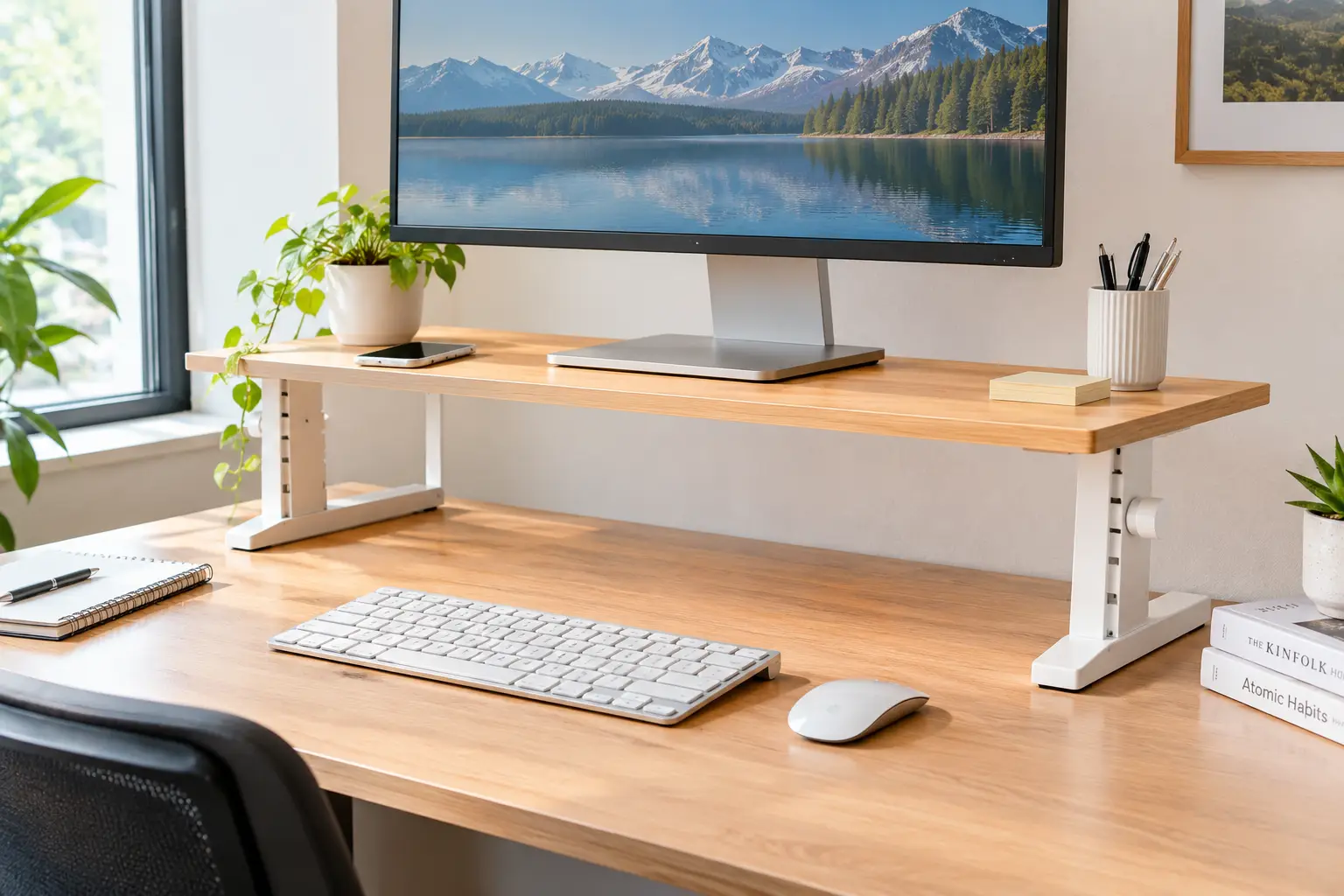
Look down at your desk right now. Is your monitor sitting flat on the surface, forcing your chin toward your chest? Is your keyboard fighting for space with a mug, a notebook, three cables, and a phone charger? An adjustable desk shelf solves both problems at once — it lifts your screen closer to eye level and gives you a second “floor” of storage without buying a new desk.
What Is an Adjustable Desk Shelf?
An adjustable desk shelf is a tabletop platform or hutch that sits on your existing desk and lets you change its height, length, width, or internal shelf positions. Most models raise a monitor or laptop 3–6 inches, while larger hutch-style units add tiers of storage above and around your screen.
That simple definition hides a surprisingly wide product category. On amazon.com, the term covers everything from a $20 stackable plastic riser to a 37-inch wooden bookshelf with movable shelves. They solve different problems, and buying the wrong type is the most common mistake shoppers make. A shelf that’s perfect for a single 24-inch monitor can be useless for a dual-screen gamer, and a tall hutch that looks great in a dorm can block the window light in a home office.
The ergonomic logic behind these products comes from decades of human factors and ergonomics research, which consistently links screen position to neck and shoulder posture. In this guide, you’ll get seven real products currently sold in the US, a side-by-side comparison, setup instructions, real-world buying scenarios, and an honest breakdown of which features actually matter. No fake “I tested it” stories — just specs, aggregated review themes where they’re verifiable, and clear reasoning so you can decide for yourself.
Quick Comparison: Adjustable Desk Shelf Picks at a Glance
Before diving into the details, here’s the short version. This table groups the seven picks by what they adjust and who they’re best for.
| Product | What Adjusts | Max Load (listed) | Approx. Price Range | Best for |
|---|---|---|---|---|
| Amazon Basics Adjustable Monitor Riser | Height (3 levels, stackable legs) | 22 lbs | Around $20–$30 | Amazon Basics Adjustable Monitor Riser — tight budgets, light laptops |
| WALI STT003 Monitor Stand Riser | Height (3.9″ / 4.7″ / 5.5″) | 44 lbs | Under $25 | WALI STT003 Monitor Stand Riser — best overall value |
| StarTech.com MONSTADJD Riser | Height (stackable columns, up to 6.6″) | 22 lbs | Around $40–$70 | StarTech.com MONSTADJD Riser — office desks, extra lift |
| Klearlook Foldable Monitor Stand Riser | Width (16.5″ / 18.5″ / 20.5″) | 55 lbs | Around $25–$40 | Klearlook Foldable Monitor Stand Riser — small-item organization |
| Across-Star Adjustable Dual Monitor Riser | Length (32″–40″) | 80 lbs | Around $35–$55 | Across-Star Adjustable Dual Monitor Riser — two monitors, heavy loads |
| TAVR CM1009 3-Shelf Monitor Riser | Length (30.7″–43.3″) + angle | 44 lbs | Around $30–$50 | TAVR CM1009 3-Shelf Monitor Riser — curved or angled setups |
| Tangkula 37″ Desktop Bookshelf (7 Cubes) | Internal shelf positions | Not clearly listed | Around $80–$130 | Tangkula 37″ Desktop Bookshelf (7 Cubes) — maximum storage |
Reading the table, the clearest pattern is that “adjustable” means three very different things: height, footprint, or internal storage. The WALI STT003 Monitor Stand Riser offers the best load-to-price ratio among single-screen risers, while the Across-Star Adjustable Dual Monitor Riser stands out for raw load capacity. If storage matters more than screen height, the Tangkula 37″ Desktop Bookshelf (7 Cubes) is in a different league — and a different price bracket.
💬 One click helps other shoppers make an informed choice too! 😊
Top 7 Adjustable Desk Shelf Picks for 2026: Expert Analysis
Each pick below was chosen from products listed on amazon.com in 2026, covering budget, mid-range, and higher-end options. Prices are ranges at the time of writing — always check the current price before buying.
1. Amazon Basics Adjustable Monitor Riser — cheapest way to test the idea
If you’re not sure a riser will help you, this is the low-risk experiment. The Amazon Basics Adjustable Monitor Riser (Height Adjustable Monitor Stand Riser with Storage Organizer) uses detachable, stackable ABS plastic legs to give you three heights: about 2.87, 4.2, and 4.8 inches. In practice, that range nudges a laptop or a small monitor upward without dramatically changing your posture — useful if your screen is only slightly too low. The storage compartments under the top are shallow but handy for sticky notes and pens.
Based on comparing the specs, the 22-lb load limit is the real constraint. Most 24-inch monitors fall comfortably under that, but heavier 32-inch screens and printers push it. One independent review from Work While Walking praised the price and three-height design but scored stability and build quality low, criticizing the plastic construction as less stable than metal alternatives. That matches what the spec sheet implies: stackable plastic legs add flex points.
Pros:
- ✅ Very low price for a first ergonomic upgrade
- ✅ Three height levels without any tools
- ✅ Built-in compartments organize small desk items
Cons:
- ❌ Plastic legs feel less stable than metal frames
- ❌ 22-lb limit rules out larger, heavier monitors
At around $20–$30, the Amazon Basics Adjustable Monitor Riser is worth it as a starter or laptop riser, but serious multi-monitor users should spend a little more.
2. WALI STT003 Monitor Stand Riser — best value metal riser
The WALI STT003 Monitor Stand Riser proves that “cheap” and “sturdy” can coexist. Its 14.6 x 9.3-inch vented metal platform supports up to 44 lbs, and push-button legs lock at 3.9, 4.7, or 5.5 inches. The vented holes aren’t just decoration — they let laptops breathe, which matters if you run a notebook with the lid open under heavy load for hours.
Here’s what to weigh: the 9.3-inch depth is compact. That’s great for a narrow desk, but it means a monitor with a wide V-shaped stand base may hang over the edges. Measure your monitor’s foot before ordering. For a single 24- to 27-inch monitor with a compact base, though, this is arguably the most sensible buy in the category.
Amazon’s review-summary highlights for the STT003 point to customers finding it easy to assemble, sturdy, compact, and genuinely adjustable. On the critical side, at least one verified buyer on another retailer noted it felt smaller than competing stands — consistent with that 9.3-inch depth.
Pros:
- ✅ Metal build holds up to 44 lbs
- ✅ Push-button legs adjust in seconds
- ✅ Vented platform helps laptops run cooler
Cons:
- ❌ Shallow platform may not fit wide monitor bases
- ❌ No drawer or built-in organizer
Usually under $25, the WALI STT003 Monitor Stand Riser delivers the best capacity-per-dollar among single-screen risers here.
3. StarTech.com MONSTADJD Riser — tallest lift for office desks
The StarTech.com MONSTADJD Riser targets a common problem: risers that simply don’t go high enough. Its stackable columns offer three heights with a maximum of 6.6 inches, and the 17.1 x 13-inch footprint is deeper than most budget risers. That extra depth fits wider monitor bases, and StarTech rates it for 13- to 32-inch screens up to 22 lbs. A built-in drawer and cable-management features round it out.
On paper, this is the riser for taller users or anyone with a low desk. An extra inch of lift may sound trivial, but if your eye line sits well above your screen, the difference between 5.5 and 6.6 inches can be the difference between neutral and slightly bent neck posture. StarTech.com is also a recognizable IT-accessory brand in US offices, which can simplify procurement for small businesses.
Honest caveat: I couldn’t verify a meaningful pool of recent aggregated customer reviews for this exact model, so treat the listing specs as the baseline rather than proven long-term performance.
Pros:
- ✅ Highest lift in this roundup at 6.6 inches
- ✅ Deep 13-inch platform fits wider monitor bases
- ✅ Drawer and cable management included
Cons:
- ❌ 22-lb limit despite the larger footprint
- ❌ Plastic build at a mid-range price
At roughly $40–$70, the StarTech.com MONSTADJD Riser makes sense when height — not price — is your priority.
4. Klearlook Foldable Monitor Stand Riser — built-in organizer that folds flat
The Klearlook Foldable Monitor Stand Riser adjusts in a different direction: width. It offers three lengths — 16.5, 18.5, and 20.5 inches — plus a small drawer, a pen slot, and a hidden phone or tablet holder. Its ABS platform with metal hinges is rated for 55 lbs, and the legs fold flat for storage or travel between home and office.
What most buyers overlook: although the listing title says “height adjustable,” the adjustment documented in the specs is width. The published dimensions put the platform at roughly 3 inches tall, which is fine for small lifts but won’t fix a severely low screen. Think of it as an organizer that happens to raise your monitor, rather than a precision ergonomic tool.
Reviews are a strength here. A BGR roundup reported that the stand held a high average rating from thousands of reviewers, and that buyers liked its simple assembly and sturdiness — while both positive and negative reviews mentioned that the drawer is quite small.
Pros:
- ✅ Three width settings fit different desks
- ✅ Drawer and phone holder reduce clutter
- ✅ Folds flat when you need the desk back
Cons:
- ❌ Fixed low height of roughly three inches
- ❌ Drawer too small for anything but pens
At around $25–$40, the Klearlook Foldable Monitor Stand Riser is excellent value for organizers, less so for posture fixes.
5. Across-Star Adjustable Dual Monitor Riser — heavy-duty two-screen platform
The Across-Star Adjustable Dual Monitor Riser is built for people who’ve outgrown single-screen risers. It telescopes from 32 to 40 inches long, using wood boards joined by a metal sliding section, and lifts screens about 4.7 to 5.1 inches. Its listed 80-lb capacity is the highest among the risers here, which means two 27-inch monitors plus speakers won’t stress it.
Based on comparing the specs, the metal sliding middle is the key detail. Cheap long risers sag in the center because a single board spans the gap; the metal reinforcement is what lets this one hold heavier loads. Across-Star also sells a variant that extends to 55 inches with an adjustable angle — useful for curved monitors or a small TV.
Verified review data is thinner than for big-name brands. One listing showed it ranked in the top tier of Amazon’s Computer Monitor Stands category at the time of research, and individual verified buyers report straightforward assembly and stable support for 32-inch monitors.
Pros:
- ✅ Listed 80-lb capacity handles two big screens
- ✅ Length adjusts from 32 to 40 inches
- ✅ Metal center section resists mid-span sagging
Cons:
- ❌ Height is fixed, not adjustable
- ❌ Requires assembly with screws
At around $35–$55, the Across-Star Adjustable Dual Monitor Riser is the strongest dual-screen value in this list.
6. TAVR CM1009 3-Shelf Monitor Riser — angle it around curved setups
The TAVR CM1009 3-Shelf Monitor Riser splits into three MDF panels: a center shelf and two end pieces you can angle inward. Its overall length adjusts from 30.7 to 43.3 inches (a larger variant reaches 48.2), it stands about 3.6 inches tall, and it’s rated for 44 lbs total. The angled ends let it wrap around you like a cockpit, which matters for triple-monitor or curved setups.
Here’s what to weigh: the angle feature is genuinely useful because OSHA-style ergonomic guidance favors screens that face you directly, and a straight bar forces side monitors to point past your head. The trade-off is the low 3.6-inch height and a 44-lb total limit spread across three panels — fine for lightweight monitors, but heavy 32-inch screens should go elsewhere.
I couldn’t verify a broad base of aggregated reviews for this specific model. What’s verifiable is that TAVR’s own storefront listing advertises a 5-year warranty, which is long for this price tier.
Pros:
- ✅ Angled end panels suit curved arrangements
- ✅ Long range up to 43.3 inches
- ✅ Three separate shelves create storage underneath
Cons:
- ❌ Low 3.6-inch lift height
- ❌ 44-lb limit shared across all panels
At roughly $30–$50, the TAVR CM1009 3-Shelf Monitor Riser is the smart pick for multi-angle desks.
7. Tangkula 37″ Desktop Bookshelf (7 Cubes) — most storage per square inch
The Tangkula 37″ Desktop Bookshelf (7 Cubes) isn’t a riser — it’s a mini hutch. At 37 x 10 x 31 inches, it adds seven storage cubes above and around your monitor, with three adjustable shelves offering five positions in 1.2-inch increments. The bottom clearance is listed at 26.5 inches wide by 17.5 inches tall, which Tangkula says fits monitors up to 27 inches.
On paper, that’s a huge storage upgrade for dorms and home offices: books, files, plants, and headphones all move off the desk surface. But its height is a real ergonomic consideration. Because the monitor sits underneath, you can’t raise the screen with this unit — so pair it with a separate low riser if your monitor needs lift and clearance allows.
Tangkula includes two anti-tip kits, and that’s not a throwaway detail: a 31-inch-tall, roughly 31-lb unit loaded with books can topple if bumped. Amazon labeled one Tangkula desktop bookshelf a Best Seller in its desk-hutch category during research, though I couldn’t verify detailed aggregated review sentiment for this exact 7-cube version.
Pros:
- ✅ Seven cubes plus three movable shelves
- ✅ Fits monitors up to 27 inches underneath
- ✅ Includes two anti-tip anchoring kits
Cons:
- ❌ Doesn’t raise your monitor at all
- ❌ Bulky and heavy to assemble
At around $80–$130, the Tangkula 37″ Desktop Bookshelf (7 Cubes) is priced fairly for the storage it adds.
Top 7 Side-by-Side: Specs That Actually Change Your Day
This second table zooms in on the specs that affect daily use: lift height, footprint, and material.
| Product | Lift Height | Platform / Footprint | Material | Best for |
|---|---|---|---|---|
| Amazon Basics Adjustable Monitor Riser | ~2.9″–4.8″ | ~16″ wide | ABS plastic | Amazon Basics Adjustable Monitor Riser — laptops |
| WALI STT003 Monitor Stand Riser | 3.9″–5.5″ | 14.6″ x 9.3″ | Metal | WALI STT003 Monitor Stand Riser — single monitor |
| StarTech.com MONSTADJD Riser | Up to 6.6″ | 17.1″ x 13″ | Plastic | StarTech.com MONSTADJD Riser — tall users |
| Klearlook Foldable Monitor Stand Riser | ~3″ fixed | 16.5″–20.5″ wide | ABS + metal hinge | Klearlook Foldable Monitor Stand Riser — clutter control |
| Across-Star Adjustable Dual Monitor Riser | ~4.7″–5.1″ fixed | 32″–40″ x 9.25″ | Wood board + metal | Across-Star Adjustable Dual Monitor Riser — dual screens |
| TAVR CM1009 3-Shelf Monitor Riser | ~3.6″ fixed | 30.7″–43.3″ x 9.3″ | MDF | TAVR CM1009 3-Shelf Monitor Riser — angled setups |
| Tangkula 37″ Desktop Bookshelf (7 Cubes) | None (monitor sits below) | 37″ x 10″ x 31″ | Engineered wood | Tangkula 37″ Desktop Bookshelf (7 Cubes) — storage |
The table makes one trade-off obvious: you rarely get both height adjustment and a long footprint in the same product. The StarTech.com MONSTADJD Riser wins on lift, while the Across-Star Adjustable Dual Monitor Riser and TAVR CM1009 3-Shelf Monitor Riser win on width but lock you into one height. Decide which dimension your desk actually lacks before you shop.
✨ Don’t miss these smart workspace upgrades!
🔍 Take your desk setup to the next level with this carefully curated lineup. Click a highlighted product to check current pricing and availability. These picks will help you work longer with less neck strain — and a desk you actually enjoy sitting at! 🖥️
How to Set Up an Adjustable Desk Shelf in 15 Minutes
Buying the shelf is half the job. Setting it up correctly is where the ergonomic payoff actually happens.
Step-by-step setup
- Clear and measure. Empty the desk area, then measure from your seated eye level to the desk surface. Write that number down — it’s your target reference.
- Pick the starting height. For a riser with settings (like the WALI STT003 Monitor Stand Riser), start at the middle setting. You can always go up or down.
- Place the monitor. Center it on the platform, with its base fully supported — no overhang on the front edge.
- Check the top line. Sit back normally. The top line of text on your screen should sit at or slightly below your eye level.
- Slide the keyboard underneath. Most risers create a “garage” for your keyboard when you’re not typing. Use it to reclaim surface space.
- Route cables last. Run power and video cables behind or under the shelf so they don’t snag when you adjust it.
Common mistakes in the first 30 days
- ⚡ Going too high too fast. If your neck tilts back, drop one level.
- ⚡ Ignoring the chair. A riser can’t fix a chair that’s too low; adjust both together.
- ⚡ Overloading the “free” space. The space under a riser fills with junk quickly. Keep it to keyboard, notebook, or a docking hub.
- ⚡ Skipping anchor kits on tall hutches like the Tangkula 37″ Desktop Bookshelf (7 Cubes). If it came with an anti-tip kit, install it on day one.
A two-week trial is the honest test: if your neck and shoulders feel noticeably less tired by the end of the day, your height is right.
Real-World Scenarios: Matching the Right Shelf to Your Desk
Specs only matter in context. Here are three common buyer profiles and the reasoning behind each match.
🎓 The college student in a shared dorm
Budget: under $40. Desk: a narrow, school-issued desk around 40 inches wide. Use: 4–6 hours a day on a laptop, plus books and supplies.
The best match is the Klearlook Foldable Monitor Stand Riser. Its width adjusts down to 16.5 inches for a tiny desk, the drawer catches pens and earbuds, and it folds flat for move-out day. If the student also uses an external monitor and needs more lift, the WALI STT003 Monitor Stand Riser is the better ergonomic call for a similar price.
💼 The remote worker with two monitors
Budget: $35–$60. Desk: a standard 60-inch home-office desk. Use: 8+ hours a day, two 27-inch monitors.
Here, the Across-Star Adjustable Dual Monitor Riser is the clear match. Its 80-lb listed capacity leaves plenty of margin for two monitors and a webcam, and the 32–40-inch length covers both screens without a gap. If the monitors are curved or set in a slight V, the TAVR CM1009 3-Shelf Monitor Riser angles to follow them — at the cost of a lower lift height.
📚 The home-office organizer drowning in paper
Budget: around $100. Desk: a deep desk against a wall. Use: mixed computer and paperwork, lots of books and files.
The Tangkula 37″ Desktop Bookshelf (7 Cubes) is built for this. Seven cubes and movable shelves absorb files, books, and supplies. The catch: it won’t raise the screen, so this user should check whether a slim riser fits under its 17.5-inch clearance alongside the monitor.
Buyer Decision Framework: If This, Choose That
When you’re comparing seven products, a simple decision rule beats endless scrolling. Use this checklist.
- ✅ If your monitor is too low and you use one screen, choose a height-adjustable riser like the WALI STT003 Monitor Stand Riser, because height is the variable you actually need to fix.
- ✅ If you’re tall or your desk is unusually low, choose the StarTech.com MONSTADJD Riser, because its 6.6-inch maximum lift is the highest here.
- ✅ If you run two monitors side by side, choose the Across-Star Adjustable Dual Monitor Riser, because one long platform keeps both screens at the same height.
- ✅ If your monitors are curved or angled, choose the TAVR CM1009 3-Shelf Monitor Riser, because its end panels pivot toward you.
- ✅ If your desk is cluttered but your monitor height is fine, choose the Klearlook Foldable Monitor Stand Riser or a hutch, because organization is your real problem.
- ✅ If you need serious book and file storage, choose the Tangkula 37″ Desktop Bookshelf (7 Cubes), because no riser can match seven cubes of vertical storage.
- ✅ If you’re unsure a riser will help at all, choose the Amazon Basics Adjustable Monitor Riser, because it’s the cheapest way to test the idea.
A quick priority test helps too: rank “screen height,” “desk space,” and “storage” from 1 to 3. Your number-one priority tells you which product type to filter by first. Most shoppers who regret their purchase skipped this step and bought for storage when they actually needed height — or vice versa.
How to Choose an Adjustable Desk Shelf
Choosing well comes down to a few measurable criteria. Follow these steps in order:
- Measure your eye height. The OSHA Computer Workstations eTool recommends that the top of the monitor sit at or slightly below eye level, so calculate how many inches of lift you actually need.
- Measure your monitor’s base. Width and depth of the stand foot determine whether a compact platform like a 9.3-inch-deep riser will hold it securely.
- Weigh your setup. Add monitor weight plus anything else you’ll put on top. Leave at least a 25% safety margin below the listed capacity.
- Decide what must adjust. Height, length, width, and internal shelves are different features — pick the one that solves your real problem.
- Check viewing distance. OSHA’s guidance suggests roughly 20–40 inches from eye to screen; make sure the shelf doesn’t push your monitor too close on a shallow desk.
- Consider material. Metal resists sagging and flex; MDF and plastic are lighter and cheaper but less rigid over time.
- Plan for cables and storage. A riser that leaves room for a keyboard “garage” or a hub often delivers more daily value than any single spec.
These steps take about ten minutes with a tape measure and a kitchen scale, and they eliminate most of the guesswork. The biggest payoff usually comes from step one: many people discover they need only 2–3 inches of lift, which opens up cheaper options.
Adjustable Monitor Stand Riser vs Monitor Arm vs Desk Hutch
An adjustable monitor stand riser isn’t the only way to raise a screen or add storage. Here’s how it compares with the two most common alternatives.
| Feature | Adjustable Desk Shelf / Riser | Monitor Arm | Desk Hutch |
|---|---|---|---|
| Height adjustment | A few fixed steps or fixed height | Continuous, fine-tuned | None for the monitor |
| Installation | Set on desk, minimal tools | Clamp or grommet, VESA mount required | Assembly, anchoring advised |
| Storage added | Space underneath | Frees the whole surface | Multiple tiers |
| Typical cost | Low | Moderate to high | Moderate |
| Best for | Simple ergonomic lift + under-space | Precise positioning, multi-monitor | Books, files, display |
The analysis is straightforward: monitor arms win on precision but require a VESA-compatible monitor and a desk edge that can take a clamp, which rules out many glass or thin desks. A desk hutch wins on storage but does nothing for screen height. The adjustable desk shelf sits in the middle — the cheapest, lowest-commitment fix that improves posture and adds some storage at the same time.
Beyond the table, think about permanence. Renters and students often can’t drill or clamp, and a desk shelf riser leaves no marks. Monitor arms, meanwhile, make more sense for people who change posture constantly — switching between sitting and a standing desk, for example — because a riser’s few fixed steps can’t follow every position change.
Features That Actually Matter (and Ones That Don’t)
Marketing copy on these products loves long feature lists. Here’s an honest cut.
Features that matter
- 🔩 Load capacity with margin. A listed 44 or 80 lbs isn’t just bragging rights; higher ratings usually signal thicker boards or metal reinforcement, which means less sag over months of use.
- 📏 Actual lift height in inches. “Height adjustable” means nothing until you see numbers. A riser that tops out at 3 inches won’t help a user who needs 6.
- 🧱 Platform depth. Shallow platforms tip monitors with deep stands forward. Match depth to your monitor foot.
- 🛑 Non-slip feet. Rubber or silicone pads protect desk finishes and stop the riser from creeping when you type.
Features that matter less than you think
- 📱 Phone slots and tiny drawers. Nice extras, but reviews of models like the Klearlook Foldable Monitor Stand Riser frequently mention that drawers are small. Don’t pay extra for them.
- 💡 “Ergonomic” in the product title. Almost every listing uses it. Ignore the label and check the inches.
- 🎨 Finish options. Color matters for aesthetics, not function — pick whatever matches your desk.
For a deeper look at the research behind workstation setup, the Cornell University Ergonomics Web collects practical guidance on computer workstation design. The common thread across that research: posture and positioning matter far more than accessories.
Common Mistakes to Avoid When Buying an Adjustable Desk Shelf
Most disappointing purchases trace back to a handful of avoidable errors.
1. Buying for looks, not lift. A beautiful wooden shelf that raises your monitor only 3 inches won’t fix a screen that’s 6 inches too low. Measure first, browse second.
2. Ignoring desk depth. On a 20-inch-deep desk, a 13-inch-deep riser plus your monitor can push the screen uncomfortably close. Leave enough room to keep a healthy viewing distance.
3. Trusting capacity without a margin. If your monitor weighs 18 lbs, a 22-lb riser leaves almost no buffer for a webcam, speaker, or the downward force of you leaning on it.
4. Forgetting the keyboard. If you plan to slide your keyboard underneath, check the clearance. Low-profile risers around 3 inches tall may not fit a mechanical keyboard with tall keycaps.
5. Overlooking assembly and anchoring. Larger shelves like the Tangkula 37″ Desktop Bookshelf (7 Cubes) take real assembly time and should be anchored. Smaller risers like the WALI STT003 Monitor Stand Riser are nearly tool-free.
6. Mixing up “length adjustable” and “height adjustable.” The Across-Star Adjustable Dual Monitor Riser and TAVR CM1009 3-Shelf Monitor Riser adjust length, not height. That’s perfect for dual screens but useless if height is your problem.
Avoiding these six mistakes saves most people from a return — and from living with a product that half-solves their problem.
Dual Monitor Stand Riser Setups: What Changes With Two Screens
A dual monitor stand riser has to do more than a single-screen platform. It must hold twice the weight, span a wider gap without sagging, and keep both screens at exactly the same height so your eyes don’t bounce between levels.
The span is the hidden challenge. A 40-inch board supported only at its ends acts like a bridge, and the middle is where it bends. That’s why the metal sliding section in the Across-Star Adjustable Dual Monitor Riser matters more than its wood finish — it reinforces the exact spot where cheaper risers fail. Its 80-lb rating gives real headroom for two monitors plus a soundbar.
Angles are the second consideration. When two flat monitors sit in a straight line, the outer edges are farther from your eyes than the centers. Turning them slightly inward keeps viewing distance more even. The TAVR CM1009 3-Shelf Monitor Riser handles this with pivoting end panels, though its 44-lb total limit means you should check the weight of each monitor first.
Finally, think about cable routing. Two monitors mean at least four cables (two power, two video). Plan to run them behind the riser before you load the screens — it’s much harder to fish cables through afterward. If you mainly use one monitor plus a laptop, a single-screen riser like the WALI STT003 Monitor Stand Riser paired with a laptop stand can be cheaper and more flexible than a long dual platform.
Desktop Bookshelf With Adjustable Shelves: Safety, Anchoring, and Standards
A desktop bookshelf with adjustable shelves raises safety questions that low risers don’t. Height and weight are the two variables that change the risk.
Low risers sit only 3–7 inches tall and carry most of their weight close to the desk, so tipping is rarely a concern. A hutch like the Tangkula 37″ Desktop Bookshelf (7 Cubes) is different: it stands 31 inches tall and gets top-heavy once you load upper cubes with books. The US Consumer Product Safety Commission’s Anchor It! campaign explains why anchoring furniture matters, especially in homes with young children who may climb or pull on shelves.
Practical safety steps:
- ✅ Install included anti-tip kits immediately, before loading shelves.
- ✅ Load heavy items low. Put books and files in the lower cubes and lighter décor up top.
- ✅ Check desk stability. A wobbly desk plus a tall hutch multiplies the risk; tighten desk bolts first.
- ✅ Respect listed capacities. If a capacity isn’t clearly stated on the listing, contact the seller before loading heavy items.
There’s no single federal standard specific to desktop risers, so most safety assurance comes from the manufacturer’s listed capacity, construction quality, and anchoring hardware. For electrical accessories you add to a shelf — like power strips or LED lighting — look for UL or ETL listing marks, which indicate testing by a nationally recognized testing laboratory.
Long-Term Cost and Maintenance
The sticker price is only part of the story. Here’s how these shelves hold up over several years of daily use.
Cost of ownership. Every pick here costs well under a decent office chair, and none uses power or consumables, so the long-term cost is close to zero. The real “cost” is replacement: a sagging MDF board or a cracked plastic leg means buying again. Spending a few extra dollars on metal or reinforced construction, like the WALI STT003 Monitor Stand Riser or the Across-Star Adjustable Dual Monitor Riser, often pays for itself in years of service.
Maintenance schedule.
- 🗓️ Monthly: wipe surfaces and dust vents, especially on vented metal platforms under laptops.
- 🗓️ Every 3 months: check screws and sliding joints on length-adjustable models; tighten anything that’s loosened.
- 🗓️ Every 6 months: inspect long platforms for mid-span sag by laying a straight edge across them.
- 🗓️ Yearly: re-check anchoring hardware on tall hutches.
Value verdict. For most single-screen users, the best long-term value sits in the under-$30 metal tier. Dual-screen users get the most for their money from a reinforced long riser. A hutch costs more upfront but replaces a separate bookshelf — which can make it the cheapest option if storage is your real need.
Think in cost per year: a $25 riser used daily for four years costs about $6 a year. That’s a small price for a desk that’s easier on your neck.
FAQ: Adjustable Desk Shelf Questions Shoppers Ask
❓ What is the best adjustable desk shelf for a single monitor?
❓ Can a desk shelf riser hold a 32-inch monitor?
❓ Is a monitor riser better than a monitor arm?
❓ How high should an adjustable monitor stand riser be?
❓ Do desktop hutches need to be anchored to the wall?
Conclusion: The Right Adjustable Desk Shelf Depends on What Your Desk Is Missing
The best adjustable desk shelf isn’t the one with the longest feature list — it’s the one that fixes the specific thing your desk lacks. If your screen is too low, buy height: the WALI STT003 Monitor Stand Riser is the value champion, and the StarTech.com MONSTADJD Riser goes highest for taller users. If you’re trying out the idea on a tight budget, the Amazon Basics Adjustable Monitor Riser is the cheapest entry point.
If you run two screens, buy length and strength: the Across-Star Adjustable Dual Monitor Riser carries the most weight, while the TAVR CM1009 3-Shelf Monitor Riser angles to follow curved setups. If clutter is your enemy, the Klearlook Foldable Monitor Stand Riser tidies small items, and the Tangkula 37″ Desktop Bookshelf (7 Cubes) transforms storage entirely.
Whatever you choose, measure first, leave a weight margin, and give yourself two weeks to fine-tune the height. A small, inexpensive shelf can change how your neck, shoulders, and focus feel at the end of every workday — and that’s a rare upgrade where a modest price delivers a daily payoff.
🚀 Ready to fix your desk setup for good?
🛒 Pick the shelf that matches your biggest desk problem, click the highlighted product to check current pricing and availability, and start working more comfortably this week. Your neck will thank you! 💪
Recommended for You
- Corner Standing Desk with Storage: 7 Brilliant Picks for 2026
- Desk with Electrical Outlets: 7 Smartest Picks for 2026
- Desk with Pull Out Keyboard Tray: 7 Products for Comfortable Home Offices
Disclaimer: This post contains affiliate links. As an Amazon Associate, I earn from qualifying purchases made through these links, at no additional cost to you.
✨ Found this article helpful? Share it with someone who needs it! 💬🤗