
In This Article
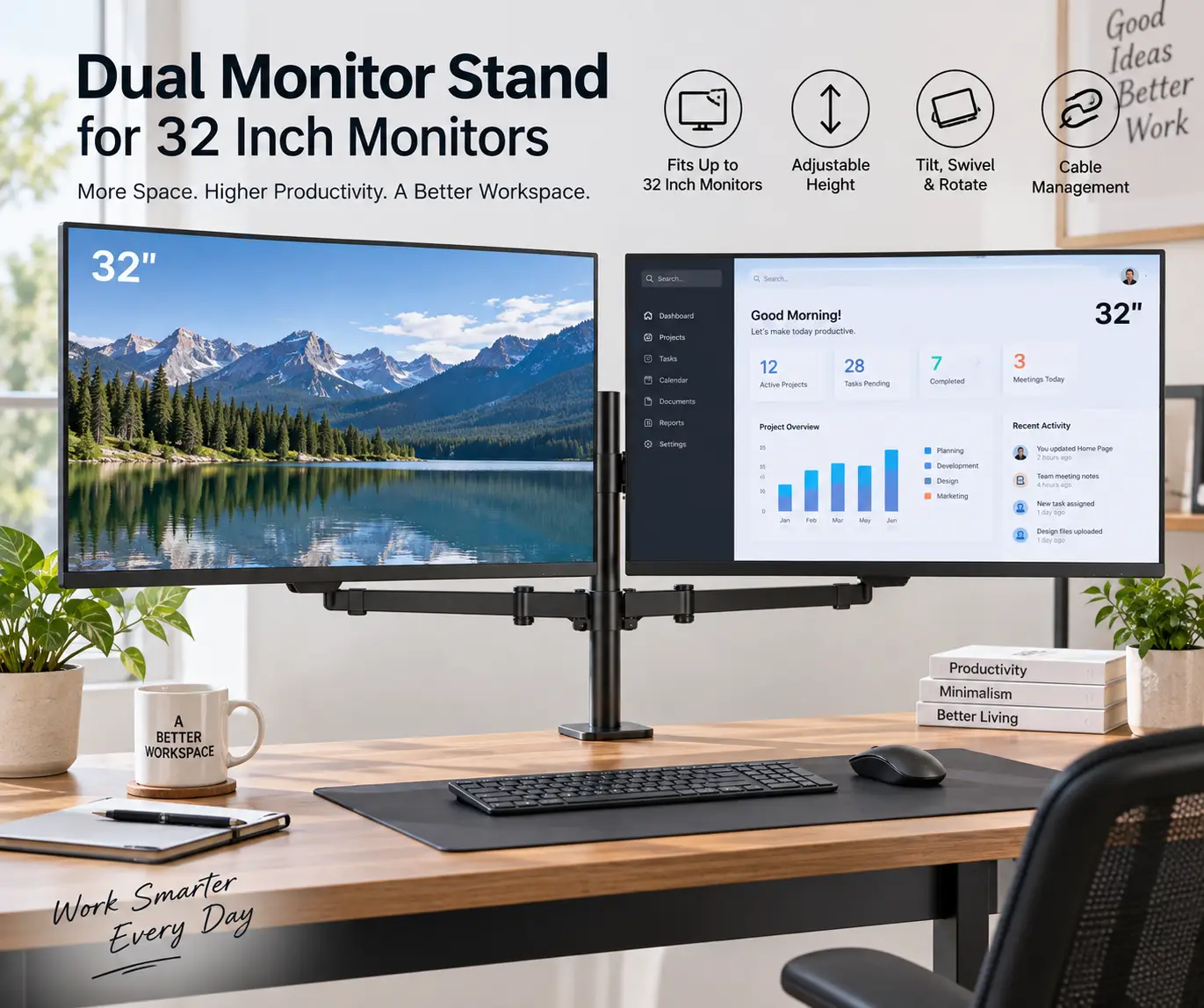
A dual monitor stand for 32 inch monitors is a desk-mounted or freestanding mount that holds two large monitors on adjustable arms instead of their factory feet, freeing up desk space while letting you tilt, swivel, and raise each screen independently. If you’ve ever tried to fit two 32-inch displays side by side on a standard desk, you already know the problem: their stock stands alone can eat up nearly two feet of depth, and getting both screens to eye level usually means stacking books under them like it’s 2011.
The good news is that the dual-monitor-arm market has matured a lot. Gas-spring and spring-tension arms that once buckled under anything heavier than a 24-inch panel are now routinely rated for 20+ pounds per side, which comfortably covers most 32-inch IPS and VA panels on the market. The catch is that “up to 32 inches” on a listing doesn’t always mean the arm will actually hold a 32-inch monitor comfortably over the long haul — weight capacity, VESA compatibility, and base stability all matter more than the size number alone.
This guide breaks down seven real, currently available options — from budget gas-spring arms under $50 to premium stacking arms built for daily abuse in busy offices — based on their published specs and aggregated customer feedback. We’ll also walk through how to size a stand correctly, what tends to go wrong with cheaper mounts, and how proper monitor height ties into basic ergonomic guidance on monitor positioning, which recommends keeping the top of the screen roughly 2-3 inches above eye level — one of the simplest ways to cut down on neck strain during long workdays.
As an Amazon Associate, this post contains affiliate links, and we may earn a commission from qualifying purchases at no extra cost to you.
Quick Comparison: Top Picks at a Glance
Before diving into the full lineup, here’s a snapshot of how the top picks stack up if you just want the short version.
| Stand | Best For | Weight Capacity (per arm) | Price Range |
|---|---|---|---|
| Ergotron LX Dual Stacking Arm, Tall Pole | Best overall build quality | Up to 22 lbs | Around $230–$300 |
| HUANUO FlowLift Dual Monitor Stand | Best value for most desks | Up to 19.8 lbs | Around $50–$70 |
| VIVO STAND-V002FG | Best stability on wobbly desks | Up to 22 lbs | Around $60–$100 |
| WALI GSDM002 Dual Monitor Stand | Best budget pick | Up to 17.6 lbs | Around $30–$50 |
| HUANUO HNDS7 Premium Dual Monitor Stand | Best for heavier 32″ panels | Up to 26.4 lbs | Around $90–$130 |
Looking at this table, the HUANUO FlowLift Dual Monitor Stand is the pick most people should start with, since it balances price and weight capacity well for a pair of standard 32-inch monitors. If your panels lean heavier — think VA gaming monitors or older LED-backlit displays — the extra headroom on the HUANUO HNDS7 Premium Dual Monitor Stand or the Ergotron LX Dual Stacking Arm is worth the higher price, since running near a stand’s rated maximum tends to shorten how long the gas spring holds tension.
💬 One click helps other shoppers make an informed choice too! 😊
Top 7 Dual Monitor Stands for 32-Inch Monitors: Expert Analysis
Choosing the right dual monitor stand for 32 inch monitors comes down to matching weight capacity, mounting style, and desk type to your actual setup — not just picking whatever has the most five-star reviews. Below are seven real, currently sold options that cover entry-level, mid-range, and premium price points, plus a couple of specialty picks for narrow desks and heavier displays.
1. Ergotron LX Dual Stacking Arm, Tall Pole — best build quality and long-term durability
If you only care about one thing — a mount that will still glide smoothly after five years of daily adjustments — this is it. Ergotron built its reputation on the original LX single-monitor arm, and the dual stacking version with the tall pole carries that same engineering into a two-screen setup.
Each arm is rated for roughly 7 to 22 pounds, which covers the overwhelming majority of 32-inch monitors on the market today, including heavier VA and curved panels. In practice, that headroom matters: an arm rated close to your monitor’s actual weight tends to sag or drift out of position within a year, while this one is rated well above what most 32-inch panels weigh. The Constant Force lift-and-pivot mechanism means you’re not fighting a stiff gas spring every time you reposition a screen, and the arm can stack monitors vertically or split them side by side depending on your desk layout.
Reviews consistently report that the Ergotron LX Dual Stacking Arm feels noticeably more solid than off-brand alternatives, with owners specifically calling out how little the screens drift once positioned, even after months of use. The trade-off is price — this is the most expensive stand on this list by a wide margin, and it’s aimed at buyers who see it as a one-time purchase rather than something to replace in two years.
This is the right choice for professionals who sit at the same desk eight-plus hours a day, shared workstations that see heavy daily adjustment, or anyone upgrading from a cheaper arm that already failed to hold position. Casual users with lighter, smaller monitors can likely skip the premium and save the difference.
Pros:
- ✅ Rated for up to 22 lbs per arm, well above most 32″ panels
- ✅ Backed by a 10-year manufacturer warranty
- ✅ Smooth, low-effort height and angle adjustments over time
Cons:
- ❌ Costs significantly more than every other pick on this list
- ❌ Tall pole design needs extra vertical clearance behind the desk
Expect to pay in the $230–$300 range depending on the retailer and any active promotions, so check the current price before buying. Given the 10-year warranty and documented long-term durability, this is genuinely good value for anyone who treats a monitor arm as a permanent fixture rather than a disposable accessory.
2. HUANUO FlowLift Dual Monitor Stand — best value for standard 32-inch setups
The FlowLift has quietly become one of the best-selling dual monitor arms on Amazon, and the spec sheet explains why: alloy steel construction, a full-motion gas-spring design, and a weight range of 4.4 to 19.8 pounds per arm that comfortably fits most 32-inch monitors without excess cost.
What the spec sheet doesn’t fully capture is how the C-clamp and grommet base combination works in practice — you get flexibility for desks with or without pre-drilled holes, and the tilt, swivel, and 360-degree rotation cover nearly every ergonomic adjustment a home office setup needs. Built-in cable clips keep HDMI and power cords from turning your desk into a tangle, though several owners note the clips are a bit snug for thicker cables.
Based on comparing the specs against pricier options, the FlowLift’s main advantage is that it doesn’t cut corners on the parts that actually fail first — the gas spring and the clamp hardware — while skipping extras like built-in USB hubs that drive up cost elsewhere in this lineup. Reviews consistently report zero drift or sagging with a pair of 27- to 32-inch monitors after weeks of regular repositioning, and the aggregated Amazon rating sits around 4.6 stars across tens of thousands of reviews, which is unusually high for a product in this category.
This is the stand to buy if you want a “set it and mostly forget it” solution without paying premium prices. It suits home offices, students, and anyone setting up their first proper dual-monitor workstation.
Pros:
- ✅ Strong reviewer consensus with a high volume of ratings
- ✅ Covers 13″ to 32″ screens with real headroom for 32″ panels
- ✅ 5-year manufacturer warranty at a mid-tier price point
Cons:
- ❌ Cable clips are on the small side for thick cable bundles
- ❌ No built-in USB passthrough, unlike the pricier HNDS7 model
Pricing typically falls in the $50–$70 range, making it one of the better value-per-dollar picks here — check the current price, since it does fluctuate with promotions.
3. VIVO STAND-V002FG Freestanding Dual Monitor Stand — best stability without desk clamps
Most dual monitor arms rely on a C-clamp biting into the edge of your desk, which is a problem if you rent your space, use a glass desk, or just don’t want visible clamp hardware. The VIVO STAND-V002FG solves that with a freestanding tempered glass base that sits on top of the desk instead of clamping to it.
The glass base isn’t just cosmetic — it’s a deliberate stability choice. A heavier, low-profile base counteracts the leverage of two extended arms holding 32-inch panels, which is exactly the failure point on cheap freestanding stands with flimsy plastic feet. Each arm supports up to 22 pounds (10 kg), with a full range of tilt, swivel, and 360-degree rotation, and the arms can be positioned in portrait or landscape orientation along the center pole.
What most buyers overlook with freestanding designs is that they trade a small amount of maximum height for a setup that takes seconds to move — no drilling, no clamp marks, and no fighting with a desk edge that’s the wrong thickness. Aggregated customer sentiment describes the glass base as noticeably steadier than plastic-based competitors, with several reviewers specifically mentioning it as a fit for glass or thin desks where a C-clamp isn’t practical. The most common complaint is that the glass base takes up a bit more desk footprint than a clamp mount, since there’s no way to tuck it off the back edge.
This is a strong pick for renters, glass-desk owners, or anyone who wants a premium look without permanent hardware.
Pros:
- ✅ No clamp or grommet drilling required
- ✅ Heavy glass base adds real stability under 32″ panels
- ✅ Full portrait/landscape flexibility for both screens
Cons:
- ❌ Takes up more desk footprint than a clamp-mounted arm
- ❌ Glass base can show fingerprints and needs occasional cleaning
Prices generally run in the $60–$100 range depending on configuration — always confirm the current price, since VIVO periodically runs promotions on this model.
4. WALI GSDM002 Dual Monitor Stand — best budget pick
Not everyone needs a premium arm, and the WALI GSDM002 is proof that a sub-$50 dual monitor stand can still be genuinely usable for 32-inch screens, as long as you’re realistic about its weight ceiling.
The gas-spring arms are rated for up to 17.6 pounds each, which covers lighter and mid-weight 32-inch monitors — most modern IPS panels in this size class fall comfortably under that number, though heavier VA or older LED panels can push close to the limit. Tilt runs from -35° to +35°, swivel covers a full ±90°, and the two-stage locking system supports both C-clamp and grommet mounting, so it adapts to most desk types without extra hardware purchases.
Here’s what the spec sheet doesn’t say outright: at this price point, you’re trading some long-term smoothness for upfront savings. A common theme in aggregated reviews is that the gas springs on budget arms like this one can lose a bit of tension over a couple of years of heavy daily use, occasionally requiring a tension screw adjustment — a normal characteristic of gas-spring mechanisms at any price, but more noticeable on lower-cost units. For light-to-moderate daily repositioning, though, owners consistently describe it as sturdy and easy to install, with the dual mounting options getting specific praise for flexibility.
This is the right stand for anyone setting up a budget home office, a secondary workstation, or a first dual-monitor setup where you’re not ready to commit to a $200+ arm.
Pros:
- ✅ Lowest price point of any pick on this list
- ✅ Dual C-clamp/grommet mounting covers most desks
- ✅ Full 360° rotation for portrait or landscape screens
Cons:
- ❌ 17.6 lb capacity leaves less headroom for heavier 32″ panels
- ❌ Gas spring tension can loosen with years of heavy use
Expect a price in the $30–$50 range at most retailers, making this one of the most accessible entries into a proper dual-monitor arm setup — as always, check the current price before ordering.
5. HUANUO HNDS7 Premium Dual Monitor Stand — best for heavier 32-inch panels
When your monitors run heavier than average — ultrawide-adjacent 32-inch curved displays, older LED panels, or anything north of 15 pounds — the HUANUO HNDS7 is built with meaningfully more headroom than most competitors in this roundup.
Each arm is rated to hold up to 26.4 pounds, covering screens from 13 to 40 inches, which means a pair of 32-inch monitors sits well within its comfort zone rather than near a weight ceiling. The aluminum construction and reinforced base are noticeably beefier than the standard FlowLift, and the model adds a genuinely useful extra: built-in USB ports on the arm itself, so you’re not reaching behind a monitor to plug in a flash drive or charge a phone.
Based on comparing the specs directly against the FlowLift, the practical difference comes down to weight headroom and that USB convenience — features that matter most if your current setup already struggles with monitors drifting downward over time, a common symptom of running an arm too close to its rated maximum. Aggregated review sentiment backs this up, with owners specifically calling out the stability improvement when mounting larger or heavier displays compared to lighter-duty stands, alongside praise for the cable management channels running along the arms and pole.
This is the pick for anyone upgrading from a stand that’s already sagging, or for buyers whose 32-inch monitors are on the heavier end of the spec sheet.
Pros:
- ✅ 26.4 lb capacity per arm — the highest on this list besides Ergotron
- ✅ Built-in USB ports for quick device charging
- ✅ 5-year manufacturer warranty
Cons:
- ❌ Costs noticeably more than the standard FlowLift model
- ❌ Bulkier footprint due to the reinforced base
Pricing typically lands in the $90–$130 range — as with any of these picks, check the current price at the time of purchase since it shifts with promotions.
6. Amazon Basics Dual Monitor Stand (Lift Engine Arm Mount) — best middle-ground pick
For buyers who want Ergotron-style engineering without the Ergotron price tag, the Amazon Basics Dual Monitor Stand is a straightforward, no-frills option that several longtime users describe as functionally similar to the original LX design at a fraction of the cost.
Each arm holds up to 20 pounds, which sits comfortably above what most 32-inch monitors weigh, and the lightweight aluminum construction keeps the whole unit from feeling top-heavy even at full extension. Tilt runs from 70 degrees back to 5 degrees forward, and both screens rotate independently 360 degrees for landscape-to-portrait switching — useful if you split your setup between a coding window and a browser tab in portrait mode.
What the listing doesn’t emphasize is how much the price on this model fluctuates — it’s been seen anywhere from roughly $55 to well over $100 depending on demand and promotions, so patience can pay off here. Reviews consistently describe smooth, easy setup and a 4.4-star aggregate rating across thousands of purchases, with the desk clamp fitting most standard desks between 0.4 and 2.4 inches thick without issue. The main knock in aggregated feedback is that Amazon’s own customer support for this house-brand item is less specialized than the dedicated support lines that HUANUO or Ergotron maintain for their monitor mounts specifically.
This is a solid pick for buyers who want dependable, mid-tier hardware without brand-name pricing, especially if you can catch it during a price dip.
Pros:
- ✅ 20 lb capacity per arm covers most 32″ monitors comfortably
- ✅ Lightweight aluminum build with smooth extension and retraction
- ✅ Strong aggregate rating across a large review base
Cons:
- ❌ Price fluctuates significantly, so timing your purchase matters
- ❌ Support is more generic than dedicated monitor-mount brands
Prices have historically ranged from around $60 to $110, so it’s worth checking the current price and price history before buying, since this is one of the more volatile listings in this category.
7. HUANUO Vertical Dual Monitor Mount (HM5) — best for narrow or shallow desks
Side-by-side isn’t the only way to run two 32-inch monitors, and if your desk is narrow, deep, or shared with other equipment, stacking one screen above the other solves a problem the other six picks on this list don’t address.
The HUANUO Vertical Dual Monitor Mount supports screens from 17 to 32 inches with a weight capacity up to 17.6 pounds per arm and a maximum stacked height of 31.5 inches, using a C-clamp base that takes up a fraction of the desk footprint a side-by-side arm needs. This configuration is a natural fit for trading dashboards, chat-heavy workflows, or streaming setups where one screen serves as a secondary reference display rather than an equal, side-by-side workspace.
Here’s what most buyers overlook about vertical stacking: it only works well if you’re not splitting attention equally between both screens all day, since the top monitor sits noticeably above natural eye level. For a primary-plus-reference setup, though, it’s genuinely more ergonomic than cramming two screens side by side on a desk that’s too shallow to support them properly. Aggregated reviews are more modest in volume than the FlowLift’s, but the sentiment leans positive, with buyers specifically noting how much desk space it frees up compared to a traditional dual-arm layout.
This is the right choice for narrow desks, secondary monitoring setups, or anyone whose primary workflow lives on one screen with the second used for reference rather than continuous focus.
Pros:
- ✅ Frees up significant desk width compared to side-by-side arms
- ✅ Ideal for narrow desks or shared workstations
- ✅ Clean cable routing along a single vertical pole
Cons:
- ❌ Top monitor sits above ideal eye level for all-day primary use
- ❌ Lower weight ceiling than the HNDS7 or Ergotron picks
Expect to pay around $45–$55 for this stand — a modest premium over the cheapest picks here, but reasonable given the specialized stacking design. Always confirm the current price before ordering.
Full 7-Stand Comparison Table
| Stand | Screen Size Range | Max Weight (per arm) | Mount Type | Price Range |
|---|---|---|---|---|
| Ergotron LX Dual Stacking Arm | Up to 40″ | 22 lbs | C-clamp/grommet | $230–$300 |
| HUANUO FlowLift | 13″–32″ | 19.8 lbs | C-clamp/grommet | $50–$70 |
| VIVO STAND-V002FG | 13″–32″ | 22 lbs | Freestanding glass base | $60–$100 |
| WALI GSDM002 | 13″–32″ | 17.6 lbs | C-clamp/grommet | $30–$50 |
| HUANUO HNDS7 | 13″–40″ | 26.4 lbs | C-clamp/grommet + USB | $90–$130 |
| Amazon Basics Dual Monitor Stand | Up to 34″+ | 20 lbs | Desk clamp | $60–$110 |
| HUANUO Vertical HM5 | 17″–32″ | 17.6 lbs | C-clamp (stacked) | $45–$55 |
Scanning across this table, weight capacity is the number that separates these picks more than screen size does, since all seven technically fit a 32-inch monitor on paper. If your panels are on the lighter side, the WALI GSDM002 or HUANUO FlowLift leave plenty of margin, while heavier displays are better matched to the HUANUO HNDS7 or the Ergotron LX Dual Stacking Arm, where the extra rated capacity translates directly into less long-term sag.
✨ Don’t miss these exclusive deals!
🔍 Take your workspace to the next level with this carefully curated lineup. Click a highlighted pick to check current pricing and availability, and get a setup that keeps both 32-inch monitors steady, ergonomic, and out of your desk’s precious real estate.
How to Set Up Your Dual Monitor Stand for 32-Inch Monitors
Getting a new dual monitor arm out of the box is the easy part — dialing it in correctly is where most of the day-to-day comfort comes from. Start by confirming your desk thickness against the clamp’s rated range before you begin; most C-clamps top out around 2.5 to 3.5 inches, and forcing an undersized clamp onto a thicker desk edge is a common cause of early wobble.
Mount the VESA plates to each monitor first, on a soft surface to avoid scratching the screen, then attach the arms to the base before hanging the monitors — trying to do it in reverse makes the arms fight against the monitor’s weight the whole time. Once both screens are attached, set the height so the top third of each display sits at or slightly below eye level, then adjust tilt and swivel afterward; doing height first prevents you from having to redo the other two adjustments.
A common first-30-days mistake is over-tightening the tension knob to stop a screen from drifting, which can prematurely wear the gas spring instead of solving the underlying issue — usually an overloaded arm or a loose VESA plate screw. Check all mounting screws again after the first week, since normal settling can loosen hardware that felt snug at installation. Cable management is worth doing properly the first time, too: route cords through the arm’s built-in clips before plugging everything in, since retrofitting cable routing after the fact usually means disconnecting cables you just organized.
Real-World Setups: Which Stand Fits Your Situation
Not every dual-monitor buyer has the same priorities, so it helps to think in terms of actual use cases rather than specs alone.
If you’re a remote software developer working from a small apartment desk, the HUANUO Vertical Dual Monitor Mount solves the desk-space problem directly — a primary coding screen at eye level with documentation or Slack stacked above it, on a footprint barely wider than a single monitor’s base. Budget for around $50, and expect the setup to take under 20 minutes.
A finance professional running dual spreadsheets and video calls all day, on a shared office desk that other people also use, is better served by the Ergotron LX Dual Stacking Arm. The 10-year warranty and documented long-term stability matter more here than upfront cost, since the arm will get adjusted by multiple people over its lifespan and needs to hold position reliably under that kind of daily wear.
A student or early-career professional setting up their first real workstation on a budget, likely on a desk they don’t plan to keep forever, fits the WALI GSDM002 or HUANUO FlowLift profile well. Both keep the upfront cost low while still covering standard 32-inch monitors with reasonable weight margin, and neither requires a long-term commitment if living situations change.
Solving Common Dual Monitor Stand Problems
A handful of issues come up repeatedly in aggregated customer feedback across nearly every brand in this category, and most have straightforward fixes.
Problem: One or both screens slowly drift downward over hours or days. This is almost always a sign the arm is loaded close to or past its rated weight capacity, or that the tension knob needs a quarter-turn adjustment. Confirm your monitor’s actual weight against the arm’s per-side rating before assuming the unit is defective.
Problem: The clamp won’t grip a thin or unusually shaped desk edge. Switch to the grommet mounting option included with most of the stands above, which threads through a drilled hole instead of clamping the edge — a better fit for glass desks, rounded edges, or desks under an inch thick.
Problem: Cable clutter defeats the point of a clean dual-monitor setup. Route all cables through the arm’s built-in channels before final tightening, and use a separate under-desk cable tray for the runs heading to your PC or wall outlet, since arm-mounted clips alone rarely handle a full cable bundle.
Problem: Monitors feel too close together or collide when swiveled. This usually means the VESA plates were mounted too close to the pole. Most arms allow for lateral spacing adjustments at the plate, so loosen the mounting screws and shift each plate outward before retightening.
How to Choose a Dual Monitor Stand for 32-Inch Monitors
Picking the right stand comes down to a handful of concrete checks rather than gut feeling. Work through these in order:
- Confirm your monitor’s actual weight, listed in the manual or on the manufacturer’s spec page, and choose an arm rated at least 20-30% above that number for long-term stability.
- Check your desk thickness against the clamp’s rated range, or plan on the grommet mount if your desk falls outside it.
- Verify VESA compatibility — most 32-inch monitors use 100x100mm, but some use 75x75mm, and a mismatch means the included plates won’t fit without an adapter.
- Decide between side-by-side and stacked orientation based on desk width and whether both screens get equal daily use.
- Factor in your desk material — glass, extremely thin, or rounded-edge desks often favor freestanding bases like the VIVO glass-base model over a clamp mount.
- Compare warranty length, since gas-spring arms are mechanical assemblies that can wear over years of daily use, and a longer warranty is a reasonable proxy for the manufacturer’s own confidence in the build.
- Set a realistic budget band based on how long you expect to keep the stand — a $30 arm on a desk you’re replacing in a year is a different calculation than a permanent home-office fixture.
Common Mistakes to Avoid When Buying a Dual Monitor Stand for 32-Inch Monitors
The single most common mistake is buying based on the “fits up to 32 inches” claim alone without checking the per-arm weight rating separately — screen size and monitor weight aren’t the same thing, and a 32-inch VA panel can weigh noticeably more than a 32-inch IPS panel of similar size. Skipping that check is how buyers end up with a mount that technically “fits” but sags within months.
A second frequent misstep is ignoring desk compatibility until after the stand arrives. Measuring desk thickness and confirming clamp range takes thirty seconds and avoids the hassle of a return. Buyers also tend to underestimate how much clearance a tall-pole design like the Ergotron LX Dual Stacking Arm needs behind the desk, which matters if the desk sits against a wall with limited depth.
Finally, many buyers assume all dual-arm stands include cable management, when in practice the quality of the clips varies significantly — a detail worth checking in the listing photos or Q&A section before assuming your setup will stay tidy out of the box.
Dual Monitor Arms vs. Built-In Monitor Stands
The stock stand that ships with most 32-inch monitors is designed for basic tilt and not much else, and comparing the two options side by side makes the trade-offs clear.
| Factor | Dual Monitor Arm | Built-In Monitor Stand |
|---|---|---|
| Desk space used | Small footprint (clamp or base only) | Large — full stand depth per monitor |
| Height adjustment | Full range, tool-free | Limited or none on budget monitors |
| Ergonomic positioning | Independent tilt/swivel/rotate per screen | Fixed angle, minimal repositioning |
| Cable management | Built-in routing channels | Usually none |
| Upfront cost | $30–$300 additional purchase | Included with the monitor |
Beyond the table, the real-world difference shows up most clearly in desk depth — two stock stands can eat over 20 inches of desk space combined, while a dual arm reclaims most of that for keyboards, notebooks, or a laptop. Independent testing of monitor arms has found that build quality, adjustability, and smooth operation vary significantly between models, which is exactly why weight rating and construction matter more than the size compatibility number printed on the box. For anyone running two 32-inch panels daily, the ergonomic and space gains from a proper arm tend to outweigh the added upfront cost within the first few months of use.
What to Expect: Everyday Performance
On paper, the specs across these seven stands look fairly similar — tilt, swivel, 360-degree rotation, VESA compatibility. In daily use, the differences show up in smaller ways: how much force it takes to reposition a screen, whether the arm holds its angle after a bump from a stray elbow, and how the mount handles a desk that gets knocked or leaned on regularly.
Gas-spring arms like the WALI GSDM002 and HUANUO FlowLift require a light push to move and generally hold position well under normal conditions, though heavier daily repositioning wears the spring faster than occasional adjustments. Premium options like the Ergotron LX Dual Stacking Arm use a different lift mechanism specifically engineered to resist that kind of wear, which is part of why it costs more. Freestanding options like the VIVO STAND-V002FG trade a small amount of adjustment smoothness for near-total immunity to desk vibration, since the weighted base isn’t transmitting typing or bumping motion up through a rigid clamp the way a C-clamp mount can.
Long-Term Cost and Maintenance
A dual monitor stand is a low-maintenance purchase, but it’s not a zero-maintenance one. Budget gas-spring arms may need a tension-knob adjustment every year or two as the spring naturally loses some force — a five-minute fix with the included hex key, not a sign of failure. Clamp hardware occasionally needs re-tightening after months of vibration from typing or nearby foot traffic, and VESA plate screws are worth a periodic check, especially in the first month after installation when normal settling occurs.
From a total cost of ownership perspective, a $250 Ergotron LX Dual Stacking Arm with a 10-year warranty works out to roughly $25 a year if you keep it that long, compared to a $40 budget arm that might need replacing every three to four years of heavy daily use — putting the annual cost closer to $10–$13 a year for the budget option. In other words, the premium pick isn’t automatically the better value; it depends entirely on how long you plan to keep the same desk setup and how heavily the arm gets used day to day.
Safety, Regulations, and Standards
Dual monitor stands aren’t subject to a dedicated federal safety standard the way furniture or electronics with power components are, but a few practical safety points are worth knowing. Every stand in this roundup uses the industry-standard VESA Mounting Interface Standard, a family of specifications from the Video Electronics Standards Association for attaching flat-panel displays to stands or wall mounts — checking your monitor’s VESA pattern (typically 75x75mm or 100x100mm) against the stand’s listed compatibility avoids a mismatched, unstable mount.
Clamp-style bases also carry a basic physical safety consideration: an under-tightened C-clamp on a desk near its maximum rated thickness can shift or loosen over time, particularly with taller stacked configurations. OSHA’s guidance on computer workstations is a useful general reference for setting monitor height and positioning correctly once your stand is installed, since proper ergonomic positioning is really the other half of what a good monitor arm is meant to deliver — the mount itself is only doing its job if the screens end up in a genuinely comfortable, neutral viewing position afterward.
Features That Actually Matter (and Ones That Don’t)
Weight capacity, VESA compatibility, and mount type (clamp vs. grommet vs. freestanding) matter more than almost anything else on the spec sheet, since they determine whether the stand will actually hold your specific monitors reliably for years. Warranty length is a reasonable secondary signal — manufacturers offering 5- or 10-year coverage are implicitly telling you how long they expect the mechanism to last.
Marketing terms like “heavy duty” or “premium” on their own don’t mean much without a number attached — always check the actual per-arm weight rating rather than trusting adjectives in the listing title. Built-in USB ports, like the ones on the HUANUO HNDS7, are a genuine convenience but not worth paying extra for for on their own if you don’t have a specific need for accessible ports at your monitor level. Similarly, extra rotation range beyond 360 degrees is largely irrelevant in daily use, since almost nobody rotates a monitor more than 90 degrees from landscape in typical desk work.
Frequently Asked Questions
❓ What weight capacity do I need for two 32-inch monitors?
❓ Can any dual monitor stand fit a 32-inch monitor?
❓ Are C-clamp or grommet mounts better for a dual monitor stand?
❓ How much does a good dual monitor stand for 32-inch monitors cost?
❓ Do dual monitor arms work on standing desks?
Conclusion
Choosing the right dual monitor stand for 32 inch monitors really comes down to matching weight capacity and mount type to your specific desk and displays, not chasing the cheapest or most expensive option by default. For most home offices, the HUANUO FlowLift Dual Monitor Stand hits the sweet spot between price and weight headroom, while the Ergotron LX Dual Stacking Arm is worth the premium for daily, heavy-use professional setups. Budget-conscious buyers do well with the WALI GSDM002, glass-desk owners should look at the VIVO STAND-V002FG, and anyone working with a narrow desk gets real value from the HUANUO Vertical Dual Monitor Mount.
Whichever stand you land on, the payoff is the same: two 32-inch screens positioned at proper eye level, a reclaimed few inches of desk depth, and a setup that’s actually built to handle daily repositioning instead of fighting you every time you adjust it.
✨ Ready to upgrade your desk? Check the current price on today’s top pick and give your 32-inch monitors the stand they deserve.
Recommended for You
- 7 Best Stackable Monitor Stands in 2026 (Tested Picks & Buying Guide)
- Monitor Riser for Dual Monitors: 7 Best Picks for 2026
- Monitor Mount Vertical: 7 Best Picks to Stop Neck Strain (2026)
Disclaimer: This post contains affiliate links. As an Amazon Associate, I earn from qualifying purchases made through these links, at no additional cost to you.
✨ Found this article helpful? Share it with someone who needs it! 💬🤗