
In This Article
Why the Best Keyboard Tray Can Change Your Whole Workday
If your shoulders creep toward your ears by 3 p.m., your desk is probably too tall for typing. Most desks sit around 29 to 30 inches high, which is fine for writing on paper but often a few inches too high for a relaxed keyboard posture. The best keyboard tray fixes that mismatch without forcing you to replace the desk, the chair, or your entire routine.
Here’s the thing, though: not every tray actually helps. A flat slide-out shelf that sits barely below the desktop can feel nicer while doing very little for your wrists. A tray that tilts the wrong way can even make things worse. So this guide focuses on what genuinely moves the needle: height, tilt, stability, and whether the tray will physically fit under your desk.
What Is a Keyboard Tray?
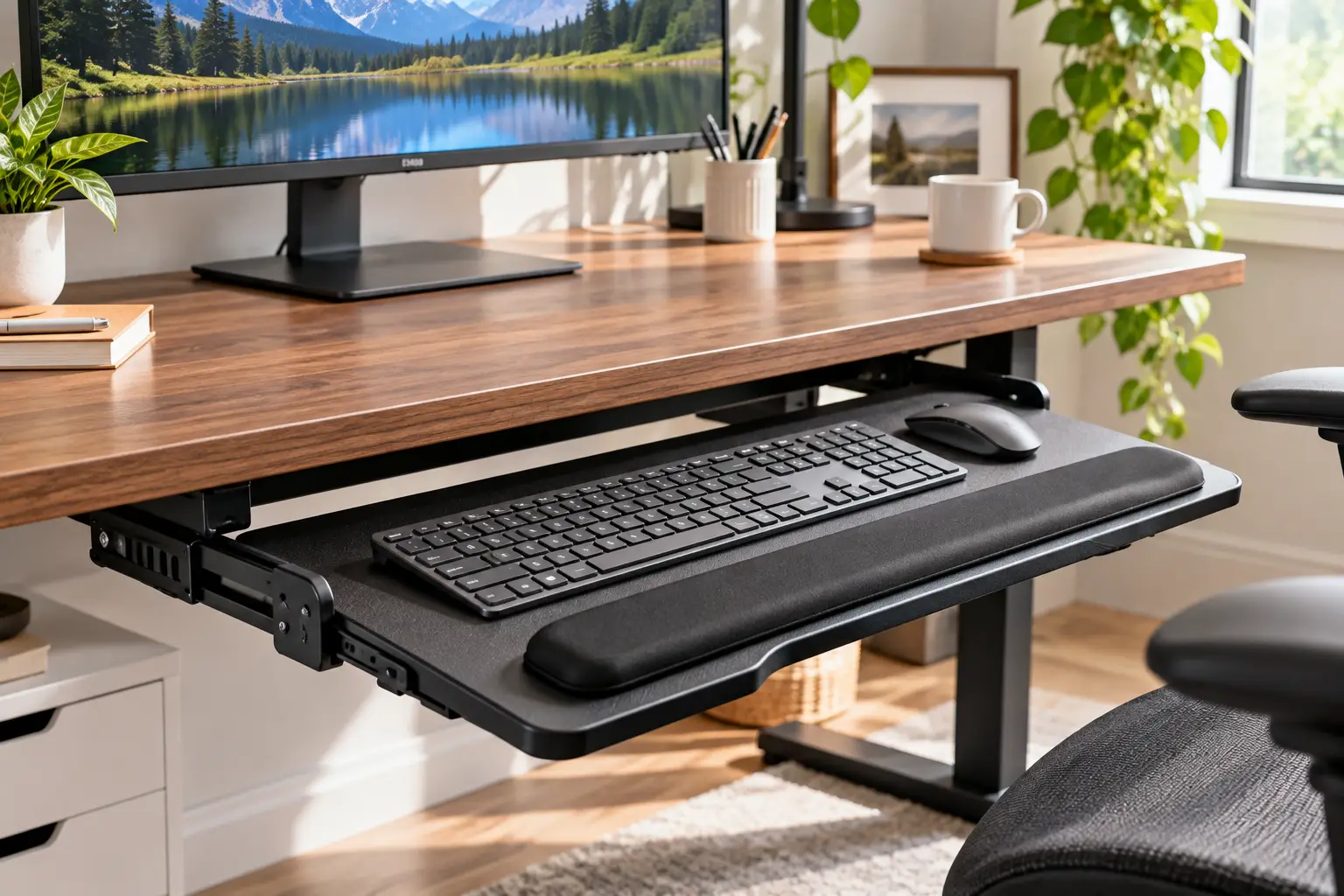
A keyboard tray is an under-desk platform that holds your keyboard (and often your mouse) below the desktop surface. Better models adjust in height and tilt, so you can type with relaxed shoulders, elbows near your sides, and wrists straight, which is the neutral posture most ergonomics guidance recommends.
That’s not just marketing talk. The OSHA Computer Workstations eTool on keyboards notes that a keyboard tray may be needed when your chair or work surface can’t be adjusted properly, and that a good one should adjust in height and tilt, leave room for your legs, and fit both a keyboard and a mouse.
Below, you’ll find seven real, currently listed trays on amazon.com, from budget clamp-on shelves to a fully articulating 3M arm. Each one gets an honest breakdown based on spec sheets and aggregated customer feedback, plus setup tips, fit checks, and a decision framework, so you pick the best keyboard tray for your body and your desk, not just the most popular one. ⌨️
Quick Comparison: Best Keyboard Tray Picks at a Glance
Short on time? This table sums up the seven trays covered below. Prices are approximate ranges at the time of writing and change often, so always check the current listing.
| Keyboard Tray | Mount Type | Tilt Adjustment | Approx. Price | Best for |
|---|---|---|---|---|
| VIVO MOUNT-KB05E | C-clamp, no drilling | None (flat) | $40–$60 | VIVO MOUNT-KB05E: most flat-bottom desks |
| BONTEC KMT01 | C-clamp, no drilling | None (flat) | $30–$50 | BONTEC KMT01: thicker desktops on a budget |
| HUANUO 25″ Adjustable Keyboard Tray | Screw-in track arm | 6° up / 22° down | $50–$90 | HUANUO 25″ Adjustable Keyboard Tray: sit-stand users who want negative tilt cheaply |
| EUREKA ERGONOMIC ERK-AKB-02 | Screw-in, beam or flat | Wide range (listed 43°) | $60–$120 | EUREKA ERGONOMIC ERK-AKB-02: desks with crossbeams |
| Kensington SmartFit K60004US | Screw-in drawer | None | $45–$75 | Kensington SmartFit K60004US: oversized or split keyboards |
| Fellowes Office Suites 9140303 | Screw-in drawer | None | $35–$55 | Fellowes Office Suites 9140303: small desks, compact keyboards |
| 3M AKT150LE | Screw-in 23″ track arm | +10° / −15° | $200–$320 | 3M AKT150LE: all-day typists at fixed-height desks |
Reading across the tilt column tells you most of the story. The VIVO MOUNT-KB05E, BONTEC KMT01, and both drawers simply lower your keyboard, which helps if your desk is too high but does nothing for wrist angle. If you type for hours and want true negative tilt, the HUANUO 25″ Adjustable Keyboard Tray is the cheapest way in, while the 3M AKT150LE adds a sturdier, more precise mechanism and a lifetime warranty for roughly three to four times the price.
💬 One click helps other shoppers make an informed choice too! 😊
Top 7 Best Keyboard Tray Picks for 2026: Expert Analysis
Every pick below is a real model listed on amazon.com at the time of research. The commentary is based on manufacturer spec sheets and the patterns that show up across customer reviews, not on hands-on testing, so you get the reasoning behind each verdict and can judge it for yourself.
1. VIVO MOUNT-KB05E — sturdiest no-drill shelf for most desks
The VIVO MOUNT-KB05E earns its spot as the default recommendation because it installs in minutes and holds still once it’s on.
The platform measures about 27 by 11 inches (roughly 33 inches including the clamps), which leaves room for a full-size keyboard and a mouse side by side. It slides out about 8.5 inches and carries up to 11 pounds. The alloy-steel C-clamps grip desktops up to 1.25 inches thick, so you never drill a hole, which matters on rented furniture or a nice solid-wood top.
Based on the specs, this tray suits anyone whose main problem is “my desk is too high and too cluttered.” It drops your keyboard a few inches and clears the desktop. What most buyers overlook is that it’s flat: no tilt, no height dial. VIVO does sell a separate height-adjustment kit (MOUNT-KB5SP) that adds 0.5 to 2.5 inches of drop in five steps.
Across well over ten thousand ratings averaging around 4.4 stars at the time of writing, reviewers consistently praise the stability and quick install. The recurring complaint is track alignment: the two rails need to be level and parallel, and a few buyers report a unit that slid roughly until exchanged.
Pros:
- ✅ No drilling, so it suits rentals and premium desktops
- ✅ Wide platform fits a full keyboard plus mouse
- ✅ Steel clamps feel solid once tightened
Cons:
- ❌ No tilt or height adjustment out of the box
- ❌ Won’t fit desks thicker than 1.25 inches
💲 Usually around $40–$60; excellent value if your desk is flat-bottomed and under 1.25 inches thick.
2. BONTEC KMT01 — best budget fit for thicker desktops
The BONTEC KMT01 solves the problem that rules out many clamp trays: a desktop that’s simply too thick.
The current KMT01-v02 listing quotes a 25.6 by 11.8-inch platform (31.3 inches with clamps) and clamps rated for desks up to 1.97 inches thick; some older listings cite 1.57 inches, so check which version you’re buying. It holds 11 pounds, and sponge pads on the clamps protect your finish. A 20-inch version exists for narrow desks.
Honestly, this is the tray for budget-conscious buyers with chunky butcher-block or office-grade tops. The trade-off is material: the platform is MDF with a carbon-fiber texture, not steel. BONTEC also warns it won’t work with curved, beveled, or rounded edges, or with crossbars directly underneath.
Aggregated reviews, with an average around 4.4 stars, highlight surprising stability for the price. Common gripes include alignment fiddling during install and the MDF feeling less premium than metal alternatives.
Pros:
- ✅ Clamps fit desktops up to about 2 inches thick
- ✅ Protective pads guard your desk surface
- ✅ One of the lowest-priced trays worth considering
Cons:
- ❌ MDF platform is less durable than steel
- ❌ Incompatible with beveled edges and front crossbars
💲 Typically $30–$50; strong value for thick desks where the VIVO won’t clamp.
3. HUANUO 25″ Adjustable Keyboard Tray — cheapest true negative tilt
The HUANUO 25″ Adjustable Keyboard Tray is where a keyboard tray stops being a shelf and starts being an ergonomic tool.
Instead of clamps, it uses a track with an articulating arm. Listings cite 6.3 inches of height adjustment, tilt of 6 degrees up and 22 degrees down, and left-right swivel. In practice, that downward tilt lets the front edge sit higher than the back, so your wrists stay straight instead of bending upward. It mounts to a flat desk bottom or across crossbeams, and HUANUO says the mechanism was cycle-tested 20,000 times.
On paper, this suits sit-stand users and long-hours typists who want negative tilt without paying 3M or Humanscale money. Here’s what to weigh: the platform is only 25 by 9.84 inches, so a full-size keyboard plus mouse feels snug.
Review roundups put it around 4.3 stars and consistently credit the range of motion and included wrist rest. We found less detailed review data than for the VIVO MOUNT-KB05E, so treat durability claims cautiously; the clearest practical drawback is that it must be screwed in, which rules out a no-damage install.
Pros:
- ✅ Real negative tilt at a mid-range price
- ✅ Works with flat bottoms or crossbeam desks
- ✅ Wrist rest and up to five-year warranty listed
Cons:
- ❌ Shallow platform crowds full-size setups
- ❌ Requires drilling screws into your desk
💲 Roughly $50–$90; the best value if negative tilt is your priority.
4. EUREKA ERGONOMIC ERK-AKB-02 — roomiest articulating tray for beam desks
The EUREKA ERGONOMIC ERK-AKB-02 gives you full articulation on a wider platform than most budget arms.
It offers a 28 by 10-inch carbon-fiber-textured surface, 360-degree swivel, a wide listed tilt range, and height adjustment. A raised lip keeps your keyboard from sliding when tilted, and a dual-mount design works on wood or MDF desks with or without support beams. In practice, those extra three inches over the HUANUO mean a mouse fits beside a tenkeyless board without hanging off the edge.
Based on comparing the specs, this is the pick for gamers and standing-desk owners whose frames include crossbars. One caveat: Eureka recommends wood or MDF tops, so glass or thin laminate desks are out.
With around 4.3 stars across roughly 1,600 ratings, reviewers like the range of movement. A theme in the feedback is that adjustments feel less silky than premium trays, though at least one reviewer argues the gap isn’t worth hundreds of dollars more.
Pros:
- ✅ Wider platform than most budget articulating trays
- ✅ Mounts with or without desk beams
- ✅ Lip prevents keyboard slide during tilt
Cons:
- ❌ Adjustment feel is rougher than premium mechanisms
- ❌ Heavy unit and limited to wood/MDF tops
💲 About $60–$120 depending on size and finish; a fair deal for full articulation.
5. Kensington SmartFit K60004US — widest drawer for oversized keyboards
The Kensington SmartFit K60004US is built for people whose keyboard doesn’t fit in ordinary drawers.
Its 26-inch-wide tray accepts oversize and ergonomically shaped models, including many split and curved boards, with an integrated mousing area beside the keys. It mounts at one of four heights, works on straight or corner (diagonal) workstations, and includes a full-length gel wrist rest, a mouse pad, and built-in cable management. Kensington’s SmartFit system uses a color-coded measuring chart to help you pick the mounting height that matches your body.
Based on the spec sheet, this suits office workers using an ergonomic keyboard like a split or wave-style board, where narrow drawers simply fail. What it doesn’t do is tilt; height is locked once you choose a mounting position, so it’s better for one-person desks than shared ones.
Review volume is modest (a few dozen ratings on office-supply sites, mostly positive about everyday use), and we couldn’t verify a large Amazon review base. Lean on the spec sheet here, and note that it screws into the desk.
Pros:
- ✅ Fits oversize and ergonomic keyboards comfortably
- ✅ Gel wrist rest and mouse pad included
- ✅ Corner-desk compatible with cable management
Cons:
- ❌ No tilt or on-the-fly height changes
- ❌ High-impact plastic feels less rigid than steel
💲 Generally $45–$75 with a three-year warranty; great value for ergonomic-keyboard owners.
6. Fellowes Office Suites 9140303 — most compact drawer for small desks
The Fellowes Office Suites 9140303 is the classic office keyboard drawer, and its compact size is the whole point.
The keyboard tray measures about 20 by 7.75 inches, with a separate 7.4 by 7.6-inch mouse platform that mounts on either side and tucks away. You choose one of three heights (1-3/4, 2-1/8, or 2-1/2 inches below the track), and ball-bearing glides keep the slide smooth. The tray is made from 100% recycled material.
What the spec sheet doesn’t say loudly: 7.75 inches of depth is shallow. A full-size keyboard fits, but a separate wrist rest probably won’t. That makes this ideal for compact or tenkeyless keyboards on a small home desk, and less ideal for heavy mouse users who want lots of room.
Customer feedback is generally positive about smooth sliding and the space it frees up. The most cited complaint is that the mounting brackets are plastic and can split if you over-tighten screws, so snug them gently.
Pros:
- ✅ Small footprint suits narrow or shallow desks
- ✅ Mouse platform mounts left or right
- ✅ Ball-bearing glides slide smoothly
Cons:
- ❌ Shallow tray leaves no room for wrist rests
- ❌ Plastic brackets can crack if overtightened
💲 Usually $35–$55; a sensible pick for small desks and light typing.
7. 3M AKT150LE — most adjustable arm for all-day typists
The 3M AKT150LE is the most capable tray on this list, and it’s priced like it.
Per 3M’s specifications, it rides a 23-inch track (your desk needs at least 23-1/4 inches of mounting depth), adjusts from 4 inches above the desktop to 6 inches below, and tilts from +10 to −15 degrees. It swivels 360 degrees, and the mouse platform tilts independently. Height and tilt indicators let you return to your exact setting, and the gel wrist rests carry antimicrobial protection. 3M backs it with a lifetime warranty.
Based on comparing the specs, this is the arm for writers, coders, and anyone typing six-plus hours at a fixed-height desk. One independent review lab flagged a real limitation: that long track is awkward on many sit-stand desks, so pair it with a conventional desk.
Independent review commentary highlights the easy rotating tilt handle and the generous adjustment range. We couldn’t verify a large Amazon review base, and several retailers showed it out of stock, so confirm availability before planning around it.
Pros:
- ✅ True negative tilt down to −15 degrees
- ✅ Independent mouse platform tilt and swivel
- ✅ Lifetime warranty on a commercial-grade arm
Cons:
- ❌ Long track suits fixed desks better than standing desks
- ❌ Costs several times more than clamp-on trays
💲 Roughly $200–$320; worth it if you type all day and plan to keep it for a decade.
Side-by-Side Specs: All 7 Keyboard Trays
| Model | Platform Size (approx.) | Height Range | Desk Requirement | Rating (approx.) | Best for |
|---|---|---|---|---|---|
| VIVO MOUNT-KB05E | 27″ x 11″ | Fixed (kit adds 0.5–2.5″) | Desk ≤1.25″ thick, flat underside | 4.4★ | VIVO MOUNT-KB05E: renters, no drilling |
| BONTEC KMT01 | 25.6″ x 11.8″ | Fixed | Desk ≤1.97″ (v02), no bevel | 4.4★ | BONTEC KMT01: thick desks |
| HUANUO 25″ Adjustable Keyboard Tray | 25″ x 9.84″ | ~6.3″ | Screw mount, flat or beams | ~4.3★ | HUANUO 25″ Adjustable Keyboard Tray: budget negative tilt |
| EUREKA ERGONOMIC ERK-AKB-02 | 28″ x 10″ | Adjustable | Wood/MDF, beams OK | 4.3★ | EUREKA ERGONOMIC ERK-AKB-02: wide articulating setup |
| Kensington SmartFit K60004US | 26″ wide | 4 mounting heights | Screw mount | Check listing | Kensington SmartFit K60004US: ergonomic keyboards |
| Fellowes Office Suites 9140303 | 20″ x 7.75″ + mouse tray | 3 heights | Screw mount, compact | ~4.4★ | Fellowes Office Suites 9140303: small desks |
| 3M AKT150LE | 26.5″ x 10.5″ | +4″ to −6″ | 23.25″ mounting depth | Check listing | 3M AKT150LE: heavy daily typing |
The pattern is clear: platform width and desk compatibility separate the clamp-on trays, while height range and tilt separate the articulating arms. If your desk is shallow, the 3M AKT150LE‘s 23-inch track may not fit at all, which pushes you toward the HUANUO 25″ Adjustable Keyboard Tray or EUREKA ERGONOMIC ERK-AKB-02. Ratings are tightly bunched, so let your desk measurements, not stars, make the final call.
✨ Don’t miss the right fit for your desk!
🔍 Take your typing setup to the next level with this carefully curated lineup. Click a highlighted tray to check current pricing and availability. The right pick will help you finish long workdays with relaxed shoulders and happier wrists!
How to Install and Dial In a Keyboard Tray: Your First 30 Days
A great tray installed badly is a bad tray. Follow this sequence and you’ll skip most of the frustration buyers describe in reviews. 🛠️
Before you unbox
- Measure your elbow height. Sit in your chair with feet flat, shoulders relaxed, and elbows bent about 90 degrees. Measure from the floor to the underside of your forearm. Your home-row keys should land at or slightly below that number.
- Measure the desk. Note thickness at the front edge, usable depth underneath, and where crossbars, drawers, or modesty panels sit. Clamp trays need a flat, unobstructed front edge; track trays need clear depth for the rail.
- Check thigh clearance. Lowering the keyboard means the tray body sits closer to your lap. Leave at least an inch or two of breathing room.
Installation day
- Mark the rail positions with painter’s tape first, then use a level or tape measure to keep both rails parallel. Most “sticky slide” complaints trace back to rails that are slightly out of line.
- On clamp trays, tighten each clamp evenly in turns rather than cranking one side fully.
- On drawers with plastic brackets, snug screws by hand; over-tightening is the top cause of cracked mounts.
Weeks one through four
- Week 1: Start flat or with a slight negative tilt, around 5 degrees. Expect your hands to feel “far away” at first.
- Week 2: Fine-tune height in small steps. If your shoulders rise, lower it; if your wrists bend up, add a little negative tilt.
- Week 3: Fold in your keyboard feet. Raised rear feet usually fight a negative-tilt tray.
- Week 4: Re-check bolts and clamps. Wood compresses slightly over the first month, so a quick re-tighten keeps everything wobble-free.
Which Keyboard Tray Fits You? Three Real-World Scenarios
Specs only matter in context, so here’s how the lineup maps to three common situations. 🧑💻
The remote worker renting an apartment
Picture someone typing six hours a day at an inexpensive 30-inch-high desk they can’t drill into. Budget: under $60. Here, the VIVO MOUNT-KB05E is the natural fit, since it clamps on, holds a full keyboard and mouse, and lowers the typing surface enough to drop the shoulders. If the desktop is thicker than 1.25 inches, swap to the BONTEC KMT01. Adding VIVO’s height kit gives a bit more drop without new holes.
The developer on a sit-stand desk
This person switches between sitting and standing several times a day and types eight-plus hours. Budget: under $120. Because negative tilt matters more for long sessions, an articulating arm beats a flat shelf. The HUANUO 25″ Adjustable Keyboard Tray delivers the most tilt per dollar; if the desk frame has crossbars and a wide keyboard plus mouse need space, the EUREKA ERGONOMIC ERK-AKB-02 makes more sense.
The office manager with a split keyboard
Someone with a wide, split ergonomic keyboard at a fixed corner desk needs width more than tilt. The Kensington SmartFit K60004US fits oversize boards and corner layouts. If the budget stretches past $200 and the desk is deep enough for a 23-inch track, the 3M AKT150LE adds tilt and swivel on top.
Keyboard Tray Problems and How to Fix Them
Most frustrations with an under-desk tray have simple fixes. Here are the ones that come up most often. 🔧
Problem 1: The tray bounces when you type. ✅ Check that clamps are fully tightened and sit on the solid desktop, not a thin overhang. On articulating arms, tighten the pivot knob and avoid typing at full extension; pulling the tray in an inch or two often removes most of the bounce.
Problem 2: The slide sticks or grinds. ✅ The rails are almost always out of parallel. Loosen one rail, align it with a tape measure at both ends, then re-tighten. This is the fix VIVO reviewers mention most.
Problem 3: Your knees hit the tray. ✅ Lower your chair slightly and add a footrest, or raise the tray a notch. On the Fellowes Office Suites 9140303, moving to the 1-3/4-inch setting gains clearance.
Problem 4: The mouse keeps falling off. ✅ Shallow trays like the HUANUO 25″ Adjustable Keyboard Tray crowd a full-size keyboard. Switch to a tenkeyless keyboard, or add a clamp-on mouse platform next to the tray.
Problem 5: Your wrists still ache. ✅ Check the angle. If the back of the keyboard sits higher than the front, your wrists bend upward. Fold the keyboard feet and add a few degrees of negative tilt.
How to Choose the Best Keyboard Tray
To choose the best keyboard tray, match it to your body first, your desk second, and your budget third. These seven steps keep you from buying a tray that looks great and fits nothing. 📏
- Find your target height. Your keyboard should sit at or just below seated elbow height. Subtract that from your desk height to learn how many inches of drop you need.
- Decide whether you need tilt. For light use, a flat shelf may be enough. For hours of daily typing, look for negative tilt, because it keeps wrists straight when the keyboard sits low.
- Measure desk thickness and edge shape. Clamp trays typically top out between 1.25 and about 2 inches and dislike beveled edges.
- Check what’s underneath. Crossbars, drawers, and modesty panels rule out many clamp trays; look for beam-compatible mounts.
- Size the platform to your gear. A full-size keyboard plus mouse needs roughly 25 inches of width or a separate mouse platform.
- Confirm track length and mounting depth. Articulating arms like the 3M AKT150LE need deep desks; measure before you buy.
- Weigh warranty against price. A lifetime or multi-year warranty often signals a mechanism built to survive daily adjustment.
Why this order? Because ergonomics research consistently ties comfort to position, not to the product itself. Cornell University’s ergonomics program describes the ideal typing posture as a keyboard placed below seated elbow height and gently sloped away from you, and it notes that studies have failed to show conventional, upward-angled trays substantially improve wrist posture. In other words, the tray only works if it puts you in that position.
Under Desk Keyboard Tray vs. Typing on the Desktop
An under desk keyboard tray wins mostly because standard desks are built for writing, not typing. When the keyboard sits on a 29- to 30-inch desktop, many people shrug their shoulders, flare their elbows, or bend their wrists upward to reach the keys. Lowering the keyboard a few inches lets the arms hang naturally.
| Factor | Under Desk Keyboard Tray | Keyboard on Desktop | Best for |
|---|---|---|---|
| Typing height | Adjustable or lowered 2–6″ | Fixed at desk height | Tray: shorter users, high desks |
| Wrist angle | Negative tilt possible (arm models) | Usually flat or tilted up | Tray: long typing sessions |
| Desk space | Frees the desktop | Keyboard takes surface area | Tray: small desks |
| Monitor distance | Lets you sit back from the screen | Pushes screen closer | Tray: big monitors |
| Setup cost | $30–$320 plus install time | Free | Desktop: occasional typists |
The table shows that the tray’s benefits stack up for people who type a lot, while casual users may get by with a lower chair and a footrest. If you only type 20 minutes a day, the desktop is fine. If your workday is mostly keyboard, a tray like the HUANUO 25″ Adjustable Keyboard Tray or VIVO MOUNT-KB05E pays for itself quickly in comfort.
There’s a hidden bonus, too. Because the keyboard comes toward you, you can push your monitor back to a more comfortable viewing distance, something a cramped desktop rarely allows.
Clamp On Keyboard Tray vs. Track-Mounted Arms
A clamp on keyboard tray and a screw-mounted track arm solve different problems, so it pays to know which one you’re actually buying.
Clamp-on trays: fast, renter-friendly, limited
The VIVO MOUNT-KB05E and BONTEC KMT01 grip the desk edge with C-clamps. That means no holes, a 15- to 30-minute install, and an easy move to your next desk. The catch is that the platform is fixed: it lowers your keyboard but doesn’t tilt, swivel, or change height. Clamps also need a flat edge with no bevel and no crossbar right behind it.
Track-mounted arms: adjustable, permanent
The HUANUO 25″ Adjustable Keyboard Tray, EUREKA ERGONOMIC ERK-AKB-02, and 3M AKT150LE screw a rail into the underside of the desk and hang an articulating arm from it. You gain height range, negative tilt, and swivel, so the tray can follow you through the day. You give up portability and an unblemished desk.
Which should you pick?
If your only problem is a desk that’s a little too high, a clamp on keyboard tray is the easy win. If you type for long stretches, share the desk, or switch between sitting and standing, the adjustability of a track arm is worth the screws.
Ergonomic Keyboard Tray Features That Actually Matter (and Ones That Don’t)
Marketing pages love the word “ergonomic.” Here’s how to tell which features genuinely make an ergonomic keyboard tray better. ⚡
Features that matter
- Negative tilt. This is the big one. A peer-reviewed study on negatively sloped keyboards, available through the CDC Stacks public-health library, found more wrist movements stayed near neutral as the keyboard angle became more negative, and net typing speed held up best around −10 degrees. Results on muscle activity were mixed, so think of tilt as a posture tool, not a cure.
- Height range. Several inches of adjustment let different users, or the same user sitting and standing, find elbow height.
- Stability. A tray that bounces makes you tense your shoulders, undoing the benefit.
- Room for the mouse. Reaching sideways for a mouse on the desktop recreates the shoulder strain the tray was meant to fix.
Features that matter less
- Built-in cable trays and RGB-style finishes. Nice, but they don’t change your posture.
- Positive tilt. Positive tilt raises the back of the keyboard above the front, which bends wrists upward. Premium trays like the Humanscale 6G deliberately block positive tilt for this reason.
- Giant wrist rests. A soft rest helps between bursts of typing, but resting on it while typing can add pressure to the wrist.
Adjustable Keyboard Tray Options for Standing Desks
An adjustable keyboard tray on a standing desk sounds redundant, since the desk already moves. Yet it often helps, because a desk set to the right monitor height is frequently a bit too high for the keyboard. A tray splits those two heights apart.
Two things matter most here. First, the underside: many electric desks have crossbars and motor housings right where clamps or rails want to go, which is why beam-compatible arms like the EUREKA ERGONOMIC ERK-AKB-02 and HUANUO 25″ Adjustable Keyboard Tray suit them. Second, track length. A long rail like the one on the 3M AKT150LE can collide with frames, and at least one independent lab review recommends it mainly for fixed-height desks.
When standing, add a little more negative tilt than when sitting, because your forearms angle down more steeply. Many users find the sweet spot by lowering the desk until elbows sit at about 90 degrees, then tilting the tray until wrists look straight from the side. 🧍
Long-Term Cost and Maintenance
The sticker price is only part of the cost of the best keyboard tray. A $45 clamp tray that lasts five years costs about $9 a year; a $280 arm with a lifetime warranty used for ten years runs about $28 a year, and it can follow you through several desks.
Maintenance is light but real. Every few months, wipe the rails, check clamp and bolt tightness, and confirm the tilt knob still locks firmly. For MDF platforms like the BONTEC KMT01, avoid spills, since swollen MDF can’t be repaired. If you share a desk, an adjustable arm also saves the hidden cost of each person working in a posture that doesn’t fit them.
Safety, Standards, and What OSHA Recommends
There is no federal certification that makes a keyboard tray “ergonomic,” so the label alone guarantees nothing. Instead, the practical benchmark in the US is OSHA’s voluntary guidance. Its computer workstations resources point to an eTool built around neutral posture, and OSHA’s purchasing checklist suggests that, for seated work, a tray’s vertical range should cover roughly 22 to 28 inches from the floor.
A few safety basics apply to every model:
- ✅ Respect the stated load limit; most clamp trays here are rated for 11 pounds.
- ✅ Never mount into particleboard that’s already cracked or swollen.
- ✅ Keep the slide path clear of cables that could snag and pull equipment off the desk.
If you’re in an office, ask whether your employer offers an ergonomic assessment. Many do, and a trained evaluator can confirm your height and tilt in minutes.
Frequently Asked Questions About Keyboard Trays
❓ Is a keyboard tray worth it if I already have a standing desk?
❓ Can I install a keyboard tray without drilling?
❓ What is the best keyboard tray for carpal tunnel concerns?
❓ Will a keyboard tray fit a desk with a drawer or crossbar?
❓ How wide should a keyboard tray be for a keyboard and mouse?
Conclusion: Finding the Best Keyboard Tray for Your Setup
The best keyboard tray is the one that puts your keys at elbow height, keeps your wrists straight, and actually fits under your desk. Everything else is a bonus.
If you want a quick, no-drill upgrade, the VIVO MOUNT-KB05E is the safest bet for most flat-bottomed desks, and the BONTEC KMT01 covers thicker tops for less. If you type for hours, step up to negative tilt: the HUANUO 25″ Adjustable Keyboard Tray is the budget gateway, the EUREKA ERGONOMIC ERK-AKB-02 adds width and beam compatibility, and the 3M AKT150LE is the long-term investment for fixed-height desks. Owners of split or oversize boards should look first at the Kensington SmartFit K60004US, while small desks are well served by the Fellowes Office Suites 9140303.
Before you click buy, grab a tape measure. Check your elbow height, desk thickness, edge shape, and what’s lurking underneath. Those four numbers rule out more trays than any review ever will. Then give yourself a few weeks to adjust, tweak the tilt in small steps, and re-tighten the hardware after the first month.
Your shoulders, wrists, and late-afternoon focus will notice the difference. ⌨️
🚀 Ready to type in comfort?
👉 Pick the tray that matches your desk measurements and click a highlighted product above to check current pricing and availability. Your future self, the one finishing the workday without sore wrists, will thank you!
Recommended for You
- Ergonomic Standing Chair: 7 Best Picks That Save Your Back (2026)
- Sit and Stand Desk Legs: 7 Best Frames Worth Buying in 2026
- Standing Desk for Tall People: 7 Best Picks That Fit in 2026
Disclaimer: This post contains affiliate links. As an Amazon Associate, I earn from qualifying purchases made through these links, at no additional cost to you.
✨ Found this article helpful? Share it with someone who needs it! 💬🤗