
In This Article
Uplift V2 Commercial in 2026: What It Is and Why It Still Matters
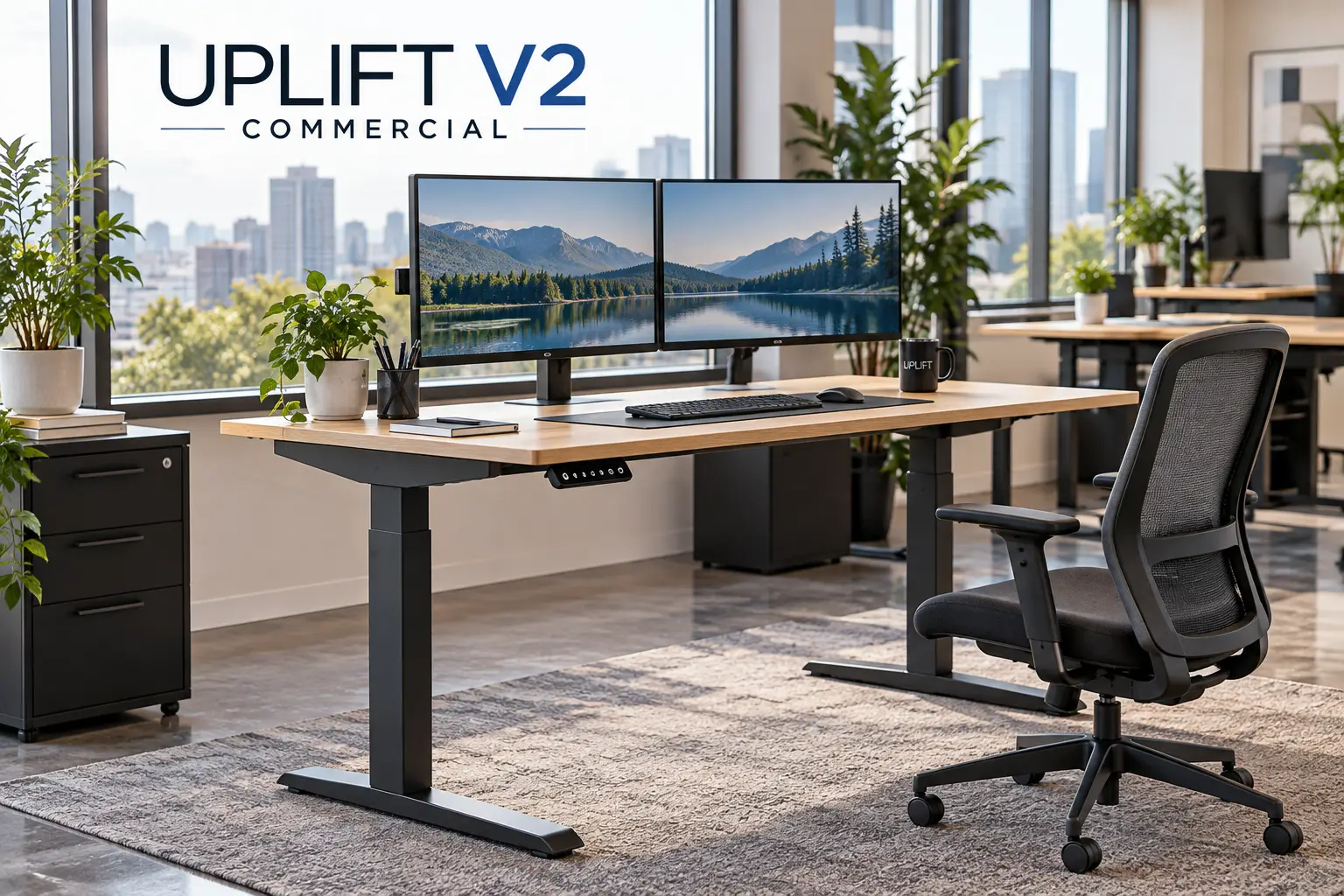
The Uplift V2 Commercial is a contract-grade electric standing desk frame from UPLIFT Desk, built around 3-stage legs, dual (or quad) motors, a low stability crossbar, and a wider height range than the standard V2. It lifts 355 lbs on the 2-leg version and 535 lbs on the 4-leg version, with a 15-year warranty.
So why write about it now? Because 2026 changed the story. In late 2025, UPLIFT folded both the standard V2 and the Uplift V2 Commercial into a single new frame, the V3. That means the V2 Commercial you find on Amazon today is outgoing stock — often cheaper than a comparable V3, but not something that will be restocked forever.
That creates a genuinely interesting buying decision. Do you grab a proven, heavily reviewed frame at a lower price, or pay a bit more for the newer design? And if you’re shopping the Uplift V2 Commercial mainly for its heavy lifting capacity, are there rivals from FlexiSpot, Vari, or VIVO that do the job for less?
This guide answers those questions honestly. We didn’t personally test these desks, so instead we compared real spec sheets and synthesized findings from independent lab reviewers and aggregated owner feedback. You’ll get a quick comparison table, seven detailed product breakdowns, setup and troubleshooting guides, and a no-nonsense look at long-term cost.
One quick ergonomics note before we dive in: no desk fixes bad posture on its own. The OSHA Computer Workstations eTool is a free, practical reference for monitor height, keyboard placement, and leg clearance — worth bookmarking before you pick your preset heights.
Quick Comparison: Uplift V2 Commercial vs. the Best Alternatives
| Product | Legs / Motors | Lift Capacity | Frame Height Range | Best for |
|---|---|---|---|---|
| UPLIFT V2-Commercial 2-Leg C-Frame | 2 legs / 2 motors | 355 lbs | 21.6″–47.7″ | Best for proven stability at a discount |
| UPLIFT V2-Commercial 4-Leg Bamboo Desk | 4 legs / 4 motors | 535 lbs | 21.6″–47.7″ | Best for heavy multi-monitor rigs |
| UPLIFT V3 2-Leg Standing Desk | 2 legs / 2 motors | 355 lbs | 21.6″–47.7″ (22.6″–48.7″ with top) | Best for buyers who want the newest design |
| FlexiSpot E7 Pro | 2 legs / 2 motors | 440 lbs | 25″–50.6″ | Best for tall users on a budget |
| FlexiSpot E7 Plus | 4 legs / 2 motors | 440 lbs lifting | 26″–51.6″ | Best for four-leg stability for less |
| Vari Electric Standing Desk | 2 legs / 2 motors | 200 lbs | 25″–50.5″ | Best for fastest out-of-box setup |
| VIVO DESK-E-200 Frame | 2 legs / 2 motors | 220 lbs | 28.5″–47.3″ | Best for DIY builders on a tight budget |
Reading the table, the big split is between minimum height and maximum height. The UPLIFT V2-Commercial 2-Leg C-Frame and UPLIFT V3 2-Leg Standing Desk go lowest, which matters for shorter users who sit most of the day, while the FlexiSpot E7 Pro and FlexiSpot E7 Plus reach higher for users over about 6’2″. Capacity-wise, the UPLIFT V2-Commercial 4-Leg Bamboo Desk is in a league of its own — but most home setups never come close to needing it.
💬 One click helps other shoppers make an informed choice too! 😊
Top 7 Picks: Uplift V2 Commercial and the Standing Desks That Rival It
1. UPLIFT V2-Commercial 2-Leg C-Frame — the proven all-rounder
This is the version most people mean when they say “V2 Commercial,” and it’s the benchmark every other desk here is measured against.
The legs are noticeably beefier than the standard V2’s — independent testers measured them at 90 x 60 mm versus 80 x 50 mm — and they’re inverted, with the thick tube at the bottom. That’s what lets UPLIFT weld in a low crossbar, which in practice means less side-to-side sway when you’re typing hard at standing height. The 3-stage legs deliver a 21.6″–47.7″ frame range, which UPLIFT says suits people roughly 4’11” to 6’5″. You also get 48 threaded mounting points, so accessories like keyboard trays bolt to steel rather than into your desktop.
Honestly, this frame is best for people who want a stable, well-documented desk and don’t need the newest model. It’s also a smart pick if you already own a nice desktop.
Reviews are generally positive on stability: TechRadar’s hands-on review of the V2 Commercial praised how solid it felt with a heavy butcher-block top. On the other hand, one lab reviewer found the anti-collision sensor overly touchy until the feet were perfectly leveled.
Pros:
- ✅ Thicker inverted legs reduce wobble at height
- ✅ 15-year warranty covers motors and electronics
- ✅ 48 mounting points make accessories easy
Cons:
- ❌ Low crossbar can bump shins and limit footrests
- ❌ Outgoing model, so stock and colors are shrinking
Frame-only pricing tends to land in the $500–$700 range (check the current price) — good value if you grab it below a comparable UPLIFT V3 2-Leg Standing Desk.
2. UPLIFT V2-Commercial 4-Leg Bamboo Desk — the heavyweight champion
If your desk holds a workstation tower, three monitors, speakers, and a small studio’s worth of gear, this is the version built for you.
The 4-leg frame adds a quad-motor design and a 535-lb lifting capacity — about 50% more than the 2-leg model. In practical terms, that headroom means the motors aren’t straining near their limit, which tends to translate into smoother travel and less wear over the years. The 1″ carbonized bamboo top in the Amazon bundle is harder than many solid woods, resists dents from dropped gear, and includes two wire grommets. The same 21.6″–47.7″ frame range applies, plus an advanced keypad with four memory presets, keypad lock, and min/max height limits.
This is the desk for video editors, streamers, and engineers with genuinely heavy setups — or for wide tops where a 2-leg frame would feel springy in the middle.
Reviewer feedback on the 4-leg version is enthusiastic about rigidity: one long-term owner review described monitor shake as something you have to actively try to cause, and noted the motors stay quiet despite their strength. Detailed independent teardown data specific to the 4-leg model is thinner than for the 2-leg version, so weigh that.
Pros:
- ✅ 535-lb lifting capacity with room to spare
- ✅ Four legs dramatically reduce wide-top bounce
- ✅ Durable bamboo top with grommets included
Cons:
- ❌ Legs at every corner limit under-desk storage
- ❌ Heavy, multi-box delivery needs two people
Expect this complete desk to sit above $1,000 (prices may vary) — worth it only if you actually need the capacity.
3. UPLIFT V3 2-Leg Standing Desk — the modern successor
The V3 is what UPLIFT now recommends instead of the Uplift V2 Commercial, and it fixes several of the older frame’s pain points.
The motors are rated at about 2″ per second, roughly a third faster than the V2’s 1.57″ per second — meaning a sit-to-stand move takes noticeably less time, so you’re more likely to actually switch positions. Assembly drops from 32 screws to 16, with the control box pre-installed. A stability plate in the feet replaces the low crossbar approach, and the FlexMount cable manager comes included. Capacity stays at 355 lbs, and the height range is essentially the same as the V2 Commercial.
It’s the right call if you want the newest hardware, faster assembly, and the longest runway of parts and accessory support. Warranty coverage also extends to the desktop.
Aggregated reviewer sentiment is strong: Wirecutter has kept UPLIFT as its top standing-desk pick, and TechRadar called the V3 a clear step up from both V2 lines. Wirecutter did note slightly more front-to-back wobble than the Vari at maximum height, though the difference was small.
Pros:
- ✅ Faster motors make switching positions more appealing
- ✅ Half the screws means much quicker assembly
- ✅ Included cable manager tidies the underside
Cons:
- ❌ Usually costs more than leftover V2 Commercial stock
- ❌ Max height won’t satisfy very tall users
Complete desks typically start around $600 and climb with desktop upgrades — the best long-term value if the price gap is small.
4. FlexiSpot E7 Pro — most height for tall users
FlexiSpot’s flagship 2-leg frame targets the two areas where UPLIFT is weakest: maximum height and price.
The frame reaches 50.6″ (25″ minimum), almost three inches higher than the Uplift V2 Commercial. If you’re around 6’2″ or taller, that difference is the gap between standing straight and hunching slightly all afternoon. The 440-lb capacity beats UPLIFT’s 2-leg frames, and the C-shaped legs are set toward the back, which frees knee and footrest space. The premium keypad adds a USB charging port and a child lock, and the frame fits desktops from 43.3″ to 74.8″ wide.
It suits tall users, gamers with heavy triple-monitor rigs, and anyone who wants 15-year frame coverage for less money.
Reviewer consensus is favorable: a 6’1″ TechRadar reviewer reported reaching a comfortable standing height with no slouching. Independent comparisons also note the E7 Pro’s 25″ minimum is higher than UPLIFT’s, which can matter for shorter users.
Pros:
- ✅ 50.6″ max height suits taller users
- ✅ 440-lb capacity beats UPLIFT’s 2-leg frames
- ✅ Rear-set legs free up extra legroom
Cons:
- ❌ 25″ minimum is too tall for some petite users
- ❌ Desktop warranty is shorter than the frame’s
Frames usually run around $400, and complete desks roughly $500–$650 (check the current price) — excellent value per pound of capacity.
5. FlexiSpot E7 Plus — four legs without the UPLIFT premium
The E7 Plus gives you four-leg stability at a price closer to a 2-leg UPLIFT desk.
It uses four legs driven by two motors, rated for 440 lbs while lifting and 540 lbs static. That static rating matters for people who lean on the desk or load it with heavy equipment that rarely moves. The frame’s 26″–51.6″ range is FlexiSpot’s tallest. The catch is speed: at about 1″ per second, a full sit-to-stand transition takes around 25 seconds, roughly three times as long as the fastest desks.
It’s best for tall users with heavy gear who set their presets once and switch a few times a day. If you like bouncing up and down hourly, the slow travel will test your patience.
Reviewers describe it as solidly built with impressive stability, while independent comparisons consistently flag the slow lift speed and high minimum height as the real trade-offs.
Pros:
- ✅ Four-leg base feels planted at full height
- ✅ Tallest range in FlexiSpot’s lineup
- ✅ Cheaper route to a four-leg setup
Cons:
- ❌ Slow 1″-per-second travel tests patience
- ❌ 26″ minimum is high for seated work
Frames generally sit around $500, with complete desks starting near $600 — strong value for four legs, as long as speed isn’t a priority.
6. Vari Electric Standing Desk — simplest setup in the group
Vari’s pitch is simple: minimal assembly, few decisions, and a desk that works within minutes.
The desktop arrives pre-wired, so setup is mostly attaching legs rather than routing cables, which is great news if you dread flat-pack furniture. The 25″–50.5″ range covers tall users well, and four memory presets handle daily switching. The limits are real, though: capacity is 200 lbs, there’s no anti-collision sensor, and the metal cable tray costs extra. In practice, 200 lbs still handles a dual- or triple-monitor setup, but it leaves less headroom than the Uplift V2 Commercial.
It’s a good fit for people who value convenience and a polished finish over configurability. Offices that need fast, repeatable setups also benefit.
Reviews are mostly positive on stability and ease of setup. Commonly cited drawbacks include the lower capacity, the missing anti-collision feature, and the extra cost for cable management. Vari now backs its full-size electric desks with a lifetime warranty, up from the older five-year term.
Pros:
- ✅ Pre-wired top makes setup genuinely fast
- ✅ Lifetime warranty on full-size electric desks
- ✅ Tall 50.5″ max height
Cons:
- ❌ No anti-collision sensor at this price
- ❌ 200-lb capacity trails UPLIFT and FlexiSpot
Expect roughly $650–$900 depending on size and finish — fair value for convenience, weaker value per pound of capacity.
7. VIVO DESK-E-200 Frame — budget DIY entry point
If you have a desktop already and a tight budget, this is the cheapest way into a dual-motor sit-stand setup here.
The frame uses dual motors with thermal overload protection and holds 220 lbs, which is enough for a laptop, two monitors, and peripherals. Its legs are 2-stage rather than 3-stage, so the range is narrower (28.5″–47.3″) and travel is slower at about 1″ per second. That 28.5″ minimum is the biggest practical limitation: many people under about 5’8″ will find their seated typing height is lower than that. You get three memory presets and a 3-year warranty, and it fits tops 40″–77″ wide.
It’s best for taller budget shoppers, secondary workstations, or anyone testing whether standing suits them before spending more.
Detailed independent reviews of this frame are limited, so we can’t summarize a large body of owner feedback with confidence — check the listing’s recent reviews before buying.
Pros:
- ✅ Lowest-cost dual-motor frame in this lineup
- ✅ Thermal overload protection guards the motors
- ✅ Fits a wide range of desktop sizes
Cons:
- ❌ High 28.5″ minimum excludes many shorter users
- ❌ 3-year warranty is short compared with rivals
Usually around $200 (prices may vary) — great value for a trial run, but not a long-term substitute for a commercial-grade frame.
Head-to-Head: Speed, Warranty, and Value
| Product | Claimed Speed | Warranty (Frame) | Typical Price Range | Best for |
|---|---|---|---|---|
| UPLIFT V2-Commercial 2-Leg C-Frame | 1.57″/s | 15 years | $500–$700 (frame) | Best for existing desktops |
| UPLIFT V2-Commercial 4-Leg Bamboo Desk | 1.57″/s | 15 years | $1,000+ | Best for extreme loads |
| UPLIFT V3 2-Leg Standing Desk | ~2″/s | 15 years | ~$600+ | Best for new buyers |
| FlexiSpot E7 Pro | ~1.5″/s | 15 years | $500–$650 | Best for tall users |
| FlexiSpot E7 Plus | ~1″/s | 15 years | ~$600+ | Best for four legs on a budget |
| Vari Electric Standing Desk | ~1.3″/s (measured) | Lifetime | $650–$900 | Best for quick setup |
| VIVO DESK-E-200 Frame | ~1″/s | 3 years | ~$200 | Best for first-time trials |
The speed column deserves a caveat: manufacturer figures are usually measured without load, and independent tests of the Uplift V2 Commercial clocked it closer to 1.35″ per second. Still, the ranking holds — the UPLIFT V3 2-Leg Standing Desk is quickest, and the FlexiSpot E7 Plus and VIVO DESK-E-200 Frame are slowest. Warranty is where the budget option falls furthest behind, which matters more than it looks, since motors and control boxes are the parts most likely to fail.
Getting Started: Setting Up Your Uplift V2 Commercial Frame the Right Way
A great frame can still feel wobbly or glitchy if the first hour goes wrong. Here’s how to set up an uplift v2 commercial frame (and most rivals) so it behaves from day one.
Before You Unbox 📦
- ✅ Recruit a helper. TechRadar’s reviewer finished assembly in about 45 minutes but still needed a second person to handle the heavy desktop safely.
- ✅ Clear floor space roughly twice the desk’s footprint, and lay down cardboard to protect the desktop finish.
During Assembly 🔧
- Level the feet first. This is the single most important step. One lab reviewer found the anti-collision sensor kept stopping the desk after a few inches until the feet were perfectly level. Use a bubble level (a phone app works) on the crossbar.
- Don’t overtighten screws into the desktop. Snug is enough; stripping particleboard or bamboo creates a weak point.
- Route cables before the first lift. Leave a service loop long enough to reach full standing height, or you’ll yank a plug the first time you stand.
Your First 30 Days 📅
- ✅ Set presets based on posture, not guesswork: elbows around 90 degrees, wrists neutral, monitor top near eye level.
- ✅ Start with 20–30 minutes of standing per hour, then adjust. Standing all day tends to trade back pain for foot pain.
- ✅ Add an anti-fatigue mat — it makes standing sessions noticeably more comfortable on hard floors.
- ✅ Respect the duty cycle. Many desk controllers (FlexiSpot’s E7 Pro manual lists 2 minutes on, 18 off) are designed for short bursts, not constant cycling.
Real-World Scenarios: Which Desk Fits Your Life?
Specs only matter in context, so here are three realistic buyer profiles and how they map to the picks above.
🎬 Profile 1: The Heavy-Gear Creator
Maya edits video from home on a full tower PC, three 27″ monitors on a monitor arm, studio speakers, and a mixer. Her total load is well over 150 lbs, and she stands for most afternoon editing sessions. Budget: flexible, up to about $1,300.
Best match: the UPLIFT V2-Commercial 4-Leg Bamboo Desk. The 535-lb capacity means the motors never work near their limit, and four legs keep a wide top from bouncing when she scrubs a timeline. If the 4-leg stock is gone, the FlexiSpot E7 Plus is the fallback, provided she can live with slower travel.
💻 Profile 2: The Petite Remote Worker
Jordan is 5’3″, works in customer support, and alternates between sitting and standing every hour. The setup is a laptop, one monitor, and a headset. Budget: around $500–$650.
Best match: the UPLIFT V2-Commercial 2-Leg C-Frame (with a desktop) or the UPLIFT V3 2-Leg Standing Desk. Both reach lower than the FlexiSpot and Vari options, so Jordan can type seated without a footrest. The VIVO DESK-E-200 Frame is a poor fit here — its 28.5″ minimum is too high.
🎮 Profile 3: The Tall Gamer
Chris is 6’4″, runs a triple-monitor gaming rig, and mostly stands during long sessions. Budget: under $650.
Best match: the FlexiSpot E7 Pro. Its 50.6″ max height gives Chris proper elbow height standing up, and the 440-lb capacity handles the rig easily. The Uplift V2 Commercial would leave him slightly hunched at full extension.
✨ Don’t miss the right desk for your setup!
🔍 Take your workspace to the next level with this carefully curated lineup. Click a highlighted desk to check current pricing and availability — the right pick will help you work comfortably for years!
Problem → Solution: Fixing the Most Common Uplift V2 Commercial Annoyances
Even a well-built desk has quirks. Here are the issues owners and reviewers bring up most often, with practical fixes.
⚠️ Problem 1: The desk stops and reverses for no reason
Solution: This is usually the anti-collision sensor reacting to an uneven floor. Level the feet carefully, then check the keypad’s sensitivity settings. If it persists, run the reset procedure in the manual (hold down until the desk reaches its lowest point and recalibrates).
⚠️ Problem 2: The desk shows an error code after loading new gear
Solution: The Uplift V2 Commercial includes overload protection that stops the motors when weight exceeds the rating. Remove some load, reset, and redistribute weight toward the legs rather than one far corner.
⚠️ Problem 3: Oily streaks appear on the legs
Solution: One lab reviewer noted grease can seep between leg stages, especially visible on black or white frames. Wipe with a dry microfiber cloth; it’s cosmetic, not a sign of failure. A silver or gray frame hides it best.
⚠️ Problem 4: You keep kicking the crossbar
Solution: Place your chair so your feet rest in front of the bar, or choose the UPLIFT V3 2-Leg Standing Desk or FlexiSpot E7 Pro, which don’t use a low crossbar.
⚠️ Problem 5: Wobble at standing height
Solution: Tighten frame bolts after the first week (wood settles), use a monitor arm clamped near a leg, and avoid thick carpet or put a hard mat under the feet.
How to Choose an Uplift V2 Commercial (or an Alternative): 6 Steps
- Measure your ideal heights. Sit and stand with elbows at about 90 degrees and measure from the floor to your forearm. This number, not your total height, decides which frame fits.
- Add up your equipment weight. Include the desktop itself. Most dual-monitor setups land between 50 and 70 lbs, so 355 lbs is generous; only extreme rigs need 535.
- Decide 2-leg vs. 4-leg. Four legs add stability on wide tops but eat under-desk space. For tops 72″ or narrower, a good 2-leg frame is usually enough.
- Check the minimum and maximum together. A desk that goes high but starts at 26″+ can leave shorter users typing with raised shoulders.
- Compare warranty terms, not just years. Look at whether motors, electronics, and the desktop are covered, and who pays shipping on claims.
- Consider frame design around your legs. A low crossbar (V2 Commercial) adds stability but limits footrests; C-frame legs (E7 Pro) free up room.
In short, weight and height fit should drive your decision more than brand. The ergonomic height standard behind these ranges is covered in the safety section below.
Uplift V2 Commercial vs V3: Should You Buy the Outgoing Model?
This is the question most shoppers searching for uplift v2 commercial vs v3 are really asking, and the answer depends on price.
Where the V3 Wins ⚡
The V3 is faster (about 2″ per second versus 1.57″), much easier to assemble (16 screws instead of 32), and ships with a cable manager included. Its stability plate replaces the low crossbar, so you gain foot room without, according to reviewers, sacrificing much steadiness. It also has the longest runway for replacement parts and accessories, since it’s the current product.
Where the V2 Commercial Still Wins 💰
Price, mainly. Industry comparisons in 2026 suggest leftover V2 stock on Amazon can run roughly $150 below a comparable V3 build. The Uplift V2 Commercial also has years of independent reviews and teardowns behind it, so its strengths and quirks are well documented. Heights are essentially identical between the two, so you’re not giving up fit.
The Verdict
If the price gap is small (under about $75), choose the UPLIFT V3 2-Leg Standing Desk — the convenience alone is worth it. If the gap is larger and you don’t mind a longer build, the UPLIFT V2-Commercial 2-Leg C-Frame is still an excellent desk carrying the same 15-year warranty. Both remain among the most recommended standing desks available.
What to Expect: Everyday Performance
Spec sheets describe ideal conditions; daily use is messier. Here’s how the numbers translate in practice, based on independent reviews rather than marketing.
Speed and Noise 🔊
UPLIFT lists 1.57″ per second and around 50 dB, but the BTOD lab’s Uplift V2 Commercial review measured roughly 1.35″ per second and 55–57 dB in motion. In real terms, that’s a gentle hum you’ll notice in a quiet room but won’t hear over a video call — and a sit-to-stand move of roughly 15–20 seconds.
Load Handling 🏋️
The same lab lifted the full rated 355 lbs with speed staying fairly consistent, which is reassuring. It also highlighted the overload protection, which prevents you from accidentally burning out the motors. Other testers noted the motors strain audibly near maximum load, so treat the rated capacity as a ceiling, not a daily target.
Stability ⚖️
Lateral stability at lower and mid heights is a consistent strength across reviews, thanks to the thicker legs and crossbar. At full extension, all 2-leg desks show some front-to-back movement; this uplift v2 commercial review consensus is that it’s minimal for typing, more noticeable if you lean on the desk.
Keypad and Daily Use 🎛️
The advanced keypad’s four presets are the feature you’ll use most. Setting a max height limit is underrated: it prevents a child (or a sleepy you) from sending monitors into a shelf.
Standing Desks vs. Traditional Desks and Converters
Is a full commercial-grade frame even necessary? Here’s how the main options compare.
| Option | Height Range | Workspace | Typical Cost | Best for |
|---|---|---|---|---|
| Electric standing desk (e.g., UPLIFT V2-Commercial 2-Leg C-Frame) | Full sit-to-stand | Full desktop | $500–$1,000+ | Best for daily all-day use |
| Desktop converter | Adds 4″–17″ on top | Reduced | $150–$450 | Best for keeping an existing desk |
| Manual crank desk | Full, but slow | Full desktop | $250–$500 | Best for rare adjustments |
| Fixed-height desk | None | Full desktop | $100–$400 | Best for sitting only |
The table shows why electric desks dominate: they’re the only option that combines a full work surface with effortless switching, which is exactly what makes people actually change position. Converters are a sensible middle ground if you love your current desk, but they raise your keyboard and monitor as a unit and can crowd the surface. Manual cranks sound economical until you realize 30 seconds of cranking discourages the frequent switching that makes standing worthwhile.
Long-Term Cost and Maintenance
A standing desk is a 10- to 15-year purchase, so upfront price tells only part of the story.
| Product | Approx. Price | Frame Warranty | Rough Cost per Covered Year | Best for |
|---|---|---|---|---|
| UPLIFT V2-Commercial 2-Leg C-Frame | ~$600 | 15 yrs | ~$40 | Best for long-term value |
| FlexiSpot E7 Pro | ~$550 | 15 yrs | ~$37 | Best for value plus height |
| Vari Electric Standing Desk | ~$750 | Lifetime | Lowest over time | Best for set-and-forget owners |
| VIVO DESK-E-200 Frame | ~$200 | 3 yrs | ~$67 | Best for short-term use |
The math flips intuition: the cheapest frame has the highest cost per protected year, because motors and control boxes are the components most likely to fail. The UPLIFT V2-Commercial 2-Leg C-Frame and FlexiSpot E7 Pro land in a similar sweet spot, while the Vari Electric Standing Desk‘s lifetime coverage makes it the lowest-risk option over a decade despite its capacity limits.
Simple Maintenance Schedule 🗓️
- ✅ Week 1: retighten all frame bolts after the wood settles.
- ✅ Every 3 months: wipe the legs, check cable slack, and confirm the desk is still level.
- ✅ Yearly: inspect the power cord and control box connections; clean dust from vents.
Also keep your order confirmation. UPLIFT covers shipping on warranty claims in the first year, and every brand will ask for proof of purchase.
Safety, Regulations, and Standards
Standing desks move heavy loads with electric motors, so certifications are more than marketing badges.
ANSI/BIFMA X5.5 🏅
This is the core US safety and durability standard for desks and tables used in offices, schools, and similar settings. BIFMA’s 2021 revision of the desk and table standard placed special emphasis on stability and height-adjustable surfaces, and added a test for stability with monitors attached. UPLIFT’s newer V2 Commercial spec sheets state compliance with X5.5-2021, while older ones cite the 2014 edition.
ANSI/BIFMA G1 (Ergonomic Heights) 📏
The G1 guideline defines recommended sitting and standing heights for a broad share of the population. UPLIFT designed the V2 Commercial frame to meet it, which is why its low 21.6″ frame minimum matters: it accommodates shorter users that many budget frames can’t.
Electrical Safety ⚡
Look for a UL or ETL listing on the control box. UPLIFT’s spec sheet lists UL certification for the US and Canada; Vari cites UL 962 on some models. Avoid plugging a desk into a cheap power strip shared with a space heater.
Practical Safety Tips 🧒
- ✅ Enable the keypad lock if kids or pets are around.
- ✅ Keep anti-collision enabled — it’s what stops the desk from crushing a chair arm or window sill.
- ✅ Never exceed the rated load; overload protection is a backup, not a feature to test.
Common Mistakes to Avoid When Buying a Commercial-Grade Standing Desk
Even careful shoppers stumble on these. Here’s what to watch for.
❌ Buying on Capacity Alone
A 535-lb rating sounds impressive, but a typical home office never uses a third of it. Paying extra for the UPLIFT V2-Commercial 4-Leg Bamboo Desk only makes sense with genuinely heavy gear or very wide tops.
❌ Ignoring Minimum Height
Most buyers check maximum height and forget the low end. If you’re under about 5’6″, a 26″–28.5″ minimum can force shrugged shoulders while seated — a quiet source of neck strain.
❌ Forgetting the Desktop Depth
Frames have minimum depth requirements (UPLIFT’s T-frame lists 27.7″). A shallow top can put monitors too close to your eyes and leave legs exposed at the edges.
❌ Skipping Cable Management
Loose cables are the leading cause of unplugged monitors mid-lift. Budget for a tray if it isn’t included, as with the Vari Electric Standing Desk.
❌ Assuming “Commercial” Means Indestructible
“Commercial” refers to testing standards and build, not unlimited abuse. Sitting on the desk or using it as a workbench can still void warranties.
❌ Not Checking Whether the Model Is Current
With the Uplift V2 Commercial being replaced by the V3, confirm the exact listing, colors, and seller before you buy. An authorized seller protects your warranty.
FAQ: Uplift V2 Commercial Buying Questions
❓ Is the Uplift V2 Commercial discontinued?
❓ Can I buy just the Uplift V2 Commercial frame without a desktop?
❓ Where should I buy the Uplift V2 Commercial standing desk, Amazon or UPLIFT's site?
❓ Does the Uplift V2 Commercial come with a cable tray?
❓ What's the return window if the desk doesn't fit?
Conclusion: Is the Uplift V2 Commercial Still Worth It?
The Uplift V2 Commercial remains one of the best-documented standing desks ever made: thick inverted legs, a low stability crossbar, a wide ergonomic height range, and a 15-year warranty that covers the parts most likely to fail. In 2026, its biggest selling point is price — leftover stock can undercut the V3 while delivering nearly identical heights and capacity.
Here’s the short version:
- ✅ Best overall value while stock lasts: UPLIFT V2-Commercial 2-Leg C-Frame
- ✅ Heaviest setups: UPLIFT V2-Commercial 4-Leg Bamboo Desk
- ✅ Newest and fastest: UPLIFT V3 2-Leg Standing Desk
- ✅ Tall users on a budget: FlexiSpot E7 Pro
- ✅ Four legs for less: FlexiSpot E7 Plus
- ✅ Easiest setup: Vari Electric Standing Desk
- ✅ Cheapest trial run: VIVO DESK-E-200 Frame
If the V3 costs only a little more, take the upgrade. If the gap is meaningful, the UPLIFT V2-Commercial 2-Leg C-Frame is still a desk you can confidently use for the next decade. Whatever you choose, measure your heights and total equipment weight first — those two numbers will steer you to the right frame better than any badge or brand name.
🚀 Ready to upgrade how you work?
💪 Click a highlighted desk above to check today’s price and availability, then set your presets and enjoy moving more — your back, focus, and energy will thank you!
Recommended for You
- Electric Standing Desk Legs: 7 Best Picks to Beat Wobble in 2026
- Electric Stand Up Desk Frame: 7 Smartest Picks for 2026
- Standing Desk for Tall Person: 7 Proven Picks That Reach (2026)
Disclaimer: This post contains affiliate links. As an Amazon Associate, I earn from qualifying purchases made through these links, at no additional cost to you.
✨ Found this article helpful? Share it with someone who needs it! 💬🤗