
In This Article
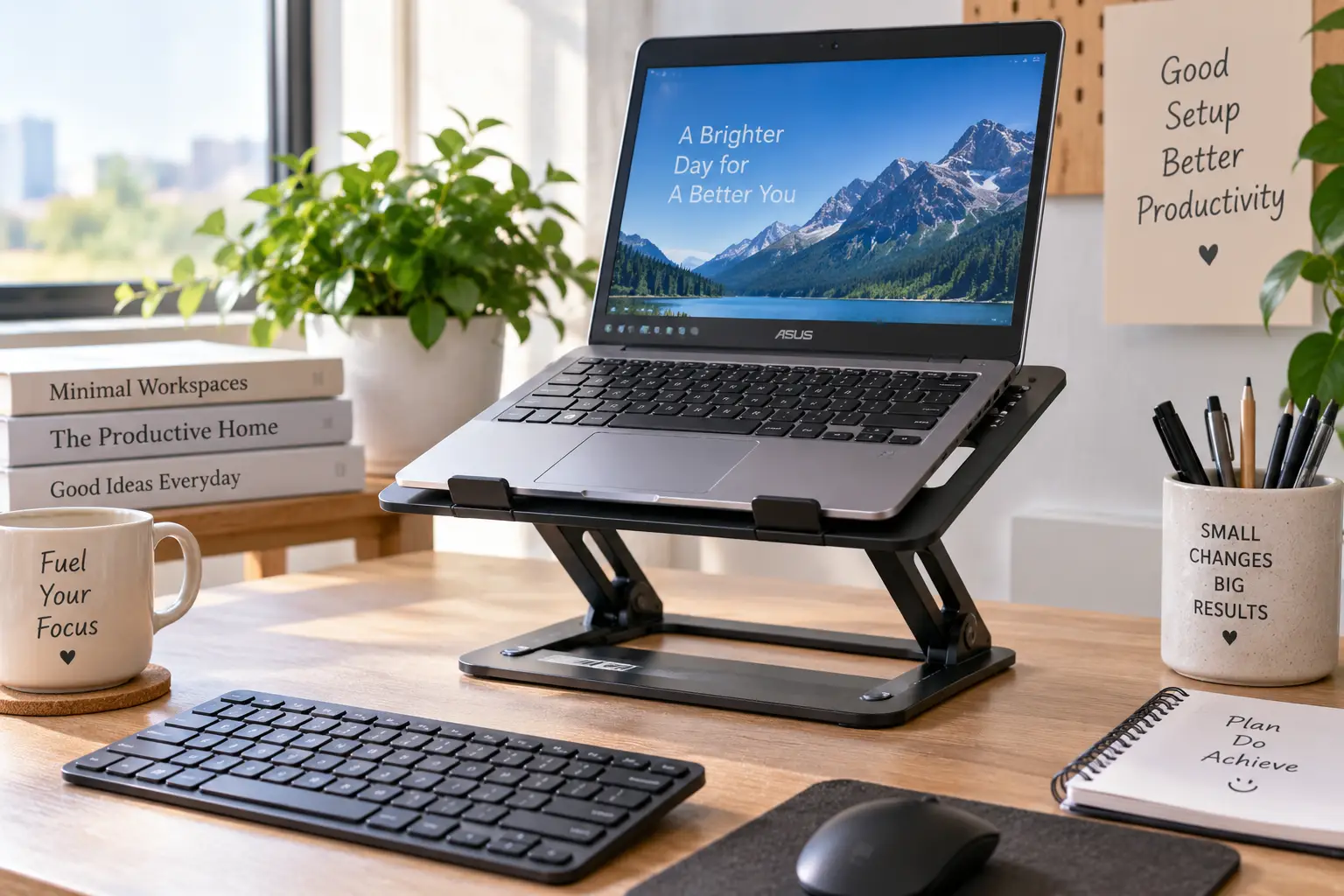
If you’ve ever hunched over a tiny 10-inch screen for a full workday, you already know the problem: netbooks and other ultraportables are wonderfully light, but their small, low-slung displays practically force you to crane your neck downward for hours at a stretch. A netbook riser solves that single problem elegantly — it lifts your screen closer to eye level, opens up airflow underneath the chassis, and turns a cramped little machine into something closer to a real workstation.
This guide breaks down seven real, currently available options, from ultra-thin adhesive designs that live permanently on the back of your machine to rock-solid aluminum stands built for a fixed desk setup. We’ll walk through what actually matters when shopping for a netbook riser (as opposed to a riser designed for a bulky 17-inch gaming laptop), where each pick shines, and where it falls short. Every recommendation here is grounded in real specs and real aggregated customer feedback — never invented reviews or fabricated hands-on testing — so you can make a confident, well-informed call. Whether you’re outfitting a Chromebook, an old-school netbook, or any other compact laptop, there’s a fit for your desk, your bag, and your budget below.
Quick Comparison: Netbook Risers at a Glance
| Product | Best For | Price Range | Weight |
|---|---|---|---|
| Nexstand K2 | Budget-conscious buyers | around $25–$30 | ~7 oz |
| Roost Laptop Stand V3 | Frequent travelers | around $80–$90 | ~6.5 oz |
| MOFT Laptop Stand (Adhesive) | Minimalist, always-attached setups | around $20–$25 | ~3 oz |
| MOFT Z 5-in-1 | Sit-stand flexibility | around $50–$65 | ~1.2 lb |
| Nulaxy C3 | Everyday desk use on a budget | around $30–$45 | ~1.8 lb |
| Rain Design mStand | Permanent, premium desk setup | around $50–$70 | ~3 lb |
| Amazon Basics Foldable Stand | First-time riser buyers | around $12–$18 | ~1 lb |
Looking at the table, the split comes down to how much you value portability versus permanence. The Nexstand K2 and Amazon Basics Foldable Stand win on price and pack-ability, while the Rain Design mStand trades portability for the kind of rigidity you only get from a single block of machined aluminum. If your netbook rarely leaves your desk, weight matters far less than stability; if it lives in a backpack, a few ounces make a real difference over a semester or a year of commuting.
💬 Ready to stop hunching over that little screen? Scroll down to see which netbook riser fits your setup best! 😊
Top 7 Netbook Risers for 2026: Expert Picks
Netbooks and other compact laptops present a specific challenge for riser shopping: many stands are engineered around 15- and 16-inch laptops, with grips, hinges, and weight ratings that are overkill (and sometimes a poor fit) for an 11-inch chassis. The seven picks below were chosen because they handle small, lightweight machines particularly well — either through adjustable grips, minimal footprints, or simply because the netbook’s featherweight body sits well within their design tolerances.
1. Nexstand K2 — best budget folding riser
The Nexstand K2 built its reputation as the go-to cheap alternative to pricier folding stands, and for netbook owners specifically, it’s a smart starting point. The stand folds into a package about the size of a pen case and pops open into a full-height riser in seconds.
Its glass-fiber-reinforced nylon frame offers seven to eight height settings, lifting a laptop’s rear edge anywhere from roughly 6 inches to 12.6 inches off the desk. In practice, that means you can dial in a height that puts even a small 10- or 11-inch screen close to eye level rather than settling for whatever angle the hinge happens to land on. The rated 20-pound capacity is far more than a typical 2- to 3-pound netbook will ever need, so stability isn’t really in question for this weight class specifically.
This is the pick for anyone who wants the ergonomic benefit of a riser without spending real money to get it, and it’s particularly well suited to students or anyone testing whether an elevated setup actually helps before committing to a pricier option. Aggregated customer feedback is largely positive on value, though reviews consistently mention that the stand feels less sturdy at its tallest settings and that the small plastic spacer clips included for slimmer laptops are easy to misplace. For a netbook’s low weight, the wobble at full extension is a minor issue rather than a dealbreaker.
Pros:
- ✅ Extremely affordable for a fully adjustable riser
- ✅ Folds down small enough for any bag
- ✅ Seven-plus height settings for real customization
Cons:
- ❌ Feels less rigid at maximum height
- ❌ Loose spacer clips are easy to lose
Expect to pay in the $25 to $30 range, and at that price, it’s hard to find better value for a first netbook riser.
2. Roost Laptop Stand V3 — lightest premium travel pick
The Roost V3 is the stand most frequently compared to the Nexstand K2, and understanding why it costs roughly three times as much tells you a lot about what you’re paying for in this category. Its patented rigid folding frame and self-adjusting pivot grips are engineered in the United States from nylon, Delrin, and thermoplastic elastomer rather than a single molded plastic shell.
The V3 offers seven height settings and lifts a laptop screen 6.5 to 12.5 inches, folding down to a genuinely pocketable 1 x 1.5 x 13-inch strip that weighs about 6.5 ounces — lighter than most smartphones. For a netbook, that self-locking mechanism matters more than raw weight capacity: it means the stand won’t slip or collapse mid-use, something budget copies occasionally struggle with when a machine sits off-center.
Reviewers who tested the V3 alongside the Nexstand consistently note that the Roost feels noticeably sturdier and more polished, with a smoother folding action and none of the loose parts the budget option carries. The trade-off is clear in the aggregated feedback too: several buyers call the price “hefty” relative to what is, at its core, a folding metal bracket. For business travelers who fly weekly, though, the weight savings and reliability tend to justify the premium over a multi-year ownership period.
Pros:
- ✅ Among the lightest laptop risers available
- ✅ Self-locking mechanism prevents mid-use collapse
- ✅ US manufacturing with premium materials
Cons:
- ❌ Roughly three times the price of comparable folding stands
- ❌ Requires a separate keyboard and mouse for full ergonomic benefit
Pricing generally falls between $80 and $90, positioning it as a premium travel accessory rather than an impulse buy.
3. MOFT Laptop Stand (Adhesive) — thinnest always-attached option
MOFT took a different approach entirely: instead of a separate accessory to carry, its original laptop stand is a reusable adhesive panel that sticks permanently to the underside of your machine. At roughly 0.1 inch thick and 3 ounces, it disappears against the chassis when folded flat and pops up into two viewing angles — 15 and 25 degrees — when needed.
Built from PU and fiberglass composite, the panel is rated to support laptops well beyond typical netbook weight, so load capacity is never a concern here. What actually matters for a netbook riser in this category is the removable, no-residue adhesive: it’s designed to reattach repeatedly without leaving marks, which means you’re not committing to a single bonding.
Because it lives on the laptop itself, this is the pick for anyone who has lost or forgotten a separate stand one too many times. Aggregated reviews from retail listings describe the setup as quick — essentially one motion to flip it open — and praise how unobtrusive it is day to day. The honest trade-off, and it’s a real one: the lift is modest compared to a full folding stand, and there’s no open-frame ventilation benefit the way there is with a stand that lifts the whole chassis off the desk.
Pros:
- ✅ Permanently attached — never left behind
- ✅ Ultra-thin and virtually unnoticeable
- ✅ No-residue adhesive can be reapplied
Cons:
- ❌ Limited height lift compared to folding stands
- ❌ Less airflow underneath than open-frame designs
Typical pricing lands around $20 to $25, making it one of the more affordable premium-feeling options on this list.
4. MOFT Z 5-in-1 — best for switching between sitting and standing
The MOFT Z takes the brand’s origami-inspired folding approach and scales it up into a genuine sit-stand riser. In standing mode, it lifts the laptop to roughly 25 centimeters (about 10 inches); in sitting mode, it offers four selectable angles rather than a single fixed tilt. The Z-structure folds flat for storage or transport and is rated to hold up to 10 kilograms, or about 22 pounds — again, far beyond what any netbook will ever weigh.
For someone who alternates between sitting and standing through the workday, this is a category most budget risers simply don’t address. A fixed 6-inch aluminum stand or a basic folding bracket gives you one working height; the MOFT Z gives you two distinct modes without needing to buy two separate products.
Here’s an honest note on the data: independent customer review volume for the Z specifically is thinner than for MOFT’s original adhesive stand, so rather than manufacture a sentiment that isn’t well documented, it’s fairer to say the spec sheet is the strongest evidence in its favor — the dual-mode folding mechanism and stated weight rating are well documented by the manufacturer and retailers, even where a large independent review base isn’t yet available. What most buyers overlook with a stand like this is that the added flexibility comes with a small size and weight penalty versus a single-mode folding stand.
Pros:
- ✅ Genuine sit-stand flexibility in one product
- ✅ Four sitting-mode angles for fine-tuning
- ✅ Folds flat for easy storage
Cons:
- ❌ Bulkier folded than single-mode competitors
- ❌ Pricier than a basic folding riser
Expect a price range of roughly $50 to $65 depending on the retailer and bundle.
5. Nulaxy C3 — best value aluminum desk riser
The Nulaxy C3 marks the point where a netbook riser shifts from all-plastic construction to a metal build, and that shift matters more than it might seem. An aluminum alloy frame doesn’t just look and feel sturdier — it also conducts heat away from the laptop’s underside far more effectively than plastic, which is a real consideration for netbooks that already run warm thanks to their cramped internal layouts.
The C3 is a detachable three-piece design compatible with laptops from 10 to 16 inches, with an open-back layout specifically meant to maximize airflow. It disassembles for storage, which is a nice touch if desk space is tight. Manufacturer and retailer listings report a five-year warranty, a longer commitment than most stands in this price bracket offer.
Aggregated customer sentiment is strongly positive, with reviewers describing the build as noticeably more solid than plastic alternatives at a similar price. The honest caveat, echoed across independent write-ups, is that the hinge and neck feel slightly less rigid than what you’d get from a premium one-piece aluminum stand like the mStand below — a reasonable trade for a lower price point.
Pros:
- ✅ Aluminum build improves heat dissipation
- ✅ Detachable design for easy storage
- ✅ Long five-year warranty coverage
Cons:
- ❌ Hinge feels less rigid than premium one-piece stands
- ❌ No dedicated narrow-width grips for the smallest netbooks
Pricing typically runs from $30 to $45, squarely in the middle of this lineup.
6. Rain Design mStand — best premium fixed riser
Originally designed to visually match Apple’s aluminum desktop displays, the Rain Design mStand is machined from a single solid piece of aluminum rather than assembled from multiple parts. That single-piece construction is the whole story here: there’s no hinge to loosen over time, no joint to wobble, and the metal body doubles as a passive heat sink.
The mStand lifts a laptop about 6 inches — enough to bring a netbook’s small screen meaningfully closer to eye level — and includes a rear cable-routing hole to keep a charging cable tidy. Silicone pads at the contact points protect the laptop’s finish. Because a netbook weighs a fraction of what a 15-inch MacBook Pro does, the mStand’s typical load tolerance is never remotely challenged, and the stability that reviewers praise on heavier machines is even more pronounced with a lighter one sitting on top.
Long-running reviews of the mStand are consistently favorable on build quality, with customer ratings on retailer sites frequently sitting at or near the top of the scale; the most common complaint across aggregated feedback isn’t a functional flaw but the price relative to what is, materially, a shaped block of metal. That’s a fair critique, and it’s the honest trade-off: you’re paying for machining precision and permanence, not portability, since the mStand has a fixed height and doesn’t fold.
Pros:
- ✅ Rock-solid, single-piece aluminum construction
- ✅ Doubles as a passive heat sink
- ✅ Integrated cable management
Cons:
- ❌ Fixed height with no adjustability
- ❌ Doesn’t fold or travel well
Prices generally sit between $50 and $70 depending on finish and retailer.
7. Amazon Basics Foldable Laptop Stand — best low-risk starter pick
Not every buyer needs to commit real money to find out whether an elevated laptop setup helps their neck and shoulders, and that’s exactly the gap this stand fills. It’s a six-angle adjustable, foldable design rated for laptops from 10 to 15.6 inches, making it a comfortable fit for netbooks on the smaller end of that range.
There isn’t much to overthink here: it’s a lightweight metal frame that folds flat, offers a handful of tilt angles rather than a wide continuous range, and does the fundamental job of getting a screen up off the desk surface. For a first-time buyer, that’s often all that’s needed to figure out whether the ergonomic benefit is worth pursuing further with a pricier stand.
Because this is a widely distributed private-label product, review volume is large but individual sentiment is mixed the way it tends to be with generic accessories — plenty of buyers report satisfaction with the basic functionality at the price, while others note the angle adjustments feel less refined and the frame flexes more than a dedicated aluminum stand under a heavier load. For a netbook’s light weight, that flex is far less likely to be an issue than it would be with a bulkier machine.
Pros:
- ✅ Lowest price point on this list
- ✅ Six adjustable viewing angles
- ✅ Folds flat for storage or travel
Cons:
- ❌ Feels less premium than dedicated aluminum stands
- ❌ Angle range is more limited than continuous-adjustment stands
Typical pricing runs from $12 to $18, making it the easiest possible entry point into this category.
Below the table, here’s what stands out: for pure portability, the Roost Laptop Stand V3 and MOFT Laptop Stand trade price for genuinely disappearing into a bag; for a permanent desk setup, the Rain Design mStand and Nulaxy C3 trade portability for rock-solid stability. Budget-first buyers should start with the Nexstand K2 or Amazon Basics Foldable Laptop Stand before spending more.
✨ Don’t miss these exclusive deals!
🔍 Take your netbook setup to the next level with this carefully curated lineup. Click a highlighted pick to check current pricing and availability, and give your neck and shoulders the break they’ve been asking for.
Setting Up Your Netbook Riser: A 30-Day Ergonomics Guide
Buying a netbook riser and actually setting it up correctly are two different projects, and most of the posture benefit lives in the second one. In week one, resist the urge to just eyeball the height. Sit in your normal chair, look straight ahead, and adjust the riser until the top third of your screen lines up with your eyeline — that’s the baseline OSHA’s ergonomic guidance for computer workstations recommends, and it applies just as much to an 11-inch netbook as it does to a full desktop monitor.
By week two, the keyboard becomes the real bottleneck. Once your netbook is elevated, typing directly on its built-in keyboard puts your wrists at an awkward upward angle. This is the point where most people either add a compact external keyboard and mouse or quietly abandon the riser altogether — don’t skip this step, since it’s the single biggest factor in whether the setup actually reduces strain. A basic Bluetooth or USB keyboard costs a fraction of what the riser did and completes the ergonomic picture.
Week three is a good checkpoint for maintenance: wipe down any rubber or silicone contact pads, since dust buildup there can make a netbook feel less secure on the stand over time, and re-check that folding hinges still lock firmly. Week four is about habit — most people report that after roughly a month, the elevated setup stops feeling unusual and reverting to a flat desk position starts to feel wrong instead. If neck or shoulder discomfort hasn’t improved by that point, the riser height likely still needs adjustment rather than the whole approach needing to be abandoned.
A common first-30-days mistake worth flagging early: setting the riser to its maximum height “for good measure” rather than the height that actually matches your eye level. Taller isn’t automatically better — a screen that sits too high forces the neck backward almost as much as one sitting too low forces it forward.
Real-World Netbook Riser Scenarios: Matching the Stand to Your Life
The commuting student. Picture someone carrying an 11-inch netbook between classes and a part-time job, working in short bursts in libraries, coffee shops, and dorm common areas. Weight and fold-down size matter more here than anything else, which makes the Nexstand K2 or the adhesive MOFT Laptop Stand the natural fits — both disappear into a backpack pocket, and the MOFT in particular never needs to be packed separately since it lives on the machine itself.
The hybrid remote worker. This person splits time between a home office and occasional coworking days, and wants the option to stand periodically without buying a full standing desk. The MOFT Z 5-in-1 is built exactly for this pattern, offering a real standing mode alongside multiple sitting angles, while still folding flat enough to move between rooms or take along on a coworking day.
The budget-conscious first-timer. Someone who suspects a riser would help but isn’t ready to spend real money to find out. The Amazon Basics Foldable Laptop Stand is the lowest-friction way to test the concept, and if it proves out, upgrading later to the Nulaxy C3 or Rain Design mStand is a natural next step rather than a wasted purchase.
The permanent desk setup. A user whose netbook essentially never leaves a single desk, paired with an external keyboard and mouse full time. Here, portability is irrelevant and stability is everything — the Rain Design mStand‘s single-piece aluminum construction is difficult to beat, with the Nulaxy C3 as a strong value alternative for a similar use case at a lower price.
What Is a Netbook Riser?
A netbook riser is a stand or bracket that elevates a small laptop’s screen closer to eye level while improving airflow underneath the chassis, reducing neck strain and heat buildup compared to using the machine flat on a desk. Designs range from folding brackets to fixed aluminum blocks to adhesive panels.
The category grew out of the broader laptop stand market, but netbooks and other ultraportables — machines that were, as Wikipedia’s overview of the netbook category explains, defined by small screens, low weight, and budget pricing when the term was coined in the late 2000s — present a slightly different set of needs than a 15-inch workhorse laptop. A stand engineered for a 6-pound gaming laptop is often oversized and overbuilt for a 2-pound netbook, which is exactly why the picks above lean toward lighter, more compact designs rather than heavy-duty stands meant for bulkier machines.
How to Choose an Adjustable Netbook Stand
- Match the weight rating to reality, not marketing. A netbook rarely exceeds 3 pounds, so nearly every stand on the market technically supports it — don’t pay extra for a 40-pound capacity you’ll never approach.
- Prioritize height range over raw height. A stand that adjusts from 6 to 12 inches gives you room to fine-tune eye-level positioning; a fixed 6-inch stand only works if that height happens to match your setup.
- Check the grip width for slim machines. Some folding stands include spacers specifically for thin laptops — confirm the stand accommodates your netbook’s front-edge thickness before buying.
- Decide between portable and permanent early. If the netbook travels daily, weight and fold-down size should outrank build material; if it lives at one desk, prioritize rigidity instead.
- Consider ventilation, not just elevation. An open-frame or aluminum design dissipates heat better than a solid plastic base, which matters more on netbooks with limited internal cooling.
- Factor in an external keyboard and mouse. Any adjustable netbook stand that lifts the screen also lifts the built-in keyboard out of a comfortable typing position — budget for a compact external set alongside the stand itself.
- Read aggregated review themes, not star ratings alone. A 4.5-star average tells you little; look for recurring specific complaints (wobble, lost parts, weak adhesive) across multiple reviews before buying.
Netbook Stand for Desk vs Portable Laptop Riser: Which Do You Need?
This is less a battle between two products and more a question about where your netbook actually spends its time. A netbook stand for desk use — something like the Rain Design mStand or Nulaxy C3 — prioritizes stability, cable management, and often passive cooling, at the cost of being heavier and bulkier to move. A portable laptop riser — the Roost Laptop Stand V3, Nexstand K2, or MOFT Laptop Stand — prioritizes low weight and a small folded footprint, sometimes at a modest cost to raw rigidity at extreme heights.
The honest answer for most buyers is that this isn’t strictly either-or. Someone who works primarily at a home desk but occasionally brings the netbook to a coffee shop or a client site is better served by a portable riser used consistently in both places than by owning two separate stands. Someone whose netbook genuinely never leaves one room, on the other hand, gains real, measurable stability from a fixed desk riser that a folding stand can’t quite match — the single-piece aluminum designs simply don’t have a hinge to develop play over time. If you’re unsure which camp you fall into, track how many days per week the laptop actually leaves the desk; more than two or three days a week tips the calculation firmly toward portable.
Mini Laptop Stand Considerations for 10 to 12 Inch Netbooks
Most laptop stand compatibility ranges are written with 13- to 17-inch machines in mind, and a genuine 10- or 11-inch netbook sits right at the edge of that range — worth double-checking before you buy rather than assuming “fits laptops 10 to 17 inches” automatically means a great fit. A mini laptop stand needs to handle two things a larger-laptop stand doesn’t always account for: a thinner front edge (many netbooks measure under 2 centimeters at the hinge) and a narrower overall footprint that can sit awkwardly on a grip designed for a 15-inch chassis.
Folding stands with adjustable spacers, like the Nexstand K2, specifically address the thin-edge problem, while aluminum stands with a flat platform rather than clamping grips, like the Rain Design mStand, sidestep the issue entirely since they simply support the laptop’s underside rather than gripping its edges. The practical takeaway: if your netbook is on the smaller end of the size spectrum, favor either an adjustable-grip folding design or a flat-platform aluminum stand over anything with fixed-width clamps sized for larger laptops.
Common Mistakes to Avoid When Buying a Laptop Riser Stand
The single most common mistake is buying based on the lowest price without checking the stated laptop size range — a stand rated for “13 to 17 inches” may technically hold a smaller netbook but won’t grip it securely, since the contact points were engineered for a wider chassis. Read the compatibility specs closely rather than assuming “universal” claims apply evenly across the full size range.
A second frequent error is skipping the external keyboard and mouse entirely. Elevating a netbook without adding separate input devices just moves the strain from your neck to your wrists, since you’re now typing on a keyboard positioned well above a comfortable working height. Budget for the full setup, not just the stand.
Third, buyers often overlook portability needs until after the purchase. A beautifully rigid aluminum stand is a poor fit for someone who assumed they’d bring it to a coworking space twice a week; check the folded dimensions and weight before buying, not after realizing it doesn’t fit the laptop bag.
Finally, some buyers skip checking real aggregated review themes in favor of star ratings alone. A product sitting at 4.6 stars can still have a recurring, specific complaint — a weak hinge, an adhesive that loses grip in heat, a spacer that’s easy to lose — that matters enormously for your specific use case even though it barely dents the overall average.
Netbook Riser vs Traditional Lap Desks and Cooling Pads
| Feature | Netbook Riser | Lap Desk | Cooling Pad |
|---|---|---|---|
| Best for | Eye-level screen positioning | Couch or bed use | Passive heat reduction |
| Portability | High to moderate | Low | Moderate |
| Improves posture | Yes, significantly | Minimal | No |
| Adds cooling | Often, via elevation | No | Yes, via fans |
| Typical price | around $15–$90 | around $20–$50 | around $15–$40 |
The comparison makes the distinction clear: a lap desk solves a comfort problem for couch or bed use but does almost nothing for screen height, while a cooling pad tackles thermal management with active fans but leaves posture completely unaddressed. A netbook riser is the only one of the three built specifically around the eye-level problem, and several picks above — the aluminum Nulaxy C3 and Rain Design mStand in particular — deliver a meaningful cooling benefit as a side effect of their open, elevated design, without needing a powered fan at all.
Long-Term Cost and Maintenance of a Portable Laptop Riser
A portable laptop riser is close to a buy-once purchase, but the picks in this guide differ meaningfully in what “long-term” actually means. Folding stands with mechanical hinges, like the Nexstand K2, are the most likely to show wear over a few years of daily folding and unfolding — the hinge is the single point of failure, and aggregated reviews already flag reduced rigidity even on a fairly new unit. A single-piece aluminum stand like the Rain Design mStand has no hinge to wear out at all, which is a meaningful part of why it costs more up front.
Adhesive designs like the MOFT Laptop Stand carry a different kind of long-term consideration: the bonding strength of a reusable adhesive can degrade after enough attach-and-remove cycles, though the reusable, no-residue formulation is specifically designed to resist that faster than a one-time adhesive would. In practice, this means budgeting mentally for eventual replacement of an adhesive stand sooner than a metal one, even though the sticker price is lower.
Looking at total cost of ownership rather than sticker price alone changes the calculation for some buyers. A $25 folding stand that needs replacing every two years costs more over a decade than a $60 aluminum stand that essentially never wears out. For anyone planning to use a riser daily for years rather than months, the higher upfront cost of a one-piece metal design like the mStand or the reinforced aluminum Nulaxy C3 often works out cheaper in the long run.
Features That Actually Matter (and Ones That Don’t)
What actually matters: height adjustability that lets you match your specific eye level, a grip or platform design suited to your netbook’s actual size, and material choice that affects both durability and heat dissipation. These three factors explain nearly all of the meaningful differences between the seven picks above.
What matters far less than marketing copy suggests: maximum weight capacity well beyond what a netbook will ever weigh, an enormous number of micro-adjustable angle steps versus a handful of well-chosen ones, and flashy finish colors that have zero bearing on function. A stand advertising a 40-pound capacity is not meaningfully better for a 2.5-pound netbook than one rated for 20 pounds — both are functionally unlimited for this use case, and paying extra for the higher number is paying for a spec that will never be tested.
One feature that’s genuinely underrated: cable management. A small routing hole or channel, like the one built into the Rain Design mStand, seems minor until you’re dealing with a charging cable dangling awkwardly off an elevated netbook for the first time — at that point, it becomes one of the more appreciated details on the whole desk.
FAQs
❓ What is a netbook riser used for?
❓ Can a netbook riser fit an 11-inch netbook?
❓ Do I need an external keyboard with a netbook riser?
❓ How much should I spend on a netbook riser?
❓ Are adhesive netbook risers safe for the laptop's finish?
Conclusion
A netbook riser is a small purchase that solves a surprisingly persistent problem: the low, cramped viewing position that comes standard with any compact laptop. Across the seven picks in this guide, the right choice comes down to how your netbook actually gets used day to day. Frequent travelers get the most value from the ultralight Roost Laptop Stand V3 or the always-attached MOFT Laptop Stand, while anyone anchored to a single desk benefits more from the rock-solid stability of the Rain Design mStand or the aluminum Nulaxy C3. Buyers who want flexibility between sitting and standing should look closely at the MOFT Z 5-in-1, and anyone just testing the concept can start with the low-risk Nexstand K2 or Amazon Basics Foldable Laptop Stand before spending more.
Whichever stand you choose, remember that the riser itself is only half the ergonomic equation — pairing it with a separate keyboard and mouse, and taking the time to actually dial in the right height rather than settling for the first setting, makes the difference between a stand that sits unused after a week and one that genuinely changes how comfortable your workday feels.
✨ Ready to upgrade your netbook setup?
🔍 Compare today’s prices on any of the seven picks above and find the one that matches how — and where — you actually work.
Recommended for You
- 7 Best Stackable Monitor Stands in 2026 (Tested Picks & Buying Guide)
- Monitor Riser for Dual Monitors: 7 Best Picks for 2026
- Monitor Mount Vertical: 7 Best Picks to Stop Neck Strain (2026)
Disclaimer: This post contains affiliate links. As an Amazon Associate, I earn from qualifying purchases made through these links, at no additional cost to you.
✨ Found this article helpful? Share it with someone who needs it! 💬🤗