
In This Article
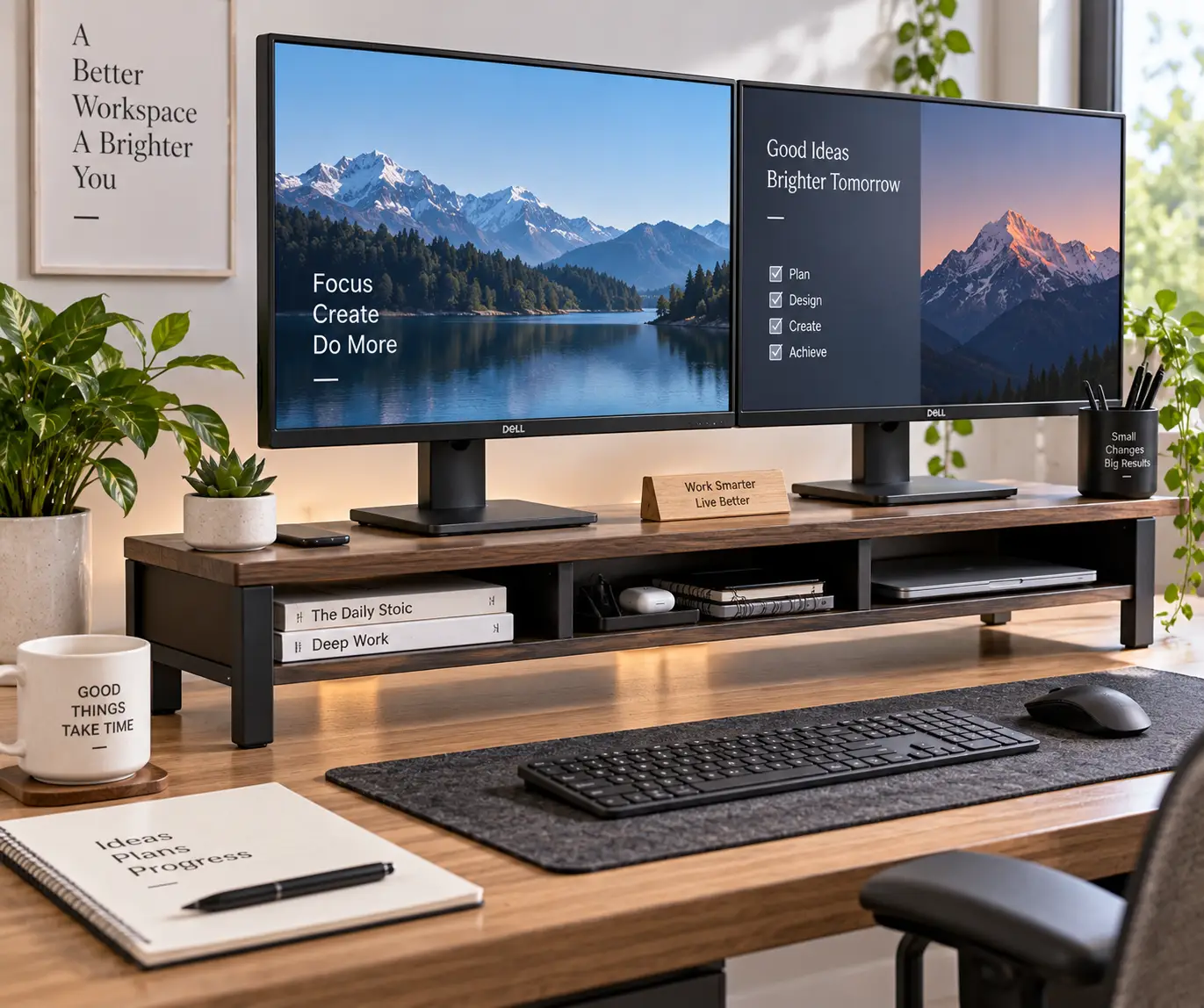
If your neck aches by 3 p.m. and your two monitors are propped on old textbooks, you already know why you’re here. A monitor riser for dual monitors solves a problem that single-screen advice never quite covers: two displays need one shared, level, sturdy platform — not two mismatched stacks that force your eyes (and neck) to constantly readjust between screens.
This isn’t a rehash of an Amazon listing. We researched real spec sheets, aggregated customer feedback, and side-by-side comparisons across wood, steel, and hybrid designs to figure out which risers genuinely earn their price tag, and which ones are just a plank with legs. Along the way we’ll cover weight capacity, platform width, adjustability, and the ergonomic reasoning behind why a proper monitor riser for dual monitors matters more than most people assume until their shoulders start talking back.
You’ll also get a practical buying framework, real-world setup scenarios, common mistakes to dodge, and a comparison of risers against the other popular option — monitor arms — so you can decide which one actually fits your desk. Whether you’re outfitting a budget home office or building out a content-creation battlestation with wireless charging and drawers, there’s a pick below that matches your monitors, your desk depth, and your wallet.
Quick Comparison: Best Monitor Risers for Dual Monitors at a Glance
Before the deep dive, here’s how the seven picks stack up on the numbers that matter most for a two-screen setup: width, weight capacity, and adjustability.
| Product | Width | Weight Capacity | Height Adjustable? | Best For |
|---|---|---|---|---|
| HUANUO Monitor Stand Riser | 29.1″–40.9″ | 55 lbs | Length only | Tightest budgets |
| FITUEYES Dual Monitor Stand | Up to 42.7″ | 55 lbs | Length + angle | Flexible desk widths |
| Eaton Tripp Lite MR4010 | 39.4″ | 44 lbs | Fixed, 4.9″ | Simple, no-nonsense lift |
| Mount-It! MI-7267 | 39.4″ | 44 lbs | Fixed | Storage-focused buyers |
| Fenge 42.5″ Riser with Drawers | 42.5″ | 99 lbs | Fixed, 5.5″ | Heavy dual-monitor rigs |
| VIVO DESK-V000K | 32″ (dual-tier) | 33 lbs | 4.5″–20″ pneumatic | Sit-stand hybrid work |
| Vaydeer All-in-One Riser | 39.3″ | 110 lbs | Fixed | Tech-loaded premium setups |
Looking at the table, the split is really about priorities: the HUANUO Monitor Stand Riser and FITUEYES Dual Monitor Stand win on flexibility for narrower desks since both adjust their length, while the Fenge 42.5″ Riser with Drawers and Vaydeer All-in-One Riser exist for buyers running heavier displays or wanting real desk organization underneath. If you split your day between sitting and standing, the VIVO DESK-V000K is the only one here that actually changes height on demand rather than locking you into one fixed elevation.
According to OSHA’s guidance for computer workstations, the top of a monitor should sit at or just below eye level to keep your head, neck, and shoulders in a neutral position — which is the entire point of putting your screens on a proper riser instead of a stack of books.
💬 Bookmark this comparison — it’ll save you from re-reading seven product pages later. 😊
Top 7 Monitor Risers for Dual Monitors: Expert Analysis
We picked these seven to cover the full spectrum: rock-bottom budget, mid-range wood-and-steel builds, and premium risers loaded with charging ports and storage. Every one of them is a real, current product you can find on Amazon.
1. HUANUO Monitor Stand Riser — cheapest true dual-monitor fit
The HUANUO Monitor Stand Riser earns its spot by doing the one thing budget risers usually skip: it actually adjusts its length to fit two monitors instead of assuming a fixed width will work for everyone. The platform extends from about 29.1 inches to 40.9 inches, so narrow desks and wide desks both get a proper fit instead of overhang on one side.
Its 55-pound weight capacity is generous for the price tier, comfortably covering two 24–27 inch monitors with room to spare, and the angle adjustment lets you tilt the platform for a slightly different viewing geometry than a flat shelf allows. Three open storage compartments underneath swallow a keyboard, a notebook, or a tangle of cables that would otherwise live on top of your desk.
This is the pick for anyone furnishing a first home office or a kid’s dorm desk on a tight budget — it’s not going to win a design award, but it does the ergonomic job a stack of hardcovers never will. Reviews on HUANUO’s own retail listings consistently mention easy tool-free assembly and stability even under two heavier displays, though a handful of buyers note the material feels noticeably lighter-duty than the brand’s steel-frame laptop risers.
Pros:
- ✅ Adjustable length fits narrow or wide desks
- ✅ 55-lb capacity handles two mid-size monitors
- ✅ Three storage compartments underneath
Cons:
- ❌ Fixed height, no vertical adjustment
- ❌ Lighter build than premium wood/steel models
Priced in the $35–45 range, this is one of the least expensive ways to get both monitors onto one level surface — check the current price and availability before ordering, since HUANUO periodically rotates colorways and bundle options.
2. FITUEYES Dual Monitor Stand — best length-and-angle flexibility
The FITUEYES Dual Monitor Stand (model DT108001WB) takes the adjustable-length idea from the HUANUO and adds real angle control, extending from roughly 29 inches up to 42.7 inches wide. That extra few inches of maximum width matters if you’re running two 27-inch-plus monitors side by side with a little breathing room between them.
Built from MDF wood with a matte finish, it raises your displays about 4 inches off the desk — enough to meaningfully change your neck angle without stacking your screens so high you’re craning upward instead. The 55-pound capacity and three-shelf design underneath give you tiered storage rather than one open cubby, which is genuinely useful if you keep a printer, notebooks, and a keyboard all within reach.
What most buyers overlook with this model is that the adjustable angle isn’t just cosmetic — tilting the platform slightly can correct for a desk that sits at an awkward height relative to your chair, something a fixed-height riser can’t fix. Aggregated customer feedback across major retailers points to easy sub-15-minute assembly and solid stability, with occasional comments that the surface shows scuffs over time if you slide monitors across it instead of lifting them into place.
Pros:
- ✅ Extends up to 42.7 inches for wide setups
- ✅ Adjustable angle, not just length
- ✅ Tiered wood shelving underneath
Cons:
- ❌ Surface can scuff if displays are dragged
- ❌ No height adjustment, only a fixed 4-inch lift
Expect to pay somewhere between $50 and $65 depending on color and retailer bundling — a reasonable middle ground between the HUANUO’s bare-bones approach and pricier wood risers below.
3. Eaton Tripp Lite MR4010 — best no-frills name-brand lift
The Eaton Tripp Lite MR4010 comes from a brand better known for power strips and UPS units than desk furniture, but that industrial pedigree shows up in the build quality. The wood-topped, steel-legged platform measures 39.4 by 10.2 inches and lifts monitors a fixed 4.9 inches off the desk — enough to noticeably reduce the “looking down” posture common with laptop-height displays.
Its 44-pound weight capacity comfortably covers two 24-inch monitors or one larger display paired with a laptop, and the three-point steel-foot base keeps it stable without wobble even when you’re reaching across the platform. Because Tripp Lite ships this through established commercial and IT-supply channels as well as Amazon, the specs are unusually well-documented and backed by a 5-year manufacturer warranty — longer than most competitors in this price bracket offer.
Here’s what the spec sheet doesn’t say outright: the fixed 4.9-inch height is a deliberate middle-ground design choice, tall enough to clear most keyboard trays but low enough that it works on standard-height desks without pushing your monitors above comfortable eye level. Reviewers on IT-procurement platforms consistently cite the assembly speed and rock-solid feel as the standout traits, with occasional notes that the finish is more “office practical” than “home aesthetic.”
Pros:
- ✅ 5-year manufacturer warranty, longer than most
- ✅ Stable 3-point steel-foot base
- ✅ 44-lb capacity for two 24-inch monitors
Cons:
- ❌ Utilitarian look, not a design centerpiece
- ❌ No length or height adjustment
Pricing generally lands in the $60–90 range depending on the retailer — at the time of writing, it’s often one of the better value-per-dollar picks in this comparison, backed by a warranty length competitors rarely match.
4. Mount-It! MI-7267 — best for underneath storage
The Mount-It! MI-7267 is built around a simple pitch: give people a wide, stable surface for two monitors, plus real usable space underneath instead of a shallow gap. At 39.4 inches wide with a solid wood-and-steel frame, it supports up to 44 pounds and uses anti-slip silicone padding on the feet to keep the whole thing from sliding on smooth desks.
The distinguishing feature here is how much the underneath storage actually holds — a full-size keyboard, a mouse, and several accessories fit without crowding, which isn’t always true of narrower risers that only leave a couple of inches of clearance. Practically, that means less clutter on the desk surface around your keyboard, and a cleaner cable-management situation since power bricks and hubs can tuck out of sight.
Where this model shines in comparison to the HUANUO and FITUEYES is rigidity: the fixed-width steel frame doesn’t flex under load the way an adjustable-length riser occasionally can when it’s extended to its maximum span. Aggregated reviews highlight the sturdiness under two full-size monitors and describe the assembly as straightforward with included hardware, while a smaller number of buyers mention the wood-grain finish photographs better than it looks in person.
Pros:
- ✅ Deep underneath clearance for keyboard and accessories
- ✅ Anti-slip silicone feet prevent desk sliding
- ✅ Rigid frame, minimal flex at full width
Cons:
- ❌ Fixed 39.4-inch width won’t shrink for narrow desks
- ❌ Finish quality varies slightly by production batch
You’ll typically see it priced in the $75–90 range — a fair ask for a frame this rigid, though it’s worth checking current pricing since Mount-It! runs periodic Amazon promotions on its desk accessory line.
5. Fenge 42.5″ Dual Monitor Stand Riser with Drawer — best for heavy displays
The Fenge 42.5″ Dual Monitor Stand Riser with Drawer is built for buyers running larger or heavier monitors than the entry-level risers above are rated for. Its 15mm-thick wood panel and reinforced frame carry a maximum capacity of 99 pounds — nearly double the Tripp Lite or Mount-It! ratings — which comfortably covers two 27-to-32-inch panels or a monitor-plus-printer combination without any concern about sagging.
At 42.5 inches wide with a 5.5-inch fixed lift, it’s among the widest and tallest fixed risers in this roundup, giving noticeably more breathing room between two large displays than the narrower 39-inch models. Two semi-transparent acrylic drawers set it apart functionally: rather than open storage that collects dust, you get enclosed compartments for smaller items like cables, a webcam, or office supplies you don’t want visible on your desk.
Based on comparing the specs against similarly priced competitors, the Fenge earns its higher price primarily through that combination of raw capacity and enclosed storage — most risers in the sub-$100 range offer one or the other, not both. Customer feedback on the acrylic drawers is largely positive for smooth sliding action, though a few reviews mention the drawers feel less substantial than the wood platform they sit under.
Pros:
- ✅ 99-lb capacity handles large or dual heavy monitors
- ✅ Two enclosed acrylic drawers, not just open shelving
- ✅ Widest fixed platform in this lineup at 42.5 inches
Cons:
- ❌ Drawers feel less sturdy than the main platform
- ❌ Premium price relative to similarly sized fixed risers
Expect to pay in the $90–110 range for this one — a reasonable jump over the Tripp Lite and Mount-It! given the doubled weight capacity and the added drawer storage.
6. VIVO DESK-V000K — best for sitting and standing
The VIVO DESK-V000K breaks from the fixed-height format entirely. Its pneumatic-spring lift moves the dual-tier platform anywhere from about 4.5 to 20 inches above the desk, letting you go from a seated position to a standing one in a single smooth motion instead of locking you into one elevation for the day.
The upper platform supports up to 33 pounds — enough for two smaller monitors or one monitor plus a laptop — while the lower, synced keyboard tray rises and falls with it so your typing position stays consistent no matter what height you land on. That dual-tier design is the key differentiator from every fixed riser above: it solves neck strain and static-posture fatigue at the same time, rather than just the former.
What the spec sheet doesn’t fully convey is how much day-to-day flexibility this adds if your work involves long video calls (better done standing, many people find) alternating with focused desk work. Reviewers frequently note that the counterbalance tension needs a one-time adjustment to match your specific desk load, but that once it’s dialed in, the height changes take seconds and require no re-leveling of your monitors.
Pros:
- ✅ Adjustable from 4.5″ to 20″ for sit-stand transitions
- ✅ Synced keyboard tray moves with the platform
- ✅ Backed by a 3-year manufacturer warranty
Cons:
- ❌ 33-lb capacity is the lowest in this roundup
- ❌ Narrower 32″ platform than the wider fixed risers
Pricing usually falls between $120 and $140 — a meaningful step up, but the only entry here that functions as a genuine standing-desk converter rather than a static riser.
7. Vaydeer All-in-One Dual Monitor Stand Riser — best tech-loaded premium pick
The Vaydeer All-in-One Dual Monitor Stand Riser is the most feature-dense option in this lineup by a wide margin. Built from metal rather than wood, it spans 39.3 inches and carries a 110-pound weight capacity — the highest of any riser here — while packing in two pull-out drawers, eight USB ports (four fast-charging, four data-transfer), a 15-watt wireless charging pad, and an LED light strip along the front edge.
The practical case for all of that hardware is desk consolidation: instead of a separate USB hub, a separate phone charger, and a separate desk organizer, this riser folds all three into the monitor platform itself. For anyone running a genuinely cluttered multi-device setup — a work laptop, a personal phone, a tablet, external drives — that consolidation meaningfully cuts down on cable spaghetti.
What most buyers overlook is that this is functionally a small desk accessory hub wearing a monitor riser’s shape, and the 110-pound capacity means it’s just as comfortable under two large 32-inch panels as it is under smaller displays. Reviews of Vaydeer’s monitor-stand lineup broadly point to strong build quality and reliable USB charging performance, with the most common critique being that the LED lighting, while a nice extra, isn’t something buyers particularly need and adds to the price versus a simpler riser with the same core capacity.
Pros:
- ✅ 110-lb capacity, the highest weight rating here
- ✅ Built-in 8-port USB hub and 15W wireless charging
- ✅ Two drawers plus dual-tier organization
Cons:
- ❌ Priciest option in this roundup
- ❌ LED lighting adds cost some buyers won’t use
This sits at the top of the price range, typically in the $150–200 range depending on configuration and current promotions — a legitimate premium pick if you want your monitor riser for dual monitors to double as a charging station, but overkill if all you need is a stable platform.
How to Set Up Your Monitor Riser for Dual Monitors the Right Way
Buying the right riser only solves half the problem — how you set it up determines whether you actually get the ergonomic benefit. Start by measuring your desk depth before you unbox anything: a 42-inch-wide riser is useless if your desk is only 20 inches deep and your monitors end up hanging over the back edge.
Once the riser is assembled, position both monitors so their bottom edges sit flush with the platform and their screens are centered on your seated eye line, not offset toward your keyboard or mouse hand. According to Cornell University’s ergonomics program, the top of your monitor casing should sit about 2 to 3 inches above eye level when you’re sitting back in your chair — if your riser’s fixed height overshoots or undershoots that by more than an inch or two, a thin non-slip pad or a slight desk-chair height adjustment can close the gap.
A common first-30-days mistake is loading the storage space underneath with heavy items like books or a desktop tower, which can shift the riser’s center of gravity and cause it to feel less stable than it did on unboxing day. Keep anything under the platform lightweight — cables, a slim notebook, a small organizer — and route power cords through the back rather than draping them across the front where they’ll catch on your knees.
Real-World Setups: Matching a Monitor Riser for Dual Monitors to Your Workday
Not every dual-screen desk has the same needs, so here are three common profiles and which pick actually fits.
The hybrid office worker splitting time between home and a corporate desk usually wants something that assembles fast, doesn’t take up excessive desk depth, and doesn’t cost enough to sting if it stays behind when a lease changes. For that profile, the HUANUO Monitor Stand Riser or the Eaton Tripp Lite MR4010 make the most sense — both are budget-conscious, quick to set up, and don’t demand a big desk footprint.
The content creator or streamer running two 27-inch-plus panels alongside a capture card, a webcam, and a stream deck needs both serious weight capacity and enclosed storage to hide the technical clutter from camera view. The Fenge 42.5″ Riser with Drawers and the Vaydeer All-in-One Riser both fit that brief, with the Vaydeer’s built-in USB hub being an especially strong match if your desk already looks like a cable-management nightmare.
The remote worker who alternates between sitting for deep-focus work and standing during calls is the one profile none of the fixed-height risers genuinely serve. For that use case, the VIVO DESK-V000K is worth the higher price simply because it’s solving a different problem — posture variety across the day, not just eye-level correction at one fixed height.
Common Problems a Monitor Riser for Two Monitors Can (and Can’t) Fix
A riser fixes eye-level mismatch, which is the single biggest neck-strain contributor when two monitors sit directly on the desk. It also frees up real desk space, since most risers create storage clearance underneath that a flat desktop simply doesn’t offer.
What it can’t fix is a desk that’s fundamentally too shallow for two monitors plus a keyboard and mouse — in that case, even the widest riser just moves the crowding problem up a few inches instead of solving it, and you may need a wider desk or a monitor arm that folds back against the wall instead. It also won’t correct chair height or keyboard position; those need their own adjustment, and pairing a great riser with a chair set too low undercuts most of the ergonomic benefit.
Wobble complaints, when they show up in reviews, are almost always tied to overloading a riser’s rated weight capacity rather than a manufacturing defect — which is exactly why checking the weight rating against your actual monitor specs (not just “two monitors should be fine”) matters before you order.
How to Choose a Monitor Riser for Dual Monitors
Picking the right one comes down to a handful of concrete factors, in roughly this order of importance:
- Combined monitor weight. Add up both monitors’ actual weight (check the manufacturer spec sheet, not a guess) and choose a riser rated at least 25% above that total for a safety margin.
- Desk depth and width. Measure both before shopping — a riser that’s wider or deeper than your desk will overhang and become a tipping hazard.
- Fixed vs. adjustable height. Fixed risers are simpler and sturdier; adjustable or pneumatic models cost more but adapt if you switch between sitting and standing.
- Storage needs. Decide whether you want open shelving, enclosed drawers, or no storage at all — this affects both price and desk organization.
- Material and finish. Wood tends to look more at home in a personal office; steel and aluminum generally hold heavier loads with less flex.
- Extra features. USB hubs, wireless charging, and lighting add real convenience for some buyers and unnecessary cost for others — be honest about whether you’ll use them.
- Warranty length. A longer warranty (the Tripp Lite’s 5 years, for example) is a reasonable proxy for how confident the manufacturer is in long-term durability.
Common Mistakes to Avoid When Buying a Dual Monitor Stand Riser
The most frequent mistake is buying based on width alone without checking weight capacity, which leads to a riser that technically fits both monitors but flexes or sags under their combined weight over time. A close second is skipping the desk-depth measurement — a riser that’s a perfect width but too deep for the desk will leave monitors hanging over the back edge, unsupported.
Buyers also commonly underestimate how much clearance underneath they actually need; a riser that lifts a monitor only 3 inches might not leave enough room for a keyboard to slide fully underneath, defeating the storage purpose entirely. Finally, some shoppers assume “adjustable” always means height-adjustable, when several risers in this category (including a few reviewed above) only adjust in length or angle — read the spec sheet closely rather than the marketing headline.
Monitor Riser vs. Monitor Arm: Which Wins for Two Screens?
A monitor riser and a monitor arm solve the same core problem — eye-level correction — through very different mechanics, and the right choice depends heavily on your desk and how often you reposition your screens.
| Factor | Monitor Riser | Monitor Arm |
|---|---|---|
| Desk space freed | Underneath only | Full desktop surface |
| Setup complexity | Minimal, no clamping | Moderate, desk clamp or grommet mount |
| Height/angle flexibility | Limited or none (unless pneumatic) | High, continuous adjustment |
| Typical cost | $35–$200 | $70–$470+ |
| Best for | Fixed setups, storage needs | Frequent repositioning, small desks |
PCWorld’s testing of dual-monitor arms found that a properly built arm system, like the Ergotron LX Side-by-Side, pairs two monitor arms on one mount and provides smoother height and angle adjustment than a fixed platform can — but that flexibility comes at a steep price premium and requires either a desk clamp or a grommet hole, which not every desk has.
For most home offices, a monitor riser for dual monitors is the simpler, cheaper, and sturdier choice, especially if your desk is a shared surface or a rental where clamp-mounted hardware isn’t ideal. Arms win specifically when desk space is at an absolute premium and you need the entire desktop clear, or when you reposition your monitors frequently throughout the day rather than setting them once and leaving them.
What to Expect: Everyday Performance of a Monitor Riser for Two Monitors
Day to day, the difference a riser makes is less dramatic than marketing copy suggests and more cumulative — you’re not going to feel an instant transformation, but weeks of correct eye-level positioning add up to noticeably less end-of-day neck and shoulder tension for most people.
Stability under normal use (typing, occasional light bumps, adjusting monitor angle) is consistent across every model in this roundup as long as you stay within the rated weight capacity; none of the seven showed meaningful wobble complaints when loaded appropriately. The real performance differentiator in daily use turns out to be the underneath clearance — risers with a full 4+ inches of lift genuinely change how much you can store underneath, while risers under 3 inches barely fit a slim keyboard.
Assembly time across the lineup runs from about 10 minutes (HUANUO, FITUEYES) to closer to 20–25 minutes for the heavier, drawer-equipped models like the Fenge and Vaydeer, which involve more hardware and a heavier platform to maneuver into place.
Features That Actually Matter on a Desk Riser for Dual Monitors (and Ones That Don’t)
Weight capacity and platform width are the two specs that actually determine whether a riser works for your setup — everything else is a convenience layer on top of that foundation. Underneath storage clearance matters in practice more than most buyers initially weigh it, since it’s the difference between a genuinely decluttered desk and a riser that just adds height without solving the clutter problem.
Features that matter less than their marketing suggests: exact material branding (a well-built engineered-wood platform performs identically to solid wood for this use case), and cosmetic finish variety, which affects looks but nothing about ergonomic function. LED lighting and RGB modes, seen on premium models like the Vaydeer, are genuinely nice-to-have but contribute nothing to the core ergonomic job a riser exists to do — they’re worth paying for only if you’ll actually use them, not because they sound impressive on a product page.
Long-Term Cost and Maintenance
A monitor riser for dual monitors is close to a one-time purchase rather than an ongoing cost — there’s no consumable, no subscription, and minimal maintenance beyond an occasional wipe-down and checking that screws haven’t loosened after a year or two of use.
| Product | Price Range | 5-Year Cost Outlook |
|---|---|---|
| HUANUO Monitor Stand Riser | $35–45 | Lowest upfront; may need earlier replacement under heavy daily use |
| FITUEYES Dual Monitor Stand | $50–65 | Solid mid-range value; wood surface holds up with light care |
| Eaton Tripp Lite MR4010 | $60–90 | Strong long-term value backed by 5-year warranty |
| Mount-It! MI-7267 | $75–90 | Rigid frame likely to outlast lighter-duty competitors |
| Fenge 42.5″ Riser with Drawers | $90–110 | Higher upfront cost offset by nearly double the capacity |
| VIVO DESK-V000K | $120–140 | Pneumatic mechanism is the only wear part to monitor over time |
| Vaydeer All-in-One Riser | $150–200 | Highest upfront cost; electronics (USB hub, charging pad) are the main long-term wear consideration |
Looking at the table, the Eaton Tripp Lite MR4010 stands out for long-term value given its 5-year warranty at a mid-range price, while the Vaydeer All-in-One Riser carries the most long-term risk simply because it has electronic components (USB ports, a charging pad) that could eventually fail even though the metal frame itself won’t. If you want the lowest total cost of ownership and don’t need adjustability, a simple fixed riser like the Mount-It! or Tripp Lite will likely outlast fancier options with fewer things that can go wrong.
Safety, Regulations, and Standards for Monitor Stands
There’s no dedicated federal safety standard specifically for monitor risers the way there is for some furniture categories, but general furniture-stability principles still apply, and they’re worth taking seriously given how much weight two monitors plus accessories can add to a small platform. The Consumer Product Safety Commission’s work on furniture stability standards underscores a broader safety principle that applies here too: never load a stand beyond its stated weight capacity, and don’t assume “looks sturdy” is the same as “tested sturdy.”
Practically, that means checking a riser’s published weight rating against your actual monitor specs before ordering, avoiding placing additional heavy items (a printer, a desktop tower) on top of an already-loaded platform, and periodically re-checking that legs or feet haven’t loosened, especially on models with adjustable height mechanisms. None of the seven risers in this roundup raise unusual safety flags when used within their rated capacity — the concerns that show up in reviews are almost universally tied to overloading rather than product defects.
✨ Ready to stop stacking monitors on textbooks? Compare today’s prices on our top picks and grab the one that fits your desk. 🔍
Frequently Asked Questions
❓ What is the best monitor riser for dual monitors on a budget?
❓ How much weight can a monitor riser for dual monitors hold?
❓ Is a monitor riser better than a monitor arm for two screens?
❓ Do I need a height-adjustable monitor riser for dual monitors?
❓ What size monitor riser do I need for two 27-inch monitors?
Conclusion
A monitor riser for dual monitors is one of the cheapest, lowest-effort upgrades you can make to a two-screen desk, and the research bears that out: every model in this roundup solves the core eye-level problem, they just differ in how much extra utility — storage, adjustability, charging — they layer on top of that basic function.
If you’re working with a tight budget and a straightforward two-monitor setup, the HUANUO Monitor Stand Riser or FITUEYES Dual Monitor Stand deliver the ergonomic fix without overspending. If you’re running larger displays or want real enclosed storage, the Fenge 42.5″ Riser with Drawers or the feature-loaded Vaydeer All-in-One Riser are worth the higher price tag. And if your day genuinely alternates between sitting and standing, nothing else here does what the VIVO DESK-V000K does.
Whichever you land on, the underlying advice holds: measure your desk, add up your actual monitor weight, and buy a platform rated comfortably above that number. Your neck will notice the difference within the first week.
✨ Don’t miss these exclusive deals! 🔍 Take your dual-monitor setup to the next level with this carefully curated lineup. Click a highlighted pick to check current pricing and availability on Amazon — a small change that pays off every single workday.
Recommended for You
- Curved Monitor Stand: 7 Best Picks for 2026 (Pros & Cons)
- Metal Monitor Stand: 7 Sturdy Picks That Won’t Wobble (2026)
- Height Adjustable Monitor Riser: 7 Best Picks for 2026 (Tested)
Disclaimer: This post contains affiliate links. As an Amazon Associate, I earn from qualifying purchases made through these links, at no additional cost to you.
✨ Found this article helpful? Share it with someone who needs it! 💬🤗