
In This Article
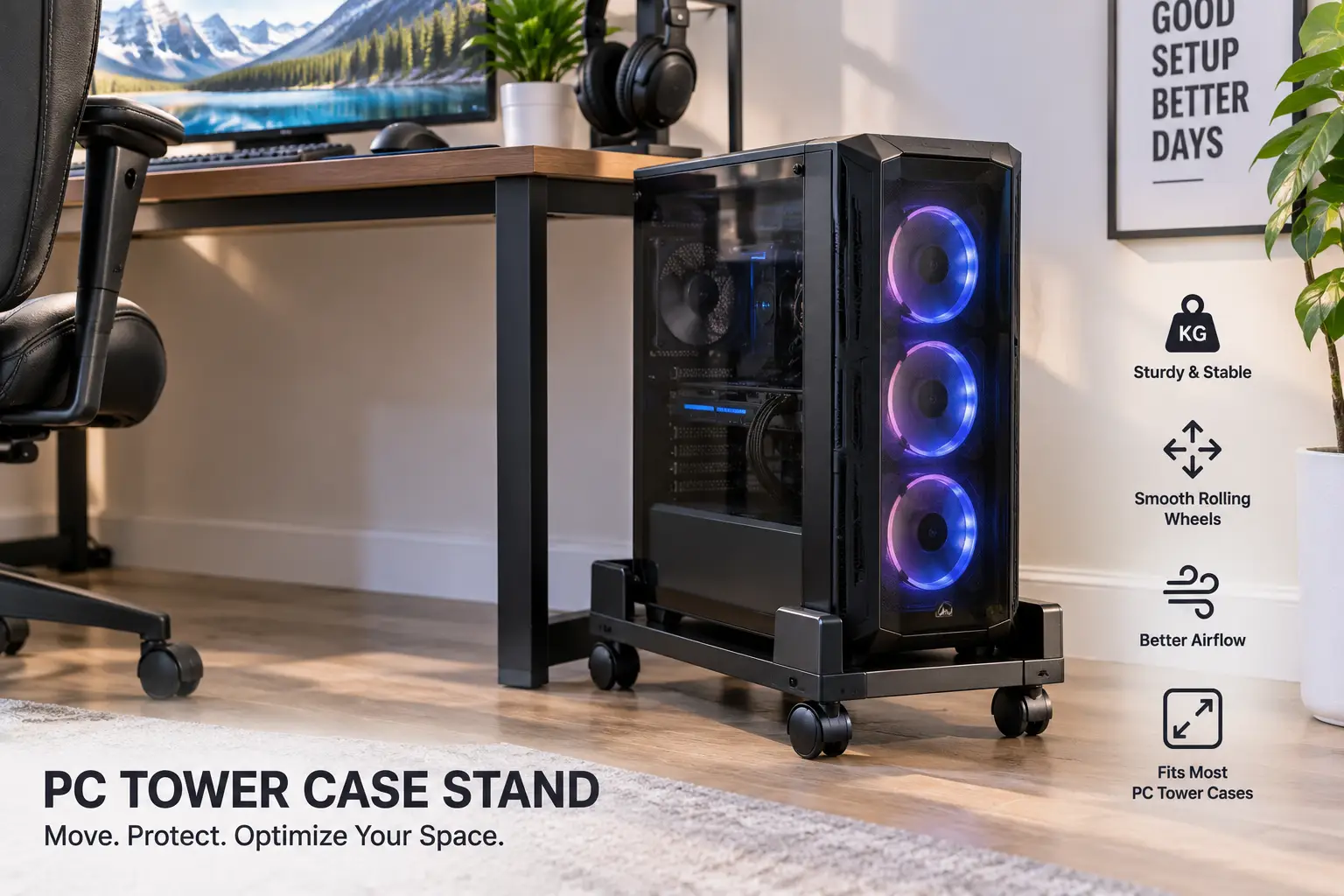
If your desktop tower has ever sat directly on the carpet, you already know the drill: dust bunnies clogging the intake fan, a faint static crackle when you plug in a USB drive, and that awkward crouch every time you need to reach the ports on the back. A pc tower case stand solves all three problems at once, and it’s one of the cheapest upgrades you can make to a home office or gaming setup. Instead of your tower baking on a shag rug or wedged into a dusty corner, a stand lifts it a few inches off the ground, opens up airflow around the intake vents, and — on rolling models — lets you slide the whole case out in seconds when you need to add a GPU or clean out the dust filters.
This guide walks through seven real, currently available stands spanning budget rolling carts to premium adjustable platforms, explains what actually matters when you’re shopping (height range, wheel type, weight rating, ventilation), and digs into the practical side most retail listings skip entirely — things like why carpet static is a genuine risk to your components, and where OSHA’s own workstation guidance disagrees with the “just shove the CPU under the desk” instinct. Whether you’re outfitting a single gaming rig or standardizing a small office full of towers, you’ll find a fit here.
Quick Comparison: Best pc tower case stand Picks at a Glance
| Stand | Best For | Height Adjustment | Wheels | Price Range |
|---|---|---|---|---|
| VIVO CART-PC01L | Budget & wide towers | Fixed width, 7.8″–14″ | 4 caster (2 locking) | Under $50 |
| AGPTEK Adjustable CPU Stand | Tight budgets | 15.7″–20″ L | 2 locking casters | Under $35 |
| LABOBOLE Computer Tower Stand | All-purpose home office | Adjustable width | 4 caster | $30–$50 |
| 360Tonics 2-Tier PC Stand | Small offices, storage | 8″–11.75″ H | 4 locking casters | $40–$60 |
| CABTE Cooling Fan Stand | Hot rooms, heavy gaming | Adjustable width | 4 rolling casters | $45–$65 |
| AnikSunny Adjustable Stand | Tall towers, premium builds | 23.03″–28.3″ H, 10-level | 4 swivel (2 lockable) | $60–$90 |
| Wooden Computer Stand | Aesthetics, quiet home offices | Fixed, up to 22″L towers | 360° rotating, front lock | $50–$80 |
Looking at the table above, budget shoppers gravitate toward the AGPTEK Adjustable CPU Stand for a no-frills rolling base under $35, while anyone dealing with a full-size gaming tower and heat concerns should weigh the CABTE Cooling Fan Stand‘s active airflow against the AnikSunny Adjustable Stand‘s taller height range. If your case runs wide or you’ve got an oddly shaped mid-tower, the VIVO CART-PC01L‘s 7.8″–14″ adjustable width is the safest bet on this list, since several cheaper stands top out closer to 11–12 inches.
💬 One click helps other shoppers make an informed choice too! 😊
What Is a pc tower case stand?
A pc tower case stand is a small platform, cart, or rack — usually metal, wood, or a mix of both — designed to elevate a desktop computer tower off the floor. Most models add rolling casters for mobility, adjustable width or height to fit different case sizes, and open or ventilated designs that improve airflow to the tower’s intake fans while keeping it away from carpet fibers, dust, and moisture.
Top 7 pc tower case stand Options: Expert Analysis
Coverage here spans entry-level rolling carts, mid-range adjustable models, a dedicated cooling-fan version, a taller premium option, and a handmade wood alternative for anyone prioritizing looks over industrial styling. Every product name below stays bolded throughout the article so you can track it across sections, tables, and the recap.
1. VIVO CART-PC01L — widest adjustable fit for big towers
The VIVO CART-PC01L earns its spot first because its 7.8″ to 14″ adjustable width comfortably swallows full-size ATX towers that choke narrower stands. Its steel rolling frame uses locking caster wheels, a low center of gravity, and an open-frame design that leaves the tower’s side and bottom vents completely unobstructed. In practice, that width range matters more than it sounds — a lot of budget stands are built around mid-tower dimensions and simply won’t accommodate a case with a wide PSU shroud or extra front radiator mounting. Based on comparing the specs against the rest of this list, the VIVO CART-PC01L is the safer buy if you’re not 100% sure your case will fit a narrower cart.
This model is best suited to gamers and builders running full-tower or oversized mid-tower cases, and to anyone who’s been burned before by a stand that “almost” fit. Reviews consistently report that the locking wheels hold firmly on hardwood and tile, though a handful of buyers note the casters can dig into thicker carpet pile without a hard floor mat underneath.
Pros:
- ✅ Widest adjustable range on this list (7.8″–14″)
- ✅ Locking caster wheels for stability
- ✅ Open frame maximizes airflow to vents
Cons:
- ❌ No height adjustment, only width
- ❌ Casters can sink slightly into thick carpet
Priced under $50, the VIVO CART-PC01L is a strong value pick for anyone with a wide or full-tower case, where fit matters more than extra features.
2. AGPTEK Adjustable CPU Stand — lightest on your wallet
The AGPTEK Adjustable CPU Stand covers a 15.7″ to 20″ length and 6.3″ to 11.8″ width range on a steel rolling frame, making it one of the most affordable ways to get a tower off the floor. Two locking wheels keep it from drifting when you’re plugging in cables at the back, and the heavy-duty steel tubing keeps flex to a minimum even under a loaded mid-tower case. What most buyers overlook with a stand this cheap is that “budget” doesn’t have to mean “flimsy” here — the steel gauge is comparable to stands costing twice as much, it’s just missing extras like a second shelf or a cooling fan.
This is the pick for students, first apartments, or anyone setting up a secondary PC where a $20–$30 accessory is easy to justify. Aggregated customer feedback frequently mentions that assembly takes under ten minutes without tools, though a few reviewers wished the adjustable rails locked more securely at the narrowest width setting.
Pros:
- ✅ Lowest price point on this list
- ✅ Tool-free assembly in minutes
- ✅ Heavy-duty steel tube construction
Cons:
- ❌ Only 2 locking wheels, not 4
- ❌ Adjustable rails can loosen at extreme settings
At under $35, the AGPTEK Adjustable CPU Stand delivers solid value-for-money for anyone whose priority is simply “off the floor, on wheels, cheap.”
3. LABOBOLE Computer Tower Stand — most versatile all-rounder
The LABOBOLE Computer Tower Stand is built as a general-purpose mobile holder that adapts to most desktop towers, with an adjustable frame and rolling casters suited to home offices, dorms, and shared workspaces. Its versatility comes from a design that doesn’t lock you into one case profile the way some ultra-budget stands do, and the added surface clearance genuinely improves cooling for cases with bottom-mounted power supply intakes. Here’s what to weigh: this isn’t the tallest or widest option on the list, but it’s the one most likely to “just work” regardless of which case you own, which is why it lands as the default recommendation for undecided buyers.
It suits anyone who wants a dependable, no-surprises stand without researching exact case dimensions first. Reviews consistently describe the rolling action as smooth on hard flooring, with some customers repurposing it as a printer stand or general equipment riser thanks to the flat, stable platform.
Pros:
- ✅ Fits most desktop tower sizes out of the box
- ✅ Doubles as a printer or equipment riser
- ✅ Smooth-rolling caster wheels
Cons:
- ❌ Limited height adjustment compared to 2-tier models
- ❌ Platform surface can show scuffs over time
In the $30–$50 range, the LABOBOLE Computer Tower Stand is the safe middle-ground pick when you’d rather not overthink the purchase.
4. 360Tonics 2-Tier PC Stand — best for adding storage
The 360Tonics 2-Tier PC Stand offers a height-adjustable range of 8″ to 11.75″, built specifically for mini and mid-tower ATX cases, with a second floating shelf underneath for documents, a router, or spare peripherals. What most listings won’t tell you is that the second tier isn’t just a bonus — it’s what actually justifies the higher price over a single-shelf stand, since it lets you consolidate desk clutter into the same footprint your tower already occupies. The full-metal steel construction holds up to 44 lbs without wobbling, which comfortably covers the vast majority of consumer towers even with a couple of extra drives installed.
This stand is best for small offices and dorm rooms where floor space under the desk is at a premium and every square inch needs to pull double duty. Aggregated reviews report that the four rotating wheels with brakes are a genuine upgrade over cheaper two-wheel designs, holding position reliably even when the top shelf is fully loaded.
Pros:
- ✅ Two-tier design adds usable storage
- ✅ Holds up to 44 lbs without wobbling
- ✅ Four wheels with brakes, not just two
Cons:
- ❌ Height range tops out at 11.75″, shorter than tall-tower rivals
- ❌ Bottom shelf width is limited for large accessories
Landing in the $40–$60 range, the 360Tonics 2-Tier PC Stand is worth the premium over a basic single-shelf cart if desk storage is genuinely tight.
5. CABTE Cooling Fan Stand — active airflow for hot rooms
The CABTE Cooling Fan Stand stands apart from the rest of this list by building an active cooling fan directly into the base, on top of the usual adjustable width and four rolling casters. In practice, this means the stand isn’t just passively keeping the tower off the carpet — it’s actively pushing air across the case’s bottom intake, which matters most in rooms without great HVAC circulation or during summer heat waves when ambient temperatures climb. Based on comparing this to passive stands, the added fan is most useful for gaming rigs with bottom-mounted power supplies or liquid-cooling radiators that rely on unobstructed underside airflow.
This model is aimed at gamers running higher-wattage builds in warm climates or poorly ventilated rooms, where every extra degree of headroom on thermals counts. Reviews frequently note the fan noise is minimal at idle but becomes noticeable at full speed, so quiet-room users may want to check the fan’s speed control before buying.
Pros:
- ✅ Built-in cooling fan adds active airflow
- ✅ Four rolling casters for easy repositioning
- ✅ Adjustable width fits most mid-towers
Cons:
- ❌ Fan adds a small amount of noise at full speed
- ❌ Requires its own power source or USB connection
At $45–$65, the CABTE Cooling Fan Stand is the pick for anyone whose thermals are already borderline and who wants a stand that actively helps rather than just elevates.
6. AnikSunny Adjustable Stand — tallest range for premium builds
The AnikSunny Adjustable Stand offers a genuinely unusual 23.03″ to 28.3″ height range across 10 adjustment levels, paired with four swivel casters (two lockable) and four leveling feet for uneven flooring. That height range is the standout feature here — most competitors max out well under 12 inches, so this is really a different category of product, closer to a mobile PC cart than a floor riser, and it’s built for people who want their tower at desk height rather than floor level. What the spec sheet doesn’t say, but the leveling feet detail reveals, is that this stand is clearly engineered for hardwood and tile installs where a slightly uneven subfloor would otherwise rock a tall, top-heavy cart.
It’s the right call for premium builds with tempered-glass side panels or RGB lighting that owners want visible at eye level, not hidden under a desk. Aggregated feedback highlights the sturdy feel at full height as a pleasant surprise, since tall adjustable carts often flex or wobble — though a few reviewers mention the assembly instructions could be clearer for first-timers.
Pros:
- ✅ Tallest height range on this list (up to 28.3″)
- ✅ 10-level adjustment for precise fit
- ✅ Leveling feet stabilize on uneven floors
Cons:
- ❌ Highest price point on this list
- ❌ Assembly instructions could be clearer
Sitting in the $60–$90 range, the AnikSunny Adjustable Stand is the premium pick for anyone who wants their build displayed at desk height, not just kept off the carpet.
7. Wooden Computer Stand for Desktop PC Tower Case — best for quiet, styled offices
The Wooden Computer Stand for Desktop PC Tower Case takes the opposite approach from every metal cart on this list: it’s a handmade wood platform, available in finishes like Black Cherry, Ebony, Weathered Gray, and American Walnut, built with heavy-duty screws instead of the thin brad nails some cheaper wood stands rely on. It elevates a tower about 3.5 inches off the floor with a center opening designed for cases with bottom air vents, and its 360° rotating wheels — with front-wheel locks — make it easy to slide out for cleaning without the industrial look of a steel cart. What most buyers overlook here is that this isn’t just a style choice: solid wood construction with reinforced joints genuinely dampens vibration and rattle better than sheet-metal frames, which matters if your case fans or HDD are audible.
This stand suits home offices, living-room PC setups, or anyone who’d rather their computer’s furniture matched the room instead of looking like warehouse equipment. Reviews describe the build as noticeably sturdier than typical flat-pack furniture, with the manufacturer stating the design has been tested to hold roughly 100 lbs distributed across the platform — useful context, though buyers should treat that as a manufacturer claim rather than an independently verified rating.
Pros:
- ✅ Genuine handmade wood construction, multiple finishes
- ✅ Reinforced screws instead of weaker brad nails
- ✅ Quieter, vibration-dampening compared to metal carts
Cons:
- ❌ Fixed size — supports towers up to 22″L x 9-7/16″W only
- ❌ No height adjustment or second storage tier
At $50–$80 depending on finish, the Wooden Computer Stand for Desktop PC Tower Case is the pick for anyone prioritizing aesthetics and noise dampening over industrial adjustability.
How to Set Up Your pc tower case stand for Best Airflow
Getting a stand out of the box is the easy part — positioning it correctly is where most of the real-world benefit either shows up or gets wasted. Follow these steps in your first 30 minutes with a new stand to get the most out of it.
- Measure your case before assembly, not after. Confirm your tower’s length and width against the stand’s adjustable range; several models in this guide (like the 360Tonics 2-Tier PC Stand) have hard upper limits that a tall full-tower case can exceed.
- Leave at least 3–4 inches of clearance around intake vents. Don’t push the stand flush against a wall or cabinet on the intake side — the whole point of elevating the tower is airflow, and a blocked side vent undoes most of the benefit.
- Lock the front casters once positioned. Most stands, including the VIVO CART-PC01L and AGPTEK Adjustable CPU Stand, ship with at least two locking wheels; use them so the tower doesn’t drift when you tug on a cable.
- Route cables before you load the tower on the stand. It’s far easier to run power and peripheral cables through a stand’s frame before the case is sitting on top of it.
- Recheck stability after the first week. Adjustable-width models can loosen slightly as you settle into a daily routine of rolling the tower in and out; a quick tightening pass on the clamps avoids surprises later.
Following this sequence typically takes under 15 minutes and avoids the most common first-time mistake: assembling the stand to spec but then placing it somewhere that defeats the airflow benefit entirely.
Real-World Scenarios: Matching a pc tower case stand to Your Setup
The apartment gamer on carpet. If you’re running a mid-tower gaming rig in a carpeted bedroom with a tight budget, the AGPTEK Adjustable CPU Stand or LABOBOLE Computer Tower Stand covers the core need — off the carpet, rolling, under $50 — without overpaying for features you won’t use.
The small home office with limited floor space. If your desk sits against a wall with barely a foot of clearance underneath, the 360Tonics 2-Tier PC Stand‘s dual-shelf design reclaims that dead space for a router, cables, or spare drives instead of wasting it on an empty stand.
The high-wattage build in a warm climate. For anyone running a power-hungry GPU in a room without strong air conditioning, the CABTE Cooling Fan Stand‘s active airflow is worth the modest price premium over a passive stand — thermal headroom translates directly into quieter fan curves under load.
The showcase build at desk height. If your case has a windowed side panel and RGB lighting you actually want to see while working, the AnikSunny Adjustable Stand‘s 23″–28″ range puts the build at eye level instead of hiding it under the desk.
The shared living space. For a PC that lives in a living room or shared office where appearance matters as much as function, the Wooden Computer Stand for Desktop PC Tower Case blends in with furniture instead of looking like a server rack accessory.
How to Choose a pc tower case stand
- Confirm your case dimensions first. Measure length, width, and — if you want desk-height placement — how tall a stand you’d actually need; skipping this step is the single most common return reason cited in aggregated reviews.
- Decide if you need height adjustment or just width. Floor-level stands like the VIVO CART-PC01L only adjust width; taller models like the AnikSunny Adjustable Stand adjust height too, which matters if you want the tower at arm’s reach.
- Check the wheel type and lock count. Two locking wheels are the functional minimum; four locking or swivel casters, as on the 360Tonics 2-Tier PC Stand, give noticeably steadier positioning on hard flooring.
- Weigh your case, then check the stand’s rated capacity. A loaded mid-tower with extra drives and a large cooler can exceed 25–30 lbs; verify the stand’s weight rating rather than assuming “PC stand” means “fits any PC.”
- Consider your flooring. Thick carpet benefits from wider wheels and locking casters, while hardwood or tile can support taller, narrower designs like the AnikSunny Adjustable Stand without stability concerns.
- Factor in noise if the stand is active (fan-equipped). The CABTE Cooling Fan Stand adds airflow but also adds fan noise — check whether that trade-off fits a quiet home office.
- Match materials to your room, not just your specs. A steel rolling cart reads as “workshop,” while a piece like the Wooden Computer Stand for Desktop PC Tower Case reads as furniture — an easy way to differentiate two functionally similar products.
Common Mistakes to Avoid When Buying a pc tower case stand
Buyers repeatedly run into the same handful of avoidable problems, and most trace back to skipping measurements or misjudging weight capacity.
- Not measuring the case before ordering. The single most common issue in aggregated reviews is a case that’s an inch too wide or too long for the stand’s adjustable range — always measure first.
- Ignoring weight capacity on loaded towers. A case packed with multiple hard drives, a large air cooler, and extra fans can weigh more than buyers expect; check the rated capacity against your actual build weight, not an estimate.
- Placing the stand against a wall or cabinet. This blocks the very airflow the stand exists to provide — leave clearance on the intake side no matter how tempting it is to tuck the tower away completely.
- Assuming all locking wheels lock the same way. Some budget models only lock two of four wheels; if full stability matters, confirm the wheel configuration before buying rather than after unboxing.
- Overlooking the fan’s power source on active-cooling stands. The CABTE Cooling Fan Stand needs its own power connection — plan for an extra outlet or USB port before assembly day.
pc tower case stand vs. Placing Your Tower Directly on the Floor
| Factor | On a pc tower case stand | Directly on the floor |
|---|---|---|
| Airflow to intake vents | Unobstructed on most models | Frequently blocked by carpet fibers |
| Dust and pet hair exposure | Reduced — tower sits above the dust layer | High — floor-level dust accumulates fastest |
| Static discharge risk | Lower, especially off carpet | Higher on carpeted or synthetic flooring |
| Mobility for cleaning/upgrades | High on rolling models | Requires lifting the full tower |
| Upfront cost | $30–$90 depending on model | $0 |
The comparison above makes the trade-off clear: a stand costs money a bare floor doesn’t, but the airflow and dust reduction directly address two of the most common causes of thermal throttling in desktop towers. Static risk is the factor most buyers underweight — carpet-generated static discharge is a documented cause of component damage, not just an occasional annoying shock, as explained in Wikipedia’s overview of electrostatic discharge. For anyone running their tower on carpet today, the case for a stand is less about convenience and more about basic component protection.
✨ Don’t miss these exclusive deals!
🔍 Take your desk setup to the next level with this carefully curated lineup. Click a highlighted item to check current pricing and availability. These picks will help you get a cleaner, cooler, more organized workspace the whole family will enjoy!
What to Expect: Everyday Performance
On paper, a pc tower case stand sounds like a minor accessory, but the everyday difference shows up in three places: temperatures, noise, and cleaning frequency. Dust buildup is the biggest hidden driver of long-term performance loss in any desktop tower — as Cornell University’s IT department notes, accumulated dust blocking vents and fans is a direct cause of overheating and thermal throttling. Lifting a tower even three or four inches off carpet meaningfully cuts down on how much of that airborne dust gets pulled into the intake in the first place, which in practice means longer intervals between full case cleanings.
On the noise side, expect a modest but real reduction in fan ramp-up frequency once airflow improves, particularly with models like the CABTE Cooling Fan Stand that actively push air rather than just clearing space. On the mobility side, rolling stands turn a two-person lifting job (sliding a tower out to access rear ports or add a component) into a one-handed task — a small thing daily, but a real time-saver over a year of use.
pc tower case stand Options for Small Spaces and Shared Offices
Not every setup has room for a wide rolling cart. In small apartments, dorms, or shared offices, footprint matters as much as function. The 360Tonics 2-Tier PC Stand is the strongest fit here because its second shelf absorbs clutter that would otherwise spread across the desk or floor, effectively shrinking your total footprint rather than adding to it. For genuinely tight spaces, the AGPTEK Adjustable CPU Stand‘s compact frame and lower price point make it easy to justify even in a temporary living situation, while the Wooden Computer Stand for Desktop PC Tower Case works well in shared or common-area setups where a visible steel cart would look out of place next to regular furniture.
The OSHA computer workstation eTool is worth a mention here too. Its guidance recommends avoiding storing items like a CPU directly under the desk footwell because it eats into leg clearance and encourages awkward seated postures. A rolling stand doesn’t contradict that advice — it actually supports it, since the tower can be rolled to the side of the desk rather than wedged into the knee space, preserving both airflow and comfortable seating posture at the same time.
Long-Term Cost and Maintenance of a pc tower case stand
A pc tower case stand is a low-maintenance purchase, but it’s not zero-maintenance, and understanding the total cost of ownership helps set expectations. Steel-framed models like the VIVO CART-PC01L and LABOBOLE Computer Tower Stand need essentially nothing beyond an occasional wheel-bearing wipe-down if dust accumulates in the caster housings — a five-minute job every few months. Fan-equipped stands like the CABTE Cooling Fan Stand carry a small ongoing cost most buyers don’t think about: replacing a worn fan down the line, though at this price point that’s typically a $5–$10 part rather than a full stand replacement.
| Stand Type | Typical Lifespan | Ongoing Maintenance | 5-Year Cost Estimate |
|---|---|---|---|
| Basic steel rolling stand | 5+ years | Occasional wheel cleaning | $30–$50 (one-time) |
| 2-tier storage stand | 5+ years | Occasional wheel cleaning | $40–$60 (one-time) |
| Active cooling fan stand | 3–5 years | Fan replacement possible | $50–$75 |
| Tall adjustable stand | 5+ years | Leveling foot checks | $60–$90 (one-time) |
| Handmade wood stand | 5–10 years | Occasional wood care | $50–$80 (one-time) |
Reading down that table, the cost-per-year math strongly favors any of these options over doing nothing: even the priciest model on this list, the AnikSunny Adjustable Stand, amortizes to under $20 a year across a five-year span, against a real (if hard to quantify) risk of dust-related thermal issues and static-related component wear on a bare-floor setup.
Safety, Regulations, and Standards for pc tower case stand Products
There’s no dedicated federal safety standard written specifically for small PC stands and carts the way there is for tall clothing storage furniture, but general furniture-stability principles still apply, especially in households with kids or pets. The Consumer Product Safety Commission’s Anchor It! campaign focuses primarily on taller furniture and TVs, but its core message — verify a piece is stable on the surface it’s placed on, and don’t let it become a climbing hazard — is reasonable to apply to any wheeled cart in a home with young children. Practically, that means keeping wheels locked when the stand isn’t being repositioned and avoiding placing a loaded stand on a steep incline or uneven surface without its leveling feet engaged, as the AnikSunny Adjustable Stand includes.
On the electrical side, look for stands marketed for use with electronics that avoid conductive, ungrounded metal-on-carpet contact points, and remember that carpet-generated static isn’t just a minor annoyance — it’s a documented mechanism for damaging sensitive components, which is exactly why elevating a tower off carpet matters more than it might seem at first glance.
Features That Actually Matter (and Ones That Don’t)
Marketing copy on PC stand listings tends to emphasize the wrong things. Here’s a quick gut-check on what’s worth paying for.
Actually matters: wheel lock count and quality, weight rating relative to your actual loaded case weight, and adjustable range that genuinely fits your case’s real dimensions — not just the “most” cases claim.
Doesn’t matter much: exact color options beyond personal taste, marketing language like “military-grade” steel on a stand rated for well under 100 lbs, and extra accessory hooks that most buyers never use.
Sometimes matters, sometimes doesn’t: an integrated cooling fan. It’s genuinely useful in warm rooms or high-wattage builds, as with the CABTE Cooling Fan Stand, but it’s an unnecessary expense and extra noise source for a lightly loaded office PC that already runs cool.
Frequently Asked Questions
❓ Do I really need a pc tower case stand, or is it just a nice-to-have?
❓ What size pc tower case stand fits a full-size ATX tower?
❓ Are rolling PC stands safe on carpet?
❓ Can a pc tower case stand improve my PC's temperatures?
❓ How much should I expect to spend on a good computer tower stand?
Conclusion
A pc tower case stand is a small, inexpensive change that touches almost every practical annoyance of owning a desktop tower — dust, static, awkward reach-arounds during upgrades, and in some cases, real thermal headroom. Budget shoppers land well with the AGPTEK Adjustable CPU Stand or VIVO CART-PC01L, small-space users benefit most from the 360Tonics 2-Tier PC Stand‘s dual-shelf design, hot-running builds get real value from the CABTE Cooling Fan Stand‘s active airflow, showcase builds are best served by the AnikSunny Adjustable Stand‘s desk-height range, and anyone prioritizing how the setup looks in a shared space should take a close look at the Wooden Computer Stand for Desktop PC Tower Case. Whichever you choose, the underlying logic is the same: get the tower off the carpet, keep the vents clear, and the rest of your setup — temperatures, noise, and cleaning frequency — quietly gets a little better.
Recommended for You
- Custom Computer Desk: 7 Best Adjustable Picks for 2026
- 7 Best Manual Height Adjustable Desks in 2026: Real Picks, Real Pros & Cons
- Wall Monitor Holder: 7 Best Picks to Reclaim Your Desk in 2026
Disclaimer: This post contains affiliate links. As an Amazon Associate, I earn from qualifying purchases made through these links, at no additional cost to you.
✨ Found this article helpful? Share it with someone who needs it! 💬🤗