
In This Article
What Is a Monitor Clamp Mount?
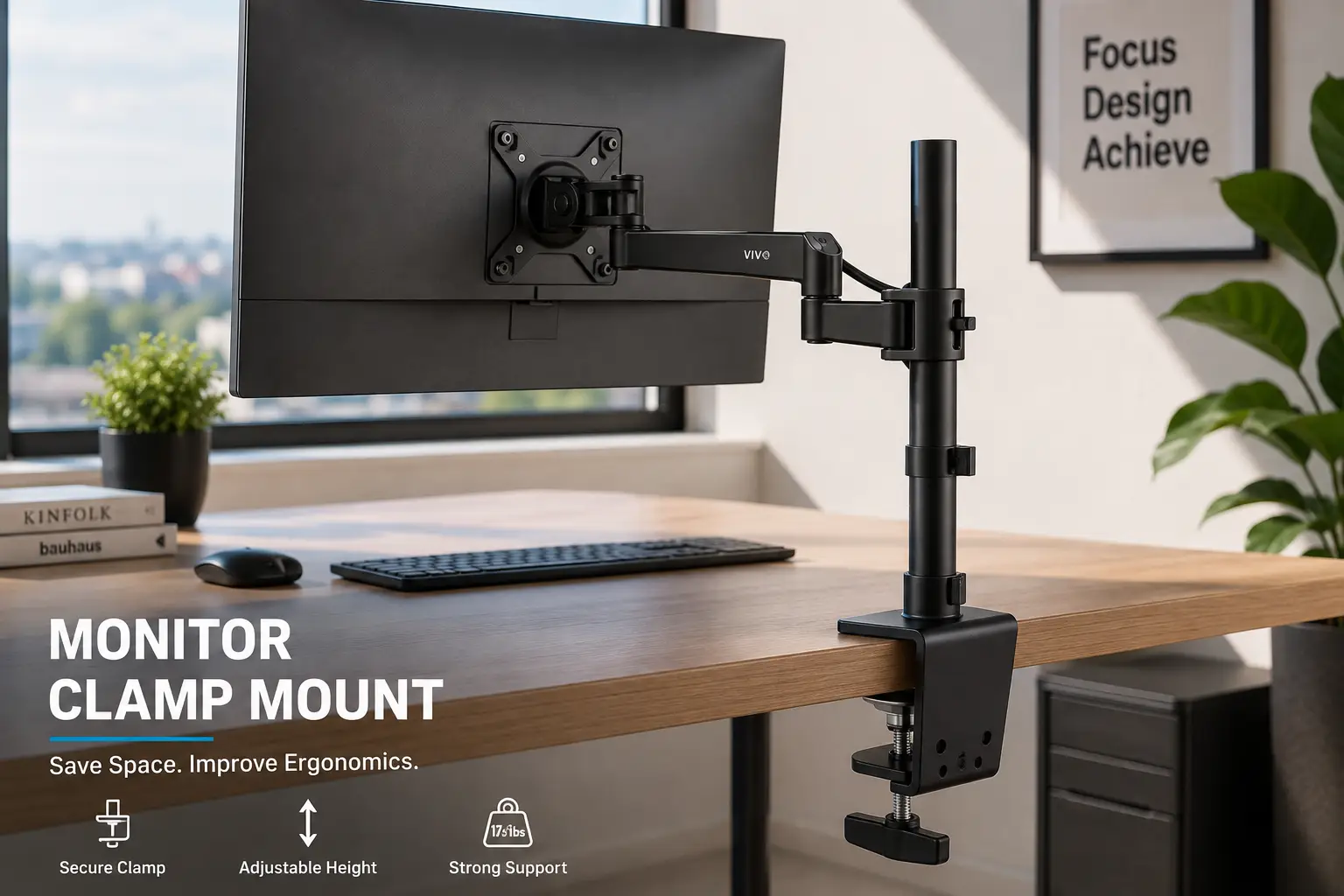
A monitor clamp mount is a desk-mounted monitor arm that attaches to the edge of a desk using a clamp instead of taking up space with the monitor’s original stand. The arm holds the display above the desk and usually allows you to adjust its height, tilt, swivel, depth, and sometimes rotate it into portrait orientation.
Unlike a traditional monitor stand, a clamp mount moves the support hardware toward the back edge of the desk. This can free up valuable workspace underneath the monitor for a keyboard, notebook, speakers, or other accessories. Current 2026 monitor-arm testing continues to highlight desk-space savings and ergonomic positioning as two of the main reasons to switch from a stock monitor stand to an arm. (DeskDeploy)
A good monitor clamp mount also gives you more control over screen positioning. Instead of being limited to the height and tilt range built into the original stand, you can raise the display closer to eye level, pull it toward you, push it farther back, or rotate it for vertical work.
However, not every clamp mount works with every desk or monitor. The most important specifications are monitor weight, VESA pattern, screen size, desk thickness, clamp capacity, arm reach, and the type of adjustment mechanism. Current 2026 buying guides specifically recommend checking the monitor’s weight and VESA pattern before choosing an arm, because an arm outside its intended weight range can sag or drift over time. (MonitorArmGuide)
This guide breaks down exactly what to look for in a monitor clamp mount, compares seven options worth considering in 2026, and walks through the practical decisions — weight capacity, VESA compatibility, desk thickness, stability, adjustability, cable management, and installation — that determine whether your monitor arm feels solid or frustrating.
We’ll also cover single vs. dual mounts, gas-spring vs. mechanical arms, shallow desks, ultrawide monitors, and how to install a clamp mount without damaging your desktop.
Quick Comparison: Top Monitor Clamp Mount Options at a Glance
| Product | Type | Weight Capacity | Screen Size | Best For |
|---|---|---|---|---|
| Ergotron LX | Single gas-spring arm | 25 lb | Up to 34″ | Best overall |
| Ergotron LX Pro | Single gas-spring arm | 22 lb | Up to 34″ | Easy installation |
| Ergotron HX | Heavy-duty single arm | 42 lb | Up to 49″ | Ultrawide monitors |
| VIVO Premium Aluminum | Single arm | 22 lb | Up to 32″ | Budget-friendly setup |
| HUANUO FlowLift | Single gas-spring arm | 19.8 lb | Up to 32″ | Affordable everyday use |
| VIVO Dual Monitor Mount | Dual arm | 22 lb per arm | Up to 32″ | Two-monitor setups |
| North Bayou F80 | Single gas-spring arm | 19.8 lb | Up to 30″ | Low-cost single monitor |
Looking at the table above, the biggest difference is really about how much monitor weight and flexibility you need. The Ergotron LX is a strong all-around choice because its published range covers 7–25 lb monitors up to 34 inches, with VESA 75×75 and 100×100 support and both clamp and grommet mounting options. (MonitorArmGuide)
If you have a much heavier ultrawide display, the Ergotron HX is designed for a substantially higher 20–42 lb range and supports displays up to 49 inches, including larger VESA patterns such as 200×100 and 200×200. (Thư Viện Tri Thức AI)
For budget shoppers, the HUANUO FlowLift, VIVO, and North Bayou options provide lower-cost ways to get the main benefits of a clamp-mounted arm without moving into premium pricing.
💬 Bookmark this comparison — it’s the fastest way to see which monitor clamp mount matches your monitor, desk, and budget before you scroll through all seven full reviews below.
Top 7 Monitor Clamp Mount Options: Expert Analysis
1. Ergotron LX — best overall monitor clamp mount
If you want a monitor clamp mount that balances adjustability, stability, compatibility, and long-term durability, the Ergotron LX is one of the easiest choices to recommend.
The LX uses Ergotron’s Constant Force gas-spring mechanism and supports monitors in a 7–25 lb range, with screens up to 34 inches. It supports VESA 75×75 and 100×100 mounting patterns and can be installed using a desk clamp or grommet mount. (DeskDeploy)
The arm provides substantial movement, including height adjustment, extension, swivel, tilt, and portrait rotation. That makes it useful for everything from ordinary office work to coding, document reading, and standing-desk setups.
Another advantage is long-term support. Current listings report a 10-year warranty, which is considerably longer than many inexpensive monitor arms. (DeskDeploy)
The main downside is price. Budget arms can provide basic height and tilt adjustment for a fraction of the cost. But if you’re using the monitor arm every day and want smooth movement without constantly readjusting tension, the LX earns its premium.
Pros:
- ✅ Supports monitors up to 25 lb
- ✅ Works with screens up to 34 inches
- ✅ VESA 75×75 and 100×100 compatible
- ✅ Smooth gas-spring adjustment
- ✅ Portrait rotation
- ✅ Clamp and grommet mounting
- ✅ 10-year warranty listed
Cons:
- ❌ More expensive than budget arms
- ❌ Not designed for very heavy ultrawide monitors
- ❌ Desk thickness must fall within the clamp’s supported range
For someone who wants one dependable monitor clamp mount for a standard productivity or gaming monitor, this is the benchmark option.
2. Ergotron LX Pro — best easy-install monitor clamp mount
The LX Pro takes the basic LX concept and makes installation particularly convenient.
The current LX Pro supports monitors up to 34 inches and up to 22 lb, with VESA 75×75 and 100×100 compatibility. Its clamp is designed with a handhold that makes securing the mount to the desk easier, and current testing notes that the broad clamp surface distributes pressure more effectively than narrow clamps. (PCWorld)
That wider contact area is especially useful if you’re concerned about damaging a thinner or more delicate desktop. It doesn’t mean you should overtighten the clamp, but distributing pressure over a larger area is preferable to concentrating a large amount of force into a tiny point.
The arm also provides up to 13 inches of lift, tilt, swivel, and full rotation, while cable channels keep the wiring organized. (PCWorld)
Pros:
- ✅ Easy clamp installation
- ✅ Supports monitors up to 34 inches
- ✅ Up to 22 lb capacity
- ✅ 360-degree rotation
- ✅ Up to 13 inches of lift
- ✅ Integrated cable management
- ✅ 10-year warranty listed
Cons:
- ❌ Premium price
- ❌ Lower published capacity than the standard LX
- ❌ Not designed for very large ultrawides
If installation simplicity is particularly important to you, the LX Pro is one of the strongest premium choices.
3. Ergotron HX — best heavy-duty monitor clamp mount
Large curved monitors and ultrawides are where many ordinary clamp arms reach their limits.
The Ergotron HX is specifically designed for heavier displays. Current specifications place its supported range at 20–42 lb, with screen sizes up to 49 inches. It also supports VESA 75×75, 100×100, 200×100, and 200×200 patterns, making it suitable for monitors that won’t fit on many standard arms. (Thư Viện Tri Thức AI)
The HX is particularly useful for large gaming monitors and super-ultrawides. A 49-inch monitor can be significantly heavier and deeper than a standard 27-inch display, so matching the arm to the actual monitor weight is critical.
Current 2026 guides specifically recommend moving to the HX when a monitor exceeds the LX’s weight or screen-size range. (MonitorArmGuide)
Pros:
- ✅ Supports up to 42 lb
- ✅ Designed for monitors up to 49 inches
- ✅ Supports larger VESA patterns
- ✅ Strong choice for ultrawide displays
- ✅ Adjustable clamp mounting
- ✅ 10-year warranty listed
Cons:
- ❌ Expensive
- ❌ Overkill for ordinary 24–27 inch monitors
- ❌ Heavier and more substantial than a basic monitor arm
If you’re mounting a large curved ultrawide, this is the type of monitor clamp mount to consider rather than trying to push a standard arm to its limit.
4. VIVO Premium Aluminum Single Monitor Arm — best budget-friendly option
If you want the main benefits of a clamp arm without paying premium Ergotron pricing, the VIVO Premium Aluminum option is worth considering.
Current 2026 comparisons list the VIVO Premium Aluminum single arm at around the $40 range, with a 22 lb capacity and support for monitors up to 32 inches. (SitBetterLab)
That makes it suitable for many mainstream office and gaming monitors. The aluminum construction also gives the arm a cleaner appearance than some basic steel budget mounts.
The important thing is to stay inside the published weight range. A 22 lb maximum does not mean a 24 lb monitor is “close enough.” Gas-spring arms need to be correctly matched to the display.
Pros:
- ✅ Affordable
- ✅ Up to 22 lb capacity
- ✅ Supports monitors up to 32 inches
- ✅ Good option for everyday setups
- ✅ Clamp mounting
- ✅ More affordable than premium arms
Cons:
- ❌ Less refined movement than premium models
- ❌ Lower warranty/support than Ergotron
- ❌ Not suitable for heavy ultrawides
For a typical 24–32 inch monitor, this is a sensible way to reclaim desk space without spending a large amount.
5. HUANUO FlowLift — best affordable everyday mount
The HUANUO FlowLift is another attractive choice for shoppers who want a gas-spring monitor clamp mount at a lower price.
Current 2026 comparisons list the FlowLift/SS6 at approximately $35–40, with support for monitors in roughly the 4.4–19.8 lb range and screen sizes up to 32 inches. Some configurations include both clamp and grommet mounting. (Thư Viện Tri Thức AI)
The weight range makes it suitable for many mainstream monitors, particularly 24–27 inch office displays.
The biggest advantage is value. You get height adjustment and articulated movement without moving into premium pricing.
Pros:
- ✅ Affordable
- ✅ Gas-spring movement
- ✅ Supports many 24–32 inch monitors
- ✅ Clamp and grommet options on selected configurations
- ✅ Good choice for first-time users
- ✅ Compact desk footprint
Cons:
- ❌ Lower weight capacity than premium arms
- ❌ Not ideal for heavy ultrawides
- ❌ Build quality may not match premium models
If you’re setting up your first monitor arm and your display weighs comfortably below the upper limit, this is one of the more practical budget choices.
6. VIVO Dual Monitor Mount — best dual-monitor clamp mount
If you’re working with two screens, a dual-arm monitor clamp mount can save even more space than two separate stands.
The VIVO Dual Arm is designed for two monitors and current 2026 comparisons list a capacity of up to 22 lb per arm. The system can accommodate two monitors while keeping both displays attached to a single desk mounting point. (DeskDeploy)
A dual mount also gives you a cleaner cable-management setup because both arms originate from one central clamp.
However, dual arms place more force on the desk than a single monitor arm, so the desk surface and clamp installation deserve particular attention.
Pros:
- ✅ Holds two monitors
- ✅ Up to 22 lb per arm in listed configurations
- ✅ One desk clamp for the setup
- ✅ Saves substantial desk space
- ✅ Adjustable monitor positioning
- ✅ Good budget option for dual displays
Cons:
- ❌ More desk-edge load
- ❌ More difficult to balance two screens
- ❌ Requires careful weight matching
- ❌ Takes more space behind the desk
For a two-monitor workstation, this is a much cleaner alternative to keeping two large factory stands on the desktop.
7. North Bayou F80 — best low-cost single mount
The North Bayou F80 is designed for shoppers who want a basic gas-spring monitor arm without a large investment.
Current 2026 monitor-arm comparisons list it at around $40–45, with a capacity of approximately 19.8 lb and support for screens up to around 30 inches. (DeskDeploy)
That puts it firmly in the budget category, but the specification range is enough for many ordinary monitors.
The F80 makes the most sense when your monitor is comfortably within its weight range and you don’t need premium build quality or a decade-long warranty.
Pros:
- ✅ Low price
- ✅ Gas-spring design
- ✅ Around 19.8 lb capacity
- ✅ Suitable for many standard monitors
- ✅ Compact clamp setup
Cons:
- ❌ Lower capacity than premium arms
- ❌ Less suitable for large displays
- ❌ Shorter warranty/support expectations
- ❌ Adjustment may feel less refined
For a simple single-monitor setup, it provides the essential benefits without a large upfront investment.
How to Install a Monitor Clamp Mount, Step by Step
Getting the installation right is more important than simply tightening the clamp as hard as possible.
- Check your monitor weight. Remove the original stand and check the actual display weight before choosing the arm.
- Check the VESA pattern. Most standard monitors use 75×75 or 100×100 mm, but larger monitors may use 200×100 or 200×200 mm. (MonitorArmGuide)
- Measure your desk thickness. Make sure the clamp physically fits the desk edge.
- Choose the mounting position. Leave enough clearance behind the desk for the arm to move.
- Attach the clamp plate. Position it securely against the underside and back edge of the desk.
- Tighten gradually. The goal is firm and stable, not maximum force.
- Attach the monitor using the VESA plate. Make sure all mounting screws are properly seated.
- Adjust the arm tension. Gas-spring arms need to be matched to the monitor’s weight range.
- Route the cables. Use the built-in channels or clips to keep HDMI, DisplayPort, USB, and power cables away from moving joints.
- Test the full range of motion. Raise, lower, tilt, swivel, and rotate the monitor before settling on the final position.
✨ Ready to upgrade your desk? Measure your monitor and desktop first — those two numbers eliminate most compatibility problems before you even buy.
Common Mistakes to Avoid When Buying a Monitor Clamp Mount
Even experienced desk users make a few predictable mistakes when buying a monitor clamp mount.
The biggest one is choosing based only on maximum weight. A gas-spring arm has an operating range, and a monitor that is too light or too heavy can cause floating, sagging, or drifting. Current 2026 buying guides specifically identify weight mismatch as one of the most common causes of poor arm performance. (MonitorArmGuide)
Another common mistake is forgetting the desk thickness. A mount can support your monitor perfectly but still be incompatible with the desktop if the clamp doesn’t open wide enough.
People also frequently ignore VESA compatibility. A 32-inch monitor isn’t automatically compatible with every 32-inch monitor arm. Check the mounting holes on the back of the display.
Another issue is placing the clamp too close to a wall. The arm needs room to move backward and sideways. This becomes particularly important on shallow desks, where clamp depth and folded-arm footprint can determine whether the setup actually works. (Benchmark Setups)
Finally, don’t overtighten the clamp. Excessive pressure can damage some desk surfaces, especially particleboard, laminate, glass, or thin desktops. A wider clamp surface can distribute pressure more effectively, but careful installation is still necessary. (PCWorld)
Monitor Clamp Mount vs. Traditional Monitor Stand
The comparison users actually care about is how much practical improvement a clamp arm provides.
| Factor | Monitor Clamp Mount | Traditional Monitor Stand |
|---|---|---|
| Desk space | Excellent | Uses more surface area |
| Height adjustment | Excellent | Limited |
| Monitor movement | Excellent | Usually limited |
| Portrait rotation | Often available | Depends on monitor |
| Installation | Requires mounting | Almost none |
| Portability | Moderate | Excellent |
| Cable management | Usually better | Depends on monitor |
| Cost | Moderate to high | Included with monitor |
| Best for | Ergonomic/custom setups | Simple setups |
The biggest advantage of a monitor clamp mount is the amount of control it gives you over monitor placement.
A stock monitor stand is simpler. You take the monitor out of the box, attach the stand, place it on the desk, and start working.
But that simplicity comes at the cost of desk space and adjustability. The stock base can occupy a large portion of the usable desktop, while a clamp arm moves most of that hardware toward the back edge. Current monitor-arm testing specifically highlights this reclaimed space as one of the major benefits. (DeskDeploy)
If your current monitor already sits at a comfortable height and you have plenty of desk space, a clamp mount isn’t essential. If you’re constantly adjusting your screen or struggling with a crowded desktop, the upgrade becomes much more useful.
Gas-Spring vs. Mechanical Monitor Clamp Mount
The arm mechanism has a major effect on how the mount feels.
| Factor | Gas-Spring Arm | Mechanical/Friction Arm |
|---|---|---|
| Adjustment | Smooth | Usually requires more effort |
| Weight balancing | Important | Usually manual |
| Movement | Very fluid | More controlled |
| Price | Usually higher | Often cheaper |
| Best for | Frequent adjustments | Fixed positioning |
| Standing desk | Excellent | Good |
| Daily repositioning | Excellent | Moderate |
Gas-spring arms use a spring or gas-cylinder mechanism to counterbalance the monitor. This allows the display to move smoothly while staying in position when properly adjusted. Current 2026 guides specifically distinguish gas-spring arms from mechanical-spring and friction-based designs. (MonitorArmGuide)
Mechanical arms can still work very well if you rarely move the monitor. If the screen stays in one position all day, paying extra for extremely smooth movement may not be necessary.
For standing desks, however, a gas-spring monitor clamp mount can be particularly useful because the monitor can be repositioned when switching between sitting and standing.
Monitor Clamp Mount for Beginners: What to Buy First
If your search led you here specifically looking for a monitor clamp mount, the decision tree is simpler than it looks.
Start with the Ergotron LX if you want a premium single-monitor arm that covers a broad range of standard displays. Its 7–25 lb range and support for screens up to 34 inches cover many common productivity and gaming monitors. (DeskDeploy)
Choose the Ergotron LX Pro if easy installation and a wide clamp are particularly important to you. (PCWorld)
Go with the Ergotron HX if your monitor is a heavy 34-inch-plus ultrawide or falls into the 20–42 lb range. (Thư Viện Tri Thức AI)
For a more affordable single-monitor setup, the VIVO Premium Aluminum or HUANUO FlowLift makes more sense.
And if you use two monitors, start by comparing dual-arm models such as the VIVO Dual rather than trying to attach two separate single arms to a small desk.
Monitor Clamp Mount for Different Desk Types
A monitor clamp mount doesn’t work identically on every desk.
For a standard office desk with a solid wood or laminate top, a conventional C-clamp is usually straightforward.
For a standing desk, check that the desktop is rigid enough and that the clamp doesn’t interfere with the frame or cable-management tray.
For a shallow desk, arm reach becomes particularly important. A mount with excessive rear depth can push the monitor too far forward or collide with a wall. Current testing specifically identifies clamp depth and folded-arm footprint as important considerations on 24-inch-deep desks. (Benchmark Setups)
For thick butcher-block desktops, check the maximum clamp opening carefully. Some premium Ergotron models accept roughly 2.4–2.6 inches depending on the model, while other mounts can accommodate thicker surfaces. (Thư Viện Tri Thức AI)
Glass desks require particular caution. The clamp pressure and concentrated load can create a risk of damage, so verify that the desk manufacturer permits clamp-mounted accessories before installing one.
Long-Term Cost and Maintenance
Buying the monitor clamp mount is only part of the cost equation — keeping the arm stable and properly adjusted matters over time.
The first maintenance task is checking the clamp. Periodically inspect whether the mounting hardware has loosened or shifted.
The second is checking the arm joints. If movement becomes unusually loose or stiff, the tension mechanism may need adjustment.
Cable management also deserves attention. Cables that are pulled tight every time you move the monitor can eventually damage connectors or ports.
The third consideration is monitor weight. If you replace a lightweight monitor with a significantly heavier one, don’t assume the existing arm will still be appropriate. Recheck the weight rating before attaching the new display.
Premium arms can have a substantial advantage here. Current Ergotron listings provide 10-year warranties on several models, while budget alternatives generally have shorter warranty periods. (DeskDeploy)
For someone who keeps the same desk setup for years, that difference can make a premium arm more economical over the long term.
Safety, Desk Protection, and Installation Standards
A monitor clamp mount holds an expensive electronic device several inches above your desk, so installation quality matters.
First, verify that the desk itself is strong enough. A clamp concentrates force on a relatively small section of the desktop.
Second, use a protective pad if recommended by the mount manufacturer or if your desktop material is susceptible to pressure marks.
Third, never exceed the arm’s published weight capacity. Remember that the monitor’s weight should generally be measured without the original stand.
Fourth, make sure the VESA screws are appropriate and properly tightened. Don’t force screws that are too long because they can damage the monitor internally.
Fifth, test the setup slowly. Move the monitor through its full range of motion before leaving it unattended.
Current 2026 guidance also emphasizes that not every desk and monitor is compatible with every arm: the desk must be structurally suitable and the monitor must support the required VESA mounting pattern. (WIRED)
What to Expect: Everyday Performance
Specs only tell part of the story; here’s how these monitor clamp mount options actually fit into everyday use.
For a standard 24–27 inch office monitor, even a budget arm can make a dramatic difference. The display can be raised to a more comfortable height while the stock stand disappears from the center of the desk.
For gaming, the ability to pull the monitor closer or push it farther back can make a noticeable difference, especially on smaller desks.
For coding and document work, portrait rotation can be particularly useful. A monitor that rotates 90 degrees can display long documents or code with considerably less scrolling.
For standing desks, adjustability becomes even more valuable. The monitor needs to move with the desk so that your viewing height remains comfortable when the work surface changes position. Current monitor-arm guidance specifically highlights gas-spring arms as useful for sit-stand setups. (SmartDesk Dojo)
The biggest practical limitation is desk compatibility. A superb arm won’t help if the desktop is too thin, too thick, too fragile, or positioned too close to a wall.
Frequently Asked Questions
❓ What is a monitor clamp mount?
❓ How do I know if a monitor clamp mount will fit my monitor?
❓ Can a monitor clamp mount damage my desk?
❓ Is a monitor clamp mount better than a monitor stand?
❓ Can a monitor clamp mount hold an ultrawide monitor?
Conclusion
The right monitor clamp mount can transform a crowded workstation by moving the monitor stand off the main desktop while giving you significantly more control over screen position.
The right choice depends entirely on your monitor and how you work. The Ergotron LX is a strong overall choice for standard monitors because of its broad 7–25 lb capacity, 34-inch screen support, smooth adjustment, and long warranty. (DeskDeploy)
The Ergotron LX Pro is particularly attractive if easy installation and a wide desk clamp are priorities, while the Ergotron HX is the obvious step up for heavy ultrawide monitors. (PCWorld)
Budget shoppers can look toward the VIVO Premium Aluminum, HUANUO FlowLift, or North Bayou F80, while users with two monitors can consider a dual-arm VIVO setup. (StandDeskLab)
Whichever option you choose, the fundamentals stay the same: check your monitor’s weight, confirm the VESA pattern, measure your desk thickness, verify the clamp capacity, leave enough clearance behind the desk, and adjust the arm tension correctly.
A good monitor clamp mount should make your desk feel simpler, not more complicated — your screen should stay where you put it, your desk should have more usable space, and your setup should remain comfortable throughout the workday.
✨ Don’t miss these exclusive deals! 🔍 Take your monitor clamp mount setup to the next level with this carefully curated lineup. Compare the weight capacities, screen-size limits, mounting styles, and adjustability before choosing the option that best fits your monitor and desk!
Recommended for You
- Height Adjustable Corner Desk: 7 Best Picks for 2026
- Laptop Monitor Mount: 7 Best Picks for an Ergonomic Desk in 2026
- Desk With Hidden Monitor Lift: 7 Best Options to Try in 2026
Disclaimer: This post contains affiliate links. As an Amazon Associate, I earn from qualifying purchases made through these links, at no additional cost to you.
✨ Found this article helpful? Share it with someone who needs it! 💬🤗