
In This Article
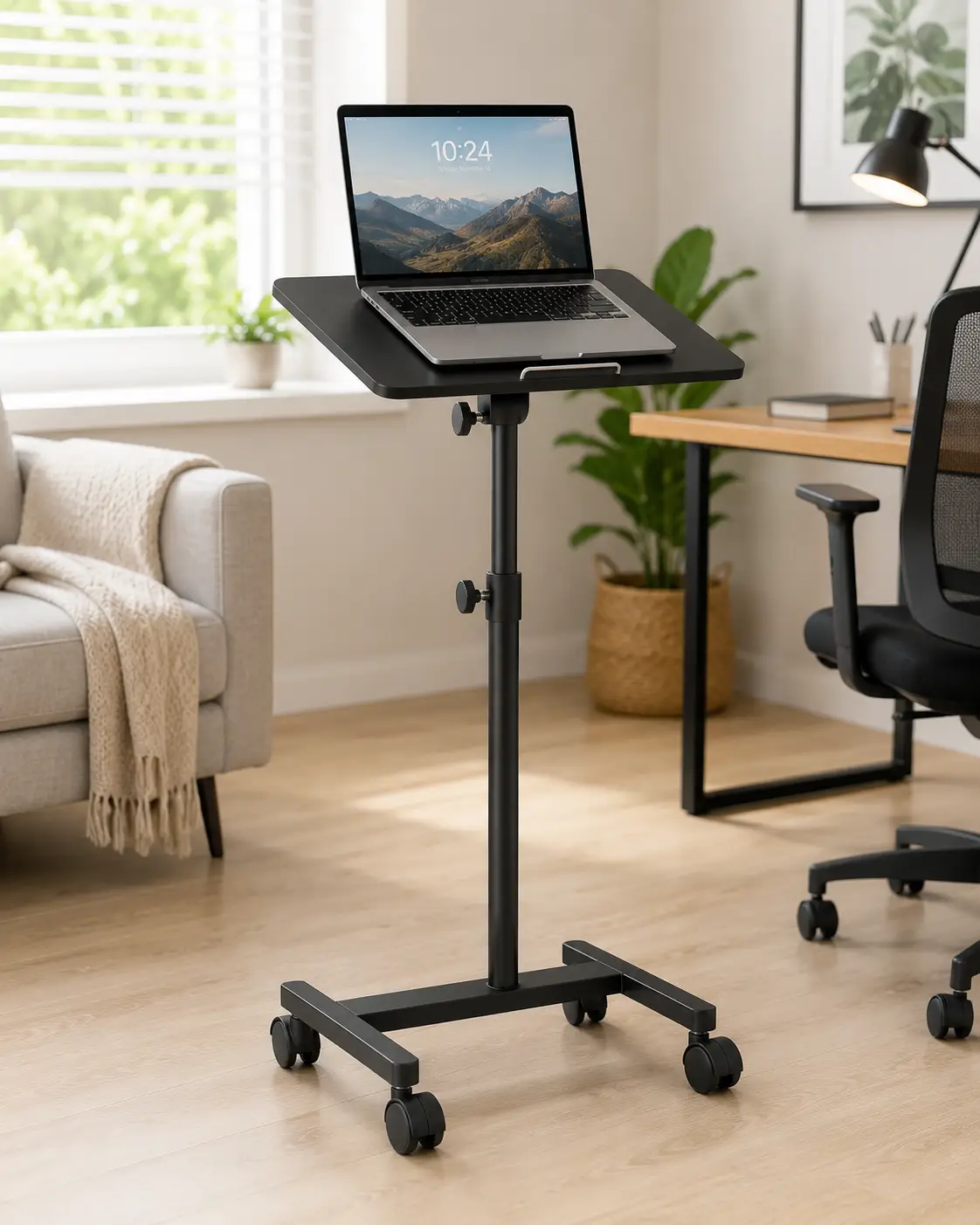
A laptop stand on wheels is a mobile, height-adjustable cart with a tilting or flat work surface mounted on locking casters, letting you roll a laptop from room to room and switch between sitting and standing without dragging a full desk along. Some models use a gas-spring lift, others a hand crank or a simple pin-lock column, but the goal is the same: portable, adjustable, and stable enough to actually work on.
You’ve probably seen this category in action without naming it — a teacher wheeling a cart between classrooms, a nurse rolling a workstation bedside, or a remote worker pushing a rolling desk over to the couch for a quick afternoon of emails. What used to be a niche healthcare and education tool has become a genuinely useful piece of home-office furniture, especially for small apartments, shared living rooms, and anyone who works from more than one spot in the house.
This guide skips the fluff and gets straight to what matters: seven real, currently available options spanning budget to premium, an honest breakdown of what separates a sturdy cart from a wobbly one, and a buying framework based on actual specs and aggregated customer feedback rather than marketing copy. Whether you need something compact enough to tuck beside a couch or a commercial-grade cart that can survive a classroom of teenagers, there’s a laptop stand on wheels built for that scenario — and by the end of this article, you’ll know exactly which one fits yours. Because these carts are, structurally, a form of mobile furniture, it’s also worth noting upfront that the Consumer Product Safety Commission’s furniture tip-over safety work is a useful reference point for anything tall, narrow, and wheeled — a theme we’ll return to later.
Quick Comparison: Laptop Stand on Wheels at a Glance
Before diving into the full reviews, here’s how the seven picks stack up side by side. Weight capacity, height range, and price all vary more than shoppers expect, so use this table as your first filter.
| Product | Height Range | Weight Capacity | Wheels | Price Range | Best For |
|---|---|---|---|---|---|
| VIVO Mobile 28″ Standing Laptop Cart | Sit-to-stand pneumatic lift | Standard laptop/monitor load | Locking casters | Around $110–$160 | Best all-around value |
| Seville Classics airLIFT WEB162 | 20.5″–32″ | Up to 15 lbs | 4 wheels, 2 locking | Around $90–$140 | Slim spaces, small apartments |
| ONKRON Mobile Laptop Cart | Compact adjustable range | Up to 17.6 lbs | Hidden locking casters | Under $70 | Budget, couch/bedside use |
| Mount-It! MI-7942B | 37.3″–53.8″ | 132 lbs total (33 lbs/shelf) | 1.5″ locking casters | Around $150–$220 | Classrooms, monitor + laptop combo |
| Ergotron Neo-Flex Laptop Cart | ~20″ of adjustment, up to 47.8″ | 15 lbs | 4 casters | Around $300–$400 | Commercial/healthcare durability |
| LEVO G2 Deluxe | 22″–45″ | Laptop + accessory load | 5-caster rolling base | Around $250–$350 | Couch, bed, and recliner use |
| DUMOS Small Rolling Laptop Table | Compact 19″ desktop, adjustable | Light laptop/tablet load | Rolling casters | Under $60 | Dorms, tight spaces, budget |
Looking at the comparison table above, the Mount-It! MI-7942B stands out for anyone who needs to support a monitor and a laptop at once, while the ONKRON Mobile Laptop Cart and DUMOS Small Rolling Laptop Table dominate the budget end for casual, single-room use. If commercial-grade reliability matters more than price, the Ergotron Neo-Flex Laptop Cart justifies its higher cost with the kind of build quality found in hospitals and classrooms nationwide.
💬 One click helps other shoppers make an informed choice too! 😊
Top 7 Laptop Stands on Wheels: Expert Picks for 2026
Every pick below is a real, currently available product — no fictional models, no invented specs. We’ve grouped entry-level, mid-range, and premium options so you can match your budget and use case without guessing.
1. VIVO Mobile 28″ Standing Laptop Cart — best all-around balance of price and function
The VIVO Mobile 28″ Standing Laptop Cart (model CART-V00LW) earns its spot as the most well-rounded pick in this lineup, and it’s easy to see why it shows up so often in home-office roundups.
Its pneumatic sit-to-stand mechanism means you don’t need a crank or Allen key to change height — a light push on the lever and the platform glides up or down, which matters more than it sounds like it would when you’re switching positions five times a day. The locking wheels keep it from drifting on hardwood or tile, and the 28-inch-wide desktop is large enough for a laptop plus a notebook or coffee mug without feeling cramped.
Who’s this for? Based on comparing the specs against competitors in the same price bracket, this is the pick for someone who wants genuine sit-stand flexibility without paying commercial-cart prices. It’s not built for a 12-hour classroom rotation, but for a home office or a shared living space, it’s close to ideal. Reviews consistently report smooth height adjustment and easy assembly, with the small footprint cited repeatedly as a reason buyers chose it over bulkier alternatives; a recurring critique is that the desktop, while sturdy, isn’t large enough for a full dual-monitor setup.
Pros:
- ✅ Pneumatic lift adjusts height without tools
- ✅ Locking wheels keep it stable during use
- ✅ Compact footprint fits small home offices
Cons:
- ❌ Desktop too small for a two-monitor setup
- ❌ Not rated for heavy-duty classroom or clinical use
The VIVO Mobile 28″ Standing Laptop Cart typically runs in the $110–$160 range, and at that price, it’s a strong value pick for anyone who wants real adjustability without committing to a premium commercial cart.
2. Seville Classics airLIFT WEB162 — sleekest profile for tight spaces
The Seville Classics airLIFT WEB162 takes a different approach: instead of maximizing weight capacity, it optimizes for a slim, furniture-like look that doesn’t scream “office equipment” in a living room.
Its solid walnut desktop measures roughly 23.75 by 16 inches, height-adjustable from 20.5 to 32 inches using a manual knob rather than a gas spring, and it rolls on four 1.5-inch wheels, two of which lock. The 15-pound weight limit is modest, but that’s plenty for a laptop, a notepad, and a drink — this isn’t designed to hold a monitor arm or a desktop tower.
What most buyers overlook with this model is that the manual knob adjustment, while less convenient than pneumatic lift, is also more precise and doesn’t drift over time the way some gas-spring mechanisms eventually do. That makes it a smart pick for anyone who sets a height once and rarely changes it — a reading nook, a kitchen-adjacent workspace, or a spot beside a recliner. Reviews consistently praise the walnut finish and the fact that it doesn’t wobble even at full height, though some note that assembly instructions could be clearer and that the knob mechanism requires a firm hand.
Pros:
- ✅ Attractive walnut finish blends into home décor
- ✅ Stable at full height with no wobble reported
- ✅ Two locking wheels for added stability
Cons:
- ❌ 15-lb capacity rules out monitors or heavier gear
- ❌ Manual knob adjustment is slower than pneumatic lift
Expect to pay in the $90–$140 range for the Seville Classics airLIFT WEB162, making it a reasonable mid-tier choice if aesthetics matter as much as function.
3. ONKRON Mobile Laptop Cart — most compact budget pick
If your main criteria are “cheap, small, and rolls easily under a couch,” the ONKRON Mobile Laptop Cart checks those boxes better than almost anything else on this list.
It’s rated for up to 17.6 pounds, uses hidden casters tucked under the base so they’re less visible (and less likely to snag on rugs), and the tray tilts up to 90 degrees, which is a genuinely useful feature for propping a laptop up like a book stand or angling it for video calls from a couch or bed. The height-adjustment mechanism is a simple gas-spring pump, similar in feel to an office chair.
Here’s what to weigh: this cart is explicitly marketed for overbed, bedside, and couch use rather than as a primary all-day workstation, and the spec sheet reflects that — it’s light-duty by design. For a college student in a dorm, someone recovering from surgery who needs a bedside laptop tray, or anyone who just wants an inexpensive way to work from the couch occasionally, it’s a smart, low-commitment purchase. Aggregated customer feedback frequently mentions how easily it rolls under furniture when not in use and how quickly it assembles, while a common complaint is that the tilting tray’s lock isn’t always as firm as buyers would like under heavier loads.
Pros:
- ✅ Extremely compact, rolls under couches and beds
- ✅ 90-degree tilting tray for flexible viewing angles
- ✅ Budget-friendly price point
Cons:
- ❌ Not designed for heavy, all-day desk use
- ❌ Tilt lock can feel loose under maximum load
The ONKRON Mobile Laptop Cart usually sells for under $70, which makes it one of the most accessible entry points in this whole category.
4. Mount-It! MI-7942B — best for monitor-plus-laptop setups and classrooms
The Mount-It! MI-7942B is built for a different job entirely: supporting a full monitor-and-laptop combo in a classroom, office, or presentation setting, and it has the specs to back that up.
Height adjusts from 37.3 to 53.8 inches across 11 locking intervals, giving both seated and standing users a usable range, and the total load capacity hits 132 pounds, with each of its shelves independently rated for 33 pounds. The built-in monitor mount supports VESA 75x75mm and 100x100mm patterns with ±15 degrees of tilt and full 360-degree rotation, and it rolls on 1.5-inch furniture casters that lock for stability during presentations.
Based on comparing the specs, this is the pick for anyone who needs to wheel a full workstation — not just a laptop — between rooms: a teacher moving between classrooms with a projector connection, an IT professional doing on-site support, or a small office that needs a shared presentation cart. The steel frame with powder coating is a meaningful upgrade over the lighter aluminum or plastic frames found on cheaper carts, and reviewers frequently cite the monitor arm’s range of motion as a standout feature; the main recurring critique is that full assembly takes longer than simpler cart designs, given the number of adjustable components.
Pros:
- ✅ 132-lb total capacity handles monitor and laptop together
- ✅ VESA-compatible monitor mount with full rotation
- ✅ Steel frame with powder coating resists wear
Cons:
- ❌ Assembly is more involved than single-tray carts
- ❌ Bulkier footprint than compact home-use models
Pricing for the Mount-It! MI-7942B typically falls in the $150–$220 range, which is a fair trade for the added capacity and monitor-mounting flexibility.
5. Ergotron Neo-Flex Laptop Cart — commercial-grade durability
The Ergotron Neo-Flex Laptop Cart (model 24-205-214) is the closest thing on this list to hospital- or enterprise-grade equipment, and its spec sheet reflects a company that builds carts for enterprise IT departments and healthcare systems as its core business.
It offers roughly 20 inches of height adjustment, topping out around 47.8 inches, with a 15-pound work-surface capacity and a rugged, open-architecture frame built from a mix of aluminum, plastic, and steel. A built-in laptop security slot lets you cable-lock the device in place, a detail aimed squarely at shared or public-facing environments where theft is a real concern. Four casters provide the rolling base, and the compact 28.8-inch width keeps it maneuverable in tight hallways.
What the spec sheet doesn’t say, but industry reputation reveals, is that Ergotron built its name on ergonomic hardware trusted by IT departments precisely because it holds up to years of repeated use — this isn’t a cart you replace after eighteen months. That durability comes at a premium price, so it makes the most sense for small businesses, healthcare offices, or serious home-office users who plan to use the cart daily for years rather than occasionally. Reviewers and B2B buyers consistently point to the smooth height adjustment and rock-solid stability at full extension as the standout qualities, with the main tradeoff being the noticeably higher price tag compared to consumer-grade alternatives.
Pros:
- ✅ Enterprise-grade build quality and stability
- ✅ Built-in laptop security lock slot
- ✅ Smooth ~20″ height adjustment range
Cons:
- ❌ Premium price compared to consumer carts
- ❌ 15-lb capacity limits it to laptop-only use
The Ergotron Neo-Flex Laptop Cart generally runs in the $300–$400 range — a real investment, but one that reflects genuinely different build quality rather than brand markup alone.
6. LEVO G2 Deluxe — best for couch, bed, and recliner use
The LEVO G2 Deluxe takes a fundamentally different design approach than the office-style carts above: its compact V-shaped rolling base is built to slide under a couch, bed frame, or recliner, letting the tilting platform swing out over your lap while the base stays tucked out of the way.
Specs across the G2 platform line show a height range of roughly 22 to 45 inches with about 15 inches of cantilever reach, meaning the working surface extends well beyond the base itself — a critical feature for reaching over a couch cushion or a bed’s footboard without the wheels bumping into furniture. The tilting tray adjusts to multiple angles, and depending on the configuration, it can include a mouse tray and phone holder.
Here’s what to weigh: LEVO markets this specifically at people who work from soft furniture rather than a traditional desk, and reviews reflect that use case directly — buyers recovering from surgery, people with mobility limitations, and remote workers who simply prefer the couch over a desk chair report high satisfaction with the reach and stability. What most buyers overlook is that this cantilever design requires a slightly wider footprint underneath furniture than a standard four-legged cart, so it’s worth measuring your couch or bed clearance before ordering. Aggregated feedback frequently highlights the smoothness of the tilt mechanism and the genuine comfort improvement for extended lounging use, while some buyers note the price sits well above basic rolling carts for what is, mechanically, a simpler single-surface design.
Pros:
- ✅ V-base slides under couches, beds, and recliners
- ✅ Long cantilever reach avoids furniture collisions
- ✅ Smooth, adjustable tilting platform
Cons:
- ❌ Higher price than mechanically simpler carts
- ❌ Requires measuring furniture clearance beforehand
The LEVO G2 Deluxe typically sells in the $250–$350 range, positioning it as a premium comfort purchase rather than a budget utility cart.
7. DUMOS Small Rolling Laptop Table — best budget pick for tight spaces
Rounding out the list, the DUMOS Small Rolling Laptop Table is aimed squarely at dorm rooms, small apartments, and anyone who needs a genuinely compact rolling surface without paying for features they won’t use.
The desktop measures around 19 inches, small enough to squeeze into narrow gaps between furniture, and it includes a tiltable surface along with adjustable height on a rolling base. It’s marketed directly for classrooms, home offices, and living rooms where floor space is at a premium.
Based on comparing the specs against pricier alternatives, this cart trades weight capacity and premium materials for sheer compactness and affordability — a reasonable tradeoff if your laptop is the only thing that needs to travel with it. It’s a solid fit for students, renters in small apartments, or anyone who wants a secondary, occasional-use surface rather than a primary all-day workstation. Reviews commonly mention how easily it fits into small dorm rooms and how simple assembly is out of the box, while some buyers note the tabletop feels less substantial than the pricier steel-frame options on this list.
Pros:
- ✅ Compact 19″ desktop fits tight spaces
- ✅ Tiltable surface for flexible use
- ✅ One of the most affordable options available
Cons:
- ❌ Lighter-duty materials than premium picks
- ❌ Limited weight capacity for anything beyond a laptop
The DUMOS Small Rolling Laptop Table typically costs under $60, making it the most accessible entry point in this entire roundup.
<h4>✨ Don’t miss these exclusive deals!</h4>
🔍 Take your home workspace to the next level with this carefully curated lineup. Click a highlighted item to check current pricing and availability. These picks will help you build a setup the whole household can actually use! 🛋️💻
How to Set Up and Get the Most from Your Rolling Laptop Stand
Getting a rolling laptop stand out of the box is the easy part — setting it up correctly is what determines whether it becomes a daily-use tool or a dust collector in the corner. Start with the surface: hard flooring like tile, hardwood, or laminate lets locking casters grip properly, while thick carpet can make even a well-built cart feel unstable at full height. If you’re working on carpet, look for models with larger wheels or plan to use it primarily on adjacent hard flooring.
Next, dial in your height before your first real work session. A quick way to estimate a healthy starting point: stand or sit naturally, let your arms hang relaxed, then raise the platform until your elbows form roughly a 90-degree angle at the keyboard, with the top third of the screen at eye level. The Mayo Clinic’s office ergonomics guide recommends this same general approach for reducing neck and wrist strain, and it applies just as well to a rolling cart as a fixed desk.
For maintenance, check caster locks monthly — they loosen with repeated use — and periodically tighten any exposed bolts on pneumatic or crank mechanisms, since vibration from rolling can work fasteners loose over months of regular use. Finally, avoid the most common first-30-days mistake: overloading the tray with a monitor, external drive, and accessories on a cart rated for laptop-only use. Check the weight rating before you stack on extra hardware, not after something creaks.
Real-World Scenarios: Who Actually Needs a Laptop Stand on Wheels
Picture a graduate student, Maya, living in a 400-square-foot studio apartment. Her desk doubles as her dining table, so a compact rolling stand like the DUMOS Small Rolling Laptop Table or the ONKRON Mobile Laptop Cart lets her push her workspace against the wall during meals and back out during study sessions — no permanent desk footprint required.
Then there’s James, a middle-school teacher who rotates between three classrooms across a single period. He needs something that survives daily jostling in hallways and supports both a laptop and a small monitor for projecting notes; the Mount-It! MI-7942B‘s 132-pound capacity and locking casters are built precisely for that kind of repeated, semi-public use.
Consider also Elena, recovering from knee surgery and largely confined to her recliner for six weeks. A traditional desk is useless to her, but the LEVO G2 Deluxe‘s cantilevered reach lets her work comfortably from the couch without twisting her body toward a fixed surface. And for Sam, a small-business owner outfitting a two-person home office that needs to last years without replacement, the Ergotron Neo-Flex Laptop Cart‘s commercial-grade durability is worth the higher upfront cost, since he’s amortizing that price over daily use across several years rather than a single semester or recovery period.
Common Problems With Laptop Carts on Wheels — and How to Fix Them
Problem: The cart wobbles at full height. This is almost always either an uneven floor or loose base bolts. Re-tighten every visible fastener after the first week of use — vibration from rolling loosens hardware faster than stationary furniture — and check that all four wheels contact the floor evenly.
Problem: Wheels won’t lock reliably. Debris (carpet fibers, dust, pet hair) is the usual culprit. Most locking casters have a small lever or pedal; clean around the wheel housing with a dry brush every few weeks, especially in carpeted homes.
Problem: The height-adjustment mechanism feels stuck or jerky. On pneumatic models, this often means the lever isn’t fully engaging the release valve — check the lever travel and lubricate the moving joint with a dry silicone spray, never oil, which can attract dust and gum up the mechanism.
Problem: The tray tilts unexpectedly under load. This usually means the tilt lock is rated below what you’re loading onto it. Check the manufacturer’s stated weight limit for the tilting mechanism specifically — it’s sometimes lower than the flat-surface weight rating — and redistribute weight toward the base of the tray rather than the outer edge.
Problem: Assembly hardware doesn’t align. Before assuming a defective unit, lay out every bolt and bracket by size and cross-reference the manual’s exploded diagram; misaligned holes are more often a step skipped early in assembly than a manufacturing defect, and most brands will replace confirmed-defective hardware directly.
How to Choose a Laptop Stand on Wheels: 7 Expert Criteria
- Weight capacity first. Add up everything that will sit on the tray — laptop, monitor, accessories — and choose a cart rated comfortably above that total, not right at the limit.
- Height range for your actual use. If you’ll only ever sit, a shorter adjustment range is fine; if you want true sit-stand flexibility, confirm the top of the range clears standing eye level for your height.
- Wheel type and locking mechanism. Locking casters are non-negotiable if you’ll ever stand while working — an unlocked cart drifting mid-task is both annoying and, on hard floors, a genuine tip hazard.
- Floor compatibility. Hardwood and tile favor smaller, harder wheels; thick carpet performs better with larger-diameter casters.
- Footprint versus space. Measure the space you’ll roll it into and out of, including under furniture if you plan to tuck it away, before ordering.
- Adjustment mechanism type. Pneumatic lifts are fastest for frequent height changes; manual cranks or knobs are slower but tend to hold position longer without drift.
- Intended environment. A home-office cart doesn’t need the same load rating or steel-frame durability as a shared classroom or clinical cart — buying for your actual environment, not the maximum spec available, saves money without sacrificing function.
Getting the height dialed in correctly matters just as much as the cart itself. The Occupational Safety and Health Administration’s computer workstation guidance notes that screen and keyboard positioning has a direct effect on comfort and injury risk over time, which is exactly why a cart’s adjustable height range deserves as much attention as its wheels or weight rating.
Laptop Stand on Wheels vs. Traditional Fixed Laptop Stand
A fixed laptop stand — the kind that sits stationary on a desk — solves ergonomics but not mobility. A laptop stand on wheels solves both, at the cost of a larger footprint and, usually, a higher price.
| Factor | Rolling Laptop Stand | Fixed Laptop Stand | Standing Desk Converter |
|---|---|---|---|
| Mobility | High — rolls between rooms | None — stays put | None — stays on existing desk |
| Height adjustment | Usually yes, often pneumatic | Rarely, or very limited | Yes, spring or crank-based |
| Footprint | Larger, needs floor clearance | Minimal, desktop only | Sits on top of existing desk |
| Typical price range | $60–$400 | $20–$60 | $80–$300 |
| Best for | Multi-room or shared-space use | Single-desk ergonomic boost | Fixed desk, no rolling needed |
Looking at the table above, a fixed stand makes sense if you have one dedicated desk and never move; a standing desk converter is the better call if you already own a desk you like and just want sit-stand flexibility on top of it. A rolling stand earns its larger footprint and higher price specifically when mobility between rooms, furniture types, or even floors of a house is part of your actual routine — buying one for a single stationary desk setup is paying for a feature you won’t use.
Common Mistakes to Avoid When Buying a Rolling Laptop Cart
The single most common mistake is buying based on price alone without checking weight capacity against real intended use — a $50 cart rated for 15 pounds will not safely hold a laptop plus an external monitor, no matter how sturdy it looks in photos. A close second is skipping floor-type consideration: a cart that rolls beautifully on the showroom’s polished concrete can behave completely differently on thick residential carpet.
Buyers also frequently underestimate footprint, ordering a cart that technically fits a room but leaves no clearance to actually roll it in and out from where they intend to store it — measure the full base width, not just the tray dimensions. Another overlooked factor is ignoring the height range relative to your actual height; a 5’2″ user and a 6’3″ user need meaningfully different top-end height specs for genuine standing comfort, and generic “one-size-fits-all” marketing rarely flags this clearly. Finally, some buyers skip reading the tilt-lock weight rating separately from the flat-surface rating, then are surprised when a fully loaded tray slips at an angle it was never rated to hold securely.
Features That Actually Matter (and Ones That Don’t)
Cutting through the marketing, a few features consistently separate a genuinely useful cart from a frustrating one, while others get oversold relative to their real-world impact.
| Feature | Matters? | Why |
|---|---|---|
| Locking casters | Yes | Prevents drift and tip risk during standing use |
| Pneumatic vs. manual lift | Situational | Pneumatic is faster; manual holds position longer |
| Steel vs. aluminum frame | Yes, for heavy/shared use | Steel resists flex under repeated daily loading |
| Number of accessory trays | Situational | Useful only if you’ll actually use a mouse/phone tray |
| Brand name alone | No | Real-world weight rating and materials matter more |
Weight capacity and caster quality consistently separate a cart that lasts years from one that fails within months, while flashy extras like built-in USB hubs or excessive accessory trays often go unused once the novelty wears off — reviews across nearly every product in this category confirm that buyers value stability and smooth height adjustment far more than bonus features they didn’t specifically shop for.
Long-Term Cost and Maintenance
A $60 budget cart and a $350 commercial-grade cart aren’t really competing for the same buyer, and total cost of ownership makes that clear. The budget tier typically uses lighter-gauge materials and simpler casters that may need replacement or tightening more frequently over a few years of regular use, while commercial-grade options like the Ergotron Neo-Flex Laptop Cart are engineered for years of daily institutional use with minimal part failure, which is exactly why healthcare systems and IT departments buy them at scale.
Routine maintenance costs across the category are low regardless of tier — occasional caster cleaning, periodic bolt tightening, and rarely a replacement caster wheel, which most manufacturers sell as an inexpensive spare part. Where the real cost difference shows up is replacement frequency: a light-duty budget cart used daily in a busy household may need replacing within two to three years, while a commercial-grade cart used the same way often lasts five-plus years, which can make the higher upfront price the better long-term value depending on your actual usage frequency.
Safety, Regulations, and Standards for Mobile Laptop Carts
As mentioned earlier, general furniture safety standards are relevant here even though rolling laptop carts aren’t singled out by a dedicated federal regulation. Top-heavy furniture — including tall, narrow carts extended to full height — can pose a real tip-over risk, particularly in households with kids or pets who might grab or lean on an extended tray.
Practical steps that meaningfully reduce risk: always engage locking casters before standing and working at full height, never extend a cart to its maximum height on soft or uneven flooring, and avoid loading weight toward the outer edge of a tilting tray rather than centered over the base. For households wary of a growing consumer segment, it’s worth noting that separately from wheeled carts, manufacturers of taller storage furniture have also had to adopt the ASTM F2057-23 tip-over standard now adopted by CPSC, a useful reminder that stability engineering in furniture is an active, evolving safety area worth paying attention to, even for adjacent categories like rolling laptop carts that aren’t yet directly covered by a dedicated federal rule.
Price and Value: What You Actually Get at Each Budget Tier
| Price Tier | Range | What You Get | Example |
|---|---|---|---|
| Budget | Under $70 | Basic tilt, light-duty casters, laptop-only capacity | ONKRON Mobile Laptop Cart, DUMOS Small Rolling Laptop Table |
| Mid-range | $90–$220 | Better materials, higher capacity, some monitor support | VIVO Mobile 28″ Standing Laptop Cart, Seville Classics airLIFT WEB162, Mount-It! MI-7942B |
| Premium | $250–$400 | Commercial durability or specialized ergonomic design | LEVO G2 Deluxe, Ergotron Neo-Flex Laptop Cart |
As the table shows, the jump from budget to mid-range buys meaningfully better materials and capacity, while the jump from mid-range to premium buys either commercial-grade longevity or a genuinely different use case (like the LEVO G2 Deluxe‘s couch-and-bed design) rather than just incremental quality. For most home users, the mid-range tier delivers the best balance of durability and price; premium tier only pays off if you have a specific durability need or an unconventional use case a standard cart can’t serve.
Frequently Asked Questions
❓ What weight can a laptop stand on wheels hold?
❓ Are rolling laptop carts good for standing desks?
❓ Can a laptop stand on wheels be used on carpet?
❓ How much does a good rolling laptop cart cost?
❓ Do I need locking wheels on a mobile laptop stand?
Conclusion
A laptop stand on wheels earns its place in a home or office specifically when mobility is part of your actual routine — moving between rooms, switching between sitting and standing, or working from a couch or bed rather than a fixed desk. Across the seven real products covered here, the right pick comes down to matching weight capacity, height range, and build quality to how you’ll genuinely use it, not to whichever cart has the most features on paper.
Budget-conscious buyers and students will find real value in the ONKRON Mobile Laptop Cart or DUMOS Small Rolling Laptop Table, while anyone juggling a monitor and laptop together should look hard at the Mount-It! MI-7942B. If daily, years-long durability is the priority, the Ergotron Neo-Flex Laptop Cart justifies its premium price, and if couch or bed comfort is the whole point, the LEVO G2 Deluxe‘s cantilevered design solves a problem no standard cart addresses. For most home offices looking for balanced, everyday value, the VIVO Mobile 28″ Standing Laptop Cart and Seville Classics airLIFT WEB162 remain the safest, most broadly useful starting points.
Whichever tier you land on, prioritize locking casters, an honest weight-capacity match to your actual gear, and a height range that suits your body — those three factors, more than brand name or extra accessories, determine whether your new cart becomes a daily tool or ends up folded against a wall within a month.
Recommended for You
- Height Adjustable Corner Desk: 7 Best Picks for 2026
- Laptop Monitor Mount: 7 Best Picks for an Ergonomic Desk in 2026
- Desk With Hidden Monitor Lift: 7 Best Options to Try in 2026
Disclaimer: This post contains affiliate links. As an Amazon Associate, I earn from qualifying purchases made through these links, at no additional cost to you.
✨ Found this article helpful? Share it with someone who needs it! 💬🤗