
In This Article
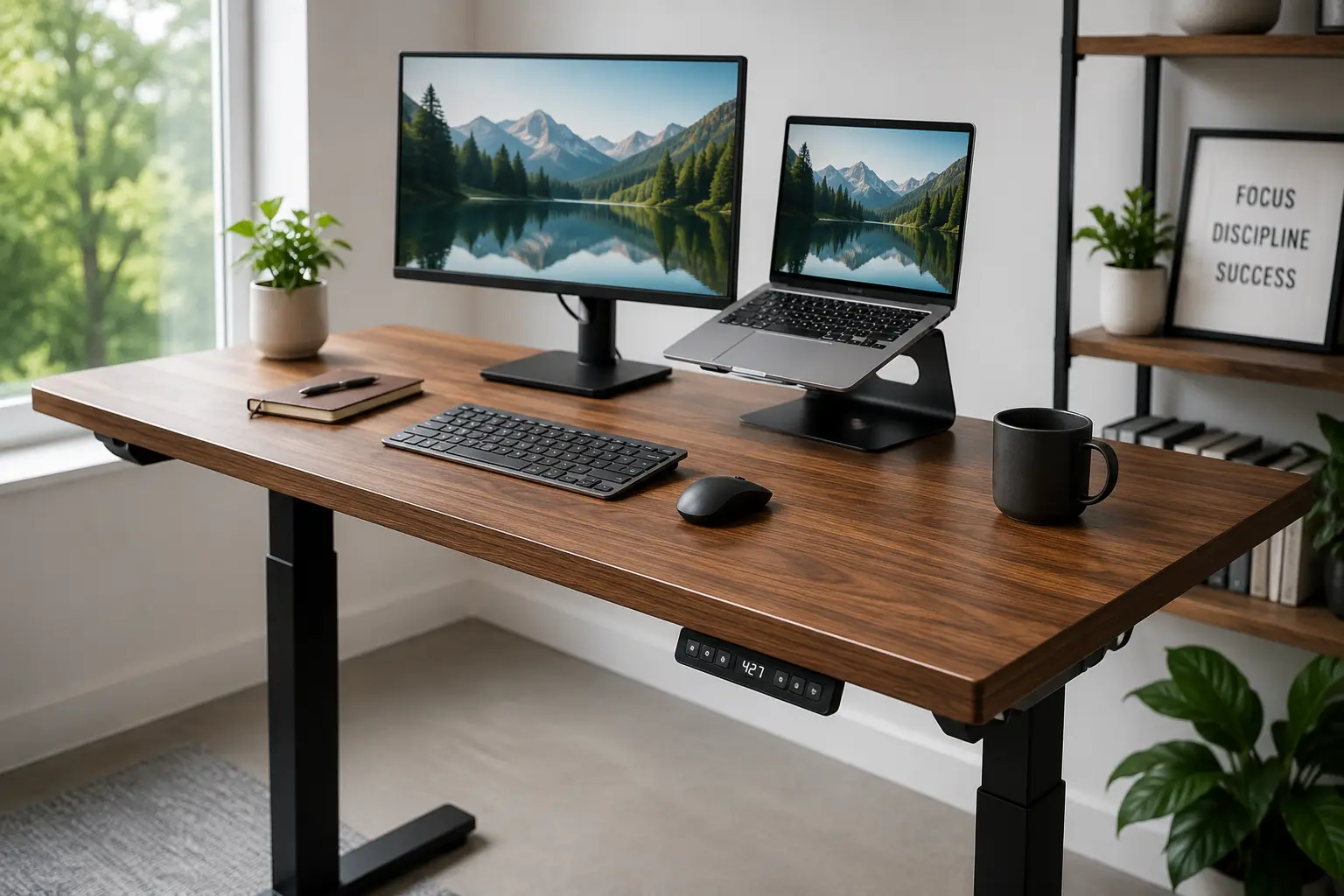
If you’ve spent any time scrolling through home office setups lately, you’ve probably noticed one thing everyone seems to have in common: a height-adjustable workstation. Finding the right desktop for standing desk use isn’t just about following a trend — it’s about giving your body a reason to move during the eight, nine, or ten hours a day you spend in front of a screen. A standing desk is a height-adjustable workstation, either electric, pneumatic, or manual, that lets you alternate between sitting and standing throughout the day without swapping furniture or breaking your workflow.
This guide is built for real buyers who are tired of sifting through sponsored listicles that just repeat spec sheets. We dug into verified product specs, aggregated customer sentiment, and independent testing coverage to put together an honest breakdown of seven real desktop for standing desk options available on amazon.com right now — from budget-friendly converters under $200 to premium commercial-grade frames pushing $700. Whether you’re setting up your first home office, upgrading from a wobbly DIY solution, or trying to fix nagging lower-back pain, you’ll find a fit here.
We’ll walk through what actually matters when comparing frames (motor count, weight capacity, height range, noise levels), how to avoid the most common buying mistakes, and how to build a standing routine that doesn’t leave you sorer than sitting did. According to the Mayo Clinic’s office ergonomics guide, alternating between sitting and standing throughout the workday is one of the simplest ways to reduce strain on your neck, back, and shoulders — and that’s exactly what a good sit-stand setup is designed to do.
As an Amazon Associate, this site earns from qualifying purchases made through links on this page, at no additional cost to you.
Quick Comparison: Best Desktop for Standing Desk Options at a Glance
Before we dig into the full breakdown, here’s a snapshot of how the seven picks stack up on the factors that matter most: motor setup, weight capacity, and who each one is really built for.
| Product | Motor Type | Weight Capacity | Price Range | Best For |
|---|---|---|---|---|
| FlexiSpot E7 Pro | Dual motor | 355 lbs | $400–$550 | Best overall value |
| Uplift V2 Commercial | Dual motor | 355 lbs | $550–$700 | Maximum stability & customization |
| Vari Electric Standing Desk | Single motor | 200 lbs | $550–$650 | Fastest setup, office-grade feel |
| SHW Electric Standing Desk | Dual motor | 220 lbs | $200–$300 | Budget full-size desk |
| FEZIBO Standing Desk | Single motor | 176 lbs | $200–$300 | Storage-friendly small spaces |
| Autonomous SmartDesk Core | Dual motor | 250 lbs | $400–$550 | Customizable mid-range pick |
| VIVO V Series Converter | Manual (spring-assist) | 33 lbs desktop load | $150–$200 | Renters & no-assembly setups |
Looking at the table, a clear pattern emerges: dual-motor frames dominate the higher weight-capacity tiers, which matters a lot if you run multiple monitors or a docking station. The FlexiSpot E7 Pro and Autonomous SmartDesk Core occupy a similar price band, but the FlexiSpot pulls ahead on raw weight capacity, while the SmartDesk Core wins on desktop material customization. If you’re not ready to commit to replacing your whole desk, the VIVO V Series Converter is the only option here that sits on top of furniture you already own, which is worth factoring into your decision before you buy.
💬 One click helps other shoppers make an informed choice too! 😊
Top 7 Desktop for Standing Desk Picks: Full Breakdown
We evaluated each of these based on build quality, motor performance, real customer sentiment, and value relative to price. Here’s the full rundown, from best overall value to the simplest no-assembly option.
1. FlexiSpot E7 Pro — best overall value in 2026
The E7 Pro has become the desk most frequently recommended across home-office communities, and the reasoning holds up once you look past the marketing. It’s the rare product that manages to undercut competitors on price while matching or beating them on core specs.
Its dual-motor lift system supports up to 355 lbs, which is the same ceiling as desks costing $150–$200 more — that headroom matters if you’re running two monitors, a laptop dock, and a printer on one surface. The frame drops to a low 22.8 inches, a genuine advantage for shorter users who find most “adjustable” desks still bottom out too high, and it includes a three-stage leg design that keeps things noticeably steadier at standing height than single-stage competitors. Four programmable memory presets and an LED height readout round out the control panel, so switching between a seated and standing height takes one button press instead of a fumbled guess.
Reviews consistently report that the desk feels sturdier at full height than its price would suggest, with several buyers specifically calling out the minimal wobble during typing — a common complaint with cheaper single-motor frames. Based on comparing the spec sheet against pricier rivals, this is the desk we’d point most first-time buyers toward: it doesn’t ask you to sacrifice weight capacity or warranty length to hit a lower price point.
Pros:
- ✅ 355 lb capacity matches desks costing hundreds more
- ✅ Three-stage legs mean noticeably less wobble standing
- ✅ 15-year frame warranty, among the longest available
Cons:
- ❌ Desktop material options are more limited than Uplift’s
- ❌ Assembly runs 60–90 minutes solo without help
At around $400 to $550 depending on desktop size and finish, the FlexiSpot E7 Pro delivers commercial-grade specs at a prosumer price, making it the strongest value pick in this entire lineup.
2. Uplift V2 Commercial — most stable and customizable
If the FlexiSpot E7 Pro is the value pick, the Uplift V2 is the one buyers upgrade to when they want zero compromises. It’s consistently the desk installers and reviewers reach for when stability at full height is non-negotiable.
The V2 shares the same 355 lb capacity and dual-motor setup as the E7 Pro, but Uplift’s real differentiator is choice: over 50 desktop material options, eight frame colors, and three column styles mean you can dial in a desk that actually matches your space rather than settling for whatever finish happens to be in stock. The height range runs from 25.3 to 50.9 inches, and while its 1.3 inches-per-second lift speed is marginally slower than some rivals, testers note the difference is barely perceptible during normal use.
What most buyers overlook with this model is how much the extra cost buys in long-term customization rather than raw performance — the underlying mechanics are close to the E7 Pro’s. Aggregated reviews rate the V2 highly on quietness (~45 dB) and rank it as the most stable of the three major brands compared here, with the caveat that cable management requires purchasing an accessory tray separately if you want the desk to look as clean in person as it does in photos.
Pros:
- ✅ Widest customization: 50+ tops, 8 frame colors
- ✅ Quietest motor of the major brands at ~45 dB
- ✅ 15-year warranty matching the FlexiSpot E7 Pro
Cons:
- ❌ $100–$150 more than the FlexiSpot E7 Pro
- ❌ Cable tray sold separately on most configurations
Expect to pay in the $550 to $700 range, and if you’re the type of buyer who keeps furniture for a decade, the Uplift V2 Commercial justifies its premium through sheer configurability and installer-tested stability.
3. Vari Electric Standing Desk — fastest setup, office-grade feel
Vari built its reputation on desktop converters, and its full electric desk carries that same “get it working in minutes” philosophy into a permanent frame. For buyers who dread multi-hour assembly, this is the standout.
The T-style leg design — no center crossbar — is the desk’s signature feature, and it’s not just aesthetic. Reviewers and installers alike note that this shape delivers office-grade stability without the crossbar getting in the way of your legs or a rolling chair. Assembly typically clocks in under 30 minutes, dramatically faster than the 60–90 minutes FlexiSpot and Uplift require. The single-motor system adjusts from 25.5 to 50.5 inches at roughly 1 inch per second, and it includes four memory presets like its dual-motor competitors.
Here’s what the spec sheet doesn’t say outright: the trade-off for that fast setup and clean T-leg design is a lower 200 lb weight capacity, which is comfortable for a standard single-monitor or light dual-monitor setup but leaves less margin if you’re stacking heavy peripherals. Real customer sentiment frequently praises the “just works” simplicity, while a smaller number of reviews flag the single cable tray as less generous than FlexiSpot or Uplift’s dual-tray setups.
Pros:
- ✅ Assembly finishes in under 30 minutes, fastest here
- ✅ T-leg design frees up legroom completely
- ✅ Office-grade stability many WFH pros recognize
Cons:
- ❌ 200 lb capacity, lowest of the electric desks tested
- ❌ Shorter 5-year warranty versus 15-year rivals
Priced around $550 to $650, the Vari Electric Standing Desk earns its spot for anyone who wants the closest thing to a corporate-office desk experience without the corporate-office wait time.
4. SHW Electric Height-Adjustable Standing Desk — best budget full-size desk
Not everyone needs — or wants to pay for — a 355 lb capacity and a 15-year warranty. The SHW fills a real gap: a genuinely electric, full-size desk that undercuts the premium brands by hundreds of dollars.
Where the SHW earns its “budget pick” reputation in community rankings is the fact that it’s still a true motorized desk, not a manual crank, at a price point closer to entry-level converters. The dual-motor lift handles a 220 lb capacity, which comfortably covers a monitor, laptop, and standard accessories, and the desktop comes in a 55 x 28-inch surface — plenty of room for a two-monitor arrangement. Programmable height memory is included, though the control panel is simpler than the premium brands’ LED-display units.
What buyers consistently flag in aggregated reviews is that build quality, while solid, doesn’t feel quite as “rock-solid” at maximum height as the FlexiSpot or Uplift — some wobble is noticeable during vigorous typing when the desk is raised near its ceiling. That’s a fair trade-off at this price tier, and it’s the honest reason this pick sits in the budget category rather than competing directly with the premium three. For anyone furnishing a first home office on a tight budget, it remains a legitimate motorized upgrade over a static desk.
Pros:
- ✅ True dual-motor lift at a budget-tier price
- ✅ Roomy 55 x 28-inch surface for dual monitors
- ✅ Real name-brand availability across major retailers
Cons:
- ❌ More flex/wobble at max height than premium rivals
- ❌ Shorter warranty coverage than the top-tier picks
At roughly $200 to $300, the SHW Electric Height-Adjustable Standing Desk is the pick for buyers who want genuine motorized adjustment without a premium price tag.
5. FEZIBO Standing Desk — storage-friendly for small spaces
FEZIBO has carved out a specific niche: compact, budget electric desks with built-in storage that work especially well in apartments, dorms, and secondary workstations where every square foot counts.
The line includes multiple sizes (40 x 24 up to 55 x 32 inches, including L-shaped corner options), and several configurations add drawers or a storage shelf directly under the desktop — a detail full-size premium desks rarely offer. The single-motor lift adjusts across a roughly 27 to 46-inch range with 2–4 programmable memory presets depending on configuration, and FEZIBO rates the frame for 50,000 lift cycles with noise under 45–50 dB. The steel frame supports up to 176 lbs, enough for a laptop-plus-monitor setup but not a heavy multi-monitor rig.
Based on comparing FEZIBO against the SHW at a similar price point, the real differentiator is storage integration rather than raw lifting power — if you don’t have a filing cabinet or credenza nearby, that built-in drawer does real work. Aggregated customer sentiment is generally positive on value and finish quality, with a recurring theme in reviews around the desktop’s FSC-certified wood finish looking nicer in person than photos suggest, though a subset of buyers note the single-motor lift feels slightly less smooth than dual-motor alternatives.
Pros:
- ✅ Built-in drawer/shelf options rare at this price
- ✅ Multiple sizes including L-shaped corner desks
- ✅ Rated for 50,000 lift cycles, solid longevity claim
Cons:
- ❌ 176 lb capacity, lowest full-desk rating here
- ❌ Single motor lifts slightly less smoothly than dual
Typically priced between $200 and $300, the FEZIBO Standing Desk is the strongest pick if storage space and a compact footprint matter more to you than maximum weight capacity.
6. Autonomous SmartDesk Core — customizable mid-range pick
Autonomous built its brand around letting buyers mix and match a frame with their choice of desktop, and the SmartDesk Core remains the most flexible mid-range option in that lineup.
The frame-only or frame-plus-top purchase model means you can start with a Classic top and upgrade materials later, or supply your own tabletop entirely if you already own one you like. Specs land solidly in the middle of the pack: a 250 lb weight capacity, height range of roughly 28.3 to 47.5 inches, and a dual-motor system rated under 45 dB. Four programmable presets and anti-collision detection — which stops the desk if it senses resistance while moving — are both included standard, a safety feature that’s still optional on some cheaper competitors.
What the spec sheet doesn’t fully capture is how much the finish options change the price: choosing a Walnut or White Oak top bumps the price meaningfully above the base Classic-top configuration, and Bamboo tops push it toward the premium tier. Real customer feedback is largely positive on quietness and build sturdiness for the price, with a recurring critique that a separate cable management tray is needed to keep the setup tidy — an accessory cost worth budgeting for upfront rather than as an afterthought.
Pros:
- ✅ Frame-only option if you already own a tabletop
- ✅ Anti-collision detection included as standard
- ✅ Wide range of desktop material upgrades available
Cons:
- ❌ Desktop upgrades (Walnut, Bamboo) raise price fast
- ❌ Cable tray is a separate add-on purchase
Base configurations run around $400 to $550, with premium tops pushing toward $650, making the Autonomous SmartDesk Core a strong pick for buyers who want to customize their setup piece by piece.
7. VIVO V Series Standing Desk Converter — best no-assembly option
Not every buyer wants — or is allowed, if you’re renting — to replace their existing desk. The VIVO V Series solves that problem directly: it sits on top of the furniture you already have and gets you standing in minutes.
Instead of a motor, the V Series uses dual pneumatic springs for a “lift-assist” motion — you guide it, and the springs do most of the work, adjusting through roughly a 17 to 43 cm range above your existing desk surface. It ships nearly fully assembled; most buyers report attaching the keyboard tray and feet and being done in well under 15 minutes, no tools beyond what’s included required. The steel frame supports a real-world working load suitable for a laptop-plus-monitor combo, and it comes backed by a 3-year manufacturer warranty with US-based support.
Here’s the honest trade-off: because it’s a converter rather than a full desk, your standing height is capped by both the converter’s own range and your existing desk’s height — taller users sometimes find the maximum standing height falls short of ideal, an issue independent reviewers have flagged directly. Aggregated reviews are largely positive on value and simplicity, though a recurring complaint in older units centered on keyboard-tray durability; more recent redesigns address the mounting hardware directly, though some reviewers note the improvement is incremental rather than complete.
Pros:
- ✅ No desk replacement — works on furniture you own
- ✅ Fastest real-world setup of any option here
- ✅ Budget-friendly entry point under $200
Cons:
- ❌ Max standing height may not suit taller users
- ❌ Some reviews cite keyboard tray durability issues
At around $150 to $200, the VIVO V Series Standing Desk Converter is the most practical entry point for renters, students, or anyone testing whether standing while working is even right for them before committing to a full desk.
How to Set Up Your Standing Desk the Right Way (First 30 Days)
Buying the right desk is only half the equation — a badly set-up standing desk can cause more discomfort than the chair it replaced. Here’s how to get it right from day one.
Start by finding your seated typing height first: elbows at roughly a 90-degree angle, wrists straight, and the top of your monitor at or just below eye level. Save that as memory preset one on your FlexiSpot E7 Pro, Uplift V2, or whichever electric model you chose — most support at least two to four presets. Next, stand at your natural posture and repeat the same elbow-and-monitor test; save that as your second preset. This two-preset habit is the single biggest factor in whether people actually use their new desk daily or let it default back to “sitting height forever.”
Resist the urge to stand all day right out of the gate. OSHA’s computer workstation guidance suggests limiting continuous standing to short blocks and building up gradually rather than committing to marathon standing sessions in week one — your calves, feet, and lower back need time to adapt. A reasonable ramp is 30-minute standing blocks a few times a day in week one, working toward 1–2 hours of cumulative standing by week three or four. Pair this with an anti-fatigue mat if you’re standing on hard flooring; it’s a cheap add-on that meaningfully reduces foot and joint strain compared to standing directly on tile or hardwood.
Finally, handle cable management before you start using the desk daily, not after. A tangle of cords that doesn’t move with the desk is both an eyesore and, worse, a mechanical hazard that can snag and strain the lift mechanism over thousands of cycles.
Real-World Scenarios: Which Standing Desk Actually Fits You
Specs only tell half the story — matching a desk to your actual work pattern matters just as much. Here are three common profiles and the picks that fit them best.
The budget-conscious remote worker. If you’re working from a spare bedroom or a rental where you don’t want to sink money into furniture, the VIVO V Series Standing Desk Converter or the FEZIBO Standing Desk make the most sense. Both keep upfront cost under $300, and the VIVO in particular means you’re not committing to a full desk swap if your living situation changes in a year.
The multi-monitor power user. If your setup includes two or three monitors, a docking station, and peripherals, weight capacity and stability at full height matter far more than price. The FlexiSpot E7 Pro and Uplift V2 Commercial both handle 355 lbs and stay steady even fully raised, making either a safer long-term investment than a single-motor budget frame that might sag or wobble under a heavier load.
The design-conscious professional. If your desk lives in a shared or camera-visible space — client calls, streaming, a home office that doubles as a studio — desktop material and frame color matter as much as function. The Uplift V2’s 50-plus desktop finishes or the Autonomous SmartDesk Core’s upgradeable tops give you room to match a specific aesthetic without settling for whatever finish ships standard.
How to Choose a Standing Desk: 6 Criteria That Actually Matter
- Weight capacity relative to your actual setup. Add up the real weight of your monitor(s), dock, and accessories, then add a 30–40 percent buffer — desks perform worse near their rated max, not just above it.
- Motor count and height range. Dual-motor frames like the FlexiSpot E7 Pro and Uplift V2 lift more evenly and reach lower minimum heights, which matters most for shorter users.
- Desktop surface size versus your room. Measure your space before falling for a large L-shaped option — a 60-inch desk in a cramped room creates more problems than it solves.
- Assembly time and who’s doing it. If you’re setting it up solo, the Vari Electric or VIVO converter save real hours compared to the 60–90 minute builds on FlexiSpot and Uplift.
- Warranty length as a proxy for build confidence. A 15-year warranty (FlexiSpot, Uplift) signals a manufacturer that expects the frame to last; treat shorter 3–5 year windows as a data point, not a dealbreaker.
- Noise level if you’re on calls all day. Motors rated under 45 dB are close to silent in an open office or video call; anything above 50 dB is noticeable if you’re adjusting height mid-meeting.
Common Mistakes to Avoid When Buying a Standing Desk
The most frequent mistake buyers make is optimizing purely for price and ending up with a single-motor frame that can’t handle their actual monitor setup — leading to a wobbly, unstable desk that gets abandoned within months. A close second is skipping the cable management accessory entirely; without it, cords catch on the lift columns and create real mechanical strain over thousands of raise-lower cycles, not just a messy look.
Buyers also frequently underestimate assembly time, scheduling a 90-minute build into a lunch break and ending up frustrated halfway through — block out a full afternoon, or budget for the Vari or VIVO’s faster setup if your time is tight. Finally, a surprisingly common error is never actually using the memory presets: buyers set the desk to standing height once, find it uncomfortable because it wasn’t dialed in properly, and never adjust it again. Spend the ten minutes to get your presets right in week one; it’s the difference between a desk you use daily and one that becomes a very expensive shelf.
✨ Ready to build a healthier home office?
🔍 Compare the full lineup above, click through to check current pricing on Amazon, and find the desktop for standing desk setup that actually fits your space and budget.
Electric vs. Manual vs. Converter: Which Type Actually Wins
Electric desks — like the FlexiSpot E7 Pro, Uplift V2, and Vari Electric — win decisively on convenience and consistency. One button press, no physical effort, and programmable presets mean you’re far more likely to actually alternate positions throughout the day rather than avoiding the hassle of manual adjustment.
Manual crank desks (not featured in our top 7, but common at the very low end) trade that convenience for a lower price and fewer mechanical parts to fail, but the physical effort required to adjust height repeatedly throughout a workday is enough of a barrier that most buyers stop using them within weeks — the exact opposite of the habit you’re trying to build. Converters like the VIVO V Series split the difference: pneumatic spring assistance means adjustment takes real but minimal effort, and the lower upfront cost plus zero-assembly setup make it the lowest-friction way to test whether a standing routine works for you before investing in a full electric frame. If your budget and space allow it, electric wins on pure usability — but a converter remains the smarter starting point if you’re not yet sure standing desks are for you.
What to Expect: Everyday Performance
On paper, the difference between a 1 inch-per-second motor and a 1.5 inch-per-second motor sounds trivial. In daily use, it adds up: a full sit-to-stand transition on a slower motor takes roughly 25–30 seconds versus 15–20 seconds on faster dual-motor frames like the FlexiSpot E7 Pro. Over a full workday with four or five transitions, that’s a couple of minutes of standing around waiting — not a dealbreaker, but noticeable if you’re on a tight meeting schedule.
Noise is the other everyday factor buyers underestimate. A desk rated under 45 dB, like the Uplift V2 or Autonomous SmartDesk Core, is genuinely unobtrusive during a video call; desks in the 50 dB range are audible enough that co-workers on the call will likely comment the first time they hear it. Stability at full standing height is the third real-world variable: budget single-motor desks like the FEZIBO Standing Desk are noticeably more prone to a slight bounce during vigorous typing when fully raised, compared to the near-zero wobble on three-stage dual-motor frames.
Long-Term Cost and Maintenance
A standing desk’s true cost extends beyond the sticker price. Electric motors are rated for a specific lift-cycle lifespan — commonly 50,000 cycles on budget frames like the FEZIBO Standing Desk, higher on premium models — which for a typical daily user (roughly 4–6 height changes per workday) translates to well over a decade of use before a motor replacement becomes a realistic conversation.
Warranty length is a useful proxy for expected lifespan and total cost of ownership. The FlexiSpot E7 Pro and Uplift V2’s 15-year frame warranties mean a manufacturer defect discovered in year eight is still covered — a meaningful hedge against the desk’s higher upfront price. Compare that to the Vari Electric’s 5-year window or the VIVO converter’s 3-year coverage: both are reasonable given their lower starting price, but buyers should factor a shorter effective ownership runway into the value equation. Add-on accessories — cable trays ($20–$80), anti-fatigue mats ($30–$100), and monitor arms — typically add another $50–$200 to total cost regardless of which frame you choose, and budgeting for them upfront avoids an unpleasant surprise a month after your desk arrives.
Safety, Regulations, and Standards
Standing desks aren’t heavily regulated the way, say, cribs or car seats are, but a few standards are still worth checking before you buy. Reputable brands design frames to meet ANSI/BIFMA stability and durability testing standards for commercial furniture, even when selling direct-to-consumer — it’s worth checking a product listing or manufacturer site for this certification if long-term durability is a priority. The Consumer Product Safety Commission also maintains general furniture tip-over and stability guidance that’s worth reviewing if you have kids or pets who might lean on or climb a raised desk.
On the ergonomics side, workplace guidance from CDC/NIOSH generally recommends limiting continuous standing blocks and building sit-stand transitions gradually rather than standing for hours at a stretch — a detail that matters more for injury prevention than the desk’s motor specs ever will. If your desk includes electrical components (all the electric picks in this guide do), confirm UL or ETL listing on the power supply; it’s a small detail that’s easy to overlook but matters for basic electrical safety in a home office that may run for years without a second thought.
Frequently Asked Questions
❓ What's the best desktop for standing desk setups on a tight budget?
❓ How much weight can a standing desk actually hold?
❓ Is an electric standing desk worth it over a manual one?
❓ How long does standing desk assembly usually take?
❓ Do standing desks help with back pain?
Conclusion
Choosing the right desktop for standing desk setup really comes down to matching three things: your budget, your actual equipment load, and how much friction you’re willing to tolerate during setup. If you want the strongest all-around value, the FlexiSpot E7 Pro delivers commercial-grade specs without the commercial-grade price tag. If stability and customization matter more than saving a hundred dollars, the Uplift V2 Commercial remains the benchmark the rest of the market gets measured against. And if you’re not ready to commit to a full desk replacement, the VIVO V Series Standing Desk Converter is a genuinely low-risk way to find out whether a standing routine fits your workday before you spend more.
Whichever option you land on, remember that the desk itself is only half the equation — dialing in your presets, easing into standing time gradually, and keeping your monitor at the right height will do more for your comfort than any single spec on this list. Take the comparison table back to the top of this article, weigh it against your space and budget, and check current pricing before you decide.
✨ Don’t miss these exclusive deals!
🔍 Take your home office setup to the next level with this carefully curated lineup. Click a highlighted item to check current pricing and availability on Amazon. These picks will help you build a healthier, more productive workday you’ll actually enjoy!
Recommended for You
- 7 Best Manual Crank Standing Desks (2026 Picks)
- 7 Best Executive Sit Stand Desk Models for Executive Offices (2026)
- 72×30 Desk Guide: 5 Best Large Desks Tested in 2026
Disclaimer: This post contains affiliate links. As an Amazon Associate, I earn from qualifying purchases made through these links, at no additional cost to you.
✨ Found this article helpful? Share it with someone who needs it! 💬🤗