
In This Article
If your desk looks like a game of Jenga — laptop stacked on textbooks, second monitor teetering on a shoebox — you already know why a dedicated dual monitor floor stand keeps showing up in “productivity setup” videos. It’s not a gimmick. Getting two screens up off the desk (or off the desk entirely, onto their own base) changes how much usable surface you actually have, and it changes how your neck and shoulders feel after eight hours of staring at spreadsheets, code, or trading charts.
What Is a Dual Monitor Floor Stand?
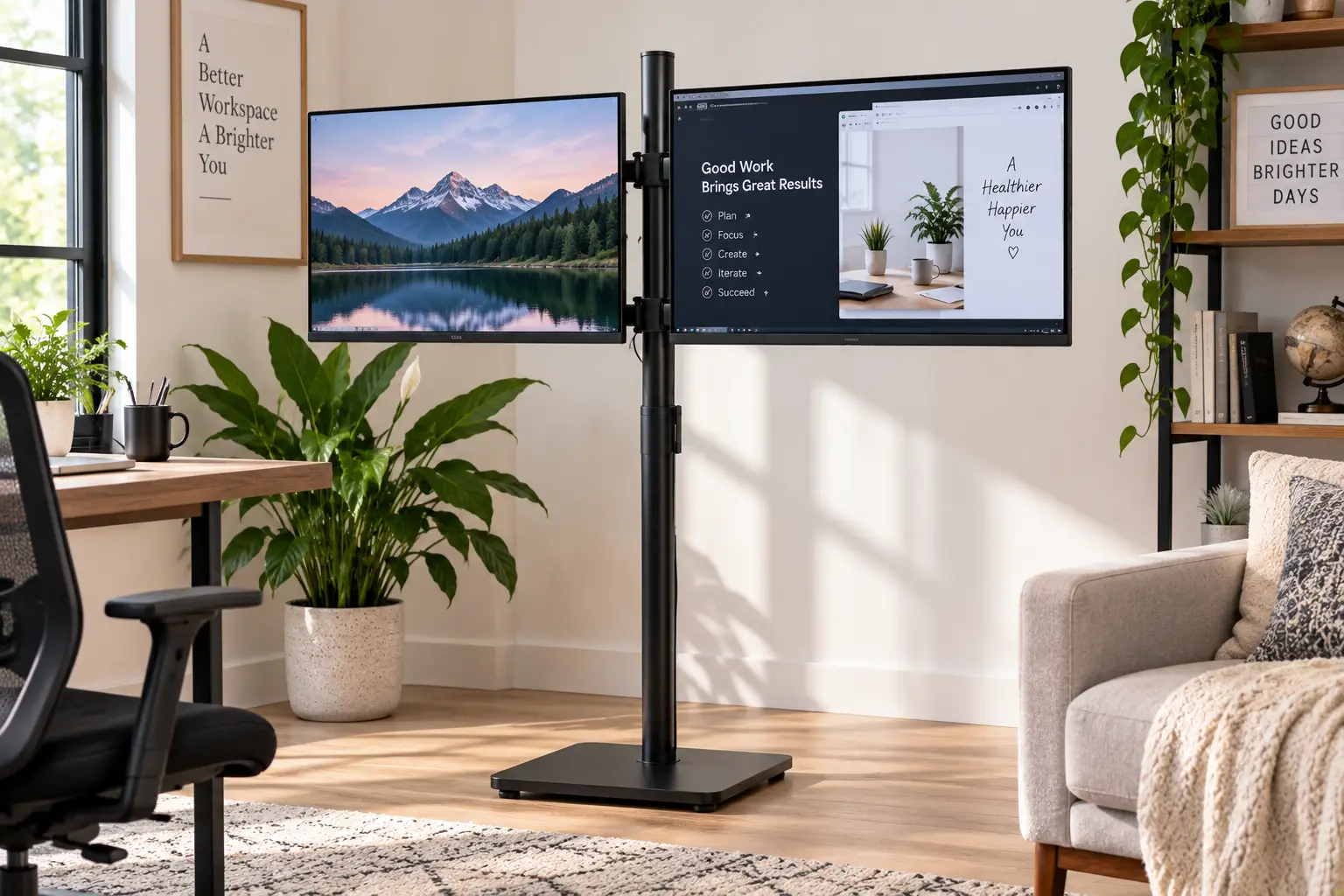
A dual monitor floor stand is a self-supporting mount that holds two monitors on a weighted base or a wheeled cart, rather than clamping to your desk edge. Some sit directly on the floor as mobile workstations; others are freestanding units that rest on the desktop but need no clamp or grommet. Both solve the same problem: stable, adjustable dual-screen positioning without drilling into or clamping onto furniture.
That distinction matters more than most buying guides let on, so we’ll flag it product by product. In this guide, we researched real, currently available options on amazon.com — from budget-friendly desktop-freestanding stands under $100 to full rolling workstations built for offices, classrooms, and clinics — and broke down what the spec sheets and aggregated customer reviews actually say about each one. Every product mention here includes our own honest analysis of who it’s actually good for, not just a features list. According to OSHA’s guidance on computer workstation monitors, screen height and distance directly affect neck and eye strain, which is the whole reason this category of product exists in the first place.
Whether you’re searching for a true dual monitor floor stand on wheels, a freestanding dual monitor stand for a shared desk, or a rolling dual monitor cart for a clinic or classroom, this guide covers all three — with honest pros, cons, and price ranges so you can pick with confidence.
Quick Comparison: Best Dual Monitor Floor Stands at a Glance
| Product | Type | Best For | Price Range |
|---|---|---|---|
| Mount-It! Mobile Standing Desk with Dual Monitor Mount | Rolling floor workstation | Full sit-stand office setups | $300–$400 |
| Mount-It! Rolling Computer Cart (70″) | Rolling floor cart | Clinics, classrooms, shared spaces | $200–$280 |
| VIVO Mobile Computer Cart CART-PC02T | Rolling floor cart | Compact mobile workstations | $150–$220 |
| viozon Mobile Desk | Rolling floor stand | Tight budgets, small spaces | $60–$90 |
| VIVO Freestanding Glass Base Stand | Desktop freestanding | No-clamp desk setups | $50–$70 |
| HUANUO Freestanding Glass Base Stand | Desktop freestanding | Budget dual-screen upgrades | $45–$65 |
| SIIG Freestanding Dual Monitor Stand | Desktop freestanding | Entry-level office use | $70–$100 |
Looking at the table above, the split is really between products that stand on the floor and roll (the four Mount-It!, VIVO cart, and viozon options) versus products that sit on your desk but need no clamp (the glass-base and SIIG stands). If floor space and true mobility matter most, lean toward the rolling category; if you just want to skip a desk clamp, the freestanding desktop stands are lighter on the wallet. We’ll unpack exactly why each one earns its spot below.
💬 One click helps other shoppers make an informed choice too! 😊
Top 7 Dual Monitor Floor Stands for Every Budget
We picked these seven real, currently listed products to cover the full range: entry-level desktop stands, mid-range rolling carts, and a premium full workstation. Each one is broken down by real specs, honest analysis, and aggregated review sentiment — not a rehash of the Amazon listing copy.
1. Mount-It! Mobile Standing Desk with Dual Monitor Mount — full sit-stand office on wheels
If you want the closest thing to a complete standing desk that also happens to be a dual monitor floor stand, this is it. The Mount-It! Mobile Standing Desk with Dual Monitor Mount pairs a 40-inch rolling tabletop with a separate dual-arm monitor mount rising above it.
The tabletop itself adjusts from 37.25 to 55 inches, while the monitor mounts climb independently up to 72.25 inches — which in practice means a 5’2″ and a 6’2″ coworker can share the same cart and both get correct eye-level positioning without re-tooling anything. Each arm handles a 27-inch display on standard VESA 75×75/100×100 patterns, with 360-degree rotation and 80-degree tilt, so portrait mode for a coding column is genuinely usable, not just a spec-sheet checkbox.
This one is built for shared or rotating-user environments — think a home office that doubles as a video-call station for two people, or a small business that needs one dual-screen setup that can roll between rooms. Reviews for Mount-It!’s mobile workstations consistently mention assembly taking 30–45 minutes and the locking casters holding steady on hardwood, tile, and low-pile carpet, with a smaller number of buyers noting the tabletop flexes slightly at full height under a heavy keyboard-and-mouse combo — a fair tradeoff for a surface that also moves and folds down.
Pros:
- ✅ Independent height adjustment for desk and monitors
- ✅ Handles two 27-inch monitors with full articulation
- ✅ Locking casters for genuine room-to-room mobility
Cons:
- ❌ Tabletop has some flex at maximum height
- ❌ Takes real floor footprint when parked
At around $300–$400, this sits at the premium end of the category, but for a true rolling sit-stand workstation with dual-monitor support built in, it undercuts buying a standing desk and a separate monitor arm system separately.
2. Mount-It! Rolling Computer Cart (70″) — tallest reach for shared spaces
The Mount-It! Rolling Computer Cart is built less like a desk and more like a mobile IT station, which is exactly why it shows up so often in clinics, classrooms, and warehouse offices.
Standing up to 70 inches tall, it includes a full keyboard tray, a floating adjustable CPU holder, and a VESA monitor mount rated for screens up to 32 inches that tilts 15 degrees and rotates and swivels a full 360 degrees. The CPU holder alone is a nice touch — it keeps a desktop tower off the floor and out of the way of the casters, which matters in a hospital hallway or a warehouse floor where debris and moisture are real concerns.
This cart is really built for one job: give one screen and a keyboard a stable, mobile home in a facility where the workstation needs to move between rooms or stations throughout the day. Aggregated reviews describe it holding up well under repeated daily rolling and repositioning, with a recurring note that the keyboard tray sits a bit shallow for larger mechanical keyboards.
Pros:
- ✅ 70-inch reach suits standing use for most adults
- ✅ Floating CPU holder keeps towers off the floor
- ✅ Locking wheels built for daily repositioning
Cons:
- ❌ Single-monitor VESA mount, not true dual-arm
- ❌ Keyboard tray is snug for oversized keyboards
Typically priced in the $200–$280 range, it’s a strong pick when mobility and durability matter more than dual-screen width — pair it with a second display on a separate arm if you truly need two.
3. VIVO Mobile Computer Cart CART-PC02T — compact rolling workstation
The VIVO Mobile Computer Cart CART-PC02T trims the footprint compared to the Mount-It! carts above while keeping the core rolling-workstation formula: a monitor mount, a full keyboard tray, and an adjustable CPU holder, all supported up to 32-inch screens.
Where this one earns its spot is space efficiency. The base is narrower than most rolling workstations, which matters if you’re rolling it between a home office nook and a living room — a use case VIVO clearly designed for given the brand’s broader catalog of budget-conscious, apartment-friendly office gear. The keyboard tray slides independently of the monitor arm, so you can dial in typing height and screen height separately, a detail cheaper carts often skip.
Buyers consistently point to VIVO’s documentation and included hardware as a strength — the brand is known in customer reviews for clear manuals and responsive support, which matters more than people expect until an Allen wrench goes missing. A smaller set of reviews mention the caster wheels feeling less premium than the metal frame around them, which tracks with this being a mid-tier, not flagship, product.
Pros:
- ✅ Compact base fits tighter rooms and hallways
- ✅ Independent keyboard tray and monitor height
- ✅ Well-regarded documentation and customer support
Cons:
- ❌ Caster wheels feel lighter-duty than the frame
- ❌ Single monitor mount, not a true dual-arm design
Priced roughly $150–$220, it’s a sensible middle ground between the budget viozon cart below and the heavier-duty Mount-It! options above.
4. viozon Mobile Desk / Rolling Laptop Floor Stand — budget mobility
If your budget tops out well under $100, the viozon Mobile Desk is the most credible rolling floor stand at that price point currently listed. It’s height-adjustable from 34 to 48.6 inches, holds a 17–27-inch monitor plus a 12–17-inch laptop side by side on a 21×14-inch deck, and rolls on four lockable casters.
The dual-surface layout — laptop and monitor sharing one small deck — is the real differentiator here. It’s designed for people who work off a laptop but want a second screen without buying a full docking setup, which is a increasingly common home-office reality. Max load is a modest 17.6 lbs, so this isn’t the stand for a 32-inch panel; it’s built around lighter 24–27-inch monitors and ultrabooks.
Reviews at this price point are candid about the tradeoffs: buyers frequently note the deck feels noticeably less rigid than metal-framed carts costing three times as much, and a subset report the casters catching slightly on thick carpet. At the same time, for the price, most reviewers describe it as a genuinely useful upgrade over a desk-bound laptop stand.
Pros:
- ✅ Fits both a laptop and a monitor on one deck
- ✅ Height range covers sitting through standing use
- ✅ Among the most affordable true rolling stands available
Cons:
- ❌ 17.6 lb load limit rules out larger monitors
- ❌ Deck flexes more than metal-framed alternatives
At around $60–$90, this is the pick for anyone who wants floor mobility without committing to a $200+ cart.
5. VIVO Freestanding Dual Monitor Stand with Glass Base — no-clamp desktop stand
Technically a desktop stand rather than a floor-based cart, the VIVO Freestanding Dual Monitor Stand with Glass Base (model STAND-V002FG) earns its place here because “freestanding” is how most shoppers searching for a floor stand actually land on it — it needs no C-clamp or grommet hole, which matters on glass desks, rented apartments, or standing desks with thin tops.
The tempered-glass base measures roughly 42.5 x 26 cm and adds real ballast, letting the dual arms handle screens up to 32 inches and 22 lbs each with +90/-90 tilt, 360-degree swivel, and full rotation for portrait orientation. Because the base just sits on the desk rather than clamping to it, setup is genuinely faster — no measuring desk thickness, no worrying about a fragile edge.
This is the pick for renters, glass-desk owners, or anyone who’s been burned by a C-clamp scratching a desk edge. VIVO’s own installation warning is worth repeating honestly: pulling both monitors too far forward past the base’s center of gravity can tip the stand, so it rewards keeping screens roughly centered over the glass. Aggregated reviews back this up, describing the stand as rock-solid when monitors sit centered and noticeably less so if pulled to the front edge.
Pros:
- ✅ No desk clamp or grommet hole required
- ✅ Heavy glass base adds real stability
- ✅ Full tilt, swivel, and portrait rotation
Cons:
- ❌ Can tip if monitors are pulled too far forward
- ❌ Glass base needs a flat, hard desk surface
Priced around $50–$70, it’s one of the best-value no-clamp options in this whole lineup.
6. HUANUO Freestanding Dual Monitor Stand with Glass Base — budget no-clamp alternative
The HUANUO Freestanding Dual Monitor Stand goes head-to-head with the VIVO model above on paper — same tempered-glass base concept, same no-clamp installation, similar tilt-swivel-rotation range — but typically lands a notch cheaper, which makes it the go-to lesser-known alternative when budget is the deciding factor.
Each arm supports up to 19.8 lbs, slightly under VIVO’s 22 lb rating, which matters if you’re running two heavier 27-inch-plus panels rather than lighter 24-inch monitors. HUANUO built its reputation on monitor arms generally, and that engineering experience shows in the gas-spring-assisted height adjustment, which several reviewers describe as smoother out of the box than lower-tier competitors.
This is the stand for someone upgrading from a single cheap monitor riser who wants dual-screen flexibility without spending much more. The tradeoff for the lower price and lower weight ceiling is a base that’s a touch smaller than VIVO’s, so it’s worth double-checking your monitor’s weight and VESA pattern before ordering — a step that eliminates most return headaches with this whole product category, freestanding or floor-mounted.
Pros:
- ✅ Smooth gas-spring height adjustment
- ✅ No-clamp glass base installs in minutes
- ✅ Typically the cheaper of the two glass-base options
Cons:
- ❌ 19.8 lb per-arm limit is lower than VIVO’s
- ❌ Smaller footprint base than premium alternatives
Expect a price in the $45–$65 range, making it one of the most budget-friendly freestanding picks on this list.
7. SIIG Freestanding Dual Monitor Desk Stand — simplest entry point
Rounding out the list, the SIIG Freestanding Dual Monitor Desk Stand is a no-frills option built specifically for two monitors up to 27 inches and 22 lbs each, with a simpler single-pole freestanding base rather than a wide glass plate.
Tilt and swivel are more modest here — roughly 15 degrees of tilt against the 90-degree range on the glass-base models — but 360-degree rotation is still included, so portrait orientation remains an option. SIIG markets this as usable either as a fully movable desk stand or, with included hardware, a semi-fixed desk mount, which gives buyers a bit of flexibility depending on how permanent they want the setup to be.
This is the pick for buyers who mainly want two monitors raised and aligned without needing dramatic tilt or swivel range — a straightforward office upgrade rather than an ergonomic showpiece. SIIG has a long track record in basic office and AV hardware, and reviews of its monitor stands tend to focus on reliable, unglamorous performance rather than standout features, which is honestly the right expectation to set for a stand at this tier.
Pros:
- ✅ Simple single-pole freestanding design
- ✅ Supports two monitors up to 27 inches and 22 lbs
- ✅ Can convert to a semi-fixed desk mount
Cons:
- ❌ Tilt range is narrower than glass-base competitors
- ❌ Fewer articulation points overall
Typically listed under $100, it’s a fair choice for buyers who just want the dual-screen upgrade done simply and affordably.
✨ Don’t miss these picks!
🔍 Whichever budget tier fits you, these seven options cover the real range of what’s currently available for a dual monitor floor stand setup. Click through to check current pricing and availability before they change — a few of these budget picks tend to move fast.
How to Set Up Your Dual Monitor Floor Stand Correctly
Buying the right stand is half the job; setting it up correctly is what actually prevents the neck strain, wobble, and desk clutter you bought it to solve. Amazon listings rarely walk through this part, so here’s the practical version.
Start with placement before you even open the box. Rolling stands like the Mount-It! Mobile Standing Desk with Dual Monitor Mount need enough clearance to swing casters and cables without snagging, so map out your route between desk positions first. For freestanding desktop stands like the VIVO Freestanding Dual Monitor Stand with Glass Base, measure your desk depth — a base that overhangs the front edge is an invitation to tip.
Next, set monitor height before tilt. Position the top of each screen at or just below eye level while sitting in your normal posture, then adjust tilt and swivel afterward. This order matters because tilting first often masks a height that’s actually wrong. Cable management comes last but shouldn’t be skipped: route power and video cables through the included channels or clips before you fully tighten arms, since retrofitting cable routing after the fact usually means loosening everything again.
A common first-30-days mistake worth calling out directly: overtightening tension knobs on gas-spring arms like those on the HUANUO Freestanding Dual Monitor Stand. It feels like it should make the arm more stable, but it actually strains the spring mechanism and can shorten its lifespan. Set tension just firm enough to hold your specific monitor’s weight — nothing more.
Real-World Scenarios: Which Dual Monitor Floor Stand Fits You?
Specs only mean so much until you match them to how you actually work. Here are three realistic profiles and the stands that fit each.
The remote software developer on a budget. Working from a rented apartment, no drilling allowed, needs two 24-inch monitors up off a cluttered desk without damaging it. The VIVO Freestanding Dual Monitor Stand with Glass Base is the natural fit here — no clamp, no grommet hole, and the glass base’s weight keeps things steady during long coding sessions without needing to bolt anything down.
The classroom or clinic IT manager. Needs one workstation that moves between three exam rooms or two classrooms in a day, with a keyboard tray and CPU storage built in. This is exactly the use case the Mount-It! Rolling Computer Cart (70″) was built for — locking casters, a floating CPU holder, and a tall enough reach for standing use during quick sessions.
The hybrid laptop-and-monitor worker. Splits time between a laptop on the couch and a proper desk setup, and wants a lightweight rolling stand that handles both without a large footprint or a steep price. The viozon Mobile Desk covers this directly, with its shared laptop-and-monitor deck and sub-$100 price point.
Common Problems With Dual Monitor Floor Stands (and How to Solve Them)
Even a well-reviewed stand can run into predictable issues. Here’s how to fix the most common ones without returning the product.
Problem: the monitors drift downward over time. This usually means a gas-spring arm’s tension has loosened from repeated adjustment. Most arms, including those on the HUANUO Freestanding Dual Monitor Stand, include a hex-key tension adjustment — tightening it a quarter-turn at a time, testing after each turn, resolves drift in minutes.
Problem: the stand feels wobbly at full height. On rolling carts like the VIVO Mobile Computer Cart CART-PC02T, this is often a leveling issue rather than a defect — uneven flooring transmits through unlocked casters. Locking all four wheels, even when stationary, usually solves it immediately.
Problem: cables keep tangling or catching on casters. Route cables through the pole or arm channel first, then secure any slack with a velcro tie near the base rather than letting it hang — this is a five-minute fix that most people skip during initial setup.
Problem: the freestanding base tips when reaching for the far monitor. This is a center-of-gravity issue covered in VIVO’s own product warnings. The fix is positional, not mechanical: keep both screens centered over the base rather than angled far forward, and if you genuinely need forward reach, a rolling cart with a wider footprint is the better long-term fix.
How to Choose a Dual Monitor Floor Stand
With the products and scenarios covered, here’s the decision framework itself, boiled down to the criteria that actually predict satisfaction.
- Confirm your monitor weight and VESA pattern first. Every stand on this list lists a per-arm weight limit and a VESA compatibility range — mismatching either is the single biggest cause of returns in this category.
- Decide floor-rolling versus desktop-freestanding. If you need to move the setup between rooms, a rolling cart like the Mount-It! Rolling Computer Cart (70″) is non-negotiable; if you’re staying put, a lighter freestanding desktop stand saves money.
- Check your desk’s clamp-friendliness only if considering clamp-based alternatives. Since every product here is either freestanding or floor-based, this mostly rules out clamp arms for glass desks or shared furniture — a real advantage of this whole category.
- Match height range to your actual posture, sitting or standing. A 39-inch reach is plenty for seated use; standing setups need the taller ranges found on the Mount-It! Mobile Standing Desk with Dual Monitor Mount.
- Weigh floor footprint against your room size. Rolling carts need parking space and turning radius; freestanding desktop stands need only your existing desk depth.
- Read the aggregated review sentiment on stability, not just star ratings. A 4.5-star average can still hide a recurring wobble complaint buried in the review text — search for terms like “wobble” or “tip” directly.
- Set a realistic budget band before shopping. Expect $45–$100 for freestanding desktop stands and $150–$400 for rolling floor workstations, and treat anything wildly outside those bands as worth a second look.
Freestanding Dual Monitor Stand vs. Rolling Dual Monitor Cart vs. Clamp-On Monitor Arm
It’s worth being direct about how these three categories actually differ, since “dual monitor floor stand” searches turn up all three.
| Attribute | Freestanding Desktop Stand | Rolling Floor Cart | Clamp-On Monitor Arm |
|---|---|---|---|
| Installation | No clamp, sits on desk | No installation, rolls in place | Clamps to desk edge |
| Mobility | Fixed to one desk | Rolls between rooms | Fixed to one desk |
| Best for | Glass desks, renters | Shared or multi-room use | Fixed single desk, max desk space |
| Typical price | $45–$100 | $150–$400 | $35–$500+ |
The clamp-on arm — represented in broader market data by options like the budget VIVO STAND-V002 pole mount — still wins on raw desk-space efficiency, since it needs zero footprint of its own. But it loses on flexibility for glass desks, rental furniture, or anyone who wants to move the whole setup later. Freestanding stands like the VIVO Freestanding Dual Monitor Stand with Glass Base split the difference: no clamp required, but still desk-bound. Rolling carts like the Mount-It! Rolling Computer Cart (70″) trade some desk-space efficiency for genuine room-to-room mobility, which is exactly why they dominate shared office, classroom, and clinical settings.
What to Expect: Everyday Performance With a Dual Monitor Floor Stand
Spec sheets rarely translate cleanly into what a Tuesday afternoon actually feels like, so here’s the honest translation.
On a well-chosen freestanding stand like the HUANUO Freestanding Dual Monitor Stand, day-to-day use feels close to having two monitors permanently mounted — you set the position once during setup week and rarely touch it again beyond an occasional swivel for a video call. The gas-spring arms mean repositioning takes one hand and a couple of seconds, not a wrestling match.
Rolling carts behave differently by design. Expect to actually use the mobility — the VIVO Mobile Computer Cart CART-PC02T earns its keep specifically when it moves between a home office and a kitchen table, or between exam rooms. If you buy a rolling cart and then never move it, you’re paying a premium for a feature you’re not using; a fixed freestanding stand would have done the same job for less.
Noise and stability under typing are both non-issues across every product on this list at rated weight — none of these use loose mechanical joints prone to typing-induced wobble the way some ultra-budget no-name arms do. Where performance does diverge is at maximum extension: pushed to full height and full forward reach simultaneously, both the glass-base stands and the rolling carts show a bit more sway than at neutral position, which is normal physics rather than a defect.
Long-Term Cost and Maintenance of a Dual Monitor Floor Stand
The sticker price is only part of the real cost. Here’s what ownership actually looks like over a few years.
Freestanding glass-base stands like the VIVO Freestanding Dual Monitor Stand with Glass Base and HUANUO Freestanding Dual Monitor Stand carry essentially zero ongoing maintenance cost — no motors, no batteries, just an occasional hex-key tension check every six to twelve months as the gas spring settles. Warranty coverage on VIVO’s freestanding line runs around three years, which is reasonable for a product with no moving electronics.
Rolling carts have one additional long-term cost line: caster wheels. Locking casters on carts like the Mount-It! Rolling Computer Cart (70″) are replaceable, generic parts in most cases, running a modest amount every few years if a wheel wears out from heavy daily use on rough flooring — a minor expense against the cart’s multi-year lifespan.
The real ROI case for this category isn’t the stand’s price at all — it’s desk space and ergonomics. A stand that gets a monitor to correct eye height, as the CDC/NIOSH ergonomics guidance outlines, is a one-time cost against a recurring, compounding cost: neck and shoulder strain from years of looking at a poorly positioned screen. Viewed that way, even the $300–$400 Mount-It! Mobile Standing Desk with Dual Monitor Mount is inexpensive compared to physical therapy bills down the line.
Independent testing from outlets like PCWorld’s monitor arm reviews reinforces the same point from the mounting-hardware side: build quality and warranty length correlate closely with how long a stand actually holds its adjustment before drifting, which is exactly why the mid-range and premium picks in this guide tend to outlast ultra-budget alternatives by years, not months.
Safety, Regulations, and Standards for Freestanding Monitor Stands
Freestanding and rolling furniture carries genuine tip-over risk if it’s misused, and it’s worth taking seriously even though monitor stands are lighter than the dressers and bookcases most tip-over safety campaigns focus on.
The Consumer Product Safety Commission’s Anchor It campaign focuses primarily on tall furniture like dressers and bookcases, but the underlying physics apply to any freestanding, top-heavy item: keep weight centered over the base, don’t exceed rated load limits, and lock any casters before loading or unloading equipment. None of the products in this guide are covered by furniture-specific tip-over regulations the way dressers are, but every manufacturer here — VIVO, HUANUO, SIIG, Mount-It!, and viozon — includes its own stability warnings in the manual, and those warnings exist because of real incident data, not boilerplate.
On the electronics side, look for VESA-compliant mounting plates (75x75mm or 100x100mm patterns cover the vast majority of 13–32-inch monitors) since a mismatched or improvised mounting bracket is the single most common cause of a monitor actually falling rather than the stand tipping. If you’re outfitting a shared office or clinical space, check whether your facility’s insurance or safety policy requires locking casters to be engaged whenever the cart isn’t actively being repositioned — a low-cost habit that eliminates most rolling-related incidents entirely.
Dual Monitor Floor Stands for Home Offices, Trading Desks, and Standing Workstations
Not every buyer has the same priorities, so here’s how the lineup breaks down by audience.
Home-office workers juggling video calls and documents side by side tend to do best with a freestanding desktop stand — the VIVO Freestanding Dual Monitor Stand with Glass Base in particular, since portrait-mode rotation on one arm is genuinely useful for reading long documents. Day traders and analysts running multiple charts benefit more from the reach and stability of the taller rolling options, since screen count and precise, repeatable positioning matter more than mobility. Standing-desk users specifically should prioritize height range above all else — the Mount-It! Mobile Standing Desk with Dual Monitor Mount is really the only product here designed from the ground up for full sit-stand transitions rather than a single fixed height band.
Shared or multi-user spaces — classrooms, clinics, co-working desks — are the clearest case for rolling over freestanding, simply because the next person to use the desk may need a completely different height setting, and a cart resets that in seconds rather than requiring a manual re-adjustment of a fixed stand.
Frequently Asked Questions
❓ What's the real difference between a dual monitor floor stand and a monitor arm?
❓ How much weight can a dual monitor floor stand hold?
❓ Do dual monitor floor stands work with any monitor size?
❓ Are rolling dual monitor carts stable enough for gaming or trading?
❓ How much does a good dual monitor floor stand cost?
Conclusion
A dual monitor floor stand isn’t a luxury upgrade so much as a fix for a genuinely common problem: two screens, one crowded desk, and a body that pays the price for poor positioning over time. Across the seven real products in this guide, the honest takeaway is that there’s no single “best” — there’s a best fit for your specific desk, budget, and how often that setup needs to move.
If you’re renting, working on a glass desk, or just want the simplest no-clamp upgrade, the VIVO Freestanding Dual Monitor Stand with Glass Base and HUANUO Freestanding Dual Monitor Stand both deliver real stability for well under $100. If mobility is the priority — a setup that needs to roll between rooms, exam bays, or classroom stations — the Mount-It! carts and the VIVO Mobile Computer Cart CART-PC02T are purpose-built for exactly that. And if you want the whole sit-stand package in one rolling unit, the Mount-It! Mobile Standing Desk with Dual Monitor Mount is the most complete (if priciest) option here. Whichever direction fits, measure your monitors, check the VESA pattern, and match that against the specs above before you buy — that one step prevents almost every return in this category.
✨ Ready to upgrade your setup?
🔍 Compare the picks above one more time, click through to check current pricing, and pick the dual monitor floor stand that actually matches how — and where — you work.
Recommended for You
- Low Profile Computer Monitor Stand: 7 Best Picks for 2026
- 7 Best Long Monitor Arms of 2026 (Ranked by Reach)
- Two Sided Desk: 7 Best Double Desks for 2 People in 2026
Disclaimer: This post contains affiliate links. As an Amazon Associate, I earn from qualifying purchases made through these links, at no additional cost to you.
✨ Found this article helpful? Share it with someone who needs it! 💬🤗