
In This Article
Why a Keyboard Stand with Laptop Holder Belongs in Your Setup
Picture the classic home-studio juggling act: an 88-key controller on a wobbly X-stand, a laptop balanced on a chair, and a USB cable stretched across the gap like a tripwire. Sound familiar? A keyboard stand with laptop holder fixes that mess by putting your instrument and your computer in one stable, deliberate footprint.
What Is a Keyboard Stand with Laptop Holder?
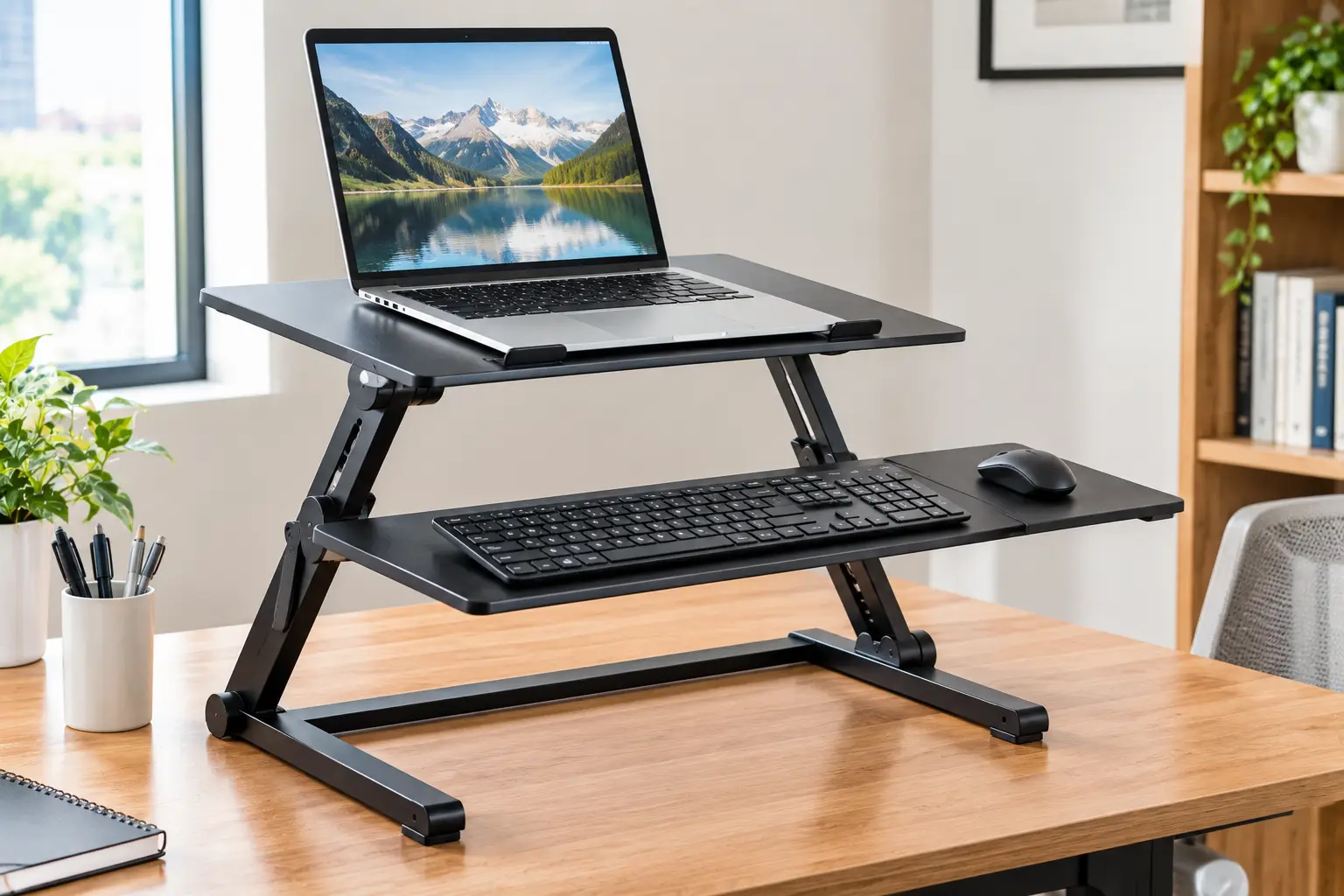
A keyboard stand with laptop holder is a music stand system that supports a piano keyboard or MIDI controller on one tier and a laptop on a second tier, tray, or clamp-on arm. It keeps your screen within reach and sight while you play, record, or perform, without a separate desk.
That simple idea matters more in 2026 than ever, because so much music-making now runs through software. If you play virtual instruments, follow chord charts on screen, or record into a digital audio workstation (DAW), your laptop is no longer an accessory—it’s half of your instrument. Putting it on a flimsy surface is like mounting a guitar amp on a folding TV tray.
There are really three ways to get there: an all-in-one 2 tier keyboard stand with a built-in upper platform, an add-on laptop holder for keyboard stand frames you already own, or a freestanding media tray that sits right beside your rig. Each has a different price, footprint, and stability profile, and picking the wrong type is the most common (and most expensive) mistake buyers make.
Below, you’ll find seven real products spanning all three approaches, from budget-friendly to studio-grade, with honest analysis of who each one is actually built for. We’ll also cover setup, ergonomics, and the specs worth paying for—so you buy once and play happily for years.
Quick Comparison: Keyboard Stand with Laptop Holder Options at a Glance
| Product | Type | Laptop Surface | Key Spec | Approx. Price Range | Best for |
|---|---|---|---|---|---|
| Griffin Double Piano Keyboard & Laptop Stand | All-in-one 2-tier | Adjustable upper tier | 60 lb top-tier capacity | $85–$100 | Griffin Double Piano Keyboard & Laptop Stand: budget home studios |
| AxcessAbles Two-Tier DJ Table Stand | All-in-one 2-tier | Attachable tabletops | 180 lb total capacity | $250–$300 | AxcessAbles Two-Tier DJ Table Stand: heavy, gigging rigs |
| On-Stage MSA5000 Laptop Tray | Add-on tray | 10″ deep, 14–16.5″ wide | Up to 12 lb laptops | Under $35 | On-Stage MSA5000 Laptop Tray: cheapest upgrade |
| On-Stage KSA7100 Utility Tray | Add-on platform | 28″ x 14.5″ | 100 lb rating | $70–$120 | On-Stage KSA7100 Utility Tray: X-stand owners needing space |
| Quik Lok LPH-Z Laptop Holder | Add-on arm | 10″ x 10″ tray + mouse tray | 360° swivel | $100–$150 | Quik Lok LPH-Z Laptop Holder: Quik Lok Z-stand users |
| Gator Frameworks GFW-UTL-MEDIATRAY1 | Freestanding tray | 19.25″ x 15.75″ | 28–44.5″ height | $65–$110 | Gator Frameworks GFW-UTL-MEDIATRAY1: any stand, any room |
| K&M 18815 Laptop Holder | Add-on clamp arm | 356 x 238 mm shelf | 0–26° tilt | $130–$180 | K&M 18815 Laptop Holder: K&M Omega table owners |
Looking at the table, the split is clear: if you’re starting from scratch, the Griffin Double Piano Keyboard & Laptop Stand gives you the most hardware per dollar, while the AxcessAbles Two-Tier DJ Table Stand is the one to consider when your gear is heavy and you’re loading in at gigs. If you already own a solid stand, an add-on like the On-Stage MSA5000 Laptop Tray or the Quik Lok LPH-Z Laptop Holder is far cheaper than replacing the whole frame—provided you confirm compatibility first.
💬 One click helps other shoppers make an informed choice too! 😊
Top 7 Keyboard Stand with Laptop Holder Picks: Expert Analysis
Prices below are approximate ranges at the time of writing; prices may vary, so check the current price before you buy.
1. Griffin Double Piano Keyboard & Laptop Stand — most hardware per dollar
The Griffin Double Piano Keyboard & Laptop Stand (QuickFOLD series) is the rare budget stand that gives you a true second tier instead of a token shelf.
The bottom tier adjusts from 24 to 37.5 inches high and 29 to 45 inches wide, which means it handles a 61-key controller or a full 88-key stage piano, seated or standing. The upper tier rises 8.5 to 13.5 inches above the lower one and tilts from flat to nearly vertical, so you can angle a laptop screen toward your eyes instead of craning your neck down at it. Its top tier is rated for 60 pounds—far more than any laptop needs, which leaves headroom for a small mixer alongside it.
Based on comparing the specs, this is the pick for bedroom producers and church keyboardists who want everything in one footprint without spending premium money. Note that the upper arms are open supports, not a solid tray, so a small laptop may need a flat board or a tray across the arms. Verified review volume for this specific model is limited on the listings we checked, so we’re weighing it mainly on its published specs rather than a large pool of owner feedback.
Pros:
- ✅ Independent height, depth, and tilt on both tiers
- ✅ 60 lb upper tier handles laptop plus extras
- ✅ Folds to a compact T shape for storage
Cons:
- ❌ Open arms may need a board for small laptops
- ❌ Limited verified owner reviews to judge durability
Expect to pay roughly $85–$100, which is strong value for a complete two-tier setup.
2. AxcessAbles Two-Tier DJ Table Stand — built for heavy gigging rigs
The AxcessAbles Two-Tier DJ Table Stand is a heavier-duty answer for players whose laptop shares space with controllers, sheet music, and serious gear.
The headline number is a 180-pound total capacity, and in practice that means you can load a heavy weighted-key keyboard below and a laptop plus a compact synth above without flex. The top tier sits 10 inches higher than the bottom, which puts a laptop screen closer to eye level than most add-on trays manage. Attachable tabletops turn the frame into a real work surface, so a laptop sits on a flat, solid platform rather than on rails.
What most buyers overlook is the stand’s own weight: at 39 pounds, it is stable precisely because it’s heavy, but it’s not something you’ll toss in a hatchback for a coffee-shop gig. This stand makes the most sense for working musicians, DJs, and worship teams who set up in the same few venues and want one rig that does everything. Owner feedback we could verify is limited, so treat the brand’s “patented design” claims as marketing until you see more real-world reports.
Pros:
- ✅ 180 lb capacity covers weighted 88-key boards
- ✅ Solid tabletops instead of bare support arms
- ✅ Taller upper tier improves screen height
Cons:
- ❌ 39 lb weight makes it a chore to haul
- ❌ Premium price compared with basic double stands
Expect roughly $250–$300—worth it only if your gear is genuinely heavy or you gig often.
3. On-Stage MSA5000 Laptop Tray — the cheapest smart upgrade
The On-Stage MSA5000 Laptop Tray proves you don’t always need a new stand—sometimes you just need the right $30-ish accessory.
It uses a standard 5/8″-27 thread, the same one on nearly every US mic stand, and its tray adjusts from about 14 to 16.5 inches wide with a 10-inch depth. That fits most 13- to 16-inch laptops, and On-Stage rates it for laptops up to 12 pounds. Ventilation holes help airflow during long sessions, while back bumpers and adjustable front feet keep the computer from sliding.
The catch is mounting: to attach it to an X-frame keyboard stand, you need On-Stage’s KSA7575 mic attachment bar, sold separately; it also fits the KS9102 Quantum Core column stand. A recurring frustration in customer reviews is buyers expecting a direct keyboard-stand clamp in the box and finding none—so budget for the bar if you don’t already have a mic stand nearby. For singer-keyboardists who already carry a mic stand, though, this is the least expensive way to get a laptop at playing height.
Pros:
- ✅ Fits any standard US mic stand thread
- ✅ Vented tray keeps laptops cooler
- ✅ Doubles as a mixer or interface shelf
Cons:
- ❌ Keyboard-stand attachment bar costs extra
- ❌ Not for booms or cantilevered supports
Typically under $35, making it the best low-cost entry point—just factor in the bar.
4. On-Stage KSA7100 Utility Tray — turns an X-stand into a workstation
The On-Stage KSA7100 Utility Tray transforms the X-stand you already own into a flat tabletop big enough for a laptop and then some.
The tray measures 28 by 14.5 inches, so a 15-inch laptop plus an audio interface fit side by side. Mounting brackets adjust to arm spreads between 11.75 and 22.75 inches, which is how it adapts to different height settings on On-Stage X-style stands. It carries a 100-pound rating, though On-Stage is clear that you should never exceed the weight capacity of the stand underneath.
Here’s what to weigh: this is a platform, not a second tier, so it typically replaces the keyboard position rather than sitting above it. That makes it ideal for producers who switch between playing and mixing, or for anyone running a stacked setup with a second X-stand. Review data for this tray is thin on the listings we checked, so the strongest argument for it is its simple, brand-matched design. Two included EVA rubber strips add grip, which matters on a smooth metal tray.
Pros:
- ✅ Huge 28″ x 14.5″ surface for multiple devices
- ✅ Brackets adapt to many arm spreads
- ✅ Grip strips reduce laptop sliding
Cons:
- ❌ Designed around On-Stage X-style stands
- ❌ Platform, not an elevated second tier
Expect roughly $70–$120; good value if you already own a compatible X-stand.
5. Quik Lok LPH-Z Laptop Holder — most adjustable add-on arm
The Quik Lok LPH-Z Laptop Holder is the tinkerer’s choice, offering height, tilt, and full 360° swivel on a dedicated arm for Quik Lok Z-series stands.
It’s compatible with the Z-716, Z-716L, Z-726, Z-726L, Z-70, and Z-71. Four stoppers adjust in width and depth from 10.2 to 16.5 inches, so they grip nearly any laptop without blocking ports—important when your interface cable and charger both plug into the side. The standout extra is a 5.3-inch pull-out mouse tray that mounts on either side and retracts for transport.
Based on comparing the specs, this is the most “studio desk-like” option here: swivel the screen toward a bandmate, tilt it for glare, then flip the mouse tray to your dominant hand. The 10-by-10-inch tray is small, though, so heavy 17-inch gaming laptops may feel perched rather than cradled. If you own a Quik Lok X-series stand instead, the sibling LPH-X offers the same approach with AC adapter sockets on both sides. Verified owner reviews are sparse, so confirm your exact stand model before ordering.
Pros:
- ✅ 360° swivel plus height and tilt adjustment
- ✅ Built-in mouse tray for either hand
- ✅ Stoppers keep side ports accessible
Cons:
- ❌ Works only with specific Quik Lok Z stands
- ❌ Small base tray for large laptops
Expect roughly $100–$150; fair value for Quik Lok owners, poor value for anyone else.
6. Gator Frameworks GFW-UTL-MEDIATRAY1 — works beside any stand
The Gator Frameworks GFW-UTL-MEDIATRAY1 sidesteps compatibility headaches entirely: it’s a freestanding tripod tray you park next to whatever keyboard stand you own.
Its 19.25-by-15.75-inch steel tray has 1-inch flanged edges, so a laptop can’t slide off the front, and adhesive EVA pads add grip. Height runs from 28 to 44.5 inches, which covers seated players and standing performers alike. The tray is reversible, with a VESA 100×100 bracket on the back, so you can swap the laptop for a small monitor later. It holds up to 20 pounds and weighs about 9.2 pounds itself.
Reviews consistently praise its versatility; retailer listings we checked show strong ratings, and owners describe using it as a laptop stand both on stage and in the studio. The trade-off is footprint: a tripod takes floor space beside your stand, and its legs can be a tripping hazard on dark stages—Gator’s red safety rings on the feet exist for exactly that reason. If you need more capacity, the heavier MEDIATRAY2 is rated for 45 pounds.
Pros:
- ✅ Fits alongside any keyboard stand brand
- ✅ Flanged edges stop laptops sliding off
- ✅ Reversible tray supports VESA monitors
Cons:
- ❌ Tripod legs add extra floor footprint
- ❌ 20 lb limit rules out heavy gear
Expect roughly $65–$110; excellent value thanks to its universal fit.
7. K&M 18815 Laptop Holder — precision German engineering
The K&M 18815 Laptop Holder is the premium pick for owners of K&M’s Omega keyboard tables, offering adjustment that feels closer to a monitor arm than a music accessory.
It clamps directly to a stand leg and is designed for the K&M 18810 Omega, 18820 Omega Pro, 18950, and 18953. Height runs from about 278 to 428 mm (roughly 11 to 17 inches), reach extends from 240 to 400 mm, and the shelf tilts from 0 to 26 degrees—so you can bring the screen closer and angle it precisely. The aluminum shelf measures 356 by 238 mm, with adjustable stop pins that keep ports clear.
What the spec sheet doesn’t spell out is that “infinitely adjustable” also means more knobs to set each time, so it rewards a fixed studio setup more than quick gig changeovers. This is for serious home and project studios that already invested in an Omega table and want a laptop placement that matches its build quality. US availability fluctuates, and review volume is small, so check current stock before planning around it.
Pros:
- ✅ Fine-tuned height, reach, and tilt control
- ✅ Steel and aluminum build feels premium
- ✅ Mounts on any leg of compatible tables
Cons:
- ❌ Limited to select K&M keyboard stands
- ❌ US stock and pricing can be inconsistent
Expect roughly $130–$180; good value only within the K&M ecosystem.
Side-by-Side Spec Comparison of the Top 7
| Product | Mounting | Adjustability | Portability | Ideal Laptop Size | Best for |
|---|---|---|---|---|---|
| Griffin Double Piano Keyboard & Laptop Stand | Built-in | Height, depth, tilt | Folds flat | 13–17″ (with board) | Griffin Double Piano Keyboard & Laptop Stand: first full rig |
| AxcessAbles Two-Tier DJ Table Stand | Built-in | Two tiers, tabletops | Heavy (39 lb) | Any | AxcessAbles Two-Tier DJ Table Stand: pro gigs |
| On-Stage MSA5000 Laptop Tray | Mic thread | Width | Very light | 13–16″ | On-Stage MSA5000 Laptop Tray: singer-keyboardists |
| On-Stage KSA7100 Utility Tray | X-stand brackets | Bracket width | Light | Any + interface | On-Stage KSA7100 Utility Tray: mixing stations |
| Quik Lok LPH-Z Laptop Holder | Z-stand arm | Height, tilt, swivel | Moderate | 13–16″ | Quik Lok LPH-Z Laptop Holder: Quik Lok owners |
| Gator Frameworks GFW-UTL-MEDIATRAY1 | Freestanding | Height, tilt | Collapsible | Any | Gator Frameworks GFW-UTL-MEDIATRAY1: universal fit |
| K&M 18815 Laptop Holder | Leg clamp | Height, reach, tilt | Moderate | 13–15″ | K&M 18815 Laptop Holder: fixed studios |
Reading across the rows, adjustability and portability pull in opposite directions: the K&M 18815 Laptop Holder and Quik Lok LPH-Z Laptop Holder offer the finest control but lock you into one stand family. The Gator Frameworks GFW-UTL-MEDIATRAY1 is the only option that never cares what stand you own, which makes it the safest choice if you’re unsure about compatibility.
✨ Don’t miss the right fit for your rig!
🔍 Take your home studio to the next level with this carefully curated lineup. Click a highlighted item to check current pricing and availability. These picks will help you play, record, and perform with a setup that finally feels organized!
Getting Started: Setting Up Your Rig the Right Way
Unboxing is the easy part; the first setup decides whether your stand feels rock-solid or quietly annoying for years. Here’s a practical routine for the first week.
Step 1: Set keyboard height first
Sit or stand at your normal playing position, then adjust the lower tier so your forearms are roughly parallel to the floor with relaxed shoulders. Everything else is positioned relative to this, so don’t skip it.
Step 2: Place the laptop second
Raise or tilt the laptop surface so the top of the screen sits at or slightly below eye level. Federal ergonomics guidance from the OSHA Computer Workstations eTool recommends that monitor placement, along with a viewing distance of roughly 20 to 40 inches—worth remembering when you decide how far back the upper tier should sit.
Step 3: Route cables before you play
Run USB, power, and audio cables down a stand leg and secure them with hook-and-loop ties. Leave a little slack at the laptop so a tilt adjustment doesn’t yank a connector.
Step 4: Do the “bump test”
Tap the keyboard firmly from the side and watch the laptop. Any bounce means a knob isn’t fully tightened or the load is off-center.
Common first-30-day mistakes
- ❌ Placing a heavy laptop at the very end of a long tray arm, which levers the whole stand forward.
- ❌ Overtightening clamp knobs on aluminum parts, which can strip threads.
- ❌ Forgetting to re-check tension after the first few sessions, when new parts settle.
Real-World Scenarios: Matching the Right Stand to Your Situation
Specs only matter in context, so here are three common profiles and the reasoning behind each match.
The bedroom producer on a budget
You’re a student with a 61-key MIDI controller, a 14-inch laptop, and roughly $100 to spend. You produce three or four evenings a week in a small room. The Griffin Double Piano Keyboard & Laptop Stand fits best because it delivers both tiers in one purchase, folds away when your roommate needs floor space, and leaves money for a decent pair of headphones. Lay a thin board across the upper arms if your laptop is narrow.
The gigging worship or cover-band keyboardist
You play weekly, often at the same two venues, with a weighted 88-key stage piano, a laptop running backing tracks, and a compact synth. Stability matters more than weight. The AxcessAbles Two-Tier DJ Table Stand earns its higher price here: its 180-pound capacity and solid tabletops handle a mixed load, and a single frame means one less thing to forget at load-in.
The singer-keyboardist who travels light
You perform solo at cafes and small venues, already carry a mic stand, and want your lyric sheets and click track visible. The On-Stage MSA5000 Laptop Tray threads onto your mic stand in seconds, adds almost no weight to your bag, and costs less than a dinner out. If you’d rather keep the mic stand free, the Gator Frameworks GFW-UTL-MEDIATRAY1 is a collapsible alternative.
Notice the pattern: frequency of use and transport needs drive the decision more than raw specs do.
Problem → Solution: Fixing the Most Common Annoyances
Even a great keyboard stand with laptop holder can develop small irritations. Here are the ones players run into most, with precise fixes.
Problem 1: The laptop wobbles when you play hard
Solution: Move the laptop’s weight closer to the stand’s center post or leg. On clamp arms like the K&M 18815 Laptop Holder or Quik Lok LPH-Z Laptop Holder, shorten the reach before raising the height—leverage, not weight, causes most bounce.
Problem 2: Your laptop runs hot during long sessions
Solution: Choose a vented or open surface, such as the ventilation holes on the On-Stage MSA5000 Laptop Tray, and avoid placing the laptop flush against a solid platform with its fans blocked. A slight tilt also improves airflow underneath.
Problem 3: Neck strain after an hour
Solution: The screen is too low. Raise the upper tier or tray until the top of the display is near eye level, then bring it closer so you aren’t leaning in. Pair this with an external mouse if you’re editing for long stretches.
Problem 4: Cables keep getting tugged loose
Solution: Pick a holder that leaves side ports open—the adjustable stoppers on the Quik Lok LPH-Z Laptop Holder and stop pins on the K&M 18815 Laptop Holder are designed for this—and use right-angle USB connectors.
Problem 5: The laptop slides when the tray tilts
Solution: Add grip. The On-Stage KSA7100 Utility Tray ships with EVA rubber strips, and the Gator Frameworks GFW-UTL-MEDIATRAY1 includes adhesive pads; for open-arm designs, a non-slip mat cut to size works well.
How to Choose a Keyboard Stand with Laptop Holder
Use these seven steps in order; each one narrows the field quickly.
- Check what you already own. If your current stand is sturdy, an add-on is usually the smarter buy than replacing the whole frame.
- Confirm exact compatibility. Add-ons are brand- and model-specific, so match model numbers, not just “X-style” or “Z-style.”
- Measure your laptop. Compare its width and depth to the tray or stopper range before checking out.
- Add up your total load. Combine the keyboard, laptop, and any extras, then stay well under the stand’s rating.
- Decide how often you’ll move it. Gigging favors folding, lighter designs; studios can accept heavier, fiddlier hardware.
- Prioritize screen height. A stand that can’t raise the screen close to eye level will cost you comfort every session.
- Look for port access and grip. Stoppers, flanges, or rubber pads are small details that prevent big accidents.
Follow those in sequence and you’ll rarely end up returning a stand that “almost” fits.
All-in-One 2 Tier Keyboard Stand vs. Add-On Laptop Holder
This is the central decision, and it’s worth slowing down for. An all-in-one 2 tier keyboard stand, like the Griffin Double Piano Keyboard & Laptop Stand or the AxcessAbles Two-Tier DJ Table Stand, is designed as one system: the upper tier is engineered for the load, the geometry is predictable, and there are no compatibility surprises. The trade-off is that you replace your existing stand, and you get the frame’s footprint whether you need the second tier that day or not.
An add-on laptop holder for keyboard stand frames you already own is the opposite bet. It’s cheaper and lighter, and accessories like the Quik Lok LPH-Z Laptop Holder or K&M 18815 Laptop Holder often offer more precise adjustment than any built-in tier. But you’re stacking a load onto a frame that may not have been designed for it, and compatibility lists are strict.
| Factor | All-in-One 2-Tier | Add-On Holder | Freestanding Tray |
|---|---|---|---|
| Upfront cost | Moderate–high | Low–moderate | Low–moderate |
| Compatibility risk | None | High | None |
| Stability | Excellent | Depends on base stand | Good |
| Floor footprint | Large | Smallest | Extra tripod |
| Best for | New buyers, gigging | Owners of quality stands | Mixed or uncertain setups |
The table makes the trade-off concrete: if you’re buying your first serious stand, an all-in-one frame removes guesswork. If you already own a quality Quik Lok, K&M, or On-Stage stand, an add-on preserves that investment, while a freestanding tray like the Gator Frameworks GFW-UTL-MEDIATRAY1 is the compromise when you can’t confirm fit.
Features That Actually Matter (and Ones That Don’t)
Marketing copy for these stands tends to pile on adjectives. Here’s how to cut through it.
Features that matter
- Independent tier adjustment. Being able to set laptop height separately from keyboard height is the single biggest comfort upgrade.
- Realistic weight ratings. A clearly stated capacity—like the 60-pound top tier on the Griffin Double Piano Keyboard & Laptop Stand—tells you the manufacturer thought about loads.
- Retention features. Flanged edges, stoppers, or stop pins are what keep a $1,500 laptop off the floor.
- Port clearance. If the holder blocks USB or power, you’ll fight it every session.
- Safety locks. Pins and secondary locks prevent a tier from collapsing if a knob loosens.
Features that matter less than you think
- “Infinite” adjustability. Useful, but more knobs mean slower setup. Most people find one position and keep it.
- Exotic finishes or colors. They don’t affect stability or longevity.
- Huge capacity numbers you’ll never use. A 180-pound rating only matters if your gear is genuinely heavy; otherwise you’re paying for weight you carry around.
The takeaway: buy for retention, adjustment, and honest load ratings. Everything else is a nice-to-have.
Ergonomics, Safety, and Load Standards
Keyboard stands don’t carry a single federal certification the way electrical products carry UL or ETL listings, so it’s on you to treat the manufacturer’s weight rating as the hard limit. Never exceed the lowest rating in the chain—an add-on tray rated for 100 pounds is only as strong as the stand it sits on, which On-Stage explicitly warns about for the On-Stage KSA7100 Utility Tray.
Tip-over and trip hazards
Top-heavy setups are the real risk. A laptop on a long arm, a cable snagged by a foot, or a child pulling on a stand can tip a rig forward. Keep heavy items low and centered, and use tripod feet with high-visibility markers, like those on the Gator Frameworks GFW-UTL-MEDIATRAY1, in dim spaces.
Ergonomics for long sessions
Laptops are notoriously awkward for posture because the screen sits low. The Mayo Clinic’s office ergonomics guide notes that a laptop stand combined with external input devices helps mimic a proper desktop setup—exactly the arrangement a keyboard stand with laptop holder creates for musicians. Its advice to keep the top of the screen at or slightly below eye level applies just as well to a music rig.
Mounting safety
For thread-mounted trays, the On-Stage MSA5000 Laptop Tray should go on straight stands only, never booms or goosenecks, which can’t safely carry a cantilevered laptop.
Long-Term Cost and Value
Sticker price is only part of the story. Total cost of ownership includes accessories you’ll need, replacement parts, and whether the stand grows with your gear.
| Product | Approx. Upfront | Likely Extras | Long-Term Value Verdict | Best for |
|---|---|---|---|---|
| Griffin Double Piano Keyboard & Laptop Stand | $85–$100 | Board or tray for small laptops | High for beginners | Griffin Double Piano Keyboard & Laptop Stand: tight budgets |
| On-Stage MSA5000 Laptop Tray | Under $35 | KSA7575 bar or mic stand | High if you own a mic stand | On-Stage MSA5000 Laptop Tray: minimal spend |
| Gator Frameworks GFW-UTL-MEDIATRAY1 | $65–$110 | None | High—moves with any rig | Gator Frameworks GFW-UTL-MEDIATRAY1: future-proofing |
| AxcessAbles Two-Tier DJ Table Stand | $250–$300 | None | High for frequent gigs | AxcessAbles Two-Tier DJ Table Stand: pros |
The analysis here favors flexibility: the Gator Frameworks GFW-UTL-MEDIATRAY1 keeps its value even if you switch keyboard stands later, while the On-Stage MSA5000 Laptop Tray looks cheapest but can quietly double in cost once you add the attachment bar. The AxcessAbles Two-Tier DJ Table Stand only pays off if you gig enough to need its strength.
Maintenance that extends lifespan
Every few months, check and retighten knobs, inspect rubber feet for wear, and wipe down threads so they don’t gall. Store folding stands closed and dry; most long-term failures come from stripped threads and lost safety pins, not broken tubing.
Common Mistakes to Avoid When Buying
Even experienced players get caught by these.
Buying an add-on without checking model numbers
“Fits Z-style stands” is not the same as “fits your Z-style stand.” The Quik Lok LPH-Z Laptop Holder lists specific models for a reason, and the K&M 18815 Laptop Holder is designed only for certain K&M tables.
Ignoring hidden accessories
Some trays require parts sold separately. Confirm the mounting hardware before you assume a low price is the whole price.
Choosing capacity you’ll never use
A heavy-duty frame is great for a weighted 88-key board but overkill for a 25-key controller, and you’ll feel that weight every time you move it.
Forgetting the screen height
Many buyers focus on keyboard height and treat the laptop as an afterthought. If the screen ends up at chest level, your neck pays for it in every session.
Overlooking your space
Measure the floor area. Two-tier frames and tripod trays both need more room than a single X-stand, especially with a bench or chair behind them.
FAQs
❓ What size laptop fits a keyboard stand laptop tray?
❓ Can I add a laptop holder to any keyboard stand?
❓ Is a 2 tier keyboard stand stable enough for a laptop?
❓ Which keyboard stand with laptop holder is best for gigging?
❓ Should I buy a keyboard stand with laptop tray or a separate laptop stand?
Conclusion: Find the Keyboard Stand with Laptop Holder That Fits Your Life
The best keyboard stand with laptop holder isn’t the one with the biggest numbers—it’s the one that matches the gear you already own, the space you have, and how often you move. Starting from scratch on a budget? The Griffin Double Piano Keyboard & Laptop Stand gives you two adjustable tiers for less than many single stands with accessories. Hauling heavy gear to regular gigs? The AxcessAbles Two-Tier DJ Table Stand is built for that workload.
If you already own a quality stand, protect that investment with a matching add-on: the Quik Lok LPH-Z Laptop Holder for Quik Lok Z frames, the K&M 18815 Laptop Holder for Omega tables, or the On-Stage KSA7100 Utility Tray for On-Stage X-stands. Want the lowest cost of entry? The On-Stage MSA5000 Laptop Tray gets your screen up for very little, provided you account for the mounting bar. And when in doubt about fit, the Gator Frameworks GFW-UTL-MEDIATRAY1 works beside anything.
Whichever you choose, set your keyboard height first, raise your screen close to eye level, route your cables, and do the bump test. Your neck, your laptop, and your music will all be better for it. One last note on transparency: affiliate relationships like ours are governed by the FTC’s Endorsement Guides, which is why we disclose them clearly and base our picks on published specs and verifiable feedback.
🎹 Ready to build your dream music workstation?
🚀 Click a highlighted product above to check current pricing and availability on Amazon—then spend less time balancing your laptop and more time making music you love!
Recommended for You
- Collapsible Wooden Desk: 7 Best Space-Saving Picks for 2026
- Monitor Stand Free Standing: 7 Best Wobble-Free Picks for 2026
- Dual Laptop Holder: 7 Best Smart Picks for a Clutter-Free 2026 Desk
Disclaimer: This post contains affiliate links. As an Amazon Associate, I earn from qualifying purchases made through these links, at no additional cost to you.
✨ Found this article helpful? Share it with someone who needs it! 💬🤗