
In This Article
Why a Dual Laptop Holder Is the Upgrade Your Desk Has Been Begging For
If you’re juggling a work laptop and a personal one, you already know the struggle. Two machines, two chargers, two sets of cables, and somehow zero space left for your coffee. A dual laptop holder fixes that in one move, and in 2026 it’s become one of the most practical desk upgrades for hybrid workers, developers, streamers, and DJs alike.
Here’s the thing most people don’t realize until they try it: the problem isn’t really having two laptops. The problem is that laptops were designed to sit flat, alone, at the wrong height. Stack two of them side by side and you’ve doubled the footprint while keeping all the ergonomic headaches. A good dual laptop holder solves both problems at once — it reclaims surface area and, depending on the style, lifts at least one screen toward eye level.
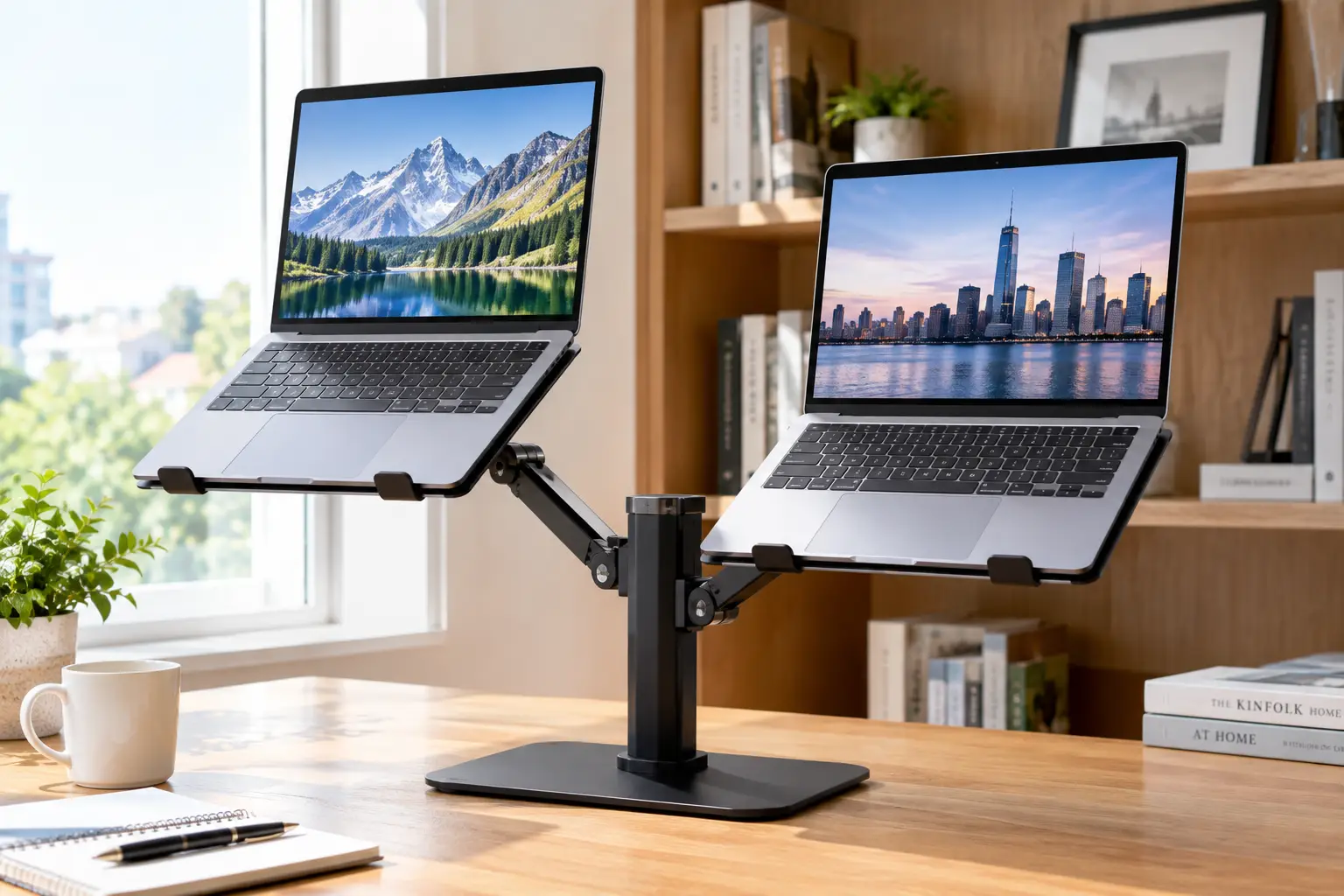
But “dual laptop holder” covers three very different product families. There are compact vertical docks that park two closed laptops upright like books on a shelf. There are two-tier stands (born in the DJ world) that stack two open machines one above the other. And there are articulating desk arms that float laptops and monitors in the air. Each one solves a different problem, and buying the wrong type is the single most common regret we see in customer reviews.
This guide breaks all of that down. We compared real spec sheets, aggregated real customer feedback from retailer listings, and mapped each product to the kind of person who’d actually benefit from it. No invented test results, no fake star ratings — just honest analysis so you can choose with confidence. Let’s clear some desk space.
What Is a Dual Laptop Holder?
A dual laptop holder is a desk accessory that supports two laptops at once, either upright in side-by-side slots (a vertical dock), stacked on two tiers, or suspended on adjustable arms. Its main jobs are saving desk space, organizing cables, and improving airflow — and, for open-lid designs, raising screens closer to eye level.
That definition hides an important split. Vertical docks are built for laptops running in “clamshell” mode (lid closed, connected to external monitors), while tiered stands and arms are built for laptops you actually look at and type on. If you know which one you are, you’ve already made the hardest decision.
It also helps to understand why laptops are awkward in the first place. As the Cornell University Ergonomics Web has long pointed out, a laptop’s screen and keyboard are physically joined, so when one is in a good position, the other usually isn’t. Every product below is, in one way or another, a workaround for that design compromise.
Quick Comparison: The 7 Best Dual Laptop Holder Picks at a Glance
| Product | Style | Laptop Fit | Approx. Price Range | Best For |
|---|---|---|---|---|
| OMOTON Dual Vertical Laptop Stand | Vertical dock | Up to 17.3″ | $30–$45 | OMOTON Dual Vertical Laptop Stand: MacBook + gaming laptop combos |
| UGREEN 2-Slot Vertical Laptop Stand (60643) | Vertical dock | 0.47″–1″ thick | $20–$35 | UGREEN 2-Slot Vertical Laptop Stand (60643): budget clamshell setups |
| Vaydeer Double-Slot Vertical Laptop Stand | Vertical dock | 0.63″–2.36″ thick | $40–$55 | Vaydeer Double-Slot Vertical Laptop Stand: thick gaming laptops |
| Pyle PLPTS38 Portable Dual Laptop Stand | Two-tier stand | Brackets 9.4″–13.4″ wide | $40–$65 | Pyle PLPTS38 Portable Dual Laptop Stand: two open laptops |
| Pyle Pro PLPTS45 Dual Device Holder | Two-arm tabletop | Width-adjustable brackets | $55–$75 | Pyle Pro PLPTS45 Dual Device Holder: independent arm positioning |
| Mount-It! Dual Laptop and Monitor Stand | Desk-clamp arms | Laptop up to 17″ + monitor up to 32″ | $75–$100 | Mount-It! Dual Laptop and Monitor Stand: laptop + monitor hybrid |
| VIVO STAND-V001L Laptop Desk Mount (pair) | Desk-clamp arm ×2 | Up to 17″, 22 lbs per tray | $80–$100 for two | VIVO STAND-V001L Laptop Desk Mount: maximum flexibility |
Looking at the table, the three vertical docks dominate on price and footprint, but they only make sense if both laptops stay closed and feed external monitors. The Pyle PLPTS38 Portable Dual Laptop Stand is the cheapest way to use two open laptops at once, while the arm-based options cost more but are the only ones that let you position each screen independently in three dimensions. Your workflow — closed lids vs. open lids — should decide your column before price does.
💬 One click helps other shoppers make an informed choice too! 😊
Top 7 Dual Laptop Holder Picks: Expert Analysis
Each product below was evaluated on published specs, construction, adjustability, and the recurring themes in real customer reviews. Price ranges are approximate at the time of writing — always check the current price on the listing.
1. OMOTON Dual Vertical Laptop Stand — best all-rounder for mixed laptop sizes
The OMOTON Dual Vertical Laptop Stand earns its spot by handling an unusually wide spread of devices in a compact anodized aluminum body.
Its “double dock” design holds two laptops up to 17.3 inches, and each slot’s width adjusts independently. In practice, that means you can park a slim MacBook Air next to a chunky gaming laptop without one rattling and the other being squeezed. The silicone lining inside the slots protects the finish, which matters if you plan to resell your laptop later.
Based on the spec sheet and review patterns, this is the stand to beat for anyone running two laptops in clamshell mode with external monitors. It’s especially well suited to the “work laptop + personal laptop” household. One honest caveat: two laptops sitting close together share a pocket of warm air, so heavy-load gaming machines benefit from a little extra breathing room.
Customer reviews consistently praise the solid aluminum feel, the absence of wobble, and how easy width adjustment is; several reviewers report it holding 17.3-inch gaming laptops without trouble. A minority of reviewers mention switching to a single stand to improve ventilation between two hot-running machines.
Pros:
- ✅ Fits laptops up to 17.3 inches
- ✅ Independent slot widths for mismatched laptops
- ✅ Sturdy aluminum with scratch-protecting lining
Cons:
- ❌ Slots sit close, limiting airflow between hot laptops
- ❌ Only useful with lids closed
Typically around $30–$45, the OMOTON Dual Vertical Laptop Stand delivers strong value for a durable, metal dual dock.
2. UGREEN 2-Slot Vertical Laptop Stand (60643) — best budget pick for slim laptops
The UGREEN 2-Slot Vertical Laptop Stand (60643) keeps things simple and affordable without dropping to plastic.
UGREEN specifies an adjustable slot gap that fits laptops between 0.47 and 1 inch thick, with tool-free tension adjustment via the base screws. Translation: ultrabooks, MacBooks, Surface laptops, and most business machines fit fine, but thick gaming rigs may not. Non-slip silicone pads line both the grooves and the base, which keeps the stand from skating when you yank a USB-C cable.
Our honest read: this is the right pick for budget-conscious buyers who own thin laptops and want a tidy clamshell station. UGREEN’s own listings vary on maximum screen size (some say 15.6 inches, others 17.3), so the safer guide is thickness, not diagonal. Measure your laptop’s closed thickness before ordering.
Roundup sites frequently rank this model near the top of dual-laptop stand lists, and retailer feedback tends to highlight its stability and clean look. Detailed long-term review data was harder to verify, so check the latest buyer comments on the listing.
Pros:
- ✅ Very affordable for an aluminum dual dock
- ✅ Tool-free gap adjustment
- ✅ Silicone pads protect laptop and desk
Cons:
- ❌ 1-inch maximum thickness excludes chunky gaming laptops
- ❌ Lighter base than premium competitors
Usually in the $20–$35 range, the UGREEN 2-Slot Vertical Laptop Stand (60643) is hard to beat on value for slim machines.
3. Vaydeer Double-Slot Vertical Laptop Stand — widest thickness range for gaming laptops
The Vaydeer Double-Slot Vertical Laptop Stand solves the problem the UGREEN can’t: really thick laptops.
According to Vaydeer’s listing, each slot adjusts from 0.63 inches (16 mm) up to 2.36 inches (60 mm). That upper limit is more than double what most budget docks allow, so bulky 17-inch gaming laptops or older workstation notebooks fit comfortably. The brand also markets a “4-in-1” design, meaning the slots can hold a tablet, phone, or notebook when a laptop isn’t docked.
From a buyer’s perspective, this is the dual laptop stand to choose if one of your machines is a gaming laptop or a mobile workstation. The trade-off is that the 16 mm minimum means very thin ultrabooks may need the screw tightened all the way, so check that your slimmest device sits snugly.
Review data specific to the double-slot model is thinner than for the OMOTON, so we can’t summarize a strong consensus here. What’s verifiable is the anodized aluminum construction and silicone slot lining described in the spec sheet.
Pros:
- ✅ Accepts laptops up to 2.36 inches thick
- ✅ Doubles as a tablet or phone dock
- ✅ Anodized aluminum resists scratches
Cons:
- ❌ Very thin laptops may sit loosely
- ❌ Pricier than comparable vertical docks
Often found around $40–$55, the Vaydeer Double-Slot Vertical Laptop Stand is fair value if thickness compatibility is your deciding factor.
4. Pyle PLPTS38 Portable Dual Laptop Stand — best for two open laptops at once
The Pyle PLPTS38 Portable Dual Laptop Stand is the go-to when you need both laptops open, visible, and usable simultaneously.
It uses a steel two-tier frame with anti-slip prongs, and Pyle lists a 33-pound maximum load. The top brackets adjust from 9.4 to 11.4 inches wide and the bottom from 11.4 to 13.4 inches, so the upper tier suits smaller devices while the lower one handles a full laptop or controller. Height is adjusted by repositioning rods in the support holes.
This one was clearly designed for DJs, but that heritage is a strength: it’s built to stay stable while you type and tap. It’s ideal for streamers running chat on one laptop and software on another, or for anyone who needs to see two laptop screens without buying monitors.
Reviews from DJs and podcasters repeatedly describe it as rock solid with no wobble during use. Some owners mention small DIY adjustments to the mounting position to fine-tune height.
Pros:
- ✅ Holds two open devices simultaneously
- ✅ Steel frame rated for 33 pounds
- ✅ Disassembles easily for transport
Cons:
- ❌ Top tier is narrow for large laptops
- ❌ Height changes require repositioning rods, not a quick lever
Typically $40–$65, the Pyle PLPTS38 Portable Dual Laptop Stand offers excellent value for a true two-tier workstation.
5. Pyle Pro PLPTS45 Dual Device Holder — independent arms for custom angles
The Pyle Pro PLPTS45 Dual Device Holder trades the fixed frame for two independently adjustable arms on a heavy tabletop base.
B&H’s listing describes bracket arms that adjust for width, depth, and height (from roughly 3.5 to 15.7 inches), with rotary clamp-style locks for height, rotation, and tilt. Practically, that means you can tilt one laptop toward you for typing while angling the second for reference viewing — something a fixed two-tier frame can’t do.
This is best for people who need asymmetry: a laptop plus a controller, or a main laptop plus a secondary one used mostly for monitoring. It’s a more “pro” feel than the PLPTS38, but it’s also more of a project to dial in.
Buyer reviews on B&H mention using it successfully for CDJs and mixers, praising the sturdiness and adjustable brackets. One important gap: a clear maximum weight rating wasn’t published on the listing we found, so check with Pyle before loading heavy gaming laptops.
Pros:
- ✅ Each arm adjusts independently
- ✅ Tilt and rotation on both brackets
- ✅ Heavy base, no desk clamping required
Cons:
- ❌ Weight capacity not clearly published
- ❌ More setup time than fixed stands
Usually around $55–$75, the Pyle Pro PLPTS45 Dual Device Holder is good value if independent positioning matters to you.
6. Mount-It! Dual Laptop and Monitor Stand — best laptop-plus-monitor hybrid
The Mount-It! Dual Laptop and Monitor Stand is for people whose “second laptop” is really a monitor in disguise.
It clamps to your desk (or uses a grommet) and provides two counterbalanced mechanical spring arms: one with a ventilated tray for laptops up to 17 inches, one with a VESA 75/100 plate for monitors up to 32 inches. Each arm supports roughly 17.6 pounds. Mount-It! also builds in two USB 3.0 ports, which is genuinely handy when your laptop is floating in the air and its ports are hard to reach.
Based on the specs, this is the right choice if you’ve realized you don’t actually need two laptops on display — you need one laptop at eye level and a big screen beside it. It’s also a step toward a fully clutter-free desk, since nothing but the clamp touches the surface.
We couldn’t verify a robust volume of model-specific customer reviews, so we won’t summarize sentiment we can’t confirm. The listing does advertise a lifetime warranty, which is unusual in this category.
Pros:
- ✅ Spring arms allow quick height changes
- ✅ Built-in USB 3.0 ports
- ✅ Frees nearly all desk surface
Cons:
- ❌ Holds one laptop, not two, out of the box
- ❌ Requires a sturdy desk edge or grommet hole
Generally $75–$100, the Mount-It! Dual Laptop and Monitor Stand is solid value for a hybrid workstation.
7. VIVO STAND-V001L Laptop Desk Mount — most flexible when paired
The VIVO STAND-V001L Laptop Desk Mount is a single-arm mount, but buying two creates the most adjustable dual laptop mount setup on this list.
Each unit has a ventilated 14 x 11.8-inch tray for laptops up to 17 inches, supports up to 22 pounds, and offers +90° to -90° tilt, 180° swivel, and 360° rotation. It clamps to desks up to 3.4 inches thick or uses a grommet up to 3 inches. Remove the tray and it becomes a VESA monitor arm for screens up to 32 inches — so your setup can evolve.
Here’s what to weigh: two separate arms cost more and take two clamp points, but each laptop gets its own full range of motion. For developers, analysts, or anyone who types on both machines, that independence is worth more than a cheaper shared frame.
VIVO’s broader mount lineup earns consistent praise for sturdiness and value; some owners of VIVO arms note that screws can wear if you adjust very frequently. Model-specific review detail for the V001L is something to confirm on the current listing.
Pros:
- ✅ Full tilt, swivel, and rotation per laptop
- ✅ 22-pound tray capacity
- ✅ Converts to a monitor arm later
Cons:
- ❌ Requires buying two units
- ❌ Two clamps take up more desk-edge space
Expect about $40–$50 per arm ($80–$100 for a pair); the VIVO STAND-V001L Laptop Desk Mount offers great long-term value thanks to its convertibility.
Head-to-Head: Comparing the Top 7 by What Matters
| Product | Lid Position | Adjustability | Install Type | Typical Range | Best For |
|---|---|---|---|---|---|
| OMOTON Dual Vertical Laptop Stand | Closed | Slot width | Freestanding | $30–$45 | OMOTON Dual Vertical Laptop Stand: mixed-size clamshell pairs |
| UGREEN 2-Slot Vertical Laptop Stand (60643) | Closed | Slot gap | Freestanding | $20–$35 | UGREEN 2-Slot Vertical Laptop Stand (60643): thin laptops on a budget |
| Vaydeer Double-Slot Vertical Laptop Stand | Closed | Slot width (wide) | Freestanding | $40–$55 | Vaydeer Double-Slot Vertical Laptop Stand: gaming laptops |
| Pyle PLPTS38 Portable Dual Laptop Stand | Open | Height, bracket width | Freestanding | $40–$65 | Pyle PLPTS38 Portable Dual Laptop Stand: two active screens |
| Pyle Pro PLPTS45 Dual Device Holder | Open | Height, tilt, rotation per arm | Weighted base | $55–$75 | Pyle Pro PLPTS45 Dual Device Holder: asymmetric setups |
| Mount-It! Dual Laptop and Monitor Stand | Open | Full motion, spring | Clamp/grommet | $75–$100 | Mount-It! Dual Laptop and Monitor Stand: laptop + monitor |
| VIVO STAND-V001L Laptop Desk Mount (×2) | Open | Full motion per arm | Clamp/grommet | $80–$100 pair | VIVO STAND-V001L Laptop Desk Mount: power users |
The pattern here is clear: adjustability rises with price, but so does installation effort. If you never open your laptops at the desk, paying for full-motion arms is wasted money — the OMOTON Dual Vertical Laptop Stand or UGREEN 2-Slot Vertical Laptop Stand (60643) will serve you better. If you type on both machines daily, the extra cost of a pair of VIVO STAND-V001L Laptop Desk Mount arms pays for itself in comfort.
✨ Don’t miss these smart desk upgrades!
🔍 Take your workspace to the next level with this carefully curated lineup. Click a highlighted product to check current pricing and availability. These picks will help you reclaim your desk and work more comfortably every single day!
How to Set Up a Dual Laptop Stand in 15 Minutes (Without Regret)
Unboxing is the easy part. Getting a dual laptop stand to actually improve your day takes a few deliberate steps.
Step 1: Decide which laptop is “primary”
Your primary laptop is the one you type on or look at most. On a two-tier stand, put it on the lower, wider tier closest to your hands. On a vertical dock, place it in the slot nearest your dock or hub so cables stay short.
Step 2: Measure before you tighten
For vertical docks, close each laptop and slide it in gently while the slot is loose. Tighten just until the laptop stops rocking — overtightening can stress hinges and scratch finishes despite the silicone lining.
Step 3: Route cables before the final position
Plug in power and USB-C/Thunderbolt cables first, then set the laptops in place. Leave a little slack loop so pulling a cable doesn’t tip the stand or tug the port. Velcro ties are your friend here.
Step 4: Check heat in the first week
Run your normal workload and notice whether either laptop’s fans spin harder than usual. If so, widen the gap between slots, flip which laptop sits where (hot-running machine on the outside), or open the lid slightly if your model vents through the keyboard.
Step 5: Set screen height for open-lid setups
For tiered stands and arms, raise the screen so its top sits at or slightly below eye level, then pair it with an external keyboard and mouse.
Common first-30-day mistakes
- ❌ Docking a laptop with an aggressive sleep setting, then wondering why external monitors keep blanking
- ❌ Ignoring a wobbly desk — clamps amplify a flimsy surface
- ❌ Forgetting to check clamshell-mode support in your laptop’s power settings
Real-World Scenarios: Matching a Laptop Stand for Two Laptops to Your Life
Specs only tell part of the story. Here’s how three common profiles map to the right gear.
The hybrid professional (budget: under $50)
Maya works three days at home with a company ThinkPad and keeps a personal MacBook Air for side projects. Both run lid-closed, feeding a single monitor through a KVM switch. She uses them daily but rarely opens either lid at her desk. The UGREEN 2-Slot Vertical Laptop Stand (60643) is the logical fit: both machines are thin, the budget is tight, and footprint matters more than adjustability. If her ThinkPad were a thicker model, the OMOTON Dual Vertical Laptop Stand would be the safer choice.
The streamer or DJ (budget: $40–$75)
Jordan streams four nights a week, running broadcast software on a gaming laptop and chat moderation on an older notebook. Both screens need to be visible at the same time. The Pyle PLPTS38 Portable Dual Laptop Stand handles this neatly, stacking the two open screens in a tight footprint. If Jordan wanted to angle the chat laptop sideways, the Pyle Pro PLPTS45 Dual Device Holder would be worth the step up.
The developer or analyst (budget: $80–$120)
Sam codes all day on a work laptop while monitoring dashboards on a second machine. Both get typed on, often for hours. Sam’s priority is ergonomics, so a pair of VIVO STAND-V001L Laptop Desk Mount arms makes the most sense — each laptop can sit at its own height and angle. If Sam’s second “laptop” is really just a dashboard, the Mount-It! Dual Laptop and Monitor Stand with an external monitor would be a cleaner long-term answer.
The common thread? Frequency of typing and lid position matter far more than brand. Start with how you actually work, and the product almost picks itself.
Problem → Solution: Fixing the Most Common Dual Laptop Holder Headaches
Even the best gear runs into snags. Here are the issues that come up most in reviews and owner discussions — and how to fix them.
Problem 1: Laptops run hot in a vertical dock. ✅ Solution: Put the hotter laptop in the outer slot, widen the gap if your stand allows it, and avoid parking the dock against a wall. Owners of the OMOTON Dual Vertical Laptop Stand who hit this often move the gaming laptop to a separate single stand.
Problem 2: The stand tips when you unplug a cable. ✅ Solution: Leave cable slack and unplug with one hand steadying the laptop. Heavier aluminum bases like the Vaydeer Double-Slot Vertical Laptop Stand resist this better than lightweight plastic docks.
Problem 3: A thin laptop slides around in the slot. ✅ Solution: Tighten the adjustment screw fully. If it’s still loose, the stand’s minimum width is too large — the UGREEN 2-Slot Vertical Laptop Stand (60643) handles thinner laptops better.
Problem 4: An arm-mounted laptop bounces while typing. ✅ Solution: Tighten the arm joints, check the clamp, and keep the tray closer to the pole. Bounce is usually a sign the arm is extended too far for the desk’s stiffness.
Problem 5: The top tier on a two-tier stand is too narrow. ✅ Solution: Put the larger laptop on the bottom tier of the Pyle PLPTS38 Portable Dual Laptop Stand, whose bottom brackets spread wider, and reserve the top for a smaller device.
How to Choose a Dual Laptop Holder
Picking the right dual laptop holder takes about five minutes if you ask the right questions in the right order:
- Decide: lids open or closed? Closed-lid users need a vertical dock; open-lid users need a tiered stand or arms. This single choice eliminates more than half the market.
- Measure laptop thickness, not just screen size. Vertical slots are limited by closed thickness — a 17-inch laptop that’s 1.2 inches thick won’t fit a 1-inch slot.
- Weigh both laptops. Arms and tiered stands publish load limits; stay comfortably under them to avoid sag over time.
- Check your desk. Clamp mounts need a solid edge within the stated thickness range (often up to around 3–3.4 inches) and no obstruction underneath.
- Plan for heat. Gaming laptops and heavy workloads need spacing and airflow; prioritize wider gaps or open trays.
- Budget for accessories. Open-lid setups usually need an external keyboard and mouse to be truly ergonomic.
- Think about tomorrow. Convertible arms that become monitor mounts protect your investment if your setup changes.
Following these steps in order keeps you from overpaying for features you won’t use — or underbuying and ending up with a stand that doesn’t fit.
Vertical Laptop Holder vs. Dual Laptop Mount vs. Just Using Your Desk
It’s worth stepping back and comparing the three main approaches against the “do nothing” option most people start with.
| Approach | Desk Space Used | Ergonomics | Setup Effort | Best For |
|---|---|---|---|---|
| Laptops flat on desk | High | Poor (screen too low) | None | Short, occasional use |
| Vertical laptop holder (e.g., OMOTON Dual Vertical Laptop Stand) | Very low | N/A (lids closed) | Minimal | OMOTON Dual Vertical Laptop Stand: clamshell + monitors |
| Two-tier stand (e.g., Pyle PLPTS38 Portable Dual Laptop Stand) | Low–medium | Moderate | Moderate | Pyle PLPTS38 Portable Dual Laptop Stand: two visible screens |
| Dual laptop mount arms (e.g., VIVO STAND-V001L Laptop Desk Mount) | Minimal | Excellent | Higher | VIVO STAND-V001L Laptop Desk Mount: all-day typing |
The table makes the trade-off obvious: flat on the desk is free, but it’s the worst option for both space and posture. A vertical laptop holder wins on space-per-dollar, while a dual laptop mount wins on ergonomics at the cost of more installation work.
The deeper difference is philosophical. A vertical laptop holder treats laptops as computers — powerful boxes you plug into a real monitor. A dual laptop mount treats them as displays you need to see and touch. Neither is better in the abstract. A software engineer with two external monitors gains nothing from floating closed laptops in the air, while a field technician who carries both laptops home every night won’t want a clamp-mounted arm system.
There’s also a middle path worth mentioning: one vertical dock for a laptop that stays closed, plus one arm for the laptop you actively use. It’s a surprisingly common configuration among people whose “second laptop” is a work machine that only needs to run VPN or background tasks.
Features That Actually Matter (and Ones That Don’t)
Marketing copy in this category loves superlatives. Here’s how to separate signal from noise.
Features that genuinely matter
- ✅ Adjustable slot width or bracket width. This determines whether your specific laptops fit snugly. It matters more than any advertised screen size.
- ✅ Material and weight of the base. Heavier aluminum or steel bases resist tipping when cables tug. Lightweight plastic stands are the most common source of wobble complaints.
- ✅ Protective lining. Silicone or rubber pads prevent scratches and keep laptops from sliding.
- ✅ Published load capacity. Arms and tiered stands should list a clear weight limit. If one doesn’t, ask before buying.
- ✅ Clamp range. For desk mounts, the clamp’s thickness range must match your desk.
Features that matter less than you’d think
- ❌ “Fits up to 17.3 inches” claims on vertical docks. Screen diagonal barely matters — thickness does.
- ❌ “Improves cooling” claims. A vertical stand can help airflow around the chassis compared with a laptop lying flat under papers, but it won’t cool a laptop that throttles under load. Two laptops side by side can actually trap heat.
- ❌ Fancy finishes. Color-matched aluminum looks great, but it doesn’t change function.
The feature nobody talks about
Cable management. A dual laptop holder with four cables (two power, two data) will look messy without a plan. Stands and arms with built-in cable clips — common on VIVO and Mount-It! arms — make a bigger daily difference than most spec-sheet bullet points.
Common Mistakes to Avoid When Buying a Dual Laptop Holder
Most returns in this category come from a handful of predictable errors.
Mistake 1: Buying a vertical dock for laptops you need to see. It sounds obvious, but reviews show people buying docks and then realizing their laptops are useless lid-closed without monitors.
Mistake 2: Trusting screen size over thickness. As covered above, a slot that “fits 17.3-inch laptops” may only accept devices up to 1 inch thick. Gaming laptops often exceed that.
Mistake 3: Ignoring desk construction. Glass desks, desks with a front lip, or desks with drawers directly under the rear edge can make clamp mounts impossible. Check underneath before ordering any arm.
Mistake 4: Overloading a single arm. Hanging a heavy laptop plus accessories on one arm — or extending it fully on a thin desk — invites sag and bounce.
Mistake 5: Skipping the external keyboard. Raising a laptop screen without adding a separate keyboard just moves the strain from your neck to your wrists and shoulders.
Mistake 6: Forgetting clamshell settings. Many laptops need power-adapter connection or a specific setting to stay awake with the lid closed. Test this before blaming the stand.
Ergonomics, Safety, and Standards for Two-Laptop Setups
A dual laptop holder is ultimately an ergonomics tool, so it helps to know what “good” looks like.
The U.S. Occupational Safety and Health Administration’s computer workstations eTool offers practical guidance: position monitors so the top of the screen is at or slightly below eye level, keep screens roughly an arm’s length away, and keep your wrists neutral while typing. Those principles apply directly to raised laptop screens on tiered stands or arms — as long as you add an external keyboard.
For arm-based setups, compatibility usually comes down to VESA. The Flat Display Mounting Interface standard, commonly called VESA mounting, defines the 75 x 75 mm and 100 x 100 mm hole patterns that most monitor arms and laptop trays use. If you buy an arm such as the VIVO STAND-V001L Laptop Desk Mount or the Mount-It! Dual Laptop and Monitor Stand, confirm that any tray or monitor you add uses the same pattern.
Safety-wise, a few practical rules apply:
- ⚡ Keep power bricks off the stand and on the floor or in a cable tray, away from trapped heat.
- 🔋 Don’t leave a laptop in a tight vertical slot at full charge and full load for days at a time if it’s running hot; heat is a major driver of battery wear.
- 🛠️ Re-check clamp tightness every few months, especially on wood desks that compress over time.
- 👶 In homes with kids or pets, avoid tall two-tier stands near desk edges where they can be pulled over.
None of these products carry electrical certifications because they’re passive accessories, so your safety margin comes from respecting load limits and desk compatibility rather than from a UL label.
Long-Term Cost and Maintenance: What You’ll Really Spend
The sticker price is only part of the story.
Vertical docks: lowest total cost
A vertical dock like the UGREEN 2-Slot Vertical Laptop Stand (60643) or OMOTON Dual Vertical Laptop Stand is essentially a one-time purchase. Aluminum doesn’t wear out, and the only maintenance is occasionally wiping the silicone lining so dust doesn’t scratch your laptop. Factor in a docking station or hub if you don’t already own one, since the dock only makes sense with external monitors.
Two-tier stands: moderate cost, minimal upkeep
The Pyle PLPTS38 Portable Dual Laptop Stand and Pyle Pro PLPTS45 Dual Device Holder add the cost of an external keyboard and mouse if you plan to type comfortably. Upkeep is limited to tightening joints and making sure the anti-slip pads stay intact.
Desk arms: highest upfront, best flexibility
A pair of VIVO STAND-V001L Laptop Desk Mount arms costs the most initially, plus a keyboard and mouse. But because they convert to monitor arms, they can outlive your current laptops. That convertibility is where the long-term value lives: buy once, reconfigure for years.
The hidden savings
The best dual laptop holder can delay or replace a bigger purchase. If raising your laptop screen to eye level means you don’t need a second monitor, a $40–$60 stand may save you a few hundred dollars. On the other hand, if a dock lets you finally use the monitors you already own, you’re getting more value from equipment you’ve already paid for.
FAQ: Dual Laptop Holder Questions Shoppers Ask Most
❓ Is a dual laptop stand safe for MacBooks?
❓ Can I use a vertical laptop holder with the lid open?
❓ Will a laptop stand for two laptops work with a gaming laptop?
❓ Do I need to drill my desk for a dual laptop mount?
❓ Is a dual laptop holder worth it if I only have one laptop now?
Conclusion: Pick the Dual Laptop Holder That Matches How You Actually Work
The right dual laptop holder isn’t the one with the flashiest listing — it’s the one that matches whether your laptops live open or closed. If both stay lid-down and feed external monitors, a vertical dock is the smartest buy: the OMOTON Dual Vertical Laptop Stand for mixed sizes, the UGREEN 2-Slot Vertical Laptop Stand (60643) for thin laptops on a budget, or the Vaydeer Double-Slot Vertical Laptop Stand if a gaming laptop is in the mix.
If you need two visible screens, the Pyle PLPTS38 Portable Dual Laptop Stand is the most affordable route, and the Pyle Pro PLPTS45 Dual Device Holder adds independent angles. For all-day typing and serious ergonomics, a pair of VIVO STAND-V001L Laptop Desk Mount arms or the Mount-It! Dual Laptop and Monitor Stand will reward you every working hour.
Whichever path you choose, remember the basics: measure thickness, respect weight limits, plan your cables, and pair raised screens with an external keyboard. Do that, and your desk goes from cramped and chaotic to calm and genuinely productive — which, honestly, is the whole point.
🚀 Ready to reclaim your desk?
💻 Click any highlighted product above to check current pricing and availability on Amazon. A few minutes of setup today can make every workday more comfortable, more organized, and a lot less cluttered!
Recommended for You
- Multi Monitor Workstation: 7 Best Mounts That Actually Work (2026)
- Side Desk Shelf: 7 Best Space-Saving Picks That Actually Work (2026)
- Adjustable Desk Shelf: 7 Best Smart Picks to Fix Your Setup (2026)
Disclaimer: This post contains affiliate links. As an Amazon Associate, I earn from qualifying purchases made through these links, at no additional cost to you.
✨ Found this article helpful? Share it with someone who needs it! 💬🤗