
In This Article
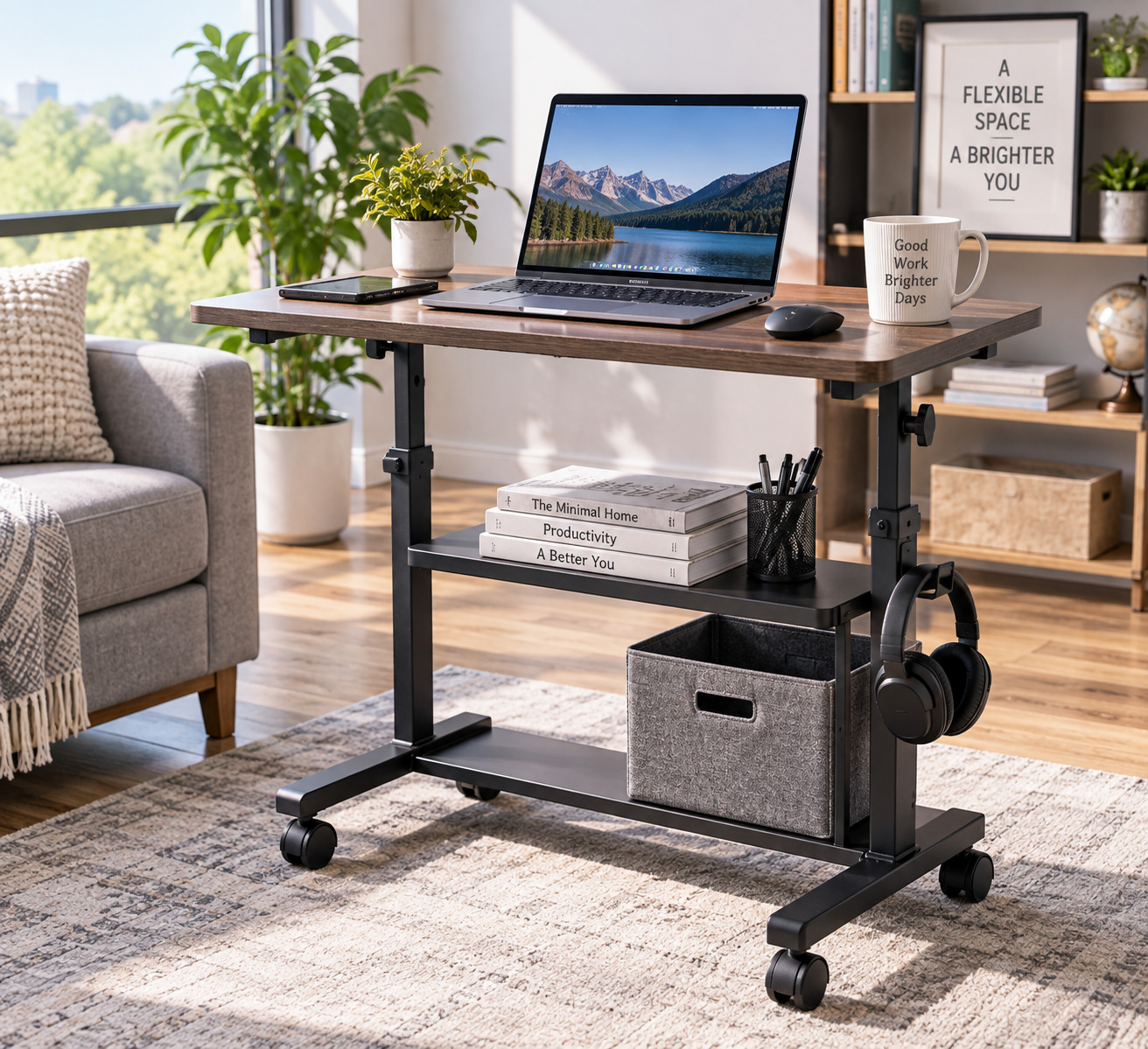
A mobile pc desk solves a problem that a lot of us didn’t know we had until we needed it: a workspace that moves with the day instead of pinning us to one corner of a room. Maybe you’re squeezing a home office into a studio apartment, setting up a classroom computer station, or just tired of hauling a tower and monitor across the room every time you need the outlet near the window instead of the one by the couch. Whatever the reason, a mobile pc desk on wheels gives you a full workstation you can reposition in seconds instead of a fixed piece of furniture you’re stuck with.
What is a mobile pc desk? It’s a rolling, often height-adjustable desk or cart built to hold a computer tower, monitor, keyboard, and accessories, letting you shift your entire setup between rooms, sit and stand positions, or storage and use without disassembling anything. Unlike a traditional desk, it’s designed around casters, cable management, and compact footprints from the start.
This guide walks through 7 real, currently available rolling and mobile computer desks spanning entry-level to premium, breaks down what actually matters when you’re comparing height range, weight capacity, and wheel quality, and gives you practical frameworks for matching a desk to your space, your setup, and your budget. We’ll also dig into the ergonomic science behind sit-stand work, since the Occupational Safety and Health Administration has spent years studying how workstation design affects comfort and injury risk — information that rarely makes it onto a basic Amazon listing.
Affiliate Disclosure: This post contains affiliate links. As an Amazon Associate, this site earns from qualifying purchases made through these links, at no additional cost to you.
By the end, you’ll know exactly which type of mobile pc desk fits a dorm room, a hybrid work setup, a classroom cart, or a full dual-monitor command station — and why.
Quick Comparison: Mobile PC Desks at a Glance
Before diving into the full breakdown, here’s a fast reference for how these seven options stack up on height range, weight capacity, and who each one suits best.
| Product | Height Range | Weight Capacity | Best For |
|---|---|---|---|
| Yaheetech 3-Tier Rolling Computer Desk | Fixed, standard desk height | Light-duty (laptop/monitor) | Budget dorm & small-space setups |
| BONTEC Mobile Standing Desk | Sit-stand adjustable | Up to 33 lbs | Compact sit-stand switching |
| Tangkula Rolling Computer Desk Cart | Fixed, standard desk height | Up to 180 lbs | Full tower + monitor setups |
| Techni Mobili Rolling Laptop Cart | Sit-stand adjustable | Moderate (laptop/monitor) | Office or medical mobile use |
| SHW Mobile Height Adjustable Cart | 28″–33″ | Moderate (laptop/monitor) | Simple, no-frills height adjustment |
| Mount-It! Mobile Computer Cart | 37.25″–53.75″ | Monitor up to 32″ + accessories | Classrooms & standing presentations |
| AW 4-Wheel Rolling Workstation | Adjustable, multi-platform | 44 lbs per shelf | Dual-monitor medical/office carts |
Looking at the table above, the Yaheetech 3-Tier Rolling Computer Desk and BONTEC Mobile Standing Desk are the clear entry points for anyone furnishing a first apartment or dorm room on a tight budget, while the Mount-It! Mobile Computer Cart and AW 4-Wheel Rolling Workstation justify their higher price tags with real monitor-mounting hardware that the cheaper carts simply don’t include. If you specifically need to roll a full desktop tower — not just a laptop — around a room, the Tangkula Rolling Computer Desk Cart‘s 180-lb capacity puts it in a different weight class from anything else on this list.
💬 One click helps other shoppers make an informed choice too! 😊
Top 7 Mobile PC Desks: Expert Analysis
Here’s the honest breakdown of seven real, currently available mobile pc desk options, covering entry-level, mid-range, and premium picks, along with a few standout alternatives for specific use cases like dual monitors and classroom carts.
1. Yaheetech 3-Tier Rolling Computer Desk — best budget entry point with built-in power
The Yaheetech 3-Tier Rolling Computer Desk is the pick for anyone who wants a mobile pc desk without spending like they’re outfitting a corporate office. It’s a compact, three-tier rolling unit built around a charging station with a power outlet and USB ports directly on the frame. In practice, that built-in power strip means you’re not running a separate extension cord across the floor just to charge a phone or plug in a monitor — a small detail that matters more than it sounds once you’ve actually lived with a desk that lacks it. The three tiers split naturally into a main work surface, a middle shelf for a printer or documents, and a lower shelf for a CPU tower or storage bins, which keeps a small bedroom or studio apartment from feeling like a wire-strewn mess.
Who is this for? Students, renters, and anyone setting up a first home office on a modest budget. Reviews consistently report that assembly is straightforward and that the desk feels sturdy for everyday laptop and monitor use, though a handful of buyers note the particleboard construction isn’t built to handle a heavy full-tower gaming PC long-term. That’s an honest tradeoff at this price point, not a dealbreaker for its intended use case.
Pros:
- ✅ Built-in charging station with USB ports and outlet
- ✅ Three-tier design maximizes storage in small spaces
- ✅ Smooth-rolling casters make repositioning effortless
Cons:
- ❌ Not rated for heavy full-tower desktop PCs
- ❌ Fixed height, no sit-stand adjustment
Priced in the $80–$120 range at the time of writing, the Yaheetech 3-Tier Rolling Computer Desk delivers strong value for light-duty mobile computing, though buyers who need to move a genuinely heavy tower should look further down this list.
2. BONTEC Mobile Standing Desk — lightest sit-stand switcher
The BONTEC Mobile Standing Desk earns its spot here as a mobile podium-style desk that goes where a laptop goes, not just where a fixed desk sits. It’s built as a rolling sit-stand desk with a keyboard tray, rated to hold up to 33 lbs, which comfortably covers a laptop, external monitor, and a few accessories without pushing the frame’s limits. The adjustable height mechanism lets you shift from a seated laptop session to a standing position mid-task, which matters more than most buyers expect: research summarized on Wikipedia’s overview of standing desks notes that sit-stand interventions are associated with meaningfully reduced sitting time during the workday, even if long-term health outcomes are still being studied.
This model is best suited to laptop-first users rather than full desktop setups — think remote workers, students, or anyone who wants a genuinely portable standing option they can roll from the living room to the bedroom. Aggregated customer feedback frequently praises how easily it maneuvers through doorways and tight apartment layouts, while some reviews mention the work surface feels compact if you’re trying to fit a full external keyboard, mouse, and a large monitor all at once.
Pros:
- ✅ True sit-stand height adjustment in a mobile frame
- ✅ Compact footprint fits through narrow doorways
- ✅ Keyboard tray keeps typing surface separate from the desktop
Cons:
- ❌ Limited surface area for multi-monitor setups
- ❌ 33-lb capacity rules out heavier desktop equipment
At around $100–$150, the BONTEC Mobile Standing Desk is a smart value pick specifically for laptop users who want real sit-stand flexibility without committing to a full-size standing desk.
3. Tangkula Rolling Computer Desk Cart — highest weight capacity for full towers
The Tangkula Rolling Computer Desk Cart stands out because of one number: a 180-lb weight capacity on its tabletop, which is dramatically higher than most rolling desks in this category. That capacity, paired with a dedicated CPU stand built into the frame, means this is one of the few mobile pc desk options actually engineered to carry a full desktop tower, monitor, and peripherals simultaneously rather than being limited to laptop-weight loads. The four 360-degree casters — two of them lockable — roll smoothly across hardwood and tile, and the compact 31.5″ x 19.5″ footprint keeps it from dominating a small room the way a full-size desk would.
Gamers with a genuine desktop tower and anyone furnishing a small apartment who still wants real desktop-computing power (not just a laptop) are the ideal buyers here. What most shoppers overlook with a cart like this is that the pull-out keyboard tray and three removable hooks do real organizational work: the tray frees up desktop space for the monitor, and the hooks handle headphones, bags, or cables that would otherwise tangle around the base. Reviews commonly highlight the sturdy metal frame and the surprising amount of storage for the footprint, with a smaller number of buyers noting the bottom shelf sits low enough that a large PSU or bulky tower can be a tight fit.
Pros:
- ✅ 180-lb capacity handles full-size desktop towers
- ✅ Built-in CPU stand keeps the tower off the floor
- ✅ Two lockable casters add stability once positioned
Cons:
- ❌ Bottom shelf clearance can be tight for oversized towers
- ❌ Compact footprint limits space for a second monitor
In the $130–$180 range, the Tangkula Rolling Computer Desk Cart offers the best value-per-pound of capacity on this list for anyone who needs to move real desktop hardware, not just a laptop.
4. Techni Mobili Rolling Laptop Cart — best for office and medical mobility
The Techni Mobili Rolling Laptop Cart is purpose-built for environments where a workstation needs to travel between rooms on a schedule — think shared offices, telehealth stations, or classrooms that rotate equipment between periods. It’s a height-adjustable rolling cart with a storage drawer and an open shelf, designed around a sit-stand posture so staff can adjust it station-to-station without needing tools or a second person. In practice, the drawer is what separates this from a bare cart: it gives you a place for chargers, styluses, or paperwork that would otherwise ride loose on the shelf and slide around every time the cart moves.
This is the pick for shared or institutional settings — offices that hot-desk equipment, clinics that need a mobile charting station, or any setup where multiple people use the same rolling desk throughout the day. Reviews aggregated from office and medical buyers consistently mention the smooth height adjustment and the graphite finish holding up well to daily wear, while a portion of feedback notes the shelf space is better suited to a laptop than a full desktop monitor and tower combination.
Pros:
- ✅ Storage drawer keeps small accessories secured
- ✅ Height adjustment suits shared, multi-user environments
- ✅ Graphite finish resists visible wear in high-traffic use
Cons:
- ❌ Shelf space favors laptops over full monitor setups
- ❌ Not designed to carry a heavy desktop tower
Typically priced in the $150–$220 range, the Techni Mobili Rolling Laptop Cart is best valued as a shared-use or institutional mobile pc desk rather than a single dedicated home office solution.
5. SHW Mobile Height Adjustable Cart — simplest lockable-wheel adjustment
The SHW Mobile Height Adjustable Cart keeps things straightforward: a rolling cart that adjusts between 28″ and 33″ of height, paired with lockable wheels, and not much else to complicate the setup. That simplicity is the point. Where some of the carts on this list layer on monitor mounts, drawers, and multiple shelves, this one focuses on doing the height-adjustable, mobile part reliably, which makes it a strong match for anyone who already owns their monitor arm, keyboard tray, or storage solution and just needs a stable rolling surface underneath it all.
Buyers who want a no-frills mobile pc desk — students moving between a desk and a bed-adjacent setup, or home users who just need occasional height flexibility — get the most value here. Aggregated review sentiment points to the lockable wheels as a standout feature, since they genuinely hold position on hardwood and tile once engaged, addressing a common complaint about cheaper rolling carts drifting during typing. On the flip side, some feedback notes the height adjustment mechanism requires a bit more manual effort than the motorized options higher up the price range.
Pros:
- ✅ Reliable 28″–33″ height adjustment range
- ✅ Lockable wheels prevent drift during use
- ✅ Minimalist design pairs easily with existing accessories
Cons:
- ❌ Manual height adjustment takes more effort than motorized carts
- ❌ Lacks built-in storage or cable management
At an estimated $110–$160, the SHW Mobile Height Adjustable Cart is best for buyers who want dependable mobility and height range without paying for extras they won’t use.
6. Mount-It! Mobile Computer Cart — best for classrooms and standing presentations
The Mount-It! Mobile Computer Cart (model MI-7942B) is built around a genuine monitor mount rated for screens up to 32″, which immediately sets it apart from carts that just offer a flat shelf and hope your monitor sits flush. The height range runs from 37.25″ up to a full 53.75″ of standing height, and the mount itself tilts 15 degrees, so a presenter or teacher can angle the screen toward a room rather than just straight ahead. A two-tier design splits the monitor shelf from a middle keyboard-and-mouse tray, and the generous bottom storage area comfortably holds a small tower, a printer, or classroom materials.
What most classroom and presentation buyers overlook until they’re mid-setup is how much the locking mechanism matters once a cart reaches near-adult standing height — a top-heavy cart that rolls unexpectedly mid-lecture is a real problem, and the robust caster locks here are specifically designed to keep the platform steady during active use. This is the pick for teachers, trainers, warehouse supervisors, and anyone who needs a true standing-height mobile workstation that moves between rooms throughout the day. Reviews from educators and office buyers repeatedly cite the height range and monitor tilt as the standout features, with occasional feedback that the assembly process takes longer than simpler carts on this list due to the added hardware.
Pros:
- ✅ Genuine 32-inch monitor mount with 15-degree tilt
- ✅ Full standing-height range up to 53.75 inches
- ✅ Generous bottom storage for equipment or materials
Cons:
- ❌ Longer assembly time than simpler rolling carts
- ❌ Larger footprint needs more room to maneuver
In the $180–$260 range, the Mount-It! Mobile Computer Cart stands out as the strongest classroom and presentation-focused mobile pc desk on this list, justifying its higher price with hardware the budget options simply don’t include.
7. AW 4-Wheel Rolling Workstation — best for dual-monitor medical and office carts
The AW 4-Wheel Rolling Workstation is the most feature-dense option here, built around dual monitor mounts that fit 10″ to 32″ screens on standard VESA patterns, three adjustable platforms, and a storage basket, all on a heavy-duty aluminum frame designed to resist corrosion in demanding environments. Each shelf is rated to hold 44 lbs, and the monitor mounts tilt 45 degrees up and down while rotating a full 360 degrees, which is a meaningful upgrade over the fixed or single-tilt mounts found on cheaper carts. A built-in cable management system keeps the inevitable tangle of monitor, keyboard, and power cables from turning into a hazard as the cart rolls between rooms.
This is the pick for hospitals, clinics, laboratories, and busy offices where a single mobile workstation needs to serve multiple users checking two screens at once — think a diagnostic “crash cart” setup or a trade show demo station rather than a casual home desk. What the spec sheet doesn’t say, but aggregated reviews reveal, is that the dual-monitor mount genuinely changes workflow for users who need to reference two screens simultaneously without duplicating a full desk setup; feedback from medical and IT buyers frequently praises the build quality, while a portion of reviewers note the assembly of two monitor arms and three platforms takes noticeably longer than a single-tier cart.
Pros:
- ✅ Dual monitor mounts with 45° tilt and 360° rotation
- ✅ Heavy-duty aluminum resists wear and corrosion
- ✅ Built-in cable management keeps cords organized
Cons:
- ❌ Assembly is more involved than single-platform carts
- ❌ Higher price point than single-monitor alternatives
At roughly $250–$400, the AW 4-Wheel Rolling Workstation commands a premium price, but for dual-monitor medical, laboratory, or busy office use, the specialized mounting hardware genuinely earns it.
How to Set Up Your Mobile PC Desk the Right Way (First 30 Days)
Getting a new mobile pc desk into daily use goes smoother with a plan, especially in the first month when you’re still figuring out cable routing and ideal height settings. Start by choosing a “home base” location near an outlet before you even unbox the cart — most mobility complaints trace back to a desk that constantly needs to be dragged across a room to reach power, which defeats the point of buying something on wheels in the first place.
During assembly, tighten every bolt fully before loading equipment onto the shelves; carts like the Tangkula Rolling Computer Desk Cart and AW 4-Wheel Rolling Workstation rely on a rigid frame for their stated weight capacities, and a loose joint under load is both a stability risk and a common cause of premature wear. Once assembled, route cables through any built-in management channels first, then bundle the excess with reusable ties rather than letting cords dangle near the wheels, where they can snag and yank equipment during a move.
For height-adjustable models like the BONTEC Mobile Standing Desk or Mount-It! Mobile Computer Cart, spend your first few sessions dialing in exact sit and stand heights rather than eyeballing them — elbows at roughly 90 degrees and monitor tops at eye level is the baseline OSHA guidance references for reducing strain. Finally, test the locking casters on your actual flooring in week one; carpet, hardwood, and tile all behave differently, and it’s better to discover a wheel-locking issue during setup than mid-task three weeks later.
💬 One click helps other shoppers make an informed choice too! 😊
Real-World Scenarios: Which Mobile PC Desk Fits Your Life?
Matching a mobile pc desk to your actual routine matters more than chasing the highest spec sheet. Here are three common buyer profiles and the reasoning behind each recommendation.
The remote-working student in a shared apartment, working on a $500 laptop budget and needing to switch between a desk and a couch-adjacent standing session several times a day, is best served by the BONTEC Mobile Standing Desk. Its light weight and compact frame make it easy to reposition solo between a bedroom and a common area, and the 33-lb capacity comfortably covers a laptop and external monitor without excess bulk to maneuver.
The hybrid-office employee with a full desktop tower, dual monitors, and a home office that doubles as a guest room needs something closer to the Tangkula Rolling Computer Desk Cart or, budget permitting, the AW 4-Wheel Rolling Workstation. Both handle genuine desktop-class weight, and the ability to roll the entire setup into a closet corner between video calls or houseguest visits solves a real space problem that a fixed desk can’t.
The classroom teacher or corporate trainer who moves between rooms multiple times per week and needs a true standing-height presentation station should look at the Mount-It! Mobile Computer Cart. Its monitor tilt and full standing-height range are built specifically for presenting to a room, not just personal desk work, and the locking casters matter more here than almost anywhere else on this list given how often it’s in motion.
How to Choose a Mobile PC Desk
Working through these criteria in order will narrow the field fast, since each one eliminates options that don’t fit your actual use case.
- Determine your equipment weight first. A laptop-only setup rarely exceeds 15–20 lbs total, while a full tower, monitor, and peripherals can easily approach 80–100 lbs — check a desk’s rated capacity before falling for a feature list.
- Measure your doorways and hallways. A mobile pc desk that can’t clear a narrow apartment doorway isn’t actually mobile in any meaningful sense; the compact carts on this list, like the Tangkula Rolling Computer Desk Cart, exist specifically to solve this.
- Decide if you need true sit-stand adjustment or just mobility. Fixed-height carts like the Yaheetech 3-Tier Rolling Computer Desk are lighter and cheaper if you don’t actually need to stand while working.
- Check wheel type and locking mechanism. Locking casters, as found on the SHW Mobile Height Adjustable Cart, matter enormously if you’ll be typing on carpet or an uneven floor.
- Consider monitor mounting needs. If you already own a monitor arm, skip paying extra for a built-in mount; if you don’t, a model like the Mount-It! Mobile Computer Cart saves you a separate purchase.
- Factor in storage requirements. Shared or classroom use benefits from a lockable drawer, as on the Techni Mobili Rolling Laptop Cart, far more than a solo home setup usually does.
- Set a realistic budget band before shopping. Knowing whether you’re in the $80–$150 entry tier or the $250+ premium tier before you start browsing prevents feature creep from inflating your final purchase.
Common Mistakes to Avoid When Buying a Mobile PC Desk
The most common mistake buyers make is ignoring weight capacity entirely and assuming “it’s a desk, it’ll hold my stuff.” In practice, a cart rated for laptop-weight loads that gets loaded with a full tower and dual monitors will sag, wobble, or fail at the joints faster than expected — always check the stated capacity against your actual equipment weight before adding anything to the cart.
A second frequent error is skipping the doorway-and-hallway measurement step, then discovering a fully assembled cart doesn’t clear a hallway corner. Measure first, assemble second. Buyers also regularly underestimate how much a height-adjustable mechanism matters if they genuinely intend to alternate sitting and standing — a fixed-height cart bought “because it was cheaper” often ends up permanently parked in one position within weeks, which defeats the purpose of paying for mobility at all.
Finally, a subtler mistake is overlooking wheel quality in favor of shelf features. A cart loaded with drawers and monitor mounts but sitting on flimsy, non-locking casters will drift during typing and struggle on carpet — exactly the kind of detail a spec sheet glosses over but real, aggregated reviews consistently flag.
Mobile PC Desk vs Traditional Fixed Desk
The core tradeoff between a mobile pc desk and a traditional fixed desk comes down to flexibility versus surface area and stability at scale. A fixed desk typically offers more total work surface, a permanently mounted monitor arm setup, and rock-solid stability under heavy multi-monitor loads — advantages that matter most for a dedicated, single-purpose home office with room to spare.
A mobile pc desk trades some of that surface area and, in lighter models, some maximum weight capacity, in exchange for the ability to reposition an entire workstation in seconds. That’s a decisive advantage in small apartments, shared spaces, classrooms, or any setup where a room needs to serve multiple purposes throughout the day. It also matters for renters who don’t want to commit closet-sized furniture to a space they might leave in a year.
The honest answer for most buyers is that it’s not strictly one or the other: models like the Tangkula Rolling Computer Desk Cart, with its 180-lb capacity, close much of the stability gap while keeping full mobility, making the “fixed vs. mobile” choice less about raw performance and more about whether your space actually needs a desk that moves.
What to Expect: Everyday Performance
On paper, height ranges and weight capacities are easy to compare, but daily use reveals details a spec sheet doesn’t capture. Rolling a mobile pc desk across carpet takes noticeably more effort than across hardwood or tile, even with quality casters — if your workspace is carpeted, prioritize models with larger wheel diameters and confirmed carpet performance in aggregated reviews, since smaller wheels on plush carpet can feel like pushing through sand.
Height adjustment speed also varies more than buyers expect. Manual crank or pin-adjustment systems, like the one on the SHW Mobile Height Adjustable Cart, take 15–30 seconds of active effort to reposition, while motorized options adjust in a few seconds but add cost and another component that can eventually need maintenance. Neither is objectively better — it depends on how often you’ll realistically switch positions during a workday.
Noise is another everyday factor rarely mentioned in listings: locking and unlocking caster wheels on a hard floor produces an audible click that’s a non-issue at home but worth considering in a shared office or classroom where you’re moving the cart mid-session. Reviews consistently report that stability at maximum height — particularly on models that raise to true standing height like the Mount-It! Mobile Computer Cart — feels noticeably more solid once the locking casters are engaged versus left free-rolling.
Long-Term Cost and Maintenance
The upfront price of a mobile pc desk is only part of the total cost of ownership. Caster wheels are the component most likely to wear out first, especially on models moved daily across hard flooring — budget for eventual wheel replacement on any cart used heavily for more than two or three years, though most buyers report years of trouble-free rolling with normal home use.
Height-adjustment mechanisms are the second area worth watching long-term. Manual pin or crank systems, as used on several entry and mid-range models here, have fewer parts to fail than motorized alternatives, which generally means lower long-term maintenance even if daily adjustment takes slightly more effort. If you choose a model with a built-in outlet or USB charging station, like the Yaheetech 3-Tier Rolling Computer Desk, periodically check the cord and connections for wear, particularly if the desk moves frequently, since repeated flexing is harder on wiring than a stationary setup.
Total cost of ownership also depends heavily on whether the desk actually gets used as intended. A $300 dual-monitor cart that ends up parked permanently in one spot delivers worse long-term value than a $100 fixed-height cart that gets rolled daily — matching the purchase to real usage patterns, not aspirational ones, is the single biggest factor in long-term value here.
Safety, Regulations, and Standards
A few regulatory and safety details matter more for mobile pc desks than for fixed furniture, largely because these carts are designed to move and often include built-in power outlets or charging stations. If a model includes an integrated power strip or USB hub, confirm it carries UL or ETL listing from a recognized testing laboratory — the Consumer Product Safety Commission has documented real fire and shock hazards tied to poorly made power strips and extension cords, and a mobile desk’s built-in outlet is functionally the same component, just mounted to furniture instead of sold separately.
Stability at maximum height is the other area worth real attention, particularly for taller sit-stand models like the Mount-It! Mobile Computer Cart that reach past 53 inches. While furniture tip-over regulations have historically focused on dressers and storage units accessed by young children, the same physics — a top-heavy object on wheels — applies to any mobile computer cart raised to full height with a monitor mounted on top. Always engage locking casters before typing at a raised height, and avoid leaning on the desk’s edge, especially with children or pets in the home.
For workplace or classroom deployments, it’s also worth referencing general ergonomic placement guidance: OSHA’s computer workstation resources recommend monitor tops at or slightly below eye level and elbows near a 90-degree angle regardless of whether the desk is fixed or mobile, and that guidance applies just as directly to a rolling cart repositioned daily as it does to a permanent desk.
Features That Actually Matter (and Ones That Don’t)
Cutting through the marketing language on most mobile pc desk listings, a few features consistently deliver real-world value: locking casters, a rated weight capacity that matches your actual equipment, and — for taller models — a wide enough base to prevent tipping at maximum height. These three, more than anything else on a spec sheet, determine whether a cart feels solid in daily use or wobbly and frustrating.
Features that sound impressive but matter less than expected include an excessive number of shelves on a desk you’ll only ever use for a laptop, and elaborate cable-management systems on carts that barely move once placed. If your setup is genuinely stationary 90% of the time, some of the mobility-focused engineering on models like the AW 4-Wheel Rolling Workstation is paying for a capability you won’t use often — in that case, a simpler, cheaper option delivers the same daily experience for less money.
Frequently Asked Questions
❓ What is a mobile pc desk best used for?
❓ Can a mobile pc desk hold a full desktop tower?
❓ Are mobile pc desks stable enough for typing?
❓ How much does a good mobile pc desk cost?
❓ Do mobile pc desks work on carpet?
Conclusion
A mobile pc desk earns its place in a home or office by solving a problem fixed furniture simply can’t: the need for a full workstation that adapts to a room instead of permanently claiming one. Whether that means the budget-friendly simplicity of the Yaheetech 3-Tier Rolling Computer Desk, the sit-stand flexibility of the BONTEC Mobile Standing Desk, the genuine heavy-duty capacity of the Tangkula Rolling Computer Desk Cart, or the classroom-ready standing height of the Mount-It! Mobile Computer Cart, the right choice comes down to matching real equipment weight, real space constraints, and real daily habits to the desk’s actual specs — not just its price tag or feature count.
For dual-monitor medical, lab, or busy office use, the AW 4-Wheel Rolling Workstation stands apart with hardware the cheaper carts don’t attempt to match, while the Techni Mobili Rolling Laptop Cart and SHW Mobile Height Adjustable Cart fill dependable middle ground for shared and simple use cases respectively. Whichever model fits your situation, prioritizing locking casters, an honest weight-capacity check, and proper ergonomic height setup will do more for your day-to-day experience than any single flashy feature.
✨ Don’t miss these exclusive deals! 🔍 Take your workspace to the next level with this carefully curated lineup. Click a highlighted item to check current pricing and availability. These picks will help you build a setup the whole household can actually use!
Recommended for You
- 7 Best Stackable Monitor Stands in 2026 (Tested Picks & Buying Guide)
- Monitor Riser for Dual Monitors: 7 Best Picks for 2026
- Monitor Mount Vertical: 7 Best Picks to Stop Neck Strain (2026)
Disclaimer: This post contains affiliate links. As an Amazon Associate, I earn from qualifying purchases made through these links, at no additional cost to you.
✨ Found this article helpful? Share it with someone who needs it! 💬🤗