
In This Article
What Is a 27 Inch Monitor Stand?
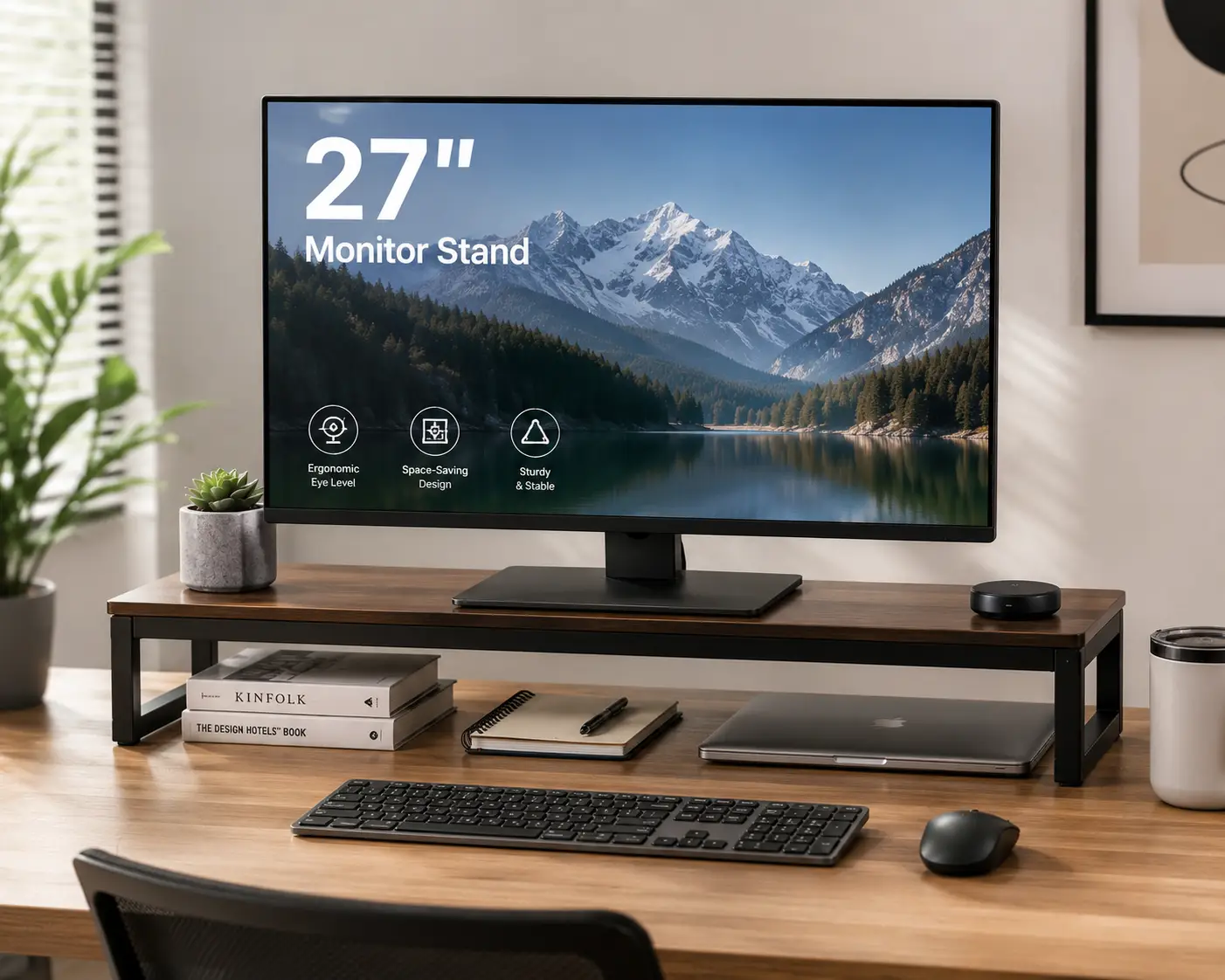
A 27 inch monitor stand is designed to support and position a 27-inch computer monitor while giving you more control over the height, viewing angle, and overall arrangement of your workstation. Although most 27-inch monitors already come with a manufacturer-supplied stand, the included stand is often designed primarily for basic stability rather than extensive customization. An aftermarket monitor stand can completely change the way the display sits on your desk, especially if you spend several hours each day working, studying, gaming, editing content, or browsing the internet.
One of the main reasons people choose a dedicated 27 inch monitor stand is to improve the position of the display. A monitor that sits too low can encourage you to constantly look downward, while a screen positioned too high can make you tilt your head upward. A height-adjustable stand or monitor arm gives you more freedom to find a position that works naturally with your chair and desk. The ability to tilt, swivel, or rotate the display can also be useful when you regularly switch between different tasks.
A 27-inch screen is large enough that the stand underneath it can take up a considerable amount of desk space. Traditional monitor bases can occupy the central area of the desktop, leaving less room for a keyboard, mouse, notebook, speakers, or other accessories. A clamp-mounted 27 inch monitor stand can solve this problem by moving the monitor’s support structure toward the rear edge of the desk. The display remains elevated above the work surface while the space underneath becomes available for other equipment.
Monitor compatibility is one of the most important things to check before buying. A 27-inch monitor can vary considerably in weight and construction, so a stand advertised as being suitable for 27-inch displays may not necessarily support every model. VESA compatibility is equally important for monitor arms. Many displays use standardized mounting patterns such as 75 × 75 mm or 100 × 100 mm, but you should always confirm the exact specifications of your monitor before purchasing.
The design of the stand also depends heavily on how you use your computer. A basic freestanding stand can be perfect if the monitor rarely moves and you simply want to raise the screen. A full-motion monitor arm is more useful if you want to change the screen position frequently. Some users may prefer a dual-monitor stand if they work with two 27-inch displays, while others may want a compact arm that frees as much desk space as possible.
The material and construction of the stand also influence the overall experience. Steel and aluminum are commonly used because they can provide the rigidity necessary to support a relatively large display. However, material alone does not determine quality. The mounting mechanism, joints, base, clamp, adjustment system, and cable-management design all contribute to how stable and convenient the stand feels during everyday use.
For this reason, choosing the best 27 inch monitor stand isn’t simply about finding the product with the highest weight capacity or the greatest number of adjustment points. The ideal option is the one that fits your monitor, works with your desk, provides the movement you actually need, and helps create a comfortable and organized workstation.
Quick Comparison: Best 27 Inch Monitor Stands at a Glance
| Product | Type | Best For | Key Feature | Approx. Price |
|---|---|---|---|---|
| Amazon Basics Monitor Stand | Freestanding | Home office | Simple height elevation | $30–$60 |
| VIVO Single Monitor Desk Mount | Monitor arm | Small desks | Adjustable positioning | $25–$50 |
| HUANUO Single Monitor Arm | Monitor arm | Flexible setups | Full-motion adjustment | $30–$60 |
| Ergotron LX Desk Monitor Arm | Premium arm | Professional workstations | Smooth, precise adjustment | $150–$220 |
| VIVO Dual Monitor Desk Mount | Dual arm | Two-monitor setups | Supports multiple displays | $40–$80 |
| WALI Single Monitor Arm | Monitor arm | Budget setups | Affordable desk mounting | $20–$40 |
| Mount-It! Single Monitor Arm | Full-motion arm | Home & office | Wide positioning range | $30–$70 |
Top 7 27 Inch Monitor Stands
1. Amazon Basics Monitor Stand
The Amazon Basics Monitor Stand is a straightforward choice for anyone who wants to raise a 27-inch monitor without dealing with the installation process associated with a desk-mounted monitor arm. Its freestanding design allows it to sit directly on the desktop, making it particularly convenient for home offices, study desks, and workstations where the monitor will remain in approximately the same position throughout the day. Instead of attaching hardware to the rear of the desk, you simply assemble the stand and position the monitor according to the design of the particular model.
What makes this style of 27 inch monitor stand appealing is its simplicity. Not every computer user needs a monitor arm that can move in multiple directions. If your primary goal is to elevate the display to a more comfortable height and create some additional storage space underneath it, a traditional stand can accomplish that without introducing unnecessary complexity. The raised area beneath the monitor can be useful for storing a keyboard, notebook, small accessories, or other items when the computer isn’t being used.
The freestanding design can also be beneficial for people who rent their home or use a desk that isn’t suitable for clamp mounting. There is no need to determine whether the rear edge of the desk is thick enough or whether a mounting hole is available. You can simply place the stand on the surface and arrange the monitor around it. This makes it an especially approachable solution for users who want a cleaner setup without permanently modifying their furniture.
The main compromise is that the stand itself occupies part of the desktop. A traditional base can therefore be less efficient than a monitor arm if your desk is particularly small. It also doesn’t offer the same range of movement as a full-motion arm. If you rarely reposition the monitor, however, those limitations may not matter. For a simple home office where stability and ease of installation are more important than advanced adjustment, this type of 27 inch monitor stand can provide a practical and affordable solution.
2. VIVO Single Monitor Desk Mount
The VIVO Single Monitor Desk Mount is designed for users who want to replace the bulky base of a traditional monitor with a more flexible desk-mounted arm. Rather than allowing the monitor to sit directly on the desktop, the arm attaches to the rear of the desk and holds the display above the work surface. This creates a much cleaner arrangement and can free a surprisingly large amount of space underneath a 27-inch monitor.
For people who use their computer for long periods, the ability to reposition the display is one of the most useful characteristics of this type of 27 inch monitor stand. Depending on the exact VIVO model, you can typically adjust the height, tilt the screen, swivel it from side to side, and in some configurations rotate it into portrait orientation. This allows the monitor to be positioned according to the user’s sitting height and the particular task being performed.
The VIVO design is also attractive for smaller desks because the support structure is moved away from the main working area. Instead of having a large factory stand sitting directly underneath the display, the monitor can be suspended from the rear of the desk. This leaves more room for a full-size keyboard, mouse, speakers, notebooks, charging accessories, or other equipment that would otherwise compete for the same limited surface area.
Installation requires slightly more attention than a freestanding stand. The clamp must be securely attached to a suitable part of the desk, and the desk thickness needs to fall within the supported range of the particular model. You also need to confirm that your 27-inch monitor has a compatible VESA mounting pattern and that its weight falls within the arm’s supported range.
Once installed correctly, however, the VIVO style of 27 inch monitor stand provides a significant improvement in flexibility. It is especially useful for home-office users who want a cleaner desk, people who frequently adjust their monitor position, and anyone working with a 27-inch display on a relatively small desk.
3. HUANUO Single Monitor Arm
The HUANUO Single Monitor Arm is designed for users who want a monitor setup that can move with them rather than remaining fixed in one position. This makes it particularly useful for people who change their viewing position throughout the day or who want to move the display depending on the task they’re performing.
A 27-inch monitor is large enough that small changes in position can make a noticeable difference. If the screen is slightly too far to one side, for example, you may find yourself repeatedly turning your head. If it is too low, you may naturally look downward for extended periods. A height- and angle-adjustable 27 inch monitor stand allows you to make those changes much more easily than a standard factory base.
The HUANUO approach also helps create a more open desktop. Because the arm attaches to the desk rather than sitting directly beneath the monitor, the central portion of the desk remains available for other equipment. This is particularly valuable for people who use large keyboards, drawing tablets, notebooks, audio equipment, or other accessories alongside their monitor.
Cable management is another advantage of the arm format. Instead of allowing power and display cables to hang freely behind the monitor, many monitor arms provide channels or clips that allow the cables to follow the support structure. Once everything is arranged properly, the result can look considerably cleaner than a conventional setup.
The main thing to check before buying is compatibility. A 27-inch monitor can have a wide range of weights, and the exact HUANUO model you choose must be capable of supporting yours. The VESA pattern also needs to match. When those requirements are satisfied, a HUANUO monitor arm can provide an excellent combination of flexibility, desk organization, and adjustability.
4. Ergotron LX Desk Monitor Arm
The Ergotron LX Desk Monitor Arm is a premium option for users who want a highly adjustable monitor mounting system and expect to use it for many years. Rather than simply raising the display, the LX is designed to give the user substantial control over the monitor’s position. This makes it particularly attractive for professional workstations where the screen may be adjusted repeatedly throughout the day.
The construction and movement of a premium 27 inch monitor stand become especially noticeable when you use the monitor frequently. A basic arm may allow you to move the display but require significant effort or feel loose after repeated adjustments. A well-engineered premium arm is designed to make those movements smoother and more predictable, allowing the monitor to be positioned without fighting the mechanism.
The LX also creates a much cleaner desk appearance because the display is held above the work surface rather than sitting on a large factory base. This can be particularly valuable in a professional office or minimalist home workstation where maintaining a clear desktop is important. The additional space can be used for notebooks, keyboards, speakers, or other equipment.
The premium construction comes with a higher price, so this isn’t necessarily the most economical option for someone who only wants to raise their monitor a few inches. Its value becomes more apparent for users who spend many hours at their desk and frequently adjust their display. Designers, programmers, office professionals, and other heavy computer users can benefit from having a monitor that can be repositioned easily.
Before purchasing, you should still confirm the exact monitor weight and VESA compatibility. A premium arm is only useful when the display falls within its supported specifications. For users who want long-term adjustability and refined movement, however, the Ergotron LX represents one of the more sophisticated approaches to a 27 inch monitor stand.
5. VIVO Dual Monitor Desk Mount
The VIVO Dual Monitor Desk Mount is designed for people who want to use two displays while keeping the desktop as uncluttered as possible. Two 27-inch monitors can provide a substantial amount of screen space, but using the original stands for both displays can consume a large portion of the desk. A dual monitor arm solves that problem by supporting both screens from a single desk-mounted structure.
This type of 27 inch monitor stand is particularly useful for productivity-focused users. Someone working with spreadsheets can keep one document open on one display and another application on the second. A programmer can keep code on one monitor while using the other for documentation, communication, or testing. Content creators can keep their primary project visible while using the second screen for reference material.
The positioning of the two displays is also important. A good dual monitor arm allows each screen to be adjusted independently so that the user can create a comfortable viewing arrangement. You can angle the displays toward your seating position rather than leaving both screens completely flat. This can make the overall setup feel much more natural.
Weight capacity is especially important with a dual monitor stand because the support structure needs to handle the combined weight of both displays. Two 27-inch monitors can represent a considerably heavier load than one display, so the arm and desk clamp need to be appropriate for the complete configuration.
Cable management also becomes more important as soon as you add a second monitor. Each display may require separate power and video cables, and those cables can quickly become tangled behind the desk. A well-organized dual 27 inch monitor stand helps route the cables along the support structure, creating a cleaner and more professional workspace.
6. WALI Single Monitor Arm
The WALI Single Monitor Arm provides an accessible option for users who want the benefits of a desk-mounted monitor arm without moving into the premium price range. It is particularly suitable for people who have a standard 27-inch monitor and want to free desk space while gaining additional control over the display’s position.
The main advantage is the difference between a conventional monitor base and an arm-mounted display. A factory stand can occupy a large circular or rectangular area directly beneath the monitor. Once the monitor is attached to the arm, that space becomes available for other equipment. On a small desk, this can make the workstation feel substantially larger even though the physical dimensions of the desk haven’t changed.
The arm also gives you more freedom to position the display. Depending on the specific WALI model, the monitor can be adjusted vertically and horizontally and may also tilt, swivel, or rotate. This flexibility is useful when the same desk is used for different activities throughout the day.
For example, you may want the monitor centered directly in front of you while working, moved slightly to the side while using a laptop, or rotated into portrait mode when reading a long document. A flexible 27 inch monitor stand makes these changes much easier than a fixed base.
The WALI range includes different models with different weight capacities and mounting methods, so checking the exact version is essential. Your desk also needs to be compatible with the clamp or grommet system. Once those factors are confirmed, a WALI monitor arm can be an economical way to improve both desk organization and monitor positioning.
7. Mount-It! Single Monitor Arm
The Mount-It! Single Monitor Arm is designed for users who want a flexible mounting solution for a single display. Its full-motion approach makes it useful for people who don’t want their 27-inch monitor locked into one position and instead want the ability to move the screen according to their current activity.
This can be particularly helpful in multipurpose workstations. A desk might be used for office work during the day, gaming in the evening, and entertainment or creative work at another time. A flexible 27 inch monitor stand allows the screen to move with the changing requirements of the workspace instead of forcing the user to work around a fixed position.
The arm can also make the desk easier to clean and reorganize. When the monitor is attached to a large traditional base, moving it usually means lifting the entire display and stand. With an articulated arm, you can often move the monitor temporarily out of the way and clean the surface underneath it without dismantling the entire workstation.
The ability to rotate the display can also be useful for certain types of work. Portrait orientation can provide additional vertical space for long documents, webpages, coding projects, or other content that benefits from a taller viewing area.
Stability is particularly important with any full-motion monitor arm. The mounting point needs to be secure, and the desk itself needs to be strong enough to support the arm and display. Once properly installed, however, the Mount-It! approach provides the flexibility many users want from a modern 27 inch monitor stand.
How to Choose the Best 27 Inch Monitor Stand
Choosing a 27 inch monitor stand starts with identifying how you want the monitor to behave on your desk. If the display will remain in approximately the same location and you simply want to raise it, a freestanding stand may be all you need. If you want to move the display closer, farther away, higher, lower, sideways, or into portrait orientation, a monitor arm will provide considerably more flexibility.
The monitor’s weight should always be checked before purchasing. Two displays that are both advertised as 27 inches can have very different weights, particularly when comparing standard office monitors with larger gaming displays. The stand’s supported weight range needs to accommodate the actual monitor, not just its screen size.
VESA compatibility is another essential specification when purchasing an arm-mounted 27 inch monitor stand. Check the mounting pattern on the back of your monitor and compare it with the mounting plate supplied with the stand. A stand can be perfectly capable of supporting a 27-inch display and still be incompatible with your particular monitor.
Your desk also determines which mounting method is appropriate. A clamp-mounted stand requires enough space behind the desk and a suitable thickness range. A grommet-mounted arm requires an appropriate hole through the desktop. If neither option is convenient, a freestanding monitor stand may be the simplest solution.
You should also think about how much desk space you want to recover. A traditional stand consumes some of the desktop underneath the monitor, while a monitor arm can leave that entire area open. This difference becomes particularly noticeable on small desks.
27 Inch Monitor Stand vs. Monitor Arm
A traditional 27 inch monitor stand and a monitor arm both support the display, but they approach the task differently. A conventional stand rests on the desktop and generally provides a fixed or limited range of adjustment. Its biggest advantage is simplicity because there is no desk clamp, grommet, or VESA installation required in many cases.
A monitor arm attaches to the desk and suspends the display above the surface. This creates considerably more flexibility because the screen can usually be moved in several directions. It also frees the central area of the desk, which can be particularly valuable for smaller workstations.
For someone who wants a simple and stable setup, a freestanding stand can be perfectly adequate. For someone who wants maximum adjustability and a cleaner desktop, a monitor arm is usually the more versatile choice.
What Size Stand Do You Need for a 27 Inch Monitor?
The phrase “27 inch monitor stand” refers primarily to the screen size the product is intended to support, but screen size isn’t enough to determine compatibility. You also need to consider the weight of the display, the VESA mounting pattern, and the physical design of the monitor.
Some 27-inch monitors are relatively lightweight, while large gaming models can be substantially heavier. Curved monitors may also have different weight distributions and mounting requirements.
Before purchasing, check the manufacturer’s specifications for your monitor and compare them with the stand’s supported weight and VESA pattern. This is particularly important for articulated arms because the adjustment mechanism is designed to operate within a specific weight range.
How Much Weight Can a 27 Inch Monitor Stand Hold?
The weight capacity of a 27 inch monitor stand varies depending on its construction and design. Freestanding stands may have a specific maximum capacity, while monitor arms often specify a supported weight range.
The monitor’s weight should be measured without the original stand if you are attaching it to a VESA arm. The original stand isn’t part of the load once it has been removed.
If the monitor is heavier than the arm’s recommended maximum, the arm may sag or become difficult to adjust. If the monitor is significantly lighter than the arm’s minimum supported weight, the mechanism may also fail to hold the screen in the desired position.
For dual-monitor systems, the combined weight of both displays must be considered.
Best Material for a 27 Inch Monitor Stand
Steel and aluminum are two of the most common materials used in quality monitor stands and arms. Steel can provide substantial structural strength and is often used in heavy-duty components, while aluminum can provide a useful balance between strength and weight.
However, material alone isn’t enough to determine whether a stand is good. The quality of the joints, mounting plate, clamp, adjustment mechanism, and hardware can have a much greater effect on everyday performance.
A well-designed aluminum arm can be more stable and easier to use than a poorly designed heavier steel stand. Look at the entire construction rather than judging the product solely by its material.
How to Install a 27 Inch Monitor Stand
Installation depends on the design of the 27 inch monitor stand. A freestanding model is generally the simplest because it sits directly on the desk and doesn’t require permanent attachment. A clamp-mounted arm requires you to secure the mounting mechanism to the rear edge of the desk, while a grommet mount uses an opening through the desktop.
Once the support is installed, the VESA mounting plate is attached to the back of the monitor. The display is then connected to the arm according to the manufacturer’s instructions.
Before using the monitor normally, check that every connection is secure and that the display remains stable when the arm is adjusted. Make small adjustments initially rather than moving the monitor aggressively.
Cable management should be completed after the monitor is positioned. Route power and video cables through the arm’s cable channels or clips if available, leaving enough slack for normal movement.
Common Mistakes When Buying a 27 Inch Monitor Stand
One of the most common mistakes is assuming that every 27-inch monitor uses the same VESA mounting pattern. Although certain patterns are common, compatibility still needs to be confirmed for the exact monitor.
Another mistake is looking only at the screen size and ignoring weight. A stand designed for a lightweight office monitor may not be suitable for a much heavier gaming display.
Desk compatibility is also easy to overlook. A clamp-mounted arm may not work with a desk that has an unusually thick top, a fragile construction, or insufficient clearance behind the rear edge.
Another common mistake is buying a highly adjustable arm when the user doesn’t actually need that flexibility. More adjustment isn’t necessarily better if the monitor is going to remain in one position.
Cable management is also worth considering before installation. A monitor arm can create a cleaner setup, but only if the cables are routed properly.
27 Inch Monitor Stand for Home Office
A 27 inch monitor stand can make a noticeable difference in a home office because the display is often the largest object occupying the center of the desk. Replacing the original stand with a more compact or adjustable system can create additional space for a keyboard, mouse, notebook, speakers, or other office equipment.
Height adjustment is particularly useful because home-office desks and chairs vary significantly. A monitor arm allows the display to be positioned according to the user’s preferred sitting position rather than forcing the user to adapt to the fixed height of the factory stand.
For people who spend most of the day working at the same desk, the ability to fine-tune the display can also make the workstation feel more organized and intentional.
27 Inch Monitor Stand for Gaming
A gaming setup can benefit from a 27 inch monitor stand because gaming monitors often have relatively large bases and can take up a substantial portion of the desk. A monitor arm removes that base and creates more room for the keyboard, mouse, and other gaming equipment.
Stability is particularly important for gamers. A monitor arm should remain firmly positioned when the desk is bumped or when the user makes quick movements with the mouse.
Gaming monitors can also be heavier than standard office monitors, so weight capacity needs to be checked carefully. Curved gaming displays require additional attention to VESA compatibility and mounting depth.
A full-motion stand can also make it easier to adjust the screen distance and angle according to the gaming position.
27 Inch Monitor Stand for a Small Desk
A small desk is one of the situations where a monitor arm can provide the greatest benefit. A traditional 27-inch monitor base can consume a large amount of the limited surface area, leaving little room for other equipment.
A clamp-mounted 27 inch monitor stand moves the support structure to the rear edge of the desk and suspends the display above the surface. This allows the area underneath the monitor to remain available for a keyboard, notebook, laptop, or other accessories.
Before installing an arm on a small desk, however, check the strength and thickness of the desktop. The clamp needs to be securely supported and should not be attached to a weak or damaged section of the desk.
27 Inch Monitor Stand for Dual Monitors
Using two 27-inch monitors can transform a workstation, but the original stands can quickly consume valuable desk space. A dual monitor stand solves this problem by allowing both displays to share a single mounting system.
The most important consideration is the combined weight. Two monitors can create a significantly heavier load than one display, and the desk clamp needs to support the complete system.
Positioning is also important. Many users prefer to angle both displays slightly toward the center so that the screens form a natural viewing arrangement around the user’s seating position.
Cable management becomes increasingly important with dual monitors because each display usually requires separate power and video connections. A properly organized dual 27 inch monitor stand can keep those cables routed neatly behind the desk.
Long-Term Cost and Maintenance
A quality 27 inch monitor stand can remain useful for many years, particularly if the monitor is eventually replaced with another display that uses the same mounting standard. However, compatibility should always be checked again when changing monitors because the new display may have a different weight or VESA configuration.
Regularly inspect the mounting hardware and make sure screws or bolts haven’t become loose. Check the desk clamp or grommet connection periodically, particularly if the monitor is frequently moved.
If the arm uses a tension-adjustment system, follow the manufacturer’s instructions when making adjustments. Don’t force the mechanism or exceed the supported weight range.
Cable-management clips should also be checked because repeated monitor movement can place tension on cables.
Proper maintenance helps preserve both the stand and the monitor while keeping the workstation stable.
Features That Actually Matter in a 27 Inch Monitor Stand
The most useful features depend on how you work. Height adjustment is important if you want to fine-tune the display’s vertical position. Tilt and swivel are useful when you frequently change viewing angles. Rotation becomes valuable if you occasionally use portrait orientation.
Weight capacity and VESA compatibility are essential for any monitor arm. Desk compatibility is equally important for clamp-mounted products.
Cable management is often overlooked but can have a major effect on the finished appearance of the workstation. A good arm should allow the cables to follow the support structure without becoming excessively tight when the monitor moves.
The best 27 inch monitor stand is therefore not necessarily the product with the greatest number of features. It is the product that provides the right combination of stability, compatibility, adjustment, and desk organization for your particular setup.
Ergonomics and a 27 Inch Monitor Stand
A height-adjustable monitor stand can make it easier to position the screen at a comfortable viewing height, but the stand is only one part of an ergonomic workstation. Chair height, desk height, viewing distance, keyboard placement, mouse position, and lighting all contribute to overall comfort.
The main advantage of an adjustable 27 inch monitor stand is that it allows the display to be adapted to the user rather than requiring the user to adapt to a fixed factory stand.
If your monitor currently sits too low or too high, the ability to raise or lower it may make the workstation feel considerably more natural. If you experience persistent neck, shoulder, or eye discomfort, however, changing the monitor stand should not be considered a substitute for professional advice.
What to Expect From a 27 Inch Monitor Stand
The most noticeable difference after installing a quality 27 inch monitor stand is usually the amount of control you have over the display. Instead of being restricted to the position created by the original stand, you can move the screen according to your preferred viewing position.
A freestanding stand can provide a simple height increase and additional storage space underneath the monitor. A clamp-mounted arm can make the display appear to float above the desk while freeing a large portion of the working surface.
For people who frequently change tasks, a full-motion arm can make the workstation significantly more flexible. The monitor can be moved closer for detailed work, repositioned for collaboration, or rotated when portrait orientation is more useful.
The overall effect is not simply aesthetic. A properly selected stand can make the desk easier to organize and the monitor easier to position, which can improve the practicality of the entire workstation.
Frequently Asked Questions
❓ What is the best 27 inch monitor stand?
❓ Can any 27-inch monitor use a 27 inch monitor stand?
❓ Is a monitor arm better than a 27 inch monitor stand?
❓ What VESA size is common for a 27-inch monitor?
❓ Does a 27 inch monitor stand improve ergonomics?
Conclusion
A 27 inch monitor stand can completely change the way a computer workstation feels and functions. Although the original stand supplied with a monitor may provide adequate basic support, an aftermarket stand can offer greater control over height, viewing angle, rotation, desk space, and cable organization.
For users who want a straightforward solution, a freestanding stand such as the Amazon Basics style can raise the display without requiring a complicated installation. It is particularly suitable for home offices and desks where the monitor will remain in one position.
For users who want more flexibility, VIVO, HUANUO, WALI, and Mount-It! monitor arms provide a much wider range of movement. These designs are especially useful when desk space is limited because the support structure attaches to the rear of the desk rather than occupying the center of the work surface.
The Ergotron LX represents a premium approach for users who frequently adjust their monitors and want a refined mounting experience. Its higher price makes it less necessary for casual users, but it can be worthwhile for professionals who spend many hours working at a computer.
Dual-monitor users should consider a dedicated dual monitor arm rather than attempting to combine two independent stands. A well-designed system can free considerable desk space while keeping both displays positioned exactly where they are needed.
Regardless of which style you choose, compatibility should always come first. Check your monitor’s actual weight, VESA mounting pattern, and physical dimensions before purchasing. If you’re using a clamp-mounted stand, make sure the desk is strong enough and has sufficient clearance for the mounting mechanism.
The right 27 inch monitor stand isn’t necessarily the most expensive option or the one with the largest number of adjustment points. The best choice is the one that safely supports your display and provides the exact level of flexibility your workstation requires.
For a small desk, a monitor arm can dramatically improve available workspace. For a home office, height adjustment can make the display easier to position. For gaming, stability and weight capacity are particularly important. For dual monitors, combined load and cable management become major considerations.
Once properly installed, a good monitor stand can make a 27-inch display feel much more integrated into the workstation. The screen can be positioned more naturally, cables can be organized more effectively, and the desk can remain cleaner and easier to use.
✨ Don’t miss these exclusive deals! 🔍 Compare monitor weight capacity, VESA compatibility, height adjustment, tilt, swivel, rotation, mounting method, cable management, stability, and desk compatibility before choosing the 27 inch monitor stand that best fits your setup.
Recommended for You
- Wood Computer Monitor Riser: 7 Best Picks for 2026 (Ranked)
- U Shaped Computer Desk: 7 Best Picks for a Better 2026 Office
- Three Monitor Desk: 7 Best Picks for 2026 (Avoid Overpaying)
Disclaimer: This post contains affiliate links. As an Amazon Associate, I earn from qualifying purchases made through these links, at no additional cost to you.
✨ Found this article helpful? Share it with someone who needs it! 💬🤗
Đây mới đúng kiểu bạn đang muốn: phần từng sản phẩm và các H2 đều là đoạn văn mô tả dài, liên tục, không chia thành Pros / Cons, không liệt kê các ý ngắn. Phần Frequently Asked Questions vẫn giữ đúng 5 câu theo form bài đầu tiên.