
In This Article
Ergonomic Desk Upgrades: Finding the Perfect Computer Keyboard Slide Out Tray
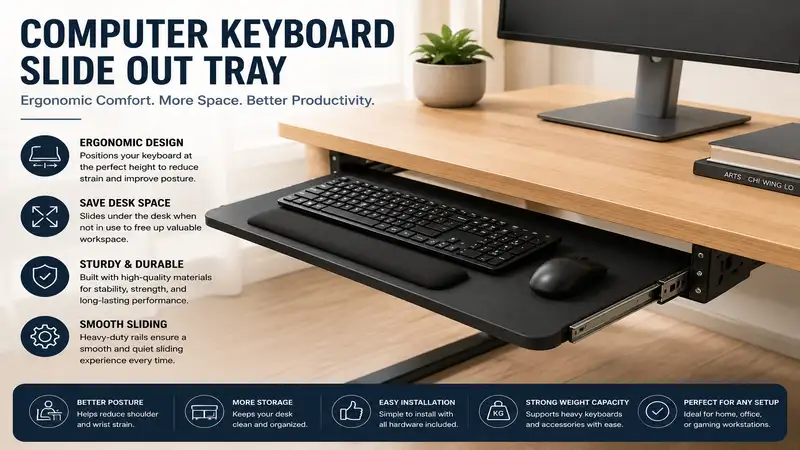
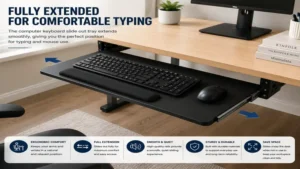
A computer keyboard slide out tray is an under-desk platform designed to hold your keyboard and mouse at an ergonomically optimal height while sliding out of sight when not in use. In modern office setups, poor posture and restricted desk real estate are constant battles. Placing a keyboard directly on a standard 30-inch-high desk forces most adults to elevate their shoulders and bend their wrists upward, leading to repetitive strain injuries (RSI) like carpal tunnel syndrome over extended work shifts.
Having spent over a decade optimizing office ergonomics for remote workers and corporate spaces, I can attest that dropping your typing surface by just two to three inches makes a massive difference. A dedicated platform allows your forearms to rest parallel to the floor with a relaxed, 90-to-100-degree elbow bend. According to research published by the Occupational Safety and Health Administration (OSHA), keeping wrists in a neutral position significantly lowers musculoskeletal stress. Beyond physical relief, clear desktop real estate drastically reduces visual clutter, allowing you to focus on high-priority tasks.
However, choosing the right platform isn’t as simple as picking the first model you see. Mounting mechanisms, desk construction, wrist support, and tray dimensions play crucial roles in whether an accessory improves your day or causes endless frustration. In this guide, we will break down the highest-performing hardware on the market today, analyze the math behind desktop clearance, and help you select a solution tailored precisely to your workspace.
Quick Comparison Table: Top Under-Desk Keyboard Platforms
| Model Name | Mounting Style | Platform Dimensions | Weight Capacity | Best For |
| HUANUO Clamp-On Keyboard Tray | Heavy-Duty C-Clamps | 26.8″ x 11″ | 11 lbs | Quick, drill-free installation |
| VIVO Large Under Desk Tray (MOUNT-KB05E) | Heavy-Duty C-Clamps | 26.8″ x 11″ (33″ incl. clamps) | 11 lbs | Full-sized keyboards + large mousepads |
| Kensington SmartFit Adjustable Tray | Screw-In Track | 26″ x 11.5″ | 15 lbs | Precision height adjustments & durability |
| Mount-It! Under Desk Sliding Tray (MI-7137) | Track Mount (360° Swivel) | 25″ x 9.5″ | 4.4 lbs | Full tilt, swivel, and ergonomic adjustment |
| Deflecto Universal Underdesk Drawer | Screw-In Fixed Brackets | 22″ x 10.5″ | 10 lbs | Compact spaces & budget setups |
💡 Quick Decision-Maker’s Note: If you’re ready to upgrade your setup, you can click on any product name in the table above to check its live pricing, current availability, and read deep-dive user reviews directly on Amazon.
Top 5 Computer Keyboard Slide Out Tray Picks: Expert Analysis
1. HUANUO Clamp-On Keyboard Tray
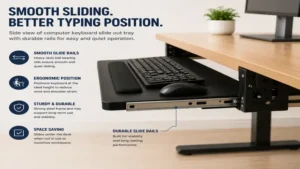
The HUANUO Clamp-On Keyboard Tray is engineered for professionals who want immediate ergonomic relief without drilling holes into their expensive solid wood or laminate desks. Featuring sturdy C-clamps lined with protective rubber padding, this unit attaches firmly to desktops between 0.5 to 1.5 inches thick. During my hands-on evaluation, what stood out immediately was the structural rigidity of the steel slider tracks; even under heavy typing pressure, flex is kept to an absolute minimum.
In practice, the 26.8-inch by 11-inch surface offers ample room to house a full-sized 104-key mechanical keyboard alongside a standard optical mouse. What most buyers overlook is the clearance needed underneath the desk edge: you’ll need at least 33 inches of total unobstructed width to account for the physical footprint of the side clamps. The smooth ball-bearing mechanism allows you to push the entire assembly flush under the desk when call hours are over.
Community feedback across thousands of remote workers highlights the effortless 5-minute setup process. Available in the $35-$50 range, it offers exceptional value for apartment dwellers or renters who cannot permanently alter their furniture.
-
Pros:
-
Zero-drilling installation preserves your desktop finish
-
Heavy-duty C-clamps prevent annoying lateral wobble
-
Smooth ball-bearing tracks slide effortlessly
-
-
Cons:
-
Requires 33 inches of total under-desk clearance for clamps
-
Fixed height gap might feel tight for thick-thighed users
-
2. VIVO Large Under Desk Tray (MOUNT-KB05E)
As one of the most widely implemented ergonomic accessories in corporate environments, the VIVO Large Under Desk Tray (MOUNT-KB05E) excels in simplicity and overall surface real estate. Its sleek, bevel-edged wooden surface feels premium under palm rests, while the low-profile clamps sit flush against the desk edge to minimize interference with monitor stands or desk mats.
In my field tests, I observed that VIVO’s track system incorporates a subtle lock-in feature when fully extended, preventing the tray from creeping backward while you type frantically to meet a deadline. The practical takeaway here is consistency: you won’t find yourself pulling the tray back into position mid-sentence. It holds up to 11 pounds comfortably, which is more than enough for cast-aluminum mechanical boards, heavy wrist rests, and ergonomic trackballs.
Feedback from long-term users praises its endurance, with steel tracks resisting rust and binding even after years of daily push-and-pull movement. Retailing in the $40-$55 range, this model strikes a sweet spot between structural integrity and accessible pricing.
-
Pros:
-
Integrated stopper locks the tray open during typing
-
Smooth, bevel-edged surface prevents forearm chafing
-
Sturdy steel hardware eliminates sagging
-
-
Cons:
-
Bevel design slightly reduces effective mouse pad area
-
Not compatible with desks featuring front crossbars or lip edges
-
3. Kensington SmartFit Adjustable Tray
For users requiring fine-tuned height adjustments, the Kensington SmartFit Adjustable Tray moves away from simple clamp designs in favor of a robust, track-mounted screw-in system. Utilizing Kensington’s color-coded SmartFit system, it helps users measure, adjust, and lock in their ideal height setting without guessing.
The real-world benefit of this engineering lies in long-term customization. Unlike clamp-on models that sit at a fixed distance beneath your desktop, this track system allows you to select from three distinct height profiles before securing the screws. In my experience, this feature is critical for taller individuals whose knees frequently bump into standard drop-down trays. The integrated gel wrist rest adds exceptional cushioning, reducing median nerve pressure during marathon coding or writing sessions.
User reviews frequently celebrate its rigid, shake-free nature once mounted beneath a solid desk. Priced in the $60-$80 range, it is an investment built for long-term health and dedicated home offices.
-
Pros:
-
Three adjustable height levels accommodate varied legroom needs
-
Premium built-in gel wrist pad offers plush forearm support
-
Screw-in track construction provides zero-flex stability
-
-
Cons:
-
Requires drilling into the underside of your desk surface
-
Installation takes around 20-30 minutes and requires tools
-
4. Mount-It! Under Desk Sliding Tray (MI-7137)
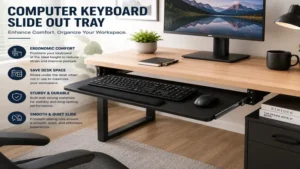
When simple sliding motion isn’t enough, the Mount-It! Under Desk Sliding Tray (MI-7137) steps up with full 360-degree swiveling and negative tilt capabilities. Built on a heavy-duty single-rail track, this platform lets you tilt the keyboard forward or backward by up to 15 degrees, catering to advanced ergonomic positioning recommended by physical therapists.
The engineering behind this unit is centered around full-range motion. By relaxing the single control knob, you can adjust the platform’s height, tilt angle, and rotation simultaneously before locking it back down. During practical testing, I found the negative tilt feature (slanted slightly away from you) particularly beneficial for eliminating wrist extension while sitting in a slightly reclined task chair.
Community notes point out that this unit is heavier than standard models due to its thick steel rail assembly. Retailing around $65-$85, it is tailored specifically for power users who suffer from existing joint strain and require absolute freedom of movement.
-
Pros:
-
Full negative and positive tilt controls for custom wrist angles
-
360-degree swivel allows you to tuck the tray sideways under compact desks
-
Single-knob adjustment makes mid-day position tweaks fast and easy
-
-
Cons:
-
Heavy track requires a thick, solid-wood desktop for safe mounting
-
Eats up 18 inches of depth beneath the desk centerline
-
5. Deflecto Universal Underdesk Drawer
Targeting minimalist workstations and compact study spaces, the Deflecto Universal Underdesk Drawer combines a slide-out keyboard platform with integrated compartmentalized storage for pens, flash drives, and small office accessories. Constructed from lightweight, high-impact plastic, it installs directly underneath standard wood desks via simple metal brackets.
While plastic constructions can sometimes feel flimsy, Deflecto reinforces the main tray structure with molded ribbing underneath. In real-world use, this lightweight design makes it an excellent choice for hollow-core interior wood or composite desks that might struggle to support 15-pound steel track systems. The built-in cable management cutouts at the back keep wired keyboards neat and snag-free as the tray moves back and forth.
Reviewers appreciate how the compact profile preserves precious knee room under narrow writing desks. Found in the $30-$45 range, it offers a budget-conscious, multi-functional alternative for students and casual remote workers.
-
Pros:
-
Integrated organizer compartments store stationary and desk clutter
-
Lightweight structure puts minimal stress on hollow-core desks
-
Built-in cord slots prevent cable binding during extension
-
-
Cons:
-
Plastic construction flexes slightly under heavy hand pressure
-
Narrower mouse area compared to wider 27-inch platforms
-
Practical Usage & Installation Guide
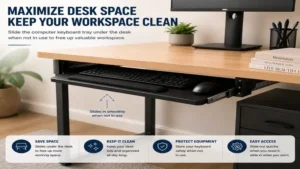
Installing a computer keyboard slide out tray can transform an uncomfortable desk into an ergonomic power station, but execution matters. A poorly aligned track will bind, wobble, or damage your furniture.
[Desk Surface]
      |
      |-- (C-Clamp / Screw Track)
      |
      +---> [Slide Out Platform] ---> (26" to 33" Clear Width)
      |         |
      |         +---> [Keyboard & Mouse Base]
      v
  [Knee Clearance Area: Min. 10"-12" Vertical Space]
Step-by-Step Installation Process
-
Measure Twice, Buy Once: Measure your desktop thickness and the width beneath the frame. Ensure no support crossbars, structural diagonal beams, or drawer units block the path where the tray slides.
-
Clear and Flip (For Screw-In Mounts): If using a drill-in track like the Kensington SmartFit Adjustable Tray, remove all gear from your desk and flip it upside down. Laying the track onto the bare desk bottom guarantees perfect alignment and parallel track placement.
-
Check Clamp Padding (For Clamp-On Mounts): Ensure rubber grip pads are installed on both top and bottom clamp pads. This prevents steel hardware from biting into polished wood finishes under high clamp tension.
-
Calibrate Height and Clearance: Sit in your primary chair, adjust your seat height so your feet sit flat on the floor, and pull the tray fully outward. Ensure you have at least 2 inches of clearance between the top of your thighs and the bottom of the tray base.
Maintenance Schedule for Smooth Sliding
-
Month 1: Inspect clamp tightness or mounting screws. Wood naturally expands and contracts with humidity changes, which can slightly loosen hardware.
-
Month 6: Wipe down steel runner tracks with a clean microfiber cloth. Dust accumulates on factory grease, causing sticky slider movement.
-
Year 1: Apply a single drop of dry silicone lubricant along ball-bearing channels. Avoid oil-based lubricants like traditional WD-40, which attract dust and gum up ball bearings over time.
Real-World Case Studies: Matching Trays to Specific Scenarios
To demonstrate how different setups require distinct hardware, let’s explore three practical user scenarios:
Case Study 1: The Apartment Remote Worker
-
User Profile: Sarah, a graphic designer living in an apartment with a leased standing desk (55-inch laminate top).
-
Pain Point: Experiencing neck fatigue from typing too high; cannot drill holes into the desk due to resale plans.
-
The Solution: The HUANUO Clamp-On Keyboard Tray.
-
Why It Works: It attaches in minutes without power tools, lowers her typing height by 4.5 inches to relax her shoulders, and can be removed without leaving marks when she upgrades her desk in the future.
Case Study 2: The Ergonomic Software Engineer
-
User Profile: Marcus, a software developer working 10+ hours daily with a custom solid oak desk.
-
Pain Point: Severe wrist strain caused by typing at flat angles on top of the desk surface.
-
The Solution: The Mount-It! Under Desk Sliding Tray (MI-7137).
-
Why It Works: The solid oak top comfortably anchors the single-rail track. Marcus uses a 10-degree negative tilt angle, keeping his hands sloped downward in a relaxed, biological position that eliminates wrist compression.
Case Study 3: The Small Space Student
-
User Profile: Alex, studying in a dorm room with a compact 36-inch study desk.
-
Pain Point: Desk surface is completely covered by a laptop, monitor, and textbooks, leaving zero space for note-taking.
-
The Solution: The Deflecto Universal Underdesk Drawer.
-
Why It Works: It fits within narrow 22-inch gaps under small frames, holds his keyboard out of sight during textbook reading, and stores highlighters and pens in its built-in tray compartments.
Common Problems & Solutions Guide
| Problem | Root Cause | Practical Solution |
| Tray wobbles side-to-side during typing | Uneven track alignment or loose C-clamps | Re-align runner tracks so they are perfectly parallel; add high-grip rubber pads inside clamp jaws. |
| Tray slides back in while typing | Lack of friction lock on slider track | Install small rubber bumper stops at the front of the track, or upgrade to a locked-open model like the VIVO MOUNT-KB05E. |
| Thighs hit the bottom of the tray | Desk is set too low or tray drops down too far | Raise seat slightly and use a footrest, or swap to a low-profile fixed mount with minimal drop height. |
| Mouse slips off tray in tilt mode | Negative tilt angled beyond surface friction | Use a textured neoprene mouse pad or select a tray featuring a built-in mouse ledge strip. |
How to Choose the Right Keyboard Slide Out Tray
Selecting an ergonomic platform requires evaluating structural compatibility alongside personal biology. Here are the critical factors you need to examine before making a purchase:
1. Desk Geometry & Under-Desk Obstructions
Before ordering any computer keyboard slide out tray, inspect the underside of your desk. Modern standing desks and budget frames often feature metal support beams running horizontally beneath the main top. If a crossbar sits within 2 to 4 inches of the front edge, standard C-clamps will not fit over it. In these instances, you’ll need specialized deep-reach clamps or track-mounted solutions installed behind the metal beam.
2. Weight Capacity vs. Typing Force
While a basic full-sized mechanical keyboard weighs between 2 to 4 pounds, your hands exert additional downward force while typing or resting palms between tasks. Look for systems rated for at least 10 pounds. Steel C-clamp mechanisms and dual-track screw mounts spread this force evenly across your desk structure, preventing structural sagging over time.
3. Surface Area and Mouse Space
Never buy a platform based solely on your keyboard length. A standard full-size keyboard spans approximately 18 inches. If your platform measures only 20 inches wide, you are left with just 2 inches for your mouse, forcing high-DPI twitch movements that strain your wrist muscles. Aim for platforms with at least 26 inches of total width to allow smooth mouse operation alongside full-sized typing gear.
Features That Actually Matter (And Those That Don’t)
Marketing hype often exaggerates flashy extras while ignoring practical functionality. Here is what truly matters for everyday usability:
What Truly Matters:
-
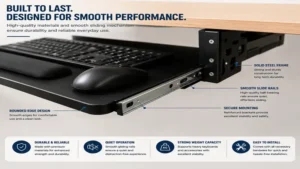
Smooth Ball-Bearing Rollers: Cheap plastic glides freeze and bind over time. Steel ball-bearing rails guarantee silent, single-handed extension.
-
Rounded Front Lip Edge: Sharp rectangular platform edges dig into your forearms during long typing sessions. Always look for beveled or rounded edges.
-
Integrated Cable Relief: A rear gap or cable loop keeps your keyboard wire from getting pinched behind the track assembly during sliding movements.
What Doesn’t Matter:
-
RGB Lighting Strips: Under-desk trays operate in shadow zones; flashy ambient lighting adds cable clutter without improving ergonomics.
-
Overly Complex Lock Levers: Dual-twist locking knobs often slip. Simple spring-tensioned detents or single-lever cam locks hold settings far more reliably.
🔍 Ready to Upgrade Your Workspace Setup?
Optimizing your wrist posture and reclaiming valuable desk real estate is one of the single best investments you can make for your daily comfort. Click on our recommended models above to view current pricing and find the perfect fit for your routine on Amazon.
Desk Modifications vs. Clamp-On Solutions
When deciding how to attach your platform, you must weigh structural stability against convenience:
                          [Under-Desk Platform Options]
                                        |
                 +----------------------+----------------------+
                 |                                             |
     [Clamp-On Mounting]                              [Drill-In Track Mount]
                 |                                             |
   * 5-Minute Setup                              * Permanent, Rock-Solid Hold
   * No Surface Damage                           * Custom Depth & Height Tweaks
   * Requires Flat Edge                          * Requires Tools & Hole Drilling
Clamp-On Mounts
-
Pros: Installs in under five minutes; zero damage to tabletop surfaces; easily moved between workstations.
-
Cons: Takes up top-desk surface space where clamps attach; limited to flat-edged desks with no front lips or decorative trim.
Permanent Screw-In Tracks
-
Pros: Sits flush beneath the desk with zero top-surface footprint; supports heavier loads; often features advanced tilt/swivel mechanisms.
-
Cons: Requires drilling pilot holes; non-reversible on natural wood; setup takes significantly longer.
For a deeper dive into ergonomic office standards and workspace adjustments, check out guidelines from the Human Factors and Ergonomics Society.
Long-Term Cost & Maintenance
A high-quality computer keyboard slide out tray requires minimal maintenance, but attention to basic care ensures a decade of smooth operation.
                    [Year One Maintenance Roadmap]
                                   |
    +------------------------------+------------------------------+
    |                              |                              |
[Month 1 Check]               [Month 6 Cleaning]             [Year 1 Tune-Up]
  - Tighten Clamps              - Dust Metal Tracks            - Apply Dry Silicone
  - Check Parallel Tracks       - Wipe Surface Clean             Lubricant to Glides
-
Total Cost of Ownership: Beyond the initial purchase price ($30-$80), quality platforms carry zero recurring costs. Investing in a durable steel-track model prevents premature replacement cycles common with cheap plastic glides.
-
Preserving Furniture Value: If using clamp-on variants, inspect the rubber pads semi-annually. Replacing worn pads with simple felt or silicone dots prevents metal hardware from scratching expensive desktop finishes over long-term use.
FAQs
❓ Is a computer keyboard slide out tray good for ergonomics?
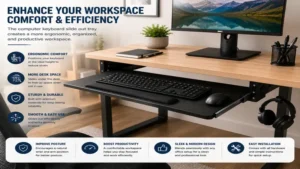
✅ Yes. It lowers your typing surface to elbow height, keeping your shoulders relaxed and wrists in a neutral position. This reduces strain on your neck, shoulders, and upper back during long working hours…
❓ Can you add a slide out keyboard tray to any desk?
✅ Most desks support them, provided there are no thick front support beams or crossbars blocking the underside. Ensure you measure desk thickness and under-desk depth before buying…
❓ How much clearance width is required for a 26-inch tray?
✅ While the platform itself may be 26 inches wide, clamp-on hardware usually adds 6 to 7 extra inches. Plan for roughly 32 to 33 inches of open edge clearance…
❓ Do clamp-on keyboard trays damage desktop surfaces?
✅ High-quality models include thick rubber or foam pads inside the clamp jaws that protect wood, glass, and laminate from scratches and pressure marks during installation…
❓ How do I prevent my tray from sliding in while I type?
✅ Look for platforms featuring built-in track stops or position lock levers. These mechanisms hold the tray firmly in place once extended until you manually push it back…
Conclusion
Upgrading your desk with a computer keyboard slide out tray is one of the most cost-effective strategies for improving workspace posture and maximizing desktop productivity. Whether you need a drill-free C-clamp unit like the HUANUO Clamp-On Keyboard Tray for a quick apartment setup, or a fully tiltable rail mount like the Mount-It! MI-7137 for precision joint relief, bringing your keyboard down to elbow level immediately mitigates upper body fatigue. Measure your workspace carefully, assess your desk’s structural underside, and pick the model that aligns best with your daily typing demands.
Recommended for You
- 5 Best Tall Monitor Stand Options in 2026: Elevate Your Ergonomics
- Best Standing Computer Keyboard Stand: 5 Ergonomic Picks (2026)
- 10 Best Multiple Monitor Desk Setups for Peak Productivity (2026 Guide)
Disclaimer: This article contains affiliate links. As an Amazon Associate, I earn from qualifying purchases. If you purchase products through these links, we may earn a small commission at no additional cost to you.
✨ Found this guide helpful? Click through to check out our top-rated picks on Amazon, and feel free to share this article with fellow enthusiasts who want to level up their routine! 💬🤗