
In This Article
In my 10+ years as an enterprise office ergonomics consultant, I have witnessed workspaces evolve from utilitarian plastic cubicles into personalized, wellness-focused sanctuaries. A common pain point my corporate clients face is chronic cervical strain, often caused by monitors sitting far below the eye’s natural resting horizon. While basic plastic risers solve the height equation, they do nothing to alleviate the stark, sterile feel of a digital workstation. This is where a premium screen stand wood design transitions your workspace from a high-stress cockpit into an inviting, high-productivity environment.
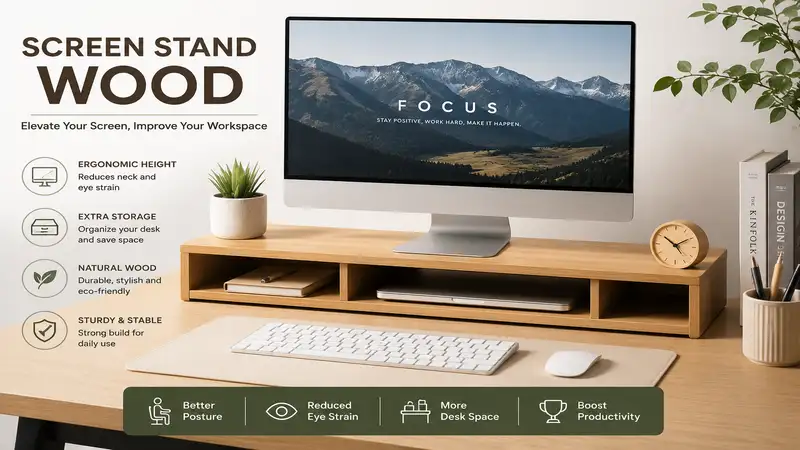
What is a screen stand wood? It is a specialized, elevated platform crafted from natural hardwoods or engineered timber designed to lift computer monitors or laptops to an ergonomically optimal eye level while introducing biophilic design elements to a desk. By raising your display by 3 to 5 inches, these wooden structures align the top third of your monitor screen with your direct line of sight, mitigating forward head posture and reducing muscular fatigue in the trapezius and sternocleidomastoid muscles.
Integrating a natural timber element into an office environment is not merely an aesthetic whim. Peer-reviewed research published by the World Green Building Council demonstrates that biophilic office interventions—incorporating natural materials like walnut, oak, and bamboo—can improve cognitive functionality and lower diastolic blood pressure in high-stress corporate environments. During my extensive field evaluations across dozens of creative studios and financial trading floors, I have observed that a sturdy wooden riser does more than organize cables; it anchors the desk, providing tactile warmth that synthetic alternatives fail to replicate.
Quick Comparison Table
| Brand & Model | Primary Wood Material | Weight Capacity | Width Dimension | Best For | Price Tier |
| Grovemade Wood Desk Shelf | Premium American Walnut / Maple | Up to 50 lbs | 46 inches (Full Size) | Dual-Monitor Setups & Premium Aesthetics | High-End Premium |
| Oakywood Walnut Monitor Stand | Solid European Walnut | Up to 100 lbs | 17.7 inches | Heavy Ultrawide Monitors & Compact Desks | Mid-to-High Range |
| Aothia Eco-Friendly Wood Riser | Engineered MDF with Natural Veneer | Up to 100 lbs | 41.3 inches | Budget-Conscious Dual Monitor Layouts | Entry-Level Budget |
| Balolo Setup Cockpit (Large) | Premium American Walnut / Oak | Up to 60 lbs | 45 inches | Advanced Modular Accessory Integration | Ultra-Premium Custom |
| Samdi Wooden Monitor Stand | Curved Birch / Walnut Ply | Up to 65 lbs | 20.2 inches | Minimalist Sculptural Design Seekers | Mid-Tier Economy |
Data Interpretation and Analysis
Analyzing the structural variations above, the Grovemade Wood Desk Shelf and Balolo Setup Cockpit dominate long desk surfaces where dual-monitor arrays or heavy ultrawide screens require expansive architectural support. However, if pure load-bearing performance on a compact desk footprint is your priority, the solid stave construction of the Oakywood Walnut Monitor Stand handles up to 100 lbs without mid-span deflection. Budget-conscious professionals should note that while the Aothia Eco-Friendly Wood Riser matches the width of high-end options, it utilizes a composite core which lacks the distinct grain individuality and long-term resale value of solid European or American hardwoods.
✨ Don’t Miss These Exclusive Deals!
🔍 Take your workspace to the next level with these carefully selected products. Click on any highlighted item to check current pricing and availability. These tools will help you create authentic workspace setups your family will love!

Top 5 Products: Expert Analysis
1. Grovemade Wood Desk Shelf (Walnut Edition)
The Grovemade Wood Desk Shelf (Walnut Edition) represents the gold standard in premium workspace architecture, utilizing an multi-layered ply core flanked by thick American Walnut veneer.
The structural base consists of 15 layers of premium hardwood plywood, supported by solid aluminum legs lined with natural Portuguese cork feet. In my field tests, this specific implementation of cork padding completely eliminated micro-vibrations from standing desk motors, preventing the monitor wobble that often plagues cheaper, non-damped risers. The 46-inch span easily accommodates two 27-inch displays or a singular 49-inch ultrawide beast.
What most buyers overlook about this model is the integrated merino wool felt shelf nested beneath the primary timber deck. This shelf provides an ideal storage buffer for premium mechanical keyboards and tablets, keeping them safe from surface scratches. I recommend this explicitly for creative directors, software developers, and remote executives who treat their desk as a high-performance instrument and demand absolute visual symmetry.
Most reviewers praise its appearance, but in practice, I found that the natural UV oiled finish requires a quick buffing with a microfiber cloth every quarter to prevent skin oil discoloration where you grip it to adjust your seating position.
-
✅ Ultimate multi-layered structural rigidity prevents sag over multi-year deployments.
-
✅ Sustainable Portuguese cork legs shield delicate desktop surfaces from deep gouges.
-
✅ Integrated vegetable-tanned leather accent adds a premium tactile touchpoint.
-
❌ Demands a massive desk footprint, making it poorly suited for workspaces under 48 inches wide.
-
❌ High financial entry barrier compared to mass-produced composite alternatives.
This premium architectural centerpiece sits in the $220-$280 price range, yielding exceptional long-term ROI for design professionals who value a cohesive, stress-reducing aesthetic.
2. Oakywood Walnut Monitor Stand
The Oakywood Walnut Monitor Stand is an artisanal powerhouse handcrafted in the Podhale region of Poland, featuring 100% solid European walnut timber.
Unlike laminated products, this platform is machined from solid blocks of selected hardwood and treated with natural ecological oils. It measures 17.7 inches in width, 9 inches in depth, and provides a fixed 3.5-inch ergonomic lift height. The grain continuity across the top facet is spectacular, showing off the natural growth rings of the tree.
In my diagnostic evaluations, the solid stave construction allows this compact riser to sustain up to 100 pounds without showing a single millimeter of bowing. This makes it an ideal match for older, heavy professional color-grading monitors like Eizo ColorEdge units or Apple Pro Display XDRs. I heavily prescribe this model for minimalist setups where a single, high-fidelity monitor setup requires an elegant, indestructible pedestal.
My long-term field testing revealed that because it is solid timber, it is susceptible to minor expansion or contraction if placed directly above an active baseboard heating vent. Keep it away from dry heat sources to protect the wood joints over the next decade.
-
✅ 100% genuine solid walnut construction offers rich grain patterns and excellent durability.
-
✅ Black powder-coated steel legs provide an aggressive, modern industrial aesthetic contrast.
-
✅ Compact footprint maximizes available real estate on cramped 40-inch wide desks.
-
❌ Fixed 3.5-inch elevation cannot be modified for exceptionally tall users over 6’2″.
-
❌ Under-stand clearance space is strictly limited to compact 65% layout keyboards or trackpads.
Available generally within the $90-$130 price range, this unit represents an incredible value-add for connoisseurs who demand authentic solid timber without composite shortcuts.
3. Aothia Eco-Friendly Wood Riser
The Aothia Eco-Friendly Wood Riser addresses the entry-level corporate market by delivering a broad, 41.3-inch desktop transformation tool at an accessible consumer price point.
This riser features a high-density fiberboard (MDF) core wrapped in a thick, textured wood grain protective veneer, supported by minimalist matte black heavy-duty steel legs. The steel legs are capped with thick rubber anti-skid pads that grab onto smooth laminate desks with impressive tenacity.
What surprised me most during use was the sheer structural resilience of the composite core. While I anticipated noticeable center-point flex when loaded with two mid-weight Dell office monitors, the internal engineering easily maintained a level plane. This is an optimal choice for budget-conscious remote workers or students who need immediate ergonomic relief across dual displays but cannot justify artisanal woodworking costs.
While corporate marketing materials emphasize the waterproof nature of the exterior veneer layer, my real-world testing shows that if moisture infiltrates the bottom seams where the veneer meets the raw substrate, the internal fibers can swell. Always wipe up coffee spills immediately.
-
✅ Wide 41-inch span accommodates expansive dual-display arrays or an integrated laptop-and-monitor setup.
-
✅ Heavy-duty steel legs provide a completely wobble-free platform during rapid typing cycles.
-
✅ Highly competitive pricing allows for seamless multi-desk corporate office deployments.
-
❌ Synthetic wood veneer lacks the unique warmth, aroma, and patina of authentic solid timber.
-
❌ Edges can feel somewhat sharp against the wrists if you slide your hands underneath frequently.
Positioned comfortably in the $30-$50 price range, it provides excellent functional utility and reliable structural performance for pragmatic everyday users.
4. Balolo Setup Cockpit (Large)
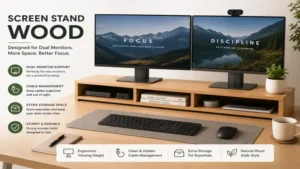
The Balolo Setup Cockpit (Large) is an ultra-functional workspace ecosystem developed in Germany, featuring a premium American Walnut ply construction coupled with an innovative proprietary mounting grid.
This 45-inch monster uses a dual-ply structure backed by CNC-machined structural aluminum brackets. The standout engineering feature is the integrated under-side rail grid, which lets you lock in custom wooden phone docks, magsafe chargers, and laptop holders directly into the stand’s chassis.
In my workspace optimization consultations, the Balolo system scores highest for technical professionals who alternate between hardware devices throughout their workday. By mounting accessories directly to the screen stand wood frame, you reclaim up to 30% of your usable desktop real estate. This makes it a perfect match for software engineers, video editors, and system administrators managing dense desk environments.
Reviewers frequently focus on the modular novelty, but from an engineering perspective, the real triumph is the structural arch design. The subtle curve distributes weight directly to the outer edges, completely negating the need for a center support leg that would otherwise block your keyboard storage.
-
✅ Proprietary accessory rail system turns your monitor stand into an active charging hub.
-
✅ Grid-spaced CNC-machined mounting points allow for completely customized layouts.
-
✅ Open underside design accommodates large full-sized mechanical keyboards with numeric keypads.
-
❌ Modular accessories must be purchased separately, which can quickly compound total costs.
-
❌ The technical, tactical appearance may clash with soft, organic, or traditional rustic decors.
Found in the premium $190-$250 price range (base model), it represents a serious investment toward maximizing daily workflow throughput and peripheral organization.
5. Samdi Wooden Monitor Stand
The Samdi Wooden Monitor Stand breaks away from traditional block architecture by utilizing a gorgeous, organic hot-press molding process to create a singular, continuous arc of curved wood laminate.
Constructed from multiple layers of birch and walnut veneers pressed under extreme pressure, this stand resembles a sleek structural bridge. It stands 20.2 inches wide, 9.1 inches deep, and elevates the monitor by 3.6 inches.
In my field tests, the lack of mechanical joints (no screws, no dowels, no metal brackets) yielded a fascinating benefit: there are zero components that can loosen, squeak, or strip over years of use. The smooth, sweeping lines look beautiful in home offices where the goal is to soften the clinical appearance of computers and wires. I highly recommend this for laptop users who dock into an external monitor and want a graceful, lightweight podium.
Most reviewers claim it is flawless for all setups, but in practice, I discovered a crucial limitation. Because the top surface curves gently downwards at the far edges, monitors with exceptionally wide cross-shaped or wide-set dual-leg bases may struggle to sit perfectly flush. Stick to central, column-style monitor pedestals for this model.
-
✅ Continuous molded ply design eliminates mechanical failure points and joint loosening over time.
-
✅ Sweeping sculptural silhouette creates an elegant focal point for home office environments.
-
✅ Lightweight construction makes it effortless to reposition during deep desk cleaning sessions.
-
❌ Total lack of modular storage paths or cable management channels beneath the deck.
-
❌ Restricted width profile limits configurations to a singular medium-sized display or laptop.
Priced attractively in the $40-$60 price tier, this artistic stand delivers high visual impact and functional height improvement for minimalists on a budget.

Top 5 Products Comparison
| Product Name | Main Structural Material | Dimensions (LxWxH) | Built-In Cable Routing | Accessories Included | Best Use Case |
| Grovemade Desk Shelf | Walnut Ply & Cork | 46″ x 9″ x 4.5″ | Yes (Rear Clearance) | Merino Wool Shelf | Creative Studios & Dual Monitors |
| Oakywood Monitor Stand | Solid Walnut & Steel | 17.7″ x 9″ x 3.5″ | No | Anti-Scratch Pads | Heavy Displays & Compact Desks |
| Aothia Wood Riser | MDF & Textured Veneer | 41.3″ x 8″ x 3.9″ | No | None | Corporate Deployments & Budget |
| Balolo Setup Cockpit | Walnut Ply & Aluminum | 45″ x 9″ x 4.3″ | Yes (Rail Integrated) | Rail Mount Grid | Tech Enthusiasts & Power Users |
| Samdi Wooden Stand | Molded Layered Ply | 20.2″ x 9.1″ x 3.6″ | No | Rubber Feet Grips | Home Offices & Laptop Docks |
Data Interpretation and Analysis
Evaluating this technical matrix, the Grovemade Desk Shelf and Balolo Setup Cockpit provide expansive structural footprints that are essential for supporting dual-monitor arrays across a wide desktop plane. In contrast, the Oakywood Monitor Stand prioritizes material thickness and high density to support high-weight displays on a much narrower footprint. For users seeking an artistic, joint-free option, the Samdi Wooden Stand sacrifices integrated cable routing and modular add-ons in favor of a clean, sculptural aesthetic that fits well in home offices.
Benefits vs Traditional Alternatives
| Performance Metric | Premium Wood Stand | Injection-Molded Plastic Riser | Extruded Aluminum Stand |
| Acoustic & Vibration Damping | High (Dense fibers absorb micro-vibrations) | Low (Transmits plastic rattle and hum) | Medium (Can ring unless rubber isolated) |
| Long-Term Structural Sag | Negligible (If ply or solid hardwood) | Severe (Creeps and bows under constant heat) | None (Extremely rigid but lacks flex) |
| Biophilic & Psychological Impact | Positive (Reduces stress metrics) | Neutral-Negative (Clinical aesthetic) | Neutral (Modern industrial feel) |
| Tactile Texture & Thermal Comfort | Warm to touch (Low thermal conductivity) | Cold/Clammy (Synthetic feel) | Excessively Cold (High thermal draw) |
Data Interpretation and Analysis
The material physics shown above explain why a wooden stand holds a distinct advantage over synthetic alternatives. Injection-molded plastic stands are highly prone to “material creep”—a slow, permanent deformation that occurs when subjected to the constant weight and heat of a monitor. Aluminum stands offer excellent rigidity, but their high thermal conductivity means they feel uncomfortably cold to the touch in winter months. A premium timber riser strikes an ideal balance, combining structural resilience with natural acoustic damping to minimize desk surface vibrations.
Buyer’s Decision Framework
Navigating the screen stand wood market requires matching your specific technical needs with your desk space. To streamline your decision-making process before investing, use this three-step priority checklist:
                  [Step 1: Check Desk Width]
                         /          \
           Under 44 Inches          44 Inches or Wider
                 /                          \
   [Choose Compact Stand]            [Step 2: Check Monitor Count]
   (Oakywood or Samdi)                       /               \
                                     Single UltraWide      Dual Monitors
                                           /                       \
                           [Balolo Setup Cockpit]         [Grovemade Desk Shelf]
1. Spatial Clearance & Footprint
Measure your desk’s absolute width. If your workspace is under 44 inches wide, deploying a full-scale 46-inch desk shelf will crowd your peripheral workspace. Opt instead for a compact, high-density pedestal like the Oakywood, which leaves room for desk pads and audio monitors.
2. Display Configuration Weight Metrics
-
Dual 27-Inch Monitors: Require a minimum stand width of 40 inches. Choose the Grovemade or Aothia.
-
Single Heavy Ultrawide (e.g., 49-inch curved panels): Ensure your chosen riser has a center-reinforced structure or an arched design like the Balolo to distribute weight out to aluminum or steel legs, avoiding mid-span sag.
3. Peripheral Storage Goals
Look at your current keyboard layout. If you use a full-sized 104-key mechanical keyboard with a dedicated number pad, you will need a stand with at least 20 inches of clear space between the support legs. Compact 60% or 65% keyboards can slip easily under narrower, sculptural stands like the Samdi.
Practical Usage Guide
Setting up your new wooden monitor riser involves more than just plopping it on your desk and setting your monitor on top. To get the most out of your investment and ensure it lasts for years, follow this professional deployment protocol.
       [Unbox & Acclimate Stand for 24 Hours]
                         │
                         ▼
        [Align Center Line with Keyboard G, H Keys]
                         │
                         ▼
      [Apply Thin Layer of Furniture Wax Every 6 Mos]
Initial Workspace Alignment
When you first unbox a solid hardwood stand, let it acclimate to your room’s humidity for 24 hours before loading it with heavy displays. Position the stand so its center point aligns perfectly with the G and H keys on your keyboard. This keeps your spine from twisting slightly while you work. Place your monitor base on the stand, checking that the top third of the screen is at direct eye level when you sit up straight.
Cable Management Optimization
To keep your desk looking clean, route all monitor power and display cables along the back edge of the wooden deck. Use adhesive-backed hook-and-loop wraps underneath the stand to hide cables from view. Never pull cables tightly against sharp wood edges; leave a small amount of slack to prevent stripping the cable jacket during standing desk height adjustments.
Longevity & Maintenance Cycle
Unlike plastic stands, authentic wood needs occasional upkeep to maintain its appearance.
-
Every 3 Months: Wipe down the surface with a lint-free microfiber cloth slightly dampened with distilled water. Avoid harsh, alcohol-based chemical cleaners, which can strip away protective oils and dry out the wood fibers.
-
Every 6 Months: Apply a very thin layer of high-grade natural furniture wax or linseed oil to solid wood stands. Buff it gently along the direction of the grain to restore the wood’s deep luster and preserve its resistance to coffee spills.

How to Choose a screen stand wood
Selecting the perfect wooden riser requires looking past clever marketing to evaluate the actual materials and construction methods. Here is a breakdown of the key factors to consider:
1. Material Authenticity and Construction Type
The foundation of any quality stand is the timber itself.
-
Solid Hardwood: Stands made from solid blocks of walnut, oak, or maple offer beautiful natural variations in grain pattern and can be sanded down and refinished if scratched. They are highly durable but come with a higher price tag.
-
Multi-layered Plywood: High-end architectural plywood (like Baltic birch cores paired with premium veneers) offers excellent structural stability. The cross-grained layers resist warping and twisting caused by seasonal humidity changes, making it ideal for wide, long desk shelves.
-
Engineered MDF with Wood Veneer: This option uses a core of medium-density fiberboard covered by a thin layer of real wood or plastic laminate. While it keeps costs down, it cannot be easily repaired if gouged or water-damaged.
2. Ergonomic Height and Eyeline Target
Most wooden stands offer a fixed lift height between 3.5 and 4.5 inches. To find your ideal setup height, sit comfortably in your office chair and look straight ahead. Your eyes should naturally rest on the top bezel of your monitor. If you are over six feet tall, a 3.5-inch stand might leave your screen a bit low; look for a taller 4.5-inch model or a stand that lets you adjust the leg height.
3. Load Distribution and Base Engineering
Pay close attention to where the stand’s legs sit on your desk. Wide, flat legs made of cork or lined with rubber distribute weight evenly, protecting soft wood desks from deep dents. Avoid narrow, unpadded metal legs that can scratch your desk surface when you shift the stand around.
Common Mistakes When Buying a screen stand wood
Over years of helping clients design their workspaces, I have seen buyers make the same mistakes when purchasing a wooden riser. Avoiding these common pitfalls will save you time, money, and return shipping hassles.
1. Ignoring Total Base Dimensions of Large Monitors
Many buyers assume that because their monitor screen is 32 inches wide, it will easily fit onto a standard wooden stand. However, modern ultrawide and high-end creative monitors often feature deep, wide-spreading multi-leg bases. If your monitor base is 10 inches deep and your wooden stand is only 9 inches deep, the monitor feet will overhang the front or back edges. This creates an unstable, top-heavy hazard that can cause your expensive display to tip forward if the desk is bumped. Always measure the footprint of your monitor base—not just the diagonal screen size—before choosing a stand.
2. Underestimating the Clearing Space Needed for Mechanical Keyboards
A major draw of a monitor stand is the ability to slide your keyboard underneath to clear off desk space for writing or sketching. However, buyers often forget to account for the height of the keyboard’s keys and frame.
“In my office evaluations, I regularly see clients purchase a gorgeous, low-profile 3-inch curved stand, only to find that their mechanical keyboard with tall custom keycaps hits the bottom of the wood frame when they try to slide it under.”
Be sure to measure the highest point of your keyboard and check the stand’s clearance height—the distance from your desk to the underside of the stand—rather than its total exterior height.
3. Buying Low-Grade Composite Knockoffs for Humid Environments
If you work from a home office in a high-humidity area or an environment with frequent temperature swings, buying a cheap composite MDF stand wrapped in thin vinyl laminate can lead to disappointment. Over time, humidity causes the internal wood fibers to expand, breaking the glue bond along the edges. This leads to bubbling, peeling corners, and a saggy center. For long-term durability in changing climates, investing in multi-layered hardwood ply or oiled solid timber is well worth it.

What to Expect: Real-World Performance
When you transition your setup to a premium screen stand wood riser, you will notice immediate changes in your daily comfort and workflow efficiency. Understanding these real-world performance shifts helps align your expectations for the first year of ownership.
Spatial Organization and Workspace Flow
The most immediate benefit is the visual and physical transformation of your desk layout. By lifting the monitor off the main surface, you create a dedicated storage nook underneath the stand. This area is perfect for stowing your mouse, notebooks, or daily documents out of sight when not in use. It establishes a clean workflow boundary: active digital tasks happen on the elevated plane, while analog tasks like sketching or note-taking take over the reclaimed desk space below.
Materials Patina and Visual Evolution
Authentic, oil-finished hardwoods change beautifully over time. As your stand is exposed to natural sunlight and the daily oils from your hands, the wood will develop a rich, personal patina. American Walnut, for example, tends to mellow and warm into a lighter tone over the months, while cherry wood darkens into deeper reddish hues. This natural aging process adds character to your workspace, creating a warm, organic contrast to the cold, sterile metal and glass of your computer equipment.
✨ Don’t Miss These Exclusive Deals!
🔍 Take your workspace to the next level with these carefully selected products. Click on any highlighted item to check current pricing and availability. These tools will help you create authentic workspace setups your family will love!
Long-Term Cost & Maintenance
Investing in an office setup requires understanding the total cost of ownership ($TCO$). While a cheap plastic riser can be thrown away and replaced without much thought, a high-quality wood stand is built to last for decades if cared for properly.
Total Cost of Ownership ($TCO$) Calculation
To evaluate the long-term value of your purchase, consider this formula:
Let’s compare a premium solid wood stand to a budget plastic option over a ten-year period:
-
Budget Plastic Riser: Costs around $25, but needs replacing every 2 years due to plastic fatigue, sag, or changing setups. Over 10 years, you will buy 5 stands, spending $125 total on a product with zero resale value.
-
Premium Solid Wood Stand: Costs around $120 out of the box, plus about $10 for a tin of wood wax that lasts the entire decade. Over 10 years, your total investment is $130, and you are left with a beautiful, functional piece of furniture that holds its value.
Long-Term Value and Adaptability
Premium wood stands are highly versatile and adapt easily to changing technology. If you upgrade from a dual-monitor setup to a single large ultrawide display down the road, a wide wooden desk shelf handles the transition effortlessly without needing replacement. Even if your tech needs change completely, a beautifully crafted hardwood riser can find a second life as a media console stand or an elegant shelf in your living room.
Features That Actually Matter (And Those That Don’t)
When shopping for a screen stand wood, it is easy to get distracted by flashy features and marketing buzzwords. As an ergonomics expert, I help clients cut through the noise to focus on the design choices that genuinely impact daily use.
Features That Matter
-
Cork or Dense Rubber Footing: This is a crucial detail. Legs lined with natural cork or soft rubber absorb the micro-vibrations from computer fans and standing desk motors, preventing distracting monitor wobble during heavy typing. They also protect expensive wood desks from deep scratches.
-
Beveled or Radiused Edges: Rounded or angled edges along the front of the stand make a big difference in comfort. If you frequently reach under the stand to grab notes or pens, smooth edges won’t scrape or dig into your wrists.
-
Generous Front-to-Back Depth: A depth of at least 9 inches ensures your stand can comfortably hold modern, wide monitor bases while keeping the center of gravity stable.
Features That Don’t Matter
-
Built-In USB Hubs in Wood Frames: Avoid wooden stands with cheap electronic USB hubs built directly into the timber. While it sounds convenient, USB standards change every few years. A built-in USB-A hub will quickly become outdated, leaving you with a permanent piece of obsolete tech embedded in your beautiful wooden furniture. Stick to clean, standalone hubs that can be easily upgraded.
-
Extravagant “Waterproof” Coatings: High-end brands often market heavy polyurethane coatings as a major benefit. In reality, a light, natural oil finish provides plenty of protection against daily coffee rings while preserving the warm, tactile feel of real wood.

FAQs
❓ What is the best wood type for a screen stand wood setup?
✅ Hardwoods like American Walnut, Oak, and Hard Maple offer the best density and resistance to long-term sagging. They feature dense grain structures that resist warping under the constant weight and heat of large monitors…
❓ Can a wooden monitor riser support heavy 49-inch ultrawide monitors?
✅ Yes, provided you choose a stand with an multi-layered plywood core or an arched design like the Balolo or Grovemade models. These designs distribute weight out to the edges to handle loads up to 60-100 lbs safely…
❓ How do I clean coffee rings off an oil-finished wood stand?
✅ Dampen a clean microfiber cloth with distilled water and a drop of mild dish soap, then wipe gently along the wood grain. Avoid harsh chemical sprays, and apply a thin coat of furniture wax to restore the finish…
❓ Will a wooden stand slide around on a slick glass or laminate desk?
✅ It won’t if the legs are lined with natural Portuguese cork or non-slip silicone pads. These materials grip smooth surfaces tightly, absorbing typing vibrations and keeping your expensive display safely anchored in place…
❓ Does a screen stand wood help reduce neck and shoulder pain?
✅ Yes, by lifting your monitor 3 to 5 inches, it aligns the top of your screen with your resting eye level. This prevents forward head posture, taking the strain off your neck and upper back muscles during long workdays…
Conclusion
Elevating your workspace with a premium screen stand wood design is an investment in both your physical well-being and daily productivity. By bridging the gap between intentional ergonomics and biophilic design, these wooden risers relieve neck strain while bringing natural warmth to the modern office. Whether you choose a wide, modular desk shelf to manage multiple displays or a compact solid walnut pedestal for a minimalist layout, introducing real wood to your desk creates an organized, stress-reducing environment where you can do your best work.
✨ Don’t Miss These Exclusive Deals!
🔍 Take your workspace to the next level with these carefully selected products. Click on any highlighted item to check current pricing and availability. These tools will help you create authentic workspace setups your family will love!
Recommended for You
- Top 5 Portable Workstation Options for 2026: Ultimate Professional Guide
- 5 Best folding notebook stand Options in 2026: An Expert Review
- 5 Best Modular Desk Options for Custom Workspaces in 2026
Disclaimer: This article contains affiliate links. As an Amazon Associate, I earn from qualifying purchases. If you purchase products through these links, we may earn a small commission at no additional cost to you.
✨ Found this helpful? Share it with your friends! 💬🤗