
In This Article
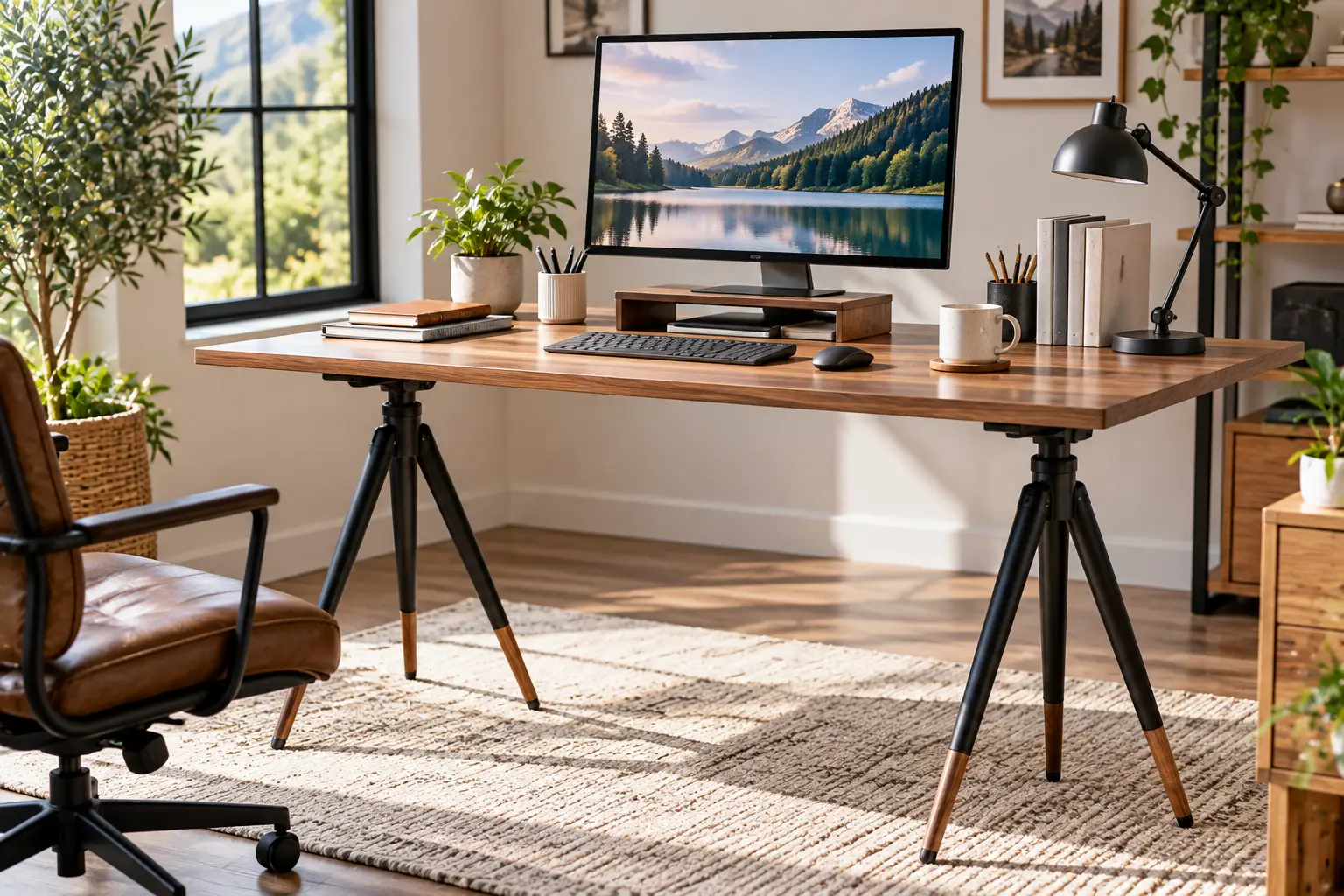
Why a Tripod Desk Might Be the Smartest Workspace Upgrade You Make in 2026
Picture this: it’s 3 p.m., your lower back is filing a formal complaint, and your laptop is perched on a stack of cookbooks. Sound familiar? A tripod desk fixes that problem without asking you to give up a corner of your apartment to a 60-pound motorized table. It’s a single tray on a three-legged, height-adjustable stand — and it folds flat enough to slide behind a door when you’re done.
That simplicity is exactly why the tripod desk has quietly escaped the DJ booth and the conference room. Remote workers use one as a lightweight standing station. Teachers roll their projector into place with it. Photographers tether a laptop to a camera on set. Musicians park a laptop next to the drum kit. Same basic design, wildly different jobs.
Here’s the catch, though: the category is crowded with near-identical listings, and the differences that matter — load rating, height range, how the pole locks, how big the tray really is — are buried in fine print. A tripod desk that’s perfect for a 2-pound tablet can feel like a diving board under a 6-pound gaming laptop.
This guide cuts through that noise. Instead of recycling product listings, we compared real spec sheets from manufacturers and US retailers, read through aggregated customer feedback, and translated the numbers into what they mean at your elbow height. You’ll find seven real models, from a budget tripod laptop stand to a design-forward tripod standing desk, plus setup tips, a buyer’s decision framework, and the mistakes that make people return these things.
If you’ve ever wondered whether a tripod desk is a real workstation or a gimmick, you’re in the right place. Let’s get you standing — steadily.
What Is a Tripod Desk?
A tripod desk is a freestanding work surface mounted on a three-legged, height-adjustable stand. Its telescoping center pole lets you set the tray anywhere from sitting to standing height, and most models tilt the tray and fold flat for travel. It’s popular for laptops, projectors, DJ gear, and portable standing workstations.
The design borrows directly from the camera tripod, whose three points of contact sit flat on uneven floors where a four-legged table would wobble. That’s the real engineering win: three legs always find the ground. The trade-off is a narrower footprint at the top, which is why tray size and load capacity matter so much when you choose one.
Quick Comparison: 7 Tripod Desk Picks at a Glance
Short on time? This table puts the numbers that actually separate these models side by side. Height ranges and load ratings come from manufacturer or authorized US retailer spec sheets; prices are approximate ranges at the time of writing, so check the current price before you buy.
| Model | Height range | Tray size | Rated load | Approx. price | Best for |
|---|---|---|---|---|---|
| Amazon Basics Multi-Purpose Tripod Stand | 36–55 in | 16.8 × 12.6 in | Not clearly published | $20–$40 | Amazon Basics for budget standing use |
| Pyle Pro PLPTS2 | ~22–35 in | 14 × 11 in | Light devices | $20–$45 | Pyle Pro PLPTS2 for seated or low setups |
| InnoGear Projector Stand Tripod | 21–54 in | Standard tray | 30 lb | $25–$45 | InnoGear for heavier projectors |
| Gator Frameworks GFW-LAPTOP-1500 | 28.25–44.5 in | 14 × 11 in | 20 lb | $50–$80 | Gator Frameworks for gigging musicians |
| Samson LTS50 | 30–47 in | 15 × 11 in | Not clearly published | $70–$110 | Samson LTS50 for a no-slip studio tray |
| K&M 12155 | 30.7–50.8 in | 15.7 × 11.4 in | 11 lb | $110–$160 | K&M 12155 for long-term durability |
| Intension Design Tripod Standing Desk | ~1.8–4.8 ft | 12 × 16 in | Not clearly published | $150–$200 | Intension Design for a home-office look |
Looking at the table, the split is obvious: the Amazon Basics Multi-Purpose Tripod Stand and the InnoGear Projector Stand Tripod give you the most height for the least money, which matters if you plan to stand. Meanwhile, the Pyle Pro PLPTS2 tops out around 35 inches, so it’s really a seated or performance-level stand, not a tripod standing desk. If durability and a real warranty are your priority, the K&M 12155 and Gator Frameworks GFW-LAPTOP-1500 justify their higher price with steel builds and published load ratings.
💬 One click helps other shoppers make an informed choice too! 😊
Top 7 Tripod Desks: Expert Analysis
Each pick below is a real, currently listed model. For every one, we translate the spec sheet into everyday use, summarize what aggregated customer reviews actually say, and flag what the listing doesn’t tell you.
1. Amazon Basics Multi-Purpose Adjustable Portable Tripod Stand — most standing height per dollar
If you want a tripod desk you can actually stand at without spending much, this is the obvious starting point. Its height runs from 36 to 55 inches, and the flat platform measures 16.8 × 12.6 inches. In practice, that ceiling clears standing elbow height for most adults, and the platform is wide enough for a 15-inch laptop with a little breathing room on the sides.
Based on comparing the specs, the Amazon Basics Multi-Purpose Adjustable Portable Tripod Stand suits first-time buyers, students, and anyone testing whether a standing workstation fits their routine. What most buyers overlook is the minimum height: 36 inches is too tall for comfortable seated typing, so this is a standing-first design. It also comes with a 1-year limited warranty, which is more than many no-name rivals offer.
Customer reviews consistently describe it as sturdier than expected for the price, and owners report using it well beyond laptops — tethered photography and projector setups come up often. That said, a clear maximum load rating isn’t prominently published, so treat it as a laptop-and-light-gear stand.
Pros:
- ✅ Tall 55-inch ceiling works for standing users
- ✅ Generous 16.8 × 12.6-inch platform
- ✅ Backed by a 1-year limited warranty
Cons:
- ❌ Too tall at its lowest for seated typing
- ❌ No clearly published maximum load rating
💲 Typically in the $20–$40 range; outstanding value if you mainly stand.
2. Pyle Pro PLPTS2 — cheapest way to lift gear off a table
The Pyle Pro PLPTS2 is the budget pick for low, seated, or performance setups rather than a full standing desk. Its 14 × 11-inch tray tilts, and owners on B&H confirm it can even lock at a 90-degree angle — handy as a reading or sheet-music stand. Pyle’s own manual lists the height at roughly 22–35 inches, while some marketplace listings claim up to about 39 inches, so assume the lower figure.
Here’s what to weigh: 35 inches is roughly seated desk height to low-stool height, which makes the Pyle Pro PLPTS2 ideal for a DJ mixer beside a table, a projector at a living-room screening, or a laptop next to your couch. It also comes in a two-pack (the PLPTS2X2), which is useful for classrooms or bands.
Reviews consistently praise the easy assembly and say it sits level and stable, while summaries note it’s best suited for light to moderate use. Several listings put the stand’s own weight around 5.8 pounds, so it’s genuinely portable.
Pros:
- ✅ Lowest entry price in this roundup
- ✅ Tilting tray locks at steep angles
- ✅ Available as a convenient two-pack
Cons:
- ❌ Not tall enough for standing work
- ❌ ABS plastic tray feels less premium than steel
💲 Usually $20–$45; great value for seated and stage use only.
3. InnoGear Projector Stand Tripod — highest rated load for the money
The InnoGear Projector Stand Tripod earns its spot by pairing a wide height range with a heavier-than-average load rating. It adjusts from 21 to 54 inches with a knob, and InnoGear rates it for 30 pounds thanks to a reinforced support structure and a thickened steel arm. Two elastic belts hold devices on the tray.
On paper, this means one stand covers seated work, standing work, and projector duty. That 30-pound rating gives real margin for a heavy gaming laptop plus an external drive — remember, many generic stands top out around 22 pounds. It also folds compact enough to fit in a bag, so outdoor movie nights are realistic.
Aggregated retailer feedback generally reports a stable stand that assembles quickly, though we couldn’t verify a large body of US reviews specific to this exact version. One honest caveat: a high load rating doesn’t mean zero wobble at full extension. Expect some sway at 54 inches when typing hard.
Pros:
- ✅ 30-pound rating beats most budget rivals
- ✅ 21–54 inch range covers sit and stand
- ✅ Elastic belts help secure projectors
Cons:
- ❌ Some sway likely near maximum height
- ❌ Tray dimensions are less clearly documented
💲 Generally $25–$45; excellent value for mixed laptop and projector use.
4. Gator Frameworks GFW-LAPTOP-1500 — built for the road and the stage
Gator Frameworks makes gear for touring musicians, and the Gator Frameworks GFW-LAPTOP-1500 shows it. The steel frame wears a black powder-coat finish, and the 14 × 11-inch platform has raised flanged edges, a non-slip EVA pad, and elastic web straps. Height runs from 28.25 to 44.5 inches with a built-in safety pin, and it’s rated for 20 pounds.
What the spec sheet doesn’t say, but the design reveals, is the priority: security over height. The safety pin means the pole can’t slowly sink mid-set, and the flanged edges stop a controller from sliding off when you bump the stand. The 44.5-inch ceiling is enough for many people under about 5’8″ to stand, but taller users will hunch.
US retailer reviews describe it as easy to set up and portable, with average ratings around four stars on Crutchfield. Weighing 6.6 pounds and collapsing to 31.5 inches long, it travels well.
Pros:
- ✅ Safety pin prevents height slippage
- ✅ Raised edges, EVA pad, and straps
- ✅ Published 20-pound load rating
Cons:
- ❌ 44.5-inch maximum is short for tall users
- ❌ Costs more than generic tripod stands
💲 Usually $50–$80; strong value for musicians and presenters.
5. Samson LTS50 — grippiest tray for studio work
The Samson LTS50 stands out for its silicone surface, which keeps a laptop from drifting even at a steep tilt. It’s built from steel, adjusts from 30 to 47 inches, and uses locking latches plus a pin lock for extra support. The 15 × 11-inch tray removes, and the tripod base folds for transport. Retailers list its weight around 10 pounds.
Based on comparing the specs, the Samson LTS50 is heavier and more planted than ultralight stands, which is good news for producers and engineers who lean on their laptop during a session. The trade-off is portability: 10 pounds is fine for a car trunk but annoying on public transit. The 47-inch ceiling suits standing users up to roughly average height.
Reviews consistently describe it as very stable and among the easiest stands to set up, with owners comparing the assembly to a photography light stand. International reviewers praise the large tripod footprint and the extra safety lock that stops the pole from creeping down.
Pros:
- ✅ Silicone surface grips laptops securely
- ✅ Latches plus pin lock for added safety
- ✅ Heavy steel build feels planted
Cons:
- ❌ About 10 pounds, so less travel-friendly
- ❌ Load rating isn’t clearly published
💲 Often $70–$110; good value for studio and stage users.
6. K&M 12155 — premium German build with stepless height
König & Meyer has built music stands in Germany for decades, and the K&M 12155 carries that pedigree. Its height is stepless from 30.7 to 50.8 inches, so you can dial in your exact elbow height rather than picking the closest hole. The 15.7 × 11.4-inch steel laptop rest attaches via a prismatic V-block connector, the tilt adjusts with a clamping lever, and the load rating is 11 pounds.
Here’s what to weigh: 11 pounds is lower than budget rivals claim, but it’s a conservative, documented figure from a manufacturer offering a 5-year limited warranty. For a laptop of 3–6 pounds, that’s plenty. The 27.6-inch base diameter is wide, which explains its reputation for stability.
US retailer reviews are positive but few, while one detailed overseas owner review reports the pole can slowly rotate and lower if you apply twisting force during use. Light laptops and a gentle touch avoid it, but heavy typists should note it.
Pros:
- ✅ Stepless height for precise ergonomics
- ✅ Five-year limited warranty from K&M
- ✅ Quick-release V-block tray connection
Cons:
- ❌ Modest 11-pound load rating
- ❌ Twisting force may let the pole creep
💲 Typically $110–$160; worth it if you value longevity.
7. Intension Design Tripod Standing Desk — the tripod desk that looks like furniture
The Intension Design Tripod Standing Desk is the only pick here designed first as a home-office desk rather than a gear stand. It pairs a 12 × 16-inch Baltic birch top with an aircraft-grade aluminum tripod. Height adjusts from about 1.8 to 4.8 feet, the top tilts flat or angled, and the whole kit weighs just 4.5 pounds with no tools needed.
On paper, the Intension Design Tripod Standing Desk solves the biggest complaint about tripod laptop stands: they look like stage equipment. Wood and aluminum blend into a living room. Its 4.8-foot ceiling also reaches heights very tall users need. There’s a Pro version with a 16 × 28-inch top and a sturdier tripod, at roughly twice the price and 13 pounds.
Verified buyer reviews on third-party review platforms are overwhelmingly positive, praising portability and stability, with one recurring gripe that wheels cost extra. Availability on amazon.com varies, so check the listing.
Pros:
- ✅ Attractive Baltic birch and aluminum design
- ✅ Ultralight at about 4.5 pounds
- ✅ Very tall maximum height
Cons:
- ❌ Small 12 × 16-inch work surface
- ❌ Premium price; accessories cost extra
💲 Around $150–$200; fair value if aesthetics matter.
Detailed Spec Comparison of the Top 7
| Model | Build | Height lock | Stand weight | Warranty | Best for |
|---|---|---|---|---|---|
| Amazon Basics Multi-Purpose Tripod Stand | Metal | Knob | Not listed | 1 year | Amazon Basics for budget standing |
| Pyle Pro PLPTS2 | Metal + ABS tray | Knob | ~5.8 lb | 1 year (retail listing) | Pyle Pro PLPTS2 for seated/DJ |
| InnoGear Projector Stand Tripod | Steel | Knob | Not listed | Varies | InnoGear for heavy projectors |
| Gator Frameworks GFW-LAPTOP-1500 | Powder-coated steel | Knob + safety pin | 6.6 lb | Gator standard | Gator Frameworks for gigs |
| Samson LTS50 | Steel | Latches + pin lock | ~10 lb | 12 months (retailer) | Samson LTS50 for studios |
| K&M 12155 | Steel, plastic base | Stepless clamp | ~7 lb | 5 years | K&M 12155 for longevity |
| Intension Design Tripod Standing Desk | Birch + aluminum | Tripod clamps | 4.5 lb | 30 days (retail listing) | Intension Design for home offices |
This second table reveals what the first one hides: the height-locking mechanism. The Gator Frameworks GFW-LAPTOP-1500 and Samson LTS50 add a pin lock on top of the clamp, so a heavy laptop can’t slowly slide down — a real safety feature. Meanwhile, the K&M 12155 wins on warranty length by a wide margin, while the Intension Design Tripod Standing Desk wins on weight, which matters most if you carry your setup daily.
✨ Don’t miss the right fit for your workspace!
🔍 Take your workspace to the next level with this carefully curated lineup. Click a highlighted model to check current pricing and availability — these picks will help you work comfortably, whether you sit, stand, or present.
How to Set Up Your Tripod Desk: Your First 30 Days
A tripod desk rewards five minutes of careful setup and punishes sloppy setup with wobble. Here’s a practical routine that the product listings don’t give you.
Day 1: Find your real working height
Stand relaxed with your upper arms hanging naturally and your elbows bent near 90 degrees. Measure from the floor to the underside of your forearm — that’s your tray height for typing. Then lock the pole, and if your stand has a safety pin, always insert it before loading the tray.
Day 1: Spread the legs fully
It’s tempting to keep the legs half-open to save floor space. Don’t. A wider footprint is what keeps a tall tripod desk stable, and one owner of a premium model noted you can gain extra height by closing the legs, but stability suffers.
Week 1: Solve the laptop problem
Here’s the uncomfortable truth: laptops are built so that when the keyboard is at the right height, the screen is too low, and vice versa. Cornell University’s ergonomics team explains this built-in laptop design conflict and recommends a separate keyboard and mouse for full-time users. On a tripod desk, the easy fix is to set the tray for keyboard height for short sessions, or raise the laptop to eye level and add a wireless keyboard on a second surface.
Weeks 2–4: Build the habit and maintain it
- ⏱️ Start with 20–30 minute standing blocks, then alternate with sitting.
- 🔧 Retighten the height knob and tilt lever weekly; vibration loosens them.
- 🧽 Wipe silicone or EVA pads with a damp cloth so they keep their grip.
- 🧳 Fold the stand fully before transport so the legs don’t bend.
Common mistakes in the first 30 days
The big three are overloading the tray with a laptop plus a monitor, leaning on the stand while typing, and ignoring a slowly sinking pole. Each one is avoidable once you know to watch for it.
Real-World Scenarios: Which Tripod Desk Fits Your Life?
Specs are abstract until you match them to a real person. Here are three common buyer profiles, with budget and usage, matched to the best pick.
🧑💻 The remote worker in a small apartment
Budget: under $50. Use: 2–4 hours of standing per day, mostly laptop email and video calls.
This buyer needs standing height first and foremost, so the Amazon Basics Multi-Purpose Adjustable Portable Tripod Stand is the natural fit with its 55-inch ceiling. If a heavier 16-inch laptop is in play, the InnoGear Projector Stand Tripod gives more load headroom at a similar price. Either one folds behind a door at 6 p.m., which is the whole point of a portable tripod desk.
🎧 The gigging musician or DJ
Budget: $50–$110. Use: weekly gigs, frequent loading in and out.
Security beats everything here. A controller sliding off mid-set is a career moment nobody wants. The Gator Frameworks GFW-LAPTOP-1500 has raised edges, straps, and a safety pin, while the Samson LTS50 adds a grippy silicone tray. Pick the Gator Frameworks GFW-LAPTOP-1500 if you carry gear on foot; pick the Samson LTS50 if you drive and want a heavier, more planted stand.
🎨 The design-conscious home office
Budget: $150+. Use: daily work in a shared living space.
When the tripod standing desk lives in your living room, looks matter. The Intension Design Tripod Standing Desk blends in thanks to its birch top, and it’s light enough to move between rooms. If you’d rather prioritize warranty and stepless ergonomics over looks, the K&M 12155 is the more industrial alternative.
Problem → Solution: Fixing the 5 Most Common Tripod Desk Complaints
Even the best tripod laptop stand has quirks. Here are the problems reviewers raise most often, with fixes that actually work.
- The tray wobbles when I type. ✅ Lower the tray an inch or two, open the legs fully, and type with a lighter touch. A heavier stand like the Samson LTS50 naturally damps vibration better than ultralight models.
- The pole slowly sinks. ✅ Use the safety pin if your model has one, and avoid twisting the tray, since rotation can reduce the clamp’s grip — an issue one owner reported with the K&M 12155 under heavy use.
- My laptop slides when the tray is tilted. ✅ Add a thin silicone or EVA pad, or choose a model with raised edges and straps like the Gator Frameworks GFW-LAPTOP-1500.
- It’s too short for me to stand. ✅ Check the maximum height against your elbow height before buying. The Pyle Pro PLPTS2 and other sub-40-inch stands are seated or performance tools, not standing desks.
- My neck hurts after an hour. ✅ That’s the laptop screen sitting too low. Add an external keyboard so you can raise the screen, or alternate sitting and standing more often.
How to Choose a Tripod Desk: 7 Steps
Choosing a tripod desk comes down to matching four numbers — height, load, tray size, and stand weight — to how you’ll actually use it.
- Measure your standing elbow height. The tray should sit at or just below your bent elbow. If the stand’s maximum is lower, it can’t be your standing desk.
- Check the minimum height too. Stands that start at 36 inches can’t serve as seated desks, while 21–30-inch minimums cover both.
- Weigh your gear and add 50%. A 5-pound laptop plus accessories should go on a stand rated for at least 8–10 pounds; margin reduces sag and wobble.
- Match tray size to your laptop. A 16-inch laptop needs roughly 14 inches of tray width; 12-inch trays suit 13–14-inch machines.
- Prefer a pin lock if you work standing. A clamp plus safety pin stops slow sinking under load.
- Decide how often you’ll carry it. Under 7 pounds suits daily commuting; 10 pounds is car-only territory.
- Plan for posture, not just height. Federal workplace guidance from OSHA’s computer workstation eTool describes neutral standing posture: head level, shoulders relaxed, elbows close to the body and bent between 90 and 120 degrees. Your tripod desk height should make that posture easy.
Tripod Standing Desk vs. Traditional Standing Desk
A tripod standing desk and a full motorized standing desk solve the same problem in very different ways. One is a portable perch; the other is furniture.
| Factor | Tripod desk | Electric standing desk | Best for |
|---|---|---|---|
| Typical price | ~$20–$200 | ~$250 and up | Tripod desk for tight budgets |
| Work surface | ~12 × 16 to 17 × 13 in | ~48 in wide and up | Electric desk for multi-monitor setups |
| Load capacity | ~5–30 lb | Often 150+ lb | Electric desk for heavy gear |
| Portability | Folds, 4.5–10 lb | Stationary | Tripod desk for travel and small spaces |
| Height change | Manual knob | Push-button | Electric desk for frequent switching |
The table makes the trade clear: a tripod desk wins on price, portability, and floor space, while a traditional standing desk wins on surface area and load. For a single laptop, a tripod laptop stand is honestly enough. For two monitors and a keyboard tray, it isn’t — and forcing it is how stands get overloaded.
That said, they aren’t rivals for many people. A common, sensible setup is a regular sitting desk plus a portable tripod desk for standing blocks, calls, and presentations.
Features That Actually Matter (and Ones That Don’t)
Marketing copy loves adjectives. Here’s what genuinely changes your experience with a laptop tripod stand adjustable for height, and what you can safely ignore.
✅ Features that matter
- A documented load rating. “Heavy duty” means nothing; “rated for 20 lb” means something. The Gator Frameworks GFW-LAPTOP-1500, InnoGear Projector Stand Tripod, and K&M 12155 all publish one.
- A secondary height lock. Pins and latches prevent the slow sink that ruins a long session.
- Grip on the tray. Silicone, EVA pads, raised edges, or straps keep a tilted laptop in place.
- Leg spread. A wider base, like the K&M 12155‘s 27.6-inch footprint, directly reduces tipping risk.
❌ Features that matter less than you think
- A gooseneck phone holder. It’s handy, but it adds a lever arm that can increase wobble.
- “360° rotation” claims. Useful for presenters, irrelevant for typing.
- Extreme maximum heights. A 68-inch ceiling sounds great, but stability drops sharply near full extension. Buy enough height, not the most height.
Common Mistakes to Avoid When Buying a Tripod Laptop Stand
Most returns in this category come from avoidable mismatches, not defective stands.
- Buying a projector stand as a standing desk. Many listings combine both uses, but sub-40-inch models like the Pyle Pro PLPTS2 are too short for standing work.
- Trusting “heavy duty” without a number. If the rating isn’t published, assume it’s modest and keep loads light.
- Ignoring the tray-to-laptop fit. A 16-inch laptop hanging over a 12-inch tray is both unstable and uncomfortable.
- Forgetting the keyboard problem. A tripod desk raises everything at once, so plan for an external keyboard if you’ll use it all day.
- Choosing ultralight for a heavy machine. Portability is great until a 6-pound workstation laptop sways at full height.
The common thread? Buy for your heaviest device and tallest use case, not your best-case scenario.
Safety, Stability, and Long-Term Cost
A tripod desk isn’t regulated like a crib or a space heater; we found no product-specific federal safety standard for laptop stands, so the manufacturer’s published load rating is your main safety spec. Respect it. Overloading a narrow-base stand is the most realistic way to drop a laptop.
For safe daily use, keep the center of gravity low and centered, open the legs fully, keep cords from crossing walkways, and never let kids climb or hang on the pole. If a stand bends, cracks, or won’t hold height anymore, retire it.
Ergonomically, Cornell’s 12 tips for an ergonomic computer workstation suggest placing the top of the monitor casing about 2–3 inches above eye level — a goal that a laptop on a tripod desk can only reach with an external keyboard.
On cost of ownership, the math favors buying right once. A $25 stand replaced twice costs more than one $60–$120 steel stand with a pin lock. The K&M 12155‘s 5-year warranty and the Amazon Basics Multi-Purpose Adjustable Portable Tripod Stand‘s 1-year warranty bracket the range. Maintenance is cheap: a monthly check of knobs and pads keeps any portable tripod desk working for years.
FAQ: Tripod Desk Questions Shoppers Ask
❓ Can a tripod desk hold a gaming laptop?
❓ Is a tripod standing desk stable enough for all-day typing?
❓ What height tripod laptop stand do I need if I'm 6 feet tall?
❓ Can I use a projector stand tripod as a laptop desk?
❓ Is a portable tripod desk worth it compared to a cheap standing desk converter?
Conclusion: Pick the Tripod Desk That Matches How You Work
A tripod desk isn’t a replacement for every workstation, but for a single laptop, a projector, or a gig rig, it’s one of the most space-efficient upgrades you can make. The key is buying for your real use: your elbow height, your heaviest device, and how often you’ll carry it.
If you want the most standing height for the least money, start with the Amazon Basics Multi-Purpose Adjustable Portable Tripod Stand. Need extra load headroom on a budget? The InnoGear Projector Stand Tripod is the value play. Performers should lean toward the Gator Frameworks GFW-LAPTOP-1500 or the Samson LTS50 for their secondary locks and secure trays. For long-term reliability, the K&M 12155 backs its build with a five-year warranty. And if your tripod standing desk lives in the living room, the Intension Design Tripod Standing Desk is the one that looks like furniture. The Pyle Pro PLPTS2, meanwhile, remains the cheapest way to lift gear for seated or stage use.
Whichever you choose, spread the legs fully, respect the load rating, and add an external keyboard if you’ll work for hours. Do that, and your tripod desk will feel less like a stand and more like your favorite spot to get things done.
🚀 Ready to stand up for your workspace?
🛒 Click any highlighted model above to check current pricing and availability on Amazon — your back (and your neck) will thank you!
Recommended for You
- Sit and Stand Desk Legs: 7 Best Frames Worth Buying in 2026
- Standing Desk for Tall People: 7 Best Picks That Fit in 2026
- Ergonomic Computer Keyboard Stand: 7 Proven Picks for Pain-Free 2026
Disclaimer: This post contains affiliate links. As an Amazon Associate, I earn from qualifying purchases made through these links, at no additional cost to you.
✨ Found this article helpful? Share it with someone who needs it! 💬🤗